You already know the stat: video content drives 5x more donations than plain text. You've seen the fundraising campaigns that go viral. You know what a well-produced impact story can do for a year-end appeal.
But knowing and doing are completely different things when you're a team of two and one of you is also the grant writer.
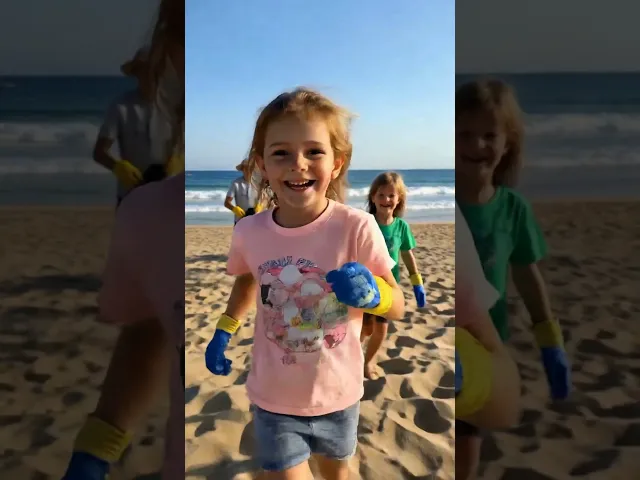
Here’s an example of the kind of impact-driven nonprofit video that small teams can now create using AI.
Here's what most nonprofit communications teams are actually dealing with:
A volunteer videographer who's available sometime next quarter.
B-roll footage from 2019 that features a program you discontinued
A $3,500 video production quote that consumed your entire comms budget
A board member who keeps asking, 'Why don't we have video content like Charity: Water?'
A Canva account and a lot of good intentions
The gap between what nonprofits know they need and what they can actually produce is enormous. AI video generation is closing in, not by giving you a shortcut, but by giving you a complete production pipeline that doesn't require a crew.
What Changes With AI Video Generation Before AI: Script → Filming → Editing → Color → Export → Upload. Minimum 2 weeks, minimum $1,500. After AI (Atlabs): Brief → Script (AI) → Video (AI) → Voice (AI) → Export. Same day, fraction of the cost. |
The Atlabs Nonprofit Video Workflow (Step-by-Step)
This is the exact process your communications manager can follow from a laptop, no prior video experience required.
Step 1: Turn Your Mission Into a Script (AI Script Writer)
The biggest block for most nonprofit staff isn't video production; it's not knowing how to start the script. You know your mission, but translating it into video language is a different skill.
Atlabs' AI Script Writer eliminates the blank page.
How to access: Atlabs Dashboard → Workflow→Script to Video→AI Script Writer
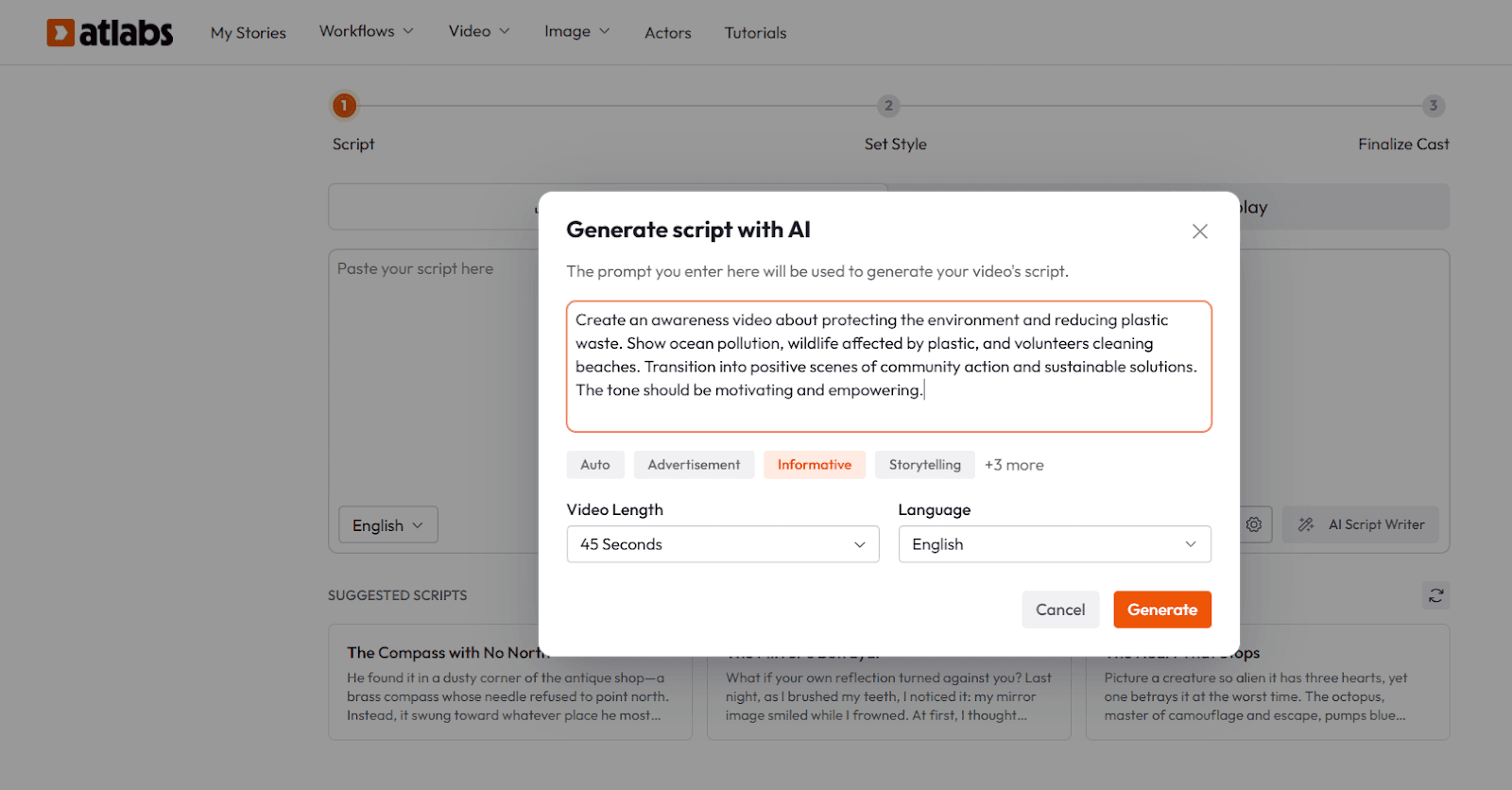
What to give it:
Your mission statement (1–2 sentences)
The specific program or campaign this video is about
Who you're speaking to (donors, volunteers, the public)
The action you want them to take (donate, sign up, share)
Tone: urgent, hopeful, educational, celebratory
Copy-paste prompt examples for nonprofits:
Prompt: Year-End Donor Appeal Write a 60-second video script for a year-end donor appeal for a food bank serving 2,000 families in rural Tennessee. Audience: existing donors who gave last year. Tone: warm, grateful, urgent. CTA: donate before December 31st to double their impact through a matching gift." |
Prompt: Program Explainer Write a 90-second explainer video script for a youth mentorship nonprofit. Program: after-school tutoring and career readiness for first-generation college students. Audience: prospective corporate partners. Tone: professional but human. CTA: Schedule a discovery call." |
Prompt: Impact Story "Write a 45-second impact story for a women's shelter. Focus on transformation, not hardship. Show what's possible after someone receives services, employment, housing, and Safety. Audience: general public on Instagram. Tone: hopeful, empowering. No names for privacy. CTA: follow and share." |
Step 2: Choose Your Visual Format
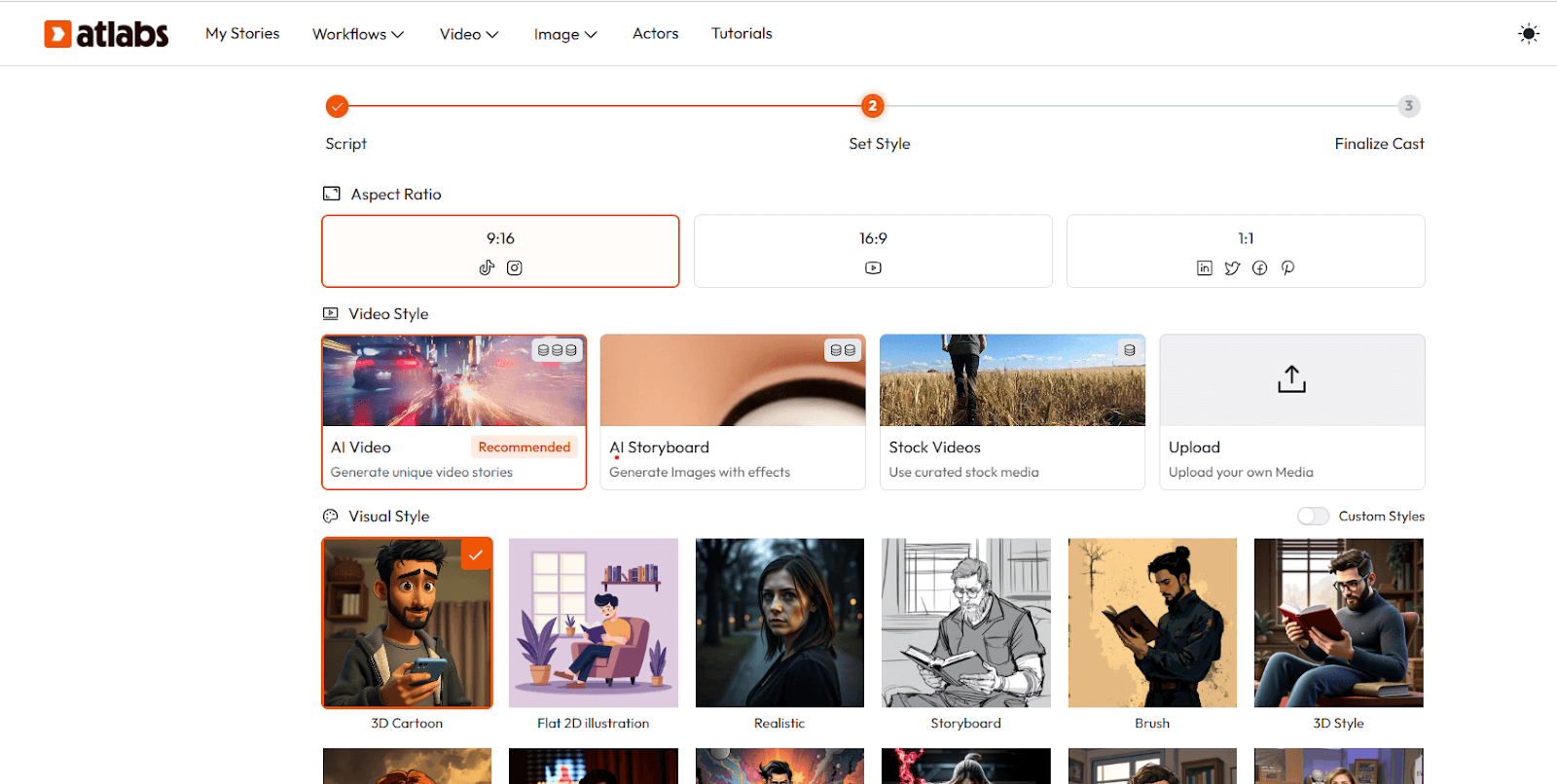
This is where most teams get paralyzed, 'But we don't have any footage.' That's the old thinking. Atlabs gives you three video formats that require zero original footage:
Format | Best For | What You Need |
Text-to-Video (AI-generated scenes) | Impact stories, program explainers, concept-driven content | Script only |
Avatar Workflow (AI spokesperson) | Donor appeals, stewardship messages, staff spotlights | Script + character setup (5 min) |
Image-to-Video (animate stills) | Field reports, event recaps using existing photos | Phone photos from your programs |
Step 3: Create Your AI Spokesperson or Narrator (Avatar Workflow)
Donor appeals and stewardship videos work best when they feel personal, like someone is speaking directly to you. The Avatar Workflow lets you create a consistent AI spokesperson who represents your organization across every video.
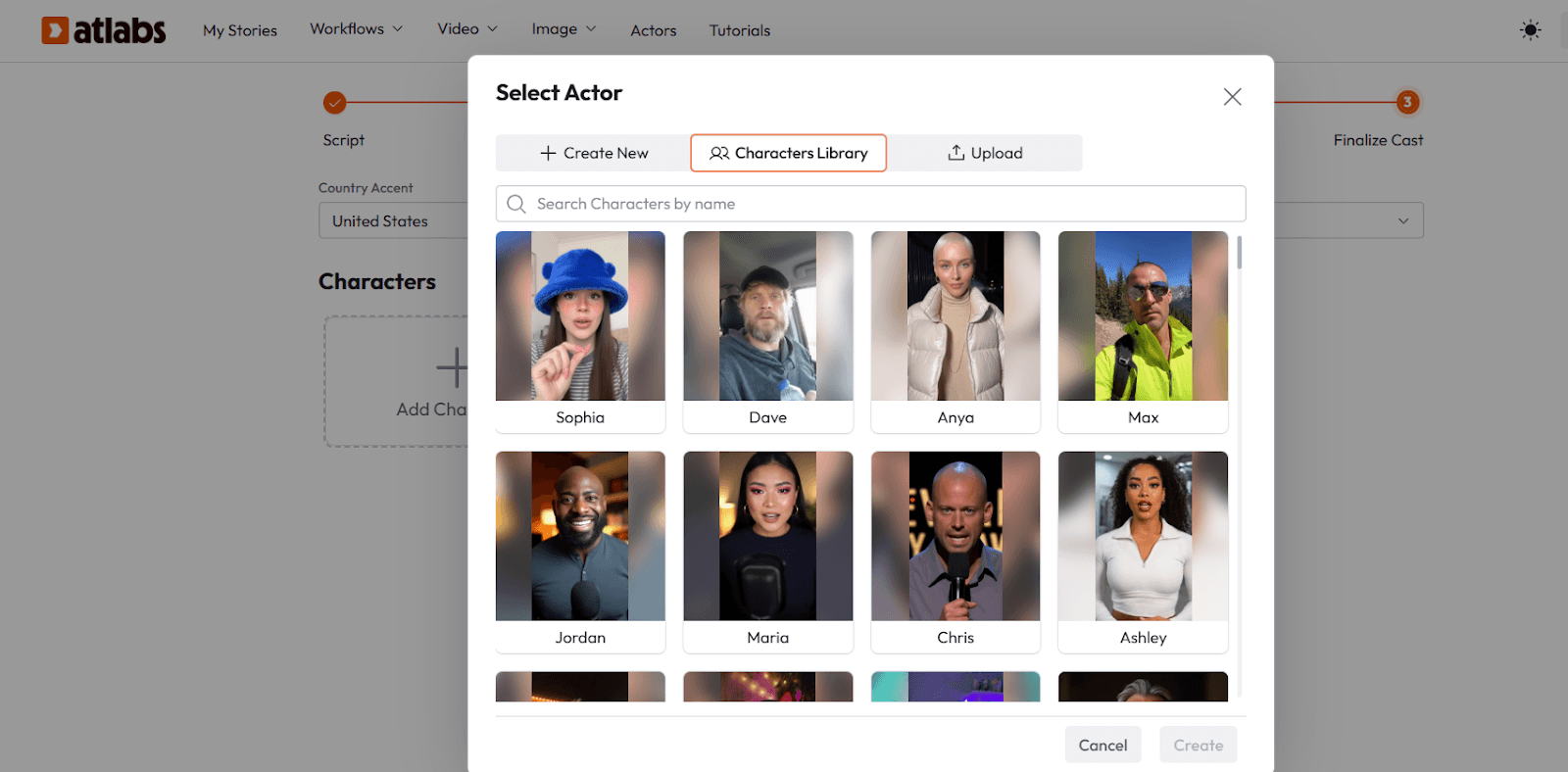
You can also generate a character you love, save that image, and prompt. This is your organization's 'video face' you'll use it across every future video for brand consistency.
Then: Paste your script, select a voice that matches your character's profile, and click Generate. Atlabs animates the face, syncs lips to your audio, and adds natural micro-expressions, blinking, breathing, and subtle head movements.
Step 4: Add Your Organization's Real Content
AI-generated visuals are powerful, but donors connect with real people and real places. Atlabs lets you blend both.
The Image-to-Video feature takes the photos you already have from your last site visit, your annual gala, your program, and animates them into cinematic video clips.
What you need:
Photos from your programs, events, or field work (even phone photos work)
A motion prompt describing how the scene should move
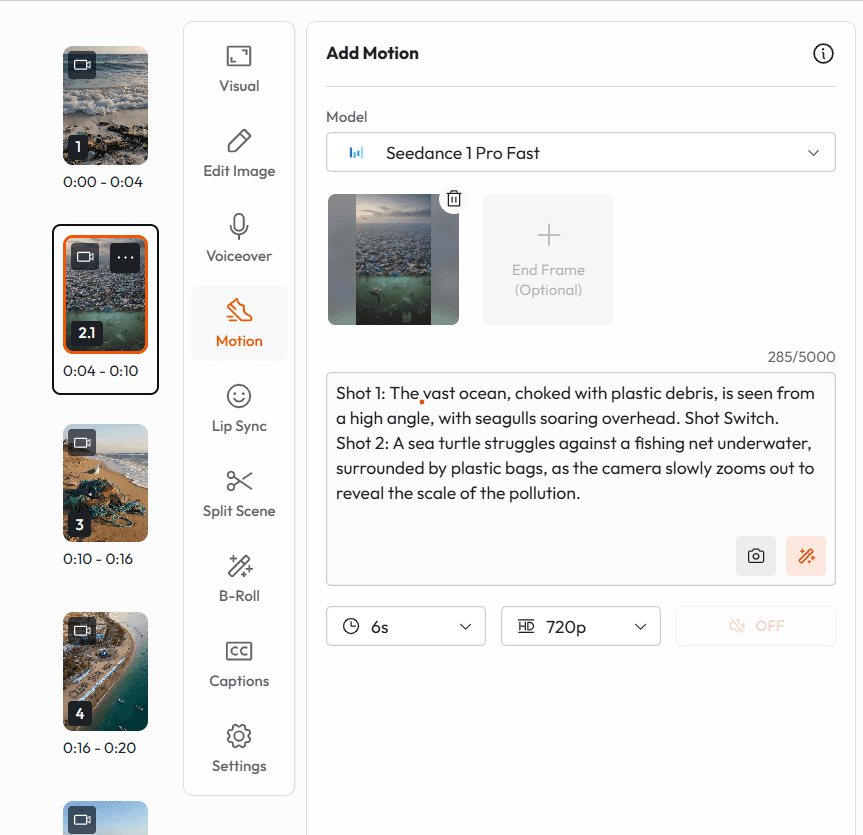
Motion prompt examples for nonprofit content:
For a photo of children in a classroom "Slow camera push-in toward the students. Soft, warm light. Children are engaged, looking at the board. Subtle motion breathing, small natural movements. Hopeful, uplifting atmosphere." |
For a photo of a community garden "Aerial slow drift across the garden. Leavesare moving gently in the wind. Warm morning light. People tending plots in the background. Peaceful, purposeful." |
For a photo of a donor/volunteer smiling "Subtle zoom in toward the face. Natural breathing movement. Background slightly blurred. Warm, genuine feeling. No dramatic movement, let the expression carry the moment." |
The result: Your real photos become cinema. The gap between 'we only have phone photos' and 'we have a beautiful impact video' disappears.
Step 5: Voice, Captions, and Export
Two features that nonprofit communicators consistently overlook and that dramatically change how content performs:
AI Voiceover:
Choose from 40+ voices across multiple languages
Critical for nonprofits serving multilingual communities to export the same video in Spanish, French, Haitian Creole, or 37 other languages in one click
No voice actor to hire, no separate recording session
Captions:
Auto-generated and synced 85% of social video is watched without sound
Customizable caption styles to match your brand colors
Required for accessibility (ADA compliance for digital content)
Export formats:
16:9 for YouTube and website embeds
9:16 for Instagram Reels, TikTok, and Facebook Stories
1:1 for email headers and social feeds
What This Actually Costs (Compared to the Alternative)
Let's be direct about the economics, because this matters enormously for nonprofits operating on thin margins.
Production Method | Cost Per Video | Timeline |
Local video production company | $3,000–$8,000 | 3–6 weeks |
Freelance videographer + editor | $800–$2,500 | 1–3 weeks |
Staff member learns Premiere Pro | $0 direct + 40+ hrs training | 2–4 months |
Atlabs AI (full subscription) | Flat monthly fee- $15/mo, | Same day |
Ready to Produce Your First Video?
Your mission deserves to be seen. The donors who would give to your cause need to feel your story before they fund it. That gap between the work you do and the world knowing about it is exactly what Atlabs was built to close.
You don't need a camera. You don't need an editor. You don't need a production budget.
You need Atlabs.
→ Create Your First Nonprofit Video on Atlabs AI Free to start · No credit card required · First video in under 60 minutes |








