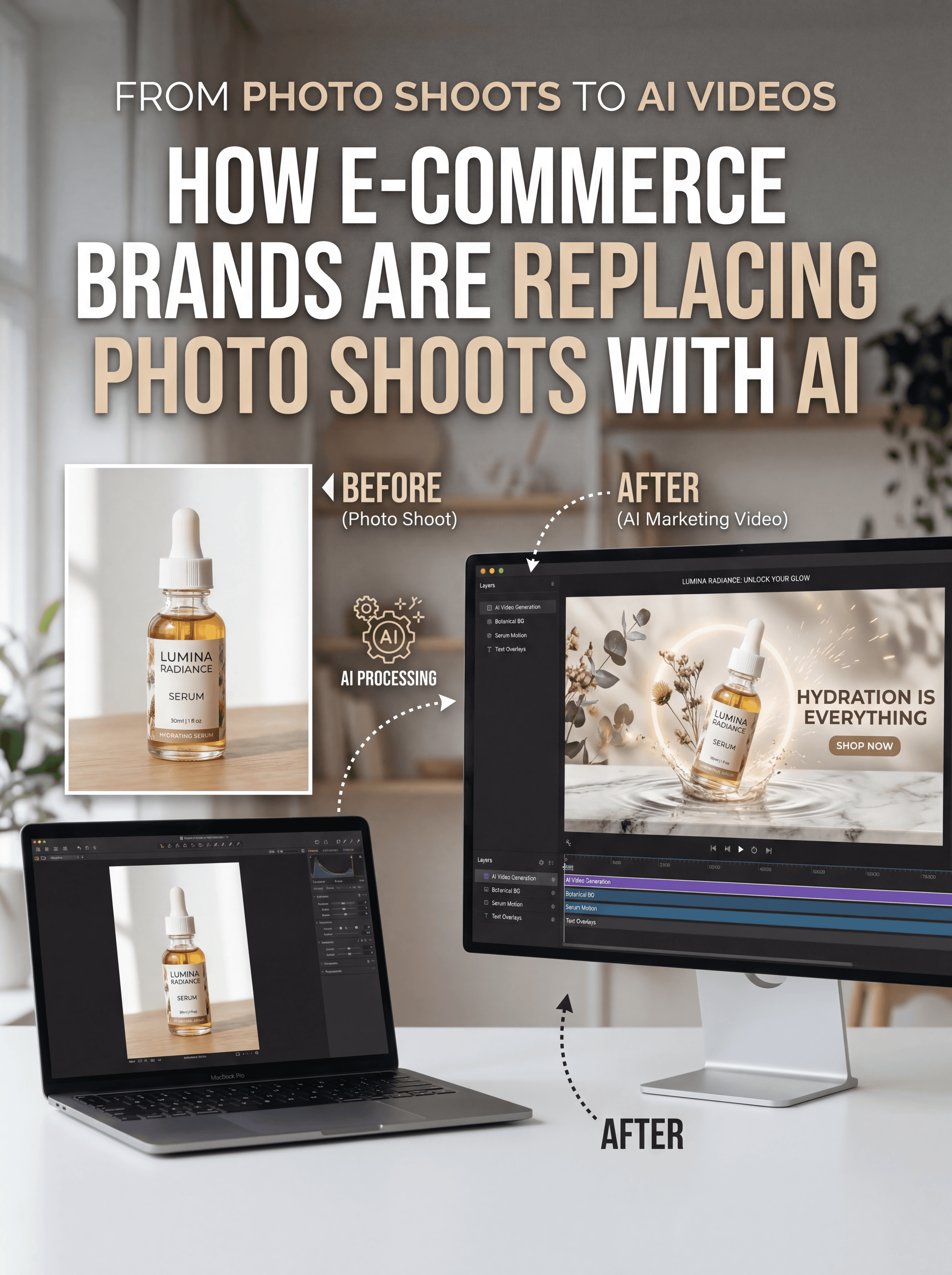
Your product photos look great. Clean backgrounds. Multiple angles. Maybe even a few lifestyle shots, but turning those images into video content is where most ecommerce teams get stuck. Video is now the most effective format for selling online. Social feeds prioritize it. Ad platforms reward it. Customers trust it more than static images. Yet producing product videos the traditional way still feels like a production project.
You need a videographer. A studio. Lighting. Editing. Multiple revisions. And if you sell more than a handful of products, the cost multiplies quickly.This is why a growing number of ecommerce brands are replacing product video shoots entirely. Instead of filming new footage, they generate marketing videos directly from existing catalog images using AI.
And the workflow is far simpler than most teams expect. In the video below, you can see how Atlabs.ai turns a simple product image into a ready-to-use marketing video.
Why Static Product Images Are No Longer Enough
Online shopping behavior has changed dramatically over the last few years. Customers do not just want to see a product. They want to see it in motion. They want to understand how it looks in real life, how it is used, and how it fits into their lifestyle. Video answers those questions faster than any image gallery ever could. Platforms like TikTok, Instagram Reels, and YouTube Shorts have trained audiences to consume product discovery through short videos. The result is simple.
Video drives attention. Video builds trust. Video converts better.
But producing videos the traditional way does not scale well. If a brand sells 50 products, filming videos for each one quickly becomes expensive. If a brand sells 500 products, it becomes nearly impossible to maintain. This gap between demand for video and the ability to produce it is exactly where AI video generation is changing ecommerce marketing.
The New Workflow: Turning Product Images into Video
Instead of organizing a production shoot, modern teams start with what they already have. Their catalog images. Using an AI product video generator like Atlabs AI, those images can be transformed into full marketing videos within minutes.
A single product photo can become
product demo videos
short social ads
UGC style promotional clips
lifestyle storytelling content
multilingual marketing videos
And unlike template tools that feel rigid and repetitive, AI generation allows every scene to be edited, regenerated, and customized.
This means brands can create video content at the same speed they launch new products.
What Makes Atlabs Different from Typical AI Video Tools
Many AI video tools rely on fixed templates. You upload images, add text, choose music, and the result looks like a slideshow. Atlabs takes a different approach. It behaves more like a digital production studio.Instead of simply animating slides, the platform generates scenes, motion, and storytelling around your product. Here is what ecommerce teams can actually do inside Atlabs
Upload existing product images in JPG or PNG format
Generate product ads, demos, and social videos automatically
Maintain consistent AI characters across scenes
Edit scenes individually without recreating the whole video
Generate voiceovers and lip sync automatically
Export videos for vertical, square, or widescreen formats
Translate videos into more than 40 languages instantly
The end result looks far closer to a commercial than a slideshow.

And it can be created in minutes instead of weeks.
Step by Step: Turning a Product Image into a Marketing Video
Let’s walk through a typical workflow. Imagine you run a direct to consumer skincare brand and need video ads for a new serum. You already have high quality product images. That is all you need to begin.
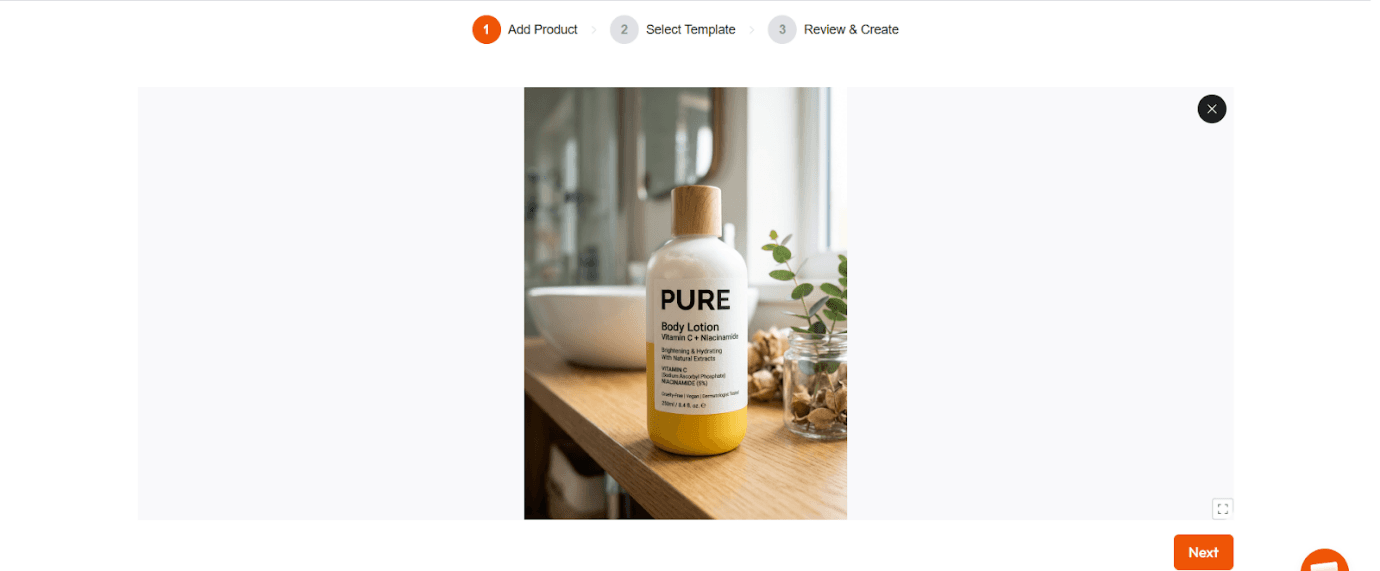
Step 1: Upload Your Product Image
Start by uploading your catalog photo to Atlabs AI - product workflow. You can drag and drop files, paste an image from your clipboard, or import from a URL. Catalog shots work perfectly. So do lifestyle photos, flat lays, or product closeups.
The AI uses this image as the visual foundation for the generated video.
Step 2: Choose a Video Style
Next you select the type of video you want to create.
Examples include
Product showcase videos
UGC style ads
Lifestyle marketing clips
Product demonstration videos
The style determines motion, pacing, and scene structure.
For instance, a social ad will use faster cuts and vertical framing. A product demo may focus on closeup shots and slower movement.

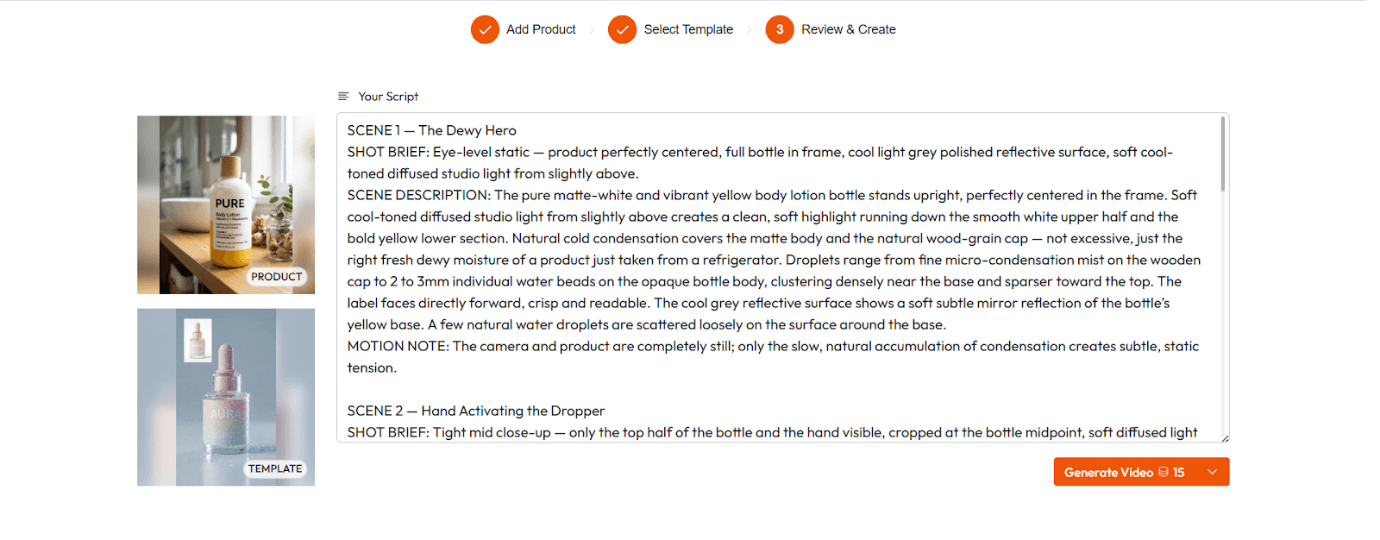
Step 3: Customize Scenes
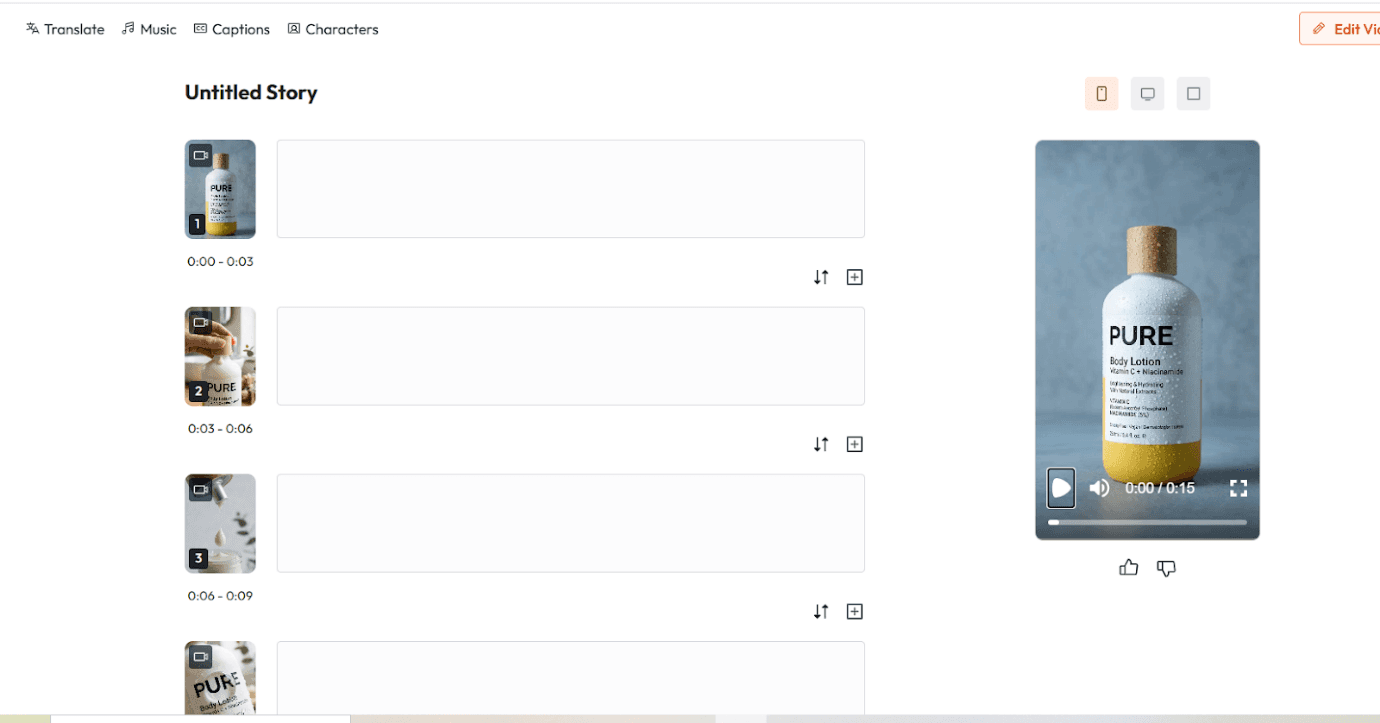
Once the video is generated, you can edit each scene.
You can change
Text overlays
Visual style
Voiceover tone
Scene order
Background visuals
Instead of starting over every time you want a change, you simply regenerate the specific scene you want to improve.This dramatically speeds up creative iteration.
Step 4: Export the Final Video
When everything looks right, you generate the final version. Atlabs exports videos in the formats used by major platforms.
Vertical for TikTok and Reels
Square for Instagram feeds
Widescreen for YouTube and websites
Within minutes, the same product image that once lived only on your product page is now a full marketing video.
Prompt Examples That Generate Strong Product Videos
When generating scenes with AI, the quality of your prompt matters.
Specific details about lighting, camera framing, and mood help the system produce better results. Structured prompts often follow a clear subject, action, camera, and style format to reduce visual drift.
Here are a few examples that work well for ecommerce.
Skincare UGC Ad Prompt
A 26 year old woman with glowing natural skin sitting beside a bright window in morning light holding a minimal white serum bottle. She speaks casually to the camera with a friendly tone. Handheld smartphone feel with soft background blur. Vertical social video.
Why it works: The prompt defines the subject, lighting, camera style, and emotional tone clearly.
Lifestyle Product Shot Prompt
Flat lay of a matte black candle placed on a concrete surface with dried eucalyptus leaves. Warm golden hour lighting with a slow cinematic camera push forward.
Why it works:The prompt describes the environment and motion, giving the model clear direction for scene composition.
Product Demo Prompt
Close up of hands applying a small amount of face cream. Skin texture visible with soft studio lighting. Product label facing the camera while the hand movement remains smooth and natural.
Why it works:The prompt focuses on tactile product interaction, which performs well in product demo videos.
Why Ecommerce Marketing Is Moving Toward AI Video
For years, video production was constrained by logistics. Equipment. Locations. Talent. Editing. AI removes most of that friction. Instead of planning shoots around a limited production schedule, brands can generate marketing videos whenever they need them.
Launching a product.
Testing new ad angles.
Expanding internationally.
Creating social content daily.
The same catalog images that once served only product pages now power an entire video marketing pipeline.
The Bottom Line
Ecommerce has entered a video first era. Customers expect to see products in motion before they buy. Social platforms reward video content. And paid ads perform better when they tell a visual story, But the traditional process of filming product videos does not scale for modern ecommerce catalogs. AI video generation changes that equation completely.
Instead of organizing expensive production shoots, brands can transform the images they already have into marketing videos in minutes. If you want to see how fast that workflow can be, try creating your first AI product video with Atlabs at atlabs.ai. Upload a product image. Generate your first video. And watch how quickly your catalog turns into a library of marketing content.You have not enough Humanizer words left. Upgrade your Surfer plan.








