
GPT Image 2.5 is not a single model, it is two of them. OpenAI released it on September 8, 2026 as a follow up to GPT Image 2, and rather than shipping one updated version, they split it into a small, speed optimized model called Flare and a larger, quality optimized model called Sunburst. Both are available through ChatGPT, ChatGPT Work, Codex, and directly through the API under the model names gpt-image-2.5-flare and gpt-image-2.5-sunburst.
The split exists because speed and output polish pull in different directions, and OpenAI decided to let people choose rather than compromise on both. Flare renders fast enough to make rapid iteration practical, testing five or six directions on a brief in the time it used to take to generate one image on GPT Image 2. Sunburst takes longer but pushes further on fine detail, texture, and consistency across repeated edits, the kind of output that holds up under close inspection or heavy cropping. Neither is a stripped down or a premium version of the other in the usual sense. They are two answers to two different questions, one asking how many directions can be explored quickly, the other asking how well a single chosen direction can be refined.
What ChatGPT and Codex actually run by default is not something OpenAI has stated outright, though testing points to Flare being the one behind the scenes in both. The API is where the choice becomes explicit, since a developer calling either model by name knows exactly which one is generating the result, along with a separate quality setting on top of that choice that controls how much time and detail get spent on any single generation.
Quick Comparison: Where to Run GPT Image 2.5
Platform | Best For | Key Advantage | Tradeoffs |
Atlabs | Running GPT Image Gen alongside 50+ other models, then moving straight into video | One account covers image generation, editing, and a direct path into an Atlabs video project | Model version and quality step are set by the platform rather than chosen per call |
ChatGPT | Casual generation inside an existing chat | No setup, image generation is already built in, plus Sketch and Template tools | Runs on whichever version and quality OpenAI defaults to, with no manual override |
Direct API | Developers who need explicit control |
| Requires your own integration and billing setup |
Pick the Model in This Order
The decision is simpler than testing both from scratch every time. If an existing GPT Image 2 workflow already produces acceptable results, start on Flare using the same prompt, the same size, and the same quality setting made explicit rather than left on auto. If that passes, the latency improvement comes for free with nothing else changed. If GPT Image 2 was not good enough for the job in the first place, start on Sunburst instead, get the output to an acceptable point there, then run the same inputs on Flare and switch to it only if it still holds up.
Two things matter for a fair comparison. First, never compare on auto quality, since "high" is not calibrated the same way across the two models, set it by hand before judging anything. Second, tune one variable at a time: try the next quality step up before rewriting the prompt itself, and reach for high or max only once a lower step has actually failed a requirement that matters for the specific job, not as a default starting point.
Generation Time by Model and Quality Step
Real numbers from one round of testing, same prompts, 1024 pixels wide:
Model | Edit round (medium quality) | Text to image (high quality) |
GPT Image 2 | 37 to 55 seconds | 177 seconds |
GPT Image 2.5 Flare | 19 to 27 seconds | 22 seconds |
GPT Image 2.5 Sunburst | 17 to 41 seconds | 48 seconds |
Sunburst at max quality on a portrait ran 115 seconds in the same testing, worth knowing before reaching for the top quality step by default on every generation.
Valid Image Sizes
GPT Image 2.5 accepts sizes from 1024 square up to 3840 on the long edge, with both edges needing to be multiples of 16 and the aspect ratio no wider than 3 to 1. Total pixel count needs to land between 655,360 and 8,294,400, and anything above 2560x1440 is marked experimental rather than fully supported. Common sizes that work reliably include 1024x1024, 1536x1024, 1024x1536, 2048x2048, 2048x1152, 3840x2160, and 2160x3840.
Flare vs Sunburst on the Same Prompt: A Two Turn Example
The refinement method here is simple: generate once, review the result, pass it back in with exactly one change, and repeat whatever constraints matter on every single turn rather than assuming they carry over automatically. This example adapts OpenAI's published billboard mockup method from the GPT Image 2.5 prompting guide, run side by side on both Flare and Sunburst, using a drink can in place of their original product photo.
Photorealistic low-angle shot of a large roadside billboard against a clear deep-blue sky, shot from the ground looking up. A giant plain white takeaway coffee cup — smooth blank paper, matte finish, domed white lid, and a plain kraft-brown corrugated sleeve with no logo, no printing, no markings of any kind — is mounted as an oversized 3D extension breaking out of the left edge of the billboard face, cantilevered on a black steel bracket so it projects forward past the frame. The billboard panel is white with bold dark-green sans-serif copy on the right side. Steel service catwalk with railings and ladder runs along the bottom, spotlights angled up at the face, single galvanized steel column supporting the structure. A concrete overpass and a street lamp sit low in the background. Bright midday sun, hard directional light casting the cup's shadow onto the billboard face, crisp shadows, high clarity, commercial OOH mockup photography, 24mm wide angle, shot on full-frame DSLR, high detail, 4K.
Flare:
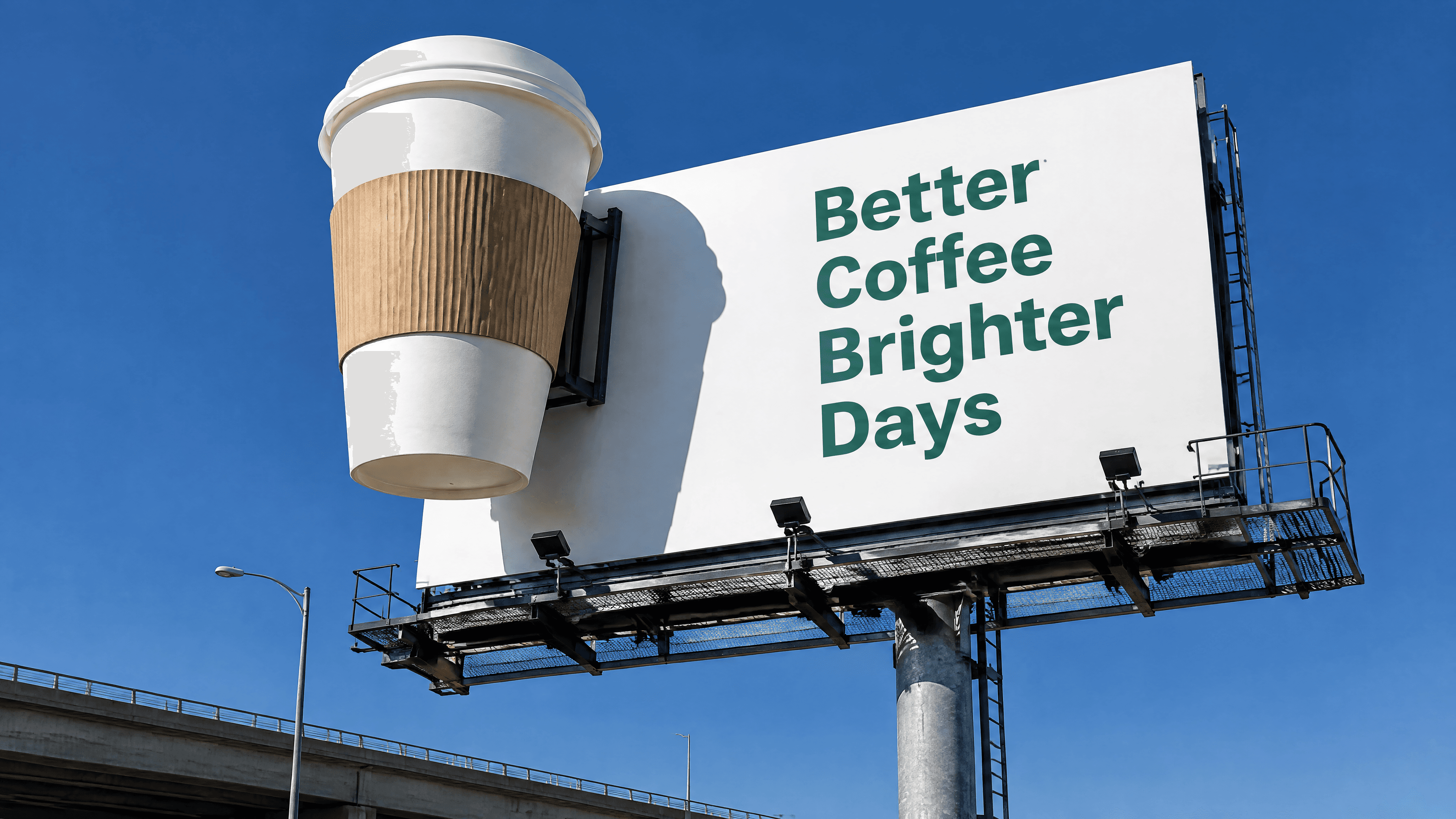
Sunburst:
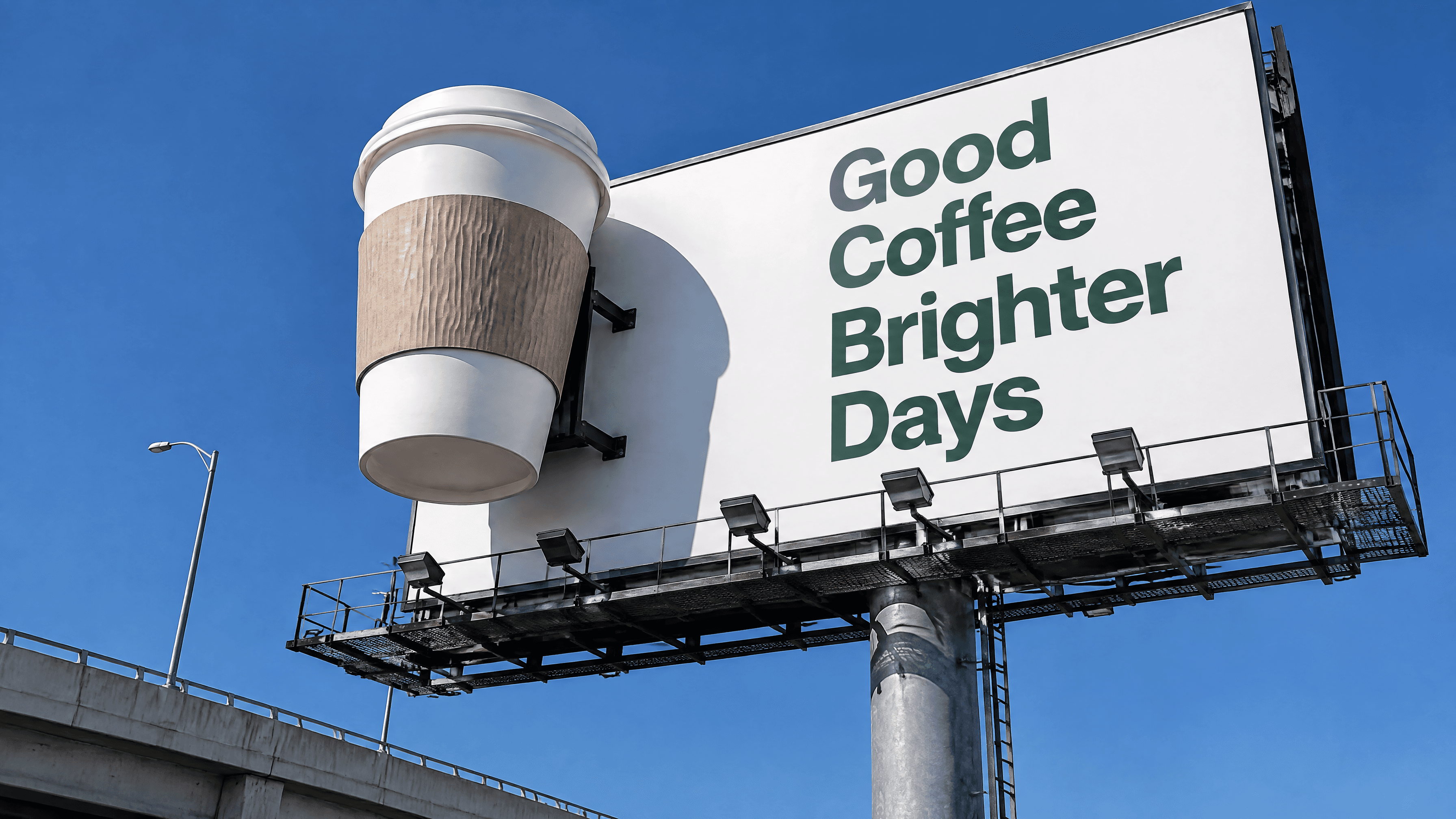
Running this pair on your own product photo is the fastest way to see the Flare versus Sunburst gap directly rather than taking timing numbers on faith. Swap in whatever product photo is on hand, keep the two turn structure, and compare what each model does with the exact same billboard text and the same weather change.
Shooting From Inside the Fruit: Extreme POV Camera Angles
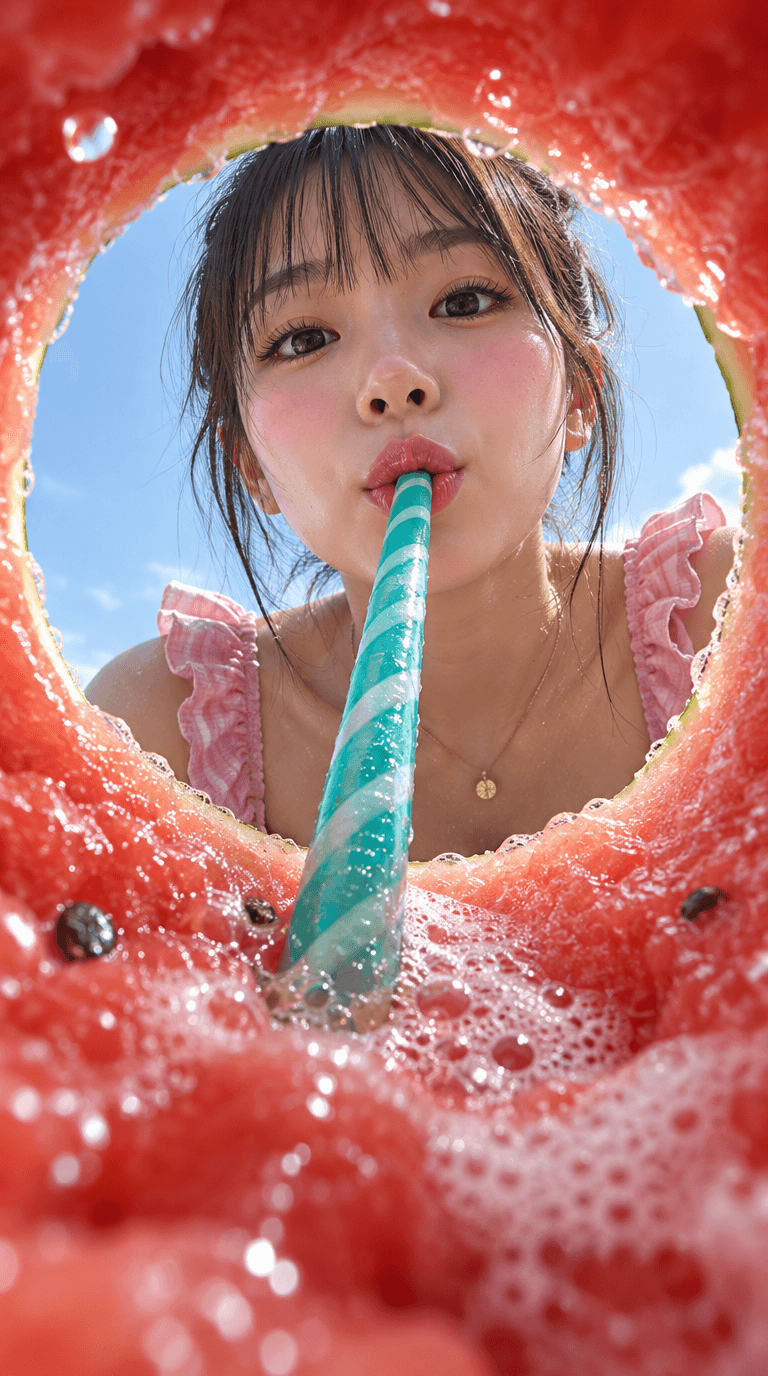
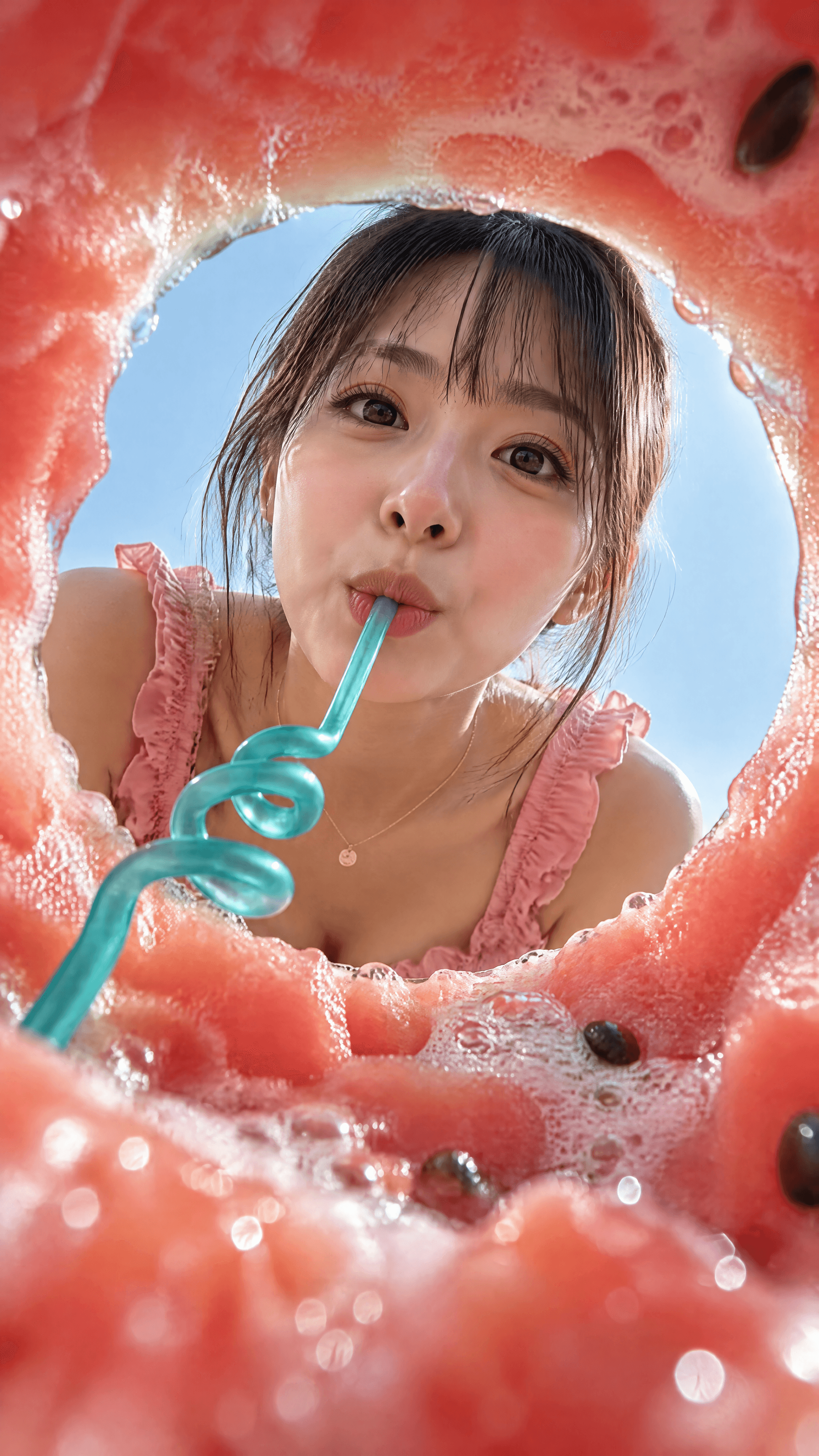
Most prompts place the camera where a person would naturally stand. The interesting results start when you put it somewhere a camera has no business being — inside a hollowed watermelon, under a glass, behind the thing being eaten. The subject barely changes; what changes is that the foreground becomes a frame, the scale inverts, and an ordinary summer portrait turns into something you have to look at twice. Below are two passes at the same idea, testing how much the lens position alone carries the image.
Fisheye POV from inside a hollowed watermelon, looking up through a circular hole at a young East Asian woman with bangs peering down, sipping a teal swirled straw stuck into the fruit. Wet pink watermelon flesh and white foam bubbles curve around the frame edges, blurred in the foreground. Pale blue sky visible behind her through the hole. She wears a pink ruffled top and thin gold necklace, soft natural sunlight, glossy highlights, sharp focus on her face. Vertical 9:16, hyper-realistic macro food photography, saturated coral-pink and teal palette, shallow depth of field, 8k detail.
flare:
sunburn:
Keeping One Character Across Scenes: Juniper the Lantern Fox
Character consistency starts with one fully specified generation, not a loose description repeated across separate prompts. That single image then gets passed back in for every following scene, with its defining details spelled out again each time. Here's the same generate then continue method applied to an original character rather than a borrowed example.
Establish the character. Generation mode, 1024x1536, medium quality.
Create a children's book illustration introducing a main character. Character: Juniper, a small lantern fox with copper orange fur and a fluffy white tipped tail, wearing a tiny brass lantern on a leather strap around her neck and a knitted blue scarf. She has round curious eyes and a gentle, mischievous smile. Theme: Juniper wanders the night forest guiding lost fireflies safely back to their glowing meadow. Style: children's book illustration, hand painted watercolor look, soft outlines, warm nighttime color palette with deep blues and lantern gold, whimsical and cozy, proportions suitable for picture books. Constraints: original character, no copyrighted characters, no text, no watermarks, plain dark forest background at night to clearly showcase the character.
Flare:
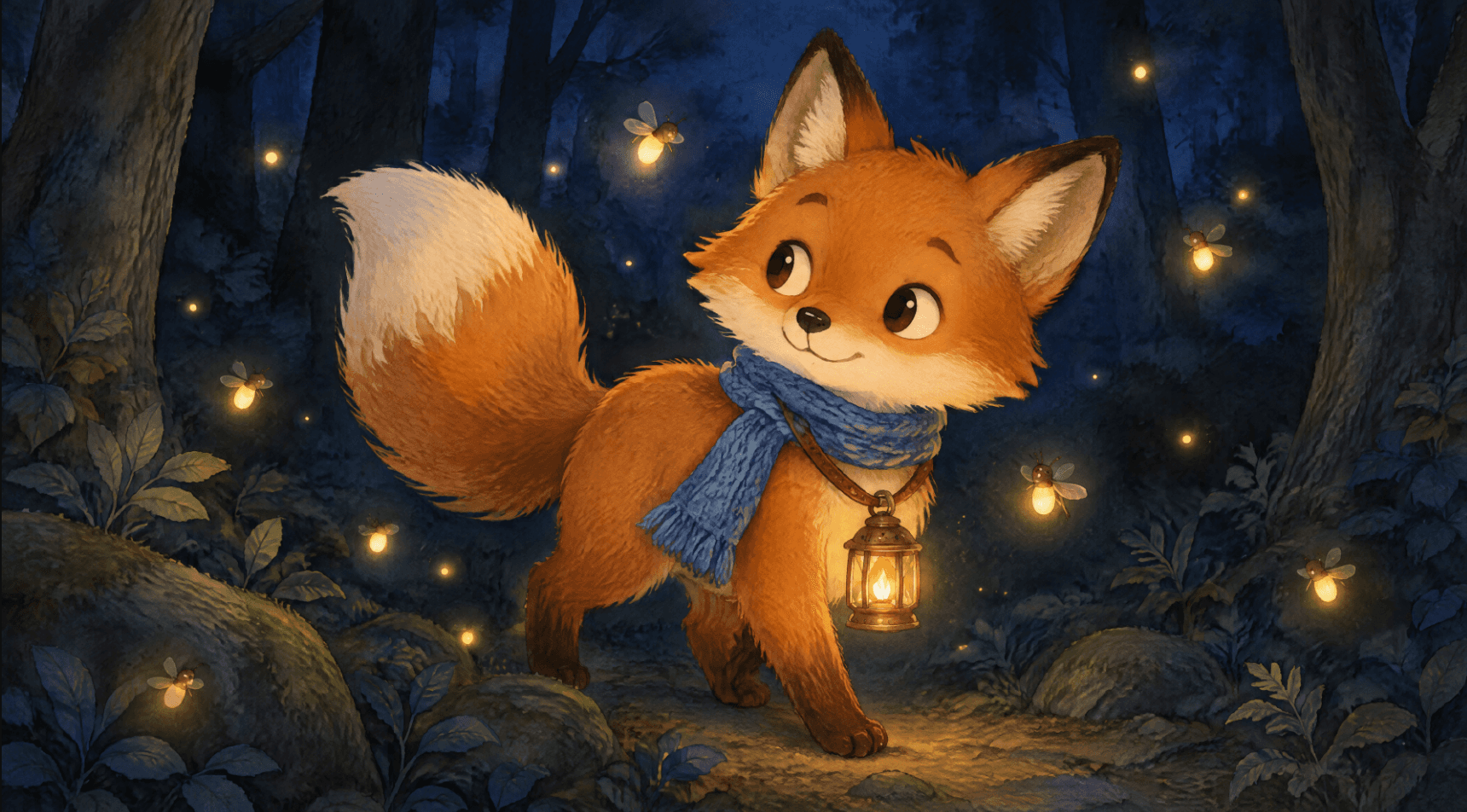
Sunburst:
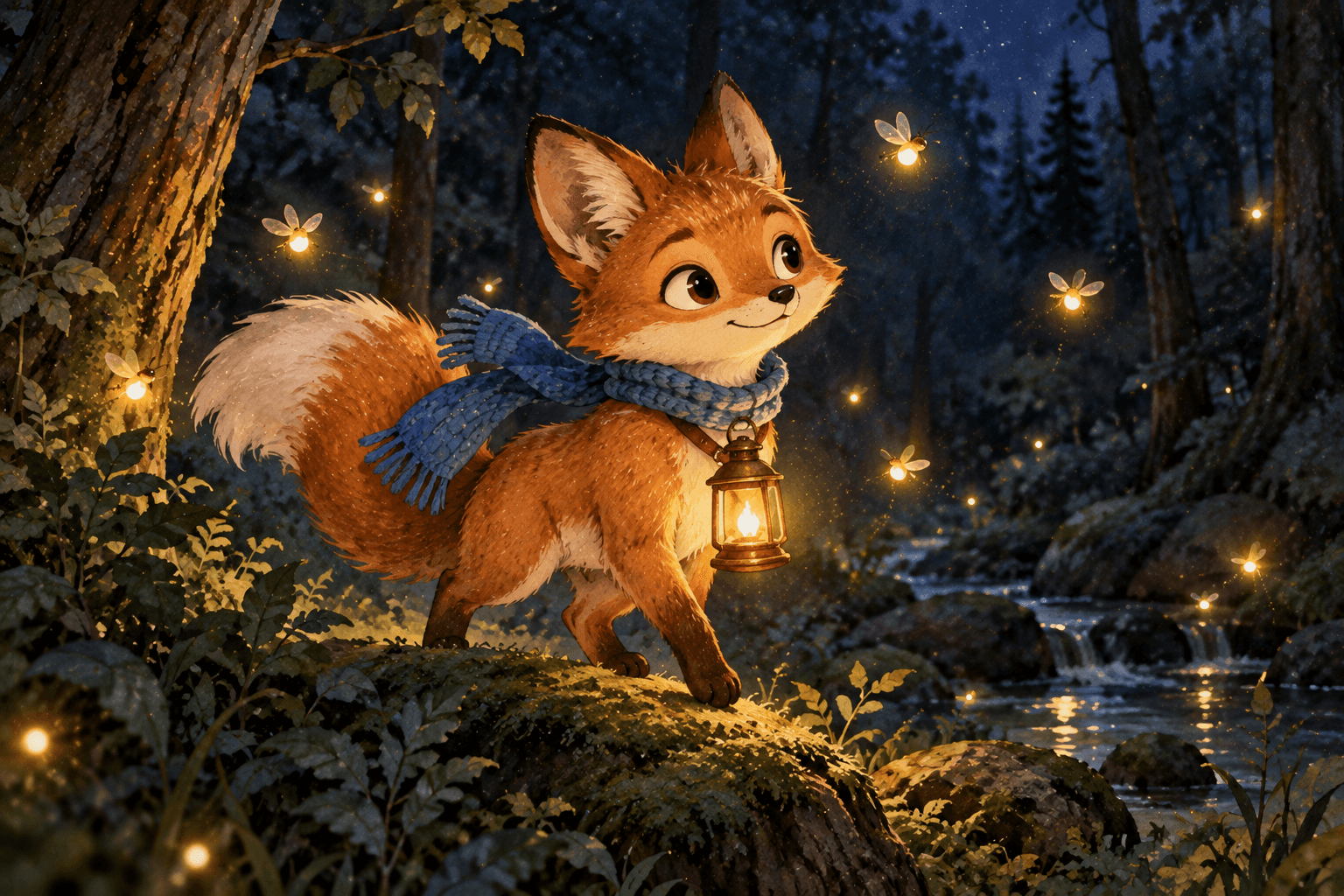
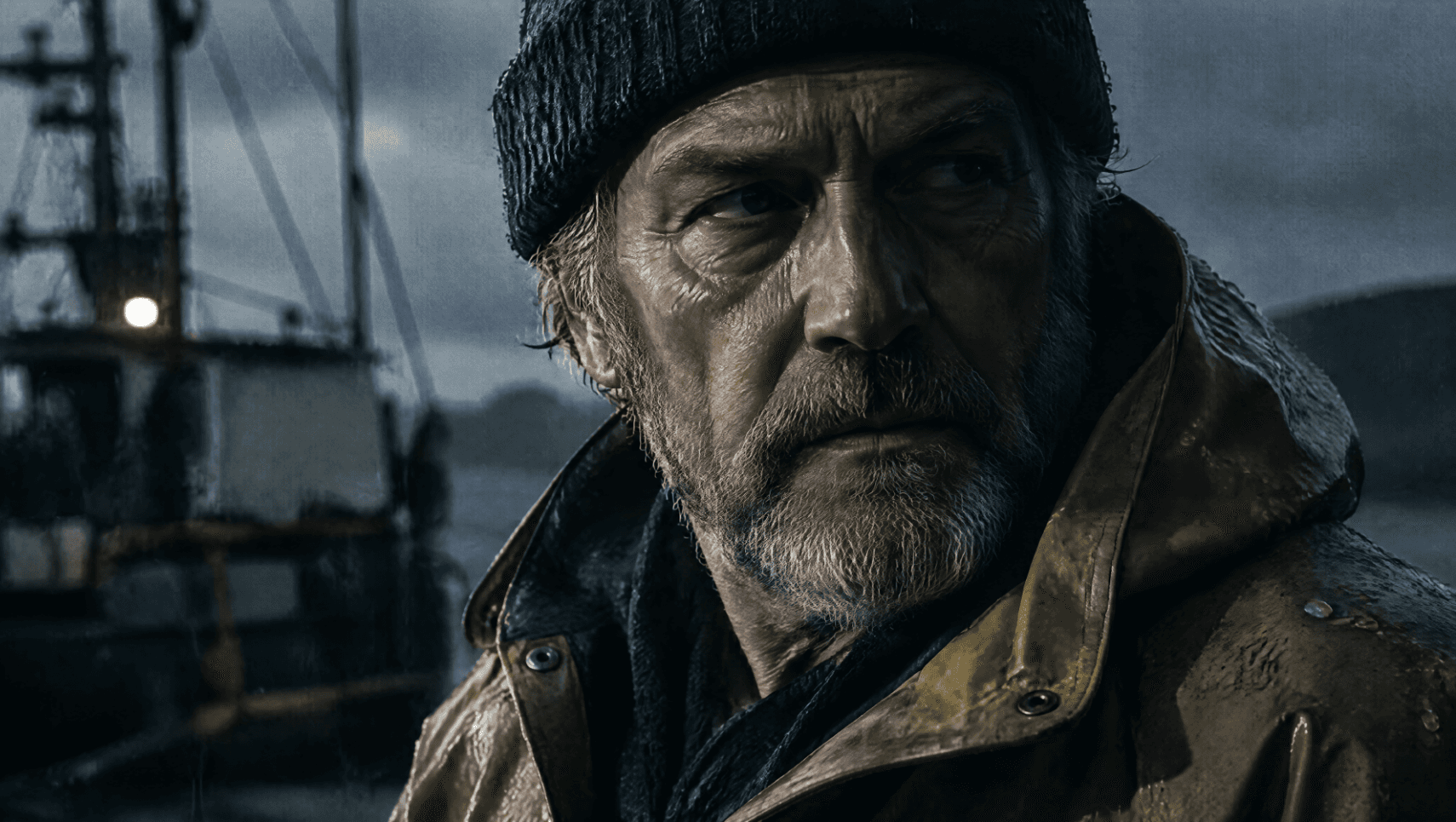
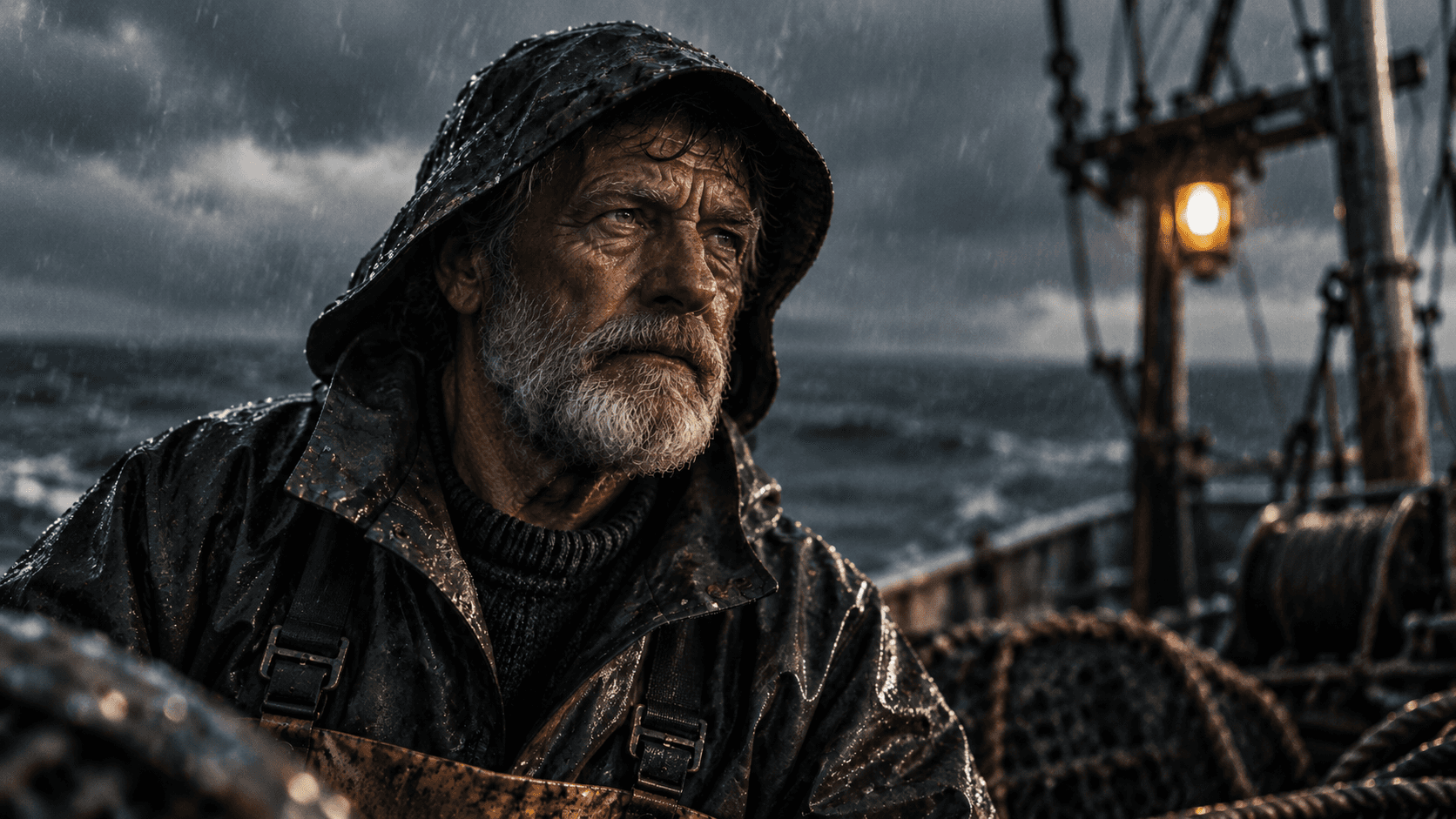
Cinematic Portrait, Somber and Intense
Type: photorealistic portrait. Vibe: dramatic film still. Mood: tense, brooding.
A photorealistic close up portrait of a weathered fisherman in his sixties, deep set eyes staring past the camera, rain soaked oilskin jacket, single hard side light carving deep shadows across his face, muted grey and navy color grade, shot on what looks like 35mm film with visible grain, shallow depth of field, cinematic and somber.
Flare:
Sunburst:
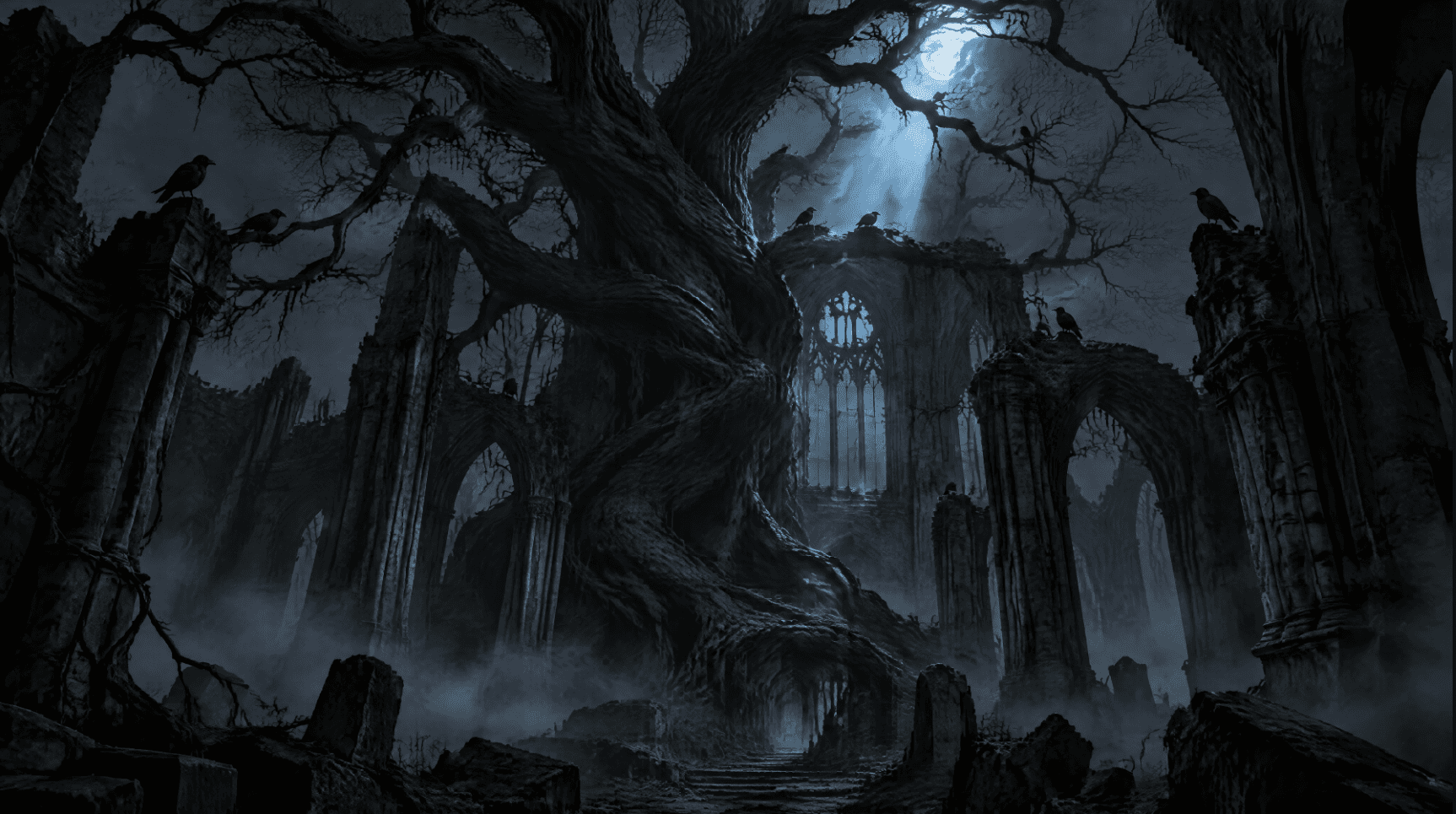
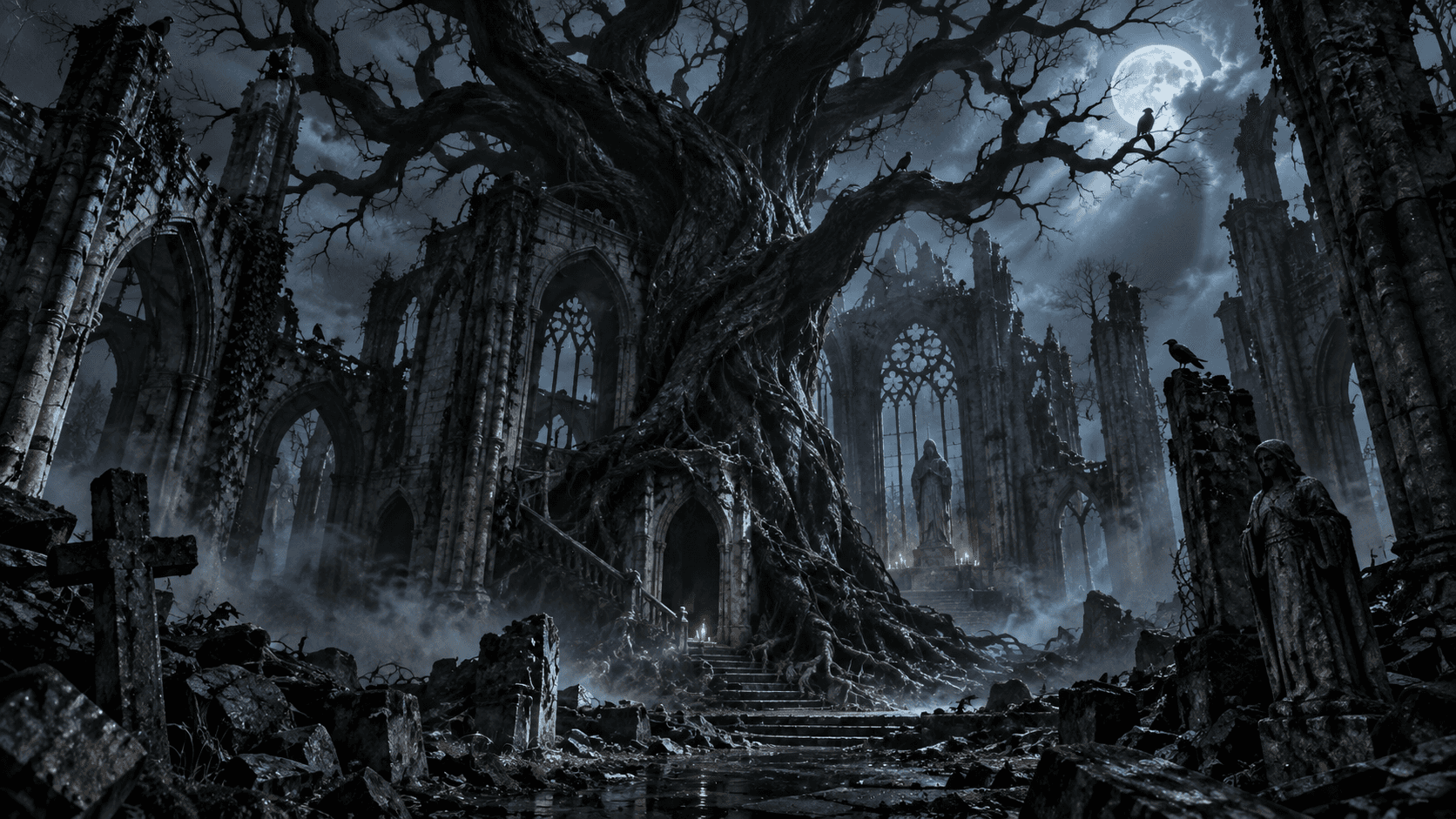
Dark Fantasy Concept Art, Eerie and Foreboding
Type: fantasy concept art. Vibe: gothic, unsettling. Mood: ominous, mysterious.
Concept art of a massive twisted black tree growing through the ruins of an abandoned cathedral, thin fog curling around broken stone pillars, a single sliver of cold blue moonlight cutting through the canopy above, crows perched silently on skeletal branches, muted desaturated palette apart from the moonlight, highly detailed digital painting, eerie and foreboding atmosphere.
Flare:
Sunburst:
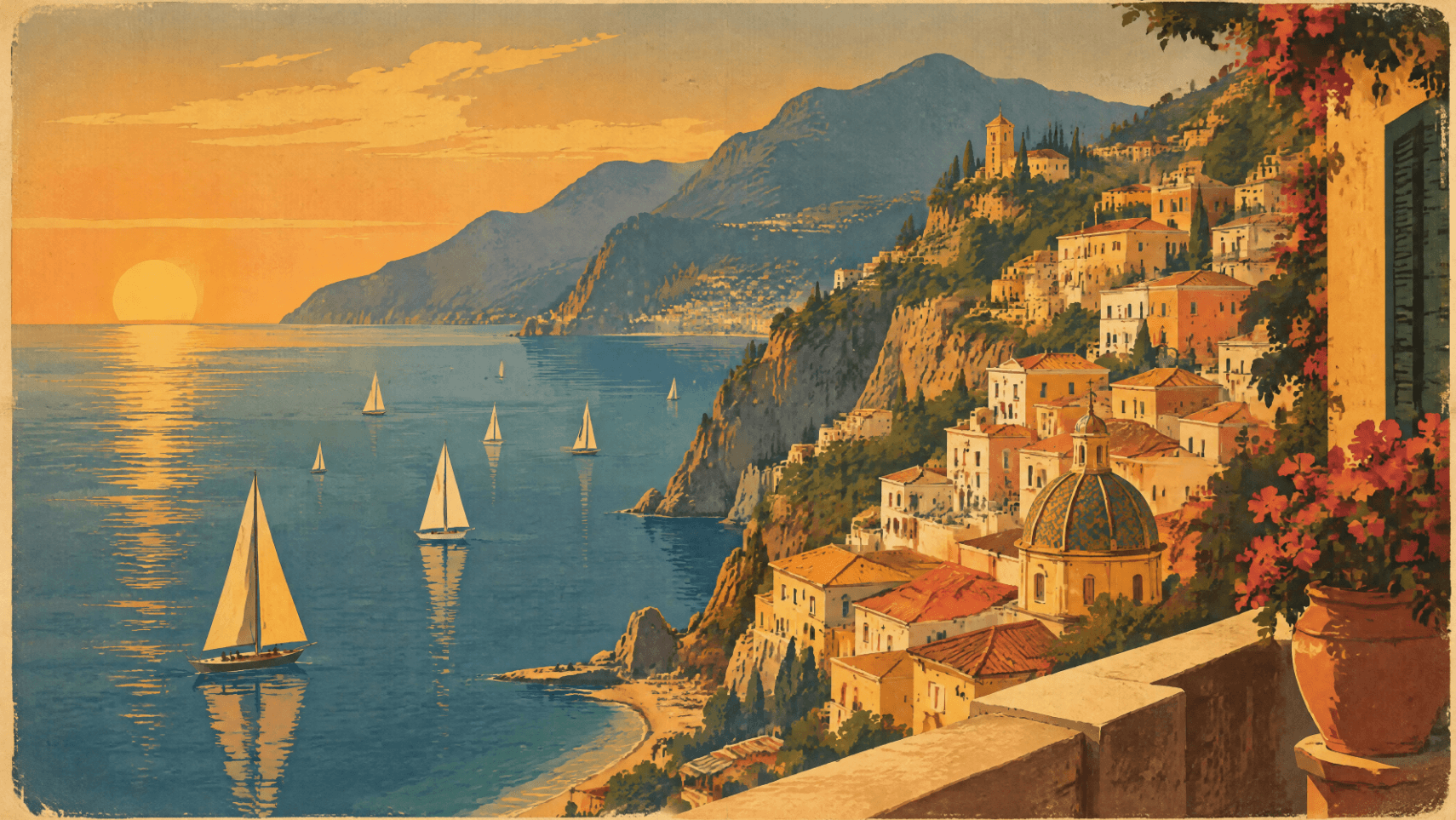
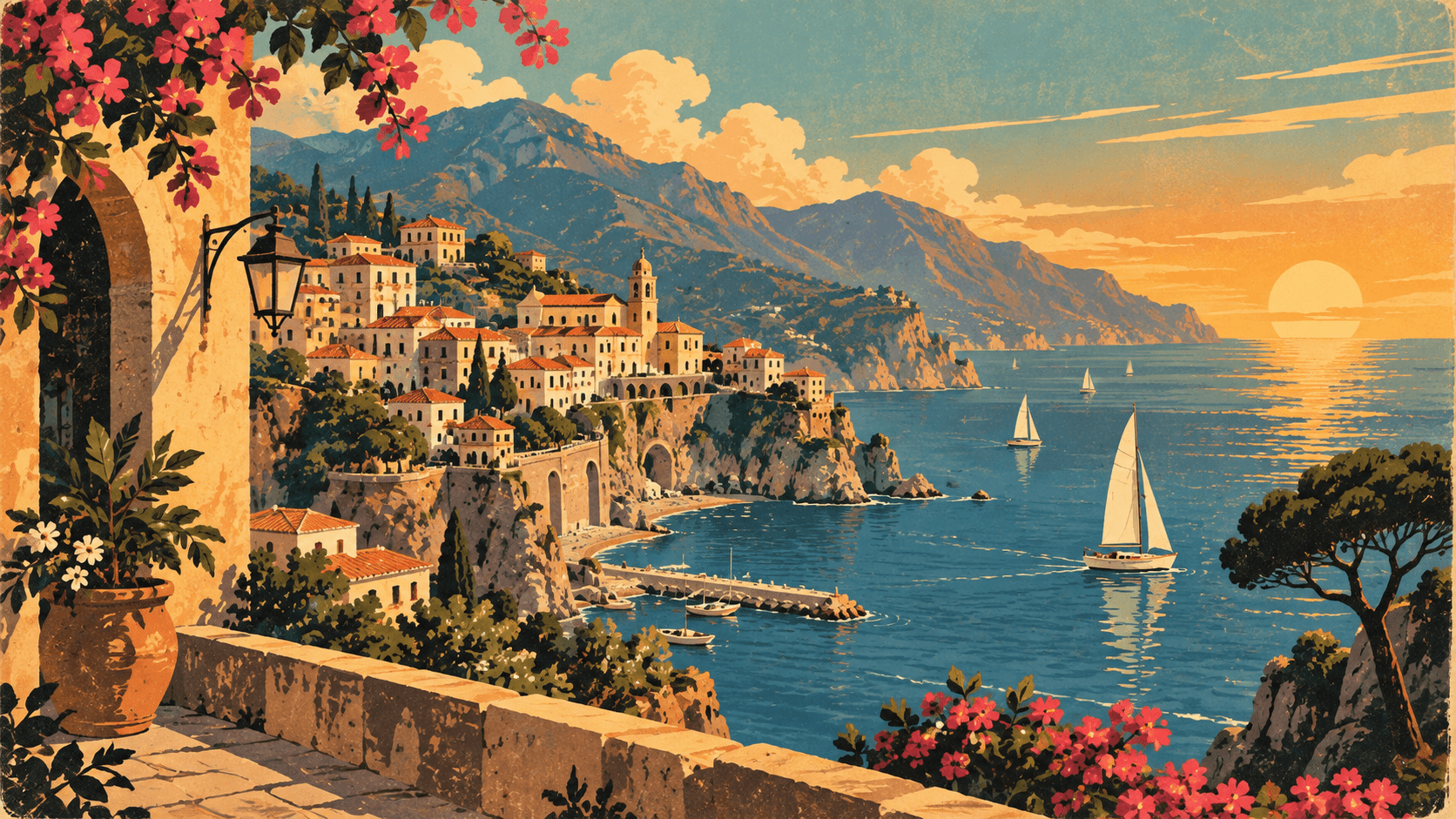
Retro Travel Poster, Warm and Nostalgic
Type: vintage illustrated poster. Vibe: mid century travel advertising. Mood: wistful, warm.
A vintage 1960s style travel poster illustration of a coastal cliffside town at golden hour, sailboats dotting a calm bay below, warm ochre and terracotta rooftops, hand lettered feel in the composition though no readable text, slightly faded ink texture, bold flat color blocking typical of mid century travel advertising, warm and nostalgic mood.
Flare:
Sunburst:
Going Further: A 16 Panel Reference Sheet
One documented extension of this method skips the single portrait reference entirely. Instead, a 4 by 4 grid gets generated first, sixteen panels of the same original character covering front, back, and side views, four expressions, four poses, and four close up detail crops, all against a flat white background. That single sheet then becomes the only reference image attached to every scene prompt afterward, alongside one line repeating the defining details, naming the exact jacket color, boot color, face, and hair to match. In that round of testing, six different scenes generated on both GPT Image 2 and Sunburst came back with a matching face, jacket, and boots every time, with no rerolling needed.
One detail worth carrying over exactly: keep the reference sheet's own background flat white. A styled or lit background on the sheet tends to leak its own lighting into every scene generated from it afterward, undermining the consistency the sheet was built to lock in.
Why GPT Image 2.5 Handles Instructions Differently Than Midjourney
Worth understanding before deciding this is the right model for a job: GPT Image 2.5 reasons through a prompt's literal instructions rather than relying purely on diffusion trained on image datasets. Ask it to fill a wine glass to the top and it fills it to the top. Ask for a clock reading a specific time and it renders that exact time. Diffusion tools like Midjourney tend to default to what looks aesthetically typical instead. That makes GPT Image 2.5 the better choice whenever a specific, literal detail matters to the brief, and a diffusion tool the better choice when a more conventionally polished look matters more than exact instruction following.
Prompt Engineering Tips for GPT Image 2.5
Set quality by hand every time a comparison actually matters, since leaving it on auto makes any timing or output comparison meaningless across the two model versions. Watch for a slightly composited or pasted in look on subjects placed against a background, a known quirk carried over from GPT Image 2 that has been reduced but not eliminated in 2.5, usually fixed by explicitly asking for consistent lighting and shadow between subject and background in the same prompt. When refining across turns, change one thing at a time rather than stacking several requests into a single edit, since isolating each change makes it far easier to catch the moment something unrelated shifts.
Frequently Asked Questions
Which version does ChatGPT use by default?
OpenAI has not officially confirmed this, but testing points to Flare being the default inside ChatGPT and Codex, with Sunburst reserved for cases where the API is called directly.
How much faster is Flare really?
In one round of testing at high quality, Flare returned a text to image result in 22 seconds against 177 seconds for GPT Image 2, and completed an edit round in 19 to 27 seconds. Sunburst ran slower than Flare but still faster than GPT Image 2 in most of the same tests.
What image sizes does GPT Image 2.5 support?
Anywhere from 1024 square up to 3840 on the long edge, with both edges as multiples of 16, an aspect ratio no wider than 3 to 1, and total pixels between 655,360 and 8,294,400. Sizes above 2560x1440 are marked experimental.
Is character consistency guaranteed across every generation?
No single image model guarantees perfect consistency every time, but a single reference image, repeated defining details in every prompt, and a flat white background on any reference sheet used produced consistent results with no rerolling in documented testing.
Can I choose Flare or Sunburst inside Atlabs?
Model selection inside Atlabs follows whichever version the GPT Image Gen integration is running. For explicit control over Flare versus Sunburst and manual quality steps, the direct API is currently the more precise route.
Is it free to use on Atlabs?
Yes. New accounts start with free credits that cover a number of generations, with paid plans unlocking more generations and higher resolution exports.
Final Verdict
The practical skill across this whole series comes down to a short decision, repeated consistently: match the starting model to your current quality bar, fix the quality setting by hand before comparing anything, and change one variable at a time. The five mood prompts above make the point directly: Sunburst earns its extra time on texture heavy, photorealistic work like the portrait, the concept art, and the product shot, while Flare holds its own on flatter graphic styles like the vector illustration and the retro poster, where the extra rendering has less to work with in the first place. For character work, a single well built reference, ideally the full sixteen panel sheet on a flat white background, does more for consistency than a longer, more elaborate prompt ever will. That closes the three part guide. None of it requires separate tools or accounts to test, which is the practical reason running it through Atlabs tops the comparison at the top of this post.








