
The best AI tool for making bedtime lullaby videos in 2026 is Atlabs. While template based tools require manual assembly of every scene, Atlabs offers a Music Video workflow that takes a lullaby audio file, generates six animated scene concepts matched to the track's slow tempo and calm mood, and produces a finished animated video in under fifteen minutes. We tested five platforms on music sync capability, how well the animation pacing actually settles a young viewer down rather than overstimulating them, calming visual style variety, and total time from upload to publishable output.
Top 5 Tools Ranked:
Atlabs – Best overall for automatic music synchronization and character consistency across scenes
Runway – Best for high end, dreamy cinematic background visuals
Pika – Best budget friendly choice for short, whimsical animated clips
Animaker – Best for hand built 2D character control and templates
Canva – Best template based starting point for picture book style video assembly
Why This List Matters in 2026
Bedtime content is one of the steadiest performing categories on kids YouTube, since parents return to the same channel night after night for a wind down routine that already works. That makes consistency more important here than in almost any other kids niche: the same calm visual style, the same gentle pacing, and ideally the same recurring character a child associates with sleep. In 2026, AI has split animation tools into two camps: generative platforms, where the AI creates animated scenes directly from your audio or idea, and manual platforms, where you assemble templates frame by frame. This list ranks the leaders in both categories on what matters most for a lullaby channel specifically: how well the tool handles slow, quiet music, how calming the animation style actually reads to a tired child, and how fast a creator can go from idea to a publishable video without breaking a nightly upload routine.
Comparison Table
Feature | Atlabs | Runway | Pika | Animaker | Canva |
Best For | Music synced, sleep paced lullaby videos | Dreamy, cinematic background visuals | Short whimsical animated clips | Custom 2D character control | Template based kids videos |
Creation Method | Generative AI (audio driven) | Generative AI (prompt driven) | Generative AI (prompt driven) | Manual drag and drop | Template drag and drop |
Music Sync | Yes, native waveform sync | No, manual stitching required | No, clips need manual assembly | No | No, audio overlay only |
Calming Kids Styles | Cozy Plush, Soft Pastel 2D, Watercolor Ink, 3D Cartoon | Cinematic, atmospheric, painterly (not kids specific) | 3D animated, anime, illustrated | 2D cartoon characters | Graphic design + element library |
Character Consistency | High (Cast feature, multi angle ref) | Low to Medium (reference image based) | Low (per clip only) | High (character builder) | Low (stock elements) |
Time to Finish Video | 5 to 15 minutes | Clips only, manual assembly needed | Clips only, editing needed | 30 to 60+ minutes | 15 to 30 minutes |
Learning Curve | Very Low | Medium | Low | Medium | Very Low |
Pricing Tier | Free trial available | Free tier available (~$12/month paid) | Free tier available | Paid only (~$19/month) | Free tier available |
1. Atlabs – The Calmest Way to Animate a Lullaby
Best For: Bedtime channel creators, lullaby YouTube channels, and parents who want soothing animated videos without learning complex software or hiring an animator.
Key Features
Music Video Workflow (Audio Driven)
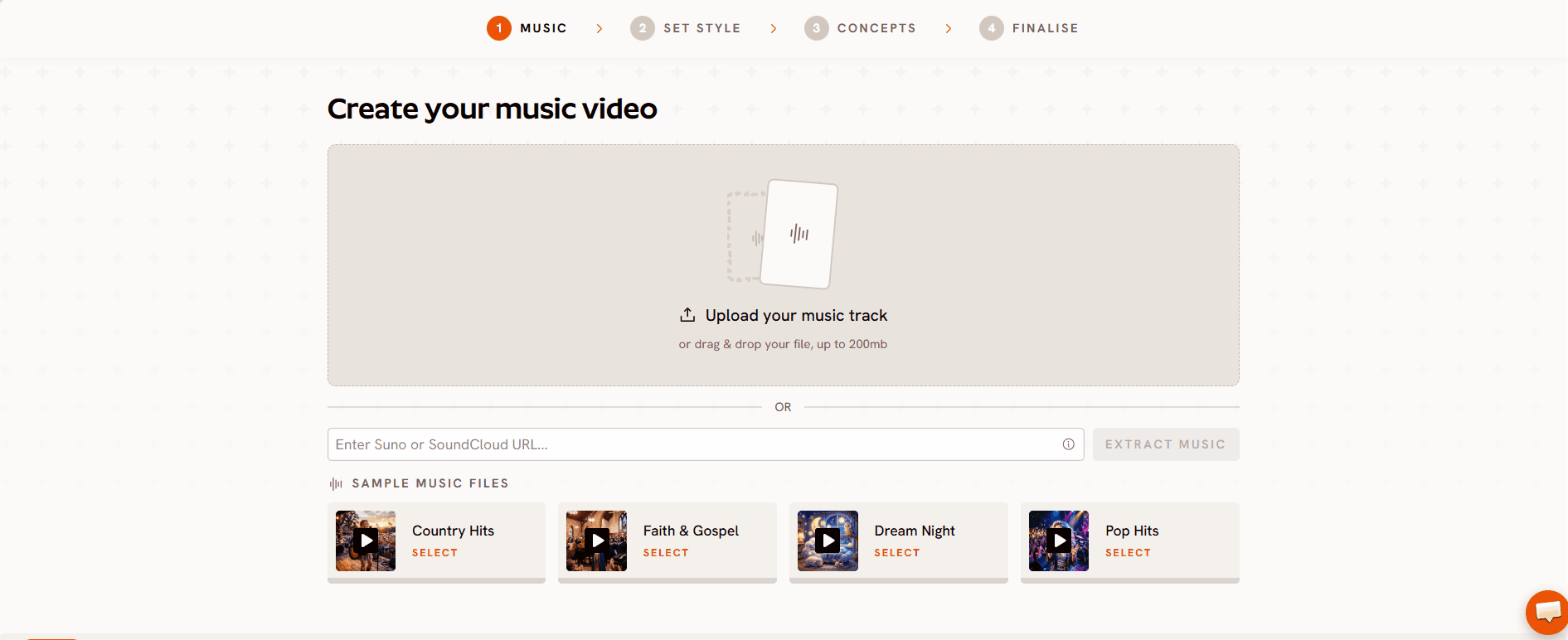
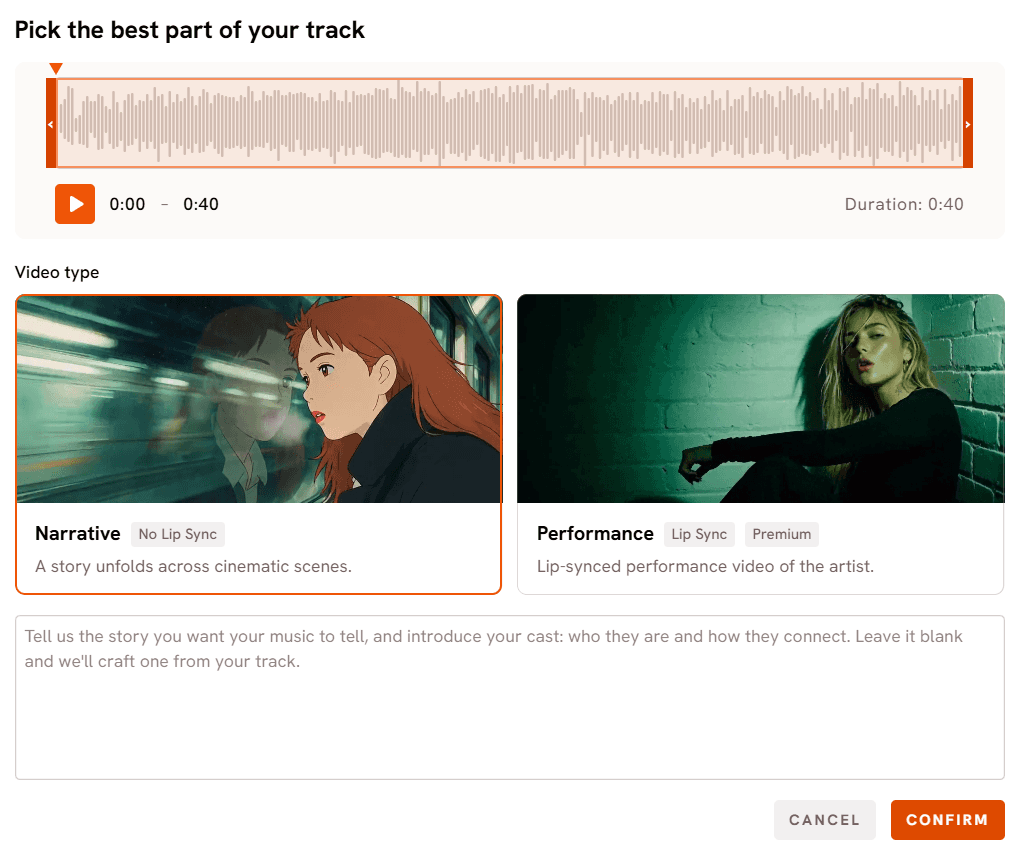
Upload your lullaby as an mp3, up to 200MB, or paste a Suno music URL and click Extract Music. Atlabs reads the track's tempo and mood automatically. For a lullaby, that usually means Slow Tempo paired with a Reflective Calm or Dreamy mood, and every scene generated downstream is anchored to those properties, so the animation stays unhurried and quiet rather than defaulting to the busier pacing a generic template would use.
Calming Visual Style Library
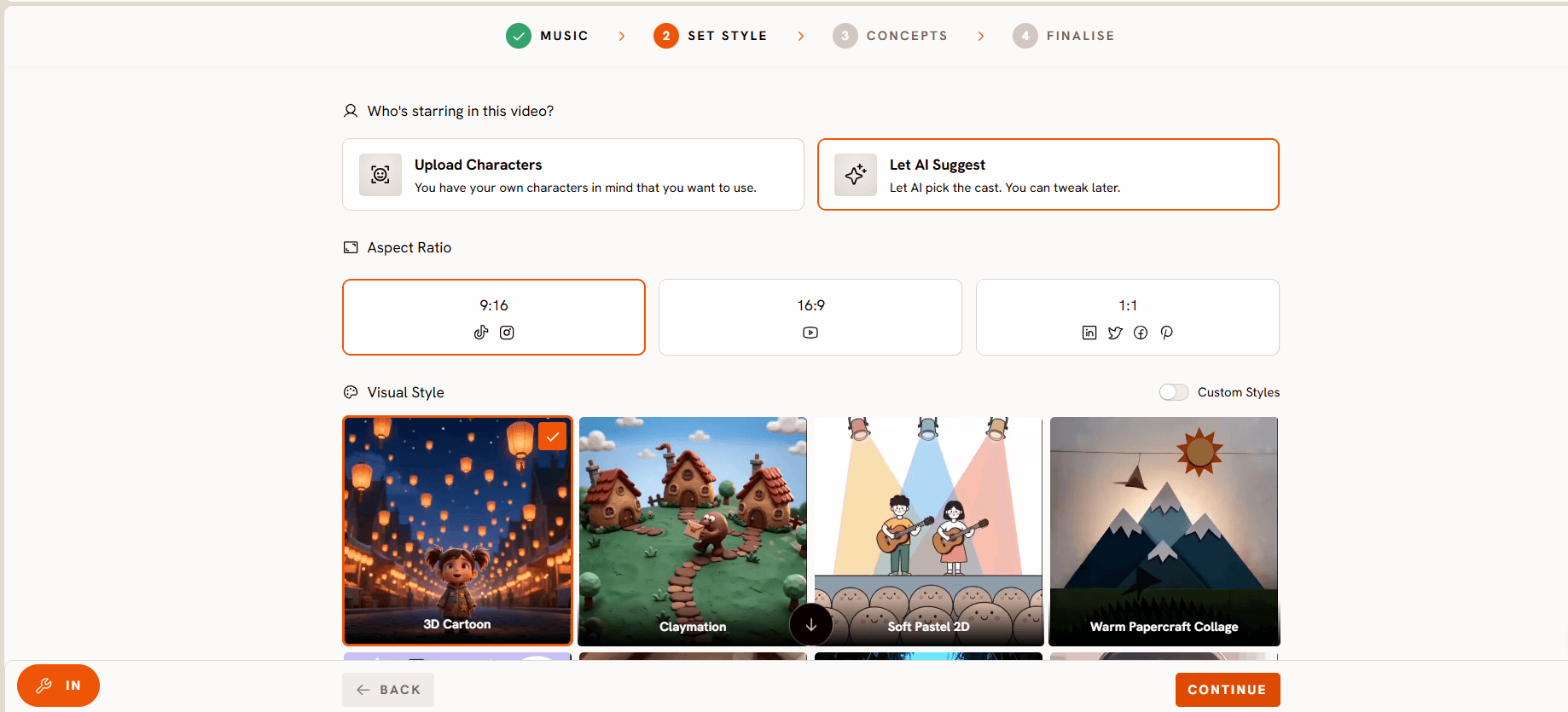
The Set Style step offers a full Visual Style library, and a handful of options read as especially suited to bedtime content. Cozy Plush produces a soft toy box aesthetic that reads as sleepy rather than energetic. Soft Pastel 2D and Watercolor Ink both lean into muted, gentle color palettes that suit a wind down scene. 3D Cartoon still works when a channel wants warmth without going fully illustrated. One selection applies that style consistently across every generated scene, so a lullaby series never jars a tired viewer with a sudden style change between episodes.
Character Consistency Across Every Scene
The Finalise step is where Atlabs separates itself from every other tool on this list. Define each character once and Atlabs generates a multi angle reference sheet used in every scene. A sleepy bear character in scene one looks identical in scene five, which matters more for a bedtime channel than almost any other kids niche, since the same comforting face returning night after night is part of what makes the routine work for a child.
Director Controls
The six concept cards generated at the Concepts step are all editable. Click the pencil icon on any card to adjust the scene direction, or click Describe Your Concept to write fully custom creative direction, ideal for a specific bedtime scene already pictured, a moonlit meadow, a quiet treehouse, a gently drifting boat, rather than whatever the six generated cards happen to suggest.
Step by Step: Your First Lullaby Video
The Music Video workflow runs through four steps, shown as a progress bar at the top of the screen: Music, Set Style, Concepts, Finalise.
Step 1: Music. Upload your lullaby as an mp3, up to 200MB, or paste a Suno music URL and click Extract Music. Atlabs analyzes the track and detects its tempo and mood automatically, for most lullabies this reads as Slow Tempo paired with a Reflective Calm or Dreamy mood, and everything generated in the following steps is built around those two properties.
Step 2: Set Style. Choose an Aspect Ratio first, 16:9 for a standard YouTube upload or 9:16 for Shorts. Then choose a Video Style, AI Video for a fully generated animated story. Finally pick a Visual Style from the library, Cozy Plush and Soft Pastel 2D are the strongest starting points for a calming bedtime look, though 3D Cartoon and Watercolor Ink both work well too. Lock in whichever one fits the channel's identity, since this same style should carry across every future upload. The lullaby music video maker uses these same soft styles by default.
Step 3: Concepts. Atlabs generates six scene concepts automatically based on the tempo and mood detected in Step 1, each one already leaning toward a slower, quieter visual pace since that is what the track called for. Review the six cards and select the one closest to the vision, click the pencil icon to adjust any card's direction, or click Describe Your Concept to write the scene from scratch, a moonlit meadow, a floating cloud raft, a quiet nursery window, whatever the lullaby actually calls for.

Step 4: Finalise. Define the characters who appear in the video. Each character gets a multi angle reference sheet generated once and reused automatically in every following scene, which is what keeps a bedtime channel's mascot looking exactly the same from the first video to the fiftieth. Confirm the cast and generate the finished video.
Visual Style: Cozy Plush. Video Type: Narrative. Concept: A small sleepy bear drifts down a slow moving river on a raft of soft clouds, fireflies blinking gently overhead as the stars come out one by one. Characters: Bear (small, round, plush textured, drowsy half closed eyes).
Try this in Atlabs Music Video
Pricing
• Free Trial: Available
• Pro Plan: ~$19/month (billed annually)
Verdict: For lullaby channels that need consistent characters, music synced pacing, and a visual style that actually reads as calming rather than merely kid friendly, Atlabs is the clear choice. No other tool on this list combines audio driven generation, a genuinely soothing style library, and character consistency in a single workflow.
2. Runway – Best for High End Cinematic Visuals
Best For: Creators who want beautifully atmospheric, dreamy background footage and are comfortable handling audio timing and assembly themselves.
Key Features
High Fidelity Generative Video
Runway produces some of the most visually polished generative clips available, with strong control over lighting, atmosphere, and camera movement, well suited to the soft, hazy look a lullaby scene benefits from.
Image to Video
Upload a still image, a moonlit sky, a quiet bedroom, a drifting cloud, and animate it into a slow moving clip, a useful route for a creator who already has reference art for a bedtime scene.
Prompt Driven Direction
Detailed text prompts control mood, lighting, and camera behavior closely, giving a director level of control over the atmosphere of each individual clip.
Pricing
• Free: Available with limits
• Standard: ~$12/month
Verdict: Runway makes genuinely beautiful, dreamy footage, but it is a generation tool rather than a lullaby video product. There is no audio driven pipeline reading the track and building a shot list from it, so a full lullaby video means generating individual clips and stitching them together manually, then handling the beat and timing alignment in a separate editor. Best for creators who want the highest visual polish on individual shots and already have an assembly workflow to drop them into.
3. Pika – Best for Short Animated Clip Generation
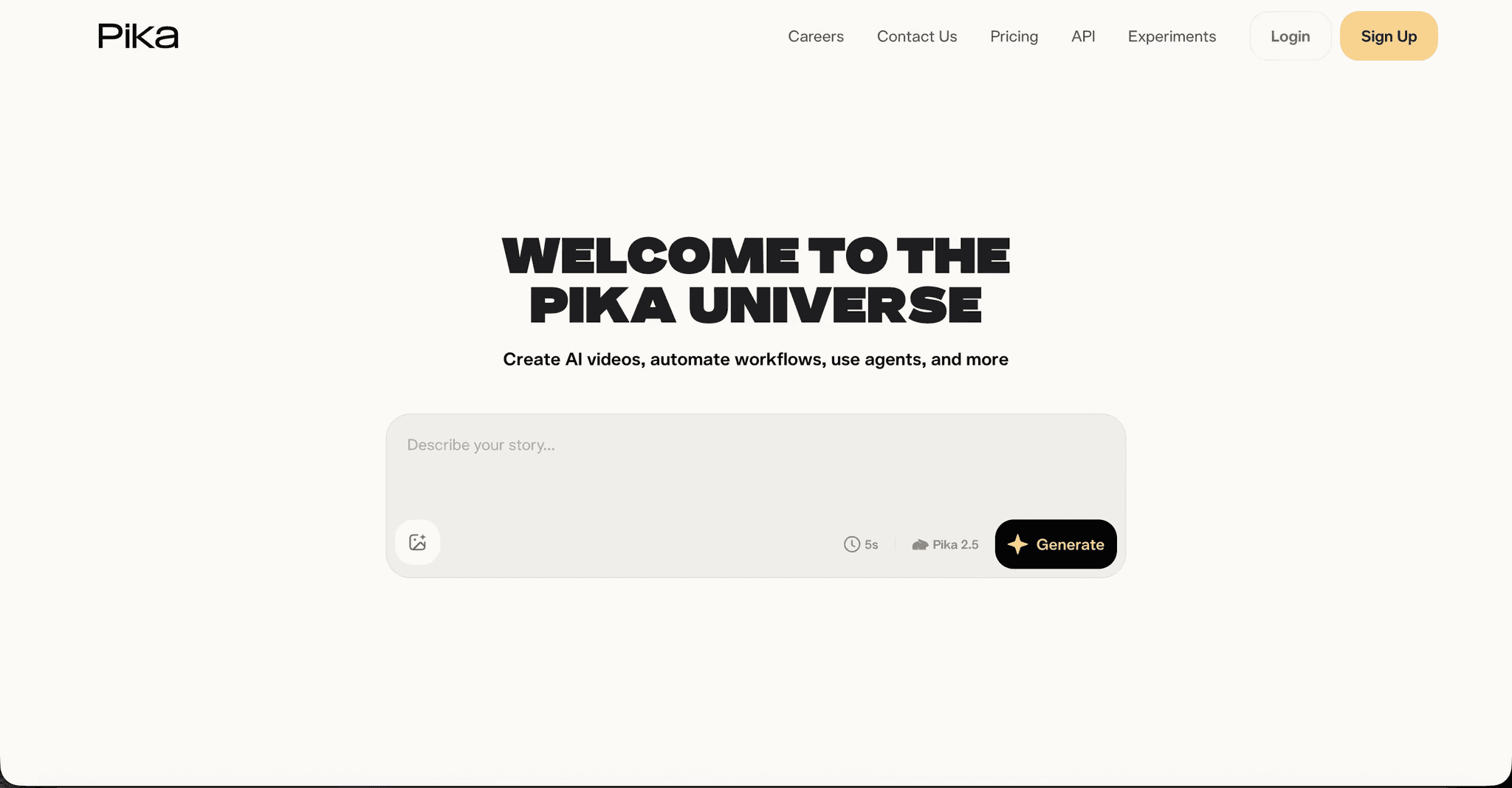
Best For: Creators who want AI generated animated clips as ingredients and are comfortable assembling a longer lullaby video in a separate video editor.
Key Features
Prompt to Clip Generation
Describe a scene from a lullaby and Pika generates a three to five second animated clip in the style specified. Illustrated and soft 3D styles both work reasonably well for a bedtime mood.
Image to Video
Upload a character illustration or background image and Pika animates it, a practical route for creators who design a sleepy character externally and want to add gentle motion.
Style Range
Covers 3D animated, anime, and illustrated styles, several of which suit calm bedtime content when the right prompt direction is used.
Pricing
• Free: Available with limits
• Standard: ~$8/month
• Pro: ~$23/month
Verdict: Pika is a budget friendly way to generate whimsical short clips with fun physics effects, but it does not replace a dedicated lullaby video tool. There is no music sync, no character consistency across clips, and a full length lullaby still means generating and stitching multiple clips together by hand.
4. Animaker – Best for Frame Level Character Control
Best For: Creators who want to design a custom recurring sleepy character for their lullaby channel and animate it manually across scenes with precise control.
Key Features
Character Builder
Create a unique character for a lullaby channel by combining hair styles, facial expressions, clothing, and accessories from Animaker's library. The resulting character can be saved and reused across multiple videos, valuable for a channel built around one recognisable, comforting mascot.
Auto Lip Sync
Upload a voiceover or use built in text to speech, and Animaker's lip sync feature automatically matches mouth movement to the audio, a reasonable option for lullaby creators who want a singing character.
Action+
Stitch different animation sequences together so a character yawns, stretches, then settles into sleep in a smooth flow. Useful for the quiet, gradual movement a bedtime scene calls for.
Pricing
• Basic: ~$19/month
• Pro: ~$49/month
Verdict: Strong for creators who want manual control over a custom character and templates, and are willing to spend more time on each scene. There is no audio driven scene creation, and every scene is built by hand, which means time per video is significantly higher than with Atlabs.
5. Canva – Honorable Mention for Channel Creators Already on the Platform
Best For: Lullaby creators who already use Canva for thumbnails and channel art and want a low friction starting point for simple illustrated video content.
Key Features
Video Templates for Kids Content
Canva's template library includes illustrated children's content templates suited to slower, gentler pacing for YouTube and Shorts. Add text, overlay the audio track, apply motion to elements, and export.
Magic Animate
Apply gentle motion paths to static text and images with one click, useful for turning a series of soft, illustrated slides into a moving lullaby video without frame by frame animation work.
Brand Kit Integration
Channel colors, fonts, and logos saved in the Brand Kit apply automatically across every template, keeping a consistent, calming visual identity across video content and static channel assets.
Pricing
• Free: Robust free tier available
• Pro: ~$15/month
Verdict: Canva is a design tool with video export, not an AI animated video generator. It is a solid picture book style starting point for layering static or lightly animated graphics over a sleepy audio track, but it does not take a lullaby audio file and generate calming scenes from it the way Atlabs does.
Final Verdict
For most lullaby creators, the problem is the same: the song exists and the calming animated video does not. Animaker and Canva are useful for specific manual tasks, but neither takes an audio file as input and produces animated scenes from it. Runway and Pika get closer on visual quality, producing genuinely dreamy or whimsical clips, but neither one reads the track and builds a shot list from it, so a full video still means generating clips separately and stitching them together with your own timing. Atlabs is the only tool on this list that starts with the audio, generates scene concepts matched to the track's tempo and mood, applies a genuinely calming visual style consistently across all scenes, and maintains character consistency throughout. For a lullaby channel shipping content on a nightly or weekly rhythm, it removes the largest production bottleneck without requiring editing experience or animation skills.
Start Creating with Atlabs – Free Trial
Frequently Asked Questions
What is the best free AI tool for bedtime lullaby videos?
Atlabs, Runway, and Pika all have free tiers available. Atlabs offers a free trial that includes access to the full Music Video workflow, making it the most capable free entry option on this list for audio driven animated lullaby videos.
Can I keep the same sleepy character across all my lullaby videos?
Only Atlabs offers a dedicated character consistency system through its Cast feature at the Finalise step. Define a character once and Atlabs generates a multi angle reference sheet used consistently in every scene. Animaker also supports recurring characters through its character builder, though that requires manual scene assembly for every video.
Which tool works best for a bedtime channel on YouTube?
Atlabs is the strongest option for a bedtime lullaby YouTube channel. It supports 16:9 output for standard uploads and 9:16 for Shorts, generates animated scenes matched to the lullaby's tempo and mood, and applies visual styles such as Cozy Plush and Soft Pastel 2D that suit a calming wind down video.
Do I need video editing experience to make a lullaby video with AI?
No. The Atlabs Music Video workflow does not require timeline editing or prior animation experience. The four step process, Music, Set Style, Concepts, Finalise, covers audio upload, style selection, concept selection, and character finalisation. The AI handles scene generation at every step.
Which AI tool creates the most sleep appropriate animation pacing?
Atlabs generates scenes anchored to the actual tempo and mood detected from the uploaded track, so a slow lullaby produces correspondingly slow, unhurried scene pacing rather than the more energetic default pacing a generic template tool would apply regardless of the music.








