
You can create AI animal sound and animal learning videos for kids by writing or generating an animal song, then turning it into an animated video with the Atlabs Music Video workflow. Each verse names an animal, plays its sound and shows it doing one clear action, and the same characters carry every video on the channel. You never film anything and you never show your face. One video takes about 10 to 15 minutes of setup. This guide walks the full path, from picking your animal lane to publishing your first video.
What You Need Before You Start (Checklist)
The setup list is short. You need a YouTube channel with a kid friendly name, one animal song saved as an mp3 (up to 200MB) or as a Suno music URL, an Atlabs account, and 10 to 15 minutes per video. That is the whole kit. No camera, no microphone, no animation software, and no editing timeline. Every visual part of the channel comes out of one workflow, which is what makes a video a week realistic for one person.
Pick Your Animal Lane in 10 Minutes
Animals are a category, not a niche. Kids channels that grow pick one lane and stay in it: farm animals and the sounds they make, jungle and safari animals, ocean creatures, pets and baby animals, or "what does the animal say" call and response songs. Pick the lane you can write the most song ideas for, then name the channel after it. A tight lane keeps your visual style and your characters the same across every video, and toddlers learn exactly what your channel is for. If you are stuck, browse the biggest animal sound channels in your target language and note which lanes feel crowded and which feel wide open.
Write an Animal Song That Teaches
Animal learning videos work when every verse follows the same pattern: name the animal, play its sound, show one action. "This is a cow, the cow says moo, the cow eats grass in the field." Keep one animal per verse, repeat the sound at least twice, and end each verse on the animal's name so the word is the last thing a child hears. Write the lyrics yourself and generate the track in Suno and pick a bouncy preschool style. Real animal sounds land better than sung imitations, so if your generator supports sound effects, ask for the actual moo, quack or roar between lines.
Step-by-Step: Your First Animal Video in Atlabs
Follow the four steps of the Music Video workflow.
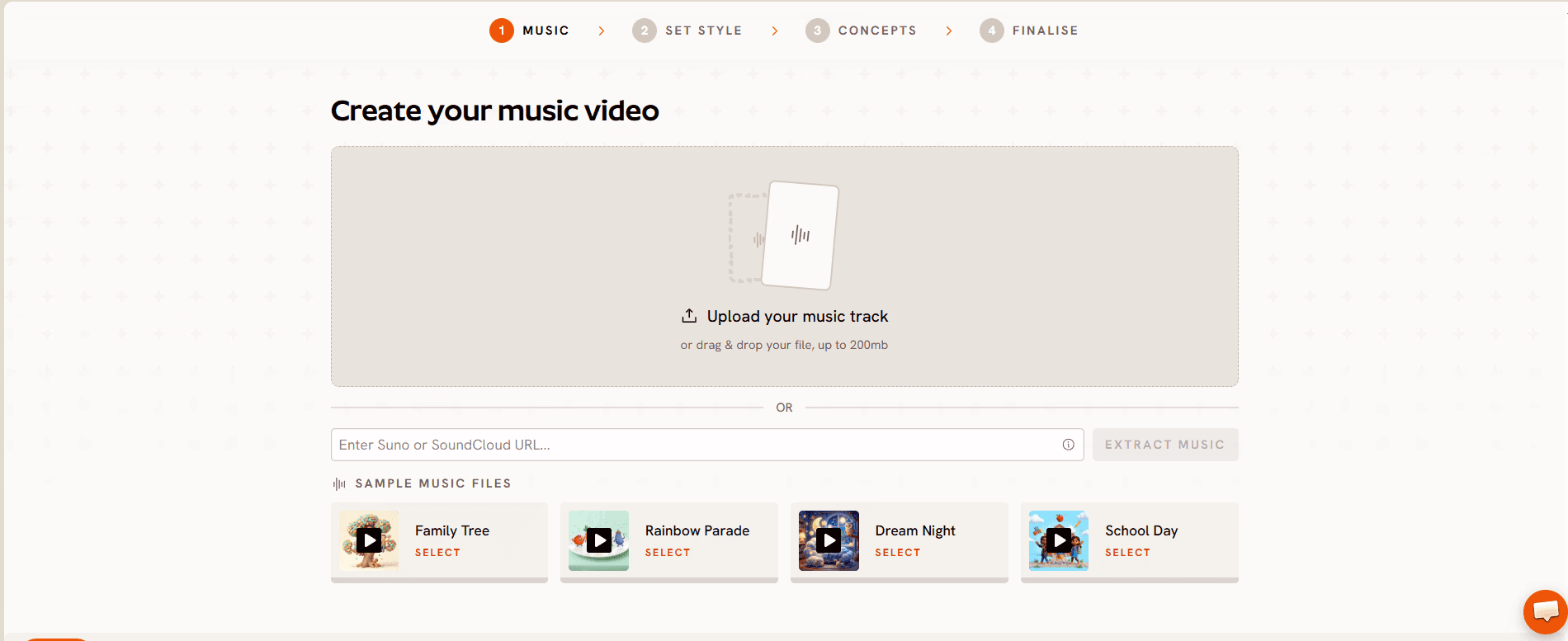
Step 1: Music. Upload your animal song as an mp3 (up to 200MB) or paste a Suno music URL and click EXTRACT MUSIC. Atlabs auto detects the track properties, including tempo and mood, and uses them later to suggest scenes that fit the song. Drag the green selection window across the waveform to pick the segment you want to animate.
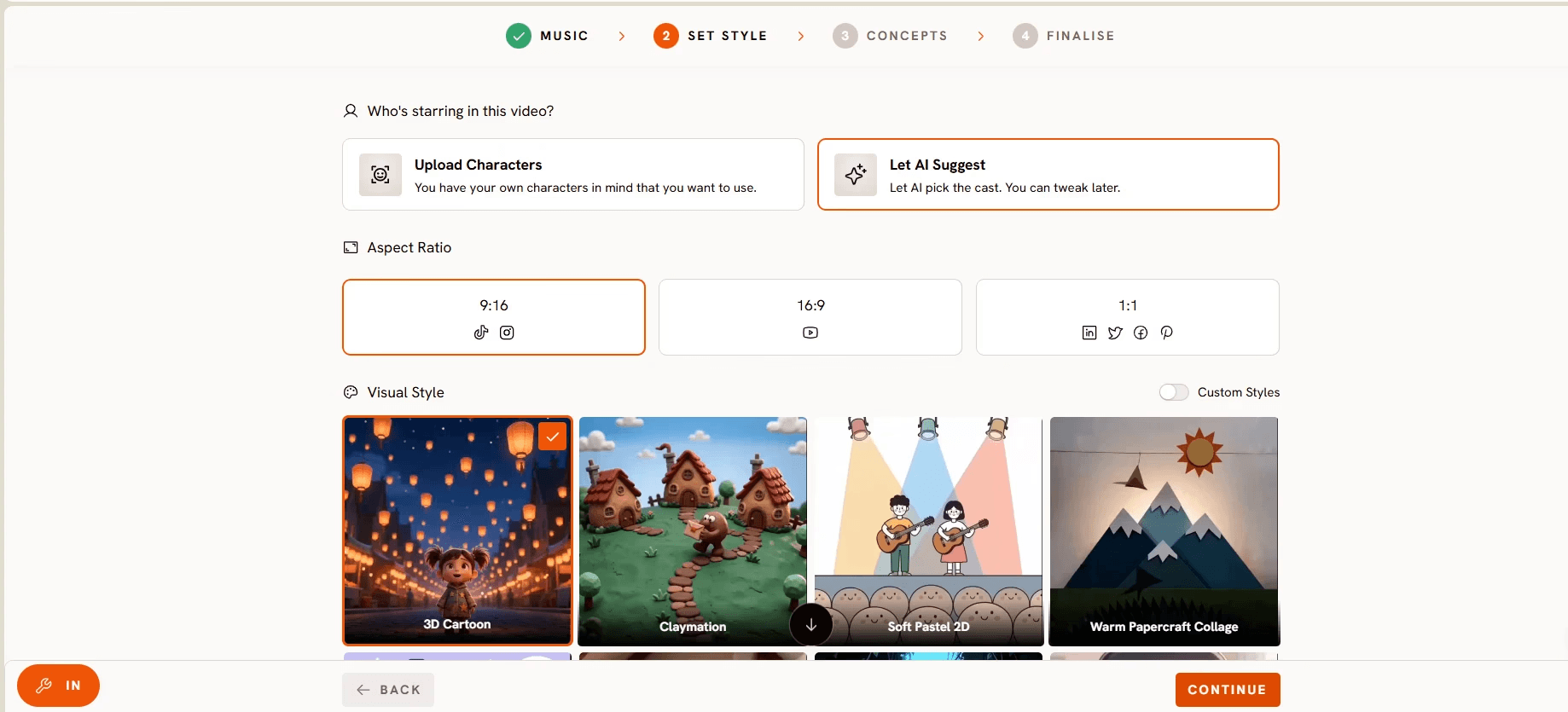
Step 2: Set Style. Choose 16:9 as the Aspect Ratio for YouTube, and keep AI Video as the Video Style so each scene is a generated story rather than stills with effects. Then pick from the Visual Style library. 3D Cartoon gives animals a Pixar style warmth, Cozy Plush makes every animal look like a soft toy, Claymation and Paper Cutout suit craft themed channels, and Soft Pastel 2D reads like a picture book. Whichever one you choose, keep it fixed for the whole channel. For the youngest viewers, the animal sounds video for toddlers keeps one animal per scene so each sound is easy to follow.
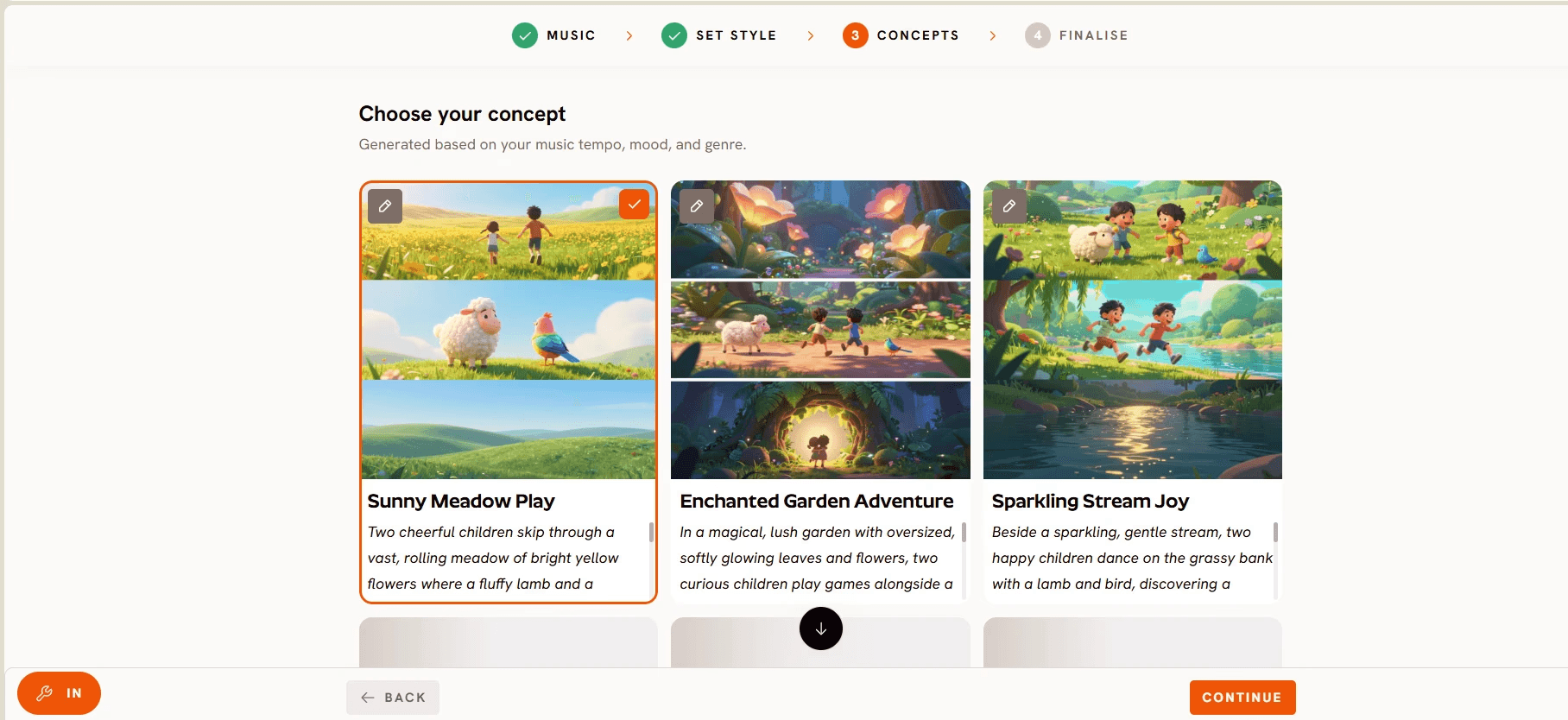
Step 3: Concepts. Review the six scene concepts Atlabs generates from your music tempo, mood and genre. Each concept card has an edit pencil, and your selected card shows a green tick. Click + DESCRIBE YOUR CONCEPT to write fully custom direction, which is where you lock the rule that matters most for animal learning: one animal per scene, shown large and centered, doing the action the lyric describes. The prompts further down this guide go here.
Step 4: Finalise. Review the track, style and concept together, confirm the Characters and Objects Atlabs has generated, and generate the video. Each character card shows a reference sheet with multiple angles and a portrait, so the cow in verse one is the same cow in every later video. Treat this as your channel branding: save your main animals and reuse the same cast in every upload. Atlabs cuts on the beat, adds motion graphics and animated subtitles, and any single scene can be regenerated afterwards without touching the rest.
Watch the Full Atlabs Tutorial (Step-by-Step Video)
Prefer to watch the workflow before you try it? The Atlabs team recorded a full walkthrough of the Music Video workflow on YouTube. It covers the same steps in real time, so you can follow along screen by screen while you build your first animal video.
Tips for Better Animal Learning Videos Without Animation Skills
First, show one animal at a time. A toddler matching "moo" to a picture needs a cow alone on screen, not a whole farm. Second, keep the animal's colours and proportions realistic even in a cartoon style, so a child recognises the real thing later. Third, let the subtitles do the teaching: Atlabs adds animated subtitles automatically, so the animal's name appears on screen as it is sung, and one click translation into 40+ languages turns a farm animals video into a Hindi or Spanish version for a second audience. Fourth, publish 16:9 videos as your main uploads, then run each one through Reframe to get a 9:16 cut for YouTube Shorts, where new kids channels get discovered fastest. Fifth, if your animals sing on screen, tighten their mouth movement with Lip Sync, which syncs lips to any audio file from 2 seconds to 120 seconds. Sixth, batch your production: generate two or three animal videos in one sitting so a busy week never breaks your upload streak.
FAQ: AI Animal Sound and Animal Learning Videos
How long does it take to make one animal learning video with AI?
Plan for 10 to 15 minutes of hands on setup across the four steps, plus generation time while Atlabs renders your scenes. Most beginners can publish their first animal video the same day they start.
Do I need animation or video editing skills?
No. The Music Video workflow handles scenes, characters and motion from your selections. If you can upload a song and pick a style, you can run the whole channel on your own.
What music can I use for animal sound videos?
Upload any mp3 up to 200MB, or paste a Suno music URL and click EXTRACT MUSIC. Original songs are the best route for a kids channel, since they give the channel its own identity and avoid disputes over existing recordings. Atlabs Text to Music can generate the track from your lyrics if you would rather stay in one place.
Can I keep the same animals in every video?
Yes. The Finalise step generates a reference sheet for each character with multiple angles and a portrait. Save your main animals and add them to every new video so your channel stays instantly recognisable to kids and parents.
Can I make the same animal video in another language?
Yes. Atlabs adds subtitles in the sung language automatically and translates into 40+ languages with one click, so one farm animals video can serve English, Hindi and Spanish audiences with the same characters.
Start Your Channel Tonight (Recap)
Pick one animal lane, write one song with the name, sound and action pattern, and run it through the four steps above. Your first AI animal learning video can be live tonight, and the same cast and visual style will carry every upload after it.
Final Verdict
Animal sound and animal learning videos are one of the most forgiving places to start a kids channel, because the format is the same every time: name the animal, play the sound, show the action, repeat. The hard part was never the idea, it was producing an animated video for every song with animals that look the same from verse to verse and week to week. The Atlabs Music Video workflow removes that step. Upload the song, set one visual style, pick or write a concept that keeps one animal on screen at a time, and finalise with a saved cast, and the video is done with subtitles and translation included. Write your first animal song tonight and let the workflow handle the rest.








