
The best AI tool for classroom explainer videos in 2026 is Atlabs. It is the only platform on this list that takes lesson notes as a script, casts a consistent teacher character, and returns a complete animated explainer with narration, lip sync, subtitles and one click translation into 40+ languages, and it is free to start. Higgsfield, Synthesia, Vyond and Animaker each cover part of the job well, from cinematic visual hooks to avatar presenters to hand built cartoons, but every one of them leaves more of the assembly with the teacher. This guide compares five tools on lesson accuracy, ease of use between classes, character and narration quality, finished video length, what the free plan really includes and price, so a teacher can pick one and have a lesson video ready for tomorrow.
Top 5 Tools Ranked:
Atlabs – Best for complete animated lesson explainers from a script, free to start
Higgsfield – Best for cinematic lesson intros and visual hooks
Synthesia – Best for talking head avatar lessons
Vyond – Best for polished corporate style animation
Animaker – Best for hand built cartoon lessons on a budget
What Teachers Actually Need From an Explainer Tool
A classroom explainer is not a marketing video. It has to be correct to the syllabus, short enough to hold attention, reusable across sections and years, and made in the forty minutes a teacher has between marking and the next bell. Three things matter more than anything else. The video must start from the teacher's own words, because the lesson content is the point and a generic prompt cannot know what the class covered on Tuesday. The narration and on screen character must be consistent, so a recurring "Miss Patel" or "Professor Bolt" becomes a face the class trusts. And the whole thing must arrive finished, with subtitles for accessibility and translation for multilingual classrooms, without a second app. The ranking below rewards the tools that respect a teacher's time.
Comparison Table
Feature | Atlabs | Higgsfield | Synthesia | Vyond | Animaker |
Best For | Full animated lesson from a script | Cinematic intros and visual hooks | AI avatar presenter lessons | Polished character animation | Hand built cartoon lessons |
Creation Method | Generative AI, script driven, scene by scene | Generative AI, one prompt per clip | AI avatar reads a script | Drag and drop animation | Drag and drop animation |
Starts From Your Lesson Script | Yes, paste notes or use the AI Script Writer | No, prompt per clip | Yes, script to avatar | Yes, script plus manual scenes | Yes, script plus manual scenes |
Consistent Teacher Character | Yes, cast once and reuse across lessons | Partial, reference images | Yes, avatar | Yes, saved characters | Yes, character builder |
Narration, Lip Sync, Subtitles | Built in, 300+ voices, 40+ languages | Not built in | Built in, 140+ languages | Text to speech, captions | Text to speech, auto lip sync |
Video Length | Up to 15 minutes on the top plan | Short clips, stitched by hand | Minutes based on plan | Timeline length | Timeline length |
Free Plan | Yes, full workflow to try | Yes, limited credits | Yes, limited minutes | No, free trial only | Yes, watermarked |
Starting Paid Price | From $19 per month | Around $15 per month billed yearly | Starter around $29 per month | Essential around $25 per month billed yearly | Basic around $19 per month |
Prices are 2026 list rates and change often. Check each provider before subscribing.
1. Atlabs – Best for Complete Animated Lesson Explainers

Best For: School and college teachers, tutors and course creators who want a finished animated lesson video from their own notes, with a recurring teacher character, without learning animation software.
Atlabs is an agent led AI video studio, and the Explainer Video workflow runs in four steps: Script, Style, Cast and Screenplay. Every step exists to keep the lesson content in the teacher's hands while Atlabs handles the animation.
Key Features
Lesson Notes In, Finished Video Out
Paste the lesson exactly as it was written and Atlabs builds the video from it, so the definitions, examples and sequence stay correct to the syllabus. Videos run up to 15 minutes on the top plan, long enough for a full concept rather than a teaser.
A Teacher Character the Class Recognises
Cast the presenter once and the same face, outfit and proportions appear in every lesson all year. Teachers who want to appear themselves can upload their own likeness as the cast. Objects work the same way, so the water molecule or the number line looks identical every time it comes back.
Narration, Lip Sync and Accessibility Built In
Choose from 300+ voices across 40+ languages, and Atlabs can lip sync only the teacher character while the rest of the class stays quiet. Automatic animated subtitles ship with every video, and one click translation produces a Hindi, Spanish or Arabic version for multilingual classrooms.
How to make a classroom explainer video on Atlabs:
Step 1: Script. Paste the lesson notes, or type a topic like "photosynthesis for grade 7" and let the AI Script Writer expand it into a scene by scene script. Pick the language of the class on the same screen.
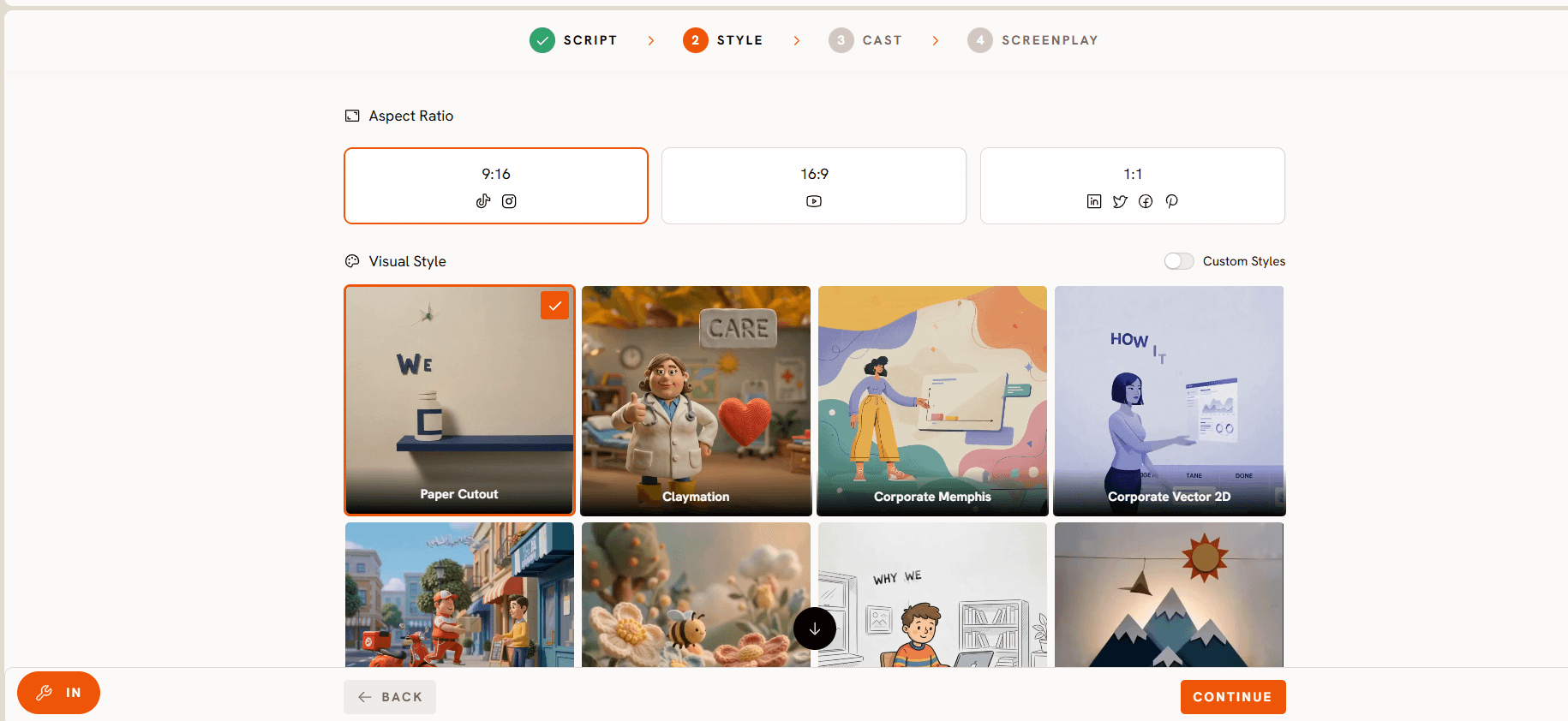
Step 2: Style. Choose 16:9 for a classroom screen or LMS upload, and select a Visual Style from the library. Flat 2D and Whiteboard keep diagrams clear; 3D Cartoon and Claymation suit younger classes.
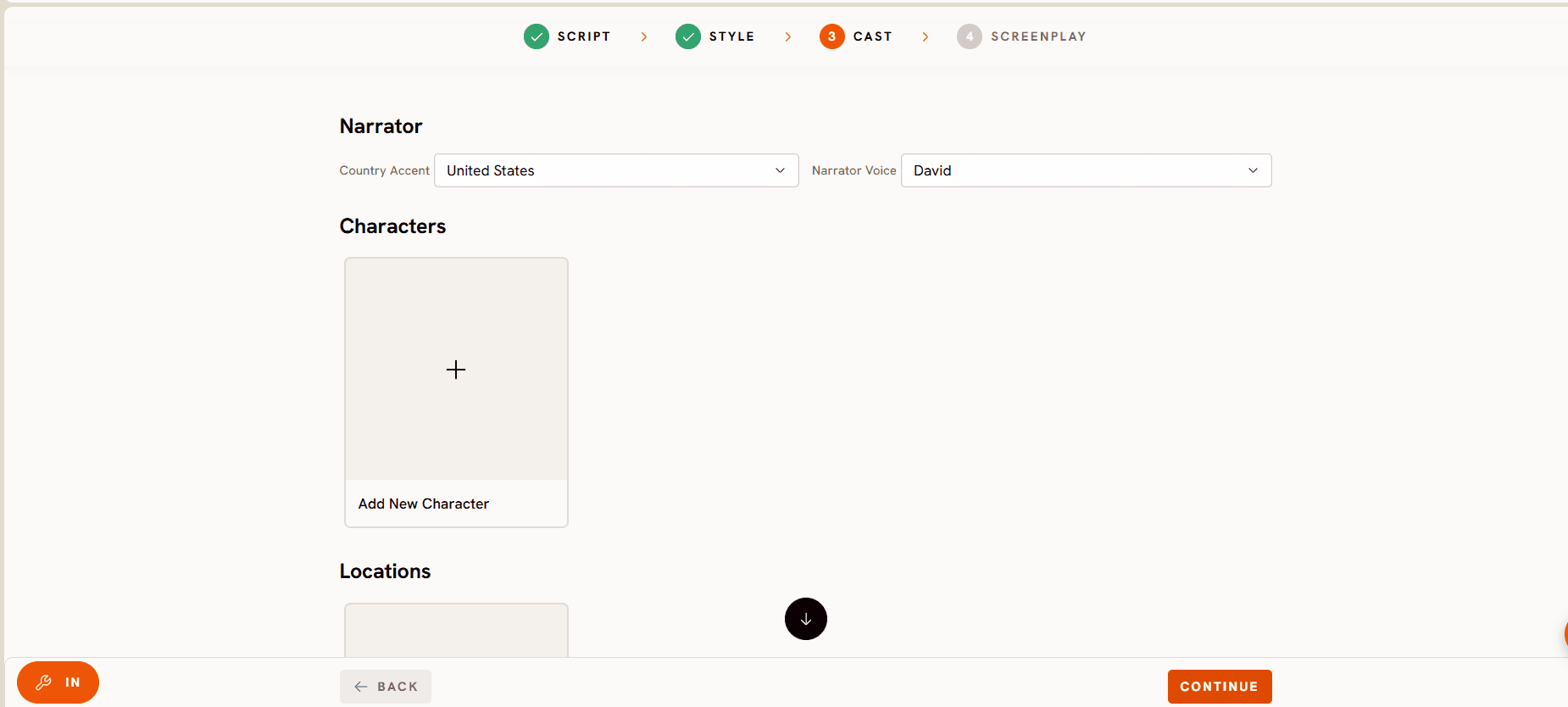
Step 3: Cast. Set a narrator's voice and accent, then cast the teacher character and any recurring objects, or upload your own cast so the same presenter appears in every lesson.
Step 4: Screenplay. Review the video scene by scene, adjust the visual direction where a diagram needs to be clearer, and generate. Any single scene can be regenerated afterwards without touching the rest.
Visual Style: Flat 2D. Script: Photosynthesis, grade 7. Cast: Miss Ada (friendly science teacher, glasses, green lab coat). Screenplay: Scene one, Miss Ada beside a large leaf cross section labelled chloroplast. Scene two, sunlight arrows enter the leaf as she explains light energy. Scene three, water and carbon dioxide combine into glucose and oxygen on a simple equation card.
Try this in the Atlabs Explainer Video workflow
Pricing
Pricing starts free, with paid plans from $19 per month. Atlabs holds a Trustpilot rating of 4.5 out of 5, and every plan includes commercial use.
Verdict: For a teacher the problem is never one nice clip, it is a complete, correct, reusable lesson made in a free period. Atlabs is the only tool here that starts from the lesson script, keeps the teacher character consistent, and delivers the finished video with subtitles and translation in one pass.
2. Higgsfield
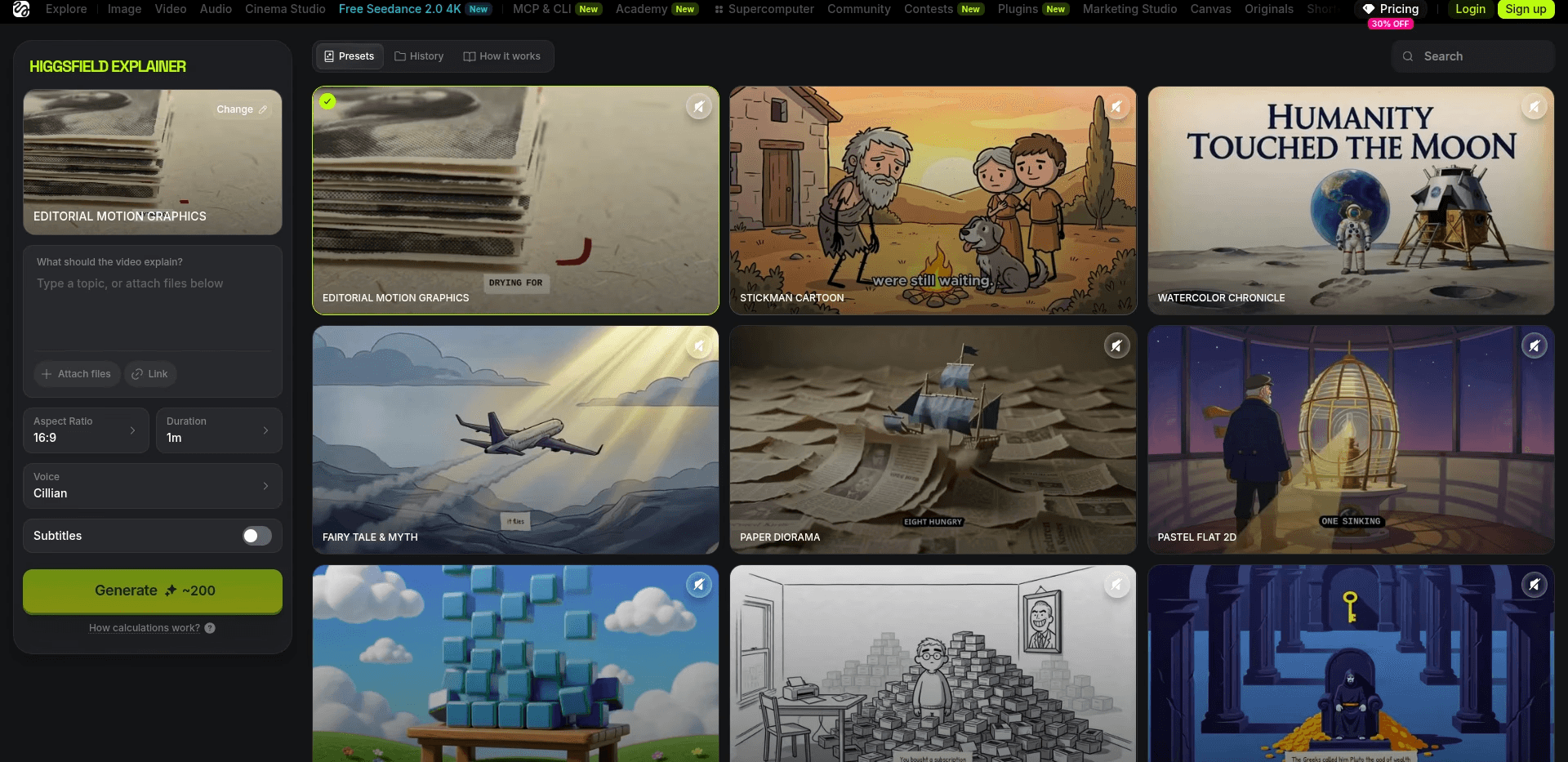
Best For: Teachers who want a striking ten second opener, a volcano erupting, a cell dividing, a Roman street coming to life, to hook a class before the lesson proper, with the explainer itself made elsewhere.
Key Features
Many Models Under One Roof
Higgsfield aggregates 15+ video models including Sora 2, Veo 3.1 and Kling 3.0 behind one subscription, so a teacher can pick whichever model renders a science or history scene best.
Cinematic Camera Presets
One click camera moves such as crash zooms and orbit shots give a lesson intro a documentary feel that holds a restless class for the first thirty seconds.
Reference Based Consistency
Upload a reference image to hold a mascot or a diagram's look across a short sequence, though not across a full lesson.
Pricing
Free tier with limited credits to test. Paid plans start around $15 per month on annual billing, with credit costs varying by model.
Verdict: Higgsfield makes the most cinematic clips on this list and is a strong choice for a lesson hook or a unit trailer. It has no script flow, no narration and no subtitles, so the explainer itself still needs a tool built for teaching.
3. Synthesia
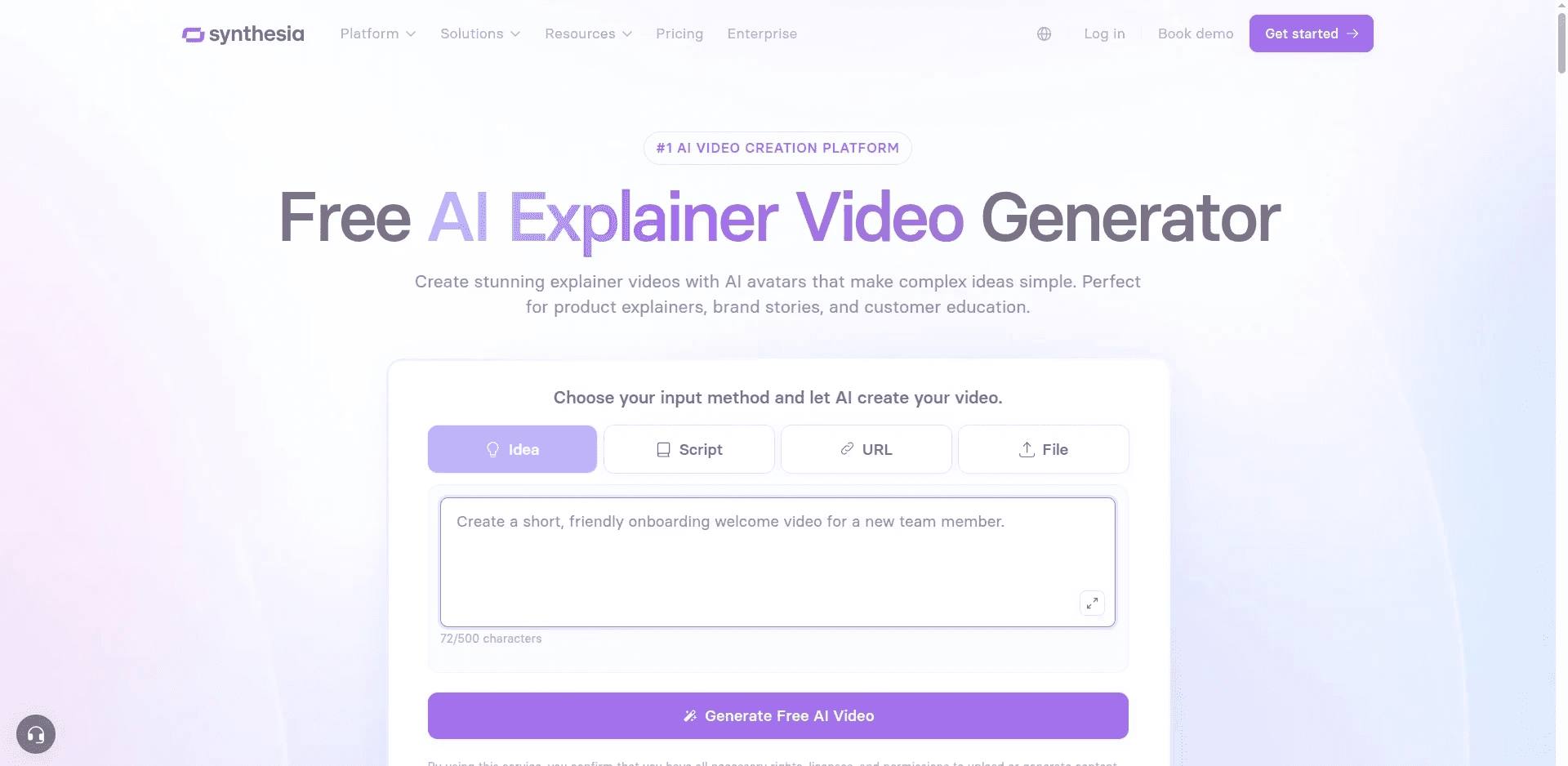
Best For: Teachers and training departments who want a realistic presenter reading a script, in many languages, without appearing on camera.
Key Features
AI Avatars
Choose from a large library of realistic avatars, or create a personal avatar, and Synthesia lip syncs the script.
140+ Languages
Script to speech in 140+ languages and one click translation of an existing video, a strength for multilingual schools.
Templates and Slides Import
Import a PowerPoint and turn each slide into a scene with an avatar presenter.
Pricing
Free plan with limited minutes per month. Starter is around $29 per month, with Creator and Enterprise tiers for more minutes and custom avatars.
Verdict: Synthesia is excellent for a presenter led lecture recap. It is a talking head tool rather than an animation tool, so concepts that need diagrams, characters or movement are better served elsewhere.
Make Your Lesson Video with Atlabs
4. Vyond
Best For: Schools and training teams with budget who want a clean, professional animated look and are willing to build scenes on a timeline.
Key Features
Vyond Go
Type a prompt and Vyond Go drafts a script and a rough animated video that can then be edited scene by scene.
Character Creator and Scene Library
Build a custom character and reuse it, with a large library of props, backgrounds and actions.
Text to Speech and Auto Lip Sync
Built in voices with lip sync, plus captions.
Pricing
No free plan; a 14 day free trial is available. Essential is around $25 per month billed yearly, with Premium and Professional tiers above.
Verdict: Vyond produces the most polished manual animation on this list, but it is priced and designed for training departments, and every scene still needs to be built by hand.
5. Animaker
Best For: Teachers who enjoy building scenes themselves and want a custom cartoon character with frame level control.
Key Features
Character Builder
Combine hair, expressions, clothing and accessories to create a unique teacher character, then save it for every lesson.
Auto Lip Sync
Upload a voiceover or use built in text to speech, and mouth movement matches the audio.
Free Tier
A free plan with watermarked exports lets a teacher try the full builder before paying.
Pricing
Free plan with watermark. Basic is around $19 per month, with Starter and Pro tiers above.
Verdict: Animaker offers control, no generative tool matches and a real free tier, but there is no script driven generation, so a ten minute lesson can take hours to build.
Try the Atlabs Explainer Video Workflow
How We Picked These 5 AI Tools
Our team scored each platform on the five things that decide whether a teacher actually uses a tool twice. Lesson accuracy, meaning whether the video starts from the teacher's own script. Ease of use in a free period, with no animation skills assumed. Character and narration quality, since a recurring presenter builds trust with a class. Finished video length and accessibility, including subtitles and translation without a second app. And what the free plan genuinely includes, since the title promised free options. Every platform here ranks among the most used AI video or animation tools in 2026, so no niche apps and no recent launches were included. Prices were checked on official pricing pages in September 2026.
Watch: Atlabs Explainer Video Tutorial
Want to see a lesson explainer come together before you commit? Watch the step by step guide here, and open a project in a second tab to copy each move as it happens.
Final Verdict
Every tool here can help a teacher make a lesson video. Higgsfield wins on cinematic intros, Synthesia wins on realistic presenters and languages, Vyond wins on polish, and Animaker wins on hands on control. Atlabs wins on the thing a teacher actually needs: a complete, accurate, animated explainer from the lesson notes, with a consistent teacher character, narration, subtitles and translation, made in the time between classes. Paste tomorrow's lesson and watch the first scenes for yourself.
Start Creating with Atlabs – Free to Start
Frequently Asked Questions
What is the best free AI tool for classroom explainer videos?
Atlabs is the best free starting point for a full animated explainer, since the free plan opens the complete Script, Style, Cast and Screenplay workflow. Higgsfield, Synthesia and Animaker also offer free tiers, with limited credits, limited minutes and a watermark respectively.
Can I use my own lesson notes as the script?
Yes. On Atlabs, paste the notes into the Script step and the video follows them scene by scene, or type a topic and let the AI Script Writer draft a first version you can edit. Synthesia, Vyond and Animaker also accept a script, with more manual scene building. Higgsfield works from a prompt per clip rather than a script.
Can the same teacher character appear in every lesson?
Yes. On Atlabs the presenter is cast once in the Cast step and reused across every lesson, and teachers can upload their own likeness. Synthesia offers avatars, Vyond and Animaker let you save a built character, and Higgsfield holds a look across a short sequence with reference images.
Do these tools add subtitles for accessibility?
Atlabs adds automatic animated subtitles to every video and translates into 40+ languages with one click. Synthesia offers captions and translation across 140+ languages. Vyond and Animaker offer captions with more manual setup, and Higgsfield has no subtitle layer.








