The Music Video Problem Every Independent Artist Knows
You finished the track. The mix sounds right. You send it to a few people and the responses are everything you hoped for.
Then someone says: when is the video dropping?
And that is the moment the budget problem becomes real.
Hiring a director and full crew starts at $5,000. A freelancer with a camera and basic editing skills runs $500 to $3,000. Scouting a location, renting gear, waiting weeks for a final cut. By the time you add it up, the visual side of a single release costs more than the entire recording.
Most independent artists end up doing one of two things. They put a static image on YouTube and call it a lyric video. Or they wait until they can afford something better, and the momentum dies.
In 2026, neither of those is the only option. Because making a professional music video with AI is now a same-day workflow that costs the price of a streaming subscription. And unlike the fragmented tool stacks most creators deal with today, there is now one platform that handles the whole thing: scene generation, AI avatars, consistent characters, audio sync, captions, and 4K export, all without any editing skills required.
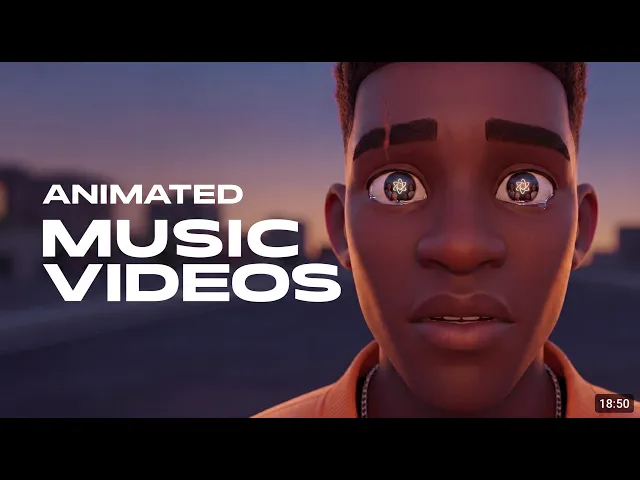
This guide walks through exactly how to do it using two tools: Suno for AI music generation and Atlabs as your AI music video maker. You can also check out a YouTube tutorial on creating music videos.
Create your first AI music video on Atlabs. Start at atlabs.ai. No camera, no crew, no editing experience needed. |
What Is an AI Music Video Maker?
An AI music video maker is a platform that uses artificial intelligence to generate cinematic video scenes from text prompts, synced to a music track, without any filming, location scouting, or editing software needed.
The problem with most AI video tools is that they only handle one part of the job. One generates clips. Another adds captions. A third does voiceover. You end up jumping between five platforms and losing consistency at every handoff. In communities, the most common complaint is exactly this: tools that are cumbersome, that require editing skills to use, and that do not hold a consistent look across shots.
Atlabs is built to fix all of that. It is an end-to-end AI video creation workspace for independent artists, brands, and creators who need production-quality output without a production team. Inside a single workspace, Atlabs gives you:
AI video generation powered by Seedance 2.0, plus access to Veo 3.1 and Kling inside the same platform
A character consistency engine that keeps your AI-generated characters looking identical across every scene, which is the part that actually makes a music video feel like a real video and not a random clip reel
AI avatar creation for a fully faceless music video where the artist never has to be on camera
AI voiceover powered by ElevenLabs for narration and spoken word elements
Nano Banana Pro image generation for cover art and thumbnails with true character consistency
100+ AI models in one place, including Runway, Flux, Gemini, and OpenAI, with no separate subscriptions needed
A full editing suite with audio sync, captions, and timeline tools, usable without any prior editing experience
4K export ready for YouTube, Spotify Canvas, Instagram Reels, and TikTok
One-click translation into 40+ languages with synced voiceovers
Combined with Suno for AI music generation, Atlabs gives independent artists the first truly complete AI music video production pipeline. Script in, finished video out, same day.
AI Music Video Maker vs. Traditional Production: Real Cost Comparison
Here is what the actual numbers look like across every approach available to an independent artist today:
Method | Cost | Time to Release | What You Get |
|---|---|---|---|
Director + Full Crew | $5K to $50K+ | 3 to 8 weeks | Cinematic, but your vision filtered through other people |
Freelance Videographer | $500 to $3K | 1 to 2 weeks | Decent quality, limited creative control |
DIY Shoot and Edit | Near zero | Days to weeks | Unpredictable, depends entirely on your skill level |
Suno + Atlabs (AI) | $0 to $49/mo | Same day | Cinematic, consistent characters, 4K, 100% your vision |
The cost and time columns are obvious. But the fourth column is the one that matters most for creative people: what you actually get. Traditional production means your vision gets filtered through other people's interpretation, scheduling, and budget limits. With Suno and Atlabs, you control every frame. And because Atlabs runs without any editing skills required, the barrier is not your technical ability. It is just your creative idea.
How to Make a Music Video with AI: Step-by-Step (2026)
Step 1: Generate Your Track in Suno
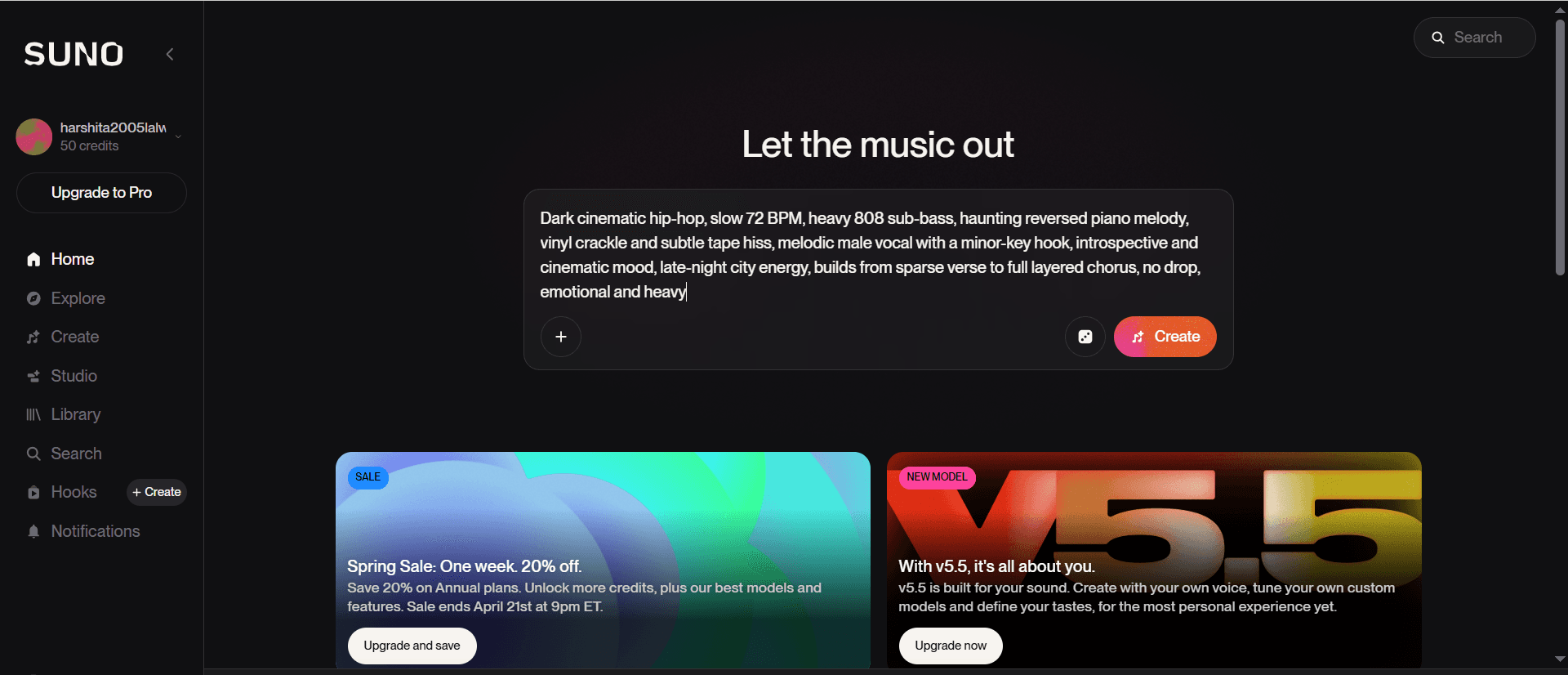
Open Suno and describe the sound you want. Be specific about genre, tempo, vocal style, and mood. Vague prompts produce generic output. Specific prompts produce tracks that feel intentional and map cleanly onto a visual world.
Here are three copy-paste Suno prompts for different video aesthetics. Each is calibrated to produce a track that pairs naturally with a specific visual direction inside Atlabs:
SUNO PROMPT: Dark cinematic hip-hop (for moody, urban video aesthetics) |
|
Paste directly into Suno, then upload the exported audio into Atlabs to begin your AI music video workflow.
SUNO PROMPT: Dreamy indie pop (for golden hour, nostalgic video aesthetics) |
|
SUNO PROMPT: Cinematic electronic instrumental (for abstract or narrative video aesthetics) |
|
Export your chosen track from Suno as an audio file. That is your foundation inside Atlabs.
Take your Suno track to a full music video on Atlabs. Upload your audio, build cinematic scenes with consistent characters, and sync it all in one free workspace at atlabs.ai. |
Step 2: Define Your Visual World (The Step Everyone Skips)
Before generating a single frame in Atlabs, spend ten minutes answering one question: what world does this track live in?
Is it night or day? Interior or exterior? Gritty and urban, or wide open and natural? Does it have a protagonist, or is it purely atmospheric? Abstract and textural, or narrative and scene-driven?
Write a short paragraph describing this world. Keep it visible throughout generation. Every scene you build in Atlabs should feel like it belongs to the same world. This is what separates a coherent music video from a random collection of AI-generated clips. It is also where the character consistency engine pays off: if your visual world has a recurring character, defining them once before you start generating means every scene they appear in will look like the same person.
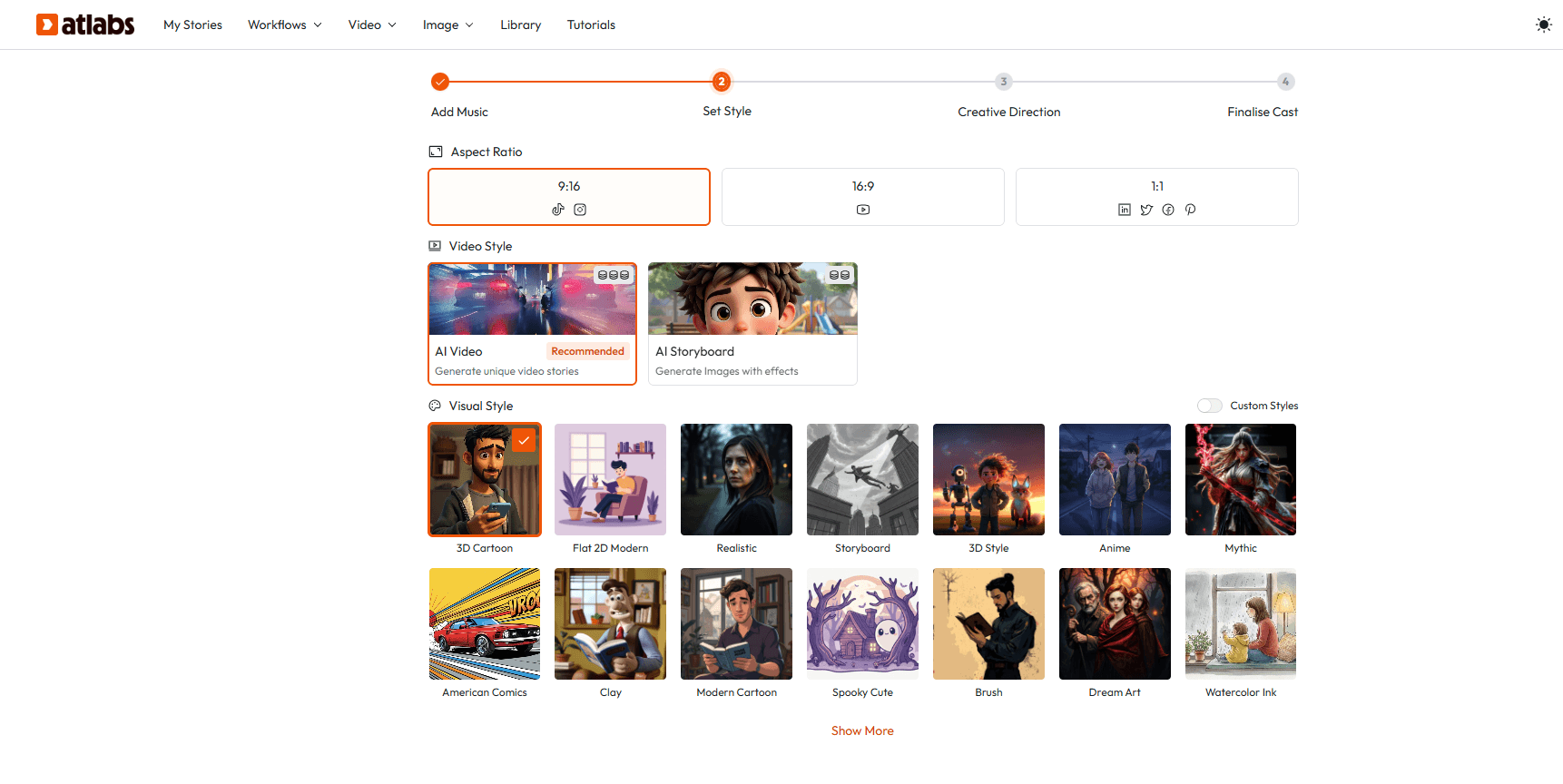
Step 3: Generate Scenes Using the Atlabs AI Video Generator
With your world defined, you build the video scene by scene inside Atlabs. The platform uses Seedance 2.0 for AI video generation, which handles cinematic motion, consistent lighting, and mood-accurate framing across a full runtime. For higher fidelity shots you can switch to Veo 3.1 or Kling from the same workspace without leaving the project.
Seedance 2.0 is worth calling out specifically because it is the most talked-about model in AI UGC communities right now. The reason is audio-driven generation: it uses your music track to drive the rhythm and motion of the video. Cuts, camera moves, and character motion align with the beat structure automatically. For a music video, that is a meaningful difference.
Here are four ready-to-use Atlabs scene prompts. Copy these directly into the video generation node and adjust them to match your track and visual world:
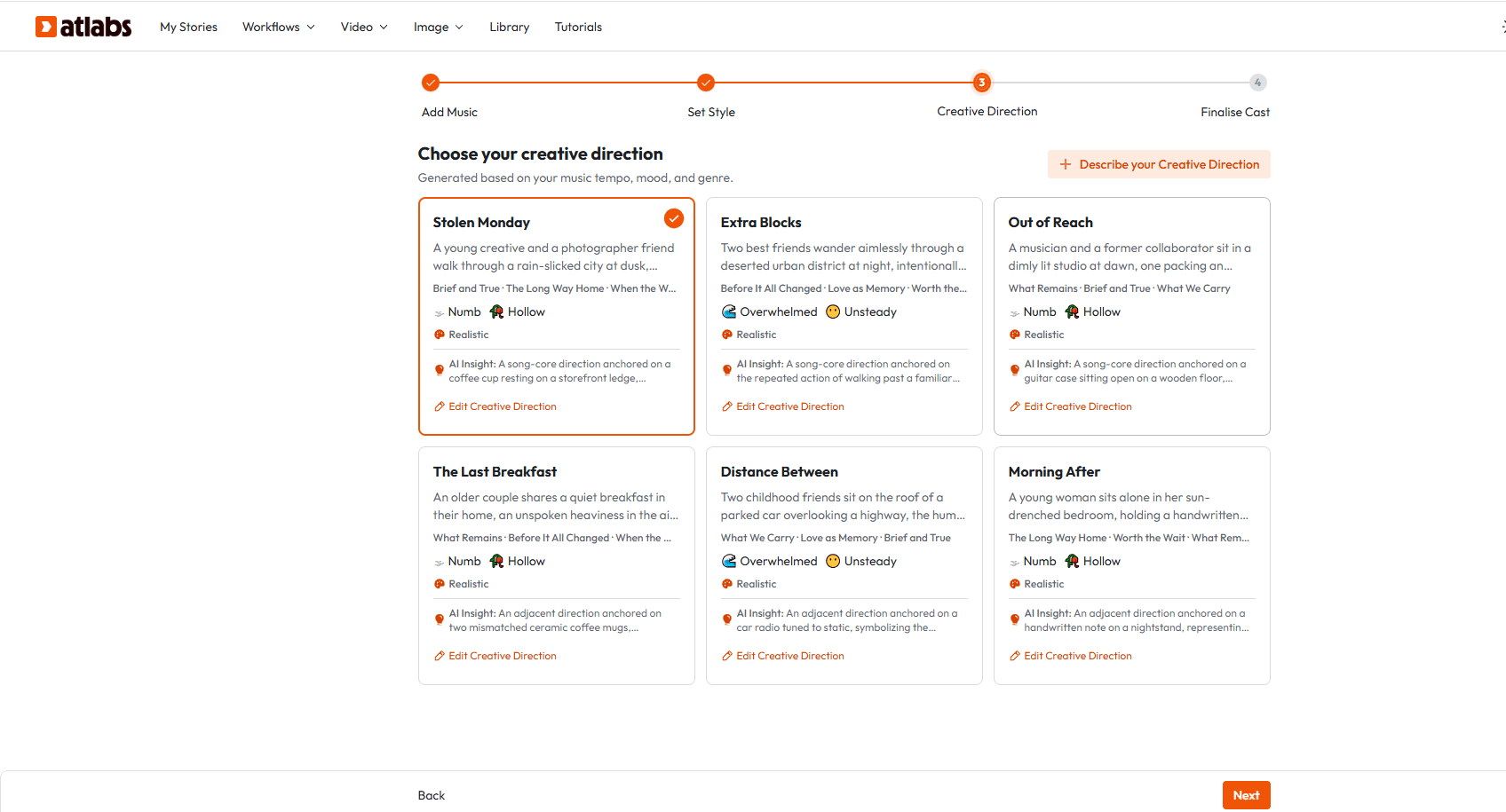
ATLABS SCENE PROMPT: Moody urban opening (hip-hop, R&B, dark pop) |
|
Paste directly into Atlabs to generate this scene. For character-driven shots, lock your avatar inside the character consistency engine before generating.
ATLABS SCENE PROMPT: Golden hour field walk (indie pop, folk, acoustic) |
|
ATLABS SCENE PROMPT: Abstract water macro climax (electronic, ambient, instrumental) |
|
ATLABS SCENE PROMPT: Night drive sequence (any genre, transitional or linking scene) |
|
Generate your first scene in Atlabs now. These prompts work directly inside the Atlabs workspace. Free plan available at atlabs.ai. |
Step 4: Create Your AI Artist Avatar (Make a Music Video Without a Camera)
One of the most searched questions in this space is how to make a music video without a camera. The answer, in 2026, is AI avatar creation inside Atlabs.
You can build a fully AI-generated artist persona or character that appears throughout your video without any filming. The part that actually makes this work for a real release is character consistency: the avatar looks the same across every scene it appears in, which is the thing that separates a coherent faceless music video from something that looks like a first attempt.
In communities like r/aivideos and r/AI_UGC_Marketing, the consistent-character problem is the one that comes up the most. Creators describe it as the hardest thing to solve when building a virtual artist or faceless channel. Atlabs solves it at the generation level, not in post.
Here are two copy-paste avatar creation prompts for Atlabs:
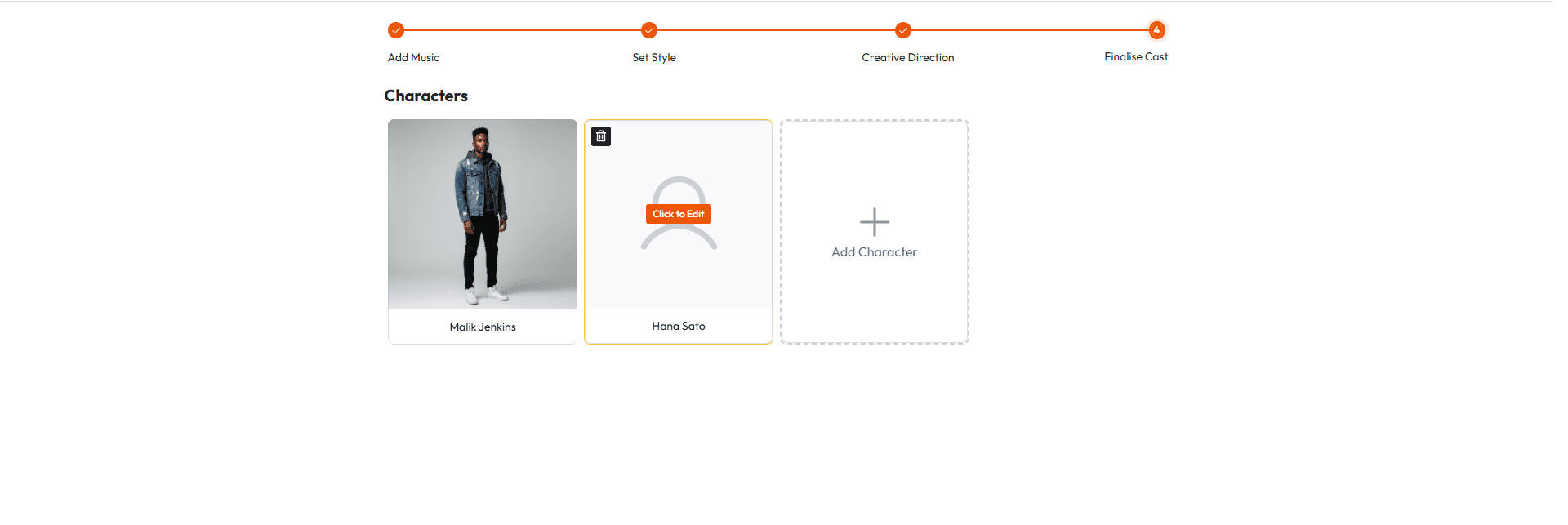
ATLABS AVATAR PROMPT: Hip-hop or R&B artist persona |
|
ATLABS AVATAR PROMPT: Indie pop or folk artist persona |
|
Step 5: Edit, Sync Audio, and Export
Inside the Atlabs editing suite, you arrange your scenes on a timeline and sync them to your Suno audio. Cut on beat drops. Let verses breathe. Build visual tension toward the chorus. Add captions using Atlabs' built-in captioning tools, which are shown to increase views significantly across social platforms.
If a scene is not working, regenerate it inside the same workspace without losing your progress. When the edit is ready, export at 1080p or 4K. For multilingual releases, use one-click translation to push the video into 40+ languages with synced voiceovers automatically.
The full process, from opening Suno to an exported video file in Atlabs, fits in a single afternoon. No editing skills required.
Bonus: AI Image Prompts for Music Video Thumbnails and Cover Art
Your video needs a thumbnail that earns the click. Your single needs cover art. Use these Atlabs image generation prompts with Nano Banana Pro, which gives you true character and visual consistency across all your static assets:
ATLABS IMAGE PROMPT: Thumbnail for dark hip-hop or R&B video |
|
ATLABS IMAGE PROMPT: Thumbnail for indie pop or folk video |
|
ATLABS IMAGE PROMPT: Thumbnail for electronic or ambient video |
|
Who Can Use This AI Music Video Workflow
You do not need to fit a specific genre, career stage, or technical background to get serious output from Suno and Atlabs. This workflow is built for:
Independent artists self-releasing on Spotify, Apple Music, or DistroKid
Bedroom producers building a visual identity alongside their music
Lo-fi, ambient, and instrumental artists who need atmospheric video without narrative
Singer-songwriters dropping singles without a label budget
Creators running faceless YouTube channels who want original music and matching AI video content
Artists preparing visual backdrops for live performances and shows
Music marketers and UGC creators building promotional video ads for client campaigns
Brands using AI-generated music videos as social content without hiring a production team
If the track is finished and the production budget is zero, this is the workflow that removes that constraint. And because it requires no editing skills and no camera, the only thing standing between you and a release-ready music video is an afternoon and an Atlabs account.
Frequently Asked Questions: AI Music Video Maker
What is an AI music video maker? | An AI music video maker is a platform that turns text prompts into cinematic video scenes synced to a music track, with no filming, crew, or editing software required. Atlabs handles the whole thing in one workspace, including scene generation, AI avatars, voiceover, consistent characters across every shot, and 4K export. |
Is Atlabs free to use? | Yes. Atlabs has a free plan with 20 credits per month to get started. Paid plans start at $15 per month and go up from there, unlocking Seedance 2.0, Veo 3.1, Kling, custom model training, and higher credit volumes. |
Can I use Suno music commercially? | Yes, if you are on a Suno Pro or Premier plan, which grants commercial use rights. Free tier Suno tracks are for personal use only. Always check your plan before releasing or monetizing content. |
Does Atlabs require video editing skills? | No. Atlabs is built for creators who have no editing background. The platform handles generation, timeline editing, audio sync, and captions without you needing any prior experience. Plenty of people in communities like r/AiForSmallBusiness specifically call it out for being usable without editing skills. |
Can I make a music video without being on camera? | Yes. Atlabs avatar tools let you build a fully AI generated artist persona that stays visually consistent across every scene. You never need a camera or a filming location. |
What platforms can I release the video on? | Atlabs exports work on YouTube, Instagram Reels, TikTok, Spotify Canvas, Facebook, and live show projection screens. You can export at 1080p or 4K. |
How long does it take to make an AI music video? | Most creators finish a 3 to 4 minute music video in one to three hours inside Atlabs, including scene generation, editing, and audio sync. The full workflow fits in a single afternoon. |
What makes Atlabs different from other AI video tools? | Most tools solve one piece of the puzzle. Runway for editing, HeyGen for avatars, VEED for captions. Atlabs puts 100+ AI models including Seedance 2.0, Veo 3.1, Kling, ElevenLabs, and Runway into one workspace. The character consistency engine is the part that actually makes music videos production ready instead of just experimental. |
The Budget Barrier Is Gone. Your Vision Is What Matters Now.
A few years ago, cinematic music video production was locked inside the label system. You needed a director, a crew, a budget, and weeks of time to release something that looked professional.
In 2026, the only thing separating an independent artist from a release-ready music video is a Suno account and an Atlabs workspace. The faceless video problem is solved. The consistent-character problem is solved. The editing skills problem is solved. The production budget problem is solved.
The workflow is real. The output is production quality. And you can start today for free.
Start your AI music video at atlabs.ai. No camera. No crew. No production house. Just your track and your creative vision. |








