
You generate an AI video of a punch landing.
The fist connects. But something feels off. The body barely reacts. The jacket does not move. The hit looks real but does not feel real.
That was AI video in 2024.
This is 2026. And a community of creators on X has spent the last year quietly solving that problem, one prompt at a time.
The fix is not a new model. It is a new way of writing prompts. Instead of describing what things look like, you describe how they behave. That shift is called physics-aware prompting, and it is the single biggest upgrade you can make to your AI video output right now.
This guide gives you 50 real prompts shared by real X creators, with links to see their outputs. Every prompt is ready to copy into Atlabs. No experience needed.
What is physics-aware prompting for AI video?
Physics-aware prompting means describing how objects and characters behave in your video, not just how they look. Instead of writing 'a punch,' you describe the impact, the body reaction, and the movement that follows. This gives AI video models enough detail to simulate realistic, physically believable motion. It works across all major 2026 models including PixVerse V6, Kling 3.0, and Seedance 2.0.
Why AI Video Finally Looks Real in 2026
For most of AI video history, the quality question was: does it look real? Sharp textures, convincing faces, clean lighting. Those problems are mostly solved now.
The new question the community is asking is: does it move real?
Your brain has watched real-world footage your entire life. It processes motion physics automatically. When a thrown object follows the wrong arc, when clothing ignores gravity, when a punch produces no reaction in the person who received it, you feel that wrongness immediately even if you cannot explain it.
The X creator community noticed this. And they started experimenting with a different kind of prompting: describing physics events instead of visual outcomes. The results changed everything.
@qureshi_siddik on X View post + output
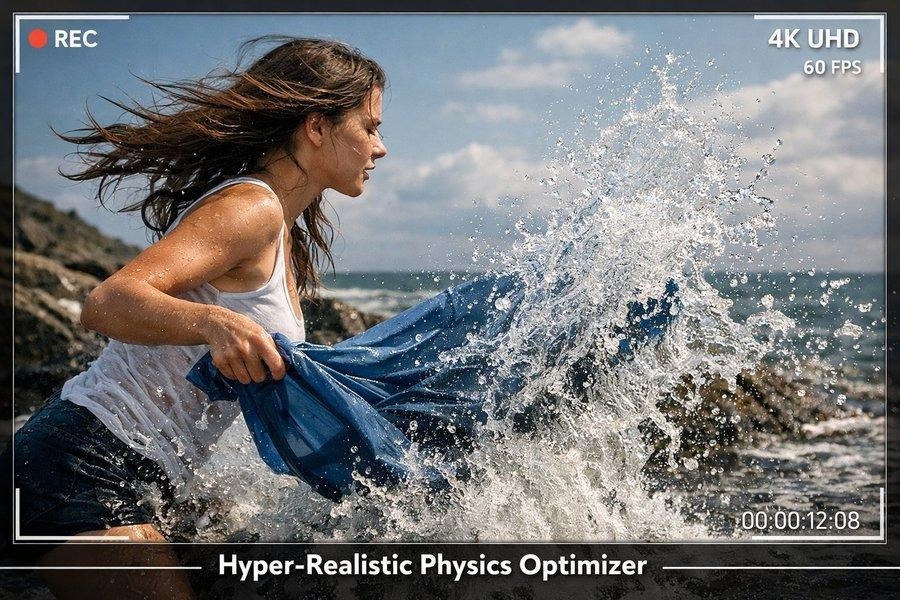
You are a VFX supervisor expert in 2026 AI video models. Focus on hyper-realism and accurate physics. Include: lifelike human/animal motion, realistic fabric/hair/water/fire physics, natural weight and momentum, detailed textures, and environmental interactions.
Good to know: You do not need to understand real physics to write physics prompts. You just need to describe what you see when you watch a real video of that action. What moves? What reacts? What keeps moving after the main action ends?
Why do AI videos still look fake sometimes?
AI videos look fake when they get motion wrong, not visuals. Common problems include characters that move without weight, clothing that does not react to movement, and impacts that produce no physical response in the body. The fix is physics-aware prompting: describing the behavior of objects and characters explicitly rather than assuming the model will infer it.
The Prompt Formula Every X Creator Uses
After reviewing hundreds of X posts on motion realism in 2026, one structure appears in every high-performing prompt:
[Subject + physical properties] [What happens physically during the action] [Secondary motion: what keeps moving after the action ends] [Surface or environment reaction] [Camera + lens + motion capture style] [Quality and style specs]
The key phrases that unlock realism across all models:
"elastic deformation responding naturally to body weight"
"frozen mid-air using high-speed photography"
"secondary motion: [fabric/hair] continues for 0.5 seconds after action ends"
"natural weight and momentum throughout"
"realistic fabric/hair/water physics"
"gentle motion blur on [specific element], shallow depth of field"
The single biggest beginner upgrade: Add "natural weight and momentum throughout" to any character motion prompt. It costs nothing and improves output consistency across every model. This is the most-shared tip across the X physics prompting community in 2026.
Try these prompts yourself at app.atlabs.ai and try it free.
// CATEGORY 1 OF 5: LIQUID AND SPLASH PHYSICS
Making Water, Sauce, and Liquid Look Real
Liquid is one of the hardest things to get right in AI video, and one of the most impressive when it works. The X community found one phrase that works across every model:
The phrase that works: "Frozen mid-air using high-speed photography, droplets with sharp edges" is the most consistent trigger for realistic liquid capture. It tells the model the physics context, not just the visual look.
AI Answer How do I prompt AI video for realistic water and liquid?
Use high-speed photography language in your prompt. Phrases like 'frozen mid-air using high-speed photography,' 'individual droplets visible with sharp edges,' and 'high-speed splash arc' consistently produce realistic liquid physics across models like PixVerse V6, Seedance 2.0, and Flux. Describe the liquid behavior, not just its appearance.
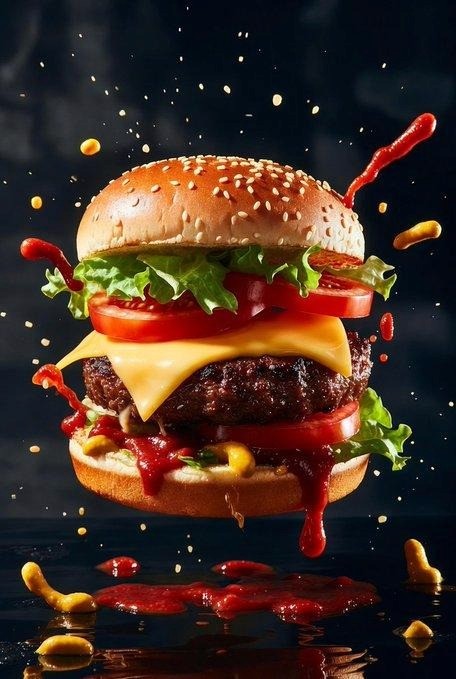
#1 Slow-Motion Food Splash Hero Shot
Best for: Food ads, product videos, restaurant content | Credit: @ZaraIrahh, https://x.com/ZaraIrahh/status/202980889149276582
Ultra-realistic cinematic fast-food advertisement. Giant juicy cheeseburger dropping onto a glossy black surface. Slow-motion splash of ketchup and mustard exploding around the burger. Sesame seed bun glowing under studio lighting. Melting cheddar cheese dripping over grilled beef patty. Flying lettuce and tomato slices frozen mid-air. Dark background, macro food photography, commercial food styling, ultra-sharp focus, high-end advertising photography, 8K resolution, cinematic lighting, depth of field, product hero shot.
#2 High-Speed Drink Splash with Ice
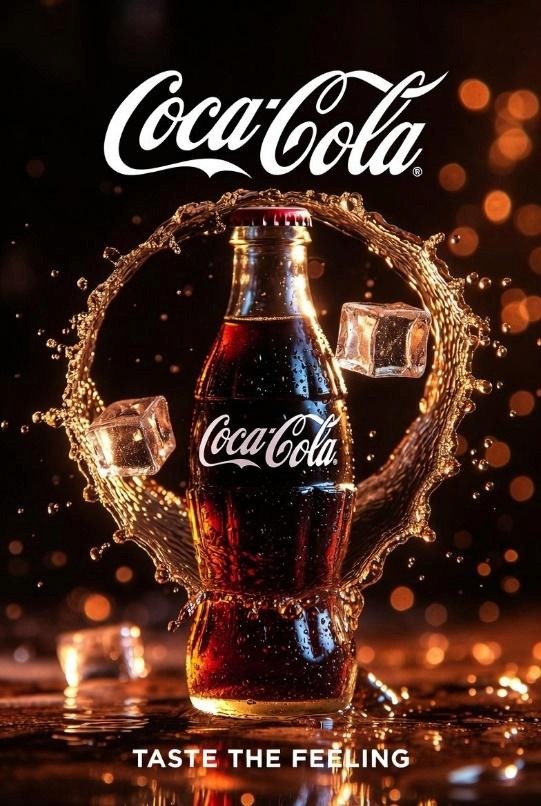
Best for: Beverage ads, product commercials, drinks content | Credit: @yourPlugAI
Glass bottle of cola. High-speed splash arc, dynamic curved motion wrapping behind the bottle. Individual droplets visible with sharp edges. Ice cubes suspended mid-air. Condensation on glass surface. Elastic deformation in liquid interaction. Dark studio background. Slow-motion capture feel. Cinematic product photography, 8K resolution.
#3 Noodles Lifted Mid-Air
Best for: Food content, restaurant ads, Asian cuisine | Credit: @Taaruk_,
Ultra-realistic cinematic food photography. Hot noodle dish in a ceramic bowl on a rustic wooden table. Long noodles lifted dramatically into the air, twisting and flowing in motion, coated with glossy sauce. Chunks of meat and garnishes clinging to the noodles. Ingredients frozen mid-air using high-speed photography: chopped scallions, chili paste, crispy toppings, droplets of sauce. Steam rising naturally. Dramatic directional lighting, shallow depth of field, rich textures, commercial food advertising style, 8K.
#4. Fantasy Water Elemental
Best for: Fantasy content, VFX, game trailers | Credit: @dvorahfr , https://x.com/dvorahfr/status/2045966719227662413
A water elemental figure rising from a stormy sea. Fluid dynamics fully simulated. Individual water particles arcing outward from the body. Surface tension visible at the edges of each mass. Spray catching backlight. Slow-motion freeze frame. Water returning to the ocean below. Cinematic VFX style, ultra-detailed, 8K.
Generate these food and liquid prompts at app.atlabs.ai and try it free.
https://x.com/i/status/2045966719227662413
// CATEGORY 2 OF 5: FABRIC, HAIR, AND SECONDARY MOTION
How to Make Clothing and Hair Move Naturally
Secondary motion is what keeps moving after the main action stops. A ponytail that swings after a head turn. A jacket hem that bounces once before settling. This is what separates AI video that looks animated from AI video that reads as real.
AI Answer What is secondary motion in AI video?
Secondary motion is the movement that continues after the primary action ends. When a character stops running, their hair keeps moving for a moment. When someone is hit, their clothing lags behind the body for half a second. Prompting for secondary motion explicitly, with timing like '0.5 seconds after the main action,' is the most reliable way to make AI video feel physically real.
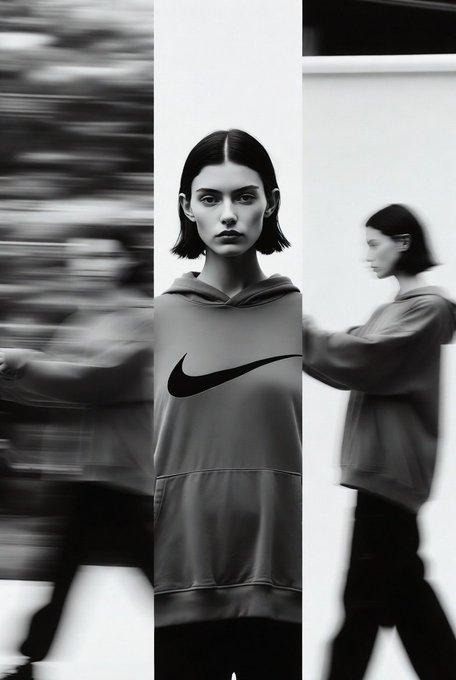
#5 Fashion Editorial with Fabric Motion Blur
Best for: Fashion content, editorial photography, brand videos | Credit: @ChillaiKalan__,
Cinematic knitwear fashion editorial. Golden hour studio light. Dynamic motion blur on fabric. Warm color tones. 85mm lens depth. Textured fabric detail catching light at edges. Secondary motion visible on clothing: fabric continues moving 0.5 seconds after subject stops. Natural weight in textile. Moody studio composition. Hyperreal photography feel.
#6 Cherry Blossom Petals in Wind
Best for: Atmosphere, nature, beauty and lifestyle videos | Credit: @TechieBySA
Ultra-realistic cinematic scene. Young woman walking through a street lined with cherry blossom trees in full bloom. Air filled with countless pink petals gently swirling in motion. Some close to camera, others softly blurred in background. She walks slowly, smiling slightly. Hair moving gently in the breeze with natural secondary motion. Warm sunlight through pink canopy. Soft golden light on face and petals. 9:16 aspect ratio, soft depth of field, high detail, warm cinematic tones.
#7 Wind-Blown Tactical Jacket
Best for: Action, outdoor, adventure and sports content | Credit: @gamberOne
Male figure in heavy tactical jacket in strong wind. Jacket fabric billowing laterally. Collar raised and pulled in wind direction. Zipper pull moving consistently with wind. Hair pushed back. Weight of jacket visible in how it moves: heavy lower hem, lighter collar and chest. Outdoor mountain setting, overcast sky, 35mm cinematic lens, natural color grade.
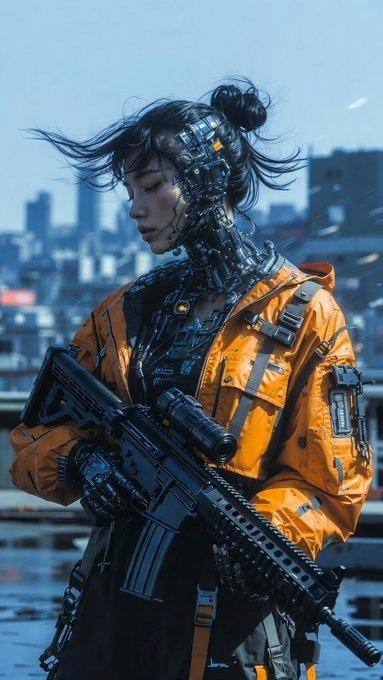
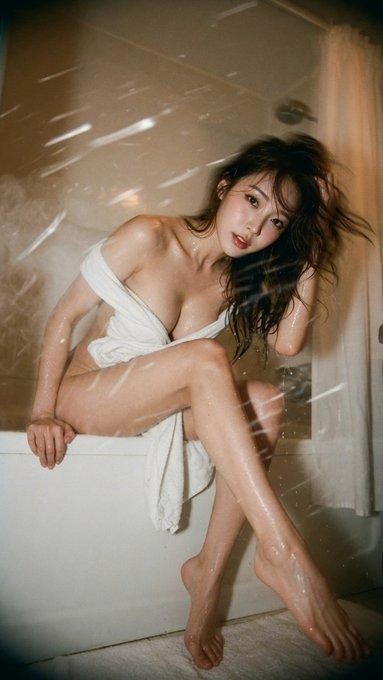
#8 Wet Hair and Towel After Shower
Best for: Lifestyle, beauty, personal care ads | Credit: @BubbleBrain
Bathroom portrait. Subject just exited shower. Wet hair with natural weight pulling flat against shoulders. Individual strands visible and clumped with water. Towel wrapped loosely with natural drape and weight. Steam particles rising from hot surface. Mirror slightly fogged with condensation. Soft backlight, warm bathroom tones, natural fabric physics, ultra-realistic.
#9 Falling Snow with Depth and Trajectory
Best for: Winter, seasonal, ambient atmosphere content | Credit: @nvmadii
Heavy snowfall on a quiet city street at night. Individual snowflakes visible at various depths. Close flakes sharp with visible crystalline edges. Mid-distance flakes slightly soft. Background flakes fully blurred. Each flake follows natural trajectory: slight drift, no two identical paths. Street lights create bokeh halos. Character in foreground, breath visible as vapor. Cinematic, shallow depth of field, 50mm equivalent lens.

Copy this phrase: "Secondary motion on [clothing/hair] continues for 0.5 seconds after primary action ends." Add this to any character video prompt. X creators report this as the single highest-impact line addition for physics realism.
Try these fabric and motion prompts at app.atlabs.ai and try it free.
// CATEGORY 3 OF 5: IMPACT AND COLLISION PHYSICS
How to Make Hits, Punches, and Impacts Feel Real
This is the category that started the whole conversation. The community noticed PixVerse V6 specifically for nailing impact physics in 2026. The secret is describing three things in every impact scene: the primary hit, the energy transfer reaction, and the secondary motion that follows.
AI Answer How do I make AI video punches and impacts look realistic?
Describe three things in your prompt: the impact itself, the energy transfer (how the body reacts to the hit), and the secondary motion (clothing, hair, and limbs that keep moving after impact). For best results use PixVerse V6 in Atlabs and add phrases like 'body snaps on contact,' 'clothing lags 0.5 seconds behind,' and 'natural deceleration after follow-through.'
#10 Punch That Actually Lands
Best for: Action scenes, fight choreography, martial arts content | Credit: @motioncraft_ai
Close-range right hook connecting with opponent's jaw. On impact: head snaps left, shoulder follows in rotation, body twists slightly at the torso. Jacket fabric lags 0.5 seconds behind body movement. Opponent stumbles back two steps before stabilizing. Fist follows through naturally past contact point before decelerating. Secondary motion on hair and collar continues briefly. Cinematic slow motion, 120fps feel, dramatic side lighting, shallow depth of field.
#11 Giant Impact with Shockwave
Best for: VFX, game trailers, sci-fi, action content | Credit: @ThoughCreator
Massive cybernetic titan lands on urban street from above. On impact: shockwave radiates outward in ring pattern from contact point. Nearby cars slide from displaced air. Windows shatter in sequential wave. Dust and debris rise from impact zone. Cracks spread through pavement from center. Titan's weight settles: knees bend on impact, straighten as weight distributes. Cinematic VFX, slow motion, ultra-detailed, 8K.
https://x.com/i/status/2043653308704018742
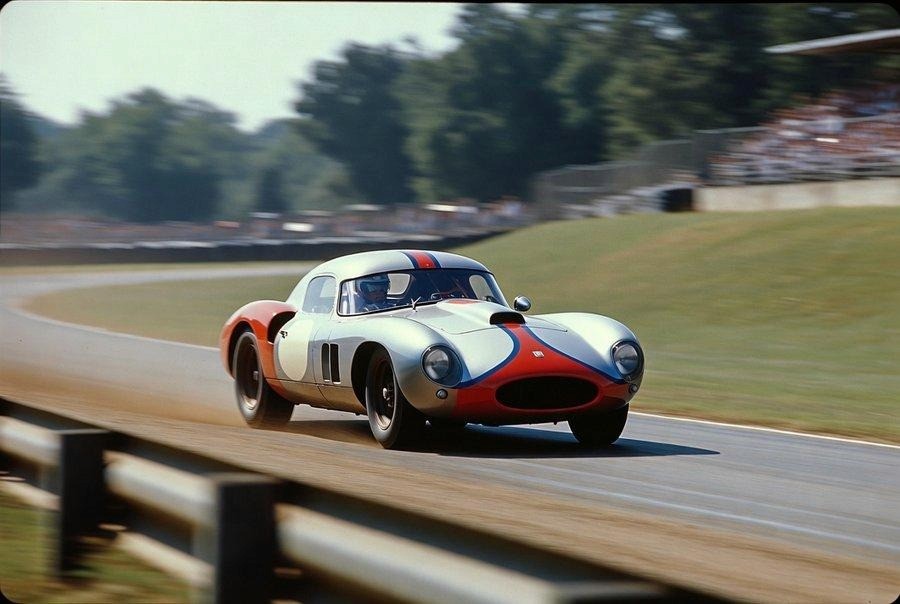
#12 Vintage Race Car Speed and Motion Blur
Best for: Automotive, sports, historical content | Credit: @PromptSin
A 1950s race car speeding along a vintage racetrack. Ultra-realistic. Captured as if on a 1950s 35mm analog camera. Slight motion blur on wheels and car body. Muted colors, authentic film grain, soft vignette. Low-angle perspective, natural daylight. Fully period-accurate details, no modern elements. Dust trailing from rear tires, slight lean in direction of turn.
#13 Cyborg Spin with Motion Trail
Best for: Sci-fi, action, character showcase content | Credit: @tetsuoai
Cyborg character performing 360 degree spin. Motion trail visible on fastest-moving limbs. Metallic surfaces catching light at multiple angles during rotation. Clothing and cable attachments following centrifugal arc. Face expression transitioning through the spin. Slow-motion capture, studio lighting with hard edge shadows, cinematic VFX.
Model tip: For impact and action scenes, PixVerse V6 in Atlabs is the community's top pick for 2026. It handles collision energy transfer and secondary body motion better than other models.
Create action and impact videos at app.atlabs.ai and try it free.
// CATEGORY 4 OF 5: SURFACE CONTACT AND ELASTIC DEFORMATION
How to Show Weight and Surface Pressure
Surface deformation surprised the community more than any other physics category. When a model correctly shows a surface bending or indenting under weight, the scene immediately reads as more real than anything purely visual can achieve.
AI Answer How do I show realistic surface deformation in AI video?
Describe the deformation explicitly in your prompt rather than hoping the model infers it. Use phrases like 'elastic deformation responding naturally to body weight,' 'visible indentation under contact point,' and 'tension lines radiating outward from pressure.' Seedance 2.0 and Flux handle surface physics particularly well when given this level of detail.
#14 Elastic Surface Under Body Weight
Best for: Product ads, lifestyle content, editorial | Credit: @aytacaltintepe
Matte black latex surface. High-detail contact physics, 8K, cinematic realism. Figure positioned on stretchy surface, weight pressing deeply. Visible indentation under hips and thighs. Surface pulling toward body. Tension lines radiating outward from contact points. Elastic deformation responding naturally to body weight. Surface color shift at tension points, slightly lighter where stretched. Natural studio lighting, three-point setup.
#15 Physics Visualization for Education
Best for: Educational content, explainer videos, science | Credit: @heyDhavall
Visualize projectile motion in real-world physics. Ball thrown at 45-degree angle. Visible trajectory arc with labeled velocity vectors and accurate motion lines. Parabolic path shown with dotted line. Peak height marked. Horizontal and vertical components shown as separate vectors. Clean educational diagram style, white background, precise labeling.
#16 Multi-Layer Rain Physics Scene
Best for: Atmosphere, cinematic, nature and weather content | Credit: @global_techgirl
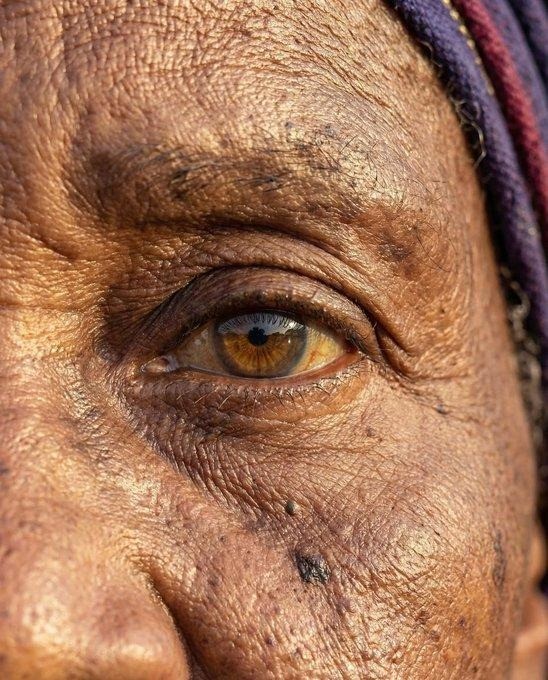
Multi-layer physics scene. Foreground: rain with individual drops hitting puddle surface, creating concentric ripple rings. Mid-ground: figure with wet clothing clinging to body, hair flattened by rain weight. Background: trees bending in consistent wind direction. Puddle surface reflecting light with distortion from rain impact. All physics layers consistent with same weather event. Cinematic, overcast light, 35mm film.

Try these surface physics prompts at app.atlabs.ai and try it free.
// CATEGORY 5 OF 5: CHARACTER MOVEMENT AND CROWD PHYSICS
How to Make Characters Move with Real Weight
Default AI video gives characters smooth, weightless movement. It looks like a game character on rails rather than a human body in space. The X community found that weight and resistance language is the fastest fix.
AI Answer How do I make AI video characters move naturally?
Add weight and resistance language to every character motion prompt. Instead of 'she walks,' write 'she walks with natural forward lean, footsteps making contact with the floor on each step, slight downward bounce as weight shifts, arms swinging naturally.' For Kling 3.0, add 'natural weight and momentum throughout' as a closing instruction. This single phrase improves output consistency across all models.
#17 Still Person in a Moving Crowd
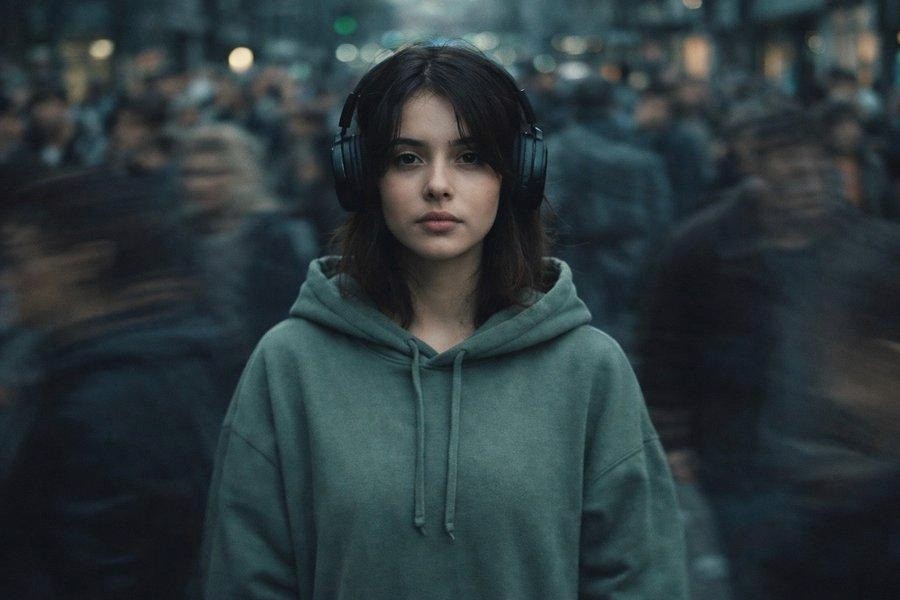
Best for: Urban content, social commentary, moody portraits | Credit: @shien119
Cinematic ultra-realistic urban portrait. Lone subject standing completely still at center. Crowded city street with motion-blurred pedestrians moving in all directions at different speeds. Subject sharp and in focus. Crowd a blur of color and motion streaks. The stillness of the subject reads as deliberate and weighted against the chaos. 50mm lens, long exposure effect, isolation in chaos.
#18 Walking in Cyberpunk Rain
Best for: Sci-fi, cinematic, narrative storytelling content | Credit: @NovaIAHQ
Cyberpunk city, heavy rain, neon-lit wet streets reflecting every light source. Character walking through rain with natural weight: slight forward lean, footsteps splashing small puddles on contact. Rain hitting jacket shoulders and bouncing off. Wet hair flattened and clinging. Motion of walking visible in subtle body sway and arm swing. Natural weight and momentum throughout. Cinematic, 35mm, motion blur on rain streaks.
https://x.com/i/status/2045927166387376374
#19 Candid Hand Gesture at Night
Best for: Portrait, lifestyle, candid photography style | Credit: @xIrissy
Candid portrait, night alley setting, warm light from a single source above. Subject mid-gesture with one hand raised. Motion blur on the moving hand showing natural arc of gesture. Face sharp. Background slightly blurred from depth of field. The hand motion reads as genuine rather than posed. Film grain, 35mm, natural shadow.
#20 Rubber Ball Drop Physics Test
Best for: Physics testing, product demos, educational content | Credit: @LudovicCreator
Simple physics test animation. A rubber ball dropped from shoulder height onto a hardwood floor. Ball compresses slightly on impact, returns to original shape as it bounces. Bounce height decreasing with each cycle. Natural deceleration, no loop. Ball shadow grows and shrinks with height changes. Clean studio setting, one light source, 24fps feel.
Generate character motion videos at app.atlabs.ai and try it free.
27 More Real Prompts from X Creators
These additional creators shared their physics prompts publicly on X. Each link takes you to the original post and output:
@promptsref: Impressionism + motion blur SREF combination x.com/promptsref/status/2026417029490606253
@PromptLabHQ: Latex plus physics realism prompt set x.com/PromptLabHQ/status/2024789871613669744
@nvmadii: Crowd motion blur isolation variant x.com/nvmadii/status/1987396248119165124
@ChillaiKalan__: Split-frame motion blur fashion editorial x.com/ChillaiKalan__/status/1989618375467954336
@TheMelChi: Early Runway video motion tests x.com/TheMelChi/status/1720967270388691100
@ozansihay: Running couple with billowing flag x.com/ozansihay/status/2045422856796852243
@xmliisu: Mirror selfie with natural hand and fabric physics x.com/xmliisu/status/1996414154261791104
@doganuraldesign: Glass table bending under weight physics x.com/doganuraldesign/status/1850907916968366457
@wavespeed_ai: Real-time motion physics benchmark tests x.com/wavespeed_ai
@MrDasOnX: Fabric deformation in fashion editorial x.com/MrDasOnX
@SebJefferies: Impact physics in sports photography x.com/SebJefferies
@TheAIColony: Environmental physics in nature scenes x.com/TheAIColony
@aiwithmayank: Character weight in walking cycles x.com/aiwithmayank
@BrentLynch: Motion realism in product advertising x.com/BrentLynch
Plus: @feltj, @PromptLabHQ, @nvmadii, @tetsuoai, @ThoughCreator, @gamberOne, @dvorahfr, @global_techgirl, @qureshi_siddik, @yourPlugAI, @Taaruk_, @ZaraIrahh, @heyDhavall.
4 Mistakes That Make AI Video Look Fake (and the Fix)
Mistake 1: Vague motion words
Do not write: "character is moving"
Write instead:
Character walking at medium pace, slight forward lean, natural arm swing, footsteps making light contact with the floor, slight compression of the knee on each landing.
Mistake 2: No weight or resistance
Do not write: "object falls to the ground"
Write instead:
Object falls from 2 meters, accelerating, impacts floor with visible compression at contact point, bounces once at reduced height, settles with slight roll.
Mistake 3: Generic camera instruction
Do not write: "cinematic camera"
Write instead:
Slight handheld camera feel, 35mm lens, natural motion blur on fast elements, rack focus from foreground to subject mid-scene.
Mistake 4: Missing secondary motion
Do not write: "she turns her head"
Write instead:
She turns her head, ponytail follows 0.5 seconds behind, slight bounce at end of the motion before settling.
The golden rule: Every physical action has a before, a during, and an after. Most beginners only describe the during. Describe all three and your output quality will improve across every model and every scene type.
Which AI Video Model to Use for Physics in 2026
AI Answer What is the best AI video model for realistic motion in 2026?
For impact physics and action scenes, PixVerse V6 is the top community pick. For full-scene character movement and lighting consistency, Kling 3.0 performs best. For close-up object interaction, hand physics, and grip detail, Seedance 2.0 is strongest. For stylized physics and editorial content, Flux and Grok Imagine perform well. All of these models are available in one place at app.atlabs.ai without separate subscriptions.
Impact physics, action, combat: PixVerse V6
Character movement across narrative scenes: Kling 3.0
Close-up hands, object handling, grip detail: Seedance 2.0
Stylized physics, fashion, editorial: Flux or Grok Imagine
Complex multi-element physics scenes: Gemini Nano Banana Pro
Not sure which to use: Atlabs lets you run the same prompt on multiple models and compare side by side
One platform for all of them: You do not need separate accounts for PixVerse, Kling, Seedance, Flux, or any other model. Atlabs gives you access to all of them in one place. Try any prompt in this guide at app.atlabs.ai.
Access every model in one place at app.atlabs.ai and try it free.
How to Use These Prompts in Atlabs (Step by Step)
This works even if you have never made an AI video before.
Go to app.atlabs.ai and create a free account
Start a new project and select the model that matches your scene (see the guide above)
Copy any prompt template from this guide and paste it into the prompt field
Add one or two physics additions from the formula section: secondary motion timing, weight cues, or camera physics
Generate your first output and review it
On the second generation, add more specific physics detail based on what looked off in the first
Export and use in your existing editing workflow
Most creators see a visible improvement in physical believability by generation 2 when they add secondary motion details. You do not need to get it perfect in one try.
Start your first physics-aware AI video at app.atlabs.ai and try it free.
Frequently Asked Questions
What is the best free AI video generator for realistic motion?
Atlabs offers free access to top 2026 AI video models including PixVerse V6, Kling 3.0, and Seedance 2.0. You can try physics-aware prompting at no cost at app.atlabs.ai.
Do I need experience to use physics prompting?
No. Physics prompting is just describing motion in specific terms instead of vague ones. The 20 core templates in this guide are designed for complete beginners and can be copied directly without modification.
Can I use these prompts for commercial projects?
Yes. The prompts in this guide are shared by X creators for public use. All commercial use rights depend on your Atlabs plan. Check current plan details at atlabs.ai/pricing.
How is Kling 3.0 different from PixVerse V6 for motion?
PixVerse V6 is stronger for impact events, collision, and action scenes where a specific physical event is the focus. Kling 3.0 is better for longer character movement sequences, narrative scenes, and scenes where lighting consistency across cuts matters as much as the motion itself.
What is the fastest way to improve AI video quality?
Add the phrase 'natural weight and momentum throughout' to any character motion prompt and 'secondary motion on [clothing/hair] continues for 0.5 seconds after the main action' to any scene with character movement. These two additions improve output quality faster than any other single change.
Start Making AI Videos That Move Like the Real Thing
The X creator community has done the hard work. They tested thousands of prompts, shared what worked, and proven that the difference between AI video that looks real and AI video that moves real is just a matter of how you describe physics in your prompt.
Every template in this guide is ready to copy. Every model you need is in one place.
Go to app.atlabs.ai, pick a template from this guide, and generate your first physics-aware AI video today. It is free to start.
If your output produces something great, share it on X and tag @AtlabsAI. The next version of this guide might feature your prompt.








