
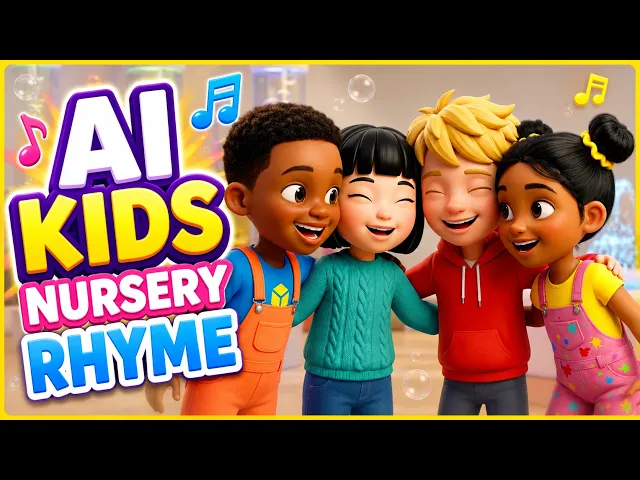
Picture a two year old watching a purple dinosaur count apples from one to ten, singing along by the third replay. That is the entire counting songs genre, and it is one of the most reliably watched formats on YouTube Kids. Parents search for it daily, toddlers replay it endlessly, and channels built on numbers songs quietly rack up millions of views. The catch has always been production. A single animated counting video used to need a character designer, an animator, and an editor who could sync every cut to the beat. With AI, you can now go from a finished song to a fully edited counting video in about ten minutes, and this guide walks you through exactly how.
Why Counting and Numbers Songs Work So Well for Kids Channels (Beginner Guide)
Counting songs sit at the intersection of two things platforms reward: repeat viewing and watch time. A toddler who likes a numbers song does not watch it once, they watch it eleven times in a row, and the algorithm reads that loyalty as quality. Parents also actively search for this content because it is educational, which means the traffic is intent driven rather than luck driven.
For creators, the format is unusually forgiving. The structure writes itself, since counting from one to ten gives you a built in narrative arc with a beginning, a middle, and a satisfying end. The visuals are simple and repeatable, which means one strong character can carry an entire series: counting fruits, counting animals, counting stars, counting trucks. And because the songs are short, you can publish consistently without burning out. The only real barrier has been animation, and that barrier is the one AI removes.
👉 Make your first counting song video in the Atlabs Music Video workflow
The Atlabs Workflow for Counting Songs, Explained Step by Step
The workflow built for this exact job is the Music Video workflow on Atlabs. You upload a finished counting song, and Atlabs turns it into a complete animated video around it. It detects the track's language, tempo, mood, and genre, proposes scene concepts automatically, lets you define a cast of characters, and renders the whole thing in a kids friendly visual style like 3D Cartoon, Storybook, or Clay.
What makes it a fit for numbers songs specifically is model choice. Atlabs is a multi model platform, so the same workflow can route through whichever AI video model matches your look. Seedance 2.0 is strong for stylized character closeups, exactly what a singing number character needs, while Hailuo 2.3 handles high motion sequences like characters dancing through a count. You pick the aesthetic, not the infrastructure.
Step-by-Step Walkthrough: From Song to Finished Video in 10 Minutes
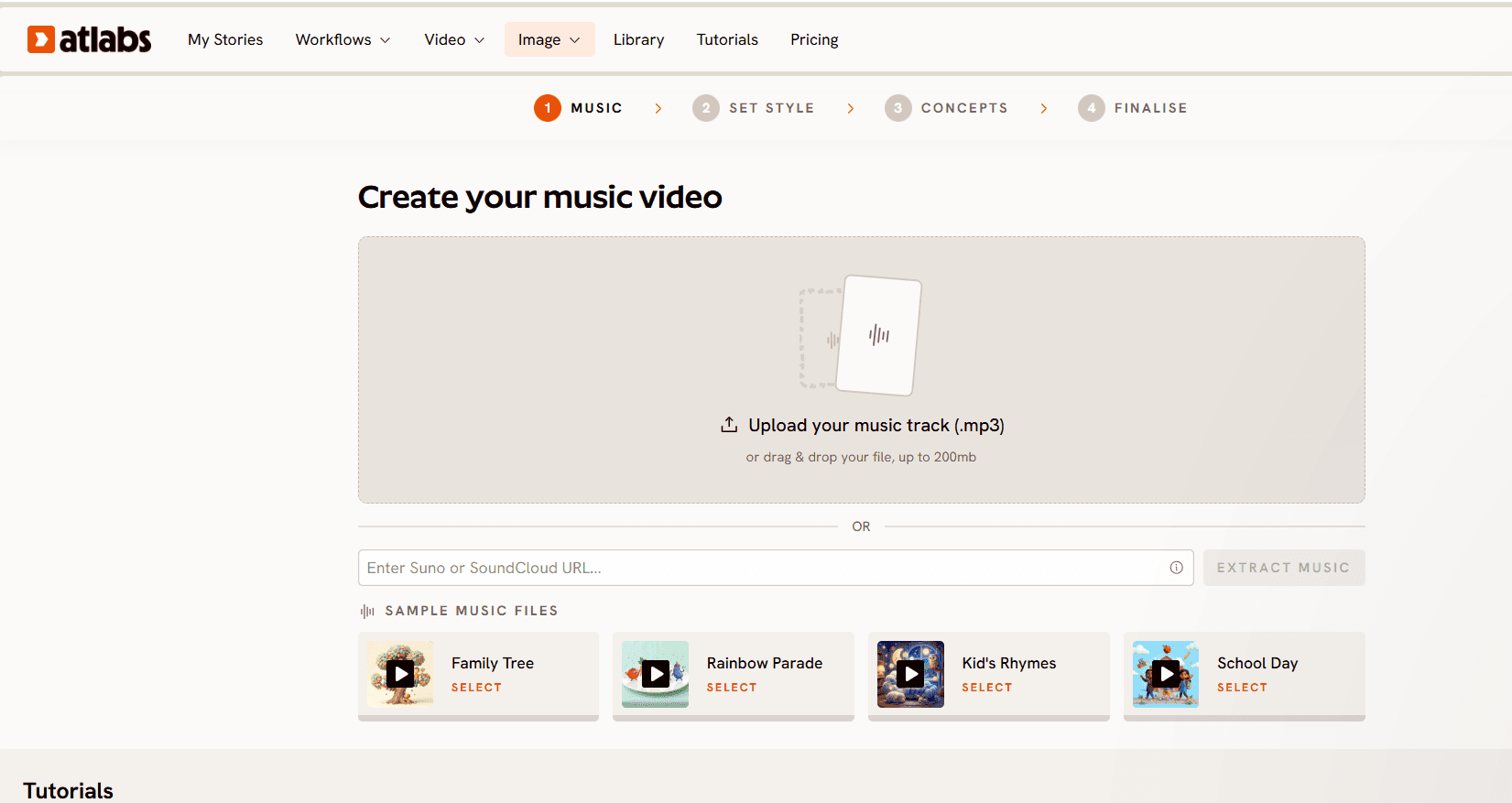
Step 1, Add Music. Upload your counting song. Atlabs auto detects the track's settings and lets you adjust Language, BPM, Mood, and Genre. Counting songs usually land in Mid Tempo with an Uplifting or Chill mood, and the Language list covers far more than English, including Hindi, Tamil, Telugu, Spanish, French, and Portuguese, which matters because numbers songs translate into huge non English markets with far less competition.
Step 2, Set Style. Choose your Aspect Ratio, 16:9 for YouTube or 9:16 if you are cutting for Shorts later. For Video Style, pick AI Video, the recommended option that generates unique video stories rather than static images with effects. Then choose a Visual Style from the library. For counting content, 3D Cartoon, Modern Cartoon, Storybook, and Clay are the styles toddlers respond to best, though Flat 2D Modern works nicely for a cleaner preschool look.
Step 3, Creative Direction. Atlabs generates six scene concepts automatically based on your track's detected tempo, mood, and genre. For a counting song, you might see concepts built around a sunny farm, an underwater count, or a bedtime stars theme. Pick one, or click Describe your Creative Direction and write your own, for example a concept where a friendly elephant counts balloons at a birthday party, with the Enhance toggle on to enrich the description.
Step 4, Finalise Cast. Name and define the characters who appear in the video. For counting songs, one lead teacher character plus a few supporting friends is the proven formula. Each character is editable, so your counting elephant stays your counting elephant across the whole video and across every future episode in the series.
Generate, and Atlabs assembles the full video with cuts already synced to your song.
What's New in Atlabs for Kids Music Videos (Ultimate Guide to the Latest Features)
Atlabs has shipped a set of features aimed squarely at educational kids content, and counting songs benefit from every one of them.
The biggest is the teaching character setup. You can now build educational videos around a designated lead character who lip syncs the song while the other characters in frame do not. That mirrors how real preschool content works: the teacher elephant sings "one, two, three" while the little duck and bunny react, bounce, and hold up objects. It instantly reads as intentional rather than uncanny.
When you do want everyone singing, multi character lip sync handles group scenes, so a chorus of animal friends can all mouth the countdown together.
Scene level input gives you finer control over kids narratives. You can upload four to five characters and build the entire video around your song scene by scene, deciding who appears where in the count.
You can also upload your own cast. If your channel already has an established character, bring that character into Atlabs instead of generating a new one, which keeps your branding consistent across your back catalog and your new AI videos.
And the feature that saves the most time: no post editing. Atlabs cuts on the beats of your track and adds motion graphics automatically, so the number pops, the transitions, and the rhythm of the edit are handled in generation. You are not opening an editor afterward to sync anything.
Watch the Full Tutorial Before You Start (Step-by-Step Video)
Why Atlabs Works Well for Numbers Songs, Even Without Animation Skills
Three things separate this workflow from stitching a video together across separate tools.
First, character consistency across an entire song. Counting videos live or die on whether the lead character looks the same in scene one and scene ten, and the Finalise Cast step locks your characters in rather than regenerating a slightly different elephant every shot. Combined with the upload your own cast option, a channel can keep one recognisable star across dozens of videos.
Second, the multi model advantage. A counting song with soft storybook visuals and a counting song with bouncy high motion dance sequences want different models. On Atlabs, Seedance 2.0 covers the stylized character work and Hailuo 2.3 covers the high motion scenes, all inside one workflow, with no separate accounts or API setups for each model.
Third, the edit is part of the generation. Because Atlabs cuts on beats and layers in motion graphics on its own, the output is a publishable video rather than raw clips waiting for an editor. For a solo creator publishing multiple numbers songs a week, that is the difference between a hobby and a schedule you can actually keep.
Copy-Paste Prompts to Try in Your First Free Session
Use these as Creative Direction concepts or Animated Video prompts. Each one is written to produce a strong result on the first generation.
A cheerful baby elephant teacher in a sunny meadow counts from one to ten as red apples fall gently from a tree, one landing beside her with each number, soft bouncy camera movement, warm morning light, joyful and playful mood, 3D Cartoon style. (Best routed through Seedance 2.0)
Try this in the Atlabs Music Video workflow
An underwater counting adventure where a friendly yellow submarine discovers glowing sea creatures one by one, a starfish, two seahorses, three jellyfish, slow drifting camera through turquoise water, dreamy calm mood, Storybook style.
Try this in the Atlabs Music Video workflow
Five animal friends at a birthday party count balloons floating up into a pastel sky, the bunny teacher sings each number while the others clap and cheer, gentle upward camera tilt following the balloons, bright festive lighting, Clay style.
Try this in the Atlabs Music Video workflow
A nighttime numbers song where a sleepy fox counts ten twinkling stars from a cozy treehouse window, each star lighting up as it is counted, slow calm camera push in, deep blue night palette with golden star glow, soothing lullaby mood, Modern Cartoon style.
Try this in the Atlabs Animated Video workflow
A busy construction site where a smiling little digger counts colorful toy trucks rolling past, one to ten, energetic side tracking camera, bold primary colors, upbeat playful mood, Flat 2D Modern style. (Best routed through Hailuo 2.3 for the high motion sequences)
Try this in the Atlabs Animated Video workflow
Pro Tips for Better Counting Videos (Quick Beginner Guide)
Anchor every number to a visible object. Toddlers learn by matching the word "three" to three things on screen, so write your Creative Direction with countable objects in it, apples, balloons, stars, rather than abstract scenery. The videos that get replayed are the ones where a parent can pause and point.
Keep one lead voice and face. Use the teaching character setup so a single character carries the count while others react. Kids attach to characters before they attach to channels, and consistency is what turns one view into a subscription.
Plan in series from day one. Once your first counting video works, the same cast and style should count animals next week and vehicles the week after. Because Finalise Cast keeps your characters editable and reusable, episode two takes even less time than episode one.
FAQ: Making Counting Songs Videos with AI (Beginner Guide Answers)
Do I need an existing song before I start? Yes, the Music Video workflow starts from an uploaded track. Bring a finished counting song and Atlabs detects its language, tempo, mood, and genre, then builds the video around it.
Can I make counting videos in languages other than English? Yes. The Add Music step supports a long list of languages including Hindi, Tamil, Telugu, Bengali, Spanish, French, German, and Portuguese, which opens up regional kids markets where competition is much thinner.
Will my character look the same in every scene? That is what the Finalise Cast step is for. You define each character once and Atlabs keeps them consistent through the video. You can also upload your own cast if your channel already has an established character.
Do I need editing software afterward? No. Atlabs cuts the video on the beats of your track and adds motion graphics during generation, so the output is ready to publish rather than raw footage.
Final Verdict: Start Your First Numbers Song Video in 10 Minutes
Counting and numbers songs are one of the few content formats where demand is constant, the structure is built in, and the audience rewatches on a loop. The only hard part was ever the animation, and that part is now a four step workflow: add your music, set a style, pick a creative direction, and finalise your cast. With teaching character lip sync, reusable casts, and edits that sync themselves to the beat, a solo creator can run a counting songs channel that used to need a studio.








