
Writing a kids song in Suno takes about four minutes. A bouncy little number about a dinosaur who will not brush his teeth, chorus that sticks, done. Then it sits in your library, because the gap between a finished track and a finished kids video is where most of these projects quietly die. Animation is the expensive part, and it is the part children actually watch. This walkthrough closes that gap in five steps, and the whole thing takes around fifteen minutes per segment once your song exists.
The workflow at a glance
Add Music
Pick the best part of your track
Set Style
Concepts
Cast
Why This Matters in 2026
Kids music is the most replayed content on the internet and the least forgiving to produce. A child does not watch a nursery rhyme video once. They watch it forty times, which means every weak frame gets found, and it means the visual has to survive repetition rather than merely survive a first impression. That is a high bar for a solo creator, and until recently it was reachable only by studios with an animation pipeline.
What changed is that the song and the picture became separately cheap. Suno solved the music. A creator who could never have hired a composer now has a catalogue. But a catalogue of audio files is not a channel, and the bottleneck simply moved downstream to animation, where it sat until script and music driven video workflows caught up.
The second thing that matters is that kids channels are character businesses. Nobody subscribes to a channel for its songs. They subscribe because a three year old has decided that the yellow bear is theirs, and that only works if the yellow bear is identical in video one and video forty. Character consistency is not a nice finish on a kids channel, it is the entire asset, and it is the single clearest thing to evaluate a tool on.
The third is that repetition is a feature you can design for. Kids songs are built on a hook that comes back four times. That structure maps unusually well onto a workflow where you generate a strong segment and build outward from it, rather than trying to animate three minutes evenly and running out of care in the middle.
What You Will Need Before You Start
You need a finished Suno track and its URL. Check which rights your plan carries before you build a channel on it. A paid Suno subscription grants commercial use rights, including monetising the songs without Suno taking a stake, distributing to streaming platforms and using them in video. Note that commercial use rights are not the same thing as copyright protection, which depends on your country's copyright office rather than on Suno's licence.
You need to know your song's shape. Which eight seconds are the hook, where the chorus lands, whether there is a story with a beginning and an end or whether it is a repeating rhyme. You will be choosing a segment, so knowing the answer in advance saves you scrubbing a waveform.
You need one character, decided before you generate anything. Not a cast of six. One recognisable lead, and ideally one recurring object that travels with them.
You need to know your age band, because it governs pacing and style. Two to four wants slow movement, big shapes, high colour contrast and a lot of repetition. Five to seven can follow a small story and enjoys a character who makes mistakes.
You do not need animation experience, a voice actor or a video editor.
Comparison Table
Feature | Atlabs | Manual animation | Lyric and slideshow tools | Clip generators | Canva |
|---|---|---|---|---|---|
Best for | Music driven kids videos, song to finished scene | Flagship channel branding | Quick lyric videos | Individual hero shots | Thumbnails, channel art, packaging |
Music input | Paste a Suno URL and extract, or upload an MP3 | Not applicable | Upload audio | Not applicable | Upload audio |
Music sync | Concepts generated from detected tempo, mood and genre | Manual keyframing | Text timed to beat | None | Manual timing |
Character consistency | Cast defined once with reference sheets, plus Objects | Full model sheets, reliable | Not applicable | Reference images, unreliable | Not applicable |
Kids visual styles | 3D Cartoon, Modern Cartoon, Clay, Storybook, Watercolour Ink and more in the Visual Style library | Anything, at a cost | Template art only | Prompt dependent | Illustration and vector |
Segment handling | Select up to 25 seconds on the waveform, Narrative or Performance | Whole track, manually | Whole track | Per clip | Whole track |
Vertical cut | Aspect Ratio at setup, or Reframe afterwards | Re-animate | Re-export | Re-generate | Re-edit |
Assembly required | None per segment | Yes | Minimal | Yes | Yes |
Learning curve | Low | High | Low | Medium | Low |
The Full Walkthrough: Suno Song to Kids Video
Everything below happens in the Music Video workflow.
1. Add Music
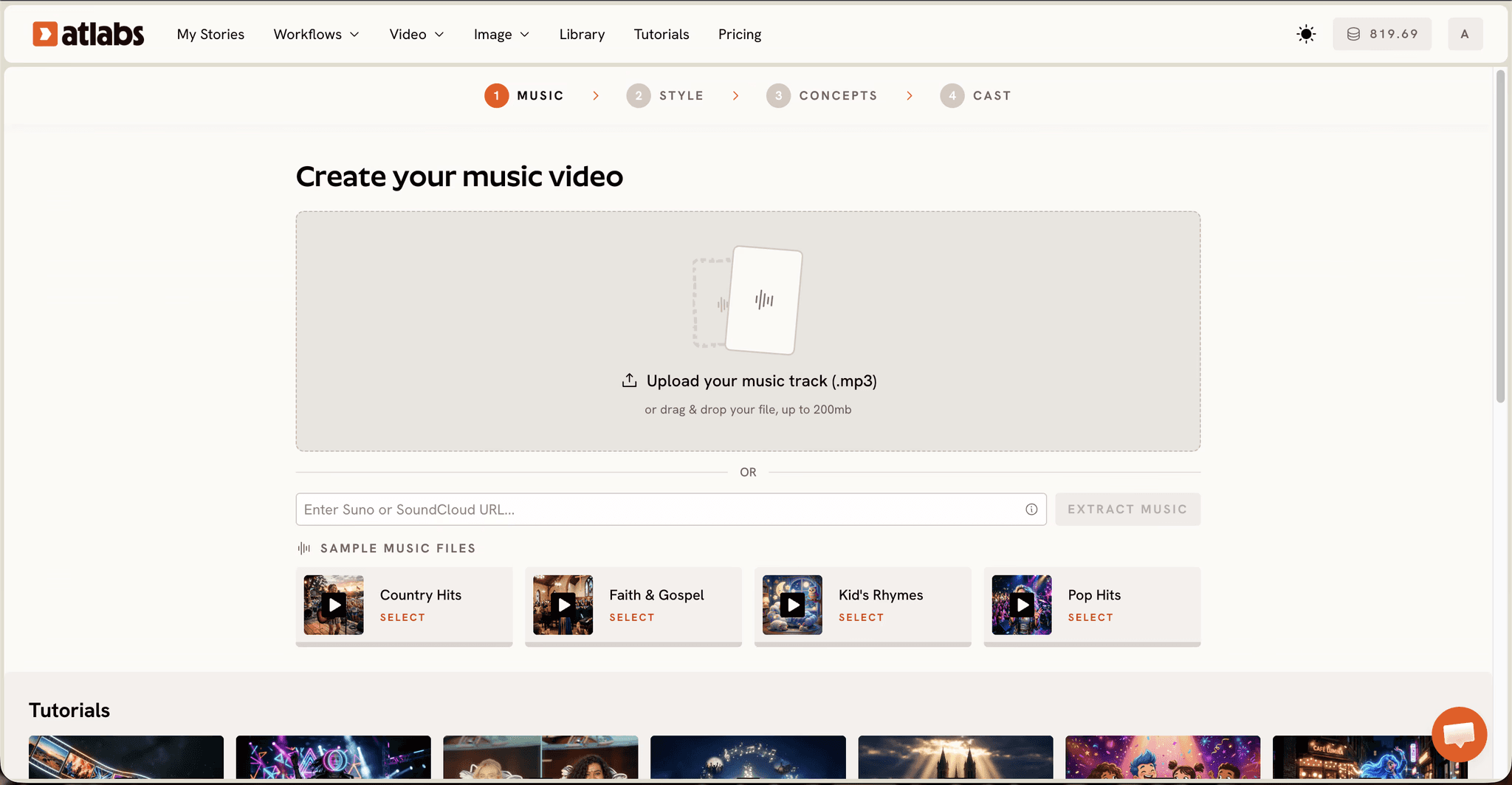
What this step does. It brings your Suno track in and reads it, so every later step has something to work from.
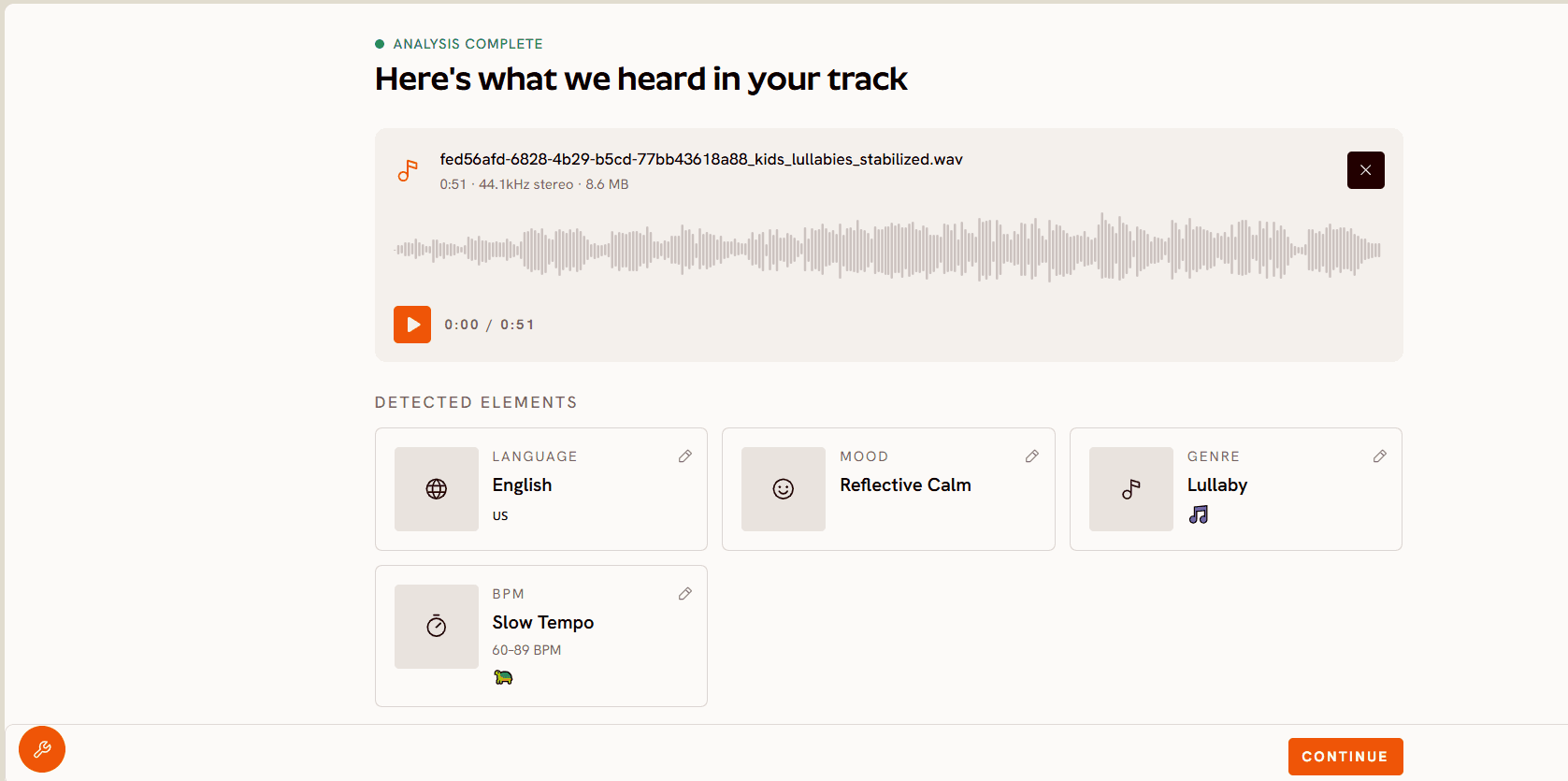
Key controls. Paste your Suno URL and click EXTRACT MUSIC, which is the fastest route. You can also upload an MP3 up to 200MB. Atlabs then auto detects the track's properties and lets you adjust them: Language, BPM across Slow, Mid, Fast and Very Fast Tempo, Mood across options including Uplifting, Dreamy, Nostalgic and Euphoric, and Genre.
For kids videos. Check the auto detected Mood before moving on, because it drives the concepts you get offered two steps later. Kids songs are often detected as Uplifting when what you actually wrote was gentle and Dreamy, and a bedtime song offered party concepts is a wasted round trip. Tempo matters just as much: set Slow Tempo properly for a lullaby rather than letting a bright arrangement push it to Mid, or the visuals will move faster than a sleepy child can follow.
2. Pick the Best Part of Your Track
What this step does. It selects the section of the song this video will cover, up to 25 seconds.
Key controls. Drag the orange selection window across the waveform to choose your segment. Then choose a video type, either Narrative or Performance.
For kids videos. Choose the hook, not the opening. Kids songs are built so the chorus carries the whole idea, and the chorus is the part a child will replay and sing back. Starting from the strongest 25 seconds also gives you the best possible first segment to judge your style and cast against before committing to the rest.
Narrative and Performance is a real fork here. Performance suits a song where a character is singing to camera, which is the classic nursery rhyme setup and reads well to very young children who like watching a face. Narrative suits a story song where things happen to somebody, which suits five to seven and gives you more to animate.
For a full length song, work in segments. Generate your hook first, then move the selection window and generate the verses as their own passes, keeping the same style and cast so they cut together. A three minute song is a handful of segments rather than one impossible render, and building outward from the strongest one keeps quality even across the whole track.
3. Set Style
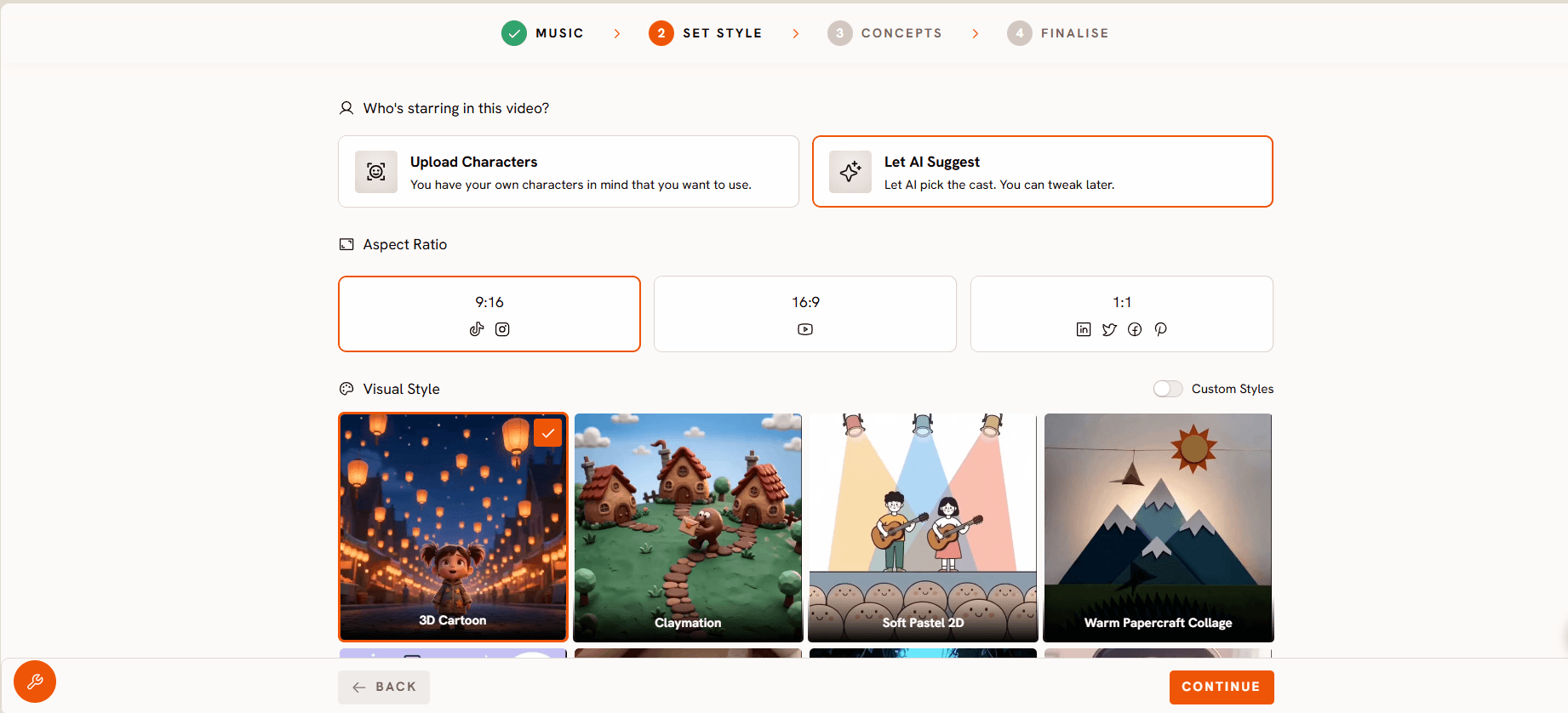
What this step does. It fixes the visual language of the video and, if you are building a channel, of everything that follows.
Key controls. Aspect Ratio offers 9:16 for Shorts and Reels, 16:9 for YouTube, and 1:1 for feed posts. Keep Video Style on AI Video, which generates unique video stories, unless you specifically want AI Storyboard, which generates images with effects. Then pick from the Visual Style library, or toggle Custom Styles to hold one look across a whole series.
For kids videos. 3D Cartoon is the closest thing to the register most successful kids channels use, rounded, bright, and readable at small sizes. Modern Cartoon sits flatter and slightly more contemporary. Clay carries a handmade warmth that suits gentle songs and stands out in a feed of glossy 3D. Storybook and Watercolour Ink suit lullabies and bedtime content, where softness is the point. Spooky Cute exists for Halloween songs and is worth having once a year.
Whatever you pick, hold it with Custom Styles across the channel. A three year old identifies your videos by their look before they read a single word of the title, and switching style between uploads breaks the only recognition system your audience has.
4. Concepts
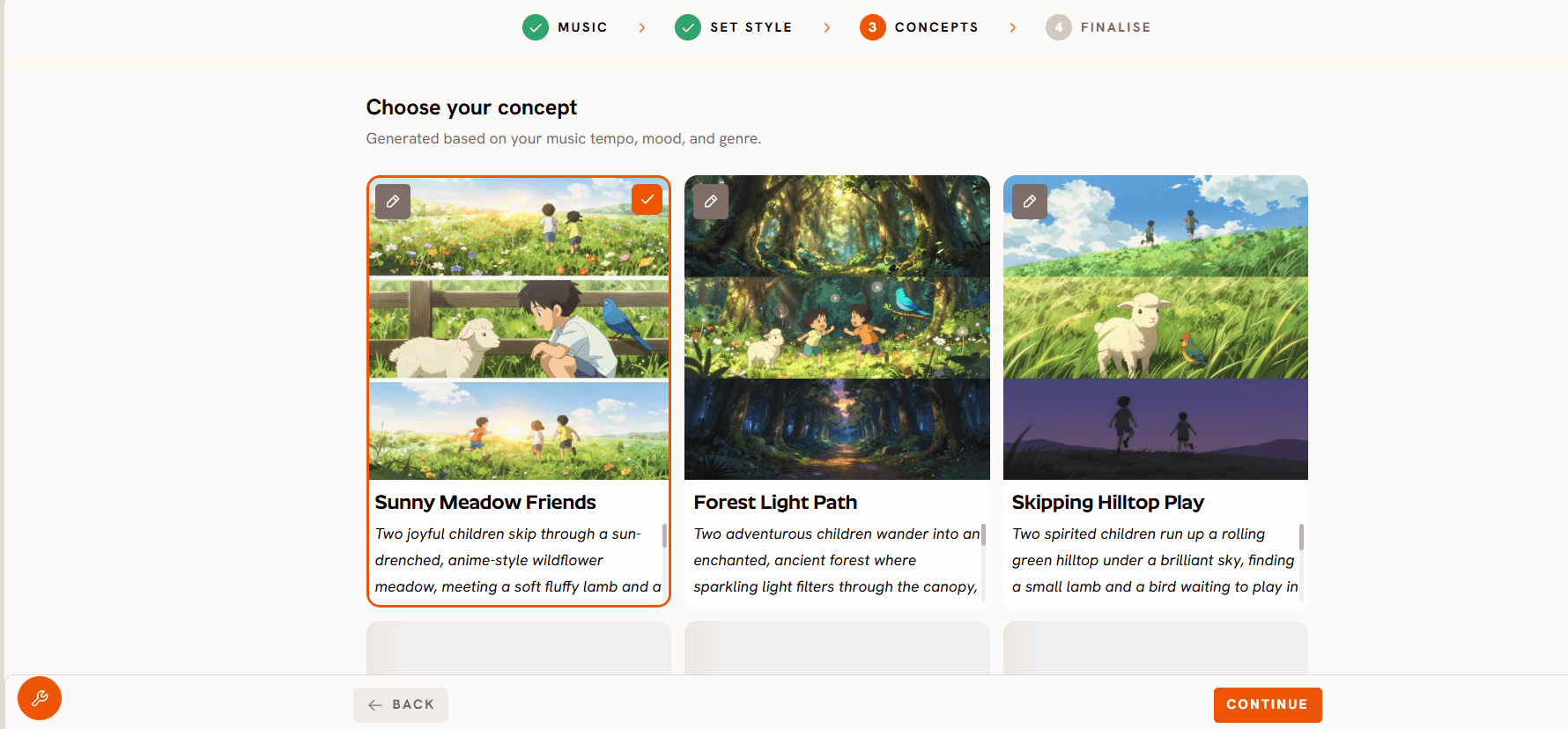
1What this step does. It offers you scene directions built from the tempo, mood and genre detected in step one.
Key controls. Six generated concept cards appear, each with a title, a description and mood tags. Click one to select it, use the edit pencil to adjust it, or choose DESCRIBE YOUR CONCEPT to write your own from scratch.
For kids videos. Read all six before selecting, then edit rather than accept. The generated concepts are strong starting points but they are written for a general audience, and kids content has specific needs a general concept will not know about: keep the action in one place, keep the number of things on screen low, and make sure whatever happens is visible rather than implied. A child cannot follow a cut to a metaphor.
If you are writing your own with DESCRIBE YOUR CONCEPT, describe one clear action that repeats. The bus goes round. The dinosaur runs away from the toothbrush and comes back. Repetition in the picture reinforces repetition in the song, and that pairing is what makes a kids video watchable forty times rather than once.
Try this in the Music Video workflow with your strongest 25 seconds before you plan a series around it.
5. Cast
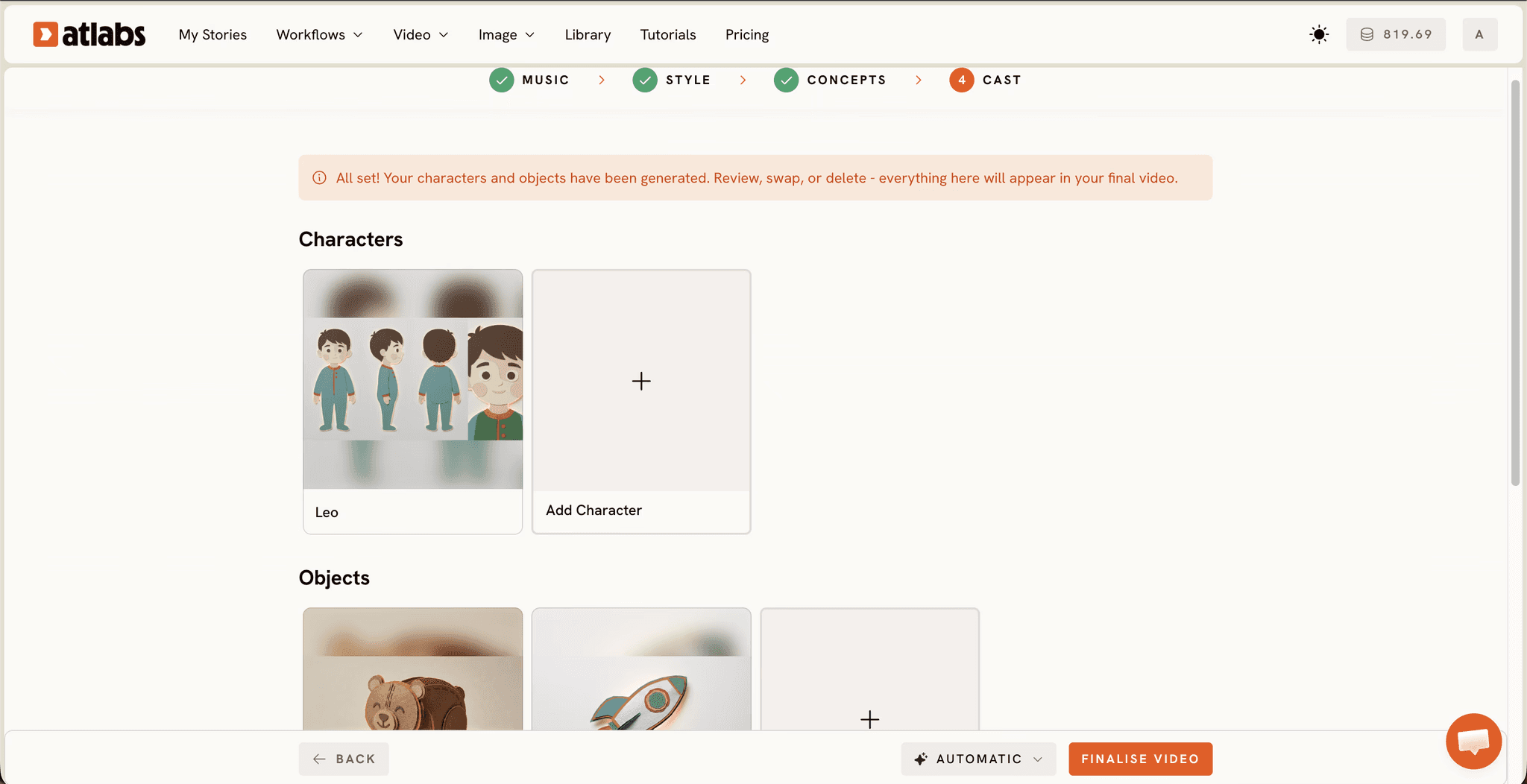
What this step does. It defines who appears, and locks that definition so the same character survives every segment and every upload.
Key controls. Character cards are generated with reference sheets, and a "Click to edit" overlay lets you refine each one. An optional Objects section covers recurring props.
For kids videos. This is the step that decides whether you have a channel or a folder of videos. Define your lead character once, edit the reference sheet until it is right, and then leave it alone. Resist adding characters. One strong lead and one sidekick is a format; six characters is a crowd a toddler cannot track.
Use Objects deliberately. The same red boat, the same striped ball, the same star. Recurring objects do a surprising amount of work in kids content, because young children recognise objects faster than faces and a familiar prop signals "this is my show" within the first second of playback.
If you want a character to actually sing the words rather than move to the music, take a frame of them into Lip Sync, which accepts a character image or video plus an audio file between two seconds and 120 seconds and matches the mouth to the vocal.
Why Atlabs Works Well for Kids Music Videos
The workflow starts from the song rather than from a prompt, which is the right way round for music content. Tempo, mood and genre are read off the track and carried into the concepts you are offered, so the visuals are answering the music instead of running alongside it.
The cast system is defined once with reference sheets rather than re-described per generation, which is what makes a recognisable character possible across a channel rather than across a single video.
Model routing sits underneath. Seedance 2.0 handles stylized character work and close ups, which is most of a nursery rhyme. Hailuo 2.3 gives fluid movement for dance and action songs where the picture needs real energy. Kling 3.0 brings weight and smooth camera movement. Google Veo 3.1 is the pick when a wide establishing shot should look photoreal before you cut back to the cartoon world. Routing different segments of one song through different models is a selection rather than a second subscription.
The finishing tools are in the same place. Reframe converts a finished 16:9 video to 9:16 with AI generated fill for the Shorts cut, Upscale raises resolution to 4K for television and smart display playback where a lot of kids viewing actually happens, and Caption Video from the dashboard adds styled captions, which for kids content doubles as early reading support.
Pro Tips for Kids Music Channels
Generate the hook first and judge everything against it. If your style and cast are right on the chorus, they will hold across the verses. If they are wrong, you have lost 25 seconds rather than a whole song.
Slow the camera down. Adult music video instincts push toward movement, and the same instincts make kids videos hard to follow. Static and slow drifting shots let a young child track what is happening, which is the difference between a video they rewatch and one they lose interest in.
Keep one character and one object, and change nothing. It will feel repetitive to you long before it feels repetitive to your audience. That gap is the whole job.
Set the audience label accurately. If your content is made for children, YouTube requires it to be marked as Made for Kids, which switches off comments, personalised ads, notifications, channel memberships, the merchandise shelf and end screen subscribe buttons. Plan your channel strategy around contextual ads and playlist driven watch time rather than around the features that get disabled, and note that YouTube also runs its own age estimation independently of how you tag a video.
Cut the Shorts version from the hook. The 20 second chorus is the discovery asset, and Reframe will produce the vertical from your finished file without re-generating anything.
Final Verdict
The reason so many Suno kids songs never become videos is that the two halves of the job used to sit on opposite sides of a skill gap. Writing the song became easy years before animating it did. A music driven workflow closes that gap by starting from the track itself, reading its tempo and mood, offering concepts built from them, and holding a cast steady across everything you make.
Take the song you already like most, find its best 25 seconds, and open the Music Video workflow. Judge the result on the chorus, then build the rest of the catalogue around whatever worked. The full range of workflows is at Atlabs.
Frequently Asked Questions
How long does it take to turn a Suno song into a kids video? Around fifteen minutes of active work per segment once the song exists. A full length song made from several 25 second segments takes proportionally longer, though the style and cast decisions are made once and carry across all of them.
Do I need video editing skills? No. The workflow takes your track and returns finished scenes, and the decisions you make are musical and creative rather than technical.
Can I use my Suno songs commercially on a kids channel? A paid Suno subscription grants commercial use rights, including monetising the songs without Suno taking a stake and using them in video. Check your own plan's current terms before building a channel on it, and note that commercial use rights are not the same as copyright protection, which depends on your country's copyright office.
How do I import my Suno track? Paste the Suno URL into the Add Music step and click EXTRACT MUSIC, which is the fastest route. You can also upload an MP3 up to 200MB. Atlabs reads the track and auto detects Language, BPM, Mood and Genre, all of which you can adjust.
Why can I only select 25 seconds? The selection window covers up to 25 seconds per pass, which suits kids content well since the hook carries the song. For a full length track, generate the chorus first and then move the selection window to cover the verses as separate passes, keeping the same style and cast so they cut together.
Should I choose Narrative or Performance? Performance suits a song where a character sings to camera, which is the classic nursery rhyme setup and works well for very young children. Narrative suits a story song where events happen to a character, which gives you more to animate and suits five to seven.
How do I keep the same character across every video? Define the character once in the Cast step, edit its reference sheet until it is right, then leave it alone across every segment and every upload. Add a recurring object in the Objects section, since young children recognise a familiar prop faster than they recognise a face.
Which visual style works best for kids music? 3D Cartoon is closest to the register most kids channels use and reads clearly at small sizes. Modern Cartoon is flatter and more contemporary, Clay carries handmade warmth, and Storybook or Watercolour Ink suit lullabies and bedtime content. Hold whichever you choose across the channel using Custom Styles.
Can I make a vertical version for Shorts? Yes. Set Aspect Ratio to 9:16 at the Set Style step, or produce the 16:9 version first and convert it afterwards with Reframe, which fills the frame with AI generated content rather than cropping your character out of shot.








