Your product is ready. The launch date is set. And the most important video you will make this quarter is still a blank page.
That is the gap this guide closes.
These 25 script templates cover every stage of a product launch: the teaser, the reveal, the demo, the social proof, the limited-time offer, the objection handler, and the re-engagement sequence. Each one is written to be pasted directly into Atlabs, where AI handles the visuals, voiceover, lip sync, captions, and export.
You do not need a scriptwriter. You need the right starting point.
Why Product Launch Videos Fail (and What the Good Ones Do Differently)
Most launch videos fail for the same three reasons.
First, they lead with features. Nobody buys a feature. They buy a before-and-after. They buy the version of themselves who has already solved the problem. Your video needs to sell that transformation in the first five seconds.
Second, they are too long. The average viewer decides whether to keep watching within three seconds. If your hook does not earn attention immediately, the rest of the script never gets seen.
Third, they try to do everything. One video, one job. If your launch video is supposed to create awareness, generate trials, and close enterprise deals simultaneously, it does none of them well.
The templates below solve for all three. Each one has a defined job, a defined audience moment, and a defined call to action. Paste the one that matches your goal. Adjust the brackets. Generate in Atlabs. Ship.
Before You Start: One Setup Step That Changes Everything
Every template below becomes significantly more powerful with one step completed first: your Atlabs AI Brand Model.
Go into Atlabs and upload your brand colors, logo, approved font stack, and a two-paragraph brief about your product and tone. Once set, every video you generate inherits your brand identity automatically. Your launch teaser, your demo video, your testimonial cut, and your retargeting ad will all feel like they came from the same production team.
That visual coherence across a campaign is what separates brands that look established from brands that look assembled.
Set Up Your Brand Model on Atlabs
Pre-Launch Templates: Build Anticipation Before Day One
The goal of pre-launch video is not to explain the product. It is to make people feel like they might miss something. Curiosity beats clarity at this stage.
Template 1: The Teaser Drop
Best for: Building waitlist signups before launch
This is the first video most people will see. Say almost nothing. Make them want to know more.
Copy This Script:
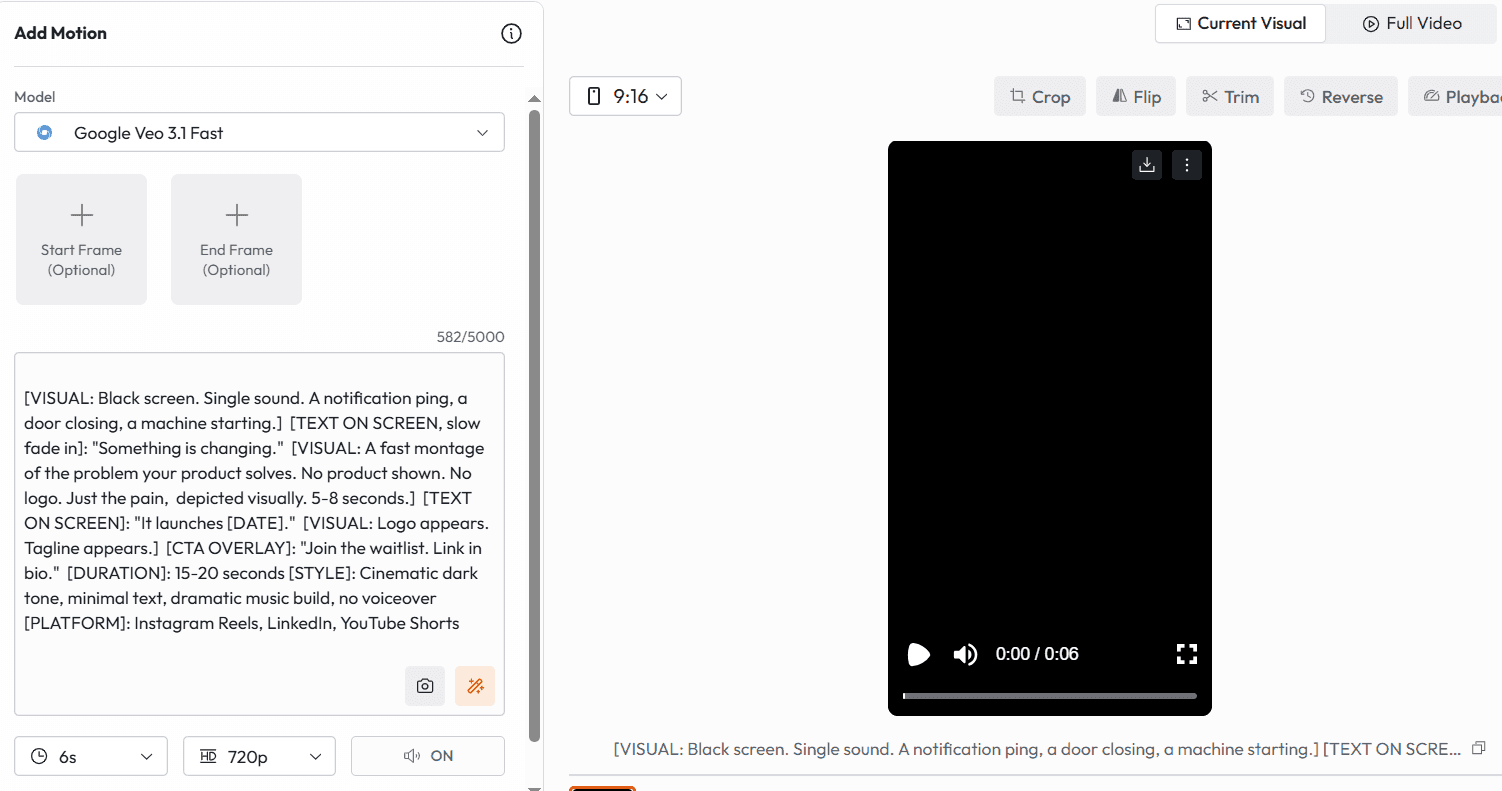
[VISUAL: Black screen. Single sound. A notification ping, a door closing, a machine starting.] [TEXT ON SCREEN, slow fade in]: "Something is changing." [VISUAL: A fast montage of the problem your product solves. No product shown. No logo. Just the pain, depicted visually. 5-8 seconds.] [TEXT ON SCREEN]: "It launches [DATE]." [VISUAL: Logo appears. Tagline appears.] [CTA OVERLAY]: "Join the waitlist. Link in bio." [DURATION]: 15-20 seconds [STYLE]: Cinematic dark tone, minimal text, dramatic music build, no voiceover [PLATFORM]: Instagram Reels, LinkedIn, YouTube Shorts
Why this works: Saying nothing specific about the product forces curiosity. The viewer fills the gap with their own hope. That is a more powerful pull than any feature description.
Template 2: The Problem Montage
Best for: Audience warm-up for B2B and SaaS launches
Before you reveal the solution, make the audience feel the problem viscerally. This template builds emotional readiness for the product reveal.
Copy This Script:
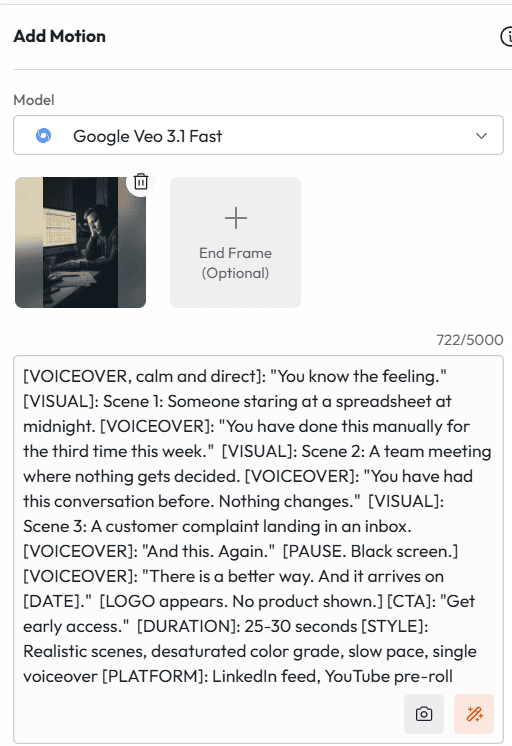
[VOICEOVER, calm and direct]: "You know the feeling." [VISUAL]: Scene 1: Someone staring at a spreadsheet at midnight. [VOICEOVER]: "You have done this manually for the third time this week." [VISUAL]: Scene 2: A team meeting where nothing gets decided. [VOICEOVER]: "You have had this conversation before. Nothing changes." [VISUAL]: Scene 3: A customer complaint landing in an inbox. [VOICEOVER]: "And this. Again." [PAUSE. Black screen.] [VOICEOVER]: "There is a better way. And it arrives on [DATE]." [LOGO appears. No product shown.] [CTA]: "Get early access." [DURATION]: 25-30 seconds [STYLE]: Realistic scenes, desaturated color grade, slow pace, single voiceover [PLATFORM]: LinkedIn feed, YouTube pre-roll
Why this works: The repetition of 'again' is intentional. It amplifies frustration. People who feel seen by a video become deeply invested in the solution.
Template 3: The Countdown Clock
Best for: Final 72 hours before launch
Use this in the final three days before launch. It is not subtle. That is the point.
Copy This Script:
[VISUAL]: Countdown timer. Large, central, ticking. [TEXT OVERLAY]: "72 hours until [Product Name] goes live." [VISUAL]: Quick cuts of product UI or product in use. Blurred or partially obscured. 3 seconds each. [TEXT OVERLAY]: "Early access members get [specific benefit]: [e.g. 3 months free / locked-in pricing / bonus feature]." [VOICEOVER, energetic but not aggressive]: "We open the doors on [DATE] at [TIME]. If you are on the list, you are in first. If you are not, the link is below." [CTA]: "Join the list. Close in [X hours]." [DURATION]: 20 seconds [STYLE]: High contrast, brand colors, motion typography, pulse animation on timer [PLATFORM]: Stories, Reels, TikTok, LinkedIn
Why this works: Time pressure activates loss aversion. The specific countdown plus a concrete early-access benefit makes the decision feel urgent and easy.
Template 4: The Founder Story Teaser
Best for: Brand-building ahead of launch
People buy from people before they buy from companies. This template humanises the launch before the product is even shown.
Copy This Script:
[VISUAL]: Founder at desk, casual setting. Camera: medium close-up. Tone: warm and candid. [FOUNDER/AVATAR speaks directly to camera]: "Three years ago I had the same problem you probably have right now." [Describes the problem in one sentence. Specific. Personal.] "I looked for a solution. I could not find one that worked." "So I built it." [Beat.] "It is almost ready. And before I tell the world about it, I wanted to tell you." [CTA]: "Follow for the launch reveal." [DURATION]: 30-40 seconds [STYLE]: Talking-head, handheld feel, warm color grade, subtle background music [PLATFORM]: LinkedIn personal profile, Instagram, YouTube
Why this works: The phrase 'I wanted to tell you' makes mass content feel personal. Founders who share the origin story before the launch convert their followers into advocates, not just customers.
Template 5: The 'What If' Vision Cast
Best for: Generating emotional buy-in before the product reveal
This template sells the transformation, not the tool. It works best for products that represent a category shift or a meaningfully new way of doing something.
Copy This Script:
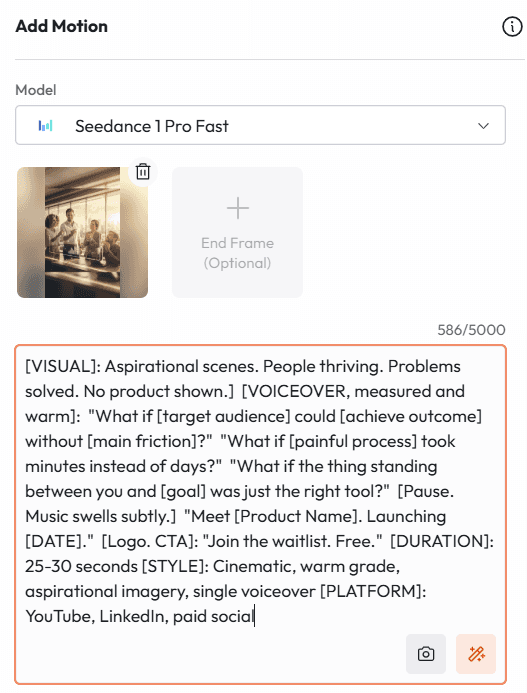
[VISUAL]: Aspirational scenes. People thriving. Problems solved. No product shown.] [VOICEOVER, measured and warm]: "What if [target audience] could [achieve outcome] without [main friction]?" "What if [painful process] took minutes instead of days?" "What if the thing standing between you and [goal] was just the right tool?" [Pause. Music swells subtly.] "Meet [Product Name]. Launching [DATE]." [Logo. CTA]: "Join the waitlist. Free." [DURATION]: 25-30 seconds [STYLE]: Cinematic, warm grade, aspirational imagery, single voiceover [PLATFORM]: YouTube, LinkedIn, paid social
Why this works: The 'what if' frame converts features into futures. It invites the viewer into a better version of their situation before asking them to do anything.
Launch Day Templates: Announce With Impact
Launch day videos have one job: convert the attention you built in pre-launch into action. These templates are direct, specific, and conversion-focused.
Template 6: The Hero Reveal
Best for: Primary launch announcement video
This is the flagship. The video that goes everywhere. Spend the most time getting this one right.
Copy This Script:
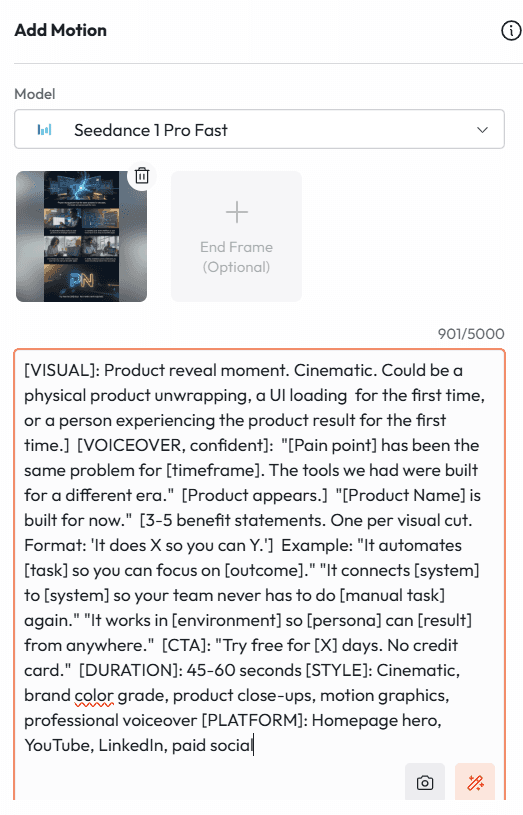
[VISUAL]: Product reveal moment. Cinematic. Could be a physical product unwrapping, a UI loading for the first time, or a person experiencing the product result for the first time.] [VOICEOVER, confident]: "[Pain point] has been the same problem for [timeframe]. The tools we had were built for a different era." [Product appears.] "[Product Name] is built for now." [3-5 benefit statements. One per visual cut. Format: 'It does X so you can Y.'] Example: "It automates [task] so you can focus on [outcome]." "It connects [system] to [system] so your team never has to do [manual task] again." "It works in [environment] so [persona] can [result] from anywhere." [CTA]: "Try free for [X] days. No credit card." [DURATION]: 45-60 seconds [STYLE]: Cinematic, brand color grade, product close-ups, motion graphics, professional voiceover [PLATFORM]: Homepage hero, YouTube, LinkedIn, paid social
Why this works: The 'It does X so you can Y' structure is the most effective benefit framing in product marketing. It connects the feature to the human outcome in one breath.
Template 7: The 60-Second Explainer
Best for: Explaining what it is and why it matters
For products that require a small amount of context before the value is obvious. Not complex. Just unfamiliar.
Copy This Script:
[VOICEOVER over animated visuals]: "Here is the problem with [current state of industry or workflow]." [10-second animated depiction of the problem. Simple. Clear.] "Most people solve this by [common but flawed approach]." [5-second visual of the flawed approach.] "The problem is, that costs [time / money / energy / quality]." "[Product Name] works differently." [15-second animated product walkthrough. One core feature only. Show the input and the output.] "[Outcome] in [timeframe]. Without [friction]." "Try it free. Link below." [DURATION]: 55-65 seconds [STYLE]: Clean 2D animation, white or light background, brand accent colors, friendly voiceover [PLATFORM]: Product page, LinkedIn, YouTube, onboarding emails
Why this works: One feature. One walkthrough. The temptation to show everything kills explainer videos. The viewer does not need to understand the product fully. They need to believe it works for their one biggest problem.
Template 8: The Before and After
Best for: Visceral demonstration of transformation
Show the world without your product. Then show the world with it. No narration needed for the first half.
Copy This Script:
[SPLIT SCREEN or sequential cut format] [BEFORE - LEFT PANEL or FIRST 20 SECONDS]: Visual depiction of the problem state. Slow. Painful. Accurate. Caption: "Without [Product Name]" Details: [Show the manual process / the error / the friction / the wasted time] [HARD CUT or SWIPE TRANSITION] [AFTER - RIGHT PANEL or SECOND 20 SECONDS]: Same scenario. Completely different outcome. Fast. Clean. Satisfying. Caption: "With [Product Name]" Details: [Show the automated process / the clean result / the time saved] [CLOSE]: [Product Name]. [Tagline.] [CTA]: "Start free." [DURATION]: 40-45 seconds [STYLE]: Parallel visual structure, high contrast between panels, satisfying sound design on AFTER panel [PLATFORM]: Product page, paid social, organic social
Why this works: The contrast does the selling. When the before and after are visually specific, the gap between them becomes the product's value proposition. No pitch required.
Template 9: The Live Demo Clip
Best for: Trust-building through transparency
Show the product working. Real interface. Real workflow. Real result. Nothing builds trust faster.
Copy This Script:
[VOICEOVER over screen recording or animated UI]: "Let me show you exactly how this works. No editing. No tricks." [Step 1]: "[User action]." [Show it happening in real time or accelerated real time.] "That just took [X seconds / X clicks]." [Step 2]: "[User action]." [Show result appearing.] "Here is what that produced." [Step 3]: "[Output shown in full.]" "That used to take [comparison benchmark: e.g. 'three hours of manual work' / 'a full design sprint']." [Close]: "You just watched the whole thing. That is it. That is [Product Name]." [CTA]: "Try it yourself. Free for [X] days." [DURATION]: 60-90 seconds [STYLE]: Screen recording with motion callouts, minimal voiceover, real-time pacing [PLATFORM]: YouTube, product page, email campaign
Why this works: The phrase 'No editing. No tricks.' pre-empts skepticism. It signals transparency and makes everything that follows more credible.
Template 10: The Differentiator
Best for: Positioning against existing alternatives
Use this when your audience is already using a competitor or a manual workaround. Your job is to reframe the comparison.
Copy This Script:
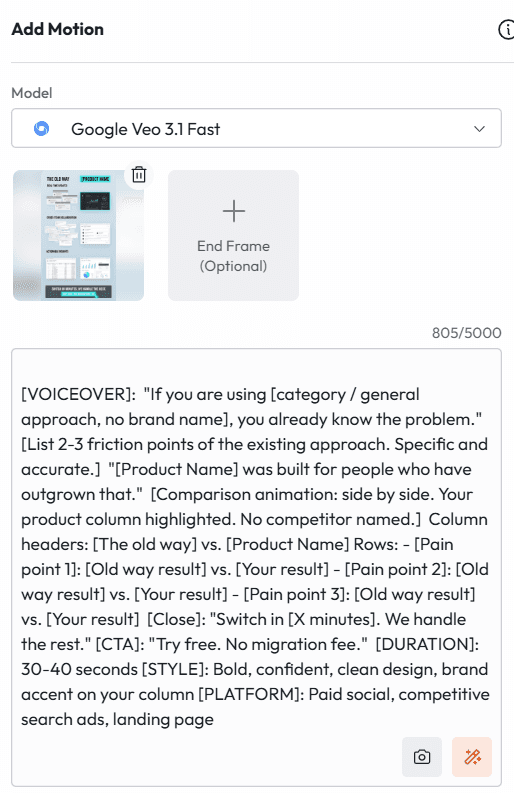
[VOICEOVER]: "If you are using [category / general approach, no brand name], you already know the problem." [List 2-3 friction points of the existing approach. Specific and accurate.] "[Product Name] was built for people who have outgrown that." [Comparison animation: side by side. Your product column highlighted. No competitor named.] Column headers: [The old way] vs. [Product Name] Rows: - [Pain point 1]: [Old way result] vs. [Your result] - [Pain point 2]: [Old way result] vs. [Your result] - [Pain point 3]: [Old way result] vs. [Your result] [Close]: "Switch in [X minutes]. We handle the rest." [CTA]: "Try free. No migration fee." [DURATION]: 30-40 seconds [STYLE]: Bold, confident, clean design, brand accent on your column [PLATFORM]: Paid social, competitive search ads, landing page
Why this works: Never name the competitor. Let the viewer's brain fill it in with whoever they are currently using. That makes the comparison feel personal and precise without creating legal risk.
Post-Launch Templates: Sustain Momentum With Proof
The launch is not the finish line. The two weeks after launch determine whether you get a spike or a growth curve. These templates are built for the sustained push.
Template 11: The Customer Win
Best for: Social proof for warm and mid-funnel audiences
One customer. One result. One video. Do not mix testimonials. Let each one breathe.
Copy This Script:
[VISUAL]: Customer avatar or photo. Clean background. Name and title in lower third.] [CUSTOMER speaks or voiceover reads]: "Before [Product Name], we were [specific pain]. It was costing us [time / money / customers]." "We switched in [timeframe]. The first thing we noticed was [early win]." "By [milestone], we had [specific measurable result: e.g. '40 percent reduction in X' / 'saved 12 hours a week' / 'increased Y by Z']." "The thing nobody tells you is [unexpected benefit]." [CLOSE]: Company logo. Customer name. Result stat on screen. [CTA]: "Read the full story." or "Start your own." [DURATION]: 30-45 seconds [STYLE]: Warm, documentary feel, shallow depth of field, natural ambient sound [PLATFORM]: LinkedIn, homepage, email nurture, retargeting ads
Why this works: The 'thing nobody tells you' line is the most memorable moment in any testimonial. It signals authentic experience rather than a coached response.
Template 12: The Stat Video
Best for: Data-led social proof for skeptical audiences
Some buyers need numbers before they need stories. Give them numbers.
Copy This Script:
[VISUAL]: Dark background. Single stat fades in, large and centered.] STAT 1: "[X]% of [Product Name] users report [outcome] within [timeframe]." Source: [Your data / survey / case study pool] [TRANSITION] STAT 2: "Teams using [Product Name] cut [metric] by [X] on average." [TRANSITION] STAT 3: "[X] [customers / businesses / teams] made the switch in [timeframe]." [CLOSE]: "[Product Name]. Results, not promises." [CTA]: "Join them. Try free." [DURATION]: 20-25 seconds [STYLE]: Minimal, monochromatic or brand palette, motion typography, no voiceover needed [PLATFORM]: LinkedIn, paid social, email
Why this works: Stat videos outperform story videos for technical buyers and procurement-involved decisions. They signal that you have evidence, not just enthusiasm.
Template 13: The Use Case Spotlight
Best for: Showing the product in a specific context
Build one of these for every major persona or industry vertical you serve. Same product, different frame. Specificity converts.
Copy This Script:
[OPEN with persona identification]: "If you are a [job title] at a [company type], this is for you." [VISUAL and VOICEOVER walk through one specific workflow]: "Here is how [Job Title] at [Company Type] uses [Product Name]." Step 1: "[Specific action in their workflow]." [Show it.] Step 2: "[Specific action]." [Show result.] Step 3: "[Specific output relevant to their role]." [Show it.] "The whole thing takes [X minutes]. Used to take [benchmark]." [CLOSE]: "[Product Name] for [job title / industry]. Built for how you actually work." [CTA]: "See the [industry] plan." [DURATION]: 30-45 seconds [STYLE]: Realistic work setting, workflow-accurate UI, peer-to-peer tone [PLATFORM]: LinkedIn targeting by job title, industry landing pages, persona-specific email
Why this works: The opening line is a filter, not a hook. People who do not match the persona scroll past. People who do match feel like this video was made specifically for them.
Template 14: The Speed Run
Best for: Demonstrating velocity and ease of use
Show how fast your product works. No narration. Just speed. This is high shareability content.
Copy This Script:
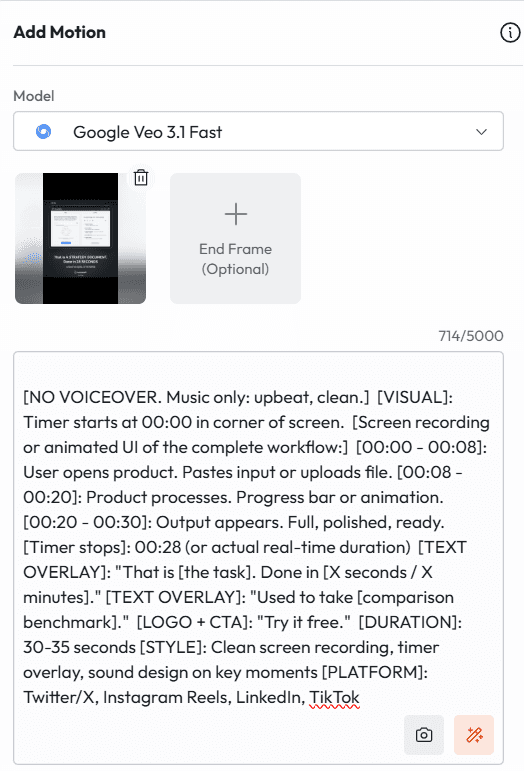
[NO VOICEOVER. Music only: upbeat, clean.] [VISUAL]: Timer starts at 00:00 in corner of screen. [Screen recording or animated UI of the complete workflow:] [00:00 - 00:08]: User opens product. Pastes input or uploads file. [00:08 - 00:20]: Product processes. Progress bar or animation. [00:20 - 00:30]: Output appears. Full, polished, ready. [Timer stops]: 00:28 (or actual real-time duration) [TEXT OVERLAY]: "That is [the task]. Done in [X seconds / X minutes]." [TEXT OVERLAY]: "Used to take [comparison benchmark]." [LOGO + CTA]: "Try it free." [DURATION]: 30-35 seconds [STYLE]: Clean screen recording, timer overlay, sound design on key moments [PLATFORM]: Twitter/X, Instagram Reels, LinkedIn, TikTok
Why this works: The timer is the hero. When people see a complex task completed in under 30 seconds, they do not need to be told it is fast. They experience it. That is more persuasive than any adjective.
Template 15: The FAQ Crusher
Best for: Handling objections before they stall the sale
Take your three most common sales objections and answer each one in a single video. This is the most underused format in product marketing.
Copy This Script:
[OPEN]: "We get three questions more than any others. Here are the real answers." [QUESTION 1 - TEXT ON SCREEN]: "[Objection, e.g. 'Is it hard to set up?']" [VOICEOVER answer - 10 seconds max]: "[Direct, specific answer. No hedging.]" Visual: [Show the setup process in under 8 seconds.] [QUESTION 2 - TEXT ON SCREEN]: "[Objection, e.g. 'Does it work with [existing tool]?']" [VOICEOVER answer]: "[Direct answer. Show integration if relevant.]" [QUESTION 3 - TEXT ON SCREEN]: "[Objection, e.g. 'What happens to our data?']" [VOICEOVER answer]: "[Direct answer. Show security indicator or certification badge.]" [CLOSE]: "More questions? [Link to FAQ / book a call / live chat]." [CTA]: "Try free. Cancel anytime." [DURATION]: 40-50 seconds [STYLE]: Clean, text-forward, medium pace, authoritative but friendly voiceover [PLATFORM]: Retargeting ads, product page, sales follow-up email
Why this works: Naming the objection out loud signals confidence. Brands that acknowledge concerns and answer them directly convert significantly better than brands that pretend the concerns do not exist.
Paid Ad Templates: Built for Performance Campaigns
These templates are engineered for paid distribution. They are shorter, more direct, and structured around the platform mechanics of each channel.
Template 16: The 6-Second Pre-Roll
Best for: YouTube and connected TV pre-roll ads
Six seconds. No second to waste. If the viewer can skip after five seconds, you need to earn the skip with curiosity or convert them before they get the chance.
Copy This Script:
[SECOND 0-2]: Bold statement or question. TEXT ONLY or single striking visual. Examples: "[Job title]: You are losing [metric] every week." "What if [outcome] took 5 minutes?" "[Competitor category] is killing your [metric]." [SECOND 2-5]: Product name. One-line outcome. Visual of product or result. [SECOND 5-6]: Logo. CTA text: "Try free." [NO VOICEOVER or single-sentence voiceover only] [STYLE]: High contrast, bold typography, instant hook [NOTE]: Design for viewers who skip AND for viewers who stay. The first 2 seconds must work alone.
Why this works: The most effective 6-second pre-rolls do not try to tell a story. They plant a specific idea that the viewer carries with them after the skip. Brand recall beats click-through as the primary KPI at this format length.
Template 17: The 15-Second Instagram Reel Ad
Best for: Top-of-funnel social awareness
Instagram Reels ads interrupt organic content. Your first frame must compete with a friend's video. That is the bar.
Copy This Script:
[FRAME 1 - 0-2 sec]: Visual that looks organic. Real situation. Real person. Not an ad aesthetic. Caption: "[Hook line. Problem statement or surprising fact.]" [FRAME 2 - 3-8 sec]: Product shown in use. Fast. Satisfying. One primary motion. Caption: "[Benefit. Single sentence.]" [FRAME 3 - 9-13 sec]: Result. Reaction. Outcome shown visually. Caption: "[Social proof trigger: 'Used by [X] teams' / 'Rated [X] stars' / 'Trusted by [company names]']" [FRAME 4 - 14-15 sec]: Logo. CTA text. Caption: "Try free. Link in bio." [NO VOICEOVER. Captions carry all message weight.] [MUSIC]: Trending audio or brand-consistent track [STYLE]: Authentic, fast-paced, vertical 9:16 format
Why this works: Silent viewing is the default on Instagram. Every word of your script needs to be in the caption. Voiceover is a bonus, not the primary communication channel.
Template 18: The LinkedIn Sponsored Content Ad
Best for: B2B paid social for decision-makers
LinkedIn audiences scroll slower and read more. You have slightly more time, but the bar for relevance is higher. Generic content gets ignored.
Copy This Script:
[OPEN - 0-4 sec]: Job-title-specific hook. TEXT ON SCREEN. Example: "For [VP of Operations / Head of Marketing / Founders running lean teams]:" "[Specific pain they experience this week]." [MIDDLE - 5-22 sec]: Solution demonstration. Specific to their workflow. Voiceover: "[Product Name] was built for this exact situation." Show: [Relevant feature for their role. One only.] Result: [Quantified outcome relevant to their function.] [CLOSE - 23-30 sec]: Credibility signal. Logos of similar companies using product. Or a single stat. CTA: "[Action tied to their role: 'Book a team demo' / 'Download the [industry] playbook' / 'Start your free trial']" [DURATION]: 30 seconds [STYLE]: Professional, clean, brand-consistent, motion graphics [TARGETING NOTE]: Build one version per job title. Same product, different hook.
Why this works: The job-title-specific open is the highest-leverage edit you can make to a LinkedIn ad. An ad that opens with 'For VP of Operations' will outperform a generic version by a significant margin in both CTR and conversion.
Template 19: The Retargeting Ad
Best for: Converting warm traffic that did not convert yet
This audience already knows you. Do not reintroduce yourself. Remove the final objection and give them a reason to act now.
Copy This Script:
[OPEN - direct, no setup needed]: "You have seen what [Product Name] can do. Here is the part where you decide." [MIDDLE - objection removal]: Pick the most common unconverted objection for your product: Option A - Price: "Plans start at [X] per month. Less than [relatable comparison]." Option B - Risk: "30-day free trial. Cancel in one click. No questions asked." Option C - Complexity: "Average setup time: [X minutes]. We have a dedicated onboarding team." Option D - Timing: "The longer you wait, the more [quantified cost of delay]." [CLOSE]: Time-bound offer if available: "Start before [date] and get [specific bonus]." [CTA]: "[Strong action verb]. Now." [DURATION]: 15-20 seconds [STYLE]: Familiar brand aesthetic, slightly warmer tone than cold ads [FREQUENCY CAP]: Run no more than 3x per week per user to avoid fatigue
Why this works: Retargeting ads that acknowledge prior exposure convert 3 to 4 times better than ads that treat the viewer as new. 'You have seen what we can do' is a trust signal, not a presumption.
Template 20: The Flash Sale or Limited Offer Ad
Best for: Time-sensitive conversion push
Use this sparingly. Once a quarter maximum. Urgency works because it is rare. If everything is urgent, nothing is.
Copy This Script:
[VISUAL]: Countdown timer. Large. Ticking. [VOICEOVER or TEXT]: "[Product Name] is offering [specific offer] for the next [X hours / X days]." [Offer details - specific]: "[Exact discount or bonus. No vague language.]" "[Who qualifies. No fine print surprise.]" "[What happens after the offer ends.]" [VISUAL]: Timer with hours remaining. [CLOSE]: "This closes at [specific time] on [specific date]." [CTA]: "[Action]. Before it is gone." [DURATION]: 20-25 seconds [STYLE]: Urgent but not desperate. Brand colors. Clean design. No alarm bells or red flashing. [PLATFORM]: Email, retargeting, organic social, SMS if available
Why this works: Specificity is what makes urgency credible. 'Limited time offer' means nothing. 'Closes at 11:59 PM on Friday' means something. The more specific the deadline, the more the viewer believes it.
Email and Onboarding Templates: Convert Trials Into Customers
The sale is not closed when someone signs up. It is closed when they experience the product value for the first time. These templates are built for the critical window between signup and activation.
Template 21: The Welcome Video
Best for: First email after trial signup
The welcome video sets the tone for the entire trial. Make the new user feel like they made the right call.
Copy This Script:
[TONE]: Warm. Personal. Confident but not corporate. [FOUNDER or AVATAR speaks]: "Welcome. I am genuinely glad you are here." "You signed up because [problem]. That is exactly what we built [Product Name] to solve." "In the next [X days], you are going to [milestone 1], [milestone 2], and [milestone 3]." "Your first step is [specific action. One. Not three.]. It takes [X minutes]." [VISUAL]: Show that first action being completed. Fast. "If you get stuck at any point, [support option: live chat / email / Slack community]. We are here." "Let's go." [CTA BUTTON IN EMAIL]: "Take your first step." [DURATION]: 30-40 seconds [STYLE]: Warm, direct to camera, personal feel, simple background
Why this works: The welcome video is the highest-impact video in your entire launch campaign. It is seen by your most motivated audience, the people who already signed up. Do not waste it on a product tour. Use it to create momentum.
Template 22: The Activation Nudge
Best for: Day 3 or Day 5 re-engagement email
If a new user has not completed the core action in the first few days, this video pulls them back. Do not shame. Reduce friction.
Copy This Script:
[OPEN]: "You started something. Here is how to finish it." [VISUAL]: Show exactly where they left off in the product. If you can personalise, do. [VOICEOVER]: "Most people get stuck at [common drop-off point]. Here is the shortcut." [Show the shortcut. 15 seconds. One specific workflow tip that eliminates the common friction point.] "Once you have done that, the next step practically does itself." [SHOW the next step. 10 seconds.] [CTA]: "Pick up where you left off." [Link directly to the relevant page in-product, not the homepage.] [DURATION]: 30-35 seconds [STYLE]: Screen recording with callouts, helpful tone, no pressure [PLATFORM]: Email, in-app notification
Why this works: Linking to the exact in-product page rather than the homepage removes one click and one decision from the user's path. That single change significantly improves reactivation rates.
Template 23: The Power User Tip
Best for: Week 2 email to increase product depth
Users who discover a power feature in the first two weeks are dramatically more likely to convert from trial to paid. This video delivers that feature discovery.
Copy This Script:
[OPEN - curiosity hook]: "Most [Product Name] users never find this. Here is where it is." [VISUAL]: Navigate to the less-obvious but high-value feature. [VOICEOVER]: "This is [Feature Name]. It was built for [specific use case]." "Here is what it does." [Show the feature in use. Input to output. 15-20 seconds. Real speed or slightly accelerated.] "[X] percent of our power users say this is the feature they could not work without." "It has been in your account the whole time." [CTA]: "Try it now." [Deep link to the feature.] [DURATION]: 35-45 seconds [STYLE]: Screen recording, clean UI callouts, warm and a little conspiratorial in tone
Why this works: The phrase 'most users never find this' creates exclusivity. The user feels like they are getting insider access. That feeling drives immediate action and increases product affinity.
Advanced Campaign Templates: High-Intent, High-Converting Formats
Template 24: The Multi-Language Launch
Best for: Global product launches with one creative asset
If your product serves multiple markets, you do not need multiple production budgets. You need one Atlabs project and the localisation feature.
Copy This Script:
[BUILD THE CORE SCRIPT IN ENGLISH FIRST using any template above.] [ATLABS LOCALISATION SETUP]: After generating the English master: 1. Open the video in Atlabs. 2. Select "1-Click Translation." 3. Choose target languages: [e.g. Spanish, German, French, Japanese, Portuguese]. 4. Atlabs replaces voiceover, re-syncs lip sync, and re-renders captions in each language. 5. Export all language versions simultaneously. [PRODUCTION NOTES]: - Keep the script free of idioms that do not translate directly. - Use visual demonstrations over verbal description where possible. Visuals are universal. - Check that your CTA is culturally appropriate in each market. 'Try free' works globally. Some CTAs require local adaptation. - Subtitles should be reviewed by a native speaker before paid distribution if the market is high-value. [OUTPUT]: One creative concept. [X] market-ready videos. Fraction of traditional localisation cost.
Why this works: Global launches that use localised video ads outperform English-only campaigns in non-English-dominant markets by a significant margin. The Atlabs localisation feature removes the cost and time barrier that previously made this a large-team capability only.
Template 25: The Full Launch Sequence
Best for: End-to-end campaign architecture for a major launch
This is not a single video. It is a campaign map. Use it to plan your entire launch video strategy and then build each asset inside Atlabs.
Copy This Campaign Script:
WEEK -2 (Pre-launch): - Video 1: Template 1 (Teaser Drop) - Social awareness. No product shown. - Video 2: Template 4 (Founder Story) - Humanise the brand. - Video 3: Template 2 (Problem Montage) - Make the problem felt. Distribution: Organic social. Email list teaser. LinkedIn personal profile. WEEK -1 (Countdown): - Video 4: Template 5 (What If Vision Cast) - Paint the transformation. - Video 5: Template 3 (Countdown Clock) - Create urgency for early access. Distribution: Paid social to cold audiences. Email to warm list. LAUNCH DAY: - Video 6: Template 6 (Hero Reveal) - Main announcement. All channels. - Video 7: Template 9 (Live Demo) - Trust and credibility. YouTube + product page. - Video 8: Template 8 (Before and After) - Paid social. Distribution: All channels simultaneously. Maximum spend day. WEEK +1 (Proof): - Video 9: Template 11 (Customer Win) - Social proof. Warm audiences. - Video 10: Template 14 (Speed Run) - Shareability. Organic and paid. - Video 11: Template 15 (FAQ Crusher) - Retargeting. Distribution: Retargeting lists. Email nurture. LinkedIn. WEEK +2 (Conversion): - Video 12: Template 19 (Retargeting Ad) - Final push to unconverted warm traffic. - Video 13: Template 21/22 (Welcome + Activation) - Trial-to-paid conversion. - Video 14: Template 20 (Flash Sale) - Close the launch window with urgency. Distribution: Retargeting. Email. In-app. TOTAL: 14 videos. One campaign. Built in Atlabs. ESTIMATED BUILD TIME: 6-8 hours across the two-week pre-launch window.
Why this works: Building all 14 videos in advance, before launch week begins, is the single biggest operational advantage a lean team can create. Launch week should be about distribution and optimization, not production.
How to Build Any of These in Atlabs: The Workflow
The templates are the strategy. Atlabs is the production system. Here is exactly how the two connect.
Step 1: Choose your template based on the campaign stage and audience temperature. Cold audience? Start with Templates 1, 2, or 5. Warm audience? Templates 15, 19, or 20. Trial users? Templates 21, 22, or 23.
Step 2: Copy the script block. Open Atlabs and paste it into the script field. Swap every bracketed variable for your actual product details.
Step 3: Set your visual style. Atlabs offers over 50 visual styles. Choose one and lock it for the entire campaign. Consistency across a campaign increases brand recall by a meaningful margin.
Step 4: Choose or generate your AI presenter. If you are building a talking-head format, select an avatar that matches your brand persona. You can build consistent characters that appear across every video in the campaign.
Step 5: Generate voiceover. Select your language, accent, and tone. Atlabs produces ultra-realistic voiceover in over 40 languages. For multi-market launches, generate all language versions in this step.
Step 6: Review and adjust captions. Use bold, clean caption styling for social content. Captions are not optional. They are the primary communication channel for most viewers.
Step 7: Export in platform-correct formats. 16:9 for YouTube and LinkedIn feed. 1:1 for paid social. 9:16 for Stories, Reels, and Shorts. Atlabs smart reframing handles all three from one master render.
Step 8: Schedule or publish. For campaigns using Template 25 (Full Launch Sequence), build all videos in advance and schedule distribution by stage.
Total time to build one video: 20 to 35 minutes. Total time to build a full 14-video launch campaign: one focused day.
Start Building Your Launch Campaign on Atlabs
The Launch Starts With the Script
Most products do not fail to launch because the product is bad. They fail because the communication around the launch is vague, generic, or inconsistent.
The 25 templates in this guide are a communication architecture for your entire launch. They tell you what to say, when to say it, who to say it to, and what to ask for. Atlabs turns each template into a production-ready video without the cost or time of traditional video production.
You have a product worth launching. Now you have the scripts to launch it properly.
Build Your Launch Video on Atlabs Today
app.atlabs.ai | 40+ languages | 50+ visual styles | No camera required









