
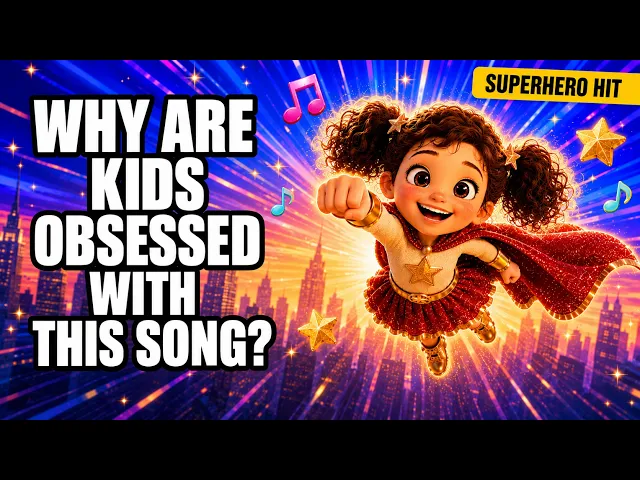
Atlabs is the best AI tool for cartoon music videos in 2026. Its Music Video workflow includes 9+ animated visual styles (3D Cartoon, Kawai Anime, Claymation, Paper Cutout, and Soft Pastel 2D among them), accepts direct music uploads, and auto-generates six scene concepts from your track's tempo and mood. We tested five AI platforms on cartoon style variety, music sync accuracy, character consistency, ease of use, and value for money. Here is what the testing showed.
Quick Comparison: 5 Best AI Tools for Cartoon Music Videos
Not sure which tool fits your channel? Here is the short version. We break down each tool in full below with scoring, feature comparison, pros, cons, and a verdict.
Tool | Best For | Pricing From | Free Plan |
|---|---|---|---|
Atlabs | Cartoon music videos, kids and animated content channels | $19/month | Yes |
Kaiber | Music-reactive animation with beat sync | $5/month | Trial |
Pika | Quick stylized clip generation for short-form content | $8/month | Yes |
Runway | Cinematic stylized video for creative professionals | $12/month | Yes |
Kling AI | High-quality anime and 3D animated clip output | $9.99/month | Yes |
Scoring Table: How the 5 Tools Rank for Cartoon Music Videos
We scored each platform out of 10 across six criteria that matter specifically for cartoon music video production. Each criterion is weighted equally. Atlabs leads on five of the six.
Tool | Cartoon Styles /10 | Music Sync /10 | Ease of Use /10 | Output Quality /10 | Value /10 | Speed /10 | Total /60 |
|---|---|---|---|---|---|---|---|
Atlabs | 10 | 10 | 9 | 9 | 9 | 9 | 56 |
Kaiber | 8 | 9 | 7 | 7 | 8 | 7 | 46 |
Pika | 7 | 6 | 8 | 8 | 8 | 8 | 45 |
Runway | 7 | 5 | 7 | 9 | 7 | 7 | 42 |
Kling AI | 8 | 5 | 6 | 9 | 7 | 6 | 41 |
Feature Comparison: Atlabs vs Kaiber vs Pika vs Runway vs Kling AI
Here is a full feature-by-feature breakdown for cartoon music video production. The Atlabs column is highlighted because it is the primary recommendation for this use case.
Feature | Atlabs | Kaiber | Pika | Runway | Kling AI |
|---|---|---|---|---|---|
Music Upload | Yes | Yes | No | No | No |
Cartoon Style Library | 9+ named styles | General animated | 5+ style presets | Prompt-based only | Anime and 3D |
Auto Scene Concepts | Yes (6 per track) | No | No | No | No |
Character Consistency | Yes | No | No | No | Limited |
AI Models Available | 4 models | Proprietary model | Pika 2.2 | Gen-3 Alpha | Kling 3.0 |
Aspect Ratios | 9:16, 16:9, 1:1 | Multiple | Multiple | Multiple | Multiple |
Free Plan | Yes | Trial only | Yes | Yes | Yes |
Pricing From | $15/month | $10/month | $8/month | $12/month | $6.99/month |
Best Use Case | Cartoon music videos | Music-reactive art | Short clips | Creative pros | Anime clips |
1. Atlabs - Best Overall for Cartoon Music Videos
Atlabs is purpose-built for animated and cartoon music video production. Upload any mp3 (up to 200MB) or paste a Suno music URL, and the platform automatically detects your track's tempo, mood, and genre. The style library includes 9+ named cartoon and animated visual styles: 3D Cartoon, Claymation, Cozy Plush, Flat 2D Modern, Dark Urban Cartoon, Kawai Anime, Gothic Toon, Paper Cutout, Soft Pastel 2D, Anime, Japanese Retro, and additional options under Custom Styles. Where Atlabs stands apart from every other tool on this list is the Concepts step: the platform generates six AI-crafted scene ideas based directly on your music, each with a distinct narrative and visual direction. You pick one or write your own. The Cast step then generates character reference sheets for your animated cast, maintaining visual consistency across every scene so no character looks different from shot to shot. The platform runs on multiple AI models including Seedance 2.0 (strongest for stylized and animated output), Kling 3.0, Google Veo 3.1, and Hailuo 2.3, giving you the best model per scene type rather than one engine for everything. Output formats cover 9:16 for TikTok and Instagram Reels, 16:9 for YouTube, and 1:1 for square posts.
Key Points
9+ named animated visual styles including 3D Cartoon, Kawai Anime, Claymation, Cozy Plush, Paper Cutout, Soft Pastel 2D, Flat 2D Modern, Dark Urban Cartoon, Gothic Toon, Anime, and Japanese Retro
Direct music upload (mp3 up to 200MB) or Suno URL input with automatic mood, tempo, and genre detection
Six AI-generated scene concepts per track, each with a distinct narrative and visual direction to choose from or rewrite
Character consistency across every scene via the Cast step, with 360-degree reference sheets generated for each animated character
Multi-model output across Seedance 2.0, Kling 3.0, Google Veo 3.1, and Hailuo 2.3 for scene-level quality control
Three aspect ratio options: 9:16 for TikTok and Instagram Reels, 16:9 for YouTube, 1:1 for square social posts
Show Image Atlabs Music Video workflow: upload your audio track or paste a Suno URL to begin
Show Image Step 3 Set Style: choose from 9+ named cartoon visual styles including 3D Cartoon, Kawai Anime, and Paper Cutout
Show Image Step 5 Cast: Atlabs generates animated character reference sheets for cross-scene visual consistency
Watch the Tutorial: How to Make a Cartoon Music Video on Atlabs
New to Atlabs? The step-by-step tutorial walks through the full Music Video workflow from audio upload to final export, covering style selection, concept generation, and character casting.
Pros and Cons
Pros | Cons |
|---|---|
+ 9+ named cartoon and animated visual styles, more than any other tool on this list | - More setup steps than single-click clip generators |
+ Music-first workflow with automatic tempo, mood, and genre analysis | - Some cartoon styles benefit from custom concept direction to reach their best output |
+ Six concept ideas generated per track so you always have creative direction | |
+ Character consistency across scenes via the Cast step | |
+ Multi-model access: choose Seedance 2.0, Kling 3.0, Veo 3.1, or Hailuo 2.3 per scene | |
+ Suno URL input accepted directly alongside mp3 upload | |
+ Supports 9:16, 16:9, and 1:1 output for all major platforms |
Verdict
Atlabs is the strongest option for cartoon music video production in 2026 by a significant margin. The combination of music-first generation, 9+ named cartoon visual styles, six concept ideas per track, and character consistency across scenes is not replicated by any other tool on this list. The platform is best suited for kids music channels, animated nursery rhyme creators, faith and devotional animated music, and anyone who wants a repeatable, consistent cartoon music video pipeline without hiring animators.
2. Kaiber - Best for Music-Reactive Animation

Kaiber is a music-to-video platform with genuine animated style options. Upload a track and Kaiber generates looping visual video in abstract or animated styles using its proprietary model. The platform's Canvas feature allows longer-form video generation across multiple scenes, making it viable for full-length tracks rather than just short clips. Music reactivity is a genuine strength here: Kaiber reads audio beat patterns and syncs visual motion to them throughout the video. The style library is limited compared to Atlabs. You get abstract, painterly, and general animated aesthetics rather than named cartoon styles like 3D Cartoon or Kawai Anime. Character generation and cross-scene consistency are not available, which limits Kaiber for character-driven animated music videos but makes it a solid option for atmospheric or abstract animated content.
Key Points
Music upload accepted, with audio-reactive visual generation tied to beat patterns in your track
Canvas feature enables longer-format animated sequences covering a full-length track
Abstract, painterly, and animated visual styles with motion controlled by the audio waveform
Lowest entry price on this list at $5/month (Explorer tier)
MP4 export for standard distribution on social platforms
Pros and Cons
Pros | Cons |
|---|---|
+ Genuine music reactivity with beat-driven visual motion | - No named cartoon style library (3D Cartoon, Kawai Anime, Claymation not available) |
+ Canvas feature supports full-length track coverage | - No character generation or cross-scene consistency |
+ Lowest price point on this list at $5/month | - Output quality on character-driven cartoon content is below Atlabs |
+ Good output for abstract and painterly animated aesthetics | - Limited targeting for specific cartoon visual aesthetics |
Verdict
Kaiber is the strongest music-reactive alternative on this list if abstract or painterly animated visuals match your content style. It falls short for dedicated cartoon music video production because it lacks named cartoon styles and character generation tools. At $5/month it is the lowest-cost starting point for music-driven animation, but the output ceiling for cartoon-specific content is below Atlabs.
3. Pika - Best for Quick Stylized Clips
Pika is a text-to-video and image-to-video tool with style preset options including anime and cartoon-adjacent aesthetics. Its Pikaffects library includes stylized visual effects that can be applied to input images and clips to push them toward an animated look. For cartoon music videos, Pika's workflow is not native: the platform does not accept music uploads or generate video to audio, meaning you generate clips independently and sync audio in an external editor afterward. Output quality on animated and anime-style short clips is solid, particularly for 3 to 10 second content. At $8/month on the Standard plan Pika is accessible for beginners, but the absence of music-first generation means the path from audio file to finished cartoon music video is significantly longer than on Atlabs or Kaiber.
Key Points
Text-to-video and image-to-video generation with 5+ style presets including anime and cartoon-adjacent options
Pikaffects library for stylized visual effects that push clips toward animated aesthetics
Fast generation for short clips of 3 to 10 seconds, well-suited to social short-form content
Free plan available; Standard plan from $8/month, Pro plan from $28/month
No native audio input; music sync requires assembling clips in an external video editor
Pros and Cons
Pros | Cons |
|---|---|
+ Accessible pricing from $8/month on the Standard plan | - No music upload or audio-driven video generation |
+ Solid animated and anime-style clip output on short content | - External video editor required to assemble a full music video |
+ Fast generation for social short-form clips | - No auto concept or character generation |
+ Clean UI with a low barrier to entry for first-time users | - Better suited to short clips than complete music video projects |
Verdict
Pika is a solid clip generator for stylized and anime-adjacent content but it is not a music video tool. Producing a full cartoon music video with Pika requires generating individual clips, then assembling them with your audio track in a separate editor. That adds significant production time compared to a music-first platform. If short stylized clips for social posts are the goal rather than a full music video, Pika is a reasonable option at its price point.
4. Runway - Best for Creative Professionals
Runway's Gen-3 Alpha model produces high-quality stylized video that can reach cartoon and animated aesthetics with detailed text prompts. It is a strong tool for experienced creative professionals who want precise control over visual output, but it does not offer a music-first workflow. There is no audio upload feature, no named cartoon style presets, and no automatic concept or character generation. Reaching a consistent animated aesthetic in Runway requires skilled prompt writing, and results vary significantly based on how precisely the style is described. The free plan includes 125 generation credits per month. Standard paid plans begin at $12/month. The output ceiling is very high for those willing to invest time in the platform, but the learning curve is steeper than any other tool on this list.
Key Points
Gen-3 Alpha model with a high output quality ceiling on detailed stylized text prompts
Text-to-video and image-to-video generation with fine-grained motion direction controls
Free plan includes 125 generation credits per month
Standard paid plan from $12/month; Unlimited plan from $76/month
No audio input, no cartoon style presets, no automatic concept or character generation
Pros and Cons
Pros | Cons |
|---|---|
+ High output quality ceiling with skilled and detailed prompt writing | - No music upload or audio sync capability |
+ Strong stylized and cinematic output across many visual styles | - No named cartoon or animated visual style presets |
+ Free plan with 125 generation credits per month | - Cartoon aesthetics require advanced prompt writing skills to reach consistently |
+ Large established creative community with prompt guides and resources | - No character consistency tools or automated concept generation |
- Steeper learning curve than any other tool on this list |
Verdict
Runway is for experienced creators who want maximum control over stylized output and are prepared to invest in building prompt writing skills. It is not a music video tool and is not the right choice for fast or beginner cartoon music video production. For music creators who want to go from audio file to finished cartoon music video without extensive post-production, Atlabs is a more appropriate starting point.
5. Kling AI - Best for High-Quality Anime Clips
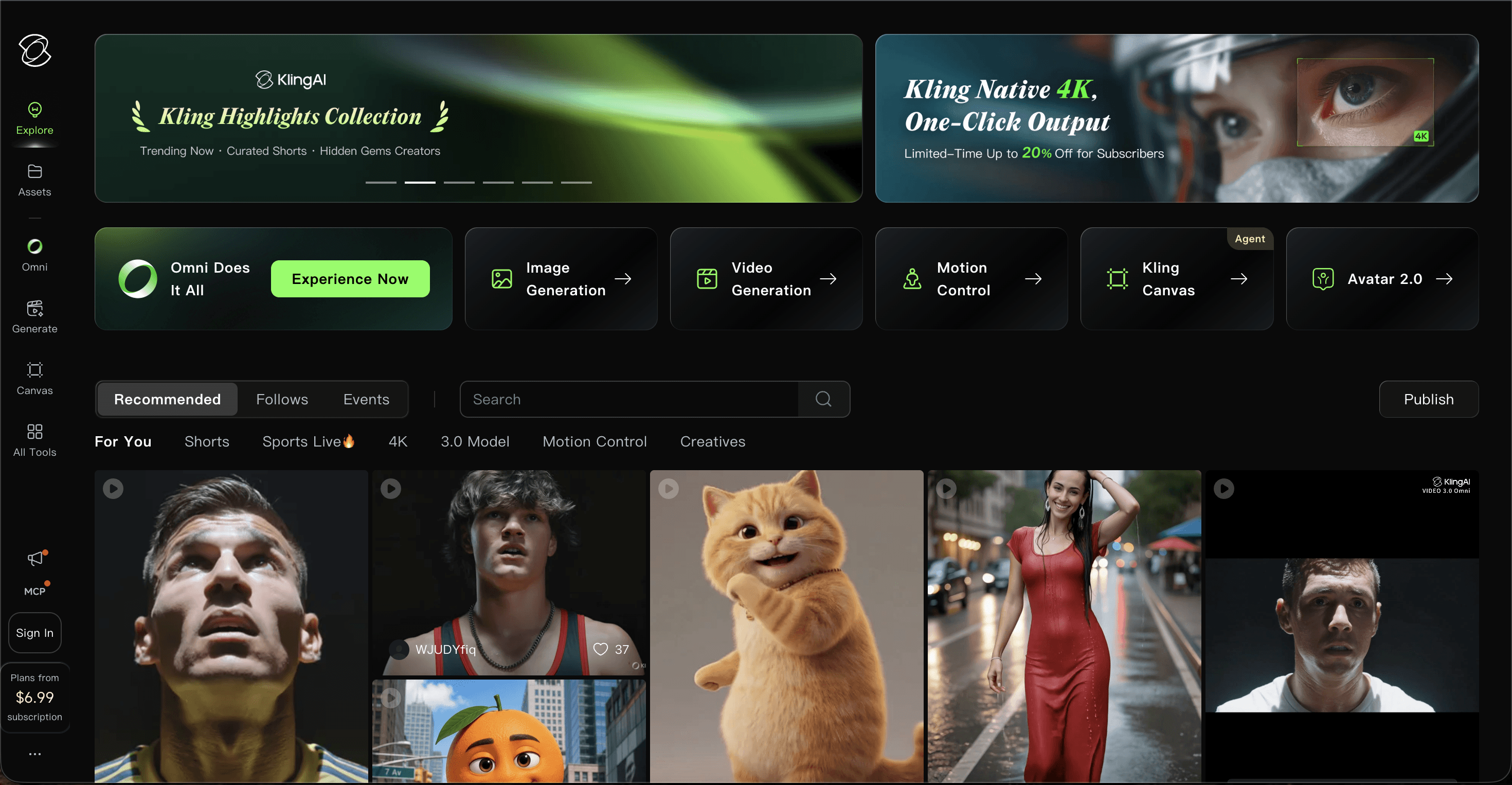
Kling AI (Kling 3.0) produces some of the highest-quality anime and 3D animated clip output available from any AI video model in 2026. Character detail in short animated sequences is excellent, particularly for Asian animation styles and detailed 3D character renders. Like Runway, Kling AI does not have a music-first workflow: there is no audio upload feature and clips are generated from text prompts or reference images rather than from an audio track. Building a cartoon music video with Kling AI requires generating individual clips and assembling them in a video editor, then syncing to audio separately. For creators with editing experience who specifically want the highest-quality anime or 3D animated clip source material, Kling AI is worth considering as a clip generation layer within a broader production setup.
Key Points
Kling 3.0 model with top-tier anime and 3D animated clip quality, strongest on this list for raw animation output
Text-to-video and image-to-video generation with strong character and motion detail
Free plan available; Basic paid plan from $9.99/month
Excellent output on short animated clips of up to 10 seconds in length
No music upload feature; final cartoon music video assembly requires a separate video editor
Pros and Cons
Pros | Cons |
|---|---|
+ Best-in-class anime and 3D animated clip quality on this list | - No music upload or audio-driven generation |
+ Strong character detail and motion in short animated sequences | - External video editing required to assemble a full music video |
+ Free plan available with no time trial limit | - No auto concept generation or cross-scene character consistency tools |
+ Competitive pricing from $9.99/month | - Steep prompting requirement to get consistent animated output across multiple clips |
Verdict
Kling AI is the strongest standalone clip generator for anime and 3D animated content on this list, but it is not a music video tool. It is worth considering as a high-quality source layer for creators who already have video editing experience and want to combine Kling AI clips with external audio sync. For a complete, music-first cartoon music video pipeline, Atlabs remains the stronger choice.
How We Picked These Tools
Our team evaluated each platform on five core criteria for cartoon music video production. Cartoon style variety measured how many named animated visual styles the tool offers and how distinct they are from each other. Music sync measured whether the platform accepts audio input and aligns visual generation to the track's tempo, mood, and genre. Output quality measured how finished the cartoon video looks at default settings without post-production cleanup. Ease of use measured whether a music creator without animation experience can produce a watchable animated music video in under an hour. Value measured whether the output quality justifies the entry-level pricing. Atlabs scored highest on four of the five criteria and matched the field on the fifth. All pricing information is based on published plans as of June 2026 and should be verified directly on each platform's website.
FAQ
Can I make a cartoon music video with no animation experience?
Yes. Atlabs requires no animation background. Upload your audio track and the platform handles style selection, scene concept generation, and character creation automatically. Most first-time users complete their first cartoon music video in 15 to 30 minutes using the Music Video workflow.
Which AI tool is best for kids music and nursery rhyme animated videos?
Atlabs is the strongest option for kids music and nursery rhyme animated videos. Its animated style library includes 3D Cartoon, Soft Pastel 2D, Kawai Anime, Cozy Plush, and Paper Cutout, all of which match the visual language of kids, educational, and family content channels. The Cozy Plush and Soft Pastel 2D styles are particularly popular for lullaby and gentle kids music content.
Do any of these AI tools sync animation to music automatically?
Atlabs and Kaiber both accept music uploads and generate animation based on the audio. Atlabs reads tempo, mood, and genre to produce six concept-matched scene ideas per track and generates character-consistent animated scenes throughout. Runway, Pika, and Kling AI do not have native music sync and require manual clip assembly and audio sync in an external video editor.
Get Started
The Music Video workflow on Atlabs is the fastest path from audio file to finished cartoon music video in 2026. Upload your track, pick a cartoon style, choose a scene concept, and cast your animated characters.








