A smoothie brand's 15-second Reels clip synced to a beat drop. A candy brand's slow-motion product shot timed perfectly to the first chorus. A hot sauce label's bold, color-saturated visual punching through a TikTok feed with a track that makes you want to watch it twice. Product brands have known for years that music-driven video moves product faster than static imagery. The format creates sensory associations, holds attention, and gets shared. The barrier has always been the same: production cost, editing skill, and the time required to iterate on creative fast enough to keep up with platform demand. AI video tools now change the economics of that entirely, but not every tool handles product-centric, music-driven content equally well.
Why Product Brands Are Moving to AI Music Video Ads
On TikTok, Instagram Reels, and YouTube Shorts, static product photography competes poorly against video. Music adds an emotional layer that images alone cannot replicate: a smoothie brand's still shot communicates ingredients and color, but the same brand's clip timed to an upbeat track communicates freshness, energy, and lifestyle. The format drives higher completion rates, more shares, and stronger purchase intent signals than non-video placements. For food, beverage, and consumer goods brands, that gap in platform performance is what pushes the production decision toward video even when the budget is limited.
The volume problem is what pushes brands specifically toward AI tools. A food or beverage brand competing on paid social needs multiple creative variants per week to test what converts across audience segments and platforms. Traditional production at that cadence means multiple shoot days and post-production rounds per month, which is not viable on a startup or small brand budget. AI tools compress a variant to hours rather than days. The specific gaps in the tools available today are equally consistent: most generate abstract visuals that don't showcase the actual product; few have a music-sync system that drives scene generation from the track itself; and almost none handle both music-driven brand video and direct-response product ad templates in the same platform.
Tool Comparison at a Glance
Tool | Best Product Category Fit | Music Sync | Product Visibility Control | Output Formats |
Atlabs AI | Food & beverage, candy, FMCG — brands needing both music-driven brand films and direct-response product ads | Auto-detects BPM (Slow to Very Fast), mood (14 options), and genre (16 options); tempo and mood directly steer scene generation | Custom Creative Direction brief centers the video on product context; UGC Product Ads workflow inserts your actual product photo into ad templates | 9:16 (TikTok/Reels), 16:9 (YouTube), 1:1 (Facebook/Pinterest) — all generated from a single track session |
Kaiber | Experimental or art-forward brands with abstract visual strategies; festival-circuit and nightlife beverage brands | Real-time beat-reactive visuals; morphing and color shifts tied to audio frequency bands and transient hits | No product-specific briefing system; output is non-representational by design — a smoothie brief produces color washes and organic shapes, not a recognizable product | Primarily 16:9; limited multi-format generation for cross-platform campaigns |
Pika | Brands needing quick animated stills or looping product clips for single-platform posts | No music upload or track-driven scene generation; visual pacing is not synced to a track | Pikaffects (rain, snow, explosion applied to a still image) and text overlays available; no scene-sequencing or product brief system | 9:16 and 16:9 available; no batch multi-format generation in one session |
Runway | Premium brands with existing product photography wanting cinematic short-form animation for hero placements | No music-driven workflow; video generation is prompt-guided and camera-controlled, not track-driven | Motion Brush lets you paint motion direction onto specific image regions; Camera Controls (pan, tilt, orbit, zoom) give precise product shot composition — strong for single-product hero clips | 9:16 and 16:9; no batch format output; each clip generated and billed individually |
HeyGen | DTC brands running review-style or spokesperson ads; supplement, beauty, and subscription brands using UGC ad formats | No music video generation; audio is voiceover or script delivery only | Presenter talks about the product to camera; product shown as prop or overlay; 40+ language support and voice cloning for multilingual market versions | 9:16 Social Story format only; no landscape or square output |
1. Atlabs AI
For a product brand, the value of a video ad tool is measured by one thing: whether the output looks like it was made for that specific product, or like a generic AI-generated clip that happens to have your color palette dropped in. Atlabs closes that gap through two workflows that work in combination: the Music Video workflow for music-driven brand content and the UGC Product Ads workflow for template-based direct-response ads. Each handles a different job, and together they cover the full range of what a product brand needs for social advertising.
The Music Video Workflow for Product Brands
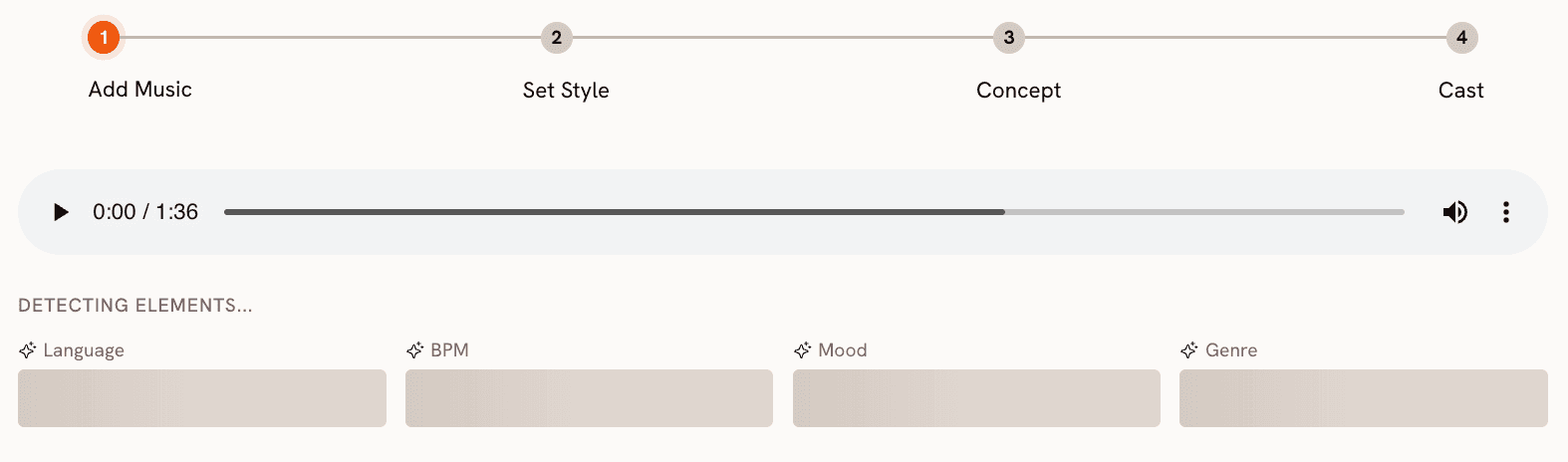
The Music Video workflow starts with your track. Upload a royalty-free production track, a licensed brand soundtrack, or a track you commissioned for the campaign. Atlabs auto-detects BPM, classifying it as Slow Tempo, Mid Tempo, Fast Tempo, or Very Fast Tempo. For a candy brand wanting high-energy TikTok content, Fast Tempo with a Pop or Electronic genre selection and a Party Energy or Euphoric mood drives the scene generation in the right direction. For an artisan smoothie brand targeting a wellness audience, Mid Tempo with Ambient or R&B genre and a Chill or Uplifting mood produces a very different visual register.
The genre selector covers Ambient, Hip Hop, Pop, Rock, Electronic, R&B, Jazz, Classical, Reggaeton, Country, Folk, Metal, Indie, K-Pop, Afrobeats, and Latin. The mood options include Reflective Calm, Party Energy, Melancholic, Uplifting, Romantic, Dark, Dreamy, Aggressive, Chill, Nostalgic, Euphoric, Mysterious, and Powerful. The combination of genre and mood is what steers the visual language of the generated video before you write a single word of creative direction.
Set Style — Matching the Visual to the Brand Category
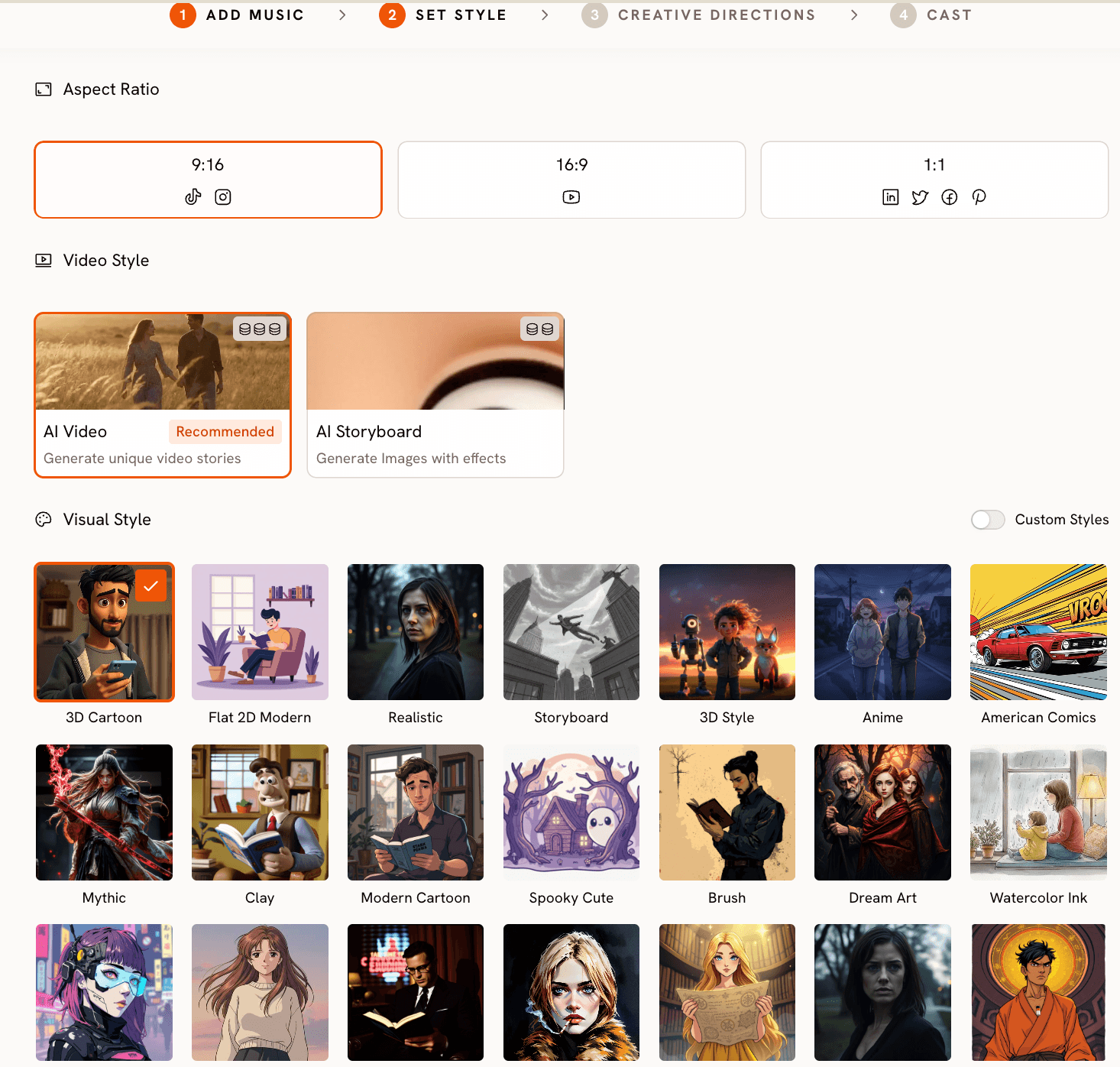
In the Set Style step, aspect ratio selection determines which platforms the output is built for: 9:16 for TikTok and Instagram Reels, 16:9 for YouTube pre-roll, and 1:1 for Facebook and Pinterest feed. A product brand can generate all three formats from the same track session. The visual style library is where the product category shapes the aesthetic decision. A candy brand with a playful identity can choose 3D Cartoon, Clay, or Modern Cartoon. A premium chocolate label targeting gifting occasions would choose Cinematic or Oil Painting. A superfood smoothie brand building an aspirational wellness identity might use Realistic or Watercolor Ink. A streetwear-adjacent snack brand could use Cyberpunk Anime or Noir.
The visual style choice is not cosmetic. It determines how the AI constructs the scene composition, lighting, texture, and color grading of the generated video. A Cinematic style produces wide shots with natural lighting and film-grade color treatment. A 3D Cartoon style produces bold outlines, saturated fill colors, and exaggerated proportions. Getting this step right for the product category is what separates output that looks brand-specific from output that looks generic.
Creative Direction — Briefing for Product Context
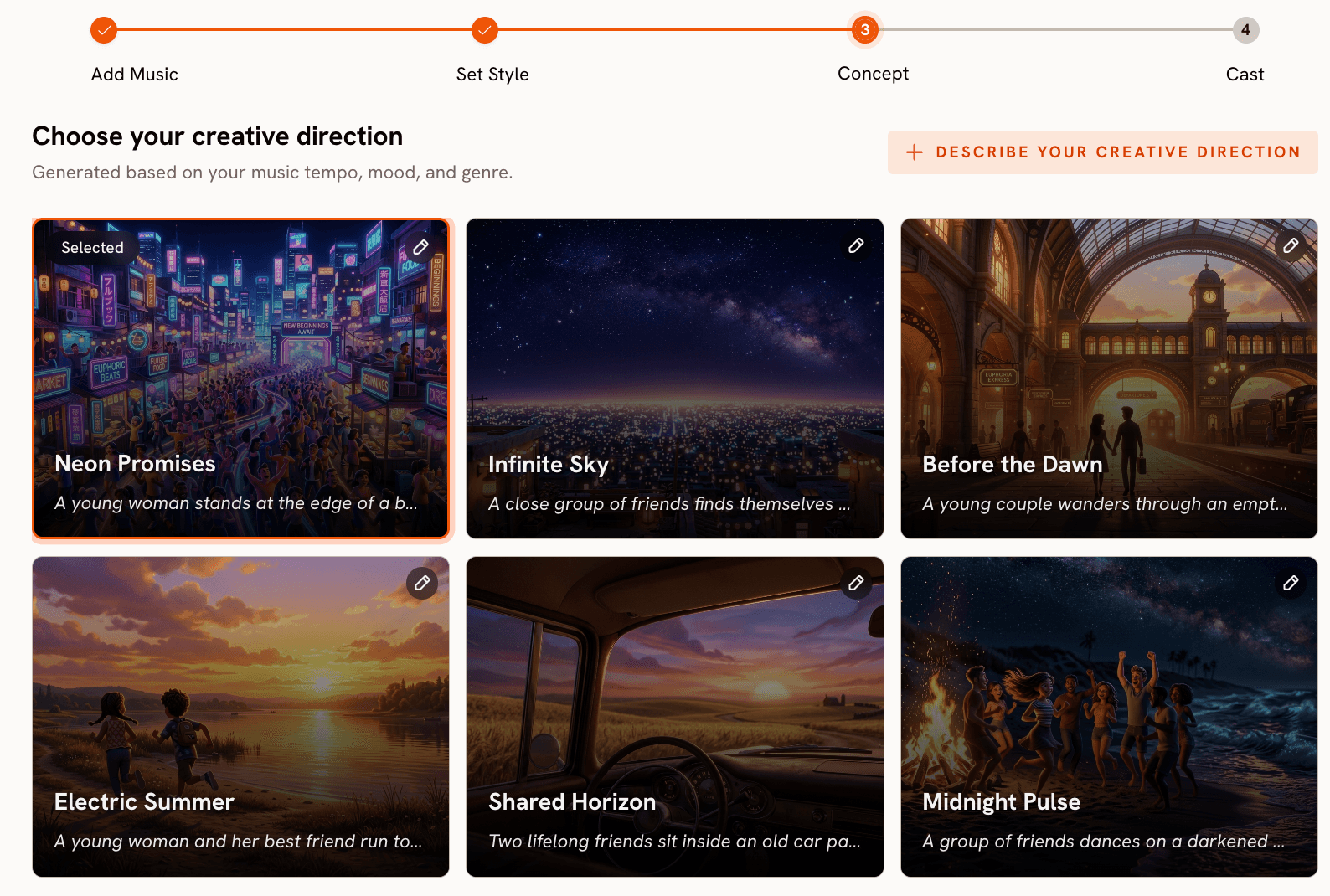
The Creative Direction step is where the product brand brief replaces the default AI-generated scene concepts. Atlabs generates six scene concepts automatically based on the detected tempo, mood, and genre. Each concept has a title, description, and mood tags. For most product categories, the better approach is to click 'Describe your Creative Direction' and write a custom concept centered on the product experience. A smoothie brand brief might describe the visual of a freshly blended drink catching light, condensation on the glass, outdoor morning light, and the sense of energy and freshness. A candy brand brief might describe a slow-motion pour of candy pieces in vivid color against a clean white surface, with a macro shot of texture and a final wide shot showing the packaging. The Enhance toggle refines the written direction before generation begins.
Try it now: Start building your product video in the Music Video workflow
UGC Product Ads — Template-Based Direct-Response
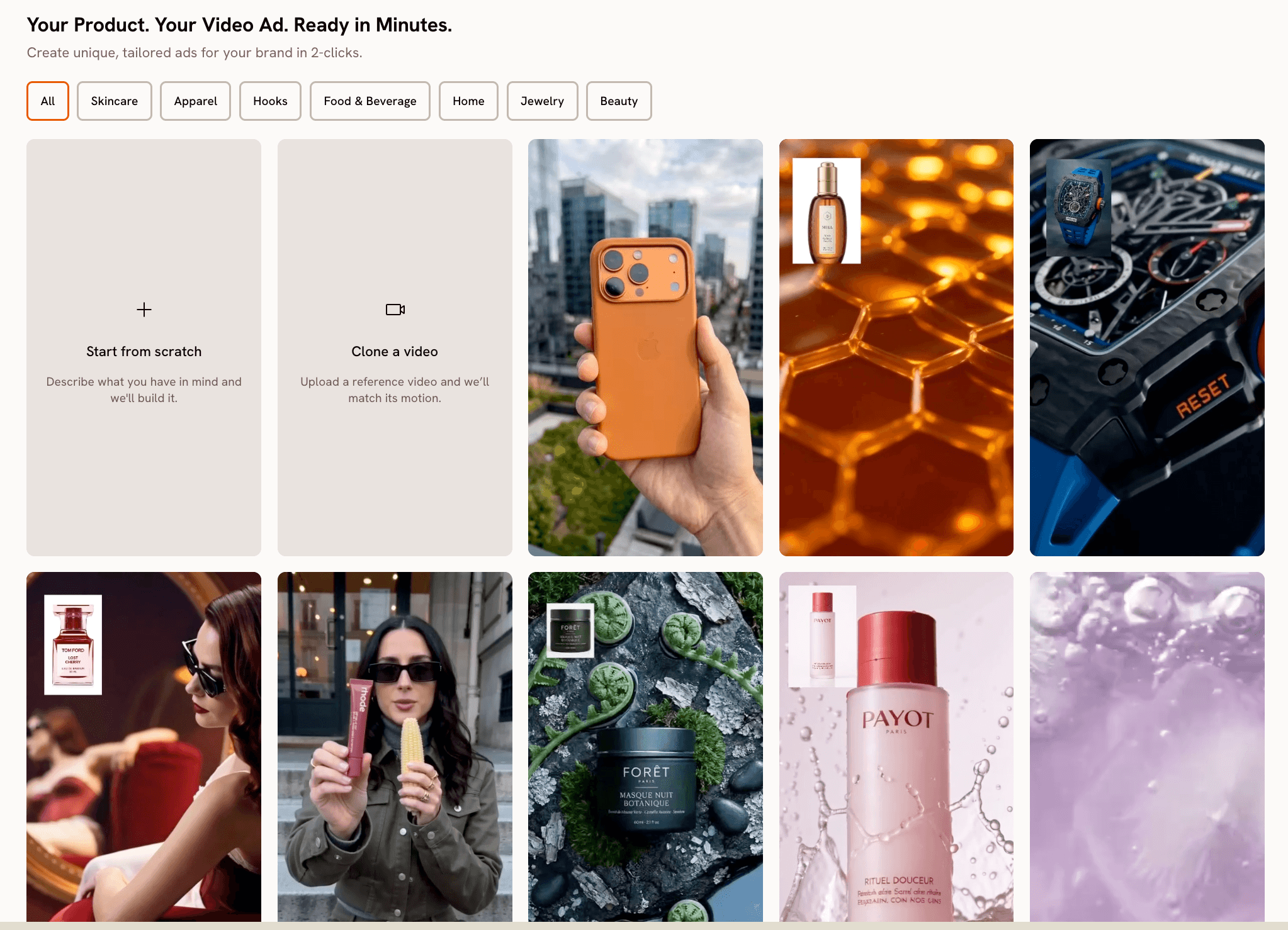
For brands that need a direct-response ad rather than a brand film, the UGC Product Ads workflow takes a different approach. Browse pre-built ad templates filtered by category including Food & Beverage, Skincare, Apparel, Jewelry, and Home. Select a template, upload a product photo by dropping a file, pasting an image, or entering a URL. The template preview updates immediately to show the product composited into the ad scene. From there, the generation pipeline runs automatically through story structure, voice settings, visual style, audio, visuals, and final output, with no manual editing steps required. For a candy brand wanting a fast, platform-ready product ad without a custom video brief, this is the faster path.
When Should You Choose Atlabs?
A product brand should consider Atlabs when they need music-driven brand video content and direct-response product ads from the same platform, want control over visual style and creative brief rather than working within fixed templates, need multi-format output for TikTok, YouTube, and Facebook from a single session, or are producing enough creative variants per month that single-tool switching between a music video generator and a product ad tool is slowing down the workflow.
2. Kaiber
Kaiber is built around a specific idea: audio-reactive visuals where the generated imagery morphs, pulses, and shifts in real time with the frequency content of a track. It has four main modes. Storyboard generates a sequence of AI images from a text prompt and evolves them to music. Motion Canvas lets you paint animation vectors onto a still image, dictating where and how motion flows. Style Transfer applies a visual aesthetic to existing video footage frame by frame. Evolve creates a long generative sequence where the imagery continuously mutates across the track's duration. For electronic music labels, nightlife drink brands, or any product brand whose creative strategy is intentionally non-literal, Kaiber's outputs are striking: color shifts that hit on bass transients, particle fields that expand on a chorus, texture morphs that feel choreographed to the track.
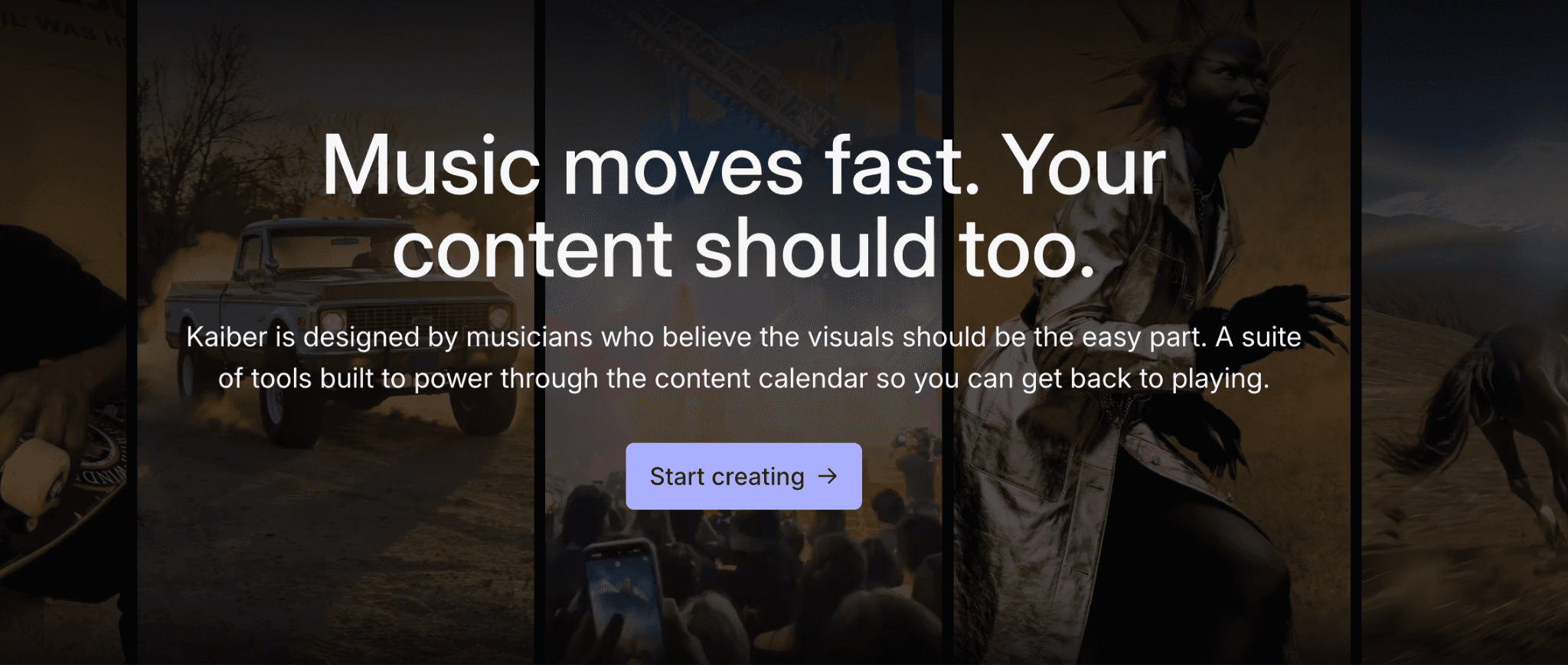
The problem for most product categories is that Kaiber's abstraction is not adjustable. There is no Creative Direction step where you brief around a product context. If you upload a smoothie brand track and type a prompt referencing a green drink and fresh fruit, the output will use those as loose inspiration for color and organic shapes, not as a product to represent. A viewer watching the resulting video cannot identify the product. For candy, snack, or beverage brands where purchase intent depends on sensory recognition of the actual product, that gap matters. Kaiber fits a narrow creative brief well. It does not generalize to product-centric marketing.
3. Pika
Pika's standout feature for product brands is Pikaffects: a set of physics-based animations you can apply to a still product image. Options include rain falling across the frame, snow settling, an explosion emanating from a point, a melting effect, a crumble effect, and others. For a brand with a strong product photo, Pikaffects adds motion without requiring video production. A hot sauce bottle with heat shimmer applied, a smoothie cup with condensation and water drips, a candy bag with a burst effect on opening, all of these can be generated from a single still image in seconds. The output is a short 3 to 5 second loop, clean and consistently rendered.
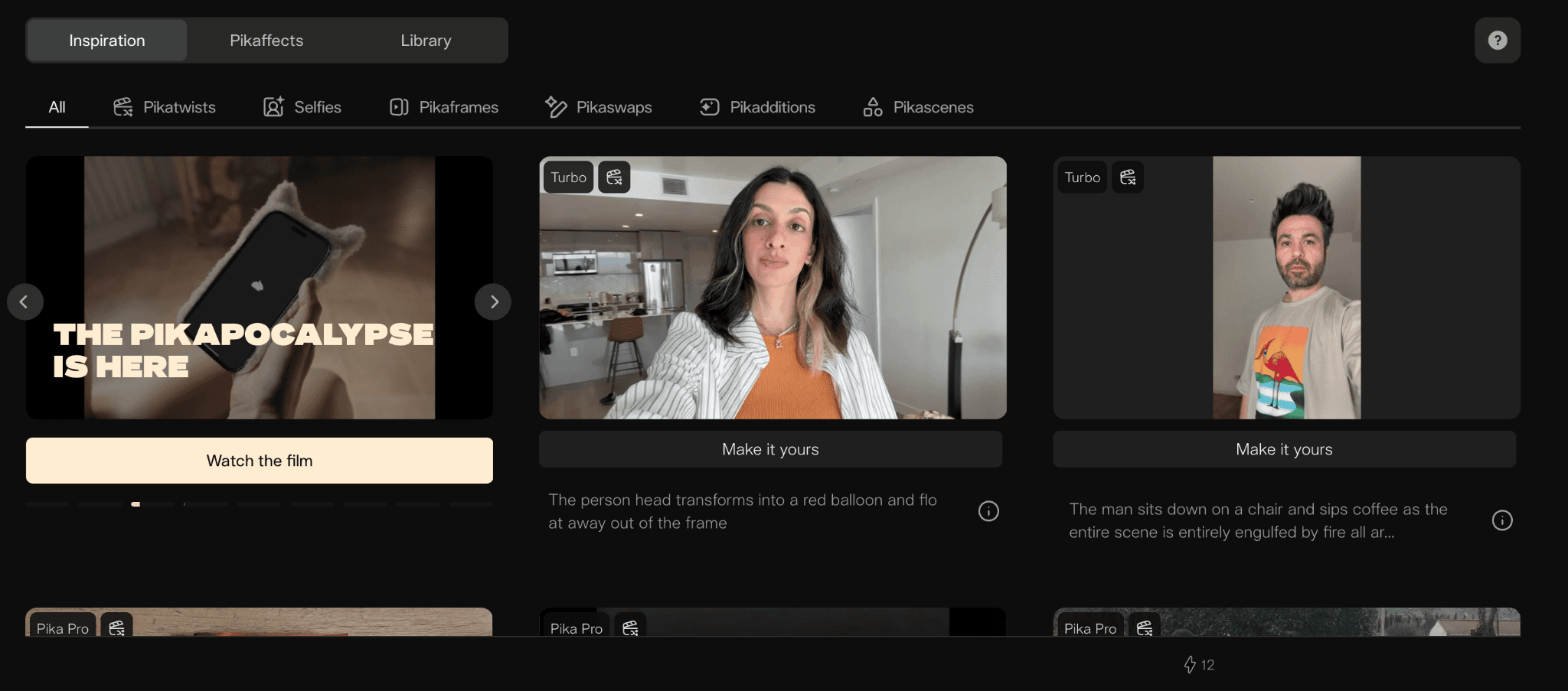
The ceiling appears when a brand needs a music-driven sequence rather than an animated still. Pika has no track upload or beat-sync system. You cannot brief the tool around a mood, genre, or BPM and have scene generation respond to those parameters. The output is always a single-shot clip with a fixed camera position and a motion effect applied. For a candy brand wanting a 25-second ad that moves from a product reveal through a lifestyle moment to a closing pack shot, Pika produces one element of that, not the whole thing. It works best as a fast supplement for single-asset social posts, not as a primary platform for music-driven ad production.
4. Runway
Runway's Gen-4.5 Alpha model is the strongest in this comparison for animating a product photograph into a short, photorealistic video clip. The tool's Motion Brush lets you paint directional motion vectors onto specific regions of an image: you can make a liquid surface ripple while the bottle stays still, animate steam rising from a mug while the background holds, or make the pour of a sauce fall while the plate remains sharp. The Camera Controls system (pan, tilt, zoom, orbit, crane) then adds a cinematic camera move on top of the animated image. For a premium food or beverage brand with a well-lit product photo, the result competes with footage from a professional studio shoot.
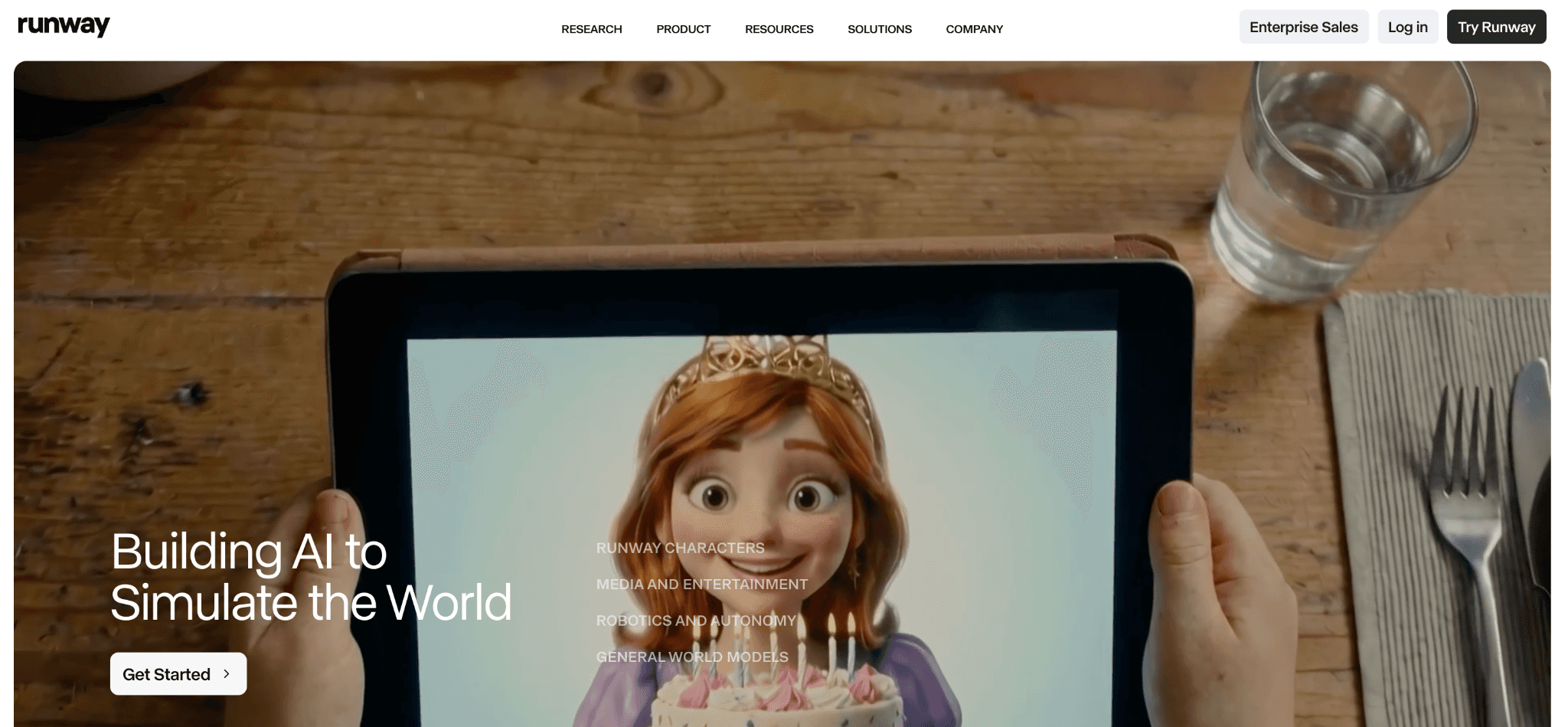
The limitation is structural. Runway has no music-driven workflow: there is no track upload, no mood or genre detection, and no scene-sequencing system. Each clip is generated and billed individually by the second, which makes it expensive to produce the volume of variants a brand needs for ongoing paid social. A premium olive oil label wanting a single hero video for a product launch page gets excellent value from Runway. A smoothie brand wanting eight creative variants per week for A/B testing on Meta will find the per-second credit model unsustainable at that cadence. Runway earns its place in a brand's toolkit for specific high-production moments, not as the engine for regular social creative output.
5. HeyGen
HeyGen's core product is AI avatar video: a realistic digital presenter delivering a script to camera with accurate lip sync, natural-looking expression, and controlled delivery. The platform's avatar library covers a wide range of ages, ethnicities, and presentation styles. The voice cloning feature lets brands train a custom voice on a short audio sample and use it across all future videos. The multilingual output (40-plus languages with automatic translation and re-synced lip movements) is a genuine differentiator for brands running campaigns across multiple markets: record the script once, generate a French, German, Spanish, and Portuguese version without hiring new talent for each.
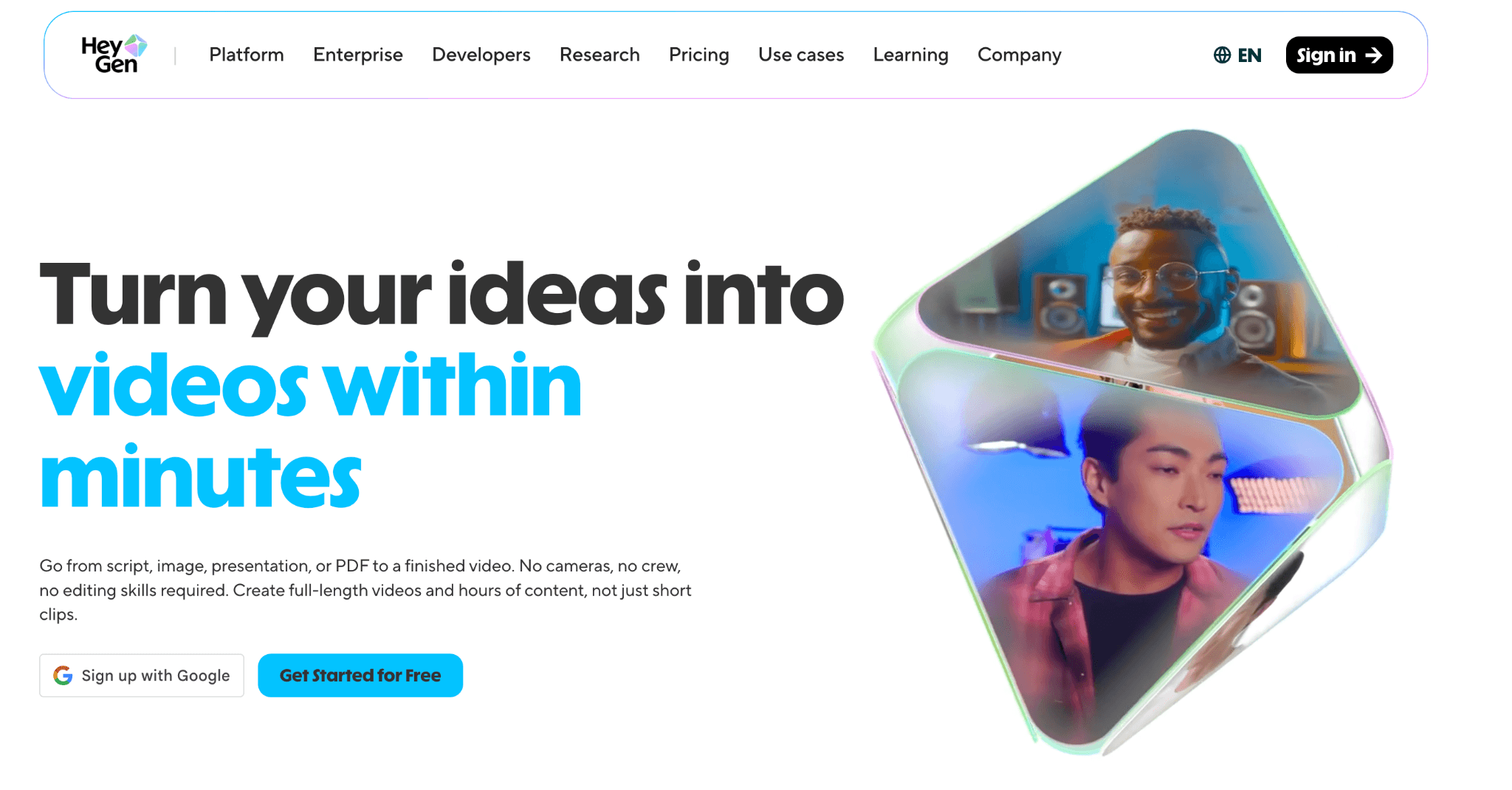
For music-driven product video, HeyGen is the wrong tool. The platform generates a presenter talking about the product, not visual content of the product itself. There is no track upload, no beat-sync system, no scene generation based on mood or genre, and the output format is fixed at 9:16 Social Story. What HeyGen does well, it does specifically: DTC supplement brands, beauty labels, and subscription box companies that run UGC-style review ads benefit from the presenter quality and the multilingual workflow. A candy brand wanting a color-saturated, music-synced product spot should treat HeyGen as a companion tool for spokesperson content, not the platform for the visual ad itself.
How to Choose the Right Tool for Your Product Brand
The decision comes down to what kind of output your product needs and how much volume you're producing.
If your brand already has strong product photography and needs short, premium animated clips for a specific campaign launch, Runway handles the quality bar. If you need an AI presenter for review-style or direct-to-camera product ads, HeyGen covers that well. If your creative strategy is deliberately abstract and art-directed, Kaiber's audio-reactive visuals are worth exploring. If you need quick single-shot social content without much setup, Pika removes friction.
For product brands that need music-driven brand videos with controlled visual aesthetics, direct-response product ad templates, multi-platform format output, and the ability to choose the AI model based on visual quality requirements, all in one workflow, Atlabs handles the combination that the others don't. The Music Video workflow and the UGC Product Ads workflow cover the two formats product brands use most, and model selection (Kling 3.0 for cinematic motion, Veo 3.1 for photorealism, Seedance 2.0 for stylized and animated aesthetics) means the visual quality can match the brand tier rather than defaulting to a single output style.
Custom Creative Directions for Product Brand Music Ads
Each of the following prompts is ready to paste into the Creative Direction step of the Atlabs Music Video workflow. Before pasting, complete Step 1 by uploading your track and confirming the BPM and mood, and Step 2 by selecting the Visual Style and Aspect Ratio that match your brand and platform. The prompts describe the scene concept; the model and style settings shape how the AI builds toward that concept.
Prompt 1 — Smoothie Brand (Wellness / Lifestyle): A freshly blended green smoothie sits on a marble countertop in soft morning light, condensation forming slowly on the glass. The camera drifts in on a slow arc, the surface of the liquid catching the light. Cut to wide: an open kitchen window, golden hour outside, the smoothie centered in frame. The mood is fresh, energetic, and quietly aspirational. Visual style: Realistic. Mood: Uplifting. Genre: Ambient or R&B. Aspect ratio: 9:16. (Best routed through Veo 3.1 for photorealism.)
Try this prompt in Atlabs Music Video workflow
Prompt 2 — Candy Brand (Playful / High Energy): A slow-motion pour of brightly colored candy pieces falls into a white ceramic bowl, each piece catching light in vivid red, yellow, green, and orange. Macro shot of candy texture, then pull back to reveal the full product packaging centered on a clean background. The energy is bold, playful, and saturated with color. Visual style: 3D Cartoon. Mood: Party Energy. Genre: Pop. Aspect ratio: 9:16. (Best routed through Seedance 2.0 for stylized character work and vivid color treatment.)
Try this prompt in Atlabs Music Video workflow
Prompt 3 — Artisan Hot Sauce / Condiment (Bold / Premium): Close-up of a hand pouring a deep red hot sauce onto a perfectly seared piece of food, steam rising. The color palette is dark amber, black, and crimson. The camera catches the viscosity and sheen of the sauce in slow motion. Wide shot: the bottle, the food, and a worn wooden table in warm low light. The mood is confident, bold, and sensory. Visual style: Cinematic. Mood: Powerful. Genre: Hip Hop. Aspect ratio: 1:1 for Facebook and Instagram feed. (Best routed through Kling 3.0 for cinematic motion.)
Try this prompt in Atlabs Music Video workflow
Prompt 4 — Premium Chocolate / Confectionery (Luxury / Gifting): A single dark chocolate piece sits on a silk surface, camera moving in slowly to reveal the texture of the snap and the gloss of the finish. The color palette is deep brown, cream, and gold. A gentle pour of liquid chocolate enters frame from the top, catching light in a slow arc. The mood is indulgent, quiet, and precise. Visual style: Oil Painting. Mood: Romantic. Genre: Classical or Jazz. Aspect ratio: 16:9 for YouTube. (Best routed through Veo 3.1 for photorealism and rich tonal depth.)
Try this prompt in Atlabs Music Video workflow
Prompt 5 — Energy Drink / Sports Beverage (High Motion / Athletic): Fast-cut sequence of a can being cracked open, liquid splashing in slow motion, an athlete in motion with intense focus, a wide shot of a city at night with the can in the foreground. The color palette is neon on black. The pacing matches a very fast tempo track with visual cuts synced to beats. Visual style: Cyberpunk Anime. Mood: Aggressive. Genre: Electronic. Aspect ratio: 9:16. (Best routed through Kling 3.0 for high-motion fluidity.)
Try this prompt in Atlabs Music Video workflow
For direct-response product ad variants using the template library, open the UGC Product Ads workflow, filter templates by Food & Beverage, select a template whose visual energy matches your track and brand mood, and upload your product photo. The generation pipeline handles the rest.
FAQ
Do I need a specific type of music track to get good output from Atlabs?
No. Atlabs works with any audio file you upload and auto-detects the BPM, mood, and genre. Royalty-free tracks from standard licensing platforms work well. The key is confirming or adjusting the detected values in Step 1 before moving to Style and Creative Direction, since the scene generation builds on those parameters. Make sure any track you use is licensed for commercial use before running paid placements.
Can I actually show my product in the generated video, or is it purely aesthetic?
The Music Video workflow generates AI video based on your Creative Direction brief, which means you can describe scenes that center on the product's appearance, texture, color, and sensory qualities. You won't be uploading a product photo and having it inserted into the video frame (that is what the UGC Product Ads workflow handles). For the Music Video workflow, the product appears through description: what it looks like, how it moves, the light it catches, the environment it occupies. The more specific the brief, the more product-legible the output.
How do I produce content for multiple platforms from a single campaign session?
In the Set Style step, select your aspect ratio before generating. Run the workflow three times with the same track and creative direction brief but different aspect ratios: 9:16 for TikTok and Reels, 16:9 for YouTube, 1:1 for Facebook and Instagram feed. Each run produces a format-native output from the same campaign concept. You can also use the Reframe workflow to convert an existing generated video between aspect ratios if you want to start from one primary output.
Which visual style works best for food and beverage brands?
It depends on the brand's positioning. Realistic and Cinematic styles work for premium and lifestyle-oriented food brands where photographic quality matters. 3D Cartoon and Clay work for candy, kids' snacks, and playful FMCG brands where a bold, illustrated aesthetic signals fun. Watercolor Ink and Oil Painting work for artisan and craft food brands with an organic or heritage positioning. The genre and mood settings selected in Step 1 should match: a Realistic style paired with a Chill or Uplifting mood and an Ambient genre produces a very different output than a 3D Cartoon style paired with Party Energy and Pop.
Can I use Atlabs video output in paid social campaigns on Meta or TikTok?
Yes. The generated video is yours to use. Confirm that the audio track you upload is licensed for paid commercial use, since Atlabs generates the visual content but does not handle music licensing. The 9:16 aspect ratio output is natively sized for TikTok and Instagram Reels placements, and the 16:9 output works for YouTube pre-roll. No additional reformatting is required for the correctly sized output.
Final Verdict
Product brands running music-driven ad creative face a specific production challenge that generic AI video tools don't fully address: the output needs to communicate the product's sensory appeal, not just look visually interesting. Abstract beat-reactive visuals fill a TikTok feed but don't move a viewer toward purchase. The tools that close that gap are the ones that give you control over the visual language and scene construction alongside the audio-driven generation.
Atlabs covers the two primary formats product brands need: the Music Video workflow for music-driven brand content with controlled visual aesthetics and the UGC Product Ads workflow for template-based direct-response ads. Model selection (Kling 3.0 for cinematic motion, Veo 3.1 for photorealism, Seedance 2.0 for stylized and animated work) lets the output quality match the brand tier. For candy brands, smoothie labels, snack companies, and food and beverage brands ready to produce original, platform-specific video ad creative without a production crew, start at atlabs.ai.
Try it now: Try the Music Video workflow for your product brand








