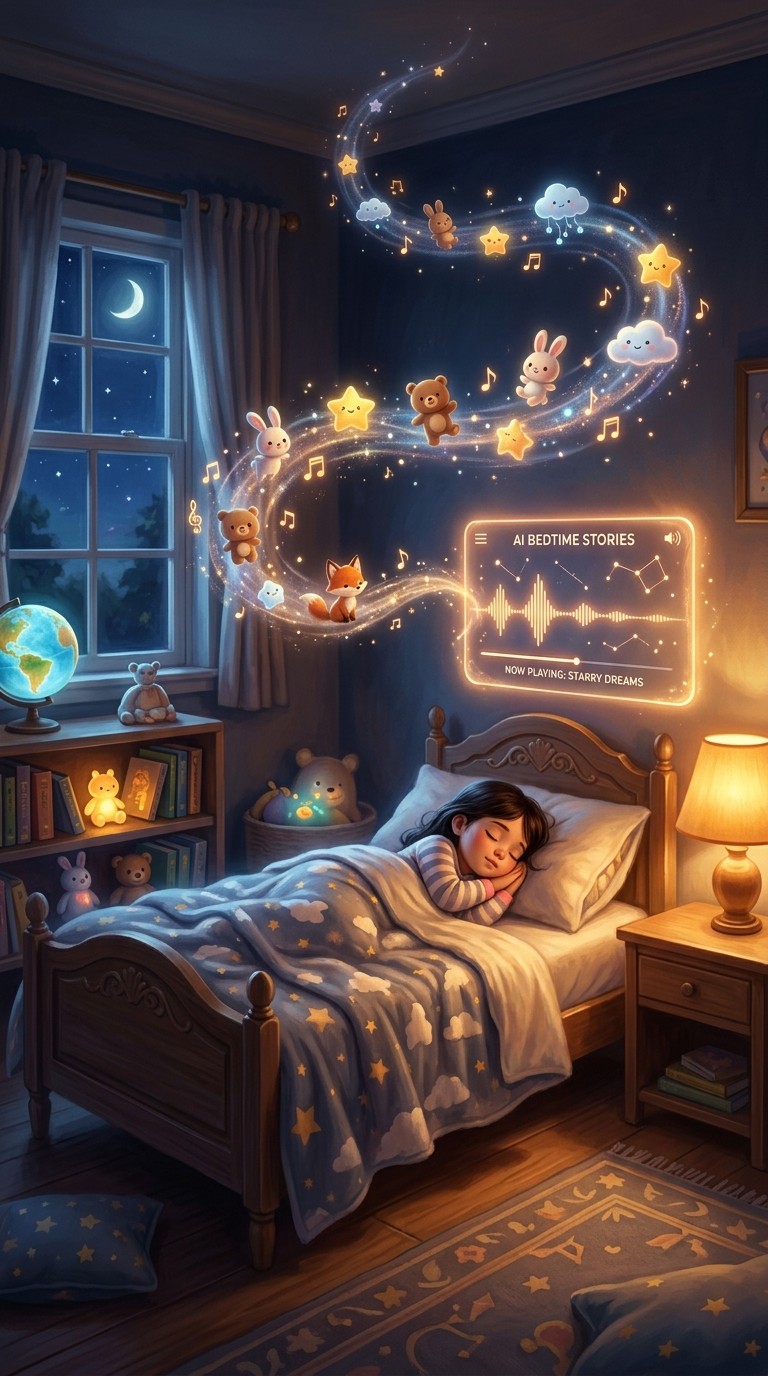
A two-minute animated lullaby, a sleepy bunny drifting through a moonlit meadow while a gentle piano melody plays underneath, used to require a production studio. Today it takes an afternoon and two AI tools. Suno turns a short text prompt into an original children's lullaby track, and the Atlabs Music Video workflow turns that track into a fully animated visual story matched to the song's detected mood, tempo, and genre. The result is exactly the kind of warm, atmospheric bedtime content that kids ask for again and parents are genuinely happy to put on.
Why Bedtime Story Rhyme Videos Are Worth Making
Children's rhyme and lullaby content is one of the most durably watched categories online. Channels built around animated bedtime songs accumulate enormous view counts on the back of repeat plays: a child who finds a video they like will request it nightly for weeks. For parents, teachers, and kids content creators, that kind of engagement is the goal, but the production barrier has historically been steep. Professional animation costs thousands of dollars per minute of finished video. Even simpler DIY approaches assume illustration skills, audio recording setups, and editing experience that most independent creators do not have.
AI has made the economics completely different. The creative inputs that matter now are a short rhyme idea and a visual mood in mind. The technical production, music composition, visual storytelling, scene generation, all of it, happens through a workflow that runs in the browser. For kids content creators, the implication is clear: original, distinctive content with a consistent visual identity is now producible on a weekly schedule without hiring anyone.
The specific opportunity with bedtime content is that it rewards atmosphere over spectacle. Slow tempos, warm colours, and gentle character movement are aesthetically well-suited to what AI video generation does well. You are working with the tool's strengths rather than against them.
The Atlabs Music Video Workflow
The Music Video workflow on Atlabs is a four-step pipeline built to turn any audio track into a styled, character-driven video. You upload the track first. Atlabs then auto-detects the BPM, mood, and genre, and surfaces those readings so you can confirm or adjust them. The workflow then takes you through visual style selection, a Creative Direction step where you choose from six AI-generated scene concepts matched to the track, and a final Cast step where you name and describe the characters who appear.
For bedtime rhyme content, this workflow is the right fit because the music is the primary creative object. The animation is built around the track, not the other way around. That means Atlabs is reading the lullaby you produced in Suno and building a visual story that matches its pacing and feel, rather than you having to manually sync visuals to audio.
Step-by-Step: From Rhyme Idea to Finished Video
Step 1: Write the Rhyme and Generate the Music with Suno
Write your rhyme, or prompt an AI to generate one for you, then take it straight into Suno to create the lullaby track. In Suno, describe the style you want: "gentle children's lullaby, acoustic guitar, soft piano, slow tempo, warm and dreamy, no spoken words." If you have a written rhyme, paste the lyrics into Suno's custom mode so the melody is built around your text. Export as MP3. That file is the input for everything that follows.
Step 2: Upload Your Track in the Music Video Workflow
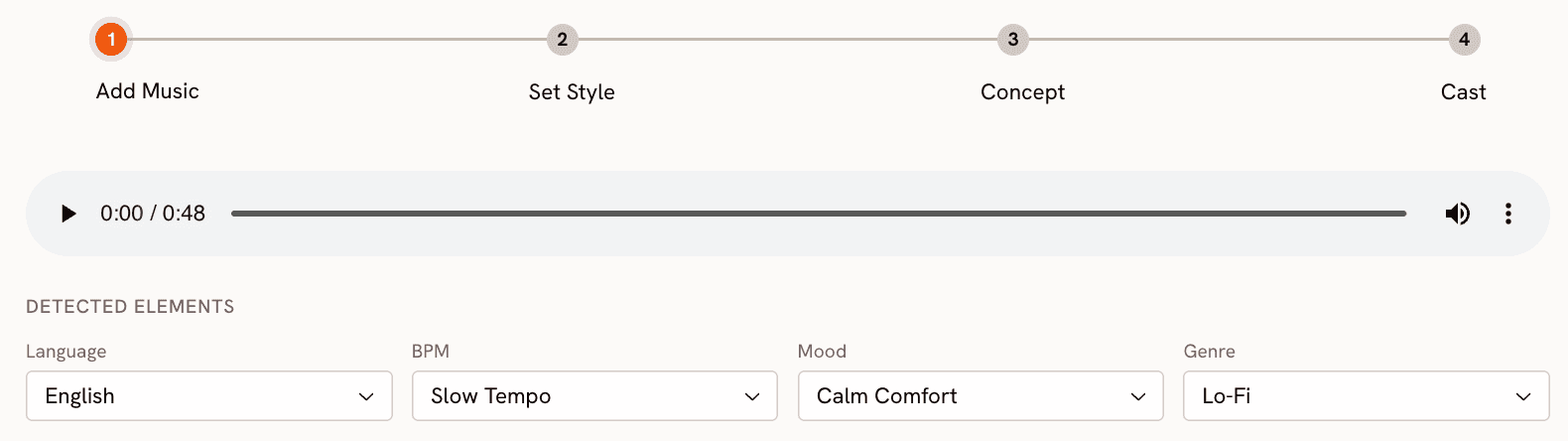
Open the Music Video workflow on Atlabs and upload the MP3 you created in Suno. Atlabs reads the track automatically and surfaces its detected Language, BPM, Mood, and Genre settings. For a lullaby, you should see Slow Tempo for BPM and Reflective Calm or Dreamy as the Mood reading. These auto-detected values inform the scene concepts Atlabs will generate later, so it is worth confirming they are accurate before moving on. If the mood reading is off, adjust it manually using the dropdown.
Step 3: Set the Visual Style
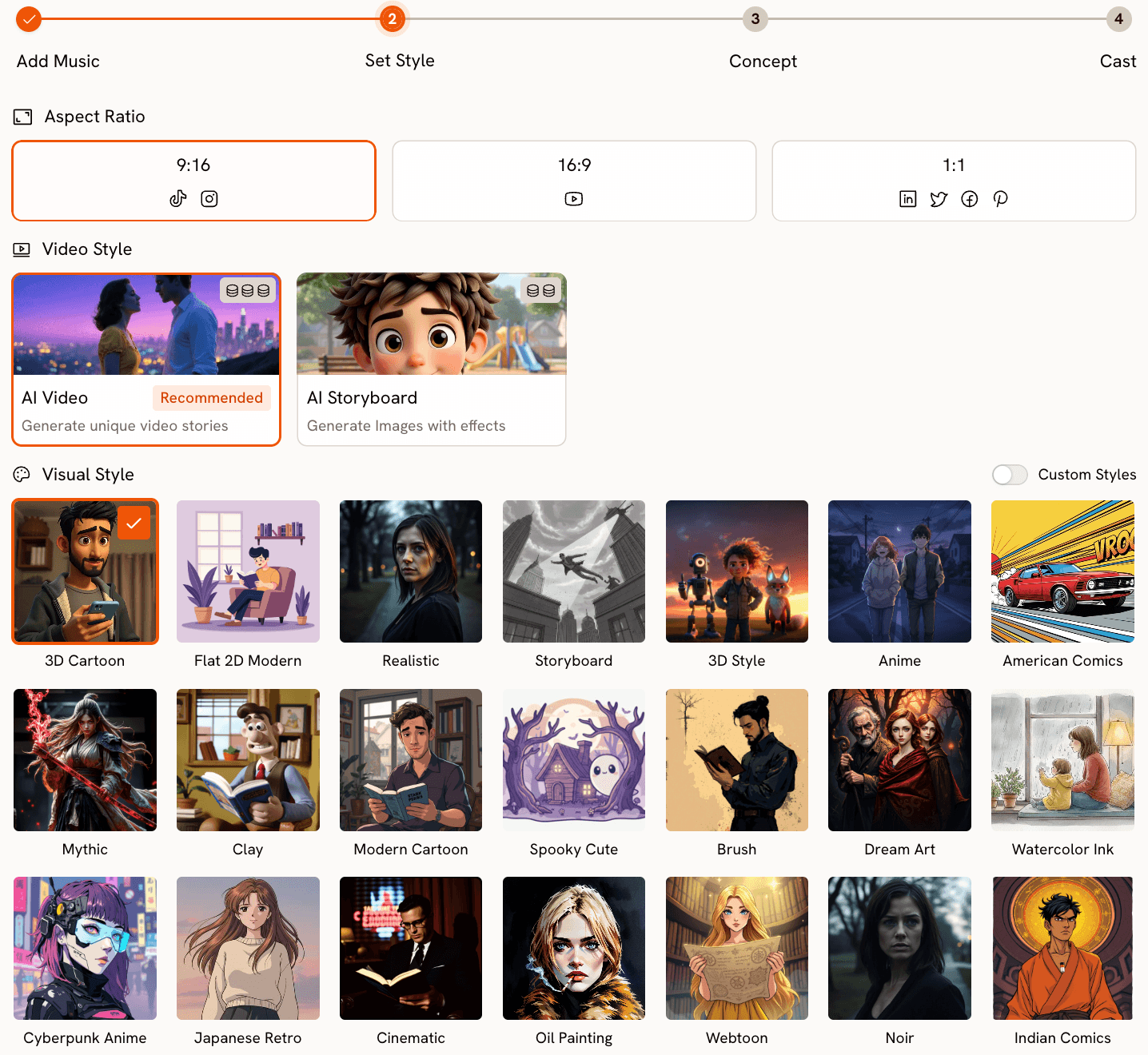
In Step 2 (Set Style) of the workflow, choose your Aspect Ratio and Visual Style. For bedtime content heading to YouTube or a parent's phone, 16:9 and 9:16 are the two most useful aspect ratios respectively. Set Video Style to AI Video (the recommended option) for fully generated animation rather than image effects. The Visual Style library is extensive, and for kids bedtime content, Storybook, Watercolor Ink, Dream Art, and Animation are the strongest starting points. Storybook produces output that reads closest to classic illustrated children's books. Watercolor Ink gives a softer, hand-painted quality that suits lullabies particularly well.
You are not locked into the first style you test. Generate one short scene in two different styles, Storybook and Watercolor Ink for example, and compare them before committing to the full video. The aesthetic difference between styles is significant and worth five minutes of testing before running the full generation.
Step 4: Choose Your Creative Direction
Step 3 of the Music Video workflow is where the visual story takes shape. Atlabs generates six scene concepts automatically, each with a title, a description, and mood tags drawn from the track's detected tempo, mood, and genre. For a Dreamy lullaby at Slow Tempo, you might see concepts titled along the lines of "Quiet Winter Window" with tags like Still, Tender, Wistful. Read through all six before selecting, because the range of concepts Atlabs generates often includes options that fit the rhyme's specific imagery better than the first one listed.
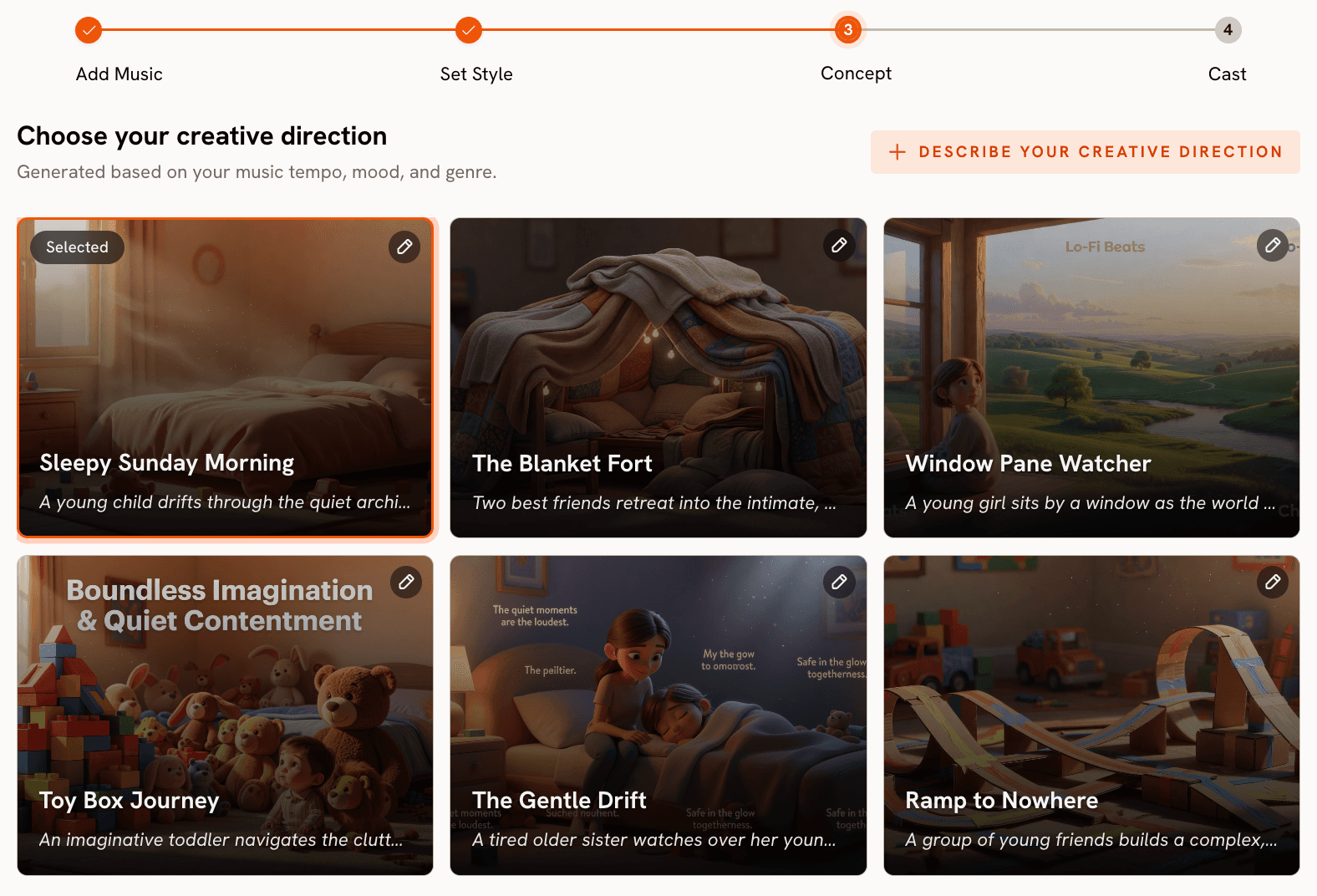
If none of the six concepts match the story you had in mind, click "Describe your Creative Direction" to write a fully custom concept. This opens a field where you provide a title, description, mood tags, and an Enhance toggle. For a bedtime rhyme about a sleepy bunny, a custom Creative Direction might read: "A moonlit meadow where a small golden bunny drifts slowly toward a glowing treehouse. Fireflies and falling leaves frame each shot. The final scene settles on the bunny asleep beneath a star-covered blanket." Writing a specific, scene-grounded direction consistently produces stronger output than a vague mood description.
Try the full workflow now on Atlabs Music Video.
Step 5: Finalise the Cast
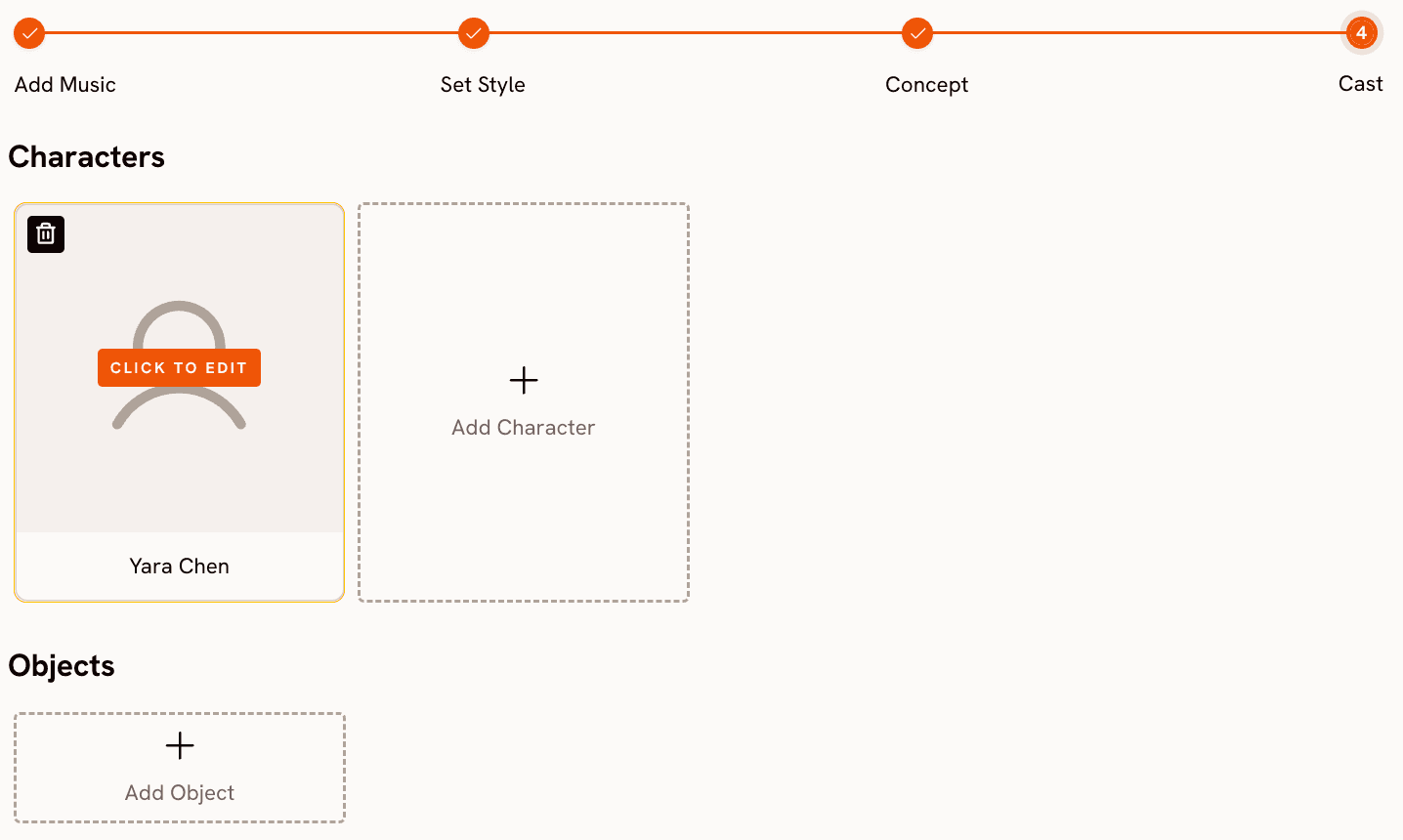
Step 4 (Finalise Cast) is where you name and briefly describe the characters who appear in the video. For a bedtime rhyme, this might be as simple as one character: "Mochi, a small golden bunny with large sleepy eyes." Multiple characters are supported if the rhyme involves more than one figure. Clear character descriptions here improve visual consistency across the generated scenes, particularly for close-up and medium shots where character detail is visible.
Why the Music Video Workflow Works for Kids Content
The central advantage of the Music Video workflow for bedtime content is that the music is the creative anchor. The visual story is generated around the track, which means the mood, pacing, and atmosphere of the lullaby you created in Suno directly shapes what Atlabs builds. A Slow Tempo track with a Dreamy mood reading produces gentle, unhurried animation. You are not manually trying to match visuals to audio. The system does that work from the track properties upward.
The Visual Style library gives you precise aesthetic control without requiring any artistic skill. Storybook, Watercolor Ink, and Dream Art each produce distinctively different output within the same workflow. Storybook reads as warm and illustrated, close to the picture-book aesthetic that works for the youngest audiences. Watercolor Ink is softer and more painterly, which suits lullabies with a reflective or nostalgic tone. Dream Art sits between the two, slightly more ethereal and abstract, which works well for rhymes set in fantastical locations. You can test each style against the same scene prompt and pick the result that fits your rhyme.
The six auto-generated Creative Direction concepts in Step 3 are genuinely useful because they are drawn from the track's mood and genre data rather than from a generic template. For a children's lullaby, the concepts Atlabs generates tend toward the quiet and atmospheric rather than energetic. That match between what the system infers from the music and what bedtime content actually needs is one of the more practical alignments in the workflow. The option to write a fully custom Creative Direction is there for creators who have a specific story they want to tell, and the Enhance toggle in that field improves the coherence of the generated scene descriptions.
Custom Creative Direction Prompts for Bedtime Rhyme Videos
The prompts below are written for the Custom Creative Direction field in Step 3 of the Music Video workflow. Each one is paired with a suggested Visual Style. Use these as starting points and adjust the character, setting, and imagery to match your specific rhyme.
A moonlit meadow where a small golden bunny drifts slowly toward a glowing treehouse nestled in an old oak. Fireflies trace lazy arcs around the bunny's path. The final shot rests on the bunny curled up inside the treehouse as the moon rises fully. Mood: tender, dreamy. Suggested Visual Style: Storybook. Try this prompt in Atlabs Music Video |
A small brown bear cub in striped pyjamas walking through a pine forest lit by hanging paper lanterns, each lantern glowing warmer as the music slows. The forest settles completely still in the final shot, the cub asleep at the base of the largest tree. Mood: nostalgic, cosy. Suggested Visual Style: Watercolor Ink. Try this prompt in Atlabs Music Video |
A tiny cloud shaped like a lamb drifts across a pale lavender sky, trailing soft snowflakes that settle gently over a sleeping village below. The pace slows with the music until the cloud comes to rest above a single lit window. Mood: dreamy, mysterious. Suggested Visual Style: Dream Art. Try this prompt in Atlabs Music Video |
A young owl perched on a branch above a sleeping forest. Stars appear one by one across a deep navy sky in time with the melody. The owl's eyes grow heavier with each verse until they close completely. Final shot: the forest in total stillness under a full moon. Mood: reflective calm. Suggested Visual Style: Storybook. Try this prompt in Atlabs Music Video |
A small boat drifts down a calm river through a moonlit jungle. Curious animals peer from the banks, each appearing for one musical phrase before retreating to sleep. The boat eventually docks at a tiny island where a child is already asleep on a pile of soft leaves. Mood: dreamy, uplifting. Suggested Visual Style: Animation. Try this prompt in Atlabs Music Video |
A flower meadow at twilight, petals closing one by one as the lullaby progresses. A small ladybug settles into a hammock made from a dewdrop. Warm amber light gradually gives way to cool silver moonlight. The final frame holds on a single open flower with a firefly resting inside. Mood: reflective calm, tender. Suggested Visual Style: Watercolor Ink. Try this prompt in Atlabs Music Video |
Pro Tips for Stronger Output
Accurate mood detection makes a meaningful difference to the Creative Direction concepts Atlabs auto-generates. After uploading your track, check the detected Mood setting in Step 1 (Add Music) before proceeding. If the lullaby you made in Suno reads as Melancholic rather than Dreamy, changing it to Dreamy produces scene concepts that feel more appropriate for young children. The auto-detection is accurate most of the time, but a quick check takes ten seconds and avoids a mismatch between your intent and the generated concepts.
Write your Custom Creative Direction as a sequence of three shots rather than a general mood description. Specify an opening scene, a middle scene, and a final image. Atlabs builds more coherent video when the Creative Direction has a clear visual arc baked into it. "A forest at dusk, a path lit by lanterns, a sleeping cub at the base of a tree" gives the system a beginning, middle, and end to work with, and the output reflects that structure.
Name your character in the Cast step before generating, even if the character description is brief. "Luna, a small silver fox with large amber eyes" is enough. Including the character name in your Creative Direction text as well, using the same name you entered in the Cast step, improves character visual consistency across shots in the finished video.
Frequently Asked Questions
Does the Music Video workflow work with any audio format, or only MP3?
The workflow accepts uploaded audio tracks. MP3 is the most reliable format and what Suno exports by default, so if you are using Suno as your music source, exporting as MP3 and uploading directly is the cleanest path. For other formats, convert to MP3 before uploading to avoid any compatibility issues.
Can I create a series of bedtime rhyme videos with consistent characters?
Yes, and the Cast step is the key tool for this. Use identical character descriptions across every video in the series: the same name, the same physical description, the same visual cues. Repeating the character name within the Custom Creative Direction text as well reinforces consistency. While AI generation does not guarantee perfect character continuity across separate video sessions, a precise and repeated description is the most reliable way to get close.
How long does it take to go from a rhyme idea to a finished video?
On a first attempt covering the full workflow, roughly two to three hours: writing or generating the rhyme, creating the lullaby in Suno, uploading and configuring the Music Video workflow on Atlabs, reviewing Creative Direction concepts, and reviewing the generated output. Once you have a tested character description and a preferred Visual Style saved, subsequent videos in the same series take closer to one hour. The generation step itself runs in the background and does not require your attention while it processes.
What aspect ratio works best for kids bedtime content?
16:9 suits YouTube and TV screen viewing, which is the most common context for bedtime screen time. 9:16 suits Instagram Reels and TikTok if you are distributing on social platforms. If you are building a YouTube channel as the primary destination, 16:9 is the better default. Both are available in Step 2 (Set Style) of the Music Video workflow.
Final Verdict
Bedtime story rhyme videos are among the most rewatchable content in kids media, and the production workflow to create them is now genuinely accessible. Suno handles the music composition, and the Atlabs Music Video workflow builds the animated visual story around the track, reading its mood, tempo, and genre to generate scene concepts that match the atmosphere you were going for. The Visual Style library, with options like Storybook, Watercolor Ink, and Dream Art, gives you the kind of warm illustrated aesthetic that young children respond to.
The four steps, uploading the track, setting the visual style, choosing a Creative Direction, and defining the cast, are designed to go from audio file to finished animated video without requiring any technical background. For creators who want to go further, the optional Lip Sync AI App adds narration sync for a read-along quality that works particularly well for rhyme content.
Start your first bedtime rhyme video on Atlabs and see what the Music Video workflow builds from your lullaby.








