
Bluey works because almost nothing happens. A dad, two kids, a living room, and seven minutes of a game that spirals into something quietly enormous. The animation itself is flat, bright, and economical. That combination is exactly why so many independent creators now try to build family cartoons in the same register, and exactly why most of them stall around episode two. The look is reachable with AI. The part that breaks is everything around it: the same character across forty shots, dialogue that lands on the right mouth, and an episode that feels written rather than generated. Here are the five tools worth your time in 2026, and what each one actually solves.
Why Bluey Style Family Cartoons Are Hard to Make with AI
The visual style is the easy part. Flat 2D shapes, saturated colour blocking, thick outlines, soft shadows. Most current video models produce that on the first prompt. What falls apart is continuity. Generate a six second clip of a cartoon dog in a kitchen, then generate the next shot from the hallway, and you get a different dog. Slightly different snout, different collar, different proportions. Across a seven minute episode that drift is the difference between a series and a folder of clips.
The second problem is dialogue. Family cartoons are conversation engines. Two characters in a room, talking, reacting, interrupting. Clip generators are built for motion and spectacle, not for a four line exchange where the timing carries the joke. Most creators end up generating silent footage and then rebuilding the entire audio layer in a separate editor, which is where the weekend disappears.
The third problem is structure. An episode needs a cold open, a game, an escalation, and a soft landing. Prompting shot by shot forces you to hold that structure in your head while also fighting the model. The tools that work are the ones that take a script as input and hand back a sequence, rather than the ones that take a sentence and hand back a clip.
Quick Comparison
Tool | Best For | Key Advantage for Bluey Style Work | Tradeoffs |
|---|---|---|---|
Atlabs AI | Full episodes from a screenplay, with dialogue and captions | Screenplay to sequence workflow, a cast you define once, plus Lip Sync and Caption Video in the same place | Newer platform, so fewer third party tutorials than the older tools |
Runway | Shot level control and reference driven consistency | References for repeatable characters and locations, Act Two for performance capture | You assemble the episode yourself, and credits burn fast on long runs |
Kling | Motion quality and physical believability | Elements accepts up to four reference images, plus native multilingual lip sync | Tuned for realism rather than flat 2D, and roughly two minutes per five second clip |
Canva | Character sheets, title cards and final assembly | Dream Lab illustration, Magic Animate, brand kits and a multi track editor with 4K export | Video generation is locked to one model with an eight second ceiling |
Higgsfield | Cinematic camera language across many models | 70 plus camera presets and access to Kling, Veo and Seedance in one subscription | Outputs are standalone clips with no script, narration or assembly layer |
1. Atlabs AI
Atlabs is a multi model AI video platform, which means the same workflow can route to Kling 3.0, Google Veo 3.1, Seedance 2.0, Hailuo 2.3 or Wan 2.6 depending on the look you want. For family cartoons the more useful half of the platform is the Featured Workflows: multi step flows that take a script and return a sequence, rather than single clips you stitch together later.
Three of those workflows carry most of the load for a Bluey style series. Script to Video handles the episode. The Animated Video workflow handles character driven animated scenes from a prompt. Lip Sync handles the dialogue pass. Caption Video handles the vertical cutdowns you post between episodes.
Step by Step: Building an Episode
Step 1. Write the episode as a screenplay. Open Script to Video from Workflows on the Atlabs dashboard. The Script step offers two input modes. "Add your script" takes free form text and includes an AI Script Writer button and a Suggested Scripts panel with three generated starting points. For episodic work, use "Add your screenplay" instead. When Atlabs detects screenplay formatting it surfaces a "Screenplay Detected" prompt and opens the structured view.
That view is where family cartoons get their spine. The left panel shows the AI analysed Narrator Voice with a Country Accent and a named voice style, along with the Locations and Actors it pulled from your pages. The right panel breaks the episode into scenes, each carrying a Location Type of Exterior or Interior, a Location, and a Time of Day. Inside each scene you get individual SHOT descriptions and DIALOGUE blocks, where every line is attached to a character name and a delivery tone. You can add or remove shots and dialogue per scene, which is how you fix pacing before a single frame is generated.
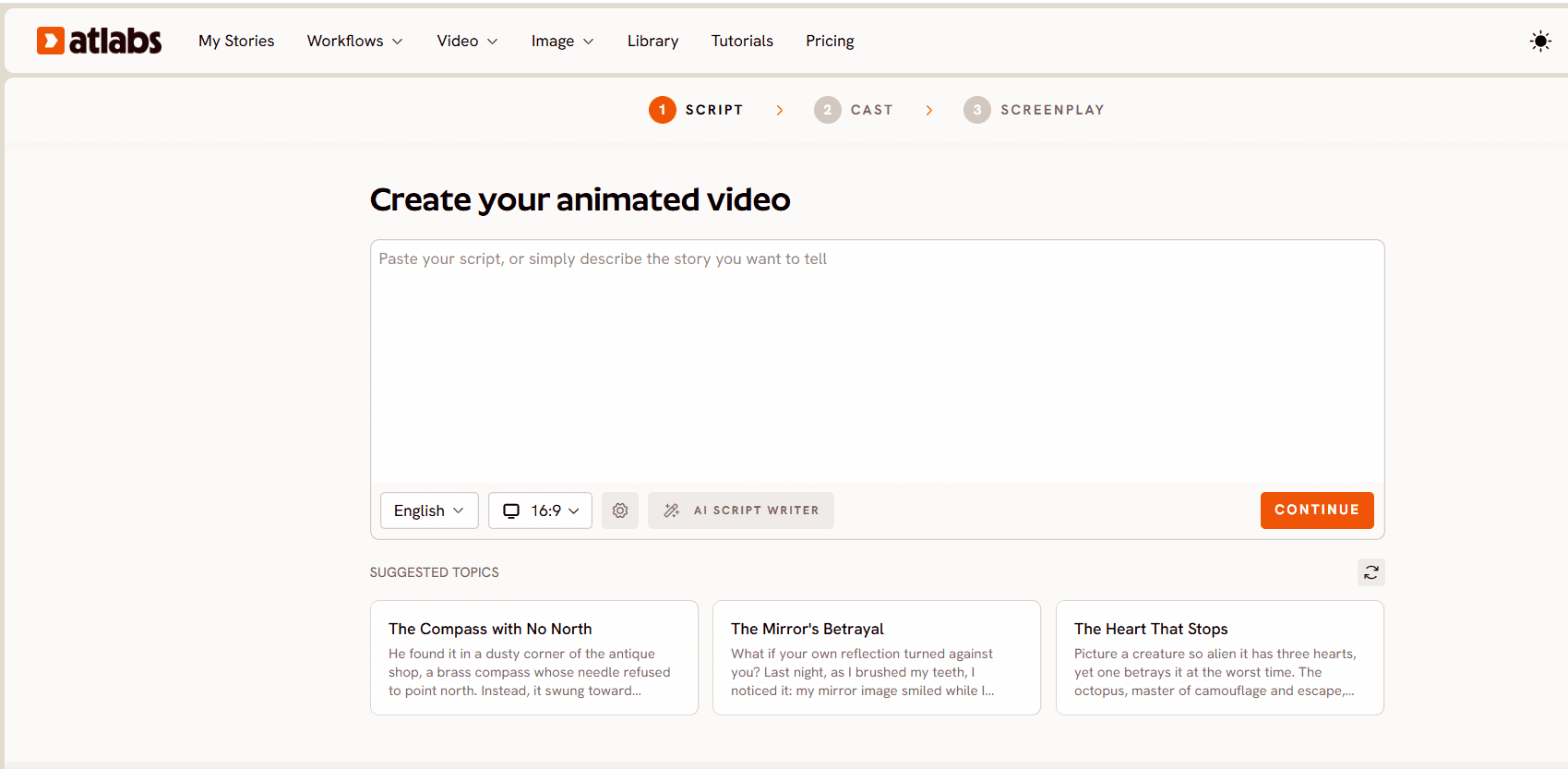
Step 2. Set the style. In Set Style, choose 16:9 for a YouTube episode or 9:16 if you are cutting for Shorts. Video Style offers AI Video (Recommended), AI Storyboard, and Upload if you are bringing your own media. For the Bluey register, the Visual Style library is where the aesthetic is decided. Flat 2D Modern is the closest match to the bold, outlined, block colour look. Modern Cartoon sits slightly rounder and softer. Storybook works if you want a gentler picture book texture for bedtime episodes, and 3D Cartoon is there if you would rather go the Pixar shorts direction.
Step 3. Finalize the cast. This step is the answer to the character drift problem. Set the Country Accent and Narrator Voice, then work through the characters extracted from your script. Each one has a "Click to Edit" control where you define the character properly, and "Add Character" covers anyone the parser missed. Because the cast is defined once at the workflow level rather than re-described in every prompt, the same mum, dad and two kids carry across every scene in the episode.
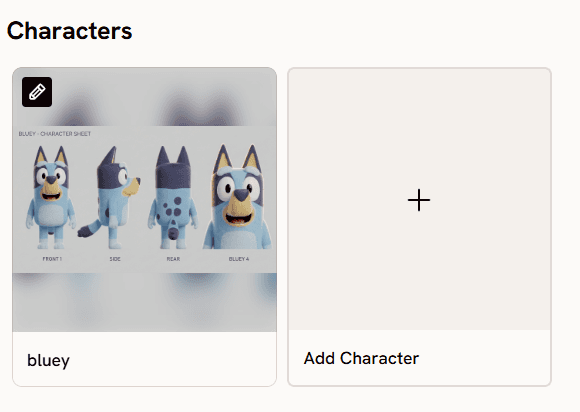
Step 4. Generate scene by scene. For stylized character work with a lot of dialogue and close ups, Seedance 2.0 is the model to lean on. For the higher motion beats, the chase through the garden, the pillow fort collapse, Hailuo 2.3 handles fluid movement better. Kling 3.0 is the pick when a shot needs weight and smooth camera movement rather than stylization. Being able to route different scenes of the same episode through different models is the practical advantage of a multi model platform.
Ready to try it?
Step 5. Design characters before you write, if you prefer. Some creators work backwards from a character sheet. The Create Image app on Atlabs uses Google's Nano Banana model and is the fastest way to lock a look before you commit to an episode. Generate the family in Flat 2D Modern, front and three quarter views, then keep those references beside you as you define the cast.
Step 6. Fix the dialogue with Lip Sync. Family cartoons live or die on delivery. Lip Sync takes a character image up to 20MB or a video up to 200MB, plus an audio file between two seconds and 120 seconds, and synchronises mouth movement to the performance. The interface walks it in three steps: upload an image, add an audio file, then select a model and generate. If you have a voice actor, or you recorded the dad's lines yourself at the kitchen table, this is where that performance gets attached to the character.
Step 7. Cut it for social. Caption Video, available as an AI App from the dashboard, adds styled captions to the thirty second moments you pull out of each episode. Family content travels well in vertical, and captions carry it in sound off feeds.
Why Atlabs Works Well for This
The workflow is built around a script rather than a shot. That single design decision removes the two failure modes described at the top of this article, because the cast is defined once and the scene structure comes from your screenplay rather than from your memory of what you prompted twenty clips ago.
Model routing is the second reason. A Bluey style episode is not visually uniform. Quiet dialogue scenes, one loud chase, a soft closing shot. Seedance 2.0, Hailuo 2.3 and Kling 3.0 each handle one of those better than the others, and switching between them is a selection rather than a new subscription.
The third reason is that the supporting passes live in the same place. Lip Sync and Caption Video are workflows on the same platform, not a second and third tool with their own export cycles.
When Should You Choose Atlabs?
Choose Atlabs when the output you want is an episode. If you are writing scenes with named characters and dialogue, and you need the same family to appear across a season, the screenplay driven workflow is the fit. If what you want is a single striking six second clip for a mood board, a shot level tool will get you there faster.
2. Runway
Runway remains the strongest tool for creators who think in shots. Gen 4.5 is its flagship for text and image to video, Gen 4 Turbo covers cheap iteration, and Aleph 2.0 edits existing footage up to thirty seconds with a preview before you spend credits. For cartoon work the feature that matters is References, which lets you carry a consistent character and reusable locations across separate generations. Layout Sketch adds compositional control by letting you draw over a blank canvas or an existing image, and Act Two brings head, face, body and hand tracking for performance driven characters, which is unusually useful for expressive family animation.
Where it falls short for series production is assembly. Runway gives you excellent shots and leaves the episode to you, so the script, the voice, the timing and the edit all happen elsewhere. Credit consumption on long, high resolution runs is a real constraint, and the model roster shifts, with Veo 3 sunset in August 2026 and the API lineup differing from the app. Best for creators with an editing pipeline who want maximum control over each individual shot.
3. Kling
Kling 3.0, released in February 2026 on a unified multimodal architecture, is the current benchmark for motion physics. Fabric moves like fabric, hair moves like hair, and liquids pour without the flickering that gives away lesser models. The Elements feature accepts up to four reference images and has meaningfully improved character consistency, and native multilingual lip sync across English, Spanish, Japanese and Chinese in a single pass is rare. Motion Brush plus automatic motion extraction from a reference video is a combination few competitors offer.
The catch for family cartoon creators is that all of that strength is pointed at realism. Kling's reputation is built on photoreal human subjects and physical believability, not flat 2D stylization, so you spend more prompt effort holding the cartoon look. Native clips top out at fifteen seconds, extension chains cost extra credits, generation takes around two minutes per five second clip, and failed generations still consume credits. Best for creators whose cartoon leans semi realistic, or who need one physically complex sequence to look right.
4. Canva
Canva is the odd one out on this list, and that is exactly why it belongs. It is not competing to generate your episode. It is the design layer around it, and family cartoon creators spend more time there than they expect. Dream Lab generates four image options per prompt in illustration and watercolour styles with commercial licensing, which makes it a practical way to build a character sheet and a colour key before you animate anything. Magic Animate adds motion to static designs with pre-built animation styles in one click, which covers title cards, lower thirds and the little interstitials a series needs between scenes. Magic Expand reframes a landscape key art into a portrait thumbnail. The video editor now handles multi track editing, auto generated captions from audio, a library of 50,000 plus background music tracks, and 4K export, so the assembly and packaging of an episode can finish in one place. Brand kits keep your palette and typography identical across a season of thumbnails.
For generation itself the limits are real. Canva AI Video runs on Google's Veo 3 and produces eight second clips with synchronised audio, or six seconds silent, and Magic Media video returns four second silent clips from an older in house model. You are locked to a single model, so you cannot test the same prompt through Kling or Seedance to see which holds your flat 2D look better. There is no motion brush or keyframing, only prompt based camera direction, and anything past eight seconds needs visible stitching. Character animation has no native support and pushes you to third party integrations with their own credits. Best used alongside a generation platform rather than instead of one: build your characters and package your episodes in Canva, animate them elsewhere.
5. Higgsfield
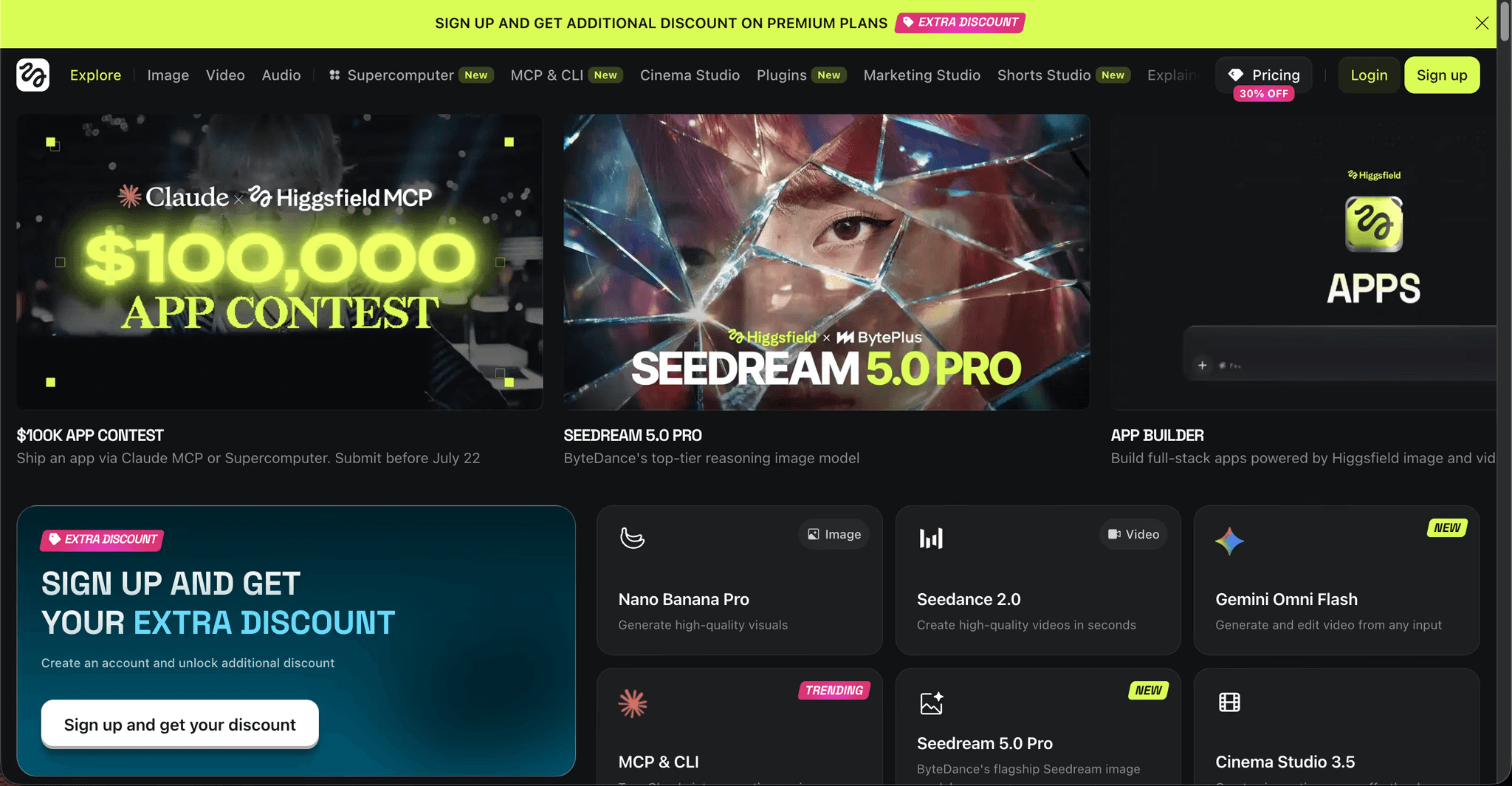
Higgsfield is an aggregator, bundling fifteen or more models including Kling 3.0, Sora 2, Veo 3.1 and Seedance 2.0 under one subscription. Its distinguishing feature is camera language: over seventy presets including Bullet Time, Crash Zoom and 360 Rotation, which give you directorial vocabulary without prompt engineering. UGC Builder produces talking head content and Marketing Studio turns a product URL into an ad, so the platform is well built for brand and commerce work.
For a family cartoon series the gap is the same one Runway has, and slightly wider. Higgsfield does not produce complete narrated videos, so there is no script generation, voiceover, caption or automated assembly layer, and each output is a standalone clip that needs an external edit. Premium model usage runs forty to seventy credits per clip, which adds up quickly across an episode. Best for creators who want cinematic camera moves on individual hero shots.
How to Choose
Start from the unit of work you are actually producing. If the unit is an episode with named characters and dialogue, pick the tool that accepts a screenplay and returns a sequence, because everything else becomes an assembly job you will do by hand. If the unit is a single shot inside a pipeline you already own, Runway gives you the most control per frame.
Then ask how stylized your show is. A flat, bold, Bluey adjacent look is a stylization problem, so a platform where you can select Flat 2D Modern and route dialogue scenes through Seedance 2.0 will hold the aesthetic more reliably than a model tuned for photoreal motion. If your show sits closer to semi realistic, Kling's physics advantage starts to matter more than its realism bias costs you.
Finally, count the tools you would need to finish one episode. If the answer is a generator, a voice tool, a lip sync tool, a caption tool and an editor, that stack is where most series die. Reducing that count is worth more than a marginal quality difference on any single clip.
Pro Tips for Series Consistency
Lock your cast before you write your second episode. Define each character once in Finalize Cast, keep a Create Image character sheet open beside you, and describe characters in shot prompts by role rather than by appearance. Repeating a full physical description in every prompt invites the model to reinterpret it.
Write scenes with fewer, longer shots than you think you need. Family cartoons hold on faces. A single forty second scene built from four shots reads more like broadcast animation than twelve fast cuts, and it gives you fewer opportunities for drift.
Record your dialogue before you generate the picture. If you have real voice performances, run them through Lip Sync rather than accepting generated delivery, because the timing of a joke is almost always a performance decision rather than a prompt decision.
Frequently Asked Questions
Can I make a cartoon that looks exactly like Bluey? No, and you should not try. Bluey's characters, names and designs are protected property. What you can do is work in the same visual register, flat 2D, bold outlines, saturated colour, domestic settings, with your own original characters and world. Every tool on this list is built for original creation.
How long does one episode take? For a five to seven minute episode with a written script, most creators working in a screenplay driven workflow land somewhere in a single working day for a first pass, with the dialogue and caption passes adding a few hours. Shot level tools take considerably longer because assembly is manual.
Which model should I use for flat 2D character animation? Seedance 2.0 is the strongest for stylized character work and dialogue close ups. Hailuo 2.3 handles high motion sequences with more fluidity. Kling 3.0 is the pick when a shot needs weight and smooth camera movement. Being able to switch between them per scene is the practical reason to work on a multi model platform.
How do I keep the same characters across a whole season? Define them once at the workflow level rather than in individual prompts. In Atlabs that means the Finalize Cast step, where characters extracted from your script can be edited and added to. Supplement it with a fixed character sheet generated in Create Image so you have a visual reference to check drift against.
Can I monetise a cartoon series made with AI? Generally yes for original characters and stories, though platform policies on AI generated content differ and change, so check the current rules for wherever you are publishing. Original writing and original character design strengthen your position considerably.
Final Verdict
Runway gives you the most control per shot, Kling gives you the strongest motion physics, Canva gives you the design layer that surrounds a series, and Higgsfield gives you camera language across a wide model roster. Each is a strong tool for a specific job. But a Bluey style family cartoon is not a shot problem, it is a series problem: the same four characters, in the same house, across dozens of scenes, talking. That is a workflow question before it is a model question.
Atlabs is built around that shape, taking a screenplay in and handing back a cast, a scene structure, and a sequence, with Lip Sync and Caption Video waiting in the same place for the passes that follow. If you have an episode written, or even one scene, that is the fastest way to see it moving.









