InVideo has earned a solid reputation as a general-purpose video creation platform. For marketers building product promos or quick explainer clips, it delivers reliably. For music videos, though, it runs into a specific ceiling fairly fast. The tool was designed around stock footage libraries, template overlays, and text animations. When a musician or creator needs a video that actually matches the emotional weight of their track — the tempo, the mood, the genre, the visual tone — the template-first approach starts to feel like the wrong instrument for the job. This guide covers five tools that handle music video creation more completely, with Atlabs AI leading the list for creators who want a full, music-reactive workflow from upload to final export.
Issue with InVideo
The frustration tends to arrive at roughly the same moment for most creators: you upload a track, browse the template library, and realise that none of the options feel like they were built with your song in mind. InVideo templates are well-made for general video content, but they do not adapt to music. The BPM of your track, the mood of the chord progression, the genre conventions that a viewer will immediately recognise - none of that information flows into the output. You end up with a video that looks like a music video in the same way a stock photo of a concert looks like a concert.
A second pain point is the visual material itself. InVideo draws heavily on stock footage and image libraries. For music videos specifically, that means recognisable clips that audiences have seen in dozens of other videos. The goal of a music video is to make a track feel singular and specific. Stock footage works directly against that goal. Creators who want original, AI-generated visuals that have never appeared anywhere before need a different class of tool.
Creative direction is a third gap. InVideo hands you a blank canvas after template selection. There is no system that analyses your track and generates scene concepts, no AI that translates a melancholic Folk track into a specific visual narrative, no shortlist of moods and imagery to react to. That conceptual lift falls entirely on the creator. For professional music producers and independent artists who are already managing recording, mixing, distribution, and marketing, that is a significant ask.
Finally, InVideo's free tier adds a watermark to every export. For creators testing the tool before committing to a subscription, that means every early experiment is commercially unusable. Combined with limited artistic visual styles (the tool skews toward realistic and corporate aesthetics rather than the cinematic, anime, oil painting, or noir styles that music video content demands), these gaps collectively push music-focused creators to look elsewhere.
Quick Comparison: 5 InVideo Alternatives for Music Videos
Tool | Best For | Key Advantage Over InVideo | Tradeoffs |
Atlabs AI | Full music video workflow with AI-generated visuals | Music-reactive 4-step workflow: auto-detects BPM, mood, genre; 28+ visual styles; 6 AI scene concepts and custom creative directions | Newer platform; still building integrations |
Freebeat | Full-length song videos with editable shot-by-shot storyboards | Up to 6-min videos; full song structure analysis (verse/chorus/bridge); 70+ AI effects; beat-grid sync | Less emphasis on custom cast definition; visual style range narrower than Atlabs |
VidMuse | Narrative music videos with consistent custom characters | Custom character upload with costumes and props; built-in music generation; Spotify Canvas support | Interface learning curve for full narrative control; credits system on paid tiers |
Higgsfield | Professional-grade cinematic music videos with multi-model access | Access to Seedance 2.0, Kling 3.0, Veo 3.1, Sora 2 and more in one workspace; used by major artists | Premium pricing; no music-reactive workflow; audio analysis not built in |
Medeo | Fast mobile-friendly music-to-video for social platforms | Generates full video in seconds; beat/tempo sync; one-click export for TikTok, YouTube Shorts, Reels | Less creative control; more automated than customizable; thinner visual style range |
1. Atlabs AI - The Music-Reactive Video Studio
Atlabs is the only tool on this list built specifically around music as the primary input. Every other platform treats music as an optional audio layer you add after the video is made. Atlabs inverts that logic: the track comes in first, the AI reads it, and every subsequent creative decision flows from what the music is actually doing.
Step 1: Add Music and Let the AI Read the Track
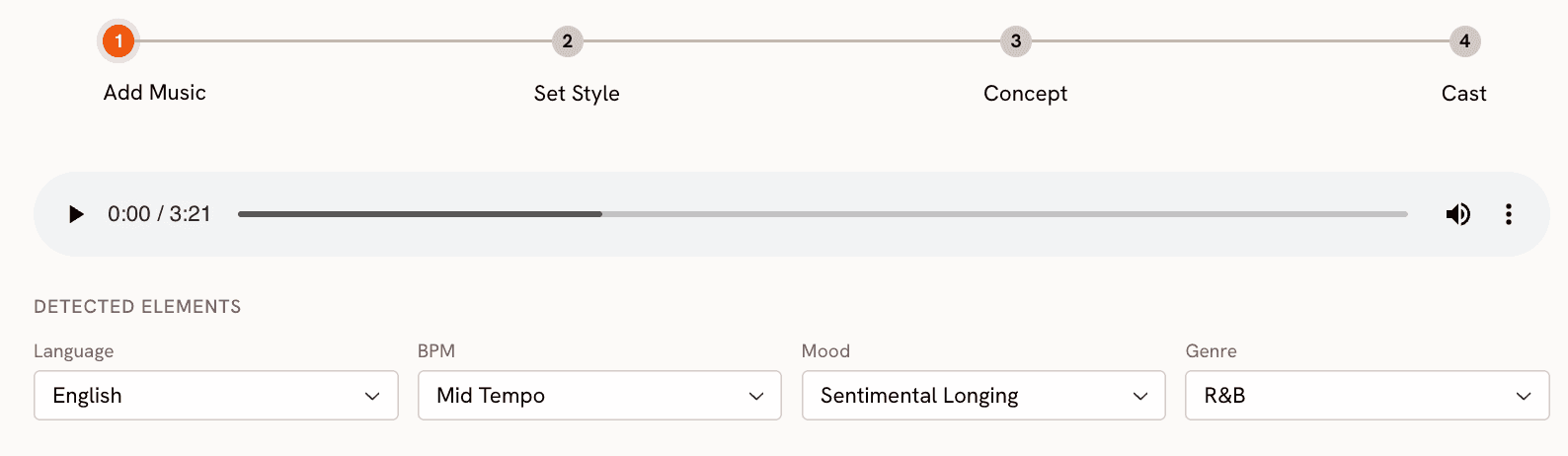
You start at app.atlabs.ai/new-music by uploading your audio file. Atlabs then automatically detects and lets you adjust three core properties: BPM (Slow Tempo, Mid Tempo, Fast Tempo, Very Fast Tempo), Mood (13 options including Reflective Calm, Party Energy, Melancholic, Uplifting, Euphoric, Mysterious, and Aggressive), and Genre (16 options spanning Ambient, Hip Hop, Pop, Rock, Electronic, R&B, Jazz, Classical, Reggaeton, Afrobeats, Latin, and more). Language detection is also included for vocals across 20 languages. This read of the track is what makes every downstream step feel specific to your music rather than generic.
Step 2: Set Visual Style and Format
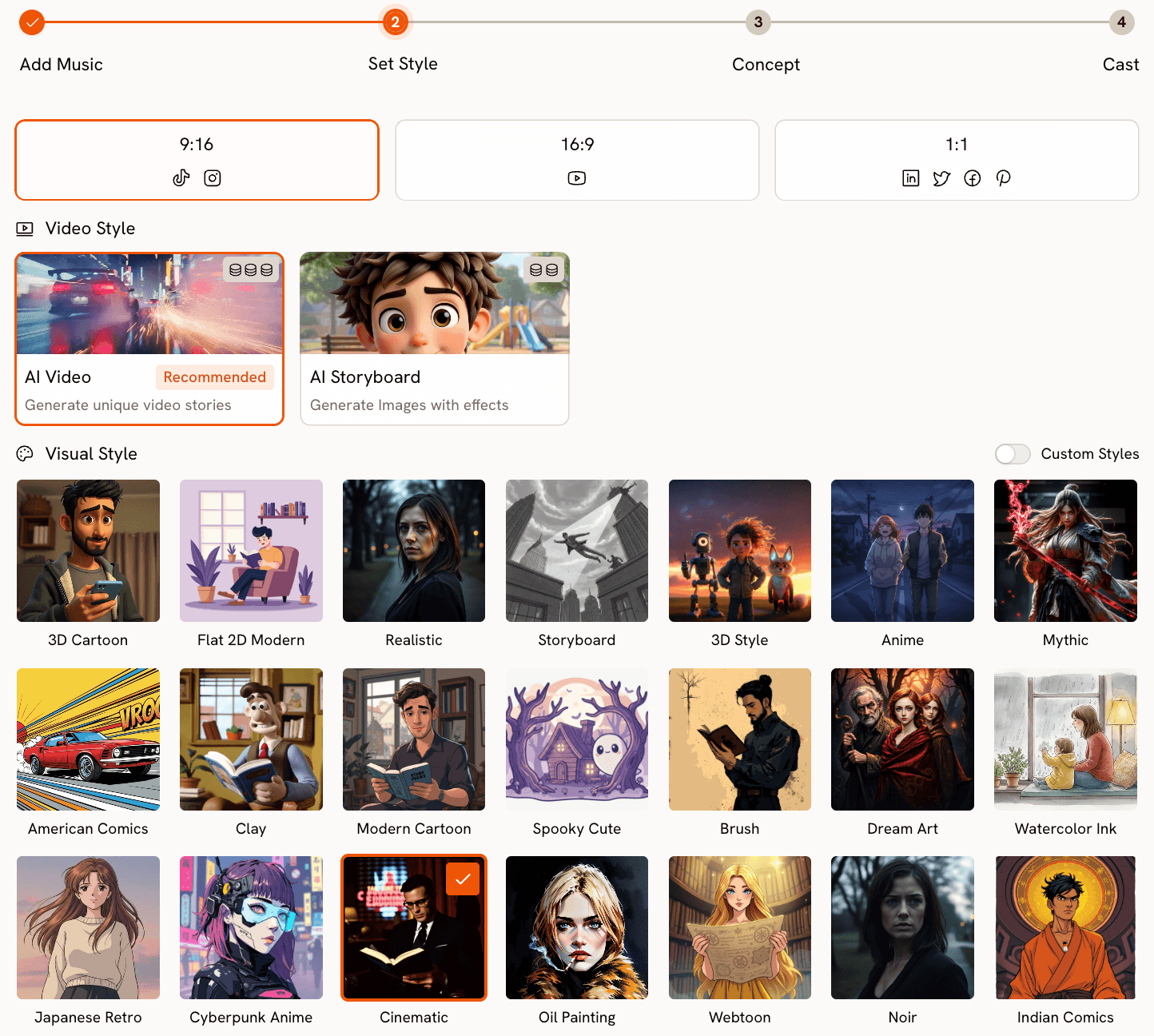
With the track read, Step 2 lets you define the visual format. Aspect ratio options cover all the major platforms: 9:16 for TikTok and Instagram Stories, 16:9 for YouTube, and 1:1 for LinkedIn, Twitter, Facebook, and Pinterest. Video Style gives you a choice between AI Video (the recommended option, which generates unique video stories with original visuals) and AI Storyboard (which produces a series of images with cinematic effects applied).
The Visual Style library is where Atlabs goes significantly further than anything InVideo offers. 28 distinct styles are available: 3D Cartoon, Flat 2D Modern, Realistic, Storyboard, Anime, Mythic, American Comics, Clay, Modern Cartoon, Spooky Cute, Brush, Dream Art, Watercolor Ink, Japanese Retro, Cyberpunk Anime, Cinematic, Oil Painting, Webtoon, Noir, Indian Comics, Vintage Cinema, Animation, Ink, Line Art, Storybook, Semi-Realism, and Fantasy Horror. For music video creators, this range matters enormously. A lo-fi hip hop track and a metal track are calling for fundamentally different visual languages, and both are covered.
Step 3: Creative Direction (Generated from Your Track)
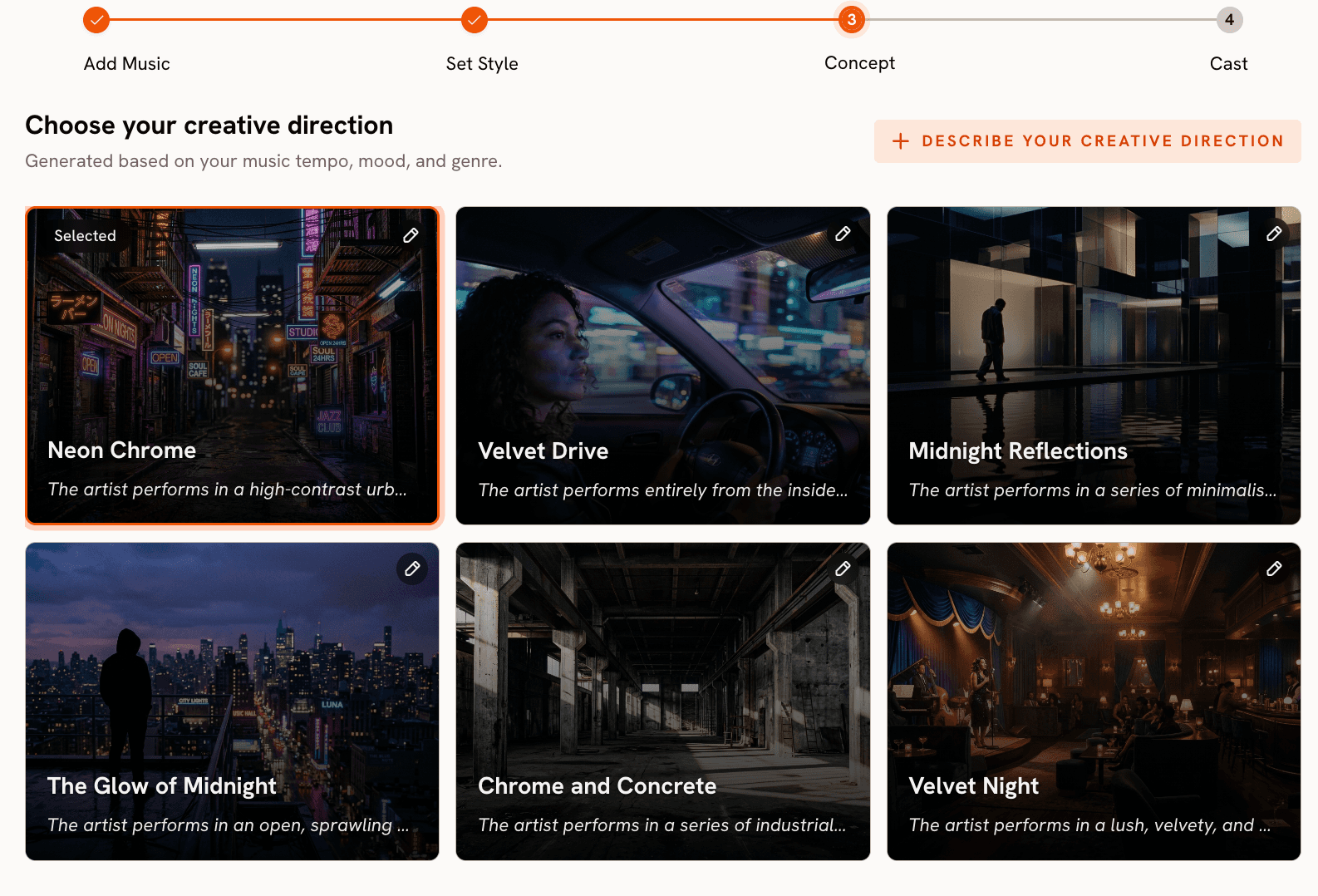
This is the step that has no equivalent in InVideo. After the tool reads your track's tempo, mood, and genre, it generates 6 distinct scene concepts automatically. Each concept includes a title, a full description, and mood tags. A melancholic folk track might surface concepts like "Quiet Winter Window (Still, Tender, Wistful)" while a high-energy electronic track generates something like "Fractured Grid (Kinetic, Electric, Relentless)". You select the concept that fits, or click "Describe your Creative Direction" to write a fully custom concept with your own title, description, tags, moods, and an Enhance toggle that lets the AI develop the brief further. This step transforms the music video creation process from blank-canvas guesswork into a curated creative decision.
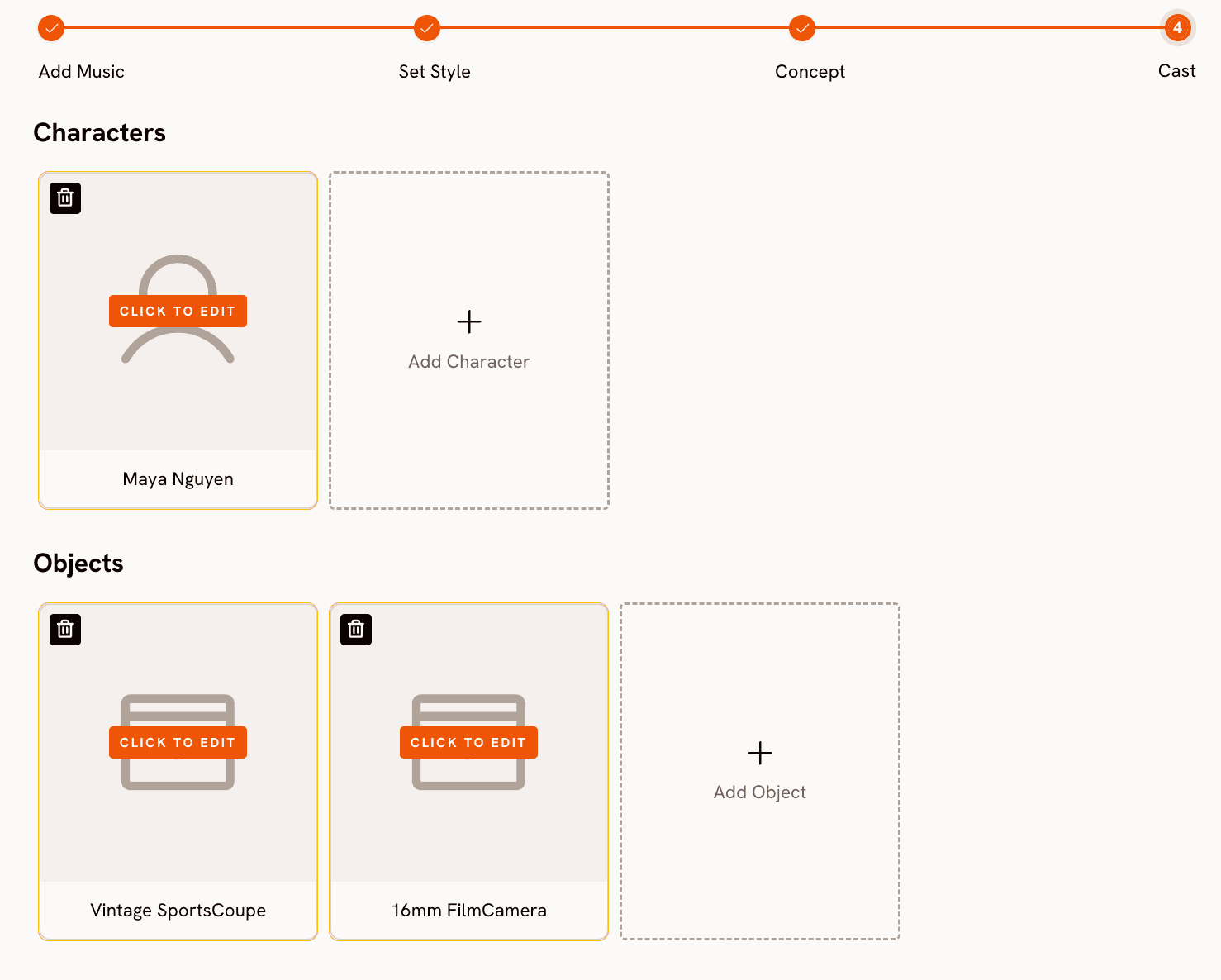
Step 4: Finalise Cast
The final step is character definition. You name and describe any characters who appear in the video, with multiple characters supported and each fully editable. This step integrates the human element into the AI generation without requiring complex prompt engineering.
Motion Control and Lip Sync: Extending the Workflow
Beyond the core music video workflow, Atlabs provides two additional tools that music video creators use to extend and refine their output. Motion Control transfers movement from a reference video onto a character image. Upload a 3 to 30 second reference clip containing the motion you want, upload a character image, and the AI applies that motion to your character. This is useful for adding choreography or performance movement to a character without filming it yourself.
Lip Sync synchronises lip movements to any audio file. Upload a character image (up to 20MB) or video (up to 200MB), upload 2 to 120 seconds of audio, and the tool generates lip-synced output. For artists who want their AI character to deliver lyrics, this closes a gap that most AI video tools leave open.
When Should You Choose Atlabs?
Atlabs is the right choice when your primary asset is the audio track and everything else should follow from it. If you are a musician, producer, or music marketer who wants a video that feels made for that specific song rather than assembled from generic stock, the music-reactive workflow gives you a structural advantage that no template library can replicate. The 28 visual styles, 6 auto-generated scene concepts, and the Motion Control and Lip Sync extensions make it a complete studio rather than a single-step generator.
Ready to make a music video that starts with your track? Try Atlabs AI free
2. Freebeat - Full Song Length, Editable Storyboards
Freebeat is built specifically for music video creators and solves one of the most persistent problems in AI video generation: output length. While most tools produce clips of a few seconds to a minute, Freebeat supports videos up to 6 minutes long, making it one of the few platforms capable of generating a complete music video from a full-length track in a single session. The platform achieves this through structural audio analysis: rather than reading just BPM, it parses the entire song architecture, identifying verse, chorus, bridge, and drop sections, then builds a complete shot-by-shot storyboard before rendering a single frame.
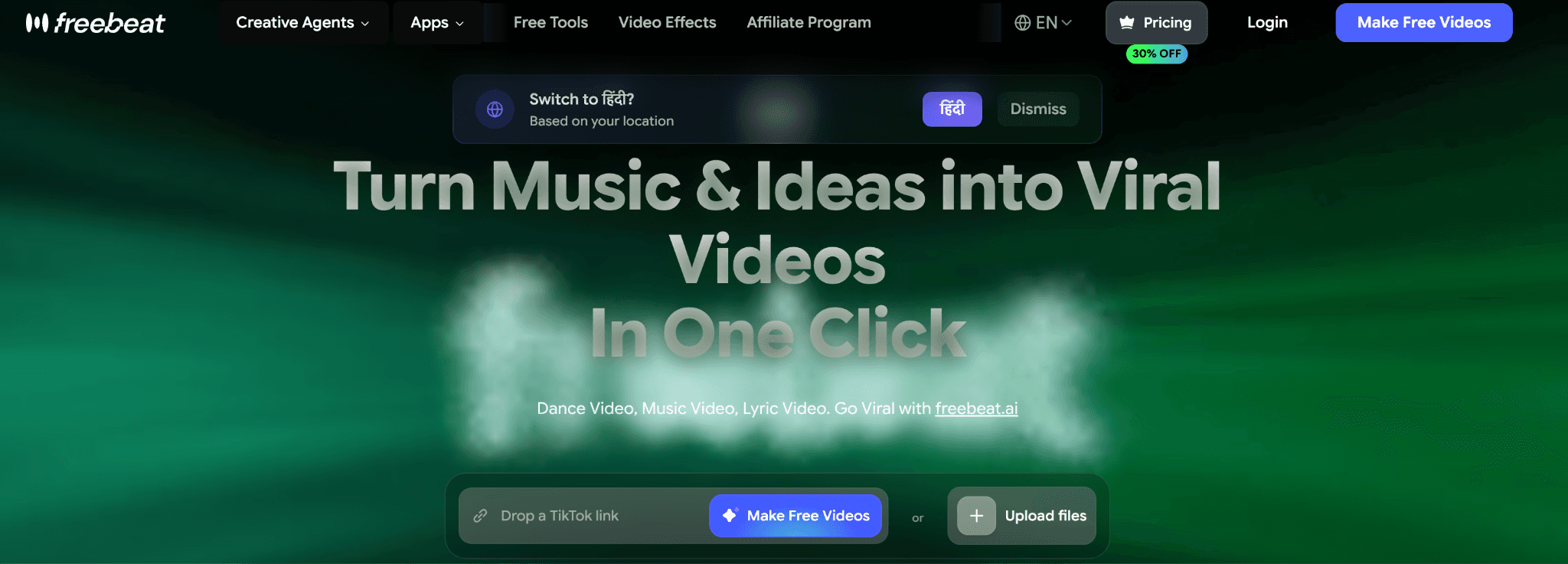
The storyboard is editable. Each shot can have its prompt adjusted individually, its style changed, and its placement modified within the A-roll, B-roll, and C-roll structure the platform generates. This gives creators a meaningful degree of narrative control without requiring traditional video editing skills. Beat-grid synchronisation means visual cuts land on the actual downbeats rather than at arbitrary intervals, and the effects library runs to over 70 options. The platform also accepts audio sourced from Spotify, YouTube, SoundCloud, Suno, and Udio, which removes format friction for artists working across multiple production tools.
Where Freebeat differs from Atlabs is in the creative direction layer. Freebeat does not generate a curated shortlist of scene concepts tied to your track's mood and genre for you to choose from. You work from your own prompt input within each shot, which gives flexibility but requires more creative lift from the user upfront. The cast definition system is also lighter. For creators who know exactly what they want shot by shot, that is not a limitation. For creators who want the AI to bring a concept to the table first, Atlabs' Creative Direction step fills a gap that Freebeat does not address.
Best for: Musicians and producers who need a complete, full-length music video from a single session and want granular control over individual shots within an editable storyboard.
3. VidMuse - Narrative Videos with Consistent Characters
VidMuse positions itself as an AI agent for music video storytelling. The platform goes beyond visual generation to handle the narrative architecture of a video: it analyses the song's structure, emotional arc, and rhythm, then plans story beats, shot divisions, camera movement, and editing rhythm. The result is a video designed to feel like it has a coherent story rather than a sequence of visually unrelated AI clips. For artists whose music has a clear narrative - a journey, a relationship arc, a transformation - VidMuse's story-planning layer gives that narrative a structural foundation in the video output.
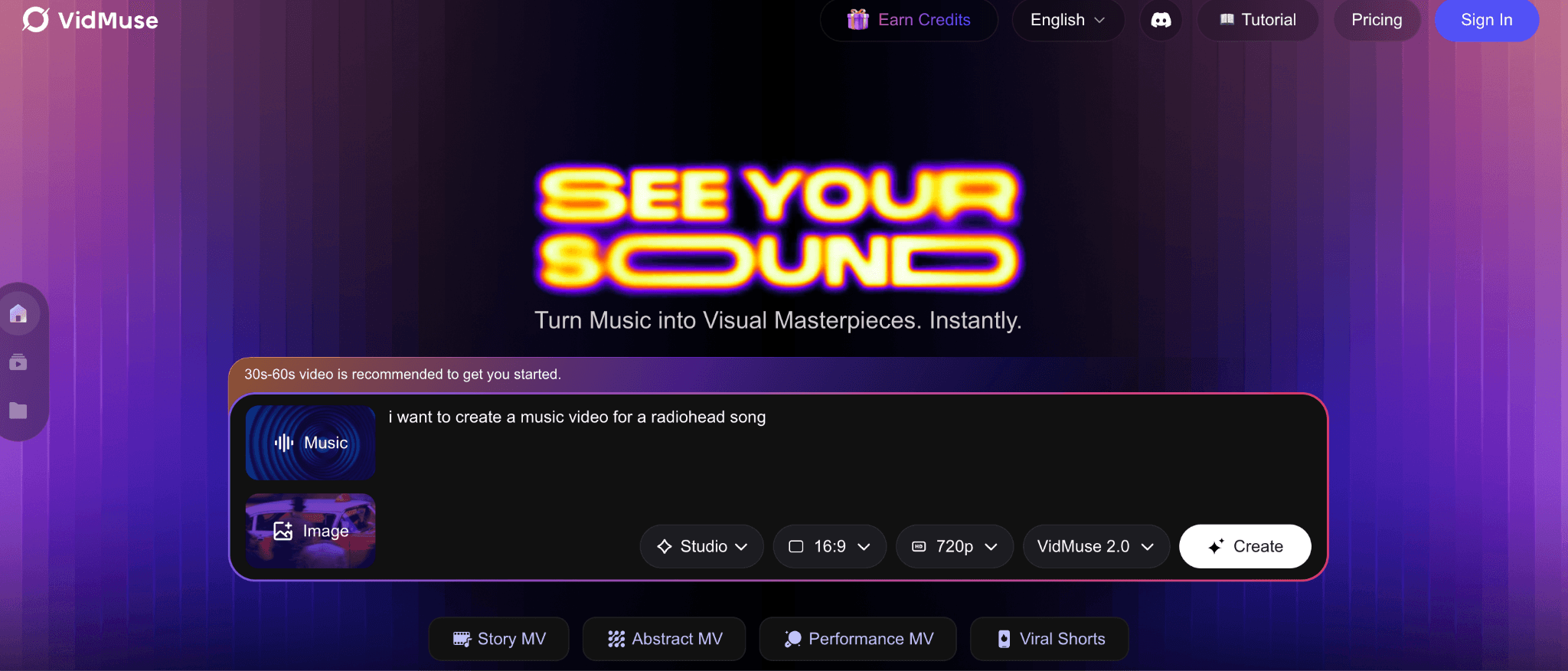
Character consistency is a particular strength. You can upload images of specific people - singers, lead actors, supporting cast - and define their costumes and props within the platform. VidMuse maintains character appearance across scenes, which solves the consistency problem that plagues most AI video tools when you need the same person to appear in multiple shots. The platform also has integrated music generation, meaning you can compose a track inside VidMuse and move directly into video production without leaving the platform. Spotify Canvas support allows creators to produce the short looping visuals that appear behind tracks in the Spotify player, which is a specific format most tools do not address.
VidMuse's depth comes with a learning curve. Getting the most out of the narrative planning, character definition, and shot control requires time spent understanding how the system works. The credits model on paid tiers also means that extended experimentation carries a cost. For creators who prioritise visual narrative consistency and character fidelity over speed, the investment is justified. For creators who want a music-reactive workflow that handles creative direction automatically from the track's detected mood and genre, Atlabs' approach arrives at a usable output more directly.
Best for: Artists and directors whose music has a clear story arc and who need a specific character to appear consistently across scenes, including Spotify Canvas and short-form narrative content.
4. Higgsfield - Professional Multi-Model Studio
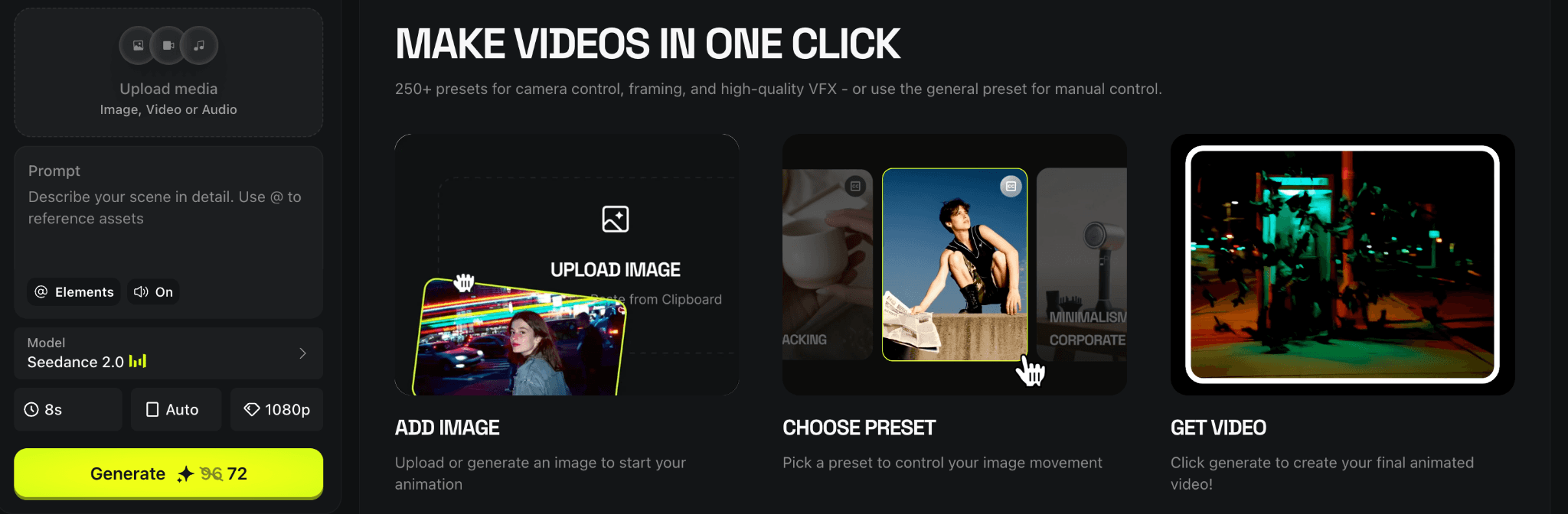
Higgsfield has built a platform that gives creative professionals access to multiple leading AI video models in a single workspace. At any given time the platform offers generation through Seedance 2.0, Kling 3.0, Veo 3.1, Wan 2.7, and Sora 2, among others. The practical implication is that a music video director can compare outputs from different models within the same session and select the generation that best fits the visual requirements of a given scene. This multi-model access is rare in the market and is a meaningful practical advantage for professionals who have developed preferences for specific models across specific visual styles.
Higgsfield has also attracted serious creative talent. Snoop Dogg, Madonna, and Will Smith are among the artists documented using the platform. The company raised a Series A at a $1.3 billion valuation in early 2026, which reflects both the ambition of the product and the professional-grade positioning it has established. The platform explicitly targets music video directors, commercial filmmakers, and social media storytellers, and the feature depth reflects that orientation. For independent artists working without a production team, that same depth can make Higgsfield feel overspecified for the use case.
The limitation most relevant to music video creators is that Higgsfield does not analyse audio as a primary input. There is no track-reactive workflow, no BPM or mood detection, and no creative concept generation from the music itself. You bring the visual concept fully formed and use Higgsfield's model selection and generation quality to execute it. This makes the platform a strong fit for directors who have already developed a concept and want the best available generation quality. For musicians who need the AI to help develop the visual direction from the audio, Atlabs' four-step workflow remains more structurally suited.
Best for: Professional music video directors and commercial filmmakers who have a fully developed visual concept, a production budget, and want access to the best available AI video models in one workspace.
5. Medeo - Fast Social-First Music Video Generation
Medeo is the speed tool in this comparison. The platform is designed around the premise that a creator should be able to go from audio file to a shareable music video in seconds, and it delivers on that premise reliably. The AI analyses the rhythm, frequency, and mood of your track and assembles a video with transitions timed to the beat structure. Captions and visuals synchronise automatically to lyrics and rhythm, AI-generated animations and dynamic effects are applied, and the output is exported in dimensions optimised for TikTok, YouTube Shorts, and Instagram Reels without a separate conversion step.
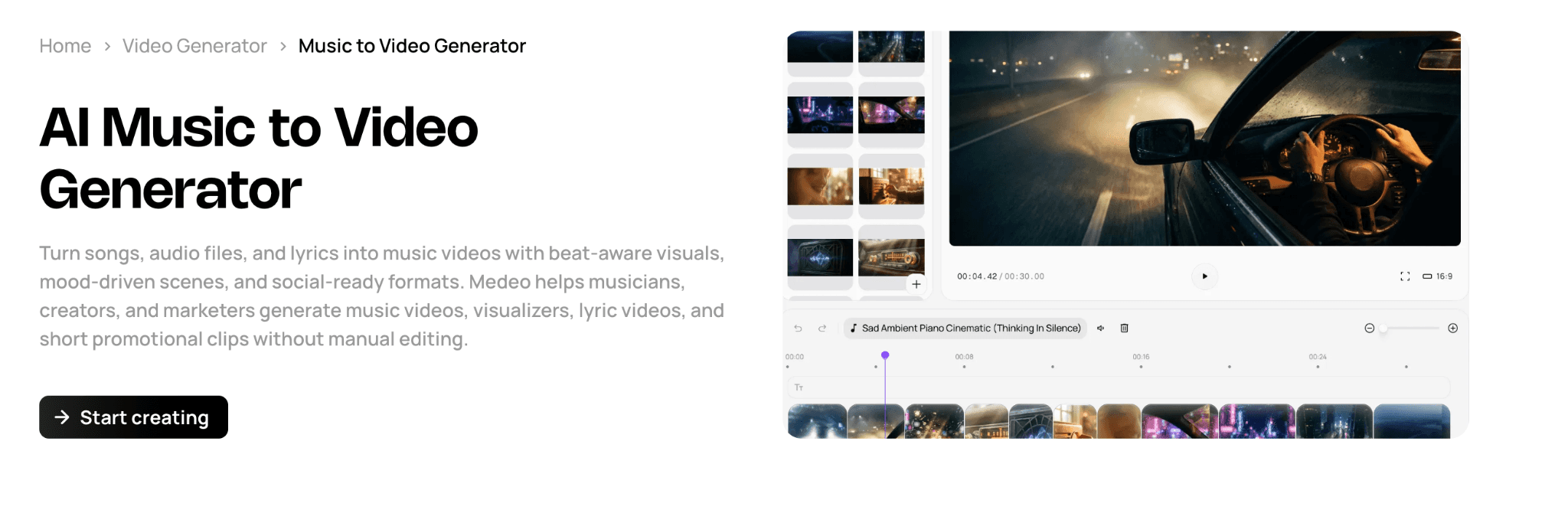
The mobile app makes Medeo one of the most accessible tools on this list for creators who work primarily from a phone. For an independent artist who releases music regularly and needs a visual asset for each release without investing hours of production time, Medeo removes most of the friction from that process. The free plan and speed of generation also make it a practical tool for testing visual treatments before committing to a more involved production workflow.
The tradeoff is creative depth. Medeo optimises for speed and automation over control and visual specificity. The aesthetic themes available are broader categories (lo-fi chill, high-energy electronic) rather than the 28 distinct named visual styles Atlabs provides. There is no equivalent of Atlabs' Creative Direction step, no cast definition, and no scene concept generation. For a creator who wants a specific cinematic visual language tied precisely to their track's mood, Medeo's automated assembly will feel too generic. For a creator who needs a clean, beat-synced social video quickly and consistently, it is a genuinely practical tool.
Best for: Independent artists who release music regularly and need fast, beat-synced social video assets for TikTok, YouTube Shorts, and Instagram Reels without a lengthy production process.
How to Choose the Right Tool for Your Music Video
The most useful frame for this decision is what you are starting with and how much creative direction you want the AI to provide. If you are starting with a track and want the AI to read the music and generate a visual concept from it, Atlabs is the most complete starting point: BPM, mood, and genre detection flow directly into scene concept generation and visual style selection. That connection between audio and visual output is structural, not cosmetic.
If you need a full song-length video and want to control the storyboard shot by shot, Freebeat's structural audio analysis and editable storyboard make it the strongest option for longer-form output. If your music tells a specific story and you need a named character to appear consistently across scenes, VidMuse's character upload and narrative planning tools address that directly. If you have a professional production budget and a fully developed visual concept, Higgsfield's multi-model access gives you the highest generation quality ceiling available. And if you release music regularly and need fast, platform-ready social assets without a lengthy production session, Medeo removes most of the friction from that workflow.
For independent musicians, producers, and music marketers who need a complete video from a track alone, with original AI-generated visuals, an art direction system, 28 visual styles, and integrated Motion Control and Lip Sync tools, Atlabs provides the most complete end-to-end workflow in 2026.
Start your first music video with Atlabs — no footage required. Try Atlabs AI free
Custom Creative Directions to Try in Atlabs
These prompts are designed for the Atlabs Music Video workflow and the Motion Control tool. Each is specific enough to produce a strong result on first generation — copy, adjust to your track, and use directly in the Creative Direction step.
A solitary figure walks through a neon-lit rain-soaked city at midnight, each step landing on the downbeat. Street reflections ripple in slow motion. Camera pushes slowly forward through the fog. Mood: melancholic and cinematic. Visual style: Cyberpunk Anime. Color palette dominated by deep blues, electric purple, and amber streetlight spill.
Try this prompt in Atlabs Music Video
An ancient forest at golden hour, shafts of sunlight filtering through towering redwoods. A young woman with long braided hair dances barefoot on the mossy ground, her movements slow and fluid, in sync with the tempo. Camera circles her at mid-distance. Mood: Uplifting and Dreamy. Visual style: Watercolor Ink. Warm earth tones and soft greens throughout.
Try this prompt in Atlabs Music Video
A jazz musician plays upright bass alone on a dimly lit stage, spotlight from above casting long shadows. The camera cuts between close-ups of the strings, the musician's focused expression, and wide shots of the empty venue. Mood: Nostalgic and Mysterious. Visual style: Noir. Desaturated with deep blacks and single warm spotlight only.
Try this prompt in Atlabs Music Video
A character breaks through a crumbling concrete wall as explosive energy builds. Fragments of the wall hang mid-air in slow motion, revealing a vast electric sunset behind. Camera zooms out rapidly as the character raises their arms. Mood: Powerful and Euphoric. Visual style: American Comics. Thick outlines, bold primary colors, dynamic motion lines.
Try this prompt in Atlabs Music Video
Two dancers on opposite sides of a cracked mirror, their movements perfectly mirrored but in opposing visual worlds — one bright and sun-lit, one dark and shadowed. As the track builds, the mirror slowly dissolves. Camera stays locked, wide framing. Mood: Romantic and Melancholic. Visual style: Semi-Realism. Soft lighting transitions between warm and cool.
Try this prompt in Atlabs Music Video
Upload a reference clip of a contemporary dancer performing a slow arm-and-torso sequence. Apply that motion to a character image of a samurai warrior standing in a bamboo forest at dusk. Background: misty forest with soft backlight. Keep original audio on. The motion transfer should preserve the fluidity of the original choreography across the samurai character.
Try this prompt in Atlabs Motion Control
Frequently Asked Questions
Can I use Atlabs if I do not have any video editing experience?
Yes. Atlabs is designed as a complete workflow rather than an editing tool. You upload a track, work through four guided steps (Add Music, Set Style, Creative Direction, Finalise Cast), and the platform generates the video. No editing timeline, no clip assembly, and no technical background are required. The most creative decision you make is choosing a scene concept from the six that Atlabs generates.
What file formats does Atlabs accept for music upload?
Atlabs accepts standard audio file formats through the Music Video workflow at app.atlabs.ai/new-music. For the most current list of supported formats, check the upload interface directly. The platform auto-detects track properties after upload regardless of format.
Is InVideo completely unusable for music videos?
InVideo is not a bad tool — it is simply not built for music video creation as a primary use case. If you have existing footage and need to quickly add text overlays, transitions, and a music layer, InVideo can produce a serviceable result. The gap becomes clear when you want original AI-generated visuals that respond to the audio, multiple artistic visual styles, or an AI-assisted creative direction system. For those needs, a music-first tool is the better choice.
Can I use these tools for short-form content on TikTok or Instagram Reels as well?
Atlabs outputs 9:16 format natively for TikTok and Instagram, and the AI Video style is designed to produce content at that aspect ratio. Pika Labs and CapCut both support short-form content well. Kaiber's loop-based outputs also work naturally in short-form contexts. If short-form distribution is a priority, the 9:16 option in Atlabs' Step 2 (Set Style) and the Reframe tool for converting existing 16:9 content are both relevant.
How does the Lip Sync tool in Atlabs work for music videos?
The Lip Sync tool at app.atlabs.ai/lip-sync takes a character image (up to 20MB) or video (up to 200MB) and an audio file (2 to 120 seconds) as inputs. It then generates output where the character's lip movements are synchronised to the audio. For music videos where you want an AI character to appear to sing the vocals, this tool creates that result without requiring filmed performance footage. The three-step interface is: upload an image or video, add an audio file, select a model and generate.
Final Verdict
InVideo is a capable general video tool that was not designed for music video creation. The five alternatives above each solve a specific part of what InVideo leaves unaddressed. Freebeat handles full song-length output with structural storyboard control. VidMuse brings narrative coherence and consistent character identity across scenes. Higgsfield provides the highest generation quality available for directors with fully formed visual concepts. Medeo removes the friction for creators who need fast, beat-synced social assets regularly. Atlabs sits at the top of this list because it is the only platform where music is the first input rather than the last. The track-analysis system, 28 visual styles, auto-generated scene concepts, Motion Control, and Lip Sync tools together form a complete music video studio that requires no prior footage, no editing experience, and no separate post-production workflow.
If you are a musician or music marketer ready to make a video that actually sounds and looks like it was made for your track, the place to start is Atlabs AI.
Make your first AI music video today. No footage needed. Start free at Atlabs AI








