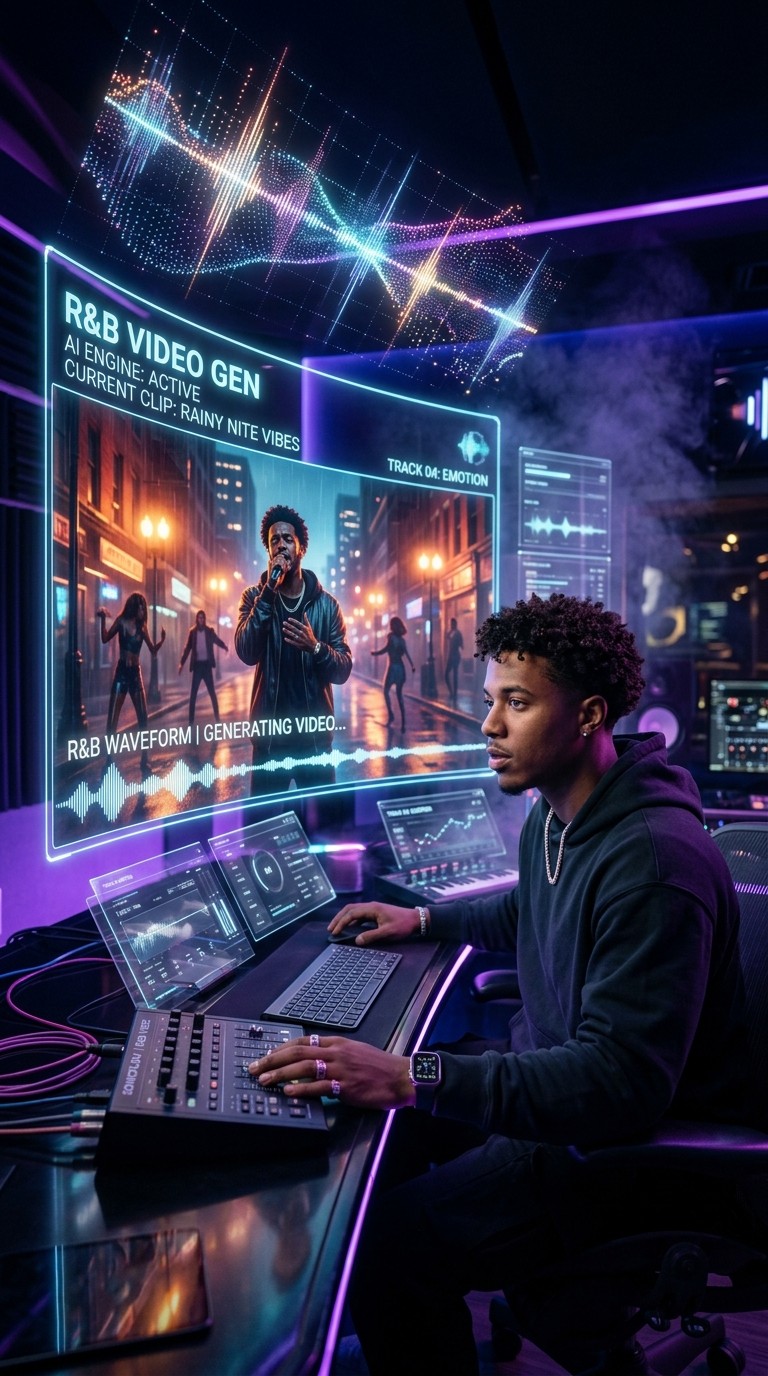
R&B as a genre lives in its visuals as much as its sound. The best R&B videos have always told stories, built worlds, and framed an artist's identity through mood, color, and movement. A static lyric video on a dark background does not do that. It fills a gap but leaves the creative statement unmade.
The problem has never been lack of vision. Independent R&B artists and producers consistently describe the gap between what they hear in a track and what they can afford to show. A cinematic rooftop scene, a melancholic late-night interior, a dream sequence in soft amber light, these are ideas that require location scouting, lighting rigs, and post-production time when executed through traditional production. With AI video tools, the creative direction you already have in your head can be translated directly into visuals without a crew.
What makes this work specifically well for R&B is tempo and mood. R&B tracks tend to have clearly defined emotional registers, whether that is something warm and romantic, something nostalgic and bittersweet, or something slow and cinematic. An AI system that reads those signals and translates them into matching visual decisions produces results that feel intentional rather than generic.
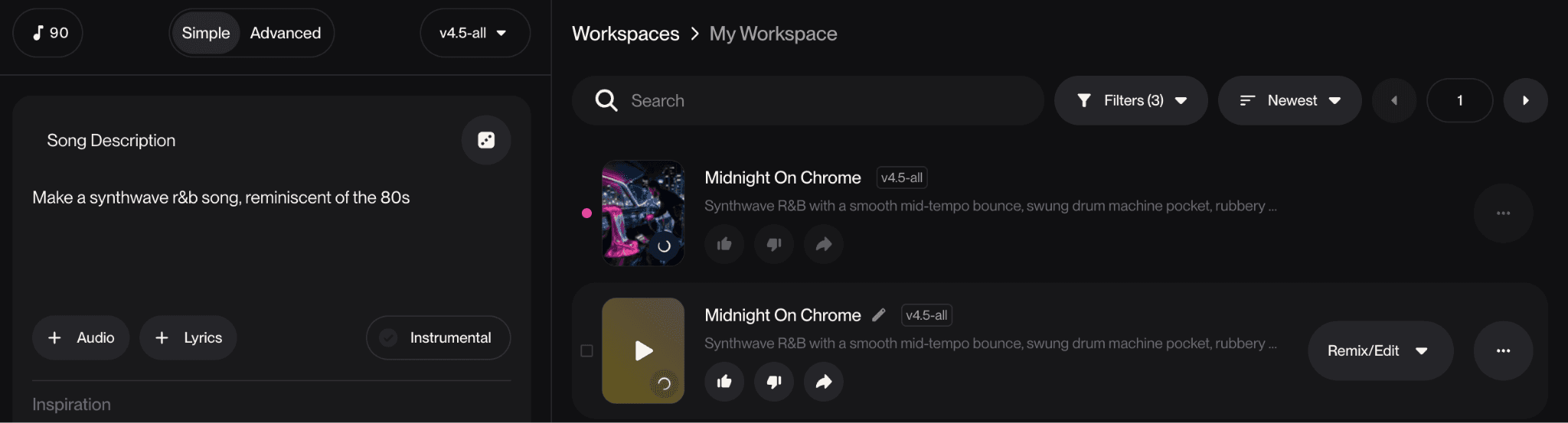
A Quick Note on Generating Your Track with Suno
If you do not have a finished R&B track, Suno is the fastest way to generate one. Go to suno.com, describe the kind of R&B track you want (for example: "slow R&B, romantic, piano-driven, male vocal, 80 BPM"), and Suno will produce a full song with vocals and instrumentation in seconds. Iterate on the style, length, and lyrics until you have something you want to build visuals around, then export the final audio as an MP3. That is the only step you need from Suno.
If you already have a finished track, skip this section entirely. The Atlabs Music Video workflow accepts any standard audio file regardless of how it was produced.
The Atlabs Workflow for R&B Music Video Creation
Atlabs handles the complete visual side of your music video at app.atlabs.ai/new-music. Upload your track, set the visual direction, and Atlabs generates the video in one continuous pipeline. There is no timeline editor, no layer management, and no technical configuration required between your track and the finished output.
The workflow has four steps: Add Music, Set Style, Creative Direction, and Finalise Cast. Each step builds on what comes before. Atlabs reads the audio you upload and uses its detected tempo, mood, and genre to inform the creative options it surfaces in Step 3. For an R&B track, this means the scene concepts it generates will already be calibrated to the emotional register of your music rather than pulling from a generic neutral baseline.
Step-by-Step Walkthrough
Step 1: Add Music
Navigate to app.atlabs.ai/new-music and upload your R&B track. Atlabs accepts standard audio formats and immediately begins analyzing the file.
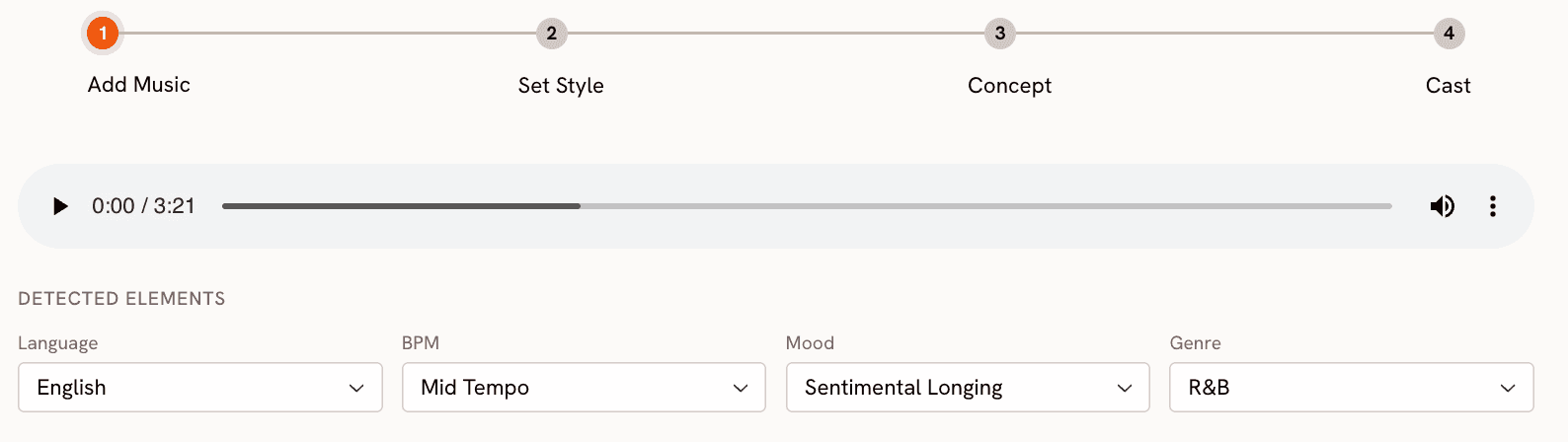
Once the upload completes, four detected properties appear: Language, BPM, Mood, and Genre. For a typical Suno-generated R&B track, Genre will be detected as R&B automatically. Review the BPM classification carefully. If your track is a slow R&B ballad (typically 60 to 90 BPM), confirm it has been set to Slow Tempo. A mid-tempo track (90 to 110 BPM) should sit at Mid Tempo. This classification shapes the pacing and rhythm of the generated video, so it is worth verifying rather than accepting the auto-detection without checking.
For Mood, Atlabs surfaces options including Reflective Calm, Romantic, Melancholic, Nostalgic, Dreamy, and Uplifting. R&B tracks rarely sit at a single emotional point. Select the mood that dominates the track's emotional core.
Step 2: Set Style
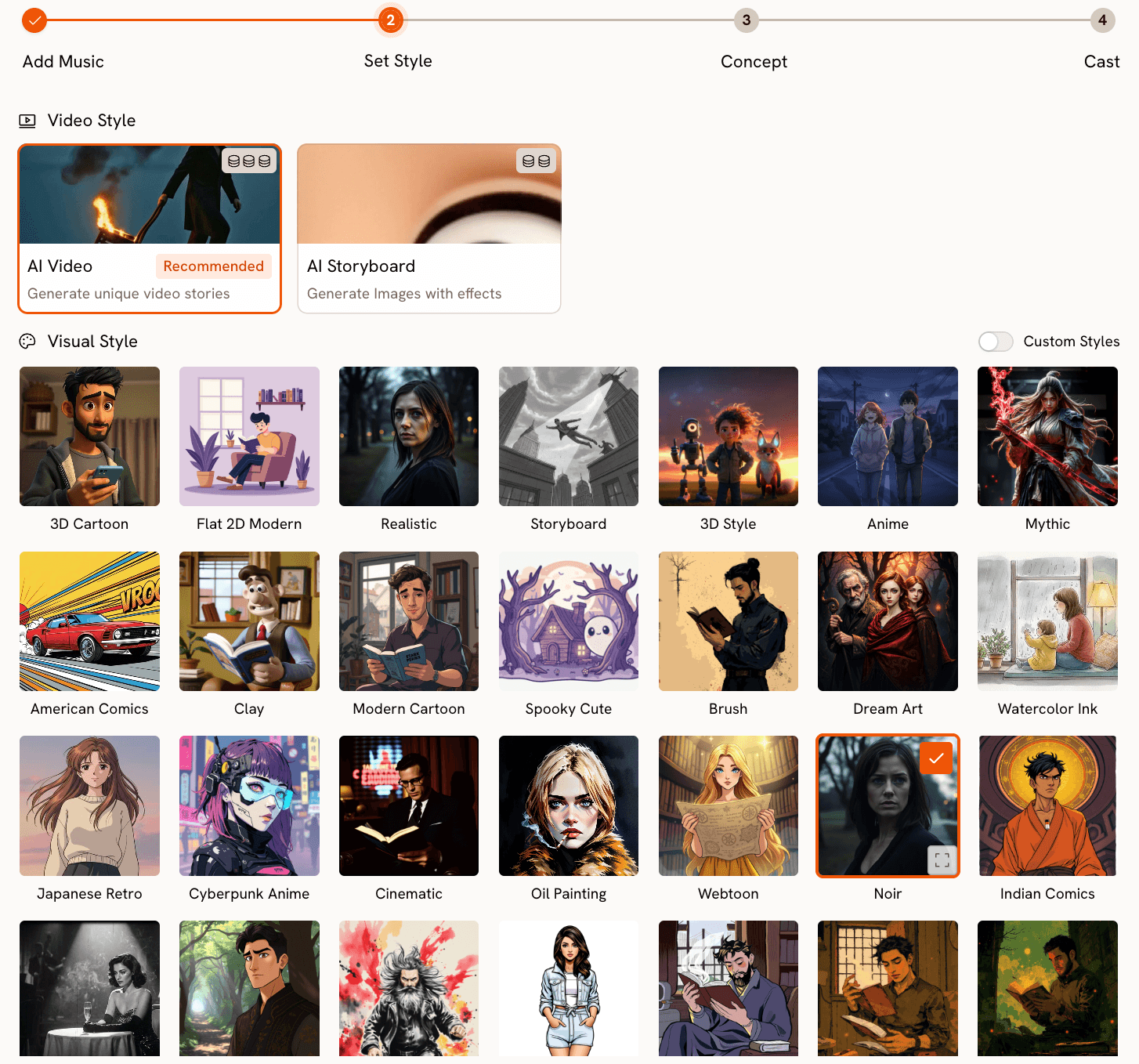
In Step 2, choose the aspect ratio, video type, and visual style for your video.
For R&B music video content intended for YouTube, set the Aspect Ratio to 16:9. For Instagram Reels or TikTok, use 9:16. You can generate both formats from the same track by running the workflow twice and adjusting only the aspect ratio in this step.
Set Video Style to AI Video, which is the recommended option. AI Video generates unique video stories frame by frame based on your track and creative direction. AI Storyboard, the alternative, produces a series of still images with motion effects applied. For a proper music video feel, AI Video is the right choice.
For Visual Style, R&B content maps well onto several of the available options. Cinematic produces a clean, film-like quality suited to mainstream R&B. Noir works for tracks that sit in a darker, more atmospheric space. Dream Art handles the soft, hazy aesthetic of romantic or nostalgic content. Semi-Realism works well for R&B content that blends stylized character rendering with realistic environmental detail. The choice should follow the emotional tone of the track rather than personal preference in isolation.
Step 3: Creative Direction
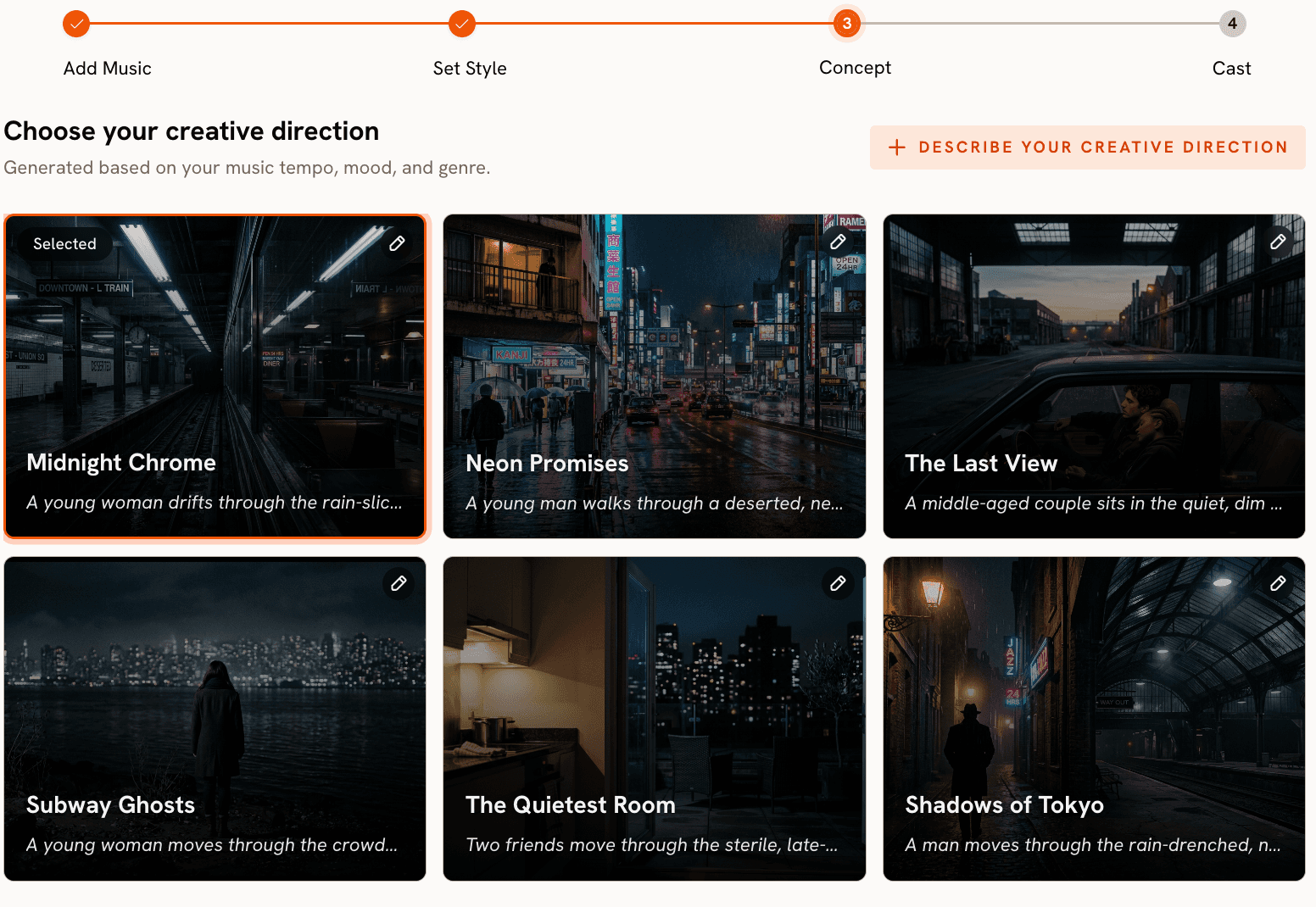
This is the most important step for R&B music videos. Atlabs generates 6 scene concepts automatically, each with a title, description, and mood tags, based on the tempo, mood, and genre data from Step 1.
For an R&B track, you might see concepts like "Quiet Winter Window" tagged as Still, Tender, and Wistful, or something more cinematic like an urban nighttime sequence tagged as Moody, Cinematic, and Warm. Read each concept in full. The titles and mood tags describe the visual and emotional register Atlabs will work within throughout the video, so take time to find the one that aligns with the story your track is telling.
If none of the 6 generated concepts capture what you have in mind, click "Describe your Creative Direction" to write a fully custom concept. The custom input accepts a title, description, mood tags, and an Enhance toggle. When Enhance is on, Atlabs expands and refines your concept using the track's detected audio properties before generation begins. This consistently produces more coherent outputs when your custom description is brief or under-specified.
Step 4: Finalise Cast
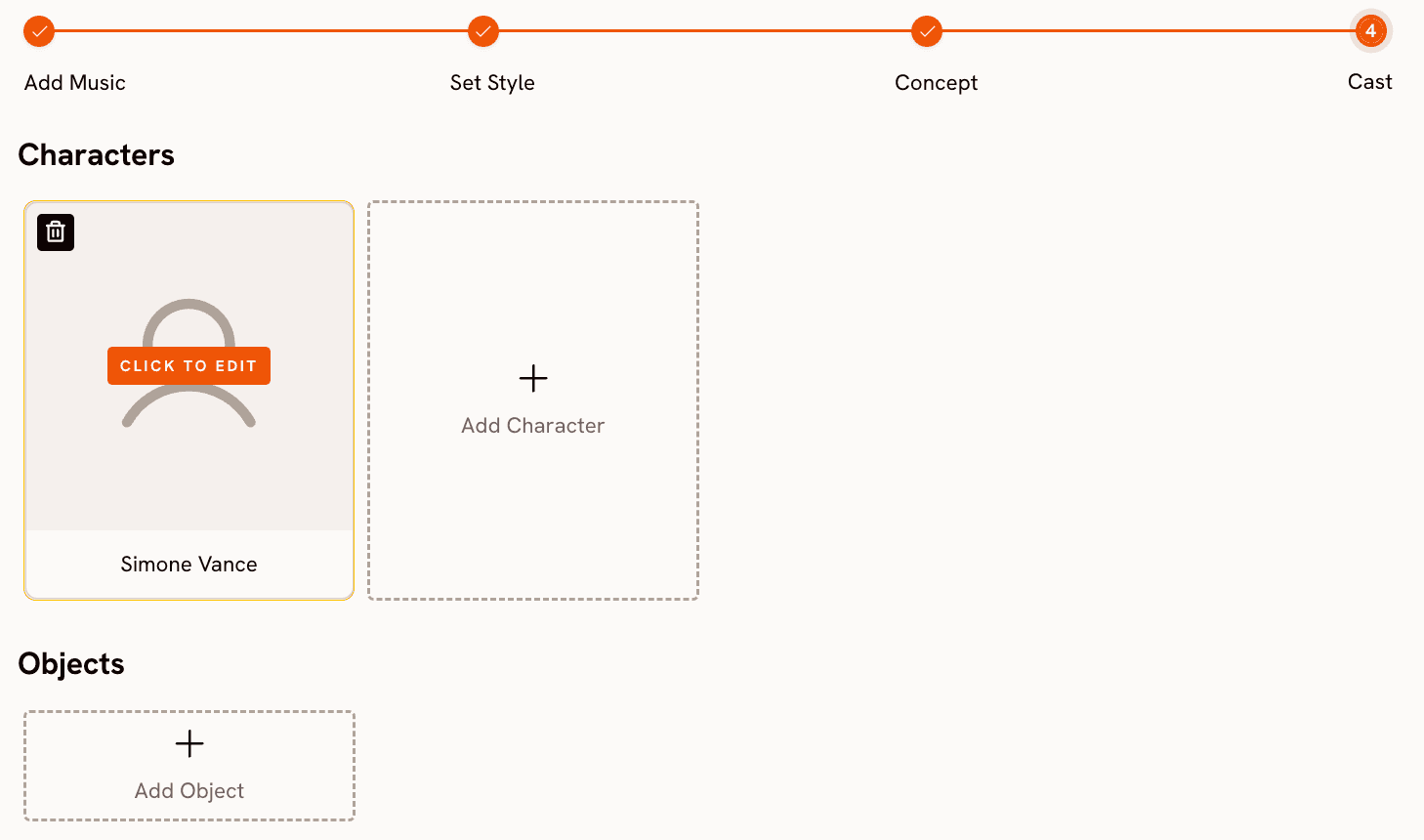
Step 4 lets you define the characters who appear in the video. Name each character and provide descriptive details to guide how they are rendered. Multiple characters are supported, each with their own editable profile. For a solo artist video, a single character with a name and a brief visual description gives Atlabs the specificity to render a consistent character across scenes rather than defaulting to a generic figure. A description like "Jade, early 30s, wearing a white oversized jacket, soft makeup, in a dimly lit room" gives the system enough context to maintain visual coherence across the full video.
Once the cast is confirmed, click to generate. Atlabs processes the track, creative direction, and cast together to produce the complete video. The full workflow and generation controls are available at app.atlabs.ai/new-music.
Why Atlabs Works Well for R&B Music Video Production
Three things make Atlabs well-suited to R&B music video work. The first is mood-based scene generation, Atlabs reads the audio and generates concepts that already match the emotional register of the track, so you are not translating emotion into visual terms from scratch.
The second is visual style depth: options like Cinematic, Noir, Dream Art, Oil Painting, and Watercolor Ink map directly onto the aesthetic range of R&B production, giving you a visual language that fits the track rather than adapting your content to a limited set of templates.
The third is the complete pipeline, Atlabs goes from audio file to finished video in one workflow, without the clip-by-clip generation and separate editing that most AI tools require.
Ready to try it? Start your R&B music video on Atlabs
Custom Creative Direction Prompts for R&B Music Videos
Each prompt below can be entered directly in the "Describe your Creative Direction" field in Step 3 of the Atlabs Music Video workflow. These are written with enough visual specificity to produce strong results on the first generation.
A couple shares a quiet moment in a warmly lit apartment at golden hour. Soft natural light filters through gauze curtains, casting long amber shadows across hardwood floors. The camera drifts slowly from close facial details to wider room compositions. The mood is tender and still. Color palette: warm amber, ivory, deep mahogany. Mood: Romantic, Reflective Calm, Dreamy. |
A lone figure walks rain-soaked city streets at 2am, passing reflections of neon signs in deep puddles. The visual tone is desaturated except for cold blue and amber accent colors. The camera follows from behind, occasionally cutting to close shots of hands, a coat collar, and moving feet on wet pavement. Mood: Melancholic, Dark, Mysterious. Visual style: Noir. |
Fragments of a summer memory layered together in soft double-exposure: a backyard, a sunset, a blurred photograph held up to light. Colors wash in warm peach and faded gold throughout. Motion is slow and dreamlike, with soft focus pulling in and out of sharp detail. Mood: Nostalgic, Tender, Bittersweet. Visual style: Dream Art. |
An artist performs in an empty warehouse flooded with late afternoon sunlight through industrial windows. The visual treatment is clean and grounded. Camera movements are smooth and deliberate, alternating between performance close-ups and wide environmental shots. No crowd, no props. Just the artist and the light. Mood: Uplifting, Powerful, Warm. Visual style: Realistic. |
A character sits alone in a dark room, half-lit by the cold blue glow of a television screen. The camera holds still for long takes, then cuts on beat. Deep blacks dominate, with cold blue and pale gold as the only accent tones. The atmosphere is heavy and introspective. Mood: Dark, Melancholic, Mysterious. Visual style: Cinematic. |
Two characters sit across from each other at a small table in a late-night diner. The exterior is visible through rain-streaked windows. Interior lighting is warm tungsten. The scene holds on small details: hands around a coffee cup, eyes that do not quite meet. Mood: Nostalgic, Reflective Calm, Romantic. Visual style: Cinematic. |
Pro Tips for R&B Music Video Generation
The BPM classification in Step 1 has more impact on the output than it might initially appear. Very Fast Tempo generates noticeably shorter cuts and more dynamic transitions between scenes. If your track is a slow R&B production and Atlabs auto-detects it as Mid Tempo, correct it manually. The pacing of the generated video will better match the breathing room that slow R&B tracks require, and the tonal coherence between the audio and the visual editing rhythm will be noticeably stronger.
In Step 3, the Enhance toggle in the custom Creative Direction input expands your concept before generation begins. If you have a clear creative idea but are uncertain whether your description gives Atlabs enough visual specificity, turn Enhance on. The system will develop the scene in more detail using the track's audio data as a guide. This consistently produces more coherent outputs than a brief or loosely worded prompt does on its own.
For character rendering consistency across a longer video, spend time on the cast description in Step 4. The more specific the visual details (clothing, environment, lighting context, physical description), the more consistently that character will be rendered across the full video rather than shifting in appearance between scenes. A description with three or four concrete visual anchors produces significantly better continuity than a name alone.
Frequently Asked Questions
Does my Suno-generated track need to meet any technical specifications before uploading to Atlabs?
Atlabs accepts standard audio formats. Export your Suno track as an MP3 at the default quality setting. File size is not typically a constraint for audio-length tracks under five minutes. There is no minimum or maximum BPM requirement. The BPM and mood detection in Step 1 handles the analysis automatically once the file is uploaded.
Can I use an original song I produced myself instead of a Suno track?
Yes. Any standard audio file works. The Atlabs Music Video workflow at app.atlabs.ai/new-music is not tied to AI-generated audio. You can upload a self-produced track, a professionally recorded song, or any audio file you have the rights to use. The workflow treats all audio sources identically.
What happens if I do not like any of the 6 generated scene concepts in Step 3?
Click "Describe your Creative Direction" to bypass the auto-generated concepts entirely and write a fully custom concept from scratch. The custom input accepts a title, description, and mood tags. The Enhance toggle will then expand your input using the track's detected audio properties before generation begins, giving you both creative control and the benefit of Atlabs' audio analysis in the final output.
Can I create both a YouTube version and an Instagram version of the same video?
Yes. Run the workflow twice from the same audio file and change only the Aspect Ratio in Step 2. For YouTube use 16:9. For Instagram Reels and TikTok use 9:16. The Creative Direction and Cast settings can remain identical across both runs, so you are only making one adjustment between the two generations.
Final Verdict
R&B is a genre defined by the relationship between sound and atmosphere. The visual language of the genre has historically required production resources that put it out of reach for independent artists. Atlabs changes that equation by handling the complete pipeline from audio analysis through to finished video output, with creative controls that map directly to the visual and emotional vocabulary of R&B content.
The workflow covered in this guide produces a complete music video from a single audio file, without a camera, without a crew, and without video editing software. Suno handles audio generation if you need it. Atlabs handles everything visual from that point forward, including scene direction, visual style, character rendering, and final output assembly.








