Neural Frames has earned a genuine place in the AI music video world. The Berlin-built platform gives musicians real audio-reactive control, with 8-stem analysis that lets visuals pulse with kick drums, follow the melody, and shift with vocal dynamics. For artists who want to spend hours crafting every frame, it delivers. But that level of granularity is also where creators start looking elsewhere. The frame-by-frame editor is powerful and the learning curve is steep. The aesthetic skews toward abstract and psychedelic, which is exactly what some artists need and exactly what others need to escape. If you want a video that tells a story, develops characters, or adapts automatically to your track's emotional arc rather than just its waveform, Neural Frames hands you tools but not direction. These five alternatives each solve that differently.
Issue with Neural Frames
The core issue is that Neural Frames optimises for control and asks you to use all of it. Getting a great result means mastering a timeline editor, tuning modulation parameters across multiple audio stems, and making deliberate aesthetic choices at the frame level. That is a real investment, and not everyone has it or wants to make it. A musician who wants a compelling video by the time a single drops on Friday is not the same person as an AI artist building a frame-perfect short film.
Beyond the time cost, Neural Frames has a recognisable visual signature. The Stable Diffusion-based frame morphing looks beautiful in the right context and derivative in the wrong one. Artists who want cinematic narrative, character-driven storytelling, or realistic visual styles find the output range narrow.
Character consistency is another gap. Neural Frames added multi-character consistency as a feature, but it requires training custom models on 10 to 20 reference images. For a creator who just wants to cast a named character into their video without a model training session, that is friction. There is also no concept-generation layer. Neural Frames gives you a blank creative canvas and expects you to fill it. Some creators want the tool to read the music and suggest a story.
Finally, pricing and output scope play a role. Neural Frames is a music video specialist. If you are a creator or marketer who also needs product ads, avatar videos, or social content from the same workflow, you will be managing multiple tools. That overhead adds up.
At a Glance: Neural Frames vs the Alternatives
Tool | Best For | Key Advantage Over Neural Frames | Tradeoffs |
Atlabs AI | Narrative music videos with story + character arcs | Music-first workflow with auto-detected BPM, mood and genre driving 6+ AI-generated creative directions and a full cast system | Not focused on abstract/psychedelic visual loops |
Freebeat | Dance and performance music videos with lip-sync | Accurate lip-sync and performance video output with a fast turnaround | Limited creative style range compared to full AI video tools |
VidMuse | Auto-generated music visualisations and lyric videos | Fast generation from audio with minimal setup and strong lyric video templates | Less control over narrative or character consistency |
Kaiber | Musicians managing a content calendar across platforms | Multi-format content suite covering music videos, short clips and social posts from one audio track | Aesthetic tends toward abstract/trippy rather than grounded narrative |
OpenArt | General AI image and video creation beyond music | Broad creative toolkit covering image generation, video, and audio with a large model library | Not music-native; audio-reactivity requires manual setup |
1. Atlabs AI - Best for Narrative-Driven Music Videos
Atlabs starts where Neural Frames ends: with the music. Instead of asking you to configure parameters around your track, Atlabs reads the track first and builds a creative framework around what it finds. The result is a four-step workflow that moves from audio analysis to a finished AI video without requiring any prior knowledge of AI video generation.
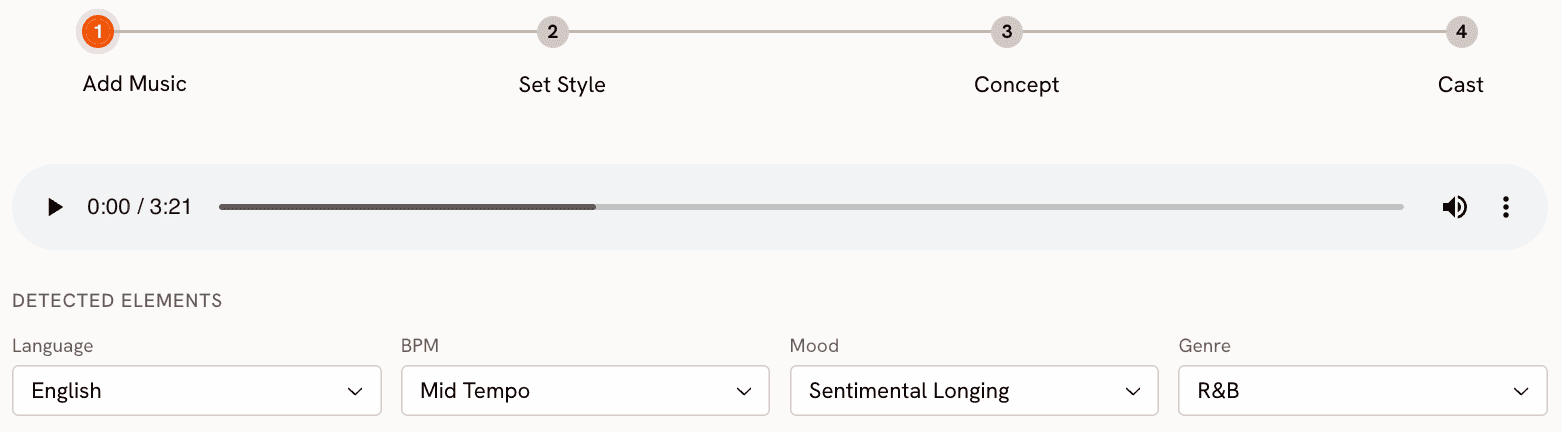
Step 1: Add Music
Upload your track to the Music Video workflow at app.atlabs.ai/new-music. Atlabs automatically detects four musical attributes: Language (Instrumental, English, Hindi, and 15+ others), BPM as a tempo category (Slow Tempo, Mid Tempo, Fast Tempo, Very Fast Tempo), Mood from a library of 13 options including Reflective Calm, Melancholic, Uplifting, Party Energy, Dark, Dreamy, Aggressive, Chill, Nostalgic, Euphoric, Mysterious, Romantic, and Powerful, and Genre across 16 categories including Hip Hop, Pop, Rock, Electronic, R&B, Jazz, Classical, Reggaeton, K-Pop, and Afrobeats. All detected values are editable. If Atlabs reads your lo-fi hip hop track as Chill but you want Melancholic for this particular video, you override it with one click before moving on.
Step 2: Set Style
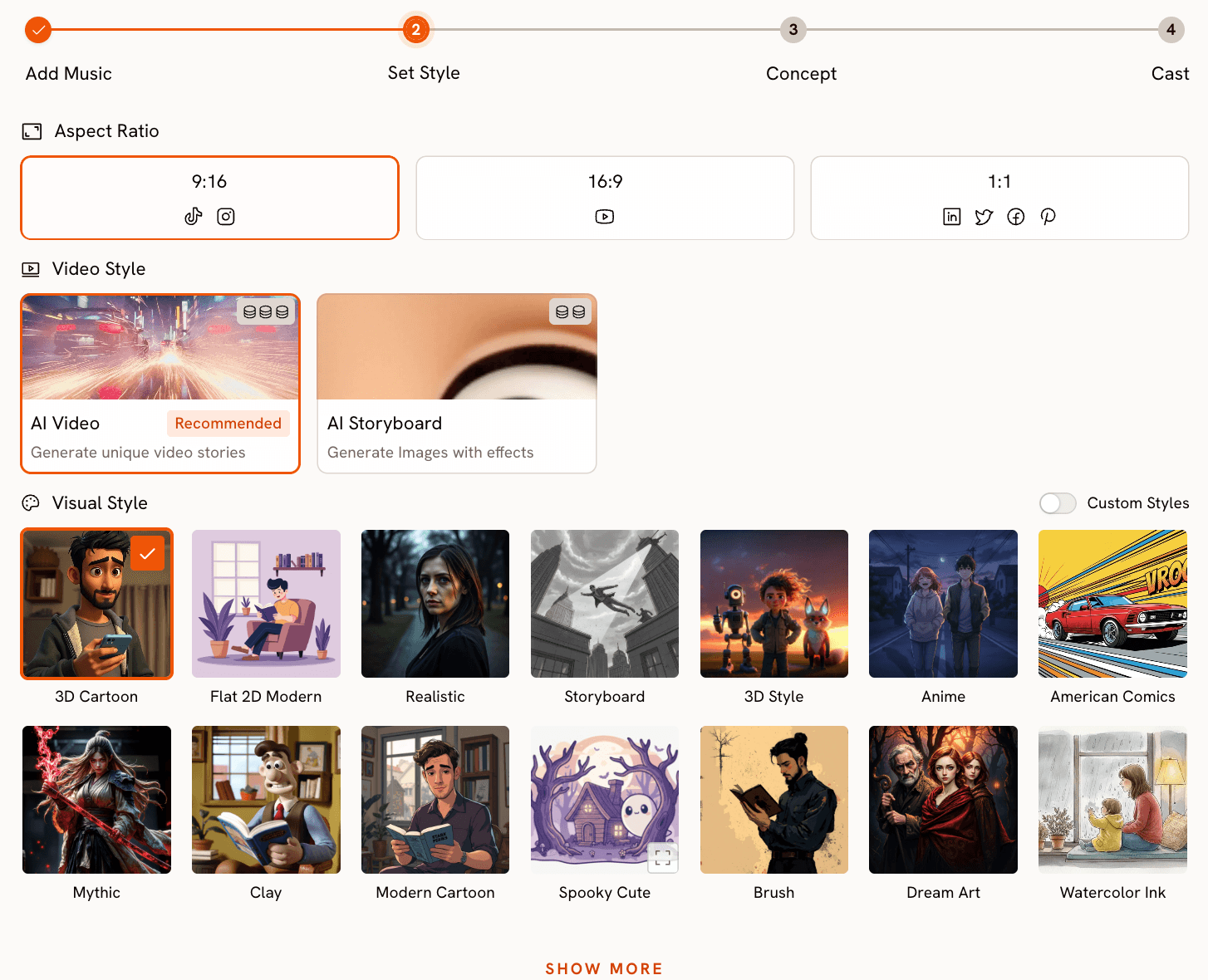
Choose your output format and visual language. The Video Style toggle gives you AI Video, which generates unique narrative video stories, or AI Storyboard, which generates images with motion effects applied. Aspect Ratio covers 9:16 for TikTok and Instagram Reels, 16:9 for YouTube, and 1:1 for LinkedIn and Twitter. The Visual Style library is where the range becomes apparent: 3D Cartoon, Flat 2D Modern, Realistic, Anime, Cyberpunk Anime, Cinematic, Oil Painting, Watercolor Ink, Japanese Retro, Mythic, American Comics, Clay, Webtoon, Noir, Indian Comics, Vintage Cinema, Dream Art, Fantasy Horror, and more. Twenty-seven distinct styles at the time of writing, covering territory from grounded Realistic to the richly stylised Storybook. This is the step where Neural Frames asks you to configure Stable Diffusion parameters. Atlabs asks you to pick an aesthetic.
Step 3: Creative Direction
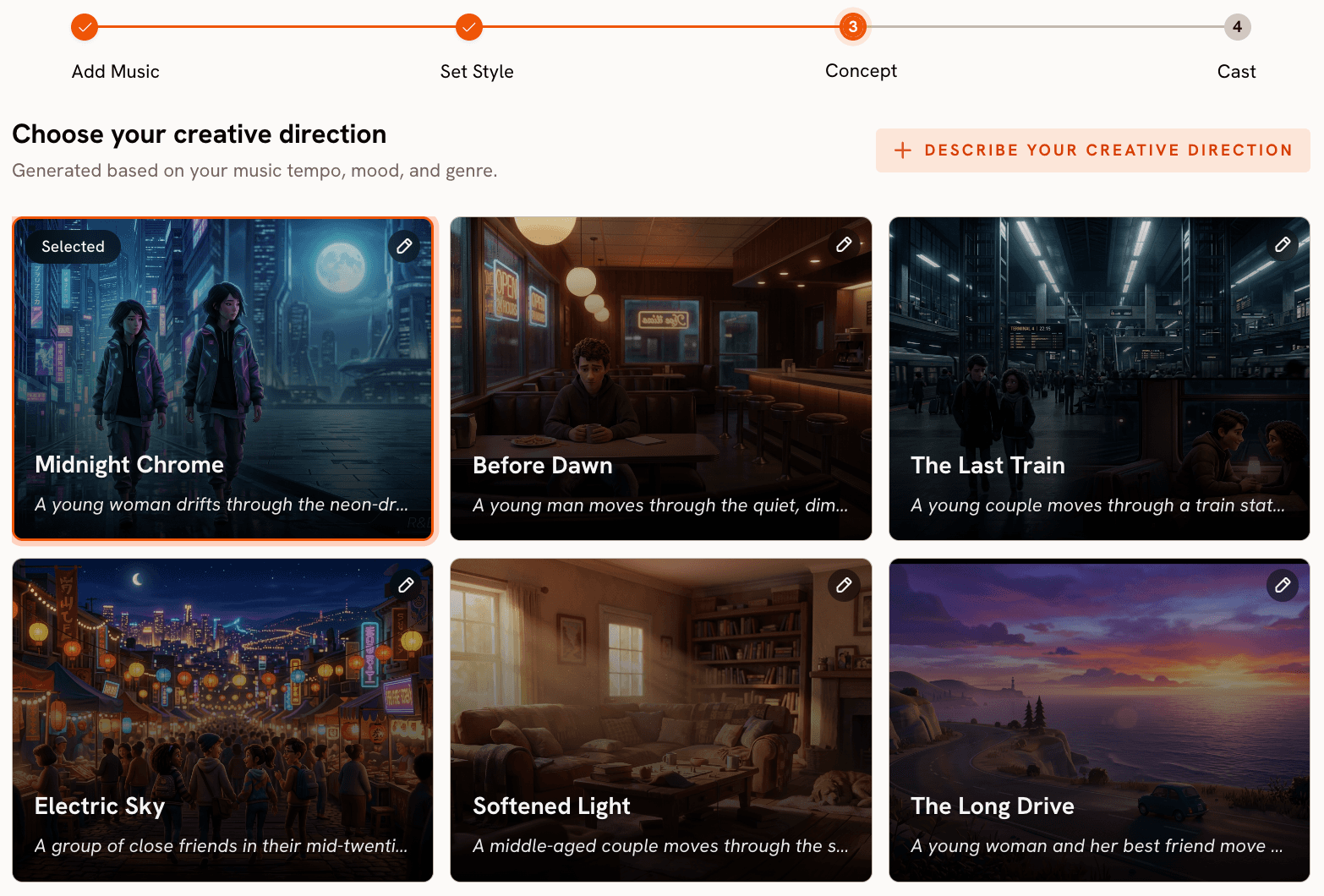
This is the step Neural Frames does not have. Based on the BPM, mood, and genre data from Step 1, Atlabs generates six distinct scene concepts automatically. Each concept has a title, a short narrative description, and three emotional mood tags. A mid-tempo track tagged as Euphoric and Pop might produce concepts titled Neon Echoes, The Glass Floor, Velvet Rush, Falling Into Focus, Between The Lines, and Unbreaking Rule, each with its own visual and emotional identity. You pick the one that fits, or you click Describe Your Creative Direction to write a fully custom concept with your own title, description, tags, moods, and an Enhance toggle that lets Atlabs refine your concept using the track data. The difference from Neural Frames is that you are choosing between curated story directions, not starting from a blank timeline.
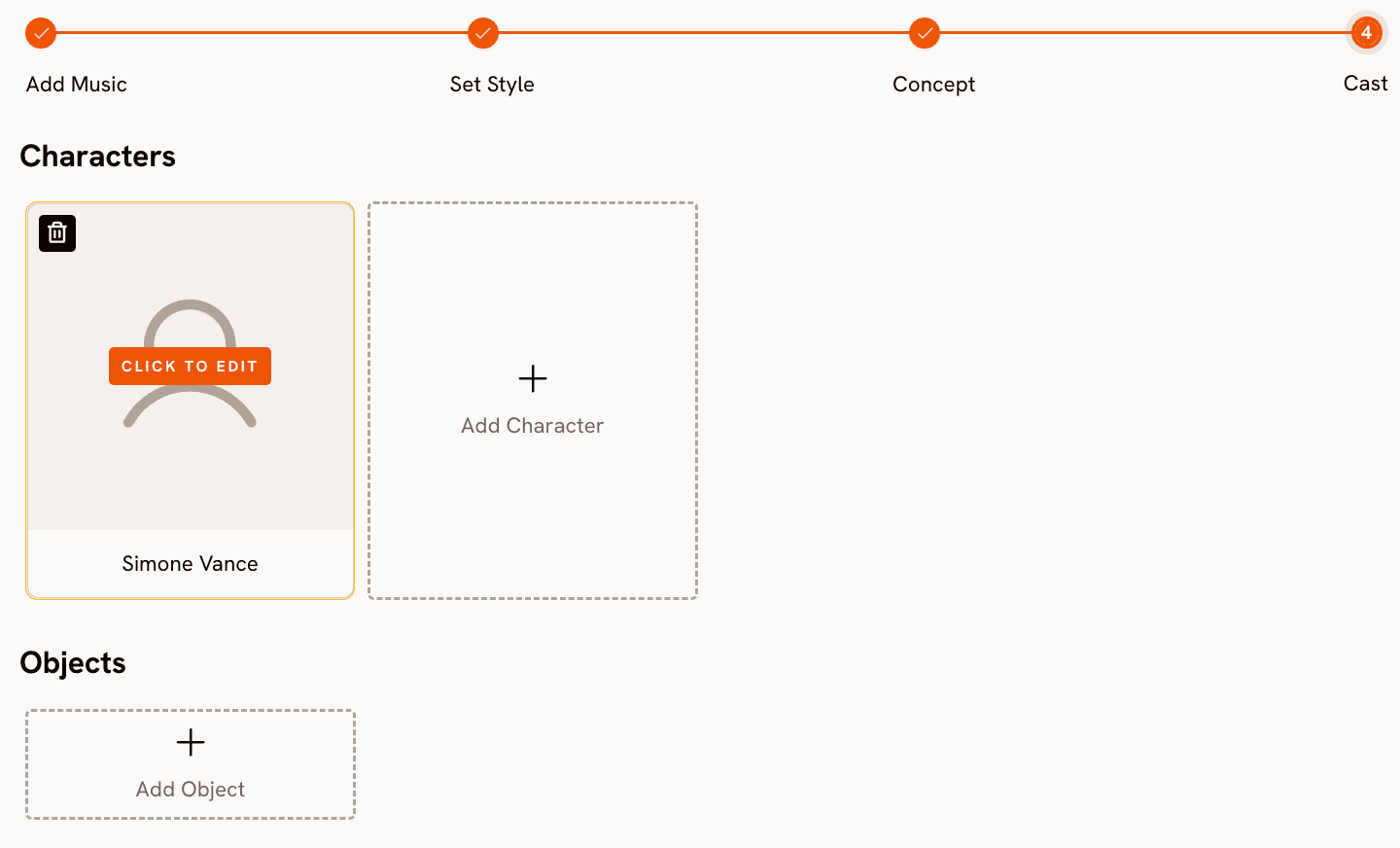
Step 4: Finalise Cast
Name and define the characters who appear in your video. You can add multiple named characters, each with editable appearance details. This is the casting system Neural Frames requires a custom model training session to approximate. In Atlabs, it takes a single step before generation.
Ready to generate your first music video? Start on Atlabs for free
When Should You Choose Atlabs?
Atlabs is the right choice if you want a video that tells a story rather than visualising a waveform. If your track has a clear emotional arc and you want the visuals to follow it through a narrative with characters and scenes, the Creative Direction step delivers that without requiring you to direct every frame. It is also the right choice if you need multiple video formats from one platform.
2. Freebeat - Best for Dance and Performance Videos
Freebeat positions itself squarely at the performance side of music video creation. The platform's standout capability is lip-sync accuracy, which matters most for videos where a vocalist or performer is visible on screen. Where Neural Frames treats the human form as one visual element among many, Freebeat makes the performer central and builds the video around them. Creators who produce client work, particularly for artists who want to appear on screen rather than behind abstract visuals, find the output more immediately usable.
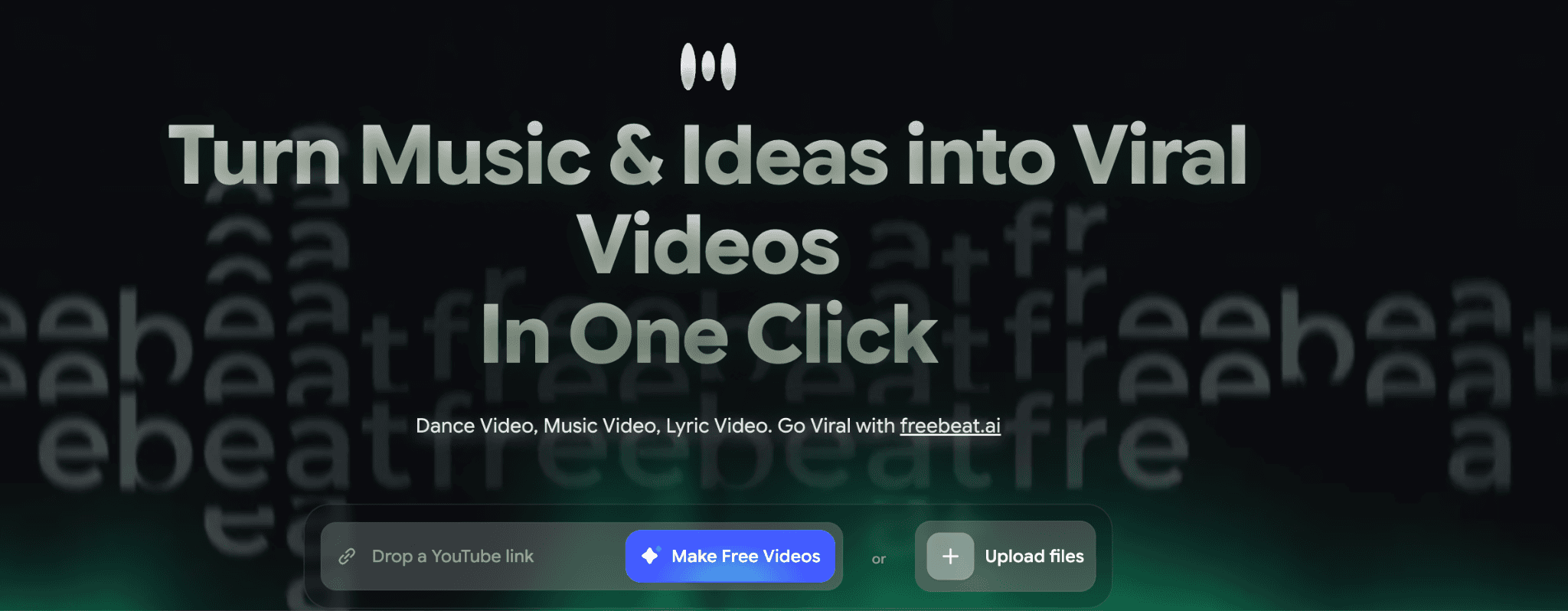
The tradeoff is creative range. Freebeat's visual palette is more constrained than Neural Frames or Atlabs, and the platform does not offer the kind of narrative concept generation that lets a creator experiment with different story directions before committing to a generation. It is a fast, reliable tool for a specific type of video rather than a broad creative system. If your brief is a performance video with a convincing vocalist, Freebeat earns its place. If the brief is more open-ended, you will likely feel the limits of the platform before the project is done.
3. VidMuse - Best for Fast Lyric and Visualiser Videos
VidMuse automates the path from audio to video with minimal creative input required. Upload a track, and the platform generates a synchronised visual video with support for lyric overlay and beat-matched transitions. For creators who need volume, particularly artists releasing music regularly and needing a visual for each track without a full production process, VidMuse removes the friction.
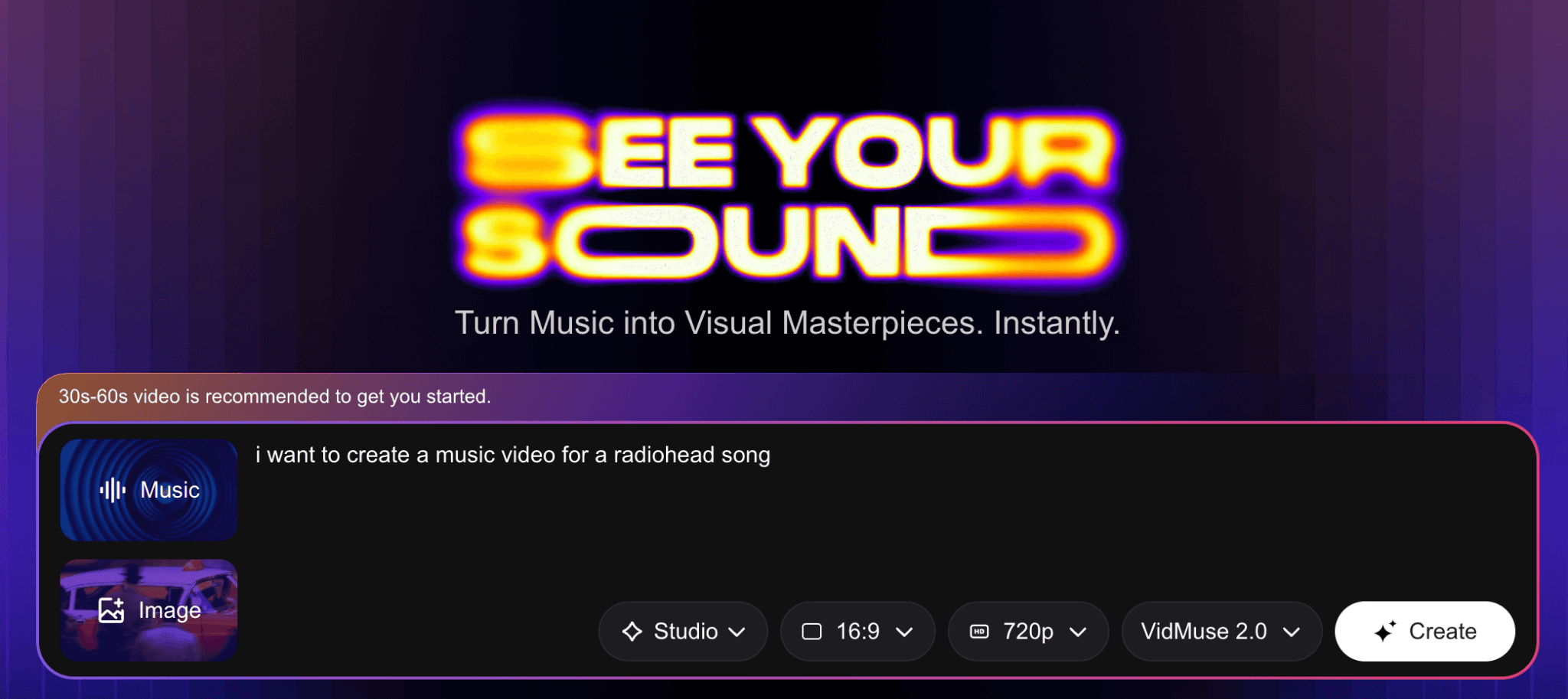
The platform's strength is speed and consistency. Where Neural Frames rewards time investment with fine-grained control, VidMuse rewards simplicity with fast output. The weakness is that the output range reflects that simplicity. Lyric videos and music visualisers are well served. Videos with developed characters, shifting narrative arcs, or significantly varied aesthetics across scenes are not the platform's core use case. If you need a reliable visualiser-style video at scale, VidMuse is a sensible choice. If you need storytelling, the tool is not built for it.
4. Kaiber - Best for Musicians Managing a Content Calendar
Kaiber describes itself as a suite of tools designed by musicians who believe visuals should be the easy part. That framing is accurate. The platform is built less around a single video generation workflow and more around the ongoing content demands of an active musician: music videos, short social clips, promotional content, all generated from the same audio source and managed across a content calendar.
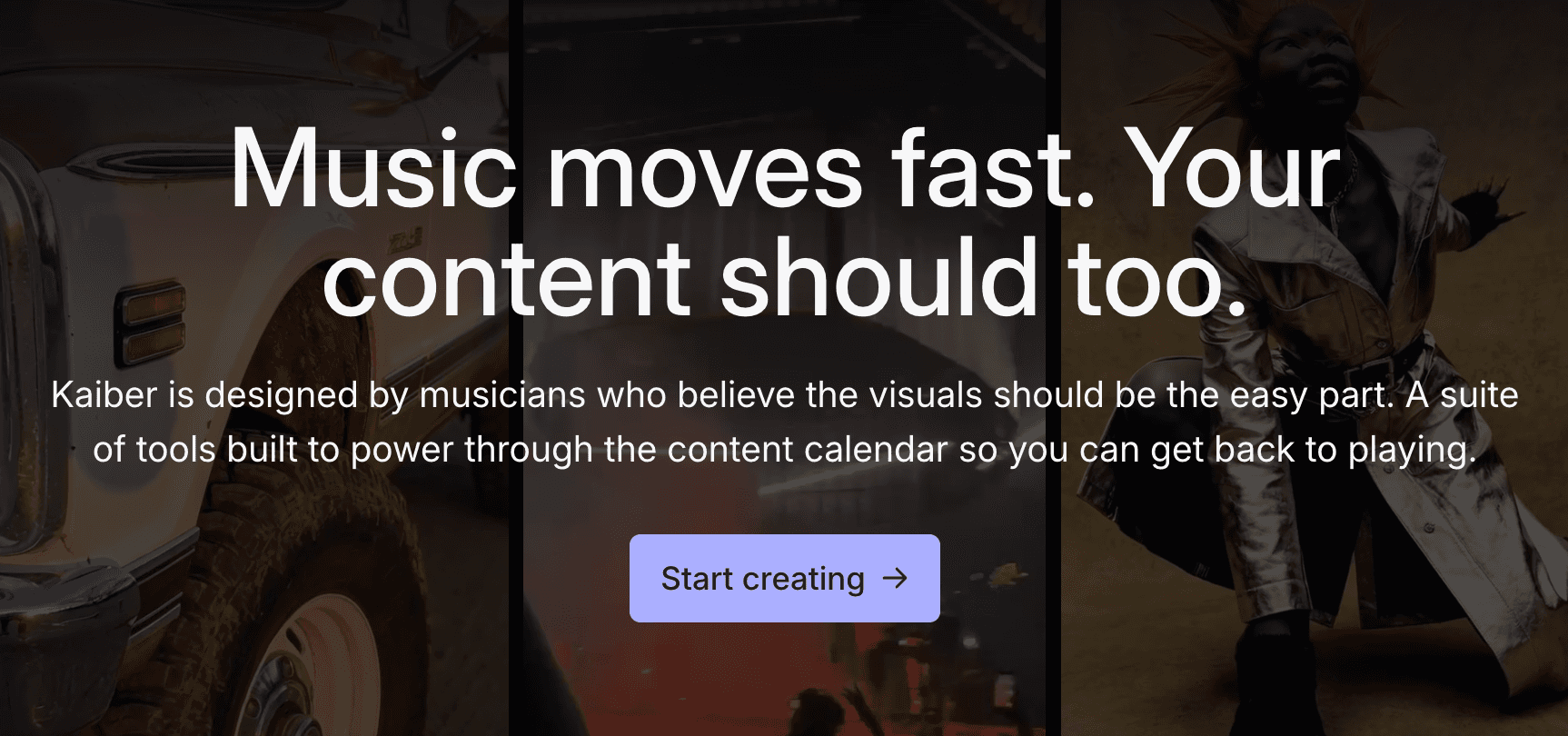
The visual aesthetic Kaiber produces is notably stylised, with a tendency toward dream-like or abstract imagery that suits certain genres well and others less so. For electronic artists, ambient producers, or anyone whose music already lives in an abstract register, Kaiber's output vocabulary fits. For artists who want cinematic realism or character-driven narrative, the aesthetic is a consistent limitation. The content calendar framing is Kaiber's genuine differentiator: if you are planning ahead across multiple release dates and need a system rather than a single video tool, Kaiber's workflow structure supports that better than most alternatives.
5. OpenArt — Best for Creators Who Need More Than Music Video
OpenArt is not a music video tool. It is a general AI creative platform covering image generation, video generation, and audio, with a large library of models and a broad feature set. It earns a place on this list because creators who use Neural Frames often use it alongside other AI tools, and OpenArt consolidates several of those tools in one place. For a creator who generates reference images, produces short video clips, and needs a range of AI models available without managing multiple subscriptions, OpenArt is a practical solution.
The music-specific gap is real. OpenArt does not analyse your track's BPM, mood, or genre and it does not generate audio-reactive visuals out of the box. Setting up a music video workflow inside OpenArt means doing the creative direction manually and working around tools that were not designed with music as the primary input. If music video is your main use case, OpenArt is the wrong primary tool. If you need a broad AI creative platform and music video is one output among many, it is worth considering.
How to Choose the Right Tool
The right choice depends on what your video needs to do and how much time you have to make it.
If your track has a clear emotional story and you want AI to translate that story into characters, scenes, and narrative direction with minimal setup time, Atlabs is the closest match. The four-step workflow is designed specifically for this: music in, story out, with your input concentrated at the direction and casting stages rather than spread across a frame-by-frame editor.
If you are a working musician who needs visual content for every release across multiple formats, and you want a system to manage that over time, Kaiber's content calendar approach is worth the tradeoff in aesthetic flexibility. If your specific need is a performance video with a convincing on-screen vocalist, Freebeat handles that better than any other tool on this list. If you need maximum control over every visual decision and are willing to invest the time to use it, Neural Frames remains the most technically capable option for abstract, audioreactive work. And if you want one platform that covers AI video alongside image generation and a broad model library, OpenArt is worth exploring as a creative environment even if it is not purpose-built for music.
Custom Creative Directions to Try in Atlabs
Each of the prompts below is ready to use in the Atlabs Music Video workflow. Paste them into the Creative Direction custom field in Step 3, select the Visual Style that matches, and generate.
Title: Neon Pursuit. Description: A lone figure moves through rain-slicked city streets at 2am, chased only by neon reflections and the pulse of the track. The city breathes with the beat, lights flickering on every snare hit, the frame shifting from close portrait to wide establishing shot as the chorus hits. Moods: Electric, Tense, Cinematic. Tags: urban, night, rain, chase. Visual Style: Cyberpunk Anime.
Try this prompt in Atlabs Music Video
Title: Quiet Winter Window. Description: A single character sits beside a frosted window while snow falls outside. The mood is still and wistful, the pace of cuts matching the track's slow tempo. Each scene holds a moment longer than expected, letting the emotional weight of the music fill the frame before dissolving into the next. Moods: Still, Tender, Wistful. Tags: winter, solitude, interior. Visual Style: Watercolor Ink.
Try this prompt in Atlabs Music Video
Title: Velvet Rush. Description: A high-energy performance video set in a warmly lit underground venue. The main character moves through the crowd, the camera never settling, always cutting with the rhythm. As the drop hits, the visual style shifts from warm gold to electric blue, the crowd becoming part of the visual language. Moods: Euphoric, Kinetic, Alive. Tags: venue, crowd, performance, energy. Visual Style: Cinematic.
Try this prompt in Atlabs Music Video
Title: Ancient Signal. Description: Two characters traverse a mythological landscape where the architecture responds to the music. Stone columns rise on the beat, water flows in reverse on the breakdown, and the horizon line changes colour with each chord change. The world itself is the instrument. Moods: Powerful, Mysterious, Epic. Tags: mythology, architecture, landscape. Visual Style: Mythic.
Try this prompt in Atlabs Music Video
Title: Between The Lines. Description: A hand-drawn world where every line is redrawn by the music. The character's journey across an illustrated cityscape is interrupted by moments where the art style fractures and rebuilds with each verse. The chorus washes everything in flat 2D colour before the lines return for the final act. Moods: Creative, Playful, Surprising. Tags: illustration, city, abstract. Visual Style: Flat 2D Modern.
Try this prompt in Atlabs Music Video
Title: Monsoon Memory. Description: A nostalgic journey through a rain-soaked Indian city, the character moving through scenes that dissolve between present and memory. The tempo drives the cut pace while the mood determines the colour temperature: warm amber for memory, cool blue for the present. Moods: Nostalgic, Bittersweet, Vivid. Tags: India, rain, city, memory. Visual Style: Indian Comics.
Try this prompt in Atlabs Music Video
See all Visual Styles and generate your first video: Open Atlabs Music Video
Frequently Asked Questions
Is Neural Frames free to use?
Neural Frames offers a free tier that allows video creation at standard resolution. Paid plans unlock 4K export, longer video length, faster generation, and access to additional AI models including Kling and Runway. The free tier is useful for testing the platform but is limited in output quality for anything intended for distribution.
Does Atlabs work for instrumental tracks with no lyrics?
Yes. The Add Music step in the Atlabs Music Video workflow includes an Instrumental language option. The BPM, Mood, and Genre detection work from the musical content itself rather than from lyrics, so the Creative Direction step generates relevant scene concepts for instrumental tracks the same way it does for vocal-led ones. Tracks without lyrics actually tend to give the mood detection more room to work with, since there is no vocal timbre influencing the output.
Can I use these tools commercially?
Atlabs grants full commercial rights to all videos generated on the platform. Neural Frames similarly states that users retain complete ownership including commercial rights. Kaiber and Freebeat both allow commercial use on their paid plans. OpenArt's commercial rights depend on the plan tier and the model used. Always verify the current terms on each platform's pricing page before using AI-generated video in paid commercial work.
Which alternative is best for an artist releasing music regularly?
Kaiber is designed specifically for this use case, with a content calendar structure that helps musicians plan and produce visual content across multiple releases. Atlabs is the stronger choice if each individual video needs to stand on its own as a narrative piece, since the Creative Direction step produces a distinct concept per track rather than a repeatable template. For high-volume, consistent output at lower creative overhead per video, Kaiber's system approach is the better fit.
Do any of these tools support non-English music?
Atlabs explicitly supports multilingual audio in the Music Video workflow, with language detection options covering English, Hindi, Hinglish, Bengali, Kannada, Malayalam, Marathi, Odia, Punjabi, Tamil, Telugu, Gujarati, Serbian, Spanish, French, French Canadian, German, Russian, Portuguese, and Portuguese Brazilian. Neural Frames does not have language-specific detection and treats all tracks equally at the audio stem level. The other tools on this list do not publicly document multilingual support as a named feature.
Final Verdict
Neural Frames is a serious tool built for artists who want precise, technical control over every frame of an audioreactive video. If that describes your project, nothing on this list replaces it. But most music video creators are not after frame-by-frame control. They want a video that reflects what their music sounds like and feels like, generated with enough speed that it fits into an actual release schedule.
Atlabs is the most complete answer to that need in 2026. The music-first workflow reads your track, proposes story directions grounded in its emotional content, gives you a rich visual style library to work with, and adds a cast system that Neural Frames requires a model training session to approximate. It is not the most technically configurable tool on this list, and it is not trying to be. It is a complete music video studio that starts with your music and ends with a video that is ready to post.
Start building your music video on Atlabs today, no frame-by-frame editing required.








