
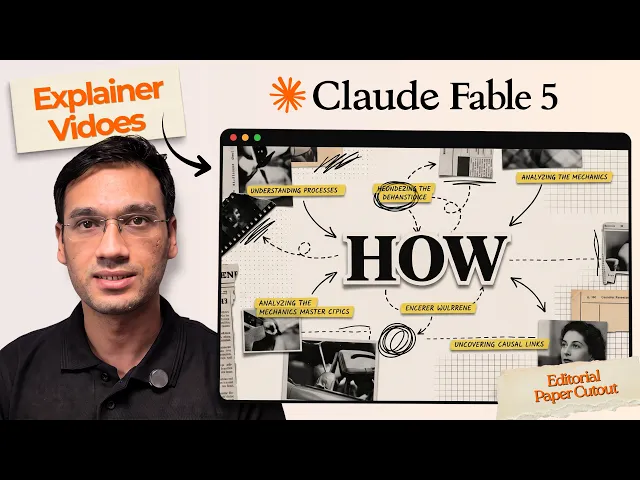
For a marketing team that needs a new, on-brand video for every product update or campaign, Atlabs is the better fit, since its Explainer Video workflow writes, styles, casts, and paces a video from a brief rather than requiring someone to cut it by hand. CapCut is still the faster pick for a single trend-chasing social edit built from existing footage. The difference comes down to whether the team is producing content or assembling it.
Atlabs vs CapCut at a Glance
Starting point: Atlabs starts from a written brief or script; CapCut starts from existing footage or a template.
Core process: Atlabs runs Script, Style, Cast, and Screenplay in one workflow; CapCut is manual timeline editing.
Brand consistency: In Atlabs, Style and Cast are locked once and reused in every video; in CapCut they are reapplied manually per edit.
Output: Atlabs generates a new, branded video per brief; CapCut produces a cut assembled from source clips.
Best for: Atlabs suits a recurring marketing or product video series; CapCut suits a one-off trend-format social edit.
Pricing: Atlabs has a free tier with paid plans from $19/month; CapCut is free with limits, with Pro at roughly $8 to $20/month.
See the Explainer Video Workflow →
Where Atlabs Wins
The Explainer Video workflow runs through four steps: Script, Style, Cast, and Screenplay. A marketing team starts with a brief, the product update, the feature worth showing, the action viewers should take, rather than footage that has to already exist.
The Explainer Video Workflow, Step by Step
Step 1: Script. Paste a rough brief or describe what the video needs to explain, the feature, the problem it solves, and the action viewers should take. No footage and no finished copy required to start.

Step 2: Style. Set the video's visual language once, from paper cutout to corporate vector 2D, and it holds across every future video instead of being reapplied by hand in a timeline each time.

Step 3: Cast. Lock the presenter or narrator for the brand, so a whole campaign's videos carry the same face and voice without re-selecting it per edit.

Step 4: Screenplay. Pace the brief into scenes, giving the feature moment its own clear beat rather than rushing past it in a wider shot.

Atlabs generates roughly 20 seconds of finished video per pass, so a typical 30 to 60 second social cut is a handful of passes reviewable the same day the brief is approved. Pricing starts free, with paid plans from Atlabs at $19 per month, Trustpilot rating 4.5 out of 5.
Build Your Branded Video Series on Atlabs →
Where CapCut Wins
CapCut remains the fastest option when a team already has footage and just needs it cut, captioned, and formatted for TikTok, Reels, or Shorts. Its free tier covers trimming, a multi track timeline, keyframe animation, green screen, and trend templates that get refreshed constantly, with a Pro plan running roughly $8 to $20 a month for 4K export and watermark removal. The tradeoff for a recurring marketing series is that CapCut starts from footage that has to exist first, and brand elements like a presenter or a visual style get reapplied by hand in every new edit rather than locked once and reused.
When to Pick Each
Pick Atlabs when the team needs a new video every time a feature ships or a campaign launches, and wants that video to look and sound consistent without rebuilding the brand setup from scratch each time. The Explainer Video workflow is built exactly for that repeat cycle. Pick CapCut when the raw footage already exists, say from a founder's phone or a live event, and the job is purely cutting it down to a trend-format social clip fast. A lot of marketing teams end up using both: Atlabs for the branded explainer and product videos that anchor a campaign, CapCut for quick repurposing of footage that's already in hand.
Watch the full walkthrough here: Explainer Video workflow tutorial.
Try the Explainer Video Workflow →
FAQ
Can CapCut generate a video from a written brief the way Atlabs does?
Not in the same way. CapCut starts from footage or a template and is edited manually on a timeline, while the Explainer Video workflow takes a plain brief through Script, Style, Cast, and Screenplay to a finished video without footage to begin with.
Which tool keeps a brand's look consistent across a campaign?
Atlabs does this natively, since Style and Cast are set once and reused across every future video. CapCut can match a look manually in each edit, but it has to be rebuilt by hand every time rather than carried forward automatically.
Is CapCut cheaper than Atlabs?
Both have a free tier. CapCut's Pro plan runs roughly $8 to $20 a month depending on billing region, while Atlabs starts free with paid plans from $19 a month, so the cost is close, the bigger difference is what each plan actually produces.
Do I need existing footage to use either tool?
For CapCut, yes, it's an editor, not a generator. For Atlabs, no, the Explainer Video workflow builds the video from a script or brief, which matters most for a team that doesn't have a backlog of footage to cut from.
Final Verdict
CapCut is still the right call for a single trend-format social cut built from footage that already exists, its template library and timeline are hard to beat for speed in that specific case. But a marketing team shipping a new video with every product update or campaign isn't editing footage, it's producing content on a schedule, and that's where Atlabs is built to win: Style and Cast carry a brand's look and voice across every video without rebuilding it per edit, and Screenplay turns a brief into a finished cut the same day it's approved. For social-first marketing video that needs to repeat and stay on brand, Atlabs is the stronger long-term pick.









