
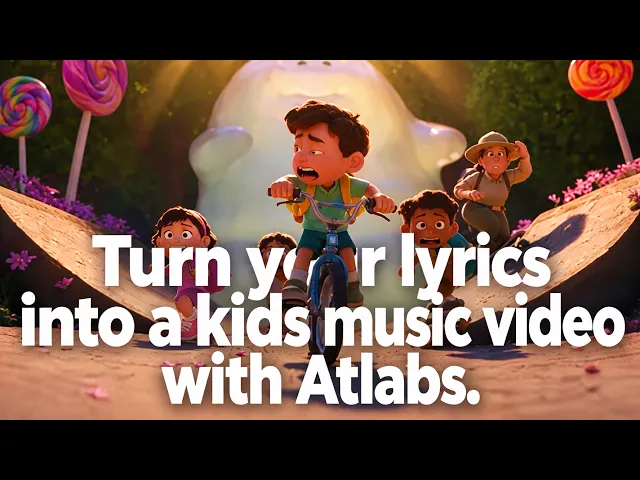
The best AI tool for making interactive sing-along videos in 2026 is Atlabs. While clip generators hand you a few seconds of footage and leave the assembly to you, Atlabs takes a single audio track or idea, sets a visual style, generates matching scene concepts, and finalises a complete animated sing-along video with characters that lip sync to the vocals and on-screen lyrics timed to the song. We tested five platforms on music sync, singing character quality, lyric display, character consistency, and the total time from upload to a video a child can sing along with.
Top 5 Tools Ranked:
Atlabs AI: Best for end-to-end nursery rhymes and kids' sing-alongs
Freebeat AI: Best for beat-synced visuals and lip sync from a song link
HeyGen: Best for realistic digital avatars that sing or talk to the audience
Kling AI: Best for high-realism raw clips and consistent motion physics
Runway: Best for shot-level control and performance capture
Why This List Matters in 2026
Sing-along content is one of the most rewatched formats on YouTube Kids, and parents, teachers and channel owners all need the same thing: a video where the words appear on screen at the right moment, a character sings them with a matching mouth, and the visuals move with the beat so a room full of five-year-olds stays engaged. In 2026, AI video tools have split into two camps. Generative platforms create the whole video from your song. Clip engines produce short, impressive shots that still need timing, lyrics and stitching in a separate editor. This list covers the leaders in both camps and ranks them on what an interactive sing-along video actually needs: music sync, a singing character, readable lyrics, and how fast you get from a track to a publishable video.
Comparison Table
Feature | Atlabs | Freebeat AI | HeyGen | Kling AI | Runway |
Best For | End-to-end animated kids' sing-alongs | Beat-synced visuals and lyrics from a song link | Realistic singing and talking avatars | High-realism raw clips and motion physics | Shot-level control and performance capture |
Creation Method | Generative AI, audio-driven, 4-step flow | Generative AI, link or MP3 driven | Avatar video from script or audio | Generative AI, prompt-driven clips | Generative AI, prompt-driven clips plus editor |
Music Sync | Yes, native, cuts on the beat | Yes, transitions on downbeats and chorus changes | No, audio timing only | No, clips need manual assembly | No, clips need manual assembly |
Singing Characters (Lip Sync) | Yes, lead-only or full cast, built into the flow | Yes, photo and illustration lip sync, credit-heavy | Yes, most realistic human avatar | Partial, native audio on newer models | Yes via Act-Two performance capture |
On-Screen Lyrics | Yes, animated captions added automatically | Yes, Lyric Video mode with karaoke timing | No | No | No |
Kids Animation Styles | 3D Cartoon, Cozy Plush, Soft Pastel 2D, Kawai Anime, Claymation, Paper Cutout | Visual presets aimed at indie artists | Realistic avatars only | Realistic and stylised clips | Cinematic and stylised clips |
Character Consistency | High, own cast or generated multi-angle reference sheet | Medium, character lock per project | High, same avatar every video | Low, per clip with reference images | Low, per clip with reference images |
Time to Finish Video | 5 to 15 minutes | 10 to 20 minutes | 10 to 20 minutes, presenter only | Clips only, editing needed | Clips only, editing needed |
Pricing Tier | Free to start, paid from $15 per month | Free 500 credits, paid from $9.99 per month | Free 3 videos per month, Creator $29 per month | Free daily credits, about $10 per month | Free credits, Standard about $12 per month |
Prices are 2026 list rates and change often. Check each provider before subscribing.
1. Atlabs: The Complete AI Sing-Along Video Studio

Best For: Kids content creators, nursery rhyme channels, preschool teachers and parents who want a finished animated sing-along video with singing characters and on-screen lyrics, without learning an editor or hiring an animator.
Key Features
Atlabs runs the whole sing-along in one audio-driven flow. The track's tempo and mood are read at upload, every scene is generated from those properties, the cast stays consistent from the first verse to the final chorus, you decide whether one lead character sings or the whole room joins in, and the finished video is cut on the beat with animated lyric captions added automatically. Nothing needs a second pass in an editor. When a shot calls for a specific engine, Kling 3.0, Seedance 2.0, Google Veo 3.1 and Hailuo 2.3 are all available inside the same project.
How to Make a Sing-Along Video in Atlabs (4 Steps)
Step 1: Music

Open the Atlabs sing-along workflow and upload your song as an mp3 (up to 200MB) or paste a Suno music URL, then click EXTRACT MUSIC. Atlabs reads the track's tempo and mood automatically. Every scene, cut and character action generated in the later steps is anchored to those properties, which is what keeps the animation on the beat for the full length of the rhyme.
Step 1: Upload your sing-along track or paste a Suno URL to begin.
Step 2: Set Style

Pick the aspect ratio: 16:9 for YouTube, 9:16 for Shorts, Reels and TikTok, or 1:1 for social feeds. Then choose a Visual Style from the library. For sing-along channels, 3D Cartoon gives the warm Pixar-style characters children recognise instantly, Cozy Plush suits lullabies and bedtime songs, Soft Pastel 2D fits storybook rhymes, and Kawai Anime works for bright, big-eyed character channels. One selection applies across every scene in the video.
Step 2: Set Style shows the Visual Style library. 3D Cartoon and Cozy Plush are the top picks for kids' sing-alongs.
Step 3: Concepts

Review the six scene concepts Atlabs generates from your track's tempo, mood and genre. A counting song gets scenes that reveal a new number per verse; an animal song gets a cast of animals doing the actions. Select the concept that fits, click the pencil icon on any card to adjust the direction, or click DESCRIBE YOUR CONCEPT to write fully custom creative direction for the video.
Step 3: Concepts shows six AI-generated scene ideas matched to your song.
Step 4: Finalise
Set your cast and generate. Upload your own characters or let Atlabs create them from a multi-angle reference sheet so the same bunny appears in scene one and scene twelve. Choose who sings: only the teacher or lead character lip syncs while the rest of the cast stays quiet, or every character in frame sings the chorus together. Confirm, and Atlabs cuts the scenes on the beat, adds animated captions so the lyrics appear as they are sung, and delivers a sing-along video that is ready to publish with no post-editing.
Step 4: Finalise lets you lock the cast, decide who sings, and generate the finished sing-along.
Visual Style: 3D Cartoon. Aspect Ratio: 16:9. Concept: Five little ducks waddle to a sunny pond, one duck hides behind a reed each verse while the mother duck sings to camera, and all five pop back out for the final chorus. Cast: Mother Duck (yellow, kind eyes, blue bonnet, lead singer). Ducklings x5 (small, fluffy, matching red scarves, sing only on the chorus).
Pricing
Pricing starts free, with paid plans from $15 per month. Atlabs holds a Trustpilot rating of 4.5/5.
Verdict: For a sing-along channel that ships every week, the bottleneck is never the song. It is turning that song into a video with characters who sing, lyrics that land on time and a cast that stays consistent across the whole episode. Atlabs is the only tool here that solves all three in one four-step pass. If you are moving away from VidMuse, see the best VidMuse alternatives for kids music videos.
Start Creating Sing-Along Videos on Atlabs
2. Freebeat AI: Best for Beat-Synced Visuals from a Song Link
Best For: Musicians and kids channel owners who already have a finished track on Suno, YouTube or SoundCloud and want beat-matched visuals and a lyric layer quickly.
Key Features
Link-Paste Music Video Generation
Freebeat accepts a pasted link from Suno, Udio, YouTube or SoundCloud and offers several creation modes, including a lip-synced performance music video, a storytelling video, and rhythm-synced effects. Visual transitions are placed on downbeats and chorus changes, which is what gives a sing-along its clap-along feel.
Lyric Video Mode
A dedicated Lyric Video mode displays beat-synced lyrics with karaoke-style timing and animated captions, so the words highlight as they are sung. For a pure karaoke-style output with no characters, this is one of the better implementations available.
Photo and Video Lip Sync
The lip sync tool works on illustrations, cartoons and 3D models as well as photos, provided the face has a clear mouth and eyes. That makes it usable for an animated mascot. Lip sync is credit-intensive, though, at roughly 406 credits per 15 seconds, so a full three-minute rhyme adds up fast.
Pricing
A free tier with 500 credits produces 720p video with a small watermark. Paid plans start at a Standard tier of $9.99 per month and a Pro tier of $24.99 per month.
Verdict: Freebeat is the strongest pure music-sync tool on this list and its lyric mode is a real asset for sing-alongs. It is built for indie artists first, so a kids channel will spend more time steering it toward age-appropriate animation, and lip sync costs climb quickly on longer songs.
3. HeyGen: Best for Realistic Singing and Talking Avatars

Best For: Educators and channels that want a lifelike presenter who sings or speaks the rhyme directly to the audience, teacher-style, rather than a fully animated cartoon world.
Key Features
Avatar IV and Avatar V
Avatar IV interprets the audio emotionally, producing micro-expressions, natural blinks and timing-aware gestures rather than mechanical mouth movement, which is why it reads as a real person singing to the camera. For call-and-response songs where a presenter pauses and invites the child to sing back, this is the most convincing option of the five.
Custom Digital Twin
Even the free plan includes one custom digital twin and access to over 500 stock avatars, so a teacher can appear in every video without filming each one.
Multilingual Lip Sync
HeyGen dubs with lip sync in more than 175 languages, useful for a sing-along channel that publishes the same rhyme in several markets.
Pricing
The free plan allows three videos per month at up to one minute each with a watermark. Creator costs $29 per month, or $24 per month billed annually, and includes 200 premium credits. Avatar IV consumes 20 credits per minute, so the premium model covers roughly ten minutes a month on Creator.
Verdict: HeyGen is the right choice when the star of the sing-along is a realistic human presenter. It does not generate animated scenes, beat-driven cuts or cartoon characters, so it works best as the presenter layer inside a bigger workflow rather than as the whole video.
Compare Atlabs Plans and Start Free
4. Kling AI: Best for High-Realism Raw Clips

Best For: Creators who want cinematic backdrops or lifelike character motion as ingredients and are comfortable assembling the sing-along in a separate editor.
Key Features
Motion and Physics Realism
Kling, built by Kuaishou, is the motion specialist of the group. Kling 3.0 added longer single takes and 4K editing, and its physics simulation holds up in action-heavy scenes such as a dance-along chorus. Kling 3.0 and Kling 2.6 are also available inside Atlabs when a shot calls for that level of motion.
Native Audio on Newer Models
Newer Kling models generate native audio alongside the clip, at a higher credit rate. This helps for ambient sound on a scene, though it does not replace a synced vocal track.
Daily Refreshing Free Credits
Kling's free tier refreshes credits every day rather than granting a single trial allowance, making it the most generous of the five for experimentation.
Pricing
Free daily credits, then roughly $10 per month for the Standard plan. Credits do not roll over and failed generations still consume them.
Verdict: For raw motion quality per dollar, Kling is hard to beat. For a sing-along it leaves the hard parts on your desk: no lyric layer, no cast system to keep a character identical across verses, and every clip still needs timing to the song by hand.
5. Runway: Best for Shot-Level Control and Performance Capture
Best For: Editors who want maximum control over each individual shot and are willing to build the full sing-along in a timeline.
Key Features
Gen-4.5 and Act-Two
Gen-4.5 produces clean cinematic motion, and Act-Two takes a short driving performance recorded on a webcam or phone plus a character reference and transfers the body, facial expression and hand movement onto that character. Record yourself singing the rhyme once and a cartoon character performs it.
Multi-Model Hub
Paid plans include third-party models such as Veo 3.1, Kling 3.0 Pro and Seedance 2.0 in the same subscription, with the strongest control tools of the five, including motion brush and camera control.
Pricing
Low-cost entry tiers alongside free credits; the Standard plan runs about $12 per user per month billed yearly.
Verdict: Runway is the professional's clip tool. Act-Two is the most interesting singing feature outside Atlabs, but output is still clip-length, characters drift once a video runs past a few scenes, and lyrics and assembly happen elsewhere.
Final Verdict
Every sing-along creator faces the same gap: the song exists and the video does not. Kling and Runway generate beautiful ingredients but stop at the clip. HeyGen delivers the most realistic singing face but no animated world around it. Freebeat gets closest on music sync and lyrics, though it is tuned for indie artists and its lip sync gets expensive on a full-length rhyme. Atlabs is the only tool on this list that starts with the audio, sets a kids-appropriate style, generates scene concepts from the song's own tempo and mood, keeps every character consistent, decides who sings and who stays quiet, cuts on the beat, and adds the lyrics automatically. For a channel that publishes sing-along videos every week, that removes the entire production bottleneck.
Make Your Sing-Along Video with Atlabs: Free to Start
Watch the Atlabs Sing-Along Video Tutorial (Step-by-Step)
If you would rather watch than read, the Atlabs tutorial below walks through the four-step flow from uploading a song through Set Style, Concepts and Finalise to a finished sing-along export. Open the workflow in a second tab and copy each move as it happens.
How We Picked These 5 AI Sing-Along Tools
Our team ranked on the five things that decide whether a child actually sings along. Music sync, meaning scene cuts and motion land on the beat rather than at random intervals. Singing characters, meaning the mouth matches the vocal and the right character sings at the right time. Lyric display, meaning words appear on screen as they are sung without a separate editing pass. Character consistency, meaning the same character survives from verse one to the final chorus. And time to a finished video for someone with no animation or editing background. Every platform here ranks among the highest-traffic AI video tools in 2026, so no niche apps and no recent launches were included.
Frequently Asked Questions
What is the best AI tool for interactive sing-along videos?
Atlabs is the strongest option in 2026. It is the only tool of the five that turns a single audio track into a complete animated sing-along video with lip-synced characters, on-screen lyrics and beat-matched scene cuts, and it starts free.
Can I make a sing-along video with AI for free?
Yes. Atlabs starts free, Freebeat gives 500 free credits with a watermark, HeyGen allows three watermarked videos a month, Kling refreshes free credits daily and Runway includes one-time free credits. Free tiers are built for testing; a weekly publishing schedule needs a paid plan on any of them.
Which AI tool makes characters actually sing the lyrics?
Atlabs lip syncs a chosen lead character or the whole cast to the vocal track inside the same workflow. HeyGen produces the most realistic human singing avatar. Freebeat can lip sync a photo or illustration, and Runway's Act-Two transfers a recorded singing performance onto a character, though both of those still need assembly into a full video.
Do I need editing skills to make a sing-along video with AI?
Not with Atlabs. The Music, Set Style, Concepts and Finalise steps cover audio upload, style choice, scene direction and cast, and the finished video is cut on the beat with captions added, so there is no timeline editing afterwards. Kling and Runway both require a separate editor to assemble clips into a full song.
Which tool keeps the same character across every sing-along video?
Atlabs, through its cast system. Upload your own cast or generate characters with a multi-angle reference sheet, and the same character appears in every scene and every episode. Runway and Kling can approximate consistency with reference images, but drift across a full-length song is common.
Final Verdict
Every sing-along creator faces the same gap: the song exists and the video does not. Kling and Runway generate beautiful ingredients but stop at the clip. HeyGen delivers the most realistic singing face but no animated world around it. Freebeat gets closest on music sync and lyrics, though it is tuned for indie artists and its lip sync gets expensive on a full-length rhyme. Atlabs is the only tool on this list that starts with the audio, sets a kids-appropriate style, generates scene concepts from the song's own tempo and mood, keeps every character consistent, decides who sings and who stays quiet, cuts on the beat, and adds the lyrics automatically. Pick Atlabs if you want a finished sing-along video a child can watch today. Pick Freebeat if you only need a lyric layer over beat-matched visuals, HeyGen if a realistic human presenter is the star, and Kling or Runway if you are an editor collecting cinematic shots to assemble yourself. For a channel that publishes sing-along videos every week, Atlabs removes the entire production bottleneck.








