
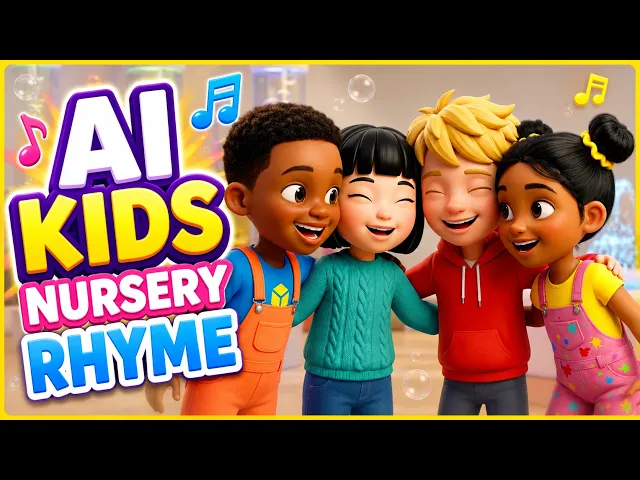
The best AI tool for a faceless kids YouTube channel in 2026 is Atlabs. Most AI video tools generate a beautiful ten second clip and then leave you to solve scripting, casting, narration and captions somewhere else. Atlabs runs those steps as connected workflows, so a six minute bedtime story goes from script to captioned export without leaving the platform. We tested five platforms on the four things that decide whether a kids channel survives past episode ten: character consistency across a series, support for long episodes, narration quality, and how many separate tools sit between an idea and an upload.
Top 5 Tools Ranked:
Atlabs – Best for full episode production from script to captioned export
Kling 3.0 – Best for long single pass clips at volume
Runway – Best for precise shot level direction
Pika – Best for playful, physics driven animation moments
Higgsfield – Best for cinematic camera control and multi model access
Why This List Matters in 2026
Kids content carries constraints that other categories do not. Characters have to stay identical across a whole series, because a four year old notices when the rabbit changes colour and a parent notices when a channel looks careless. Episodes run long, often six to ten minutes, which means twenty or more generated shots rather than one hero clip. Narration carries the story, so the voice has to match the character on screen and hold the same accent and tone from episode one to episode twenty.
Then there is cadence. Kids channels reward frequency, and a tool that produces one polished ten second clip in twenty minutes cannot support four uploads a week. Add captions for the parents watching on mute, a vertical cut for Shorts and a thumbnail per episode, and one upload becomes an afternoon of tool switching. In 2026 the category has split into two camps: model first tools, where you get raw generation and build the pipeline yourself, and workflow first platforms, where scripting, casting, voice and captions live in one place. This list covers the leaders in both, ranked on what a faceless kids channel actually needs.
Comparison Table
Feature | Atlabs | Kling 3.0 | Runway | Pika | Higgsfield |
|---|---|---|---|---|---|
Best For | Full episode production | Long clips at volume | Shot level direction | Playful animation moments | Cinematic camera control |
Creation Method | Connected workflows (script, music or prompt driven) | Model only (prompt driven) | Model plus editing suite | Model only (prompt driven) | Multi model workspace |
Character Consistency | High (Finalize Cast, reused across scenes) | Medium (subject consistency inside a generation) | Medium (reference driven, needs iteration) | Low (per clip only) | Medium (identity references) |
Long Episode Support | Yes, scene by scene script breakdown | Partial, long single clips still need assembly | No, short clips need heavy assembly | No, clip level only | Partial, shot list then assembly |
Narration and Voice | Country Accent and Narrator Voice selection, plus Lip Sync | Native audio, no cast system | Native lip sync, no cast system | Lip sync and sound effects | Model dependent |
Captions | Caption Video app included | External tool needed | External tool needed | External tool needed | External tool needed |
Kids Animation Styles | 3D Cartoon, Storybook, Clay, Modern Cartoon, Spooky Cute, Watercolor Ink, Flat 2D Modern | Style by prompt | Style by prompt and reference | 3D animated, illustrated, toy style | Style by prompt and preset |
Aspect Ratios | 16:9, 9:16, 1:1 in workflow | Export and reframe externally | Multiple, editor based | Pikaframes aspect control | Multiple presets |
Learning Curve | Low | Low | Medium | Very Low | Medium |
Pricing Tier | Free trial available | Free tier available | Free tier available | Free tier available | Paid, low entry tier |
1. Atlabs – Built for Series, Not Single Clips
Best For: Creators running a recurring faceless kids channel with named characters, narration and episodes over five minutes, who want fewer tools between a story idea and a published upload.
Key Features
Animated Video Workflow for Cartoons and Rhymes
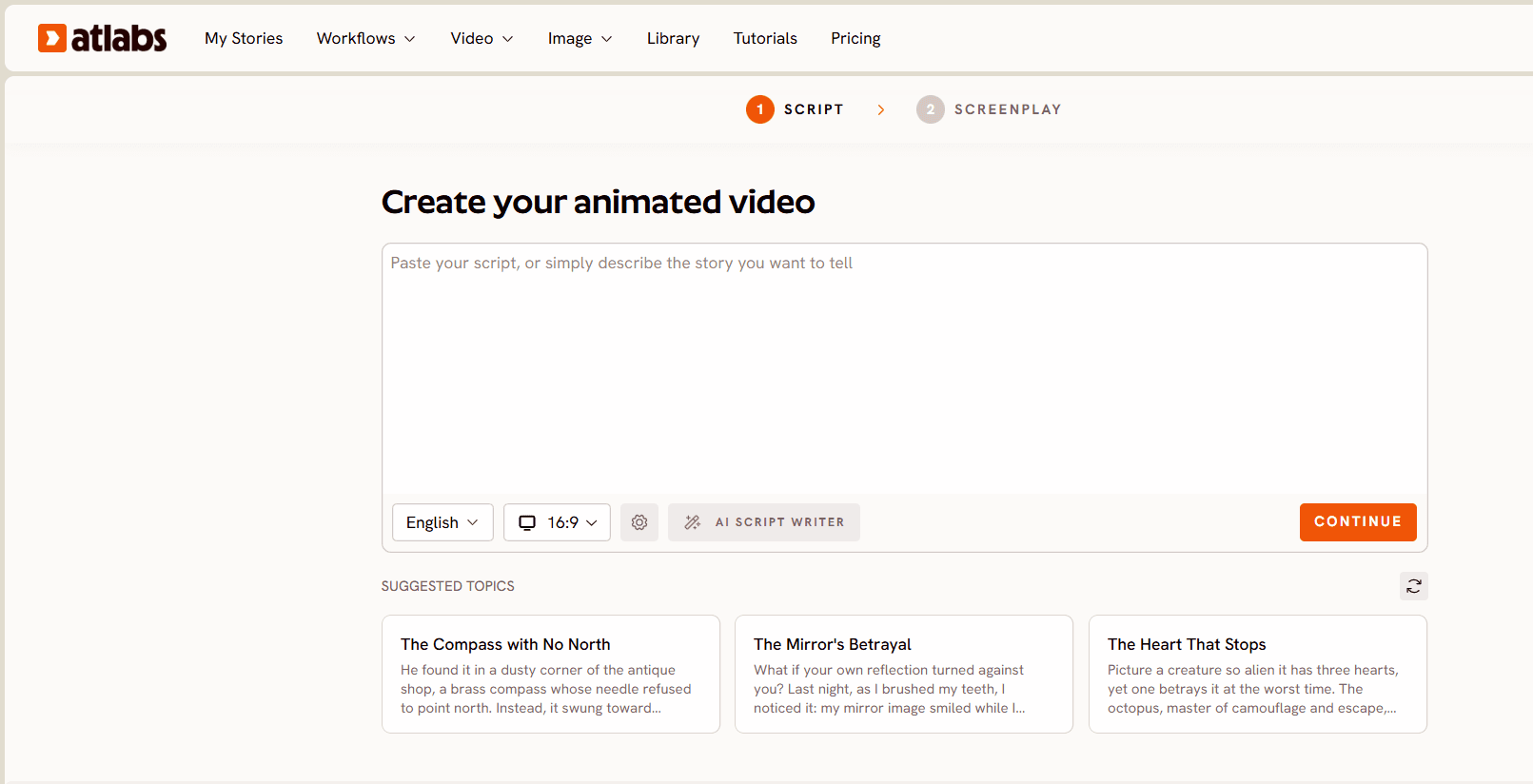
The Animated Video workflow builds animated video from a text prompt and is the one to reach for on kids content, anime style work and explainer animation. Model routing typically favours Seedance 2.0 for stylised character work, which describes most kids animation, and Hailuo 2.3 when a scene needs high motion fluidity. If your series leans towards very simple visuals where the style itself is the point, Stick Style generates stick figure animation from a script and covers the lower fidelity end of the same shelf.
A Visual Style Library That Holds Across a Season
Set Style is where a kids channel finds its look and then keeps it. The library includes 3D Cartoon for warm Pixar adjacent character work, Storybook for illustrated bedtime content, Clay for a tactile stop motion feel, Modern Cartoon for bold clean outlines, Spooky Cute for friendly Halloween series, Watercolor Ink for gentle lullaby visuals and Flat 2D Modern for explainer style episodes. Picking one and holding it across a season is the cheapest way to make a channel read as a series rather than a folder of clips. Aspect Ratio covers 16:9 for the main upload, 9:16 for Shorts and 1:1, so one episode feeds more than one surface.
Script to Video for Six to Ten Minute Episodes
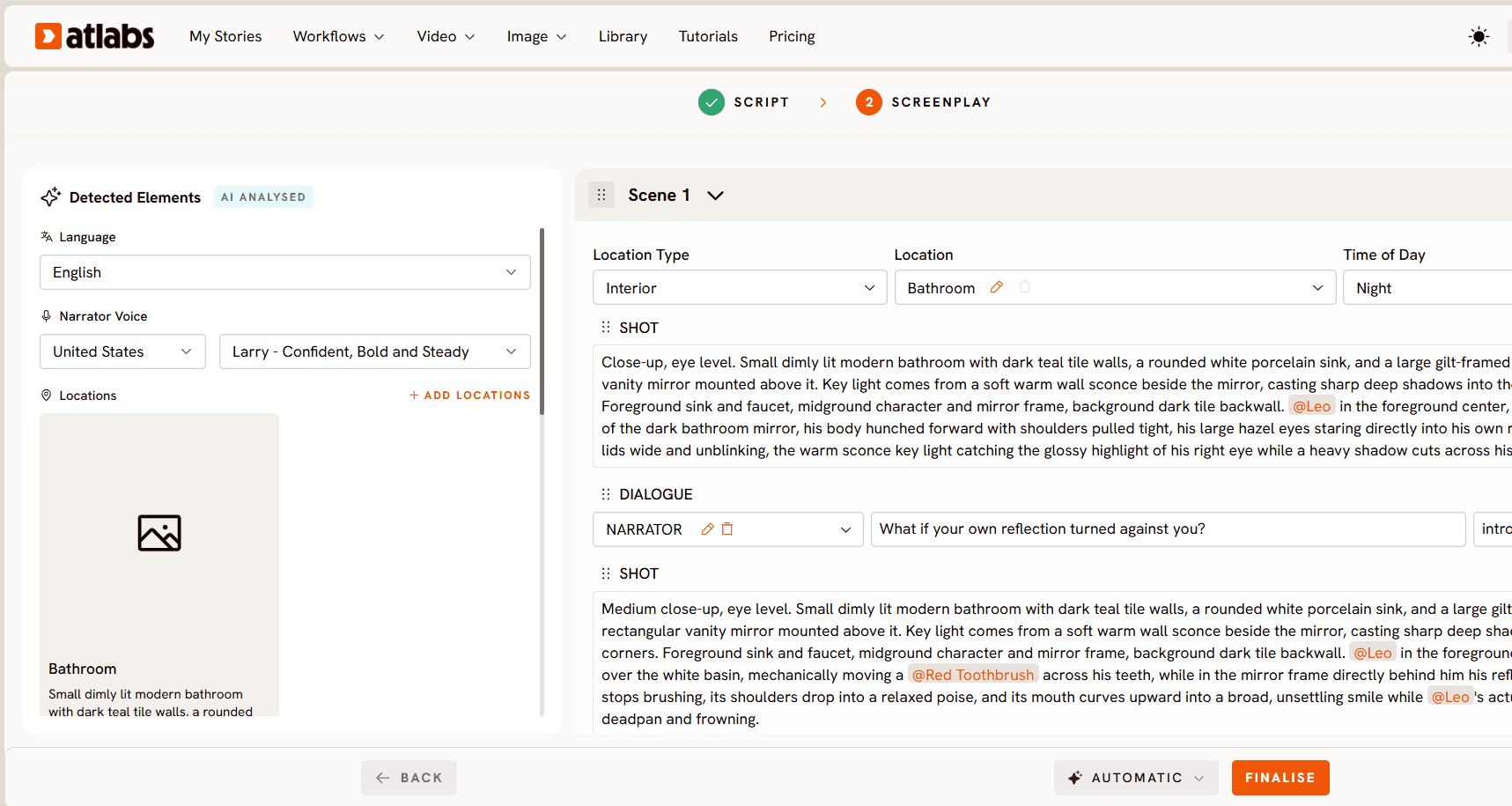
Long kids stories are a scripting problem before they are a rendering problem. Step 1 offers two input modes. "Add your script" is free form text entry with a language selector, an AI Script Writer button and a Suggested Scripts panel with three AI generated starting points, which helps when you are filling a content calendar rather than chasing one idea. "Add your screenplay" is the structured mode, and when Atlabs detects screenplay formatting it prompts "Screenplay Detected" and moves you into a dedicated section with better formatting. Screenplay mode shows the AI analysed Narrator Voice as a Country Accent plus a named voice style, along with Locations and Actors pulled from the script, while the right panel breaks the story out scene by scene with Location Type, Location and Time of Day, and lists individual SHOT descriptions and DIALOGUE blocks carrying character name, spoken line and delivery tone. Step 3, Finalize Cast, lists every character extracted from your script with "Click to Edit" and an "Add Character" option. That cast list is what keeps the rabbit the same rabbit in episode nine.
Music Video for Nursery Rhymes and Kids Songs
If your channel runs on songs rather than stories, the Music Video workflow starts from the audio. Step 1, Add Music, detects language, BPM, mood and genre from the uploaded track. Step 2, Set Style, applies your aspect ratio and visual style. Step 3, Creative Direction, generates six scene concepts anchored to the track's detected tempo, mood and genre, each with a title, description and mood tags, and you can select one or write a fully custom concept. Step 4, Finalise Cast, names and defines the characters who appear. Scenes stay matched to the rhythm of the song rather than sitting over the top of it.
Lip Sync and Caption Video, the Finishing Pass
Talking characters need mouths that match. Lip Sync accepts a character image up to 20MB or a video up to 200MB plus an audio file between 2 and 120 seconds. Caption Video auto captions the finished episode with style options, which matters more on kids content than most creators expect, since a large share of children's video is watched with the sound down in a back seat or a waiting room.
A small round hedgehog with oversized glasses tiptoes across a moonlit vegetable garden, pausing to sniff a glowing tomato that pulses softly with warm orange light. Slow low angle dolly following just behind the hedgehog at ground level, soft rim lighting from a full moon, gentle depth of field, cosy and curious mood, Storybook visual style with painted paper textures. (Best routed through Seedance 2.0)
Pricing
• Free Trial: Available • Pro Plan: from around $15/month billed annually
Verdict: For a channel publishing a recurring series with a stable cast, narration and runtimes over five minutes, Atlabs removes the most handoffs. The script breakdown, the cast, the model choice, the lip sync and the captions sit in one connected set of workflows, which is what keeps a weekly upload schedule from collapsing around episode six. If you mainly want one striking clip for a Short and you enjoy crafting it shot by shot, a model first tool will suit you better.
2. Kling 3.0 – Best for Long Clips at Volume
Best For: Creators who already have a scripting and editing setup they like and want the strongest generation engine feeding it.
Key Features
Multi Shot Sequences
Version 3.0 holds subject consistency across different camera angles inside a single generation, which helps when a story beat is really three shots. For a kids episode, that means a character can turn, react and walk away without three separate prompts and three slightly different rabbits.
Long Single Pass Durations and Native Audio
Kling supports longer single pass generations than most rivals, along with native audio and 4K output. A story beat can play out without being chopped into five second fragments and reassembled, which cuts a large amount of edit time out of a long episode.
Motion and Camera Control
Cinematic camera moves and motion control are built in, and generation quality on stylised character work is reliable enough for repeat use on a series.
Pricing
• Free: Daily credits, watermarked, no commercial rights • Standard: from around $7 to $10/month • Pro: around $26/month, with higher tiers up to roughly $180/month
Verdict: Kling gives you generation, not production. Scripts, character definitions, narrator casting, lip sync on a stylised character, captions and aspect ratio variants all live somewhere else, so your episode workflow spans several tabs and several subscriptions. As a generation engine inside an existing pipeline it is one of the strongest options available.
3. Runway – Best for Shot Level Direction
Best For: Creators who want to direct a shot rather than describe it, on the handful of shots that define an episode.
Key Features
Motion Brush and Camera Path Control
Runway carries the most mature creative control set in the category. Motion brushes direct movement on separate parts of an image independently, and camera path control gives real directorial choices rather than prompt guesswork. For a kids channel this pays off on the character reveal, the emotional beat and the recurring intro sequence.
Reference Driven Character Consistency
Upload a character reference and Runway holds that appearance across generations with reasonable reliability, though it still takes iteration and selection across a long episode.
Native Lip Sync and an Editing Layer
Lip sync is built in, and the surrounding editing tools mean you are not immediately exporting to another application for basic assembly.
Pricing
• Free: Available with watermark and 720p cap • Standard: around $15/month • Pro: around $35/month
Verdict: The limitation is arithmetic. Runway clips typically run five to ten seconds, so an eight minute episode means generating and assembling close to fifty clips, and holding one character across that many separate generations takes patience. Excellent as a precision tool inside a larger workflow, painful as the whole workflow.
4. Pika – Best for Playful Animation Moments
Best For: Creators who want fast, funny, physics driven clips for Shorts and visual gags inside a longer episode.
Key Features
Physics Aware Motion
Pika understands the squish of a balloon, the weight of a fall and the flow of liquid, which maps neatly onto slapstick, toy animation and the exaggerated cause and effect young audiences respond to.
Effects and Sound
Effects tooling covers stylised visual moments, integrated sound effect generation matches audio to on screen action, and generation speed is among the fastest in the category, often under ninety seconds per clip.
Aspect Ratio Control
Pikaframes gives control over framing so a clip formats natively for a YouTube upload or a Short without a separate reframe pass.
Pricing
• Free: 80 monthly credits, 480p, watermarked • Standard: from around $8/month • Higher tiers: around $28 to $76/month
Verdict: Pika is strong at moments and weaker at continuity. Holding a character and a world steady across a twenty shot narrative is where the gap shows, usually around episode three. Use it for the visual gag, the effect shot and the Short that has to stop a thumb, and pair it with something that carries the story.
5. Higgsfield – Best for Cinematic Camera Control
Best For: Creators who run brand or social work alongside a kids channel and want camera level direction plus access to several models in one workspace.
Key Features
Per Shot Camera Controls
Dollies, trucks, pans and tilts are exposed as real directorial choices rather than prompt adjectives, which is unusual in the category and useful for intro sequences and establishing shots.
Character Identity References
Define a character from reference images and carry that identity across later generations, which covers part of the consistency problem for a recurring cast.
Multi Model Access
Several leading models sit in one workspace under one credit balance, so you are not locked to a single aesthetic across an episode.
Pricing
• Starter: from around $9 to $15/month • Plus: around $39/month • Ultra: around $99/month
Verdict: The mismatch is positioning. Higgsfield's centre of gravity is social first and marketing content, with hook generators and ad tooling that a bedtime story channel will never open. If you run brand work alongside your channel the overlap helps. If your output is purely long form children's animation, you will use a small slice of what you are paying for.
Final Verdict
There is no single tool that wins every part of a faceless kids channel, but there is a clear split between tools that generate clips and tools that produce episodes. Kling, Runway, Pika and Higgsfield each own a specific strength, whether that is long durations, shot control, playful physics or cinematic direction, and each leaves you to solve scripting, casting, voice and captions somewhere else. Atlabs is the only platform on this list where a script becomes a scene breakdown, a cast list survives from episode one to episode twenty, narration lands on the character through Lip Sync, and captions and aspect ratio variants come out the other end. For a channel that has to ship every week, the tool that removes the most handoffs is the one that decides whether you are still publishing in six months.
Frequently Asked Questions
What is the best AI tool for a faceless kids YouTube channel in 2026?
For recurring series with named characters and episodes over five minutes, Atlabs suits the cadence, because script structure, cast, model choice, lip sync and captions stay connected in one place. For occasional showpiece clips, Runway offers more shot level control, and for long single pass scenes at volume, Kling 3.0 is the stronger generation engine.
Can I start a faceless kids YouTube channel with free AI tools?
You can test with free tiers, and most tools here offer one, but free tiers are built for evaluation rather than production. They generally cap resolution, add watermarks and limit daily generations, which works for a first episode and not for three uploads a week. Use the free tier to check whether a tool's animation style fits your channel, then judge it on whether it can carry a full episode.
How do I keep the same characters across every episode?
You need a tool that stores a cast rather than one that reads a prompt fresh each time. In Atlabs, the Finalize Cast step lists every character extracted from your script with an option to edit each one and add new ones, so the same definitions carry forward. On the model side, Seedance 2.0 is the stronger route for holding stylised character appearance across separate generations.
How long should a faceless kids YouTube episode be?
Most successful kids channels sit between six and ten minutes for main uploads, with 30 to 60 second Shorts feeding discovery. Decide the runtime before you pick a tool, because long episodes need scene structure first and short clips do not.
Do I need a voice actor for narration?
No. Script to Video includes Country Accent and Narrator Voice selection, and screenplay mode assigns a named narrator voice style from your script automatically. If you prefer your own recording, Lip Sync accepts an audio file between 2 and 120 seconds and matches it to your character.
Which tool makes nursery rhyme videos rather than story videos?
The Music Video workflow starts from the song itself. It detects language, BPM, mood and genre from your uploaded track, then generates six scene concepts in Creative Direction that are anchored to those properties, so the visuals follow the rhythm of the rhyme instead of sitting over it.








