
Ask anyone who produces patient education content what actually goes wrong, and nobody says the animation looked bad. They say the video shipped six weeks late, or the third episode looked like a different series, or a clinician caught an error in the diagram two days before launch and the whole thing went back into production. Healthcare explainers fail on process, not on polish. That is why the tool you pick matters more here than in almost any other category, and why the ranking below is built around workflow control and accuracy checking rather than which model renders the prettiest clip.
The five tools at a glance
Atlabs, for complete explainers from script to multi language release
Runway, for shot level control inside an existing production pipeline
Kling, for physically believable motion in procedural sequences
Higgsfield, for cinematic camera language across a wide model roster
Canva, for diagrams, thumbnails and the packaging around a video
Why This Matters in 2026
Healthcare explainers carry a burden other explainers do not. A fintech video that oversimplifies loses a customer. A medication adherence video that oversimplifies changes what somebody does with a prescription. Every visual decision is a clinical decision in disguise, which means the production process has to allow a clinician to review the output and send back a single scene without triggering a re-render of the whole thing.
That requirement rules out a surprising amount of the current tooling. Most AI video platforms are optimised for producing one striking clip, because that is what social and advertising need. Healthcare needs the opposite: a five scene sequence where scene three can be corrected on its own after review, twice, without the other four changing.
The second pressure is volume. A hospital system explaining pre operative preparation has that same conversation with every patient, in every language its catchment speaks, across every service line. The old economics allowed one flagship video per year. The current economics allow a library, and the constraint has moved from budget to whether your production process can hold a consistent look across forty videos.
The third is that healthcare content is episodic and branded in a way that punishes drift. A cardiology series and an oncology series from the same hospital should look like the same hospital. That is a character and style consistency problem, and it is the single clearest dividing line between the tools below.
Comparison Table
Feature | Atlabs | Runway | Kling | Higgsfield | Canva |
|---|---|---|---|---|---|
Best for | Complete explainers, script to release | Shot level control in a pipeline | Physically believable procedural motion | Cinematic camera language | Diagrams, thumbnails, packaging |
Creation method | Script in, finished sequence out | Prompt or image per shot | Prompt or image per clip | Preset driven clips across many models | Templates plus manual assembly |
Clinical review fixes | Regenerate one scene without re-rendering | Regenerate the shot, re-edit manually | Regenerate the clip, re-edit manually | Regenerate the clip, re-edit manually | Re-edit the timeline |
Character consistency | Consistent Cast, defined once per series | References for characters and locations | Elements, up to four reference images | Depends on the routed model | Not applicable |
Explainer styles | 30 plus in the Visual Style library, including Corporate Vector 2D, Whiteboard Doodle, Paper Cutout | Prompt dependent | Tuned toward realism | Depends on the routed model | Illustration and vector |
Voiceover and captions | Country Accent and Narrator Voice built in, plus Caption Video | Not included | Native multilingual lip sync | Not included | Auto captions from audio |
Multi language release | Global Release Kit, 40 plus languages | Manual per language | Per clip | Manual per language | Manual per version |
Assembly required | None | Yes | Yes | Yes | Yes |
Learning curve | Low | High | Medium | Medium | Low |
1. Atlabs
Best for: healthcare teams producing a library of explainers rather than a single flagship video.
Atlabs is a multi model platform, so one workflow can route to Kling 3.0, Google Veo 3.1, Seedance 2.0, Hailuo 2.3 or Wan 2.6 depending on what a scene needs. For explainer work the relevant surface is the Animated Video workflow, which takes a script and returns a finished sequence rather than a clip you then have to assemble.
Key features. Five steps carry the whole production, and each one maps onto a decision healthcare content actually has to make.
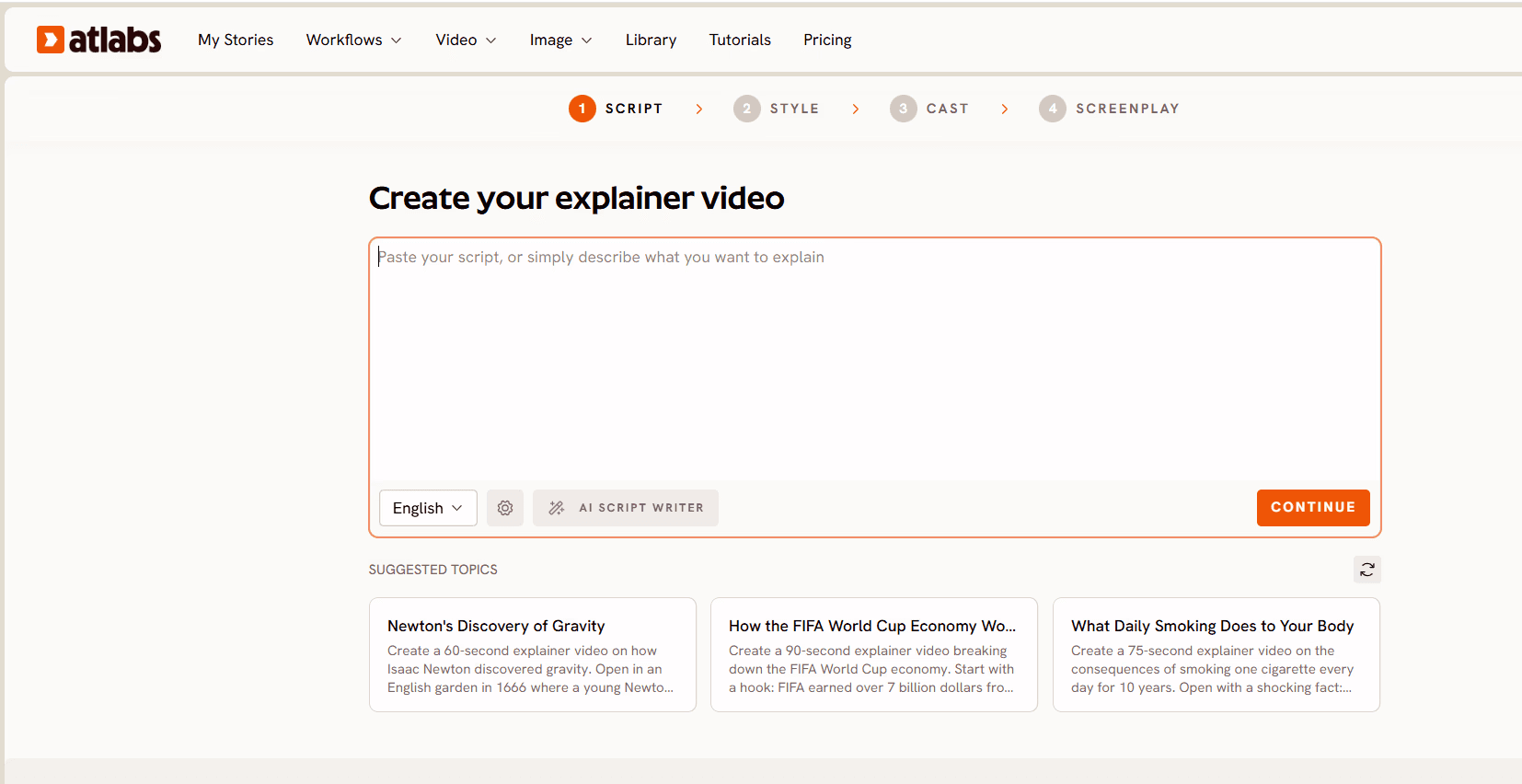
Step 1. Add Your Script
You paste an existing script or use the AI Script Writer to draft one, with a Suggested Scripts panel showing working examples and a language selector alongside. Aim for 150 to 220 words for a 60 to 90 second video, written for the ear rather than the page: short sentences, active voice, one idea per line.
In healthcare this is where accuracy is cheapest to fix. Have the clinician review the script before anything is generated, not the finished video. A script correction costs a minute. The same correction after render costs a scene regeneration and another review cycle. Write from clinical guidance and anonymised composites so no patient detail ever enters a prompt.
Step 2. Set Your Style
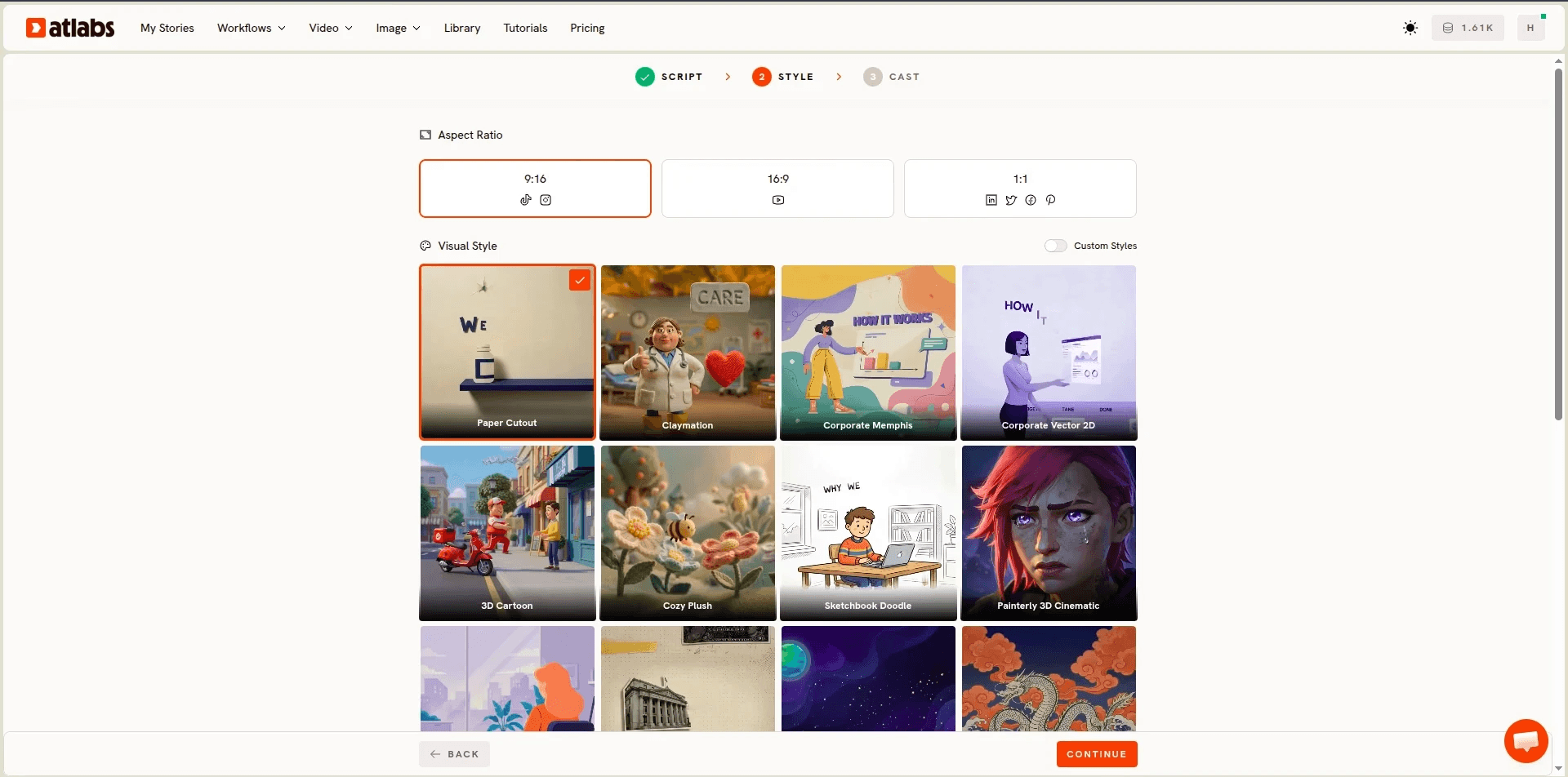
Aspect Ratio covers 16:9 for YouTube and waiting room screens, 9:16 for short form, and 1:1 for feed posts. The Visual Style library holds more than thirty animation styles including Corporate Vector 2D, Whiteboard Doodle, Paper Cutout, Corporate Memphis, 3D Cartoon, Inked Graphic Novel, Claymation and Ukiyo-e, and Custom Styles holds one look across a series.
Style is a trust signal in healthcare and mismatching it is the most common beginner mistake. Corporate Vector 2D reads as clinical and credible, which is the safe default for procedure explanations, medication guidance and anything a patient will act on. Whiteboard Doodle suits mechanism of action, where the value is watching a process assemble step by step. Paper Cutout carries warmth without childishness, which works for mental health, palliative and family facing content where clinical neutrality reads as cold. 3D Cartoon belongs in paediatrics and almost nowhere else in this category.
Step 3. Finalise Your Cast
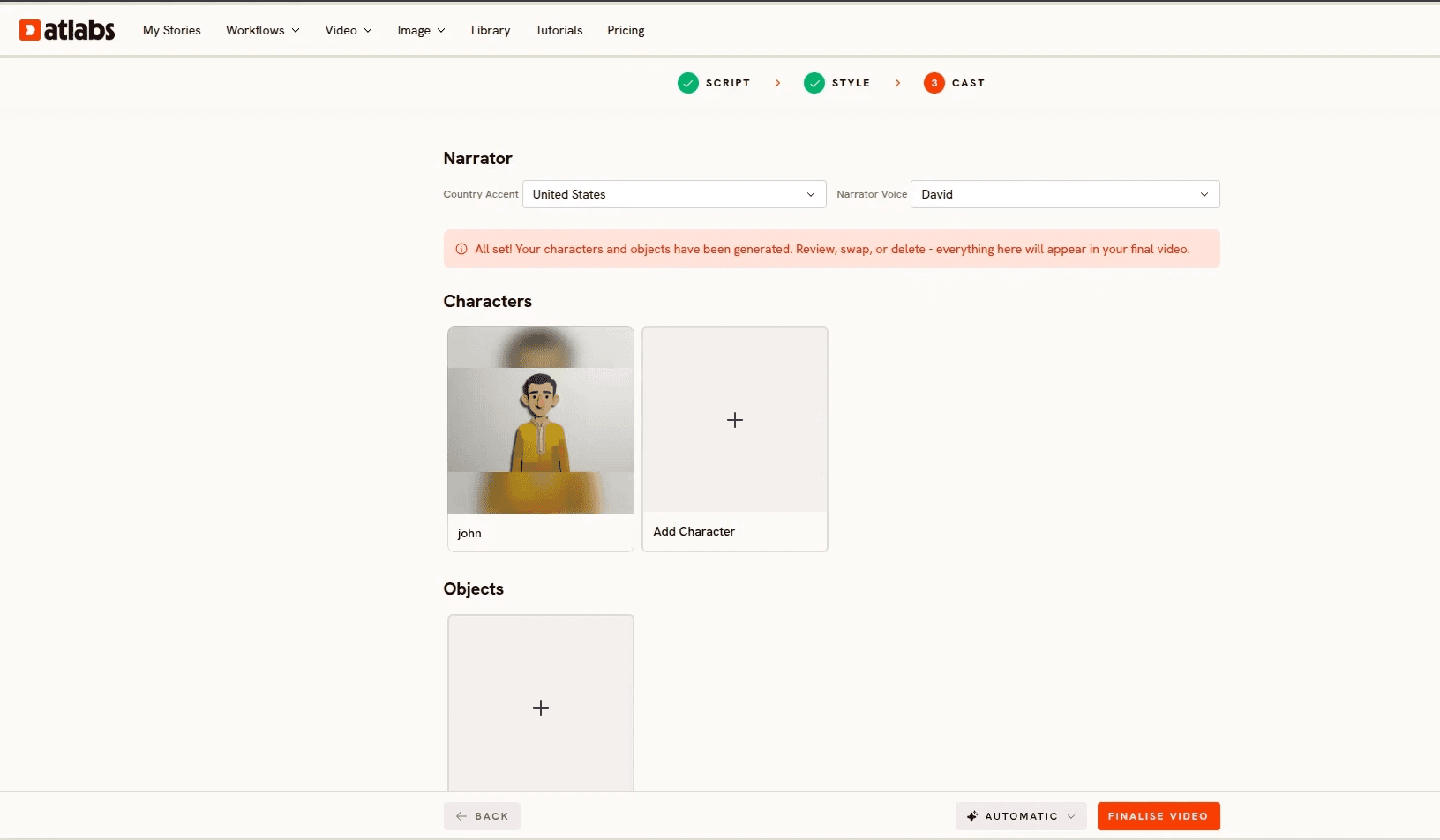
Country Accent and Narrator Voice set the voice. Add Character defines who appears, and Objects covers recurring props, which in healthcare means the same inhaler, the same insulin pen, the same anatomical model appearing identically every time. Together these form the Consistent Cast system.
Lock your cast before your first render, not after. A recurring clinician character across a service line series is the cheapest brand asset a health system can build, and it only works if the definition is made once. Keep that character clearly illustrated rather than photoreal, and never give an AI presenter the name or likeness of a real clinician on your staff, because a patient who believes they are hearing from their own doctor has been misled regardless of intent.
Step 4. Finalise and Edit at the Scene Level
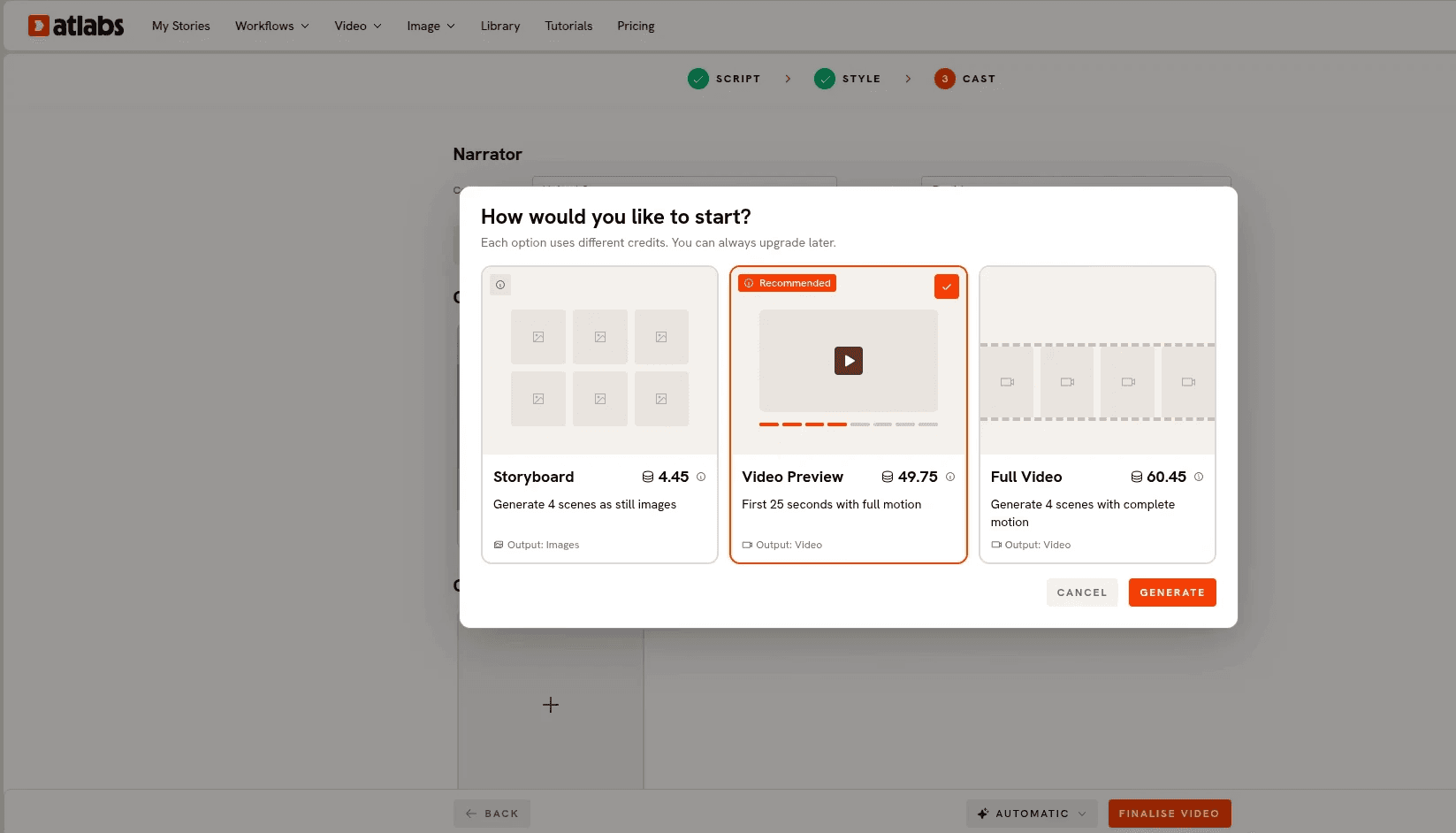
Finalise Video runs the generation automatically. Afterwards, any individual scene can be regenerated on its own without re-rendering the rest.
This is the step that makes healthcare production viable. Send the finished video to clinical review expecting notes, and treat scene level regeneration as the mechanism that absorbs them. Watch each video twice, once for craft and once purely for accuracy: does the count on screen match the number spoken, does the anatomy sit in the right place, does a procedural sequence run in the correct order, does any dosage or device appear as described. When something is wrong, regenerate that scene alone with a more explicit description of what should be visible.
If a scene needs a specific spoken performance, a clinician reading a safety instruction with particular emphasis for example, record the audio and run the shot through Lip Sync, which takes a character image or video plus an audio file between two seconds and 120 seconds.
Step 5. Publish Everywhere with the Global Release Kit
The Global Release Kit handles translation into more than forty languages, vertical reframing and thumbnail generation.
Translation is the highest impact step available to healthcare communicators and the most underused. Health literacy gaps track language access closely, and a discharge instruction video that exists only in English is not reaching the patients most likely to be readmitted. If you need to reframe or sharpen an existing file on its own, Reframe converts aspect ratio with AI generated fill and Upscale raises resolution to 4K, which matters for waiting room displays. Finish with Caption Video from the dashboard, since most waiting room and social playback happens with the sound off.
Verdict. The reason Atlabs sits first here is not render quality, it is that the unit of work matches the unit healthcare produces. You write an explanation, review it, generate it, correct individual scenes after clinical sign off, and release it in every language your patients speak, without leaving the platform. Model routing sits underneath: Seedance 2.0 for stylized character work and dialogue close ups, Veo 3.1 when an establishing shot should look photoreal, Kling 3.0 when a shot needs weight and smooth camera movement, Hailuo 2.3 for fluid motion. If your explainer is deliberately low fidelity, a whiteboard walkthrough of a care pathway for instance, Stick Style is the sibling workflow built for that look.
2. Runway
Best for: teams that already own an editing pipeline and want maximum control over each individual shot.
Key features. Gen 4.5 is the flagship for text and image to video, Gen 4 Turbo covers cheap iteration, and Aleph 2.0 edits existing footage up to thirty seconds with a preview before spending credits. References carries a consistent character and reusable locations across separate generations, Layout Sketch lets you draw over a blank canvas or an existing image to control composition, and Act Two brings head, face, body and hand tracking for performance driven characters. For a medical animator who knows exactly what a shot should look like, that combination is the most precise on this list.
Verdict. The gap for healthcare is everything around the shot. Runway hands you excellent footage and leaves the script, the narration, the timing, the captions and the edit to you, which means clinical review notes land in your editor rather than in the generator. Credit consumption on long high resolution runs is a real constraint, and the model roster shifts, with Veo 3 sunset in August 2026 and the API lineup differing from the app. Strong for hero shots inside a larger production, weak as the whole production.
3. Kling
Best for: procedural and mechanism sequences where physical believability carries the explanation.
Key features. Kling 3.0, released in February 2026 on a unified multimodal architecture, leads on motion physics. Fabric moves like fabric, hair moves like hair, and liquids pour without the flickering that gives away weaker models, which is more relevant to healthcare than it first sounds, since fluid behaviour, tissue movement and device mechanics are exactly what a procedural explainer has to show. The Elements feature accepts up to four reference images and has improved character consistency meaningfully, native multilingual lip sync covers English, Spanish, Japanese and Chinese in a single pass, and Motion Brush combined with automatic motion extraction from a reference video is a rare pairing.
Verdict. That strength is aimed at realism, not at the clean illustrated register most patient education uses, so you spend prompt effort holding a clinical vector look. Native clips top out at fifteen seconds with extension chains costing extra credits, generation runs around two minutes per five second clip, failed generations still consume credits, and character drift across long sequences persists. Best as a specialist tool for the one physically complex sequence in a video, not as the platform the whole video lives on.
4. Higgsfield
Best for: cinematic camera movement on individual hero shots.
Key features. Higgsfield aggregates fifteen or more models including Kling 3.0, Sora 2, Veo 3.1 and Seedance 2.0 under one subscription, which removes the overhead of managing separate accounts. Its distinguishing feature is camera vocabulary: more than seventy presets including Bullet Time, Crash Zoom and 360 Rotation, which give directorial control without prompt engineering. UGC Builder produces talking head content and Marketing Studio turns a product URL into an ad, both useful for medtech and consumer health marketing where the output is promotional rather than instructional.
Verdict. For patient education the gap is structural. Higgsfield does not produce complete narrated videos, so there is no script generation, voiceover, caption or automated assembly layer, and every output is a standalone clip needing an external edit. Premium model usage runs forty to seventy credits per clip, which compounds across a multi scene explainer. It is a camera tool inside a pipeline, and healthcare marketing teams with an editor will get real value from it on that basis.
5. Canva
Best for: the diagrams, thumbnails and packaging that surround a healthcare video.
Key features. Dream Lab generates four image options per prompt in illustration and photorealistic styles with commercial licensing, which is a practical way to produce anatomical illustrations and clean process diagrams. Magic Animate adds motion to static designs with pre built styles in one click, covering title cards and lower thirds. Magic Expand reframes landscape key art into portrait. The video editor now handles multi track editing, auto generated captions from audio, a large background music library and 4K export, and brand kits keep palette and typography identical across a whole content library, which is exactly what a health system's brand team asks for.
Verdict. As a generator it is limited. Canva AI Video runs on Google's Veo 3 and produces eight second clips with synchronised audio or six seconds silent, and Magic Media video returns four second silent clips from an older in house model. You are locked to one model, there is no motion brush or keyframing, anything past eight seconds needs visible stitching, and character animation pushes you to third party integrations. Use it alongside a generation platform, not instead of one.
Pro Tips for Healthcare Explainers
Review the script, not the render. Clinical accuracy is cheapest to fix before generation, and every note that arrives after render costs a regeneration plus a second review. Build the clinician into step one rather than step five.
Watch every video twice. Once for craft and once purely for accuracy, checking that on screen counts match spoken numbers, that anatomy and device placement are correct, and that procedural steps run in the right order. In marketing an odd scene is a blemish, in healthcare it is a misconception.
Keep patient information out of prompts entirely. Write from clinical guidance and anonymised composites. A general explainer contains no protected health information and therefore sits outside HIPAA's scope, and the discipline of keeping it that way saves you a Business Associate Agreement, a documented risk analysis and an audit trail you would otherwise need.
Never let an AI presenter stand in for a named real clinician. An illustrated character is honest. A synthetic likeness that a patient reads as their own doctor is not, whatever the intent behind it.
Translate before you promote. A discharge instruction video that exists only in English is not reaching the patients most likely to be readmitted, and translation is now a release step rather than a second production.
Final Verdict
Runway gives you the most control per shot, Kling gives you the strongest physical motion for procedural sequences, Higgsfield gives you camera language across a wide roster, and Canva gives you the design layer around the video. Each earns a place in a healthcare content operation.
But the thing that breaks healthcare explainer production is not any single shot. It is the cycle: write, review, generate, correct one scene, review again, release in four languages. A platform whose unit of work is the clip turns every clinical note into an editing session. A platform whose unit of work is the explanation absorbs the note and moves on. If you have one explanation you give patients every week, open the Animated Video workflow and start there, or see the full range of workflows at Atlabs.
Frequently Asked Questions
Is it HIPAA compliant to make patient education videos with AI? A general explainer that contains no patient information sits outside HIPAA's scope, because there is no protected health information involved. The obligation attaches the moment real patient detail enters a prompt, at which point the vendor becomes a business associate and you need a Business Associate Agreement, a documented risk analysis and audit logging. The practical approach is to write from clinical guidance and anonymised composites so the question never arises.
Do I need a Business Associate Agreement with an AI video vendor? Only if the vendor creates, receives, maintains or transmits protected health information on your behalf. Producing generic explainers does not meet that test. If your workflow does involve patient data, note that a covered entity cannot delegate its compliance obligations to a vendor, so you remain responsible for breach notification.
How do I keep the same look across a whole series of videos? Define characters and recurring objects once in the Finalise Your Cast step, which together make up the Consistent Cast system, and hold one Visual Style across the series using Custom Styles. Because the definition lives at the workflow level rather than inside individual prompts, episode twelve matches episode one.
What happens when a clinician finds an error after the video is rendered? Regenerate that single scene without re-rendering the video. This is the capability that makes clinical review practical, because a correction costs one scene rather than a full production cycle.
Which animation style works best for patient education? Corporate Vector 2D is the reliable default for anything a patient will act on, since it reads as clinical and credible. Whiteboard Doodle suits mechanism of action explanations, Paper Cutout carries warmth for mental health and family facing content, and 3D Cartoon belongs in paediatrics.
Can I use an AI avatar that looks like one of our doctors? You should not. A patient who believes they are receiving guidance from their own clinician when they are not has been misled, regardless of intent, and consent and likeness questions follow quickly behind. An illustrated character that is clearly an illustration avoids the problem and works better as a long term brand asset.
How long should a healthcare explainer be? Sixty to ninety seconds for a single concept, built from a script of roughly 150 to 220 words. Patients act on one instruction at a time, so a library of short single concept videos outperforms one long video covering a whole care pathway.
Can I produce the same video in multiple languages? Yes. The Global Release Kit handles translation into more than forty languages as a release step. For health systems this is usually the highest impact thing available, because health literacy gaps and language access track each other closely.
Do I need animation or video editing experience? No. The workflow takes a script and returns a finished sequence, and the editing afterwards is choosing which scenes to regenerate rather than working on a timeline.









