
VidMuse built its reputation on one idea that works: instead of throwing a prompt at a model and hoping the visuals land on the beat, it acts like a director, reads the track, and plans the video before rendering a frame. For a lot of artists that is exactly the right shape of tool. But somewhere between the second and the tenth video, a familiar set of ceilings shows up. Regenerating a scene you dislike costs another render. The agent decides the structure and you are approving rather than authoring. And the moment your channel needs something that is not a music video, you are back to opening a second tool. If you have hit any of those walls, here are the five strongest alternatives worth testing in 2026.
Why Are Creators Looking for a VidMuse Alternative?
The first reason is control over structure. An agent that writes the creative brief for you is fast, and speed is real value when you are shipping a single next week. It becomes a constraint when you already know the video you want, shot for shot, and you find yourself editing the machine's plan back toward your own instead of writing it directly.
The second is the cost of iteration. Any platform that renders full length music videos through flagship models is expensive to run, and that cost lands on the creator as render limits. Artists who are fine with one good take rarely notice. Artists who treat the third version as the real version notice quickly.
The third is scope. A music video tool that only makes music videos is a clean product decision, but most people releasing music in 2026 are also making lyric shorts, vertical clips for Reels, performance loops, and thumbnails. When each of those needs a different subscription, the monthly stack gets absurd before the channel earns anything.
The fourth is style range. Beat synced cinematic realism is a look, and it suits hip hop, pop and moody indie extremely well. It suits animated kids music, devotional tracks, lo fi anime loops and 2D storybook visuals much less well, and those niches are where a lot of independent music channels are actually growing right now.
The fifth is language and cast. If your track is in Hindi, Punjabi, Tamil, Spanish or Portuguese, or if you need the same character to appear across an entire release cycle, the tool needs to handle that natively rather than as a workaround.
Comparison Table
Tool | Best For | Key Advantage Over VidMuse | Tradeoffs |
|---|---|---|---|
Atlabs AI | Full music videos plus everything else a music channel needs | Multi model routing inside one workflow, 20+ language detection, 28 visual styles, named cast that stays consistent, plus Motion Control and Lip Sync in the same account | Broad platform, so the music video flow is one of several surfaces to learn |
Runway | Hands on directors who want frame level control | Timeline and editing controls for people who want to author every shot | You assemble the full track yourself, no audio driven structure |
Kling AI | Performance and realism heavy videos | Motion and physics quality on human movement and dance | Clip by clip generation with no music video workflow around it |
Higgsfield | Vertical, social first music clips | Camera move presets that produce a recognisable cinematic look fast | Built around short clips rather than full length narrative videos |
Pika | Quick concept clips and visual effects moments | Fast turnaround and playful effect library for hook moments | Short durations and weaker continuity across a full song |
Atlabs AI
Atlabs is a multi model AI video platform, which is the practical difference that matters most against a single pipeline tool. Rather than accepting whatever model the platform decided to route your video through, you pick the model that matches the look you are after, inside the same workflow. Kling 3.0 for cinematic motion and realism when the video is performance heavy or action driven. Google Veo 3.1 for photorealism and wide establishing shots when you need scale. Seedance 2.0 for stylized content, anime and character closeups when the track calls for animation rather than live action. Hailuo 2.3 when you want high motion fluidity with anime adjacent visuals. Wan 2.6 when you want open source cinematic quality. One workflow, different aesthetic, no separate API accounts.
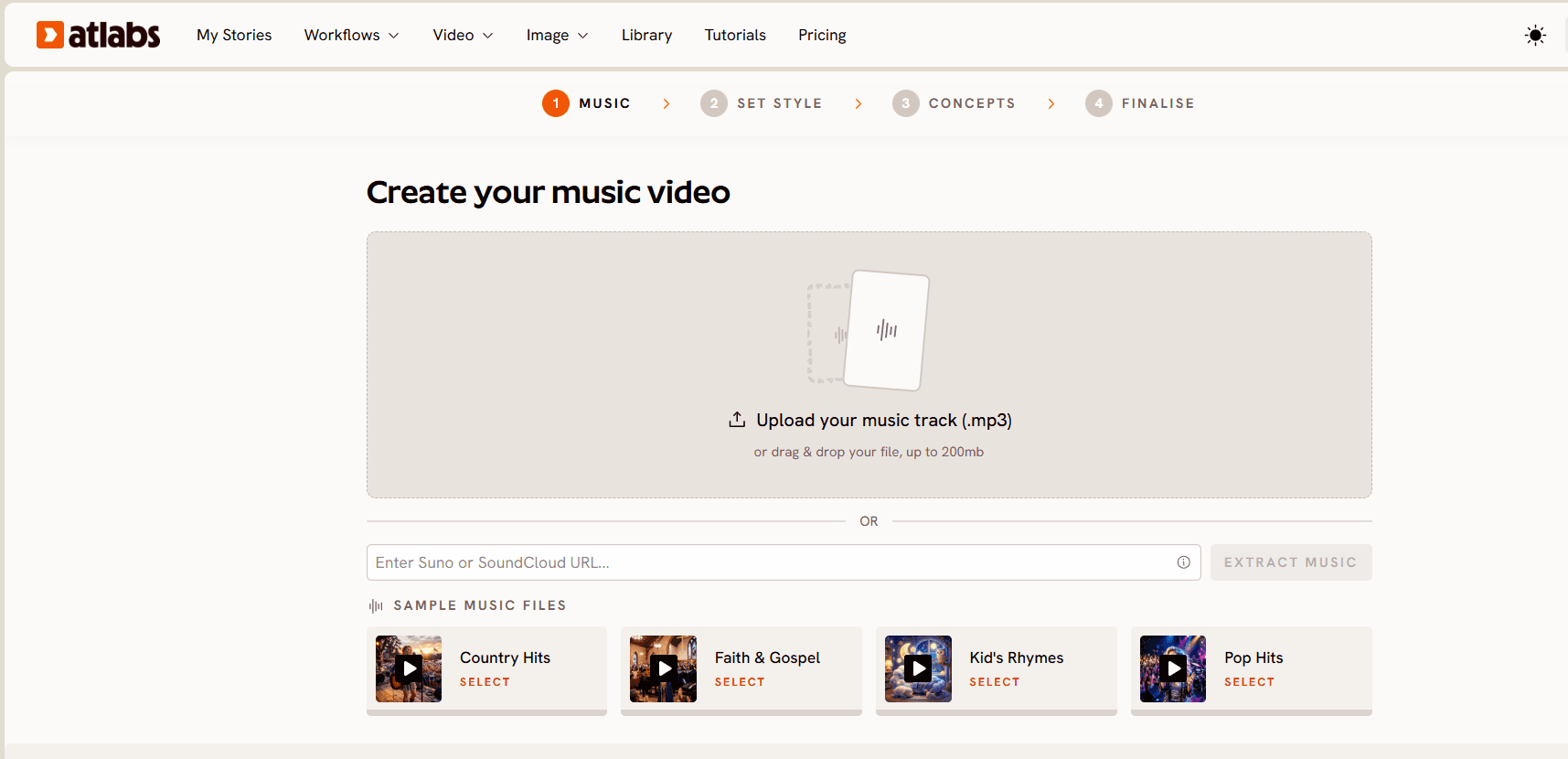
The Music Video workflow runs in four steps.
Step 1, Add Music. You upload the track and Atlabs detects the important parameters automatically, then lets you correct anything it got wrong. Language detection covers Instrumental, English, Hindi, Hinglish, Bengali, Kannada, Malayalam, Marathi, Odia, Punjabi, Tamil, Telugu, Gujarati, Serbian, Spanish, French, French Canada, German, Russian, Portuguese and Portuguese Brazil. BPM is set as Slow Tempo, Mid Tempo, Fast Tempo or Very Fast Tempo. Mood covers Reflective Calm, Party Energy, Melancholic, Uplifting, Romantic, Dark, Dreamy, Aggressive, Chill, Nostalgic, Euphoric, Mysterious and Powerful. Genre covers Ambient, Hip Hop, Pop, Rock, Electronic, R&B, Jazz, Classical, Reggaeton, Country, Folk, Metal, Indie, K-Pop, Afrobeats and Latin. If you are releasing in a language that most tools quietly treat as English, this is the step where the difference shows.
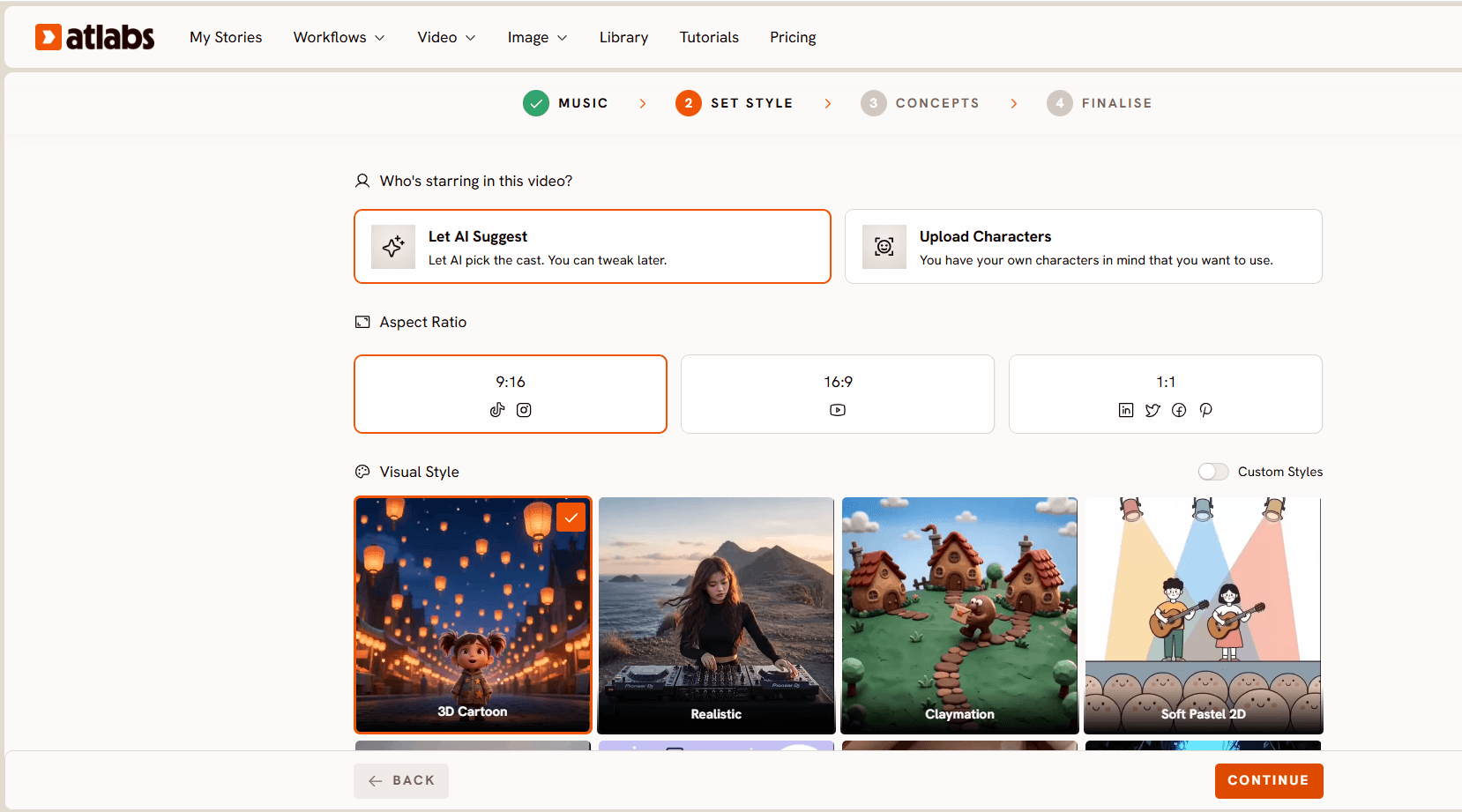
Step 2, Set Style. You choose Aspect Ratio first, 9:16 for TikTok and Instagram, 16:9 for YouTube, 1:1 for the square placements. Then Video Style, where AI Video generates unique video stories and AI Storyboard generates images with effects, which is the cheaper and faster route when you want a stylised lyric piece rather than full motion. Then Visual Style, and this is where the range opens up: 3D Cartoon, Flat 2D Modern, Realistic, Storyboard, 3D Style, Anime, Mythic, American Comics, Clay, Modern Cartoon, Spooky Cute, Brush, Dream Art, Watercolor Ink, Japanese Retro, Cyberpunk Anime, Cinematic, Oil Painting, Webtoon, Noir, Indian Comics, Vintage Cinema, Animation, Ink, Line Art, Storybook, Semi-Realism and Fantasy Horror. A devotional track, a kids sing along and a drill single are three completely different visual problems, and they are solvable in the same tool.
Step 3, Creative Direction. Atlabs generates six scene concepts automatically from the detected tempo, mood and genre, each with a title, a description and mood tags, so you get something like "Quiet Winter Window, Still, Tender, Wistful" and can pick the direction that fits. This is the part that looks similar to an agent based brief, with one difference that matters: you are not limited to approving it. Click "Describe your Creative Direction" and you write the concept yourself, with your own title, description, tags and moods, plus an Enhance toggle if you want the system to expand your idea rather than replace it. Directors who already know the video get to write it. Artists who want a starting point get six.
Step 4, Finalise Cast. You name and define the characters who appear in the video, with multiple characters supported and each one editable. That is what keeps the same face across a three video release cycle instead of a new stranger every render.

Two more tools sit in the same account and matter for music specifically. Motion Control takes a reference video between 3 and 30 seconds, plus a character image, and transfers that motion onto your character, with an optional prompt for background and scene details. Motion comes entirely from the reference video, not the prompt, so if you have a dance take or a specific performance movement you want on an animated artist, that is the route. Lip Sync syncs lip movement to an audio file, taking an image or video plus audio between 2 and 120 seconds, which covers the chorus sections where a static generated performance stops being convincing.
When Should You Choose Atlabs? Choose it when your output is not only music videos. If the same week involves a full length video for YouTube, a vertical cut for Reels, a lyric piece in a storybook style, and a performance close up that needs lip sync, running that through one platform with model choice at each step is a different economics from stacking four subscriptions. Choose it when your catalogue is not English language cinematic realism. And choose it when you want to write the creative direction rather than approve it.
Watch the Full Atlabs Music Video Tutorial
The walkthrough covers the complete run from uploading a track to finalising cast, including where to override the auto detected mood and genre when the track sits between two moods, and how to pick between AI Video and AI Storyboard for the look you want.
Runway
Runway is the tool experienced editors reach for when they want to author every shot rather than describe a video and wait. The control surface is deeper than almost anything else available, and for people who came from a real editing background, that familiarity is worth a lot. Where it falls short as a VidMuse replacement is structure. There is no audio driven pipeline reading your track and building a shot list around it, so a full length music video means generating clips and assembling them yourself, then handling beat alignment in your editor. Credits also move quickly at higher settings, which turns iteration into a budgeting exercise. Best for directors who want manual control end to end and already have an editing workflow to drop the clips into.
Kling AI
Kling produces some of the most convincing human motion available right now, which is why it keeps appearing in performance heavy music videos. Dance, physical action, and camera moves that track a moving subject hold together in a way that many models still cannot manage. Atlabs routes to Kling 3.0 for exactly this reason. Used directly, though, Kling is a generation model rather than a music video product. You get clips, not a video, so the beat mapping, the narrative continuity and the character consistency across scenes are all yours to solve. Best for creators who want the strongest motion quality and are comfortable building the surrounding workflow themselves.
Higgsfield
Higgsfield made its name on camera movement. The preset driven approach to dolly, orbit, crash zoom and similar moves means you can produce a shot that reads as deliberately directed without knowing the vocabulary, and the output is tuned for vertical social placements where most new music discovery is happening. The limitation against VidMuse is length and narrative. It is built around short, striking clips rather than a coherent four minute video, so it works best as a source of hook moments and teaser cuts rather than as the tool that produces your full release. Best for artists whose primary release surface is Reels, Shorts and TikTok.
Pika
Pika is the fastest way to get from an idea to something watchable, and its effects library makes it useful for the specific moments in a video where you want something surprising rather than something realistic. For a hook, a drop, or a visual gag in a comedic track, that speed matters. As a full replacement it runs into duration and continuity limits: clips are short, and holding the same character and setting across an entire song takes more stitching than the tool is designed for. Best for concept exploration, teasers, and single moment visual ideas rather than complete music videos.
How to Choose
Start with the question of who writes the video. If you want the tool to decide and you approve, an agent led product suits you and you may not need to switch at all. If you already see the video and want to write it, pick a tool where creative direction is an input rather than an output, which is where the "Describe your Creative Direction" route in the Atlabs Music Video workflow and the manual control in Runway sit.
Then look at your catalogue. A single genre in one language in one aesthetic is well served by a narrow tool. A catalogue that crosses languages, or crosses from realism into animation, needs a platform where visual style and model are choices rather than defaults.
Finally count everything you make besides the music video. If that list includes vertical cuts, lip synced performance shots, lyric pieces and thumbnails, the tool that handles four of those inside one account wins on total cost even before you compare the video quality.
Example Prompts
1. Neon rain performance. A solo vocalist stands under a broken streetlight in heavy rain, water beading on a black leather jacket, neon signage reflecting in the puddles around their feet, slow push in from a low angle as they mouth the chorus, cyan and magenta rim lighting cutting through the downpour, moody nocturnal atmosphere, cinematic realism with shallow depth of field. (Best routed through Kling 3.0.)
2. Desert highway wide. A lone figure walks along an empty desert highway at golden hour, heat shimmer distorting the horizon behind them, camera craning up and back to reveal the scale of the landscape, long shadow stretching across cracked asphalt, warm amber light with deep blue shadow, documentary style photorealism, unhurried and expansive mood. (Best routed through Google Veo 3.1.)
3. Anime rooftop chorus. A young musician sits on a rooftop railing at dusk with a city stretching out below, wind moving through their hair as the chorus lifts, cherry blossom petals drifting across frame, camera slowly orbiting from profile to three quarter view, warm sunset gradient against cool blue buildings, anime visual style with clean line work and soft bloom. (Best routed through Seedance 2.0.)
4. Storybook lullaby scene. A small child in striped pyjamas floats gently upward through a bedroom filled with drifting paper stars, soft moonlight from a round window, camera rising slowly alongside them, muted pastel palette with warm candle tones, storybook illustration style with visible paper texture, calm and tender atmosphere.
5. Club energy cutaway. A dense crowd moves in unison under strobing lights inside a low ceilinged basement club, handheld camera pushing through bodies toward the stage, motion blur on the strobe frames, saturated red and white lighting with heavy contrast, high energy party atmosphere, gritty vintage cinema texture. (Best routed through Hailuo 2.3.)
6. Devotional temple opening. Rows of oil lamps flicker along stone temple steps at dawn as mist settles over the courtyard, camera drifting forward at eye level past the flames, soft gold light against cool grey stone, marigold garlands framing the edges of the shot, reverent and still atmosphere, semi realism with painterly warmth.
Try any of these in the Atlabs Music Video workflow.
FAQ
Is there a free VidMuse alternative for making AI music videos? Most platforms in this category offer some form of free access with limits on resolution, watermarking or render volume. Test the same 30 second section of your track on two or three tools before committing, because the free tiers differ far more in output quality than in what the pricing pages suggest.
Which alternative handles non English tracks best? Atlabs detects language at the Add Music step across more than twenty options including Hindi, Hinglish, Punjabi, Tamil, Telugu, Bengali, Spanish, Portuguese and others, and adjusts the creative direction accordingly. If your catalogue is not English, this is the single biggest quality difference you will notice.
Can these tools keep the same character across a whole music video? Character consistency is the hardest problem in AI video right now. The Finalise Cast step in the Atlabs Music Video workflow lets you name and define each character before generation so they persist across scenes, and Motion Control lets you drive a defined character with a real motion reference. Clip by clip tools like Kling and Pika require more manual work to hold a character together.
Do I need to edit the video after it generates? Not for the main cut. The workflow produces a complete video aligned to your track. Most creators still make small changes afterwards, which is where tools like Reframe for aspect ratio changes and Caption Video for social captions come in.
What if I only make short vertical clips, not full music videos? Then a full length music video workflow is more tool than you need. Higgsfield and Pika are built for that shape of output, and the 9:16 aspect ratio option in the Atlabs Set Style step covers it too if you want everything in one place.
Final Verdict
VidMuse is a well designed answer to a real problem, and if the agent led brief suits how you work, there is no reason to move. The reason creators look elsewhere is almost always the same: they want to write the creative direction rather than approve it, they need styles and languages outside cinematic English realism, and they are making more than music videos. Atlabs covers those three specifically, with model choice inside one workflow, a visual style library that reaches from photoreal to storybook, more than twenty detected languages, a named cast that holds across a release cycle, and Motion Control and Lip Sync sitting in the same account for the shots that need them. Pick the tool that matches how much of the video you want to author yourself.








