A practical breakdown for creators, marketers, and brand teams who are done stitching together five tools to finish one video.
You open five tabs. One for image generation. One for video. One for voiceover. One for lip sync. One for music. You spend four hours. You produce sixty seconds of content. And it still looks like it was assembled by someone who had never watched a film.
That is the reality of most AI video workflows in 2026. Not because the tools are bad, but because they were never designed to talk to each other.
This guide breaks down what the best AI image and video generation platforms actually offer, what the real differentiators are between them, and why an increasing number of serious creators are consolidating onto a single workspace instead of building Frankenstein pipelines.
Why 'Best AI Video Generator' Is the Wrong Question to Ask
Most comparison posts rank tools by output quality on a single benchmark clip. That is a bit like reviewing a restaurant based only on one dish someone else ordered.
The right question is: which platform handles the full creative workflow from concept to export, at a quality level that works for real production, without requiring you to become a prompt engineer, a video editor, and an audio engineer simultaneously?
That reframe changes the list entirely.
What actually matters in 2026:
Consistency across scenes (not just one great frame)
Realistic human motion and face quality
Native audio, voiceover, and lip sync inside the same tool
Multiple AI models accessible without switching platforms
Speed of iteration, not just quality of final output
A workflow you can actually repeat
With that lens, here is how the major platforms actually stack up.
The AI Video Landscape in 2026: What Each Category Is Good At
Before comparing platforms, it helps to understand how the space has split into distinct categories.
Text-to-Video Engines (Sora 2, Kling 2.1, Wan 2.1, Hailuo, Veo 3)
These are the model-layer tools. You give them a prompt, they return a video clip. Sora 2 produces the most cinematically coherent motion of any model currently available. Kling 2.1 excels at realistic human motion and face-to-face consistency. Wan 2.1 handles stylized animation at scale. Hailuo leads on fast short-form output. Veo 3 is Google's entry, strongest for photorealistic environments.
The limitation: none of these are a workflow. They generate clips. They do not give you voiceover, music, character locking, avatar video, or a timeline editor.
AI Avatar Platforms (HeyGen, Synthesia, D-ID)
These tools specialize in talking-head video: an AI human presenting to camera, reading a script you provide. HeyGen leads the category in avatar realism and language coverage. Synthesia is the enterprise choice for compliance-heavy use cases. D-ID is lighter and faster for simple social content.
The limitation: avatar video is one format. If you need product ads, cinematic scenes, animated content, or image-based video, you are back to a second tool.
AI Image Platforms (Midjourney, Nano Banana 2, Flux, Ideogram)
Midjourney remains the aesthetic benchmark for editorial and brand imagery. Nano Banana 2 leads on photorealism and prompt instruction-following. Flux is the developer-favorite open-source model. Ideogram is strong for text-in-image generation.
The limitation: static images. Animation, motion, and voice are separate problems requiring separate tools.
One-Stop AI Video Workspaces (Atlabs, Runway, Pika)
This is the category that is changing the most quickly. Platforms in this tier are not just model wrappers. They are production environments that bring generation, editing, audio, and export into a unified workspace. Atlabs, Runway, and Pika all compete here, but with meaningfully different strengths.
The most important shift happening in 2026 is not which model is best. It is which platform makes the best models usable in a repeatable production workflow.
Atlabs: The Closest Thing to a Complete AI Production Studio
PLATFORM DEEP DIVE
Atlabs is built around one central belief: the problem with AI video in 2026 is not the model. It is the workflow. Most creators are not failing because Sora 2 is insufficient. They are failing because they have no coherent system connecting concept, image, motion, voice, and audio into a final deliverable.
Atlabs solves this by putting every major AI model and every production layer inside a single workspace. You do not switch tools. You switch modes.
What Makes Atlabs Different: Not One Model, All of Them
Most platforms bet on their proprietary model. Atlabs bets on model access at depth. Inside one Atlabs project, you can access:
Sora 2 for cinematic motion and scene generation
Nano Banana 2 for photorealistic image generation (Atlabs' own model, trained for commercial production quality)
Kling 2.1 for human-forward video with consistent facial motion
Wan 2.1 for stylized and animated content
Hailuo for fast short-form video
Seedance 2.0 for high-fidelity video generation
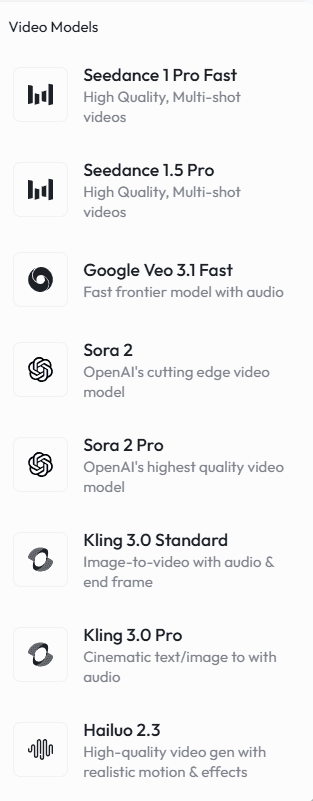
This is not just a feature list. It changes how you work. When one model underperforms on a specific shot, you do not redesign your workflow. You switch the model on that scene and keep everything else.
Avatar Video: Multilingual, Realistic, Lip-Synced
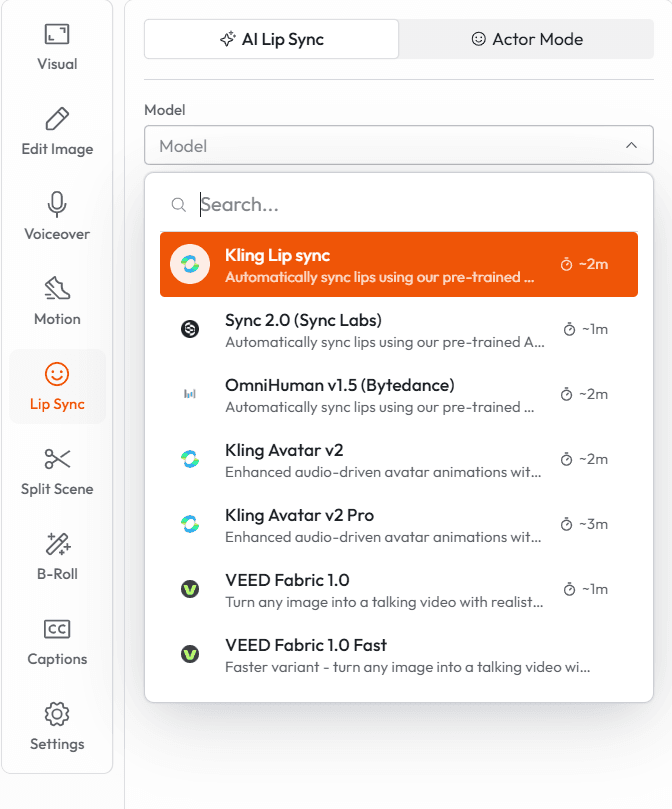
Atlabs supports AI avatar video in over 40 languages with automatic lip sync. This is the feature that marketing teams, educators, and agencies reach for first.
The workflow is direct: write your script, select an avatar (from Atlabs' library or a custom-trained one), choose a language, and generate. The avatar speaks your script, lip-synced, with background scenes generated alongside it.
For a brand producing localized content across multiple markets, this alone replaces a meaningful chunk of production budget. A video that previously required a studio day per language can now be generated in an hour per variant.
Real use case: A DTC skincare brand uses Atlabs to produce one hero ad in English, then generate localized avatar versions in French, German, Spanish, and Portuguese. Total additional production time: under two hours. Total additional cost: the price of a few Atlabs credits.
Nano Banana 2: Atlabs' Image Model Built for Production
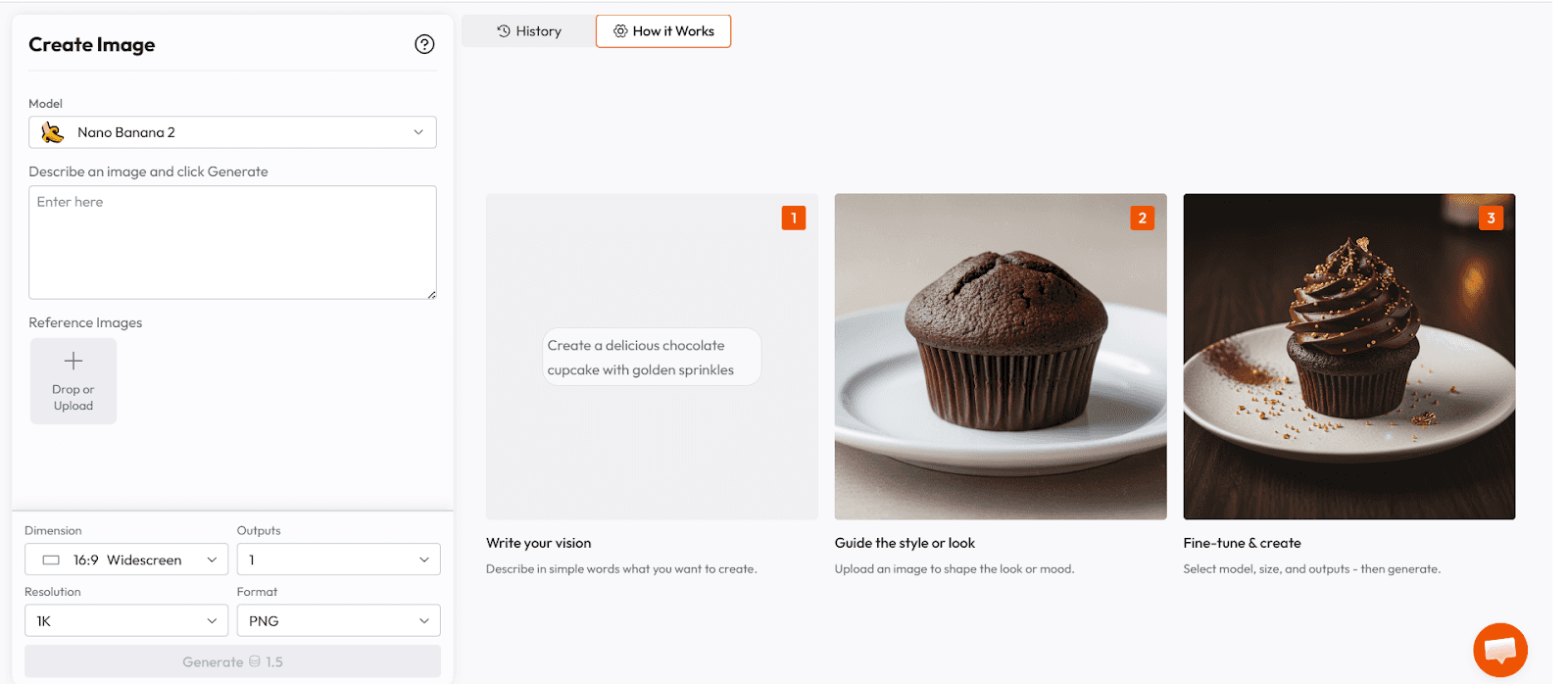
Nano Banana 2 is Atlabs' proprietary image generation model. It was built specifically for commercial production use cases, which means it is optimized for two things that general-purpose models often sacrifice: prompt instruction-following accuracy and consistency across multiple generations.
When you prompt Nano Banana 2 for a product shot with specific lighting, specific background, and specific composition, it returns exactly that. Not an interpretation. Not a creative variation. The thing you asked for.
This matters enormously for brand work. A product ad where the lighting changes between frames, or where the hero product looks different in the second image than the first, is not usable. Nano Banana 2 was trained with production consistency as a primary objective.
Prompt example for a product shot: "Studio-lit beauty product shot, amber glass serum bottle, matte gold cap, standing on wet black marble surface, single soft key light from upper left, dark moody background, shallow depth of field, no props, no text, photorealistic, consistent with prior frames."
The constraint layer at the end of the prompt is where most creators under-invest. Nano Banana 2 responds to negative constraints clearly and consistently, which makes it practical for multi-scene production where visual coherence is non-negotiable.
The Atlabs Timeline Editor: Where Everything Comes Together
Generating a clip is not making a video. Making a video requires assembly, timing, transitions, music, captions, and audio mix. Most AI generation tools hand you a clip and leave you to figure out the rest.
Atlabs includes a full timeline editor inside the same workspace where you generate. This is not a basic trimmer. You get:
Multi-track video and audio timeline
Caption generation with multiple style options
Background music library with royalty-free tracks
AI voiceover generation and audio sync
Smart reframing for different aspect ratios (16:9, 9:16, 1:1)
Direct export to Premiere Pro for teams that need traditional editing workflows
The result is that a single creator can go from a written brief to a fully produced video without leaving the platform. No exports to editing software. No separate voiceover recording. No hunting for royalty-free music.
Atlabs for Different Use Cases
Product Advertising
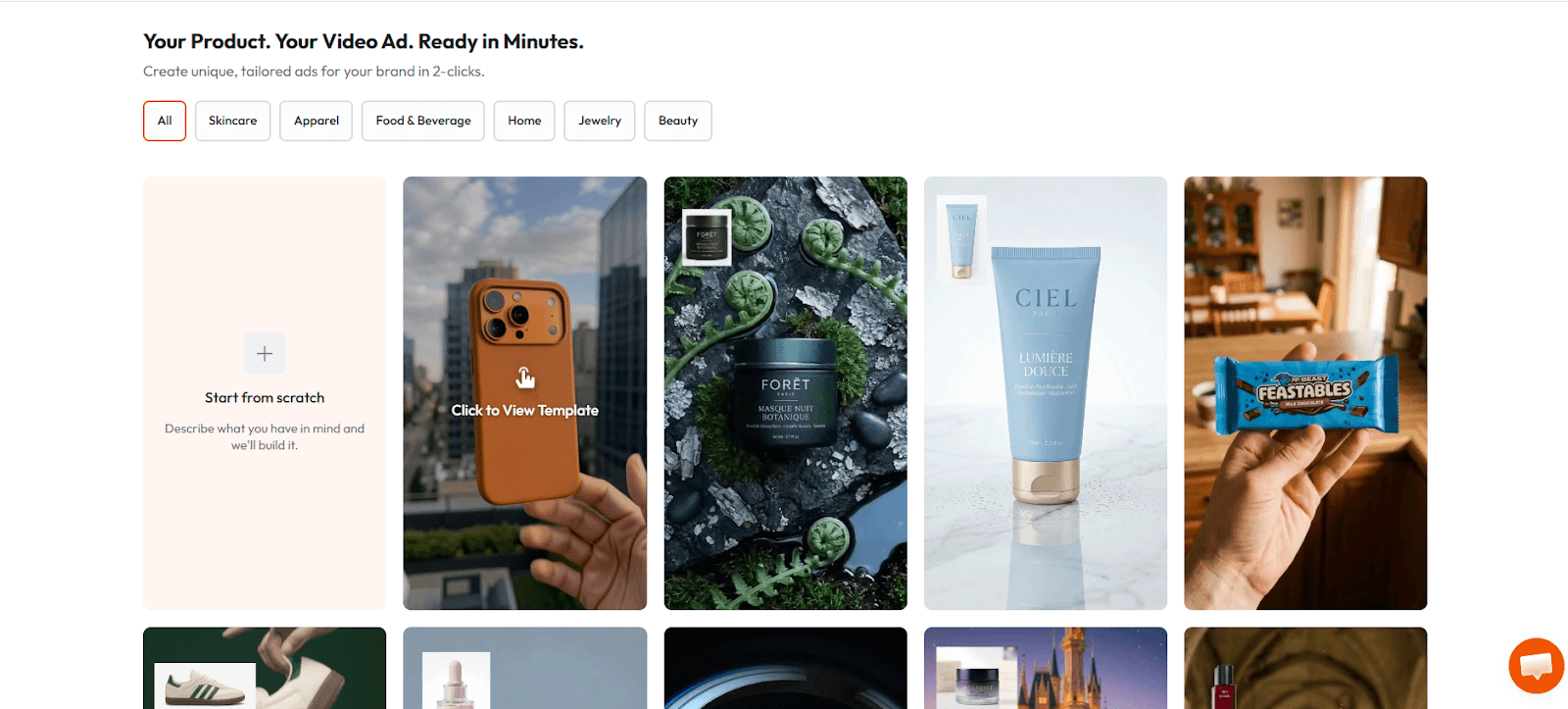
This is the highest-volume use case on the platform. A brand team writes a brief. Atlabs generates product images using Nano Banana 2, animates them with Sora 2 or Kling 2.1 depending on the motion requirement, adds an AI voiceover, sets a music bed, and exports a final ad unit. The workflow that used to take a full production day now takes two to three hours.
Template library insight: Atlabs includes named ad templates across beauty, fashion, activewear, furniture, food and beverage, and luxury goods. Each template is a pre-built four-step pipeline: script, image prompts, motion prompts, and audio. Teams can customize or generate new templates for their specific brand voice.
Content Creator Workflows
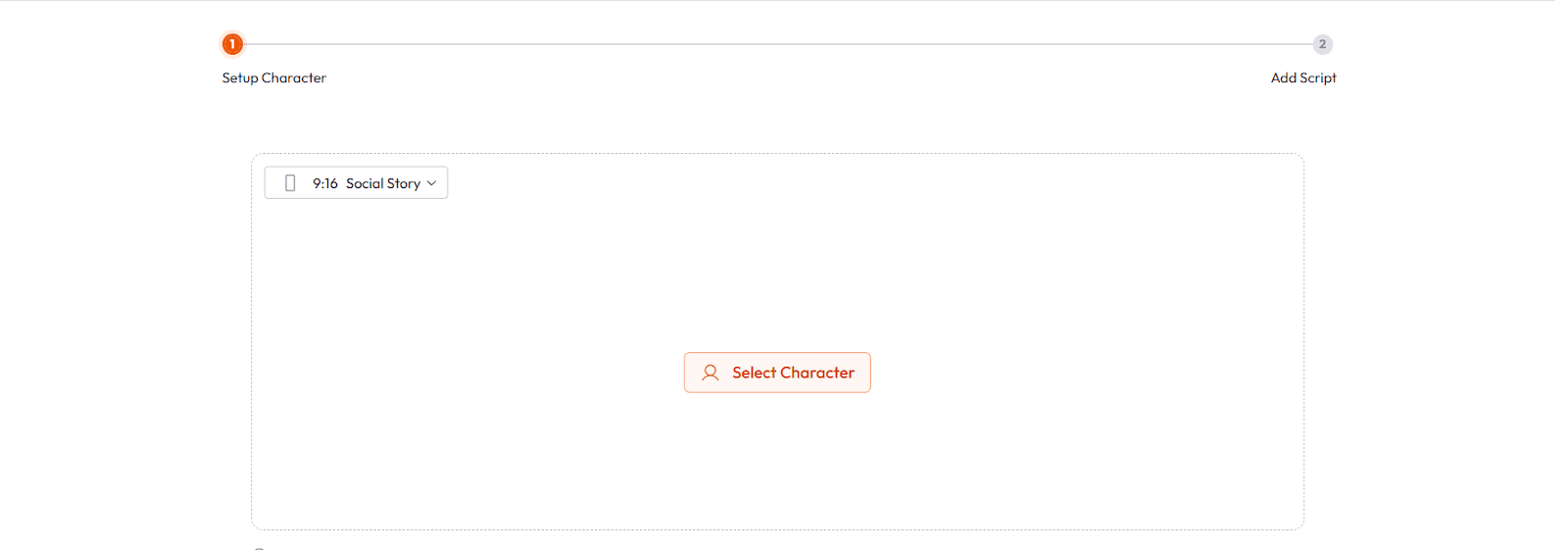
YouTube creators, social media brands, and newsletter publishers use Atlabs for B-roll generation, thumbnail creation, and short-form video production. The access to multiple AI video models in one place means they can match the visual style of a given piece of content to the model that handles it best, without managing separate subscriptions.
Educational and Training Video
Consistent AI characters for educational series are a strong Atlabs use case. Generate a teacher avatar once, lock the character, and maintain visual and voice consistency across every lesson in a curriculum. This is the workflow that has replaced a production team for several online course creators using the platform.
Agency and Client Services
Creative agencies use Atlabs to compress timelines on video production deliverables. A concept-to-first-draft cycle that previously required a pre-production week can be done in a single working day with Atlabs. Client feedback is incorporated by regenerating specific scenes rather than rebuilding the entire project.
Atlabs Pricing
Atlabs operates on a credit-based model with subscription tiers. The free tier includes a first video at no cost. Paid plans start at accessible monthly rates and scale with usage volume. For teams producing content at scale, the per-video cost comparison against traditional production or even stock-plus-editing workflows is significant.
The honest pitch: if you are currently spending money on five separate AI subscriptions and time on moving files between them, Atlabs almost certainly costs less and produces more in the same time window.
Runway: The Professional's Tool for Advanced Video Control
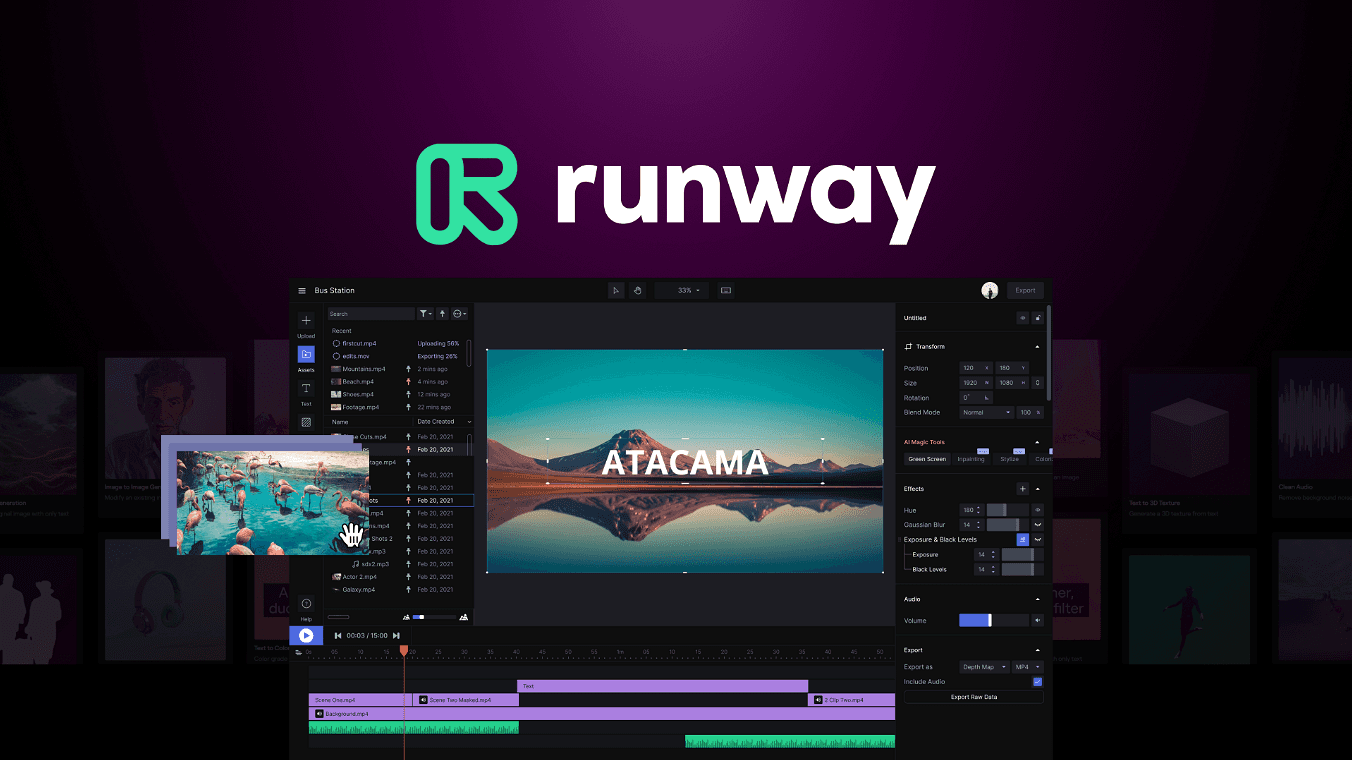
Runway Gen-3 Alpha is the preferred tool for creators who need fine-grained control over motion style, camera behavior, and visual texture. The platform has invested heavily in the professional editing layer: motion brush, which allows you to define exactly which elements in a frame move and how; reference image input, for grounding generation in a specific visual direction; and a director mode, which gives prompt-level control over camera movement.
Runway is strongest for narrative and artistic video work where the creator has a highly specific visual intent and needs the tool to serve it precisely. It is less optimized for high-volume production workflows or for creators who need audio, voiceover, and a timeline editor alongside generation.
The practical comparison: Runway gives you more control per shot. Atlabs gives you more output per hour. For a filmmaker making a short film, Runway. For a brand team shipping weekly ad creative, Atlabs.
Pika 2.2: Fast, Fun, and Built for Social
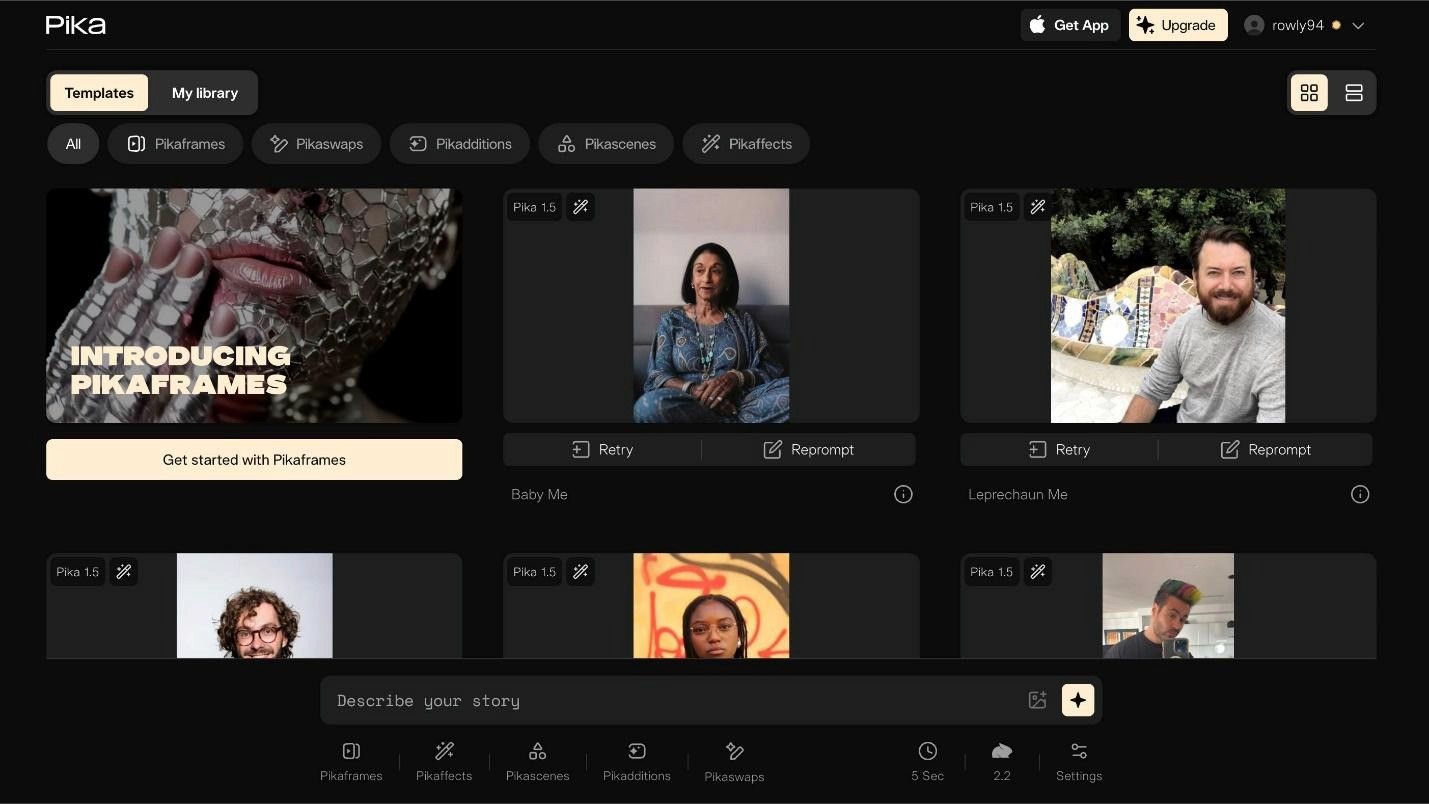
Pika has carved out a clear position as the fastest iteration tool for short-form social content. Pika 2.2 introduced Pikaffects, a set of pre-built motion styles (crush, melt, inflate, explode) that produce visually distinctive social-native clips in seconds.
The Pikaframes feature lets you define a start and end image, with Pika generating the transition between them. For product reveals, before-and-after content, and abstract motion graphics, this is genuinely excellent.
The limitation is depth. Pika is excellent at generating one great clip fast. It is not a production environment. It has no audio layer, no timeline editor, no avatar support, and limited consistency tools across multi-scene projects.
Pika is the tool you reach for when you need a standout social clip in the next fifteen minutes. It is not the platform you build a content operation on.
HeyGen: The Standard for AI Avatar Video
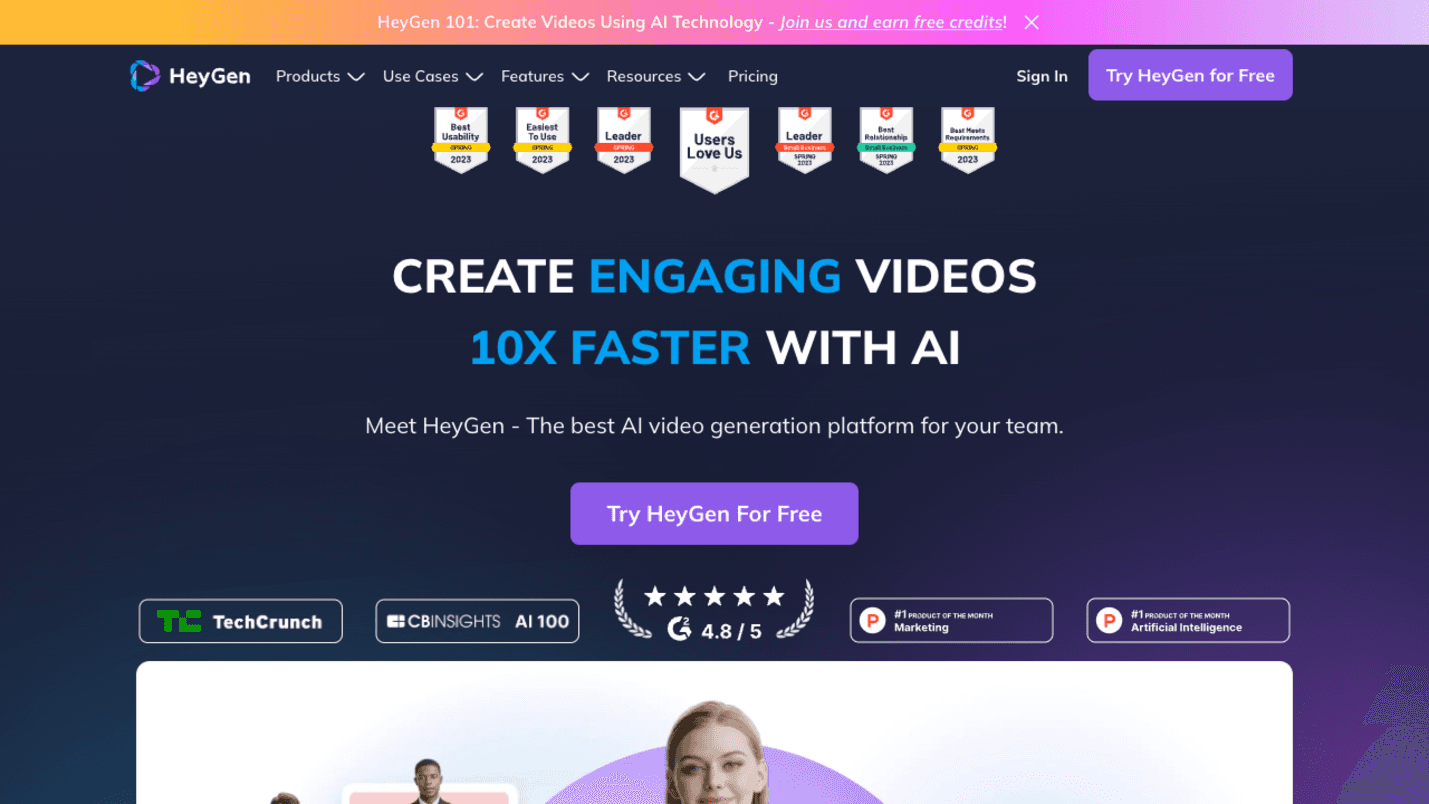
If talking-head avatar video is your primary use case, HeyGen is the platform benchmark. The avatar realism, language coverage (over 175 languages), and expressive delivery range make it the strongest purpose-built avatar tool currently available.
HeyGen's interactive avatar feature, which allows viewers to have a real-time conversation with an AI version of a person, is a genuinely novel capability with clear applications for sales, onboarding, and customer service.
The honest limitation: HeyGen is an avatar platform. It does not generate cinematic product scenes, it does not have a text-to-video model for environment generation, and it does not handle the broader production workflow. For teams that need both avatar video and product video in the same production pipeline, HeyGen becomes one of several tools rather than the single workspace.
Midjourney V7: Still the Aesthetic Benchmark for Still Images
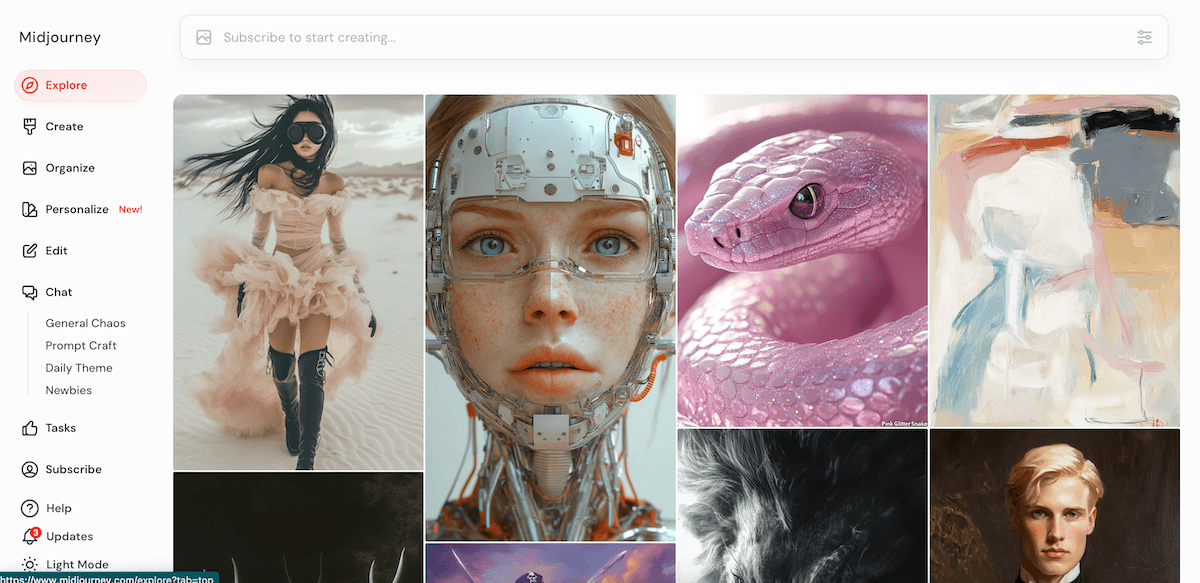
Midjourney V7 produces the highest-quality artistic images of any platform currently available for creative direction, mood boarding, and editorial visual work. If the output is a still image and the standard is aesthetic ambition, Midjourney is the default choice for most serious image creators.
The gap in 2026 is motion. Midjourney does not generate video. The workflow for using Midjourney images as inputs to a video generation tool requires export, import, and a separate generation step. For brand teams working at volume, this friction compounds quickly.
The practical decision: use Midjourney for high-stakes creative direction and brand visual reference work where you need the best possible single frame. Use Atlabs or Runway when you need those frames to move.
Platform Comparison: What Each Tool Actually Does Best
Platform | Best For | Limitation | Verdict |
|---|---|---|---|
Atlabs | End-to-end video production: images, video, avatar, audio, timeline | Deepest feature set requires a learning curve for new users | Best choice for creators and teams who want one platform for the full workflow |
Runway Gen-3 | Fine-grained motion control, narrative video, artistic direction | No audio layer, no avatar, not optimized for volume production | Best for filmmakers and directors who need control per shot |
Pika 2.2 | Fast social clips, motion transitions, Pikaffects for viral content | No audio, no timeline, no consistency tools for multi-scene | Best for quick social content, not a production environment |
HeyGen | Talking-head avatar video, multilingual, interactive avatars | No environment generation, no product video, no timeline | Best purpose-built avatar tool, limited outside that use case |
Midjourney V7 | Highest aesthetic quality still image generation | No video generation, no audio, workflow friction at volume | Best for creative direction and brand visual reference work |
Sora 2 (via Atlabs) | Cinematic motion quality, coherent long-form sequences | Available as a standalone API, best accessed via a workspace | Best motion model; most accessible through Atlabs |
Choosing the Right Platform for Your Use Case
You are a solo content creator producing weekly video
You need speed, audio, and a timeline in one place. Atlabs. The ability to go from brief to finished video without switching tools is worth more than any marginal quality gain from a specialist platform.
You are a brand team producing product ads at scale
You need image consistency, model variety, and fast iteration. Atlabs, specifically for the Nano Banana 2 image model and the template library. Supplement with Midjourney for high-stakes still image art direction.
You are a filmmaker working on a short or narrative project
You need control per shot and cinematic motion quality. Runway Gen-3 for generation. Atlabs for assembly and audio if you need a timeline layer.
You are an educator or online course creator
You need consistent characters and reliable voiceover across many lessons. Atlabs for the character locking and avatar pipeline. The educational video workflow is one of the strongest Atlabs use cases.
You are producing localized multilingual content
HeyGen for pure avatar localization. Atlabs if you need avatar video plus product visuals plus a production environment in the same workspace.
You need one viral social clip by tomorrow morning
Pika. It is the fastest iteration tool in the category and the Pikaffects library produces distinctively social-native content quickly.
What Realistic Expectations Look Like in 2026
AI image and video generation is genuinely good in 2026. The outputs from the best platforms are, in many use cases, indistinguishable from traditionally produced content. But the gap between what is possible and what most people produce is still large, and it is not primarily a tool problem.
It is a workflow problem, a brief quality problem, and a consistency-of-practice problem.
The creators and brand teams producing the best AI-generated content in 2026 share a few characteristics. They work within a coherent system rather than jumping between tools. They invest in the brief as heavily as the generation. They iterate rather than accepting the first output. And they have chosen a primary platform and gotten deeply fluent in it rather than chasing every new model release.
The best AI video generator is not the one with the highest benchmark score on a controlled test. It is the one you can use consistently, at volume, without burning your creative energy on tool management.
For most creators and most brand teams, in 2026, that platform is Atlabs.
The production question is not 'which model is best?' It is 'which workspace lets me use the best models in a workflow I can actually repeat?' That is the question Atlabs was built to answer.
Start Creating on Atlabs
Atlabs offers a free first video with no credit card required. The fastest way to evaluate the platform is to bring your most common production use case, a product ad, an avatar explainer, a social clip, and run it through the Atlabs workflow.
The question to answer in your first session is not whether the output is perfect. It is whether the workflow is one you can build on. Most creators who try it do not go back to the five-tab pipeline.
Try Atlabs free at atlabs.ai
Published on atlabs.ai/blog | 2026








