
Looking for a better alternative to OpenArt for music videos?
The best OpenArt alternative for music videos in 2026 is Atlabs, which rates 4.6 out of 5 on Trustpilot and is the only tool on this list built around a five step music video workflow that starts with your uploaded track. OpenArt is a capable image and short clip generator, but it has no audio driven pipeline, so a full song still has to be assembled by hand somewhere else. We compared five alternatives on workflow, audio sync, character consistency, export quality and independent review scores. Here is how each one performed.
Why This List Matters in 2026
Music video creation has split into two categories of tool, and the difference decides whether you finish a video or abandon it. The first category generates individual clips from prompts. You get four seconds of striking footage, then another four seconds that looks like a different film, and the work of turning forty clips into one coherent video lands on you. The second category starts from the audio, reads tempo and mood and structure, then plans scenes around the track. OpenArt sits firmly in the first category. It was built as an image generation platform and later added video, which is why its strengths are style range and character training rather than song length output.
For an independent artist releasing a single, that gap is the whole problem. You do not need one beautiful shot. You need three minutes that hold together, cut on the beat, keep the same face on the same character in scene one and scene twenty, and export at a resolution YouTube will not crush. The five tools below were picked because each one closes some part of that gap, and one of them closes all of it.
Why Music Video Creators Look for OpenArt Alternatives
Three reasons come up repeatedly. First, there is no dedicated music video workflow. OpenArt has no place to upload an mp3 and have the platform read the track, so beat matching and scene timing are manual work in an external editor. Second, clip length is short by design. Generations are built for social clips and storyboard frames, not for a three or four minute song, which means a full release is stitched together from many separate outputs. Third, character consistency across a long sequence is uneven. OpenArt does offer character training, which is a real strength, but holding a look steady across twenty scenes in a narrative video is a different problem from holding it steady across a handful of images.
None of that makes OpenArt a weak product. It rates 4 out of 5 on Trustpilot and is well liked for what it was designed to do. It simply is not a music video tool, and artists searching for alternatives are usually searching for the workflow, not for better image quality.
Side by Side Comparison: All 5 OpenArt Alternatives
Trustpilot scores below were read from each product's public Trustpilot profile in August 2026 and move over time. The Atlabs Verdict column is our own editorial rating based on the music video workflow specifically, not on the product overall.
Feature | Atlabs | Neural Frames | freebeat | Canva | VidMuse |
|---|---|---|---|---|---|
Trustpilot Score | 4.6 / 5 | 3.1 / 5 | 1.2 / 5 | 4.0 / 5 | 1.7 / 5 |
Atlabs Verdict | Excellent | Good | Average | Good | Average |
Best For | Complete music videos start to finish | Audio reactive visualizers | Fast dance and lyric videos | Template based lyric videos | Chat driven video planning |
Dedicated Music Video Workflow | Yes, five steps from uploaded track | Yes, music first | Yes, three preset modes | No, general design editor | Yes, AI agent |
Audio Sync and Beat Detection | Yes, tempo, mood and genre read from the track | Yes, eight stem analysis | Yes, BPM and drop detection | Beat Sync on paid plans | Yes, rhythm analysis |
Character Consistency | Yes, Cast reference sheets across every scene | Yes, custom avatars | Varies between generations | Not applicable | Yes, reference images |
Lip Sync | Yes, dedicated Lip Sync app | Not a core feature | Yes, performance mode | No | Yes |
Scene Level Control | Yes, editable concepts and per scene regeneration | Yes, AI storyboard | Regenerate scenes only | Full manual timeline | AI planned |
Max Video Length | Up to 15 min on Plus | Up to 10 min | About 6 min | No hard limit, manual assembly | Full song length |
Export Quality | 1080p, 4K on Max | 1080p, 4K on Ninja and above | 720p on lower tiers, 1080p on Ultimate | 1080p | 720p free, 1080p paid |
Free Tier | Yes, no card required | Yes, limited | Yes, limited | Yes, generous | Yes, 500 one time credits |
Starting Paid Price | $29/mo (Lite, annual) | $26/mo (Knight, annual) | $26.99/mo (Pro) | $180/yr (Pro) | $33/mo (Pro, annual) |
How We Picked
Four criteria, applied the same way to every tool. Does the product accept a finished audio track as the starting input, or does the artist have to describe the song in words? Does it hold a character's appearance steady across a full length sequence? Can a scene be regenerated without rebuilding the whole video? And does the export resolution on the entry paid tier survive a YouTube upload? Pricing and Trustpilot scores were read from each vendor's live pricing page and public review profile in August 2026.
1. Atlabs: The Most Complete Music Video Workflow
Best for independent artists, producers and labels who have a finished track and want a full length video without opening an editing timeline. Rated Excellent.
Key Features
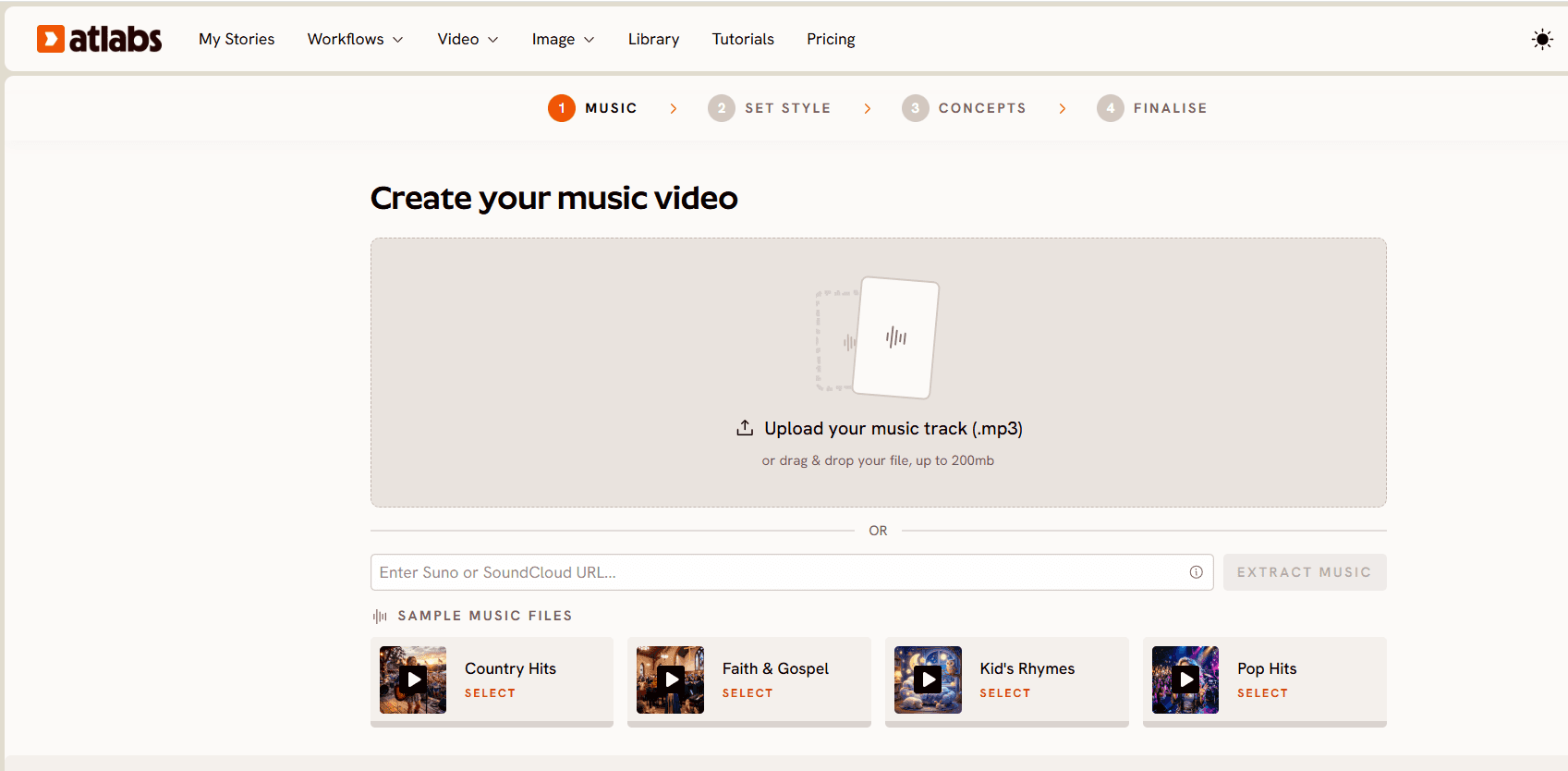
The Music Video workflow runs in five steps and each one is built around the audio rather than around a prompt box. Step one is Add Music: upload an mp3 up to 200MB or paste a Suno URL and click EXTRACT MUSIC, and the platform reads the track properties automatically. Nothing about the song has to be described in words.
Step 1: upload an mp3 or paste a Suno link, then click EXTRACT MUSIC.
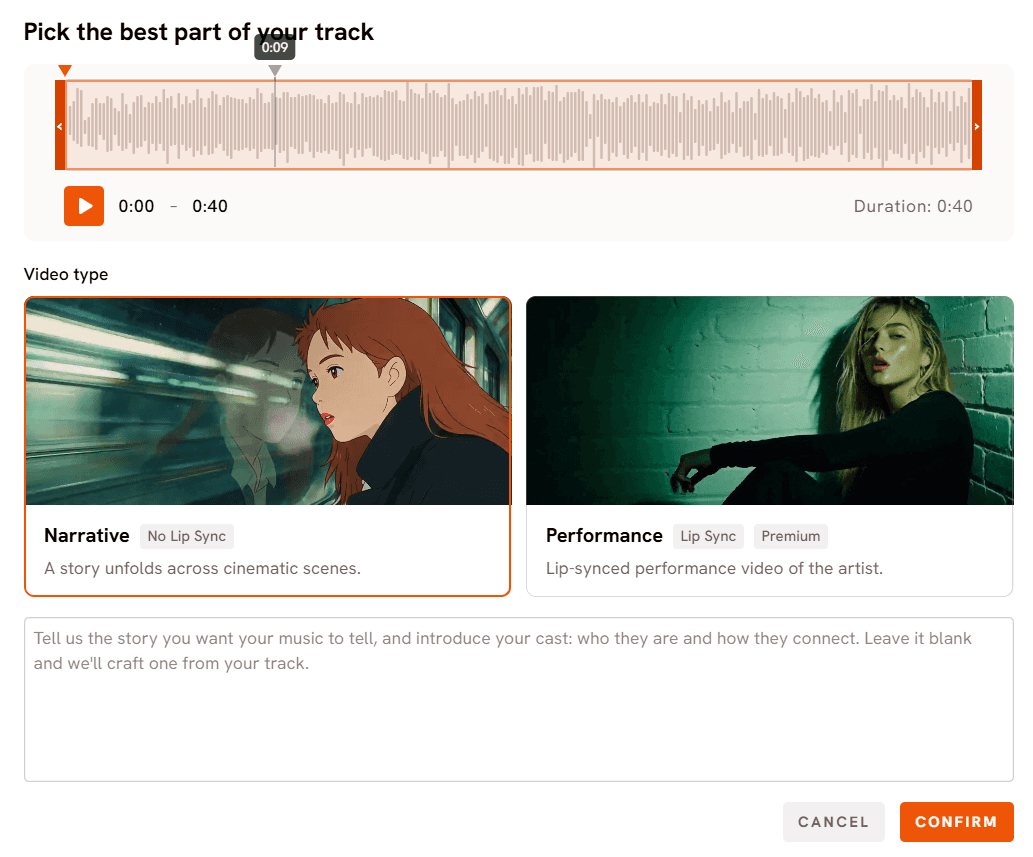
Step two is Video Type. A waveform opens and a green selection window drags across it so you choose exactly which part of the track drives the video, then you pick Narrative for a story that unfolds across cinematic scenes or Performance for a lip synced performance video. This is the decision most prompt based tools never ask you to make, and it is the reason the output has a shape instead of being a montage.
Step 2: drag the green window across the waveform, then pick Narrative or Performance.
Step three is Set Style. Aspect ratio covers 9:16 for TikTok and Instagram, 16:9 for YouTube and 1:1 for square feeds. Video Style is either AI Video, which generates unique video stories, or AI Storyboard, which generates images with effects. The visual style library runs from Realistic and Dark Urban Cartoon through Claymation, Anime, Flat 2D Modern and Japanese Retro, with a Custom Styles toggle for the full set.
Step 3: aspect ratio, video style and the visual style library.
Step four is Concepts, and it is the part OpenArt has no equivalent for. Atlabs generates six scene concepts based on your music tempo, mood and genre, and presents them as cards you can edit with a pencil icon or replace entirely with DESCRIBE YOUR CONCEPT. You are directing from six informed starting points rather than from a blank prompt field.
Step 4: six scene concepts generated from the track's tempo, mood and genre.
Step five is Cast. Each character gets a generated reference sheet with multiple angles and a portrait, and that sheet is what keeps the same person recognisable in scene one and scene twenty. An Objects section below does the same job for recurring props. Character consistency across a long sequence is the single hardest thing to hold in AI video, and it is handled here as a setup step rather than as a prompt you have to repeat.
Step 5: Cast reference sheets keep characters consistent across every scene.
Model choice sits underneath all five steps. Kling 3.0 handles cinematic motion and realism, Google Veo 3.1 covers photorealistic wide and establishing shots, Seedance 2.0 is strong on stylised character closeups, and Hailuo 2.3 and Wan 2.6 cover high motion and open source cinematic looks. Finishing tools are separate apps rather than exports to another product: Lip Sync for vocal performance, Motion Control for transferring choreography from a reference video onto a character, Reframe for aspect ratio changes and Upscale for resolution.
Pricing
Free: trial access, no credit card required
Lite: $29/month annual, 4,200 credits/year, 1080p, videos up to 5 minutes
Pro: $59/month annual, 9,000 credits/year, 1080p, up to 10 minutes, character training
Plus: $189/month annual, 31,200 credits/year, up to 15 minutes, Premiere Pro export
Max: $249/month annual, unlimited 4K, custom models, fastest renders
Verdict
Excellent. Atlabs is the only tool on this list where a finished track goes in one end and a complete, character consistent, beat aware music video comes out the other without a separate editor. The Trustpilot score of 4.6 out of 5 is the highest of the five. If you are leaving OpenArt because you were assembling clips by hand, this is the switch that removes that step entirely.
→ Build your music video on Atlabs
2. Neural Frames: Best for Audio Reactive Visualizers
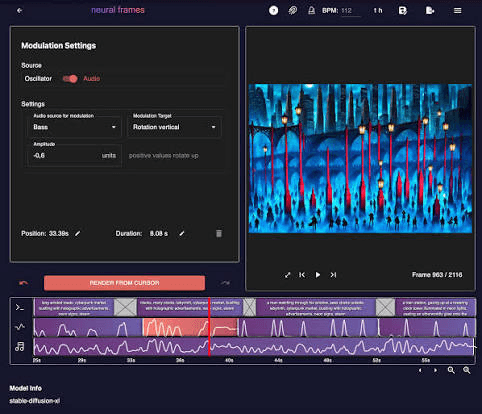
Best for electronic producers, DJs and ambient artists who want visuals that pulse with the mix rather than tell a story. Rated Good.
Key Features
Neural Frames separates a track into eight stems and drives different visual parameters from each one, so the kick can push camera movement while the pad drives colour. That is a different approach from scene based generation and it produces something no narrative tool matches for club visuals and looping backdrops. Custom avatars keep a subject recognisable, an AI storyboard mode plans longer pieces, and Autopilot handles full length videos with less manual input. Unused credits roll over up to 300 percent of the monthly allocation, and failed generations do not deduct credits, which is a fairer credit model than most of this category.
The limitation is the flip side of the strength. Because the visuals are driven by audio signal rather than by a script, narrative control is limited. If you want a character walking through a specific sequence of locations, this is the harder path.
Pricing
Free: limited access to audio to video tools
Neural Knight: $26/month annual or $39 monthly, 2,400 credits, 7 models, 1080p
Neural Ninja: $66/month annual or $99 monthly, 7,200 credits, 10 models, 4K upscaling
Neural Nirvana: $199/month annual or $299 monthly, 24,000 credits, priority upscaling
Verdict
Good. A 3.1 out of 5 Trustpilot score puts it in average territory for customer experience, but the stem based visualizer work is the best in this list at what it does. Pick it if your track is instrumental and your video is a mood rather than a story.
3. freebeat: Best for Fast Dance and Lyric Videos
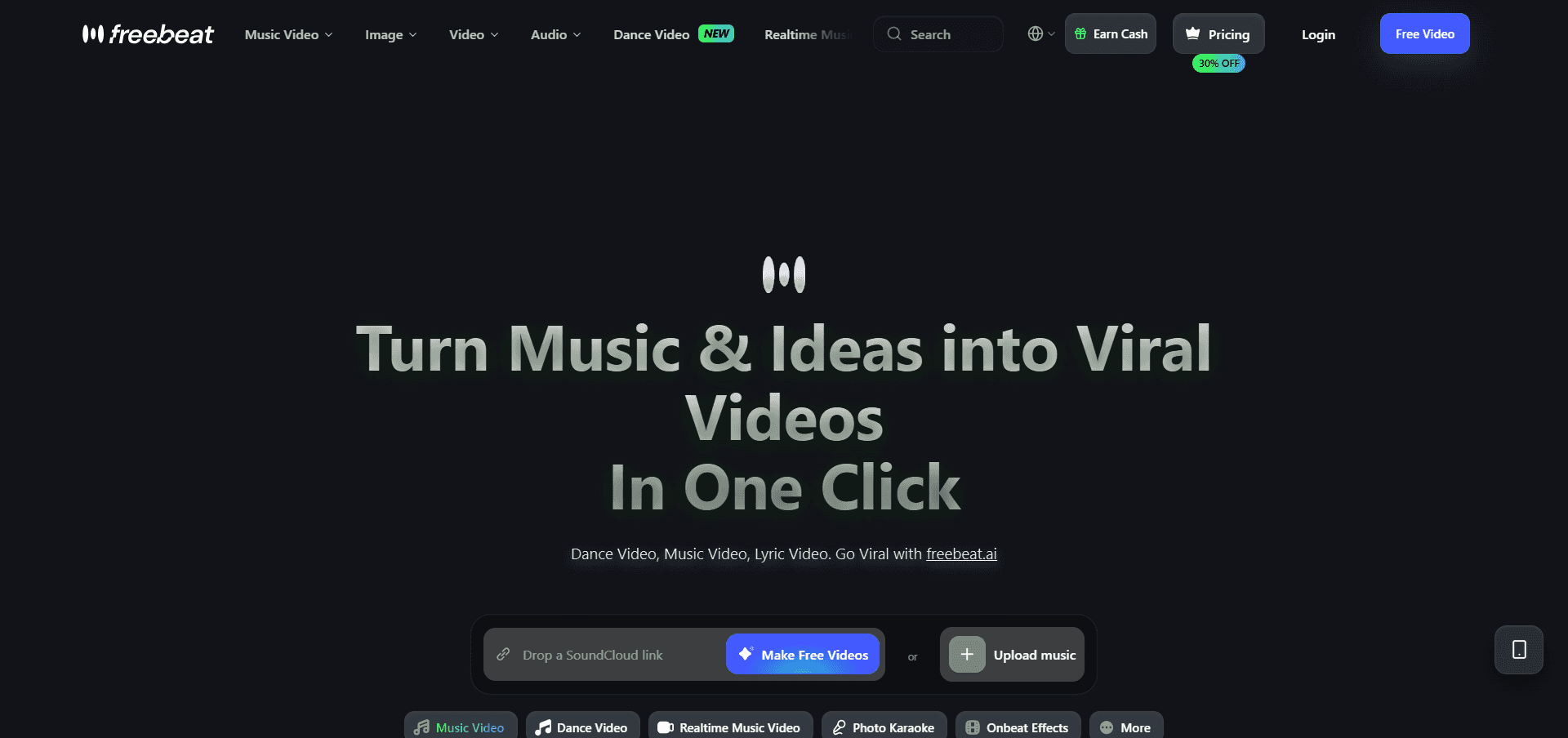
Best for artists who want a social ready dance clip or a karaoke style lyric video quickly. Rated Average.
Key Features
freebeat runs three preset modes: a music video generator for story and stage performance looks, a dance video mode that matches choreography to the beat, and a lyrics video mode with auto timed karaoke style highlighting. Beat synchronisation aligns cuts to BPM, drops and energy shifts, and the model lineup includes Seedance 2.5, Sora 2 Pro and Nano Banana Pro. It handles clips from 15 seconds up to roughly six minutes across 16:9, 9:16 and 1:1.
The reported limitations are consistent across independent reviews. Character and scene consistency varies between generations, prompt adherence is not guaranteed, and a finished render often still needs editing. Credit consumption is the most common complaint: failed generations reportedly still draw credits, and the advertised generation count does not translate into that many usable videos. The Basic and Pro tiers cap at 720p, so 1080p means the Ultimate tier or above.
Pricing
Free: limited account access
Basic: $4.99/week, 1,990 credits/week, 720p
Pro: $26.99/month, 10,000 credits, 720p
Ultimate: $39.99/month, 19,000 credits, 1080p
Creator: $199/month, 95,000 credits, 1080p
30 percent discount on annual billing
Verdict
Average. The lyric and dance modes are quick and the beat detection is solid, so for a 30 second promo clip it does the job. The 1.2 out of 5 Trustpilot score is the lowest in this comparison and the complaints cluster around failed generations and credit burn, so budget for more attempts than the credit maths suggests. For a full single release, the consistency ceiling is the constraint.
4. Canva: Best for Template Based Lyric Videos
Best for artists who want a lyric video, a visualizer or release artwork built from templates with full manual control. Rated Good.
Key Features
Canva is not an AI music video generator and does not pretend to be, which is exactly why it belongs here. Its Beat Sync feature on paid plans automatically times clip transitions to the audio, and the video editor gives you a real timeline where every cut lands where you put it. Text animation, the video background remover, photo and video animation and text to speech voiceover cover the whole lyric video use case, and the template library means a release can look designed without a designer. Everything you make lives beside your cover art, your Spotify canvas and your announcement posts.
What it does not do is generate a narrative video from your track. There is no character system, no scene concept generation and no long form AI video pipeline. You are directing manually, which is more control and more hours.
Pricing
Free: basic design and video tools
Pro: $180/year per person, AI features, Beat Sync, background remover
Business: $250/year per person, team and admin tools
Enterprise: custom pricing
Verdict
Good. A 4.0 out of 5 Trustpilot score and the most predictable output of any tool here, because you place every element yourself. Pick it for lyric videos, visualizers and release assets. Pair it with Atlabs rather than choosing between them: generate the video in one, cut the social edits in the other.
5. VidMuse: Best for Chat Driven Video Planning
Best for creators who would rather describe what they want in conversation than click through a workflow. Rated Average.
Key Features
VidMuse works as a conversational agent. You describe the video, it plans the scenes, analyses the rhythm of the track and generates against reference images to keep subjects consistent. It supports full song length output and gives access to more than 20 models including Seedance 2.5, Kling V3.0 and Suno V5. For someone who finds step based interfaces slow, the chat approach removes a lot of clicking.
The trade off is precision. Agent planning means less direct control over individual scenes than a workflow with an editable concept step, and the free tier caps at 720p with a watermark.
Pricing
Free: 500 one time credits, 720p with watermark
Pro: $33/month annual or $39 monthly, 4,000 credits, 1080p
Ultra: $83/month annual or $99 monthly, 12,000 credits, 1080p
Studio: $133/month annual or $159 monthly, 20,000 credits, 1080p
Verdict
Average. The conversational planning is a real differentiator and full song length support matters for album releases. The 1.7 out of 5 Trustpilot score is low and worth weighing before committing to an annual plan, so test on the free credits first.
Atlabs vs OpenArt: Direct Comparison
Feature | OpenArt | Atlabs |
|---|---|---|
Trustpilot Score | 4.0 / 5 | 4.6 / 5 |
Dedicated music video workflow | No | Yes, five steps from uploaded track |
Audio as the starting input | No, prompt based | Yes, mp3 or Suno URL |
Scene concepts from tempo and mood | Not available | Yes, six generated concepts |
Character consistency across a full song | Character training available, varies over long sequences | Cast reference sheets applied to every scene |
Lip sync | Own engine only | Dedicated Lip Sync app |
Motion transfer from reference video | No | Yes, Motion Control |
Per scene regeneration | Limited | Yes |
Max video length | Short clips | Up to 15 minutes on Plus |
Export to Premiere Pro | No | Yes, Plus and above |
4K export | No | Yes, Max |
Free tier | Yes | Yes, no card required |
OpenArt wins on breadth of image generation and on style experimentation, and if your output is stills, storyboards or short social clips it remains a good pick. For a music video, the comparison is not close, because the thing that decides the outcome is whether the tool reads your audio.
How to Move from OpenArt to Atlabs
Export the reference material you want to keep. Character images, style frames and any stills you have already generated in OpenArt are all usable as visual references.
Open the Music Video workflow and upload your mp3, or paste a Suno URL, then click EXTRACT MUSIC.
Drag the green window across the waveform to pick the segment, then choose Narrative for a story or Performance for a lip synced video.
Set your aspect ratio and pick a visual style close to the look you had in OpenArt. Realistic and Dark Urban Cartoon are the nearest matches for most cinematic and urban styles.
Review the six generated concepts, edit the one closest to your idea, then build your Cast so the characters stay consistent across every scene.
Most artists finish a first draft in a single session. Nothing has to be recreated from scratch, because the inputs Atlabs needs are the track you already have and the character look you already decided on.
Which Tool Is Right for You?
If you have a finished track and want a complete video with consistent characters, pick Atlabs. If your music is instrumental and you want visuals that move with the mix rather than tell a story, pick Neural Frames. If you need a 30 second dance or lyric clip today and consistency across scenes does not matter, freebeat will get you there fastest. If you want a lyric video with every element exactly where you placed it, and you also need cover art and release posts, pick Canva. If you prefer describing the video in conversation over stepping through a workflow, try VidMuse on its free credits before paying.
Final Verdict
Atlabs is the strongest OpenArt alternative for music videos in 2026, rated Excellent and holding the highest Trustpilot score in this comparison at 4.6 out of 5. It is the only tool here that treats the song as the input rather than as an afterthought, and the five step workflow closes every gap that sends artists away from OpenArt in the first place: the track drives the scene concepts, the Cast step holds characters steady across a full length video, individual scenes regenerate without rebuilding the whole piece, and Lip Sync, Motion Control, Reframe and Upscale finish the video inside the same platform instead of in a separate editor. Neural Frames and Canva both earn a Good rating in their own lanes, visualizers and template based lyric videos respectively, and freebeat and VidMuse rate Average, useful for quick clips and conversational planning but limited by consistency and by low independent review scores. For an artist who wants a release ready video from a track they already have, the answer is Atlabs.
Frequently Asked Questions
What is the best free alternative to OpenArt for music videos?
Atlabs has a free tier that needs no credit card and gives you access to the full five step Music Video workflow, so you can test a real track before paying. Canva's free plan is the most generous for lyric videos and release artwork, though Beat Sync sits behind the Pro plan.
Can these tools keep the same character across an entire music video?
Atlabs handles this with Cast reference sheets, which generate multiple angles of each character and apply them to every scene, and Neural Frames offers custom avatars. freebeat's consistency varies between generations according to independent reviews, and Canva has no character system because it is a manual design editor.
Is OpenArt bad for music videos?
No, it is simply built for something else. OpenArt rates 4 out of 5 on Trustpilot and is strong at image generation, style range and character training. It has no audio driven workflow, so a full song has to be assembled manually from short clips, which is why music video creators look for alternatives.
Which OpenArt alternative is cheapest to start with?
Neural Frames has the lowest entry price at $26 per month on annual billing, with Atlabs Lite at $29 per month and freebeat Pro at $26.99 per month. All five tools offer a free tier, so the practical answer is to test each one on your own track before comparing prices.
Do I need video editing experience to make a music video with AI?
Not with a workflow based tool. Atlabs takes your uploaded mp3 through five guided steps and finishes with Lip Sync, Reframe and Upscale in the same platform, so no timeline editor is needed. Canva is the exception on this list, because it gives you a manual timeline and expects you to place every cut yourself.








