TL;DR
Create viral Minecraft car edits without 3D software using Atlabs AI:
Generate ultra-realistic base image with Nano Banana Pro
Create consistent angles using Shots feature
Animate into cinematic videos with Kling 2.6
Time: 10 minutes
No 3D skills required
Start Creating Minecraft Edits on Atlabs AI
The Problem: High Barriers to Entry
Creating "Minecraft realistic" car edits traditionally requires:
Advanced 3D software (Blender, Unreal Engine, Cinema 4D)
Modeling block geometry
Texturing vehicles and environments
Setting up volumetric lighting
Hours of rendering time
Technical expertise
Total time: Days or weeks of learning + hours per render
Skills required: 3D modeling, lighting, texturing, rendering
The Solution: Instant AI Generation
Atlabs AI generates these exact scenes in seconds using text-to-image and image-to-video technology.
By using Nano Banana Pro and Kling 2.6, you achieve photorealistic, cinematic results that look like RTX-enabled game engine renders, all from your browser.
Total time: 10 minutes
Skills required: Copy-paste prompts
The Complete 3-Step Workflow
Step 1: Create the Base Image
The foundation of a great video is a perfect image. Set the scene with right textures and lighting.
Navigate to: Atlabs AI → Image → Create Image
Settings:
Model: Nano Banana Pro
Aspect Ratio: 16:9 (YouTube) or 9:16 (TikTok/Reels)
Resolution: 1K
The Prompt Strategy
To get the "Minecraft but realistic" look, emphasize "not cartoon" and focus on textures like lava, stone bricks, and volumetric fog.
Hit Generate
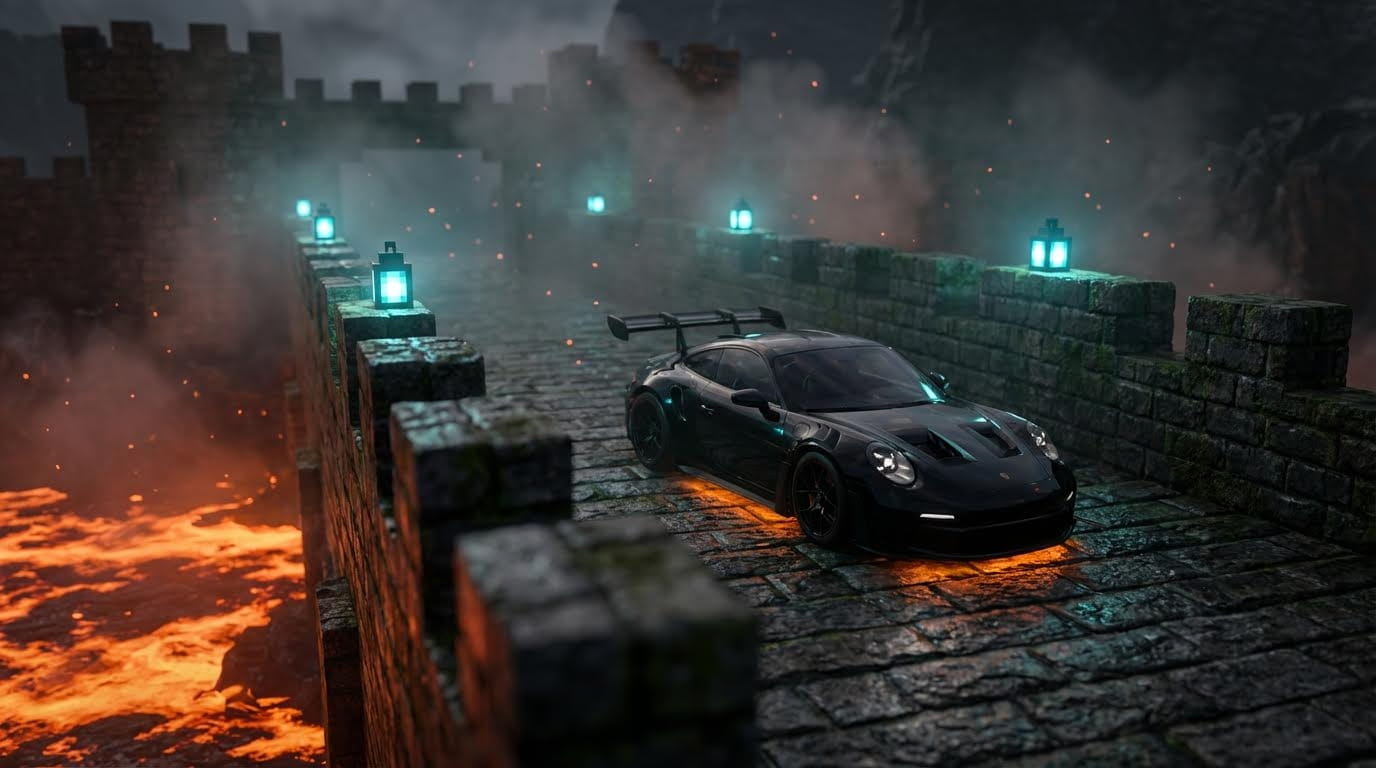
Customization Options
Change the car:
Replace "Porsche GT3 RS" with "Lamborghini Aventador" or "Nissan GTR R35"
Modify color: "glossy black" → "metallic red" or "pearl white"
Change the environment:
"Stone-brick fortress" → "Cherry blossom garden" or "Ice cave corridor"
"Bright orange lava" → "Flowing water" or "Purple nether portal"
Adjust lighting:
"Blue teal lanterns" → "Golden torches" or "Red redstone lamps"
"Cool cyan glow" → "Warm amber light" or "Purple mystic glow"
Refining Your Image
If you want to change elements after generation:
Click on the generated image
Hit Reference
Type your change:
"Make the Porsche glossy dark red"
"Add a Minecraft creeper behind the car"
"Change lanterns to golden torches"
Generate refined version
Pro Tip: Generate 4 variations initially, pick the best, then refine from there.
Generate Your Minecraft Scene on Atlabs AI
Step 2: Create Consistent Angles
To make a video edit, you need multiple camera angles of the same car in the same location.
The Workflow:
1. Select Your Best Image from Step 1
2. Upscale It
Wait 1-2 minutes
Download upscaled image
3. Go to Image Generator
Navigate to: Nano Banana Pro
Upload your upscaled image
Paste the prompts below
Hit Generate
Prompts :
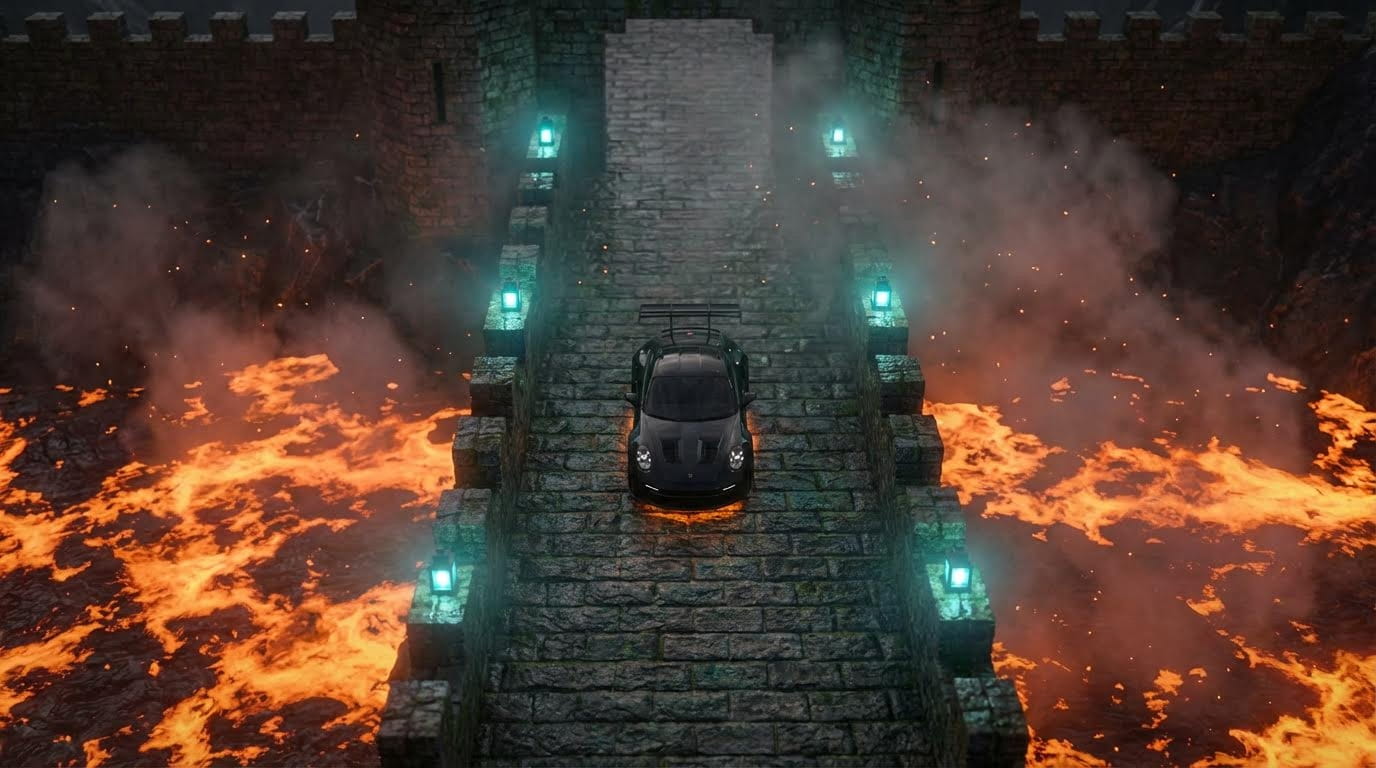
Top-down drone view
Close-up on lanterns
Wide establishing shot
Side profile angle
Detail shots of car elements
4. Select and Download
Pick 3-5 angles you like:
The top-down drone view (for epic reveal)
The side profile (for main hero shot)
Close-up detail (for dynamic cut)
Wide shot (for establishing context)
Upscale each selected angle to 4x and download all.
Step 3: Create Cinematic Videos
Turn static images into moving clips using Kling 01.
Navigate to: Atlabs AI → Workflows → Image to Video → Create Video
Settings:
Model: Kling 2.6
Audio: OFF
Duration: 5 seconds
Upload: One upscaled image from Step 2
Camera Movement Prompts
You need to tell the AI how to move the camera and how to animate the environment (smoke, lava, particles).
Scenario A: The Stabilized Gimbal Shot
Use for: Main beauty shots where the car is the hero
Scenario B: The Drone Top-Down Zoom
Use for: Overhead shot showing scale and environment
Copy This Prompt:
Scenario C: The Orbit Shot
Use for: Shots focusing on environment or side profile
Copy This Prompt:
Generate All Angles
For a complete edit, create videos from 3-5 different angles:
Main Hero Shot (Gimbal)
Overhead Reveal (Drone Zoom)
Side Orbit (Environment focus)
Close-Up Detail (Gimbal or static)
Wide Establishing (Slow push in)
Animate Your Minecraft Videos on Atlabs AI
Bonus: More Minecraft Environment Prompts
Want different vibes? Here are prompt formulas for other popular styles.
The Cherry Blossom Biome
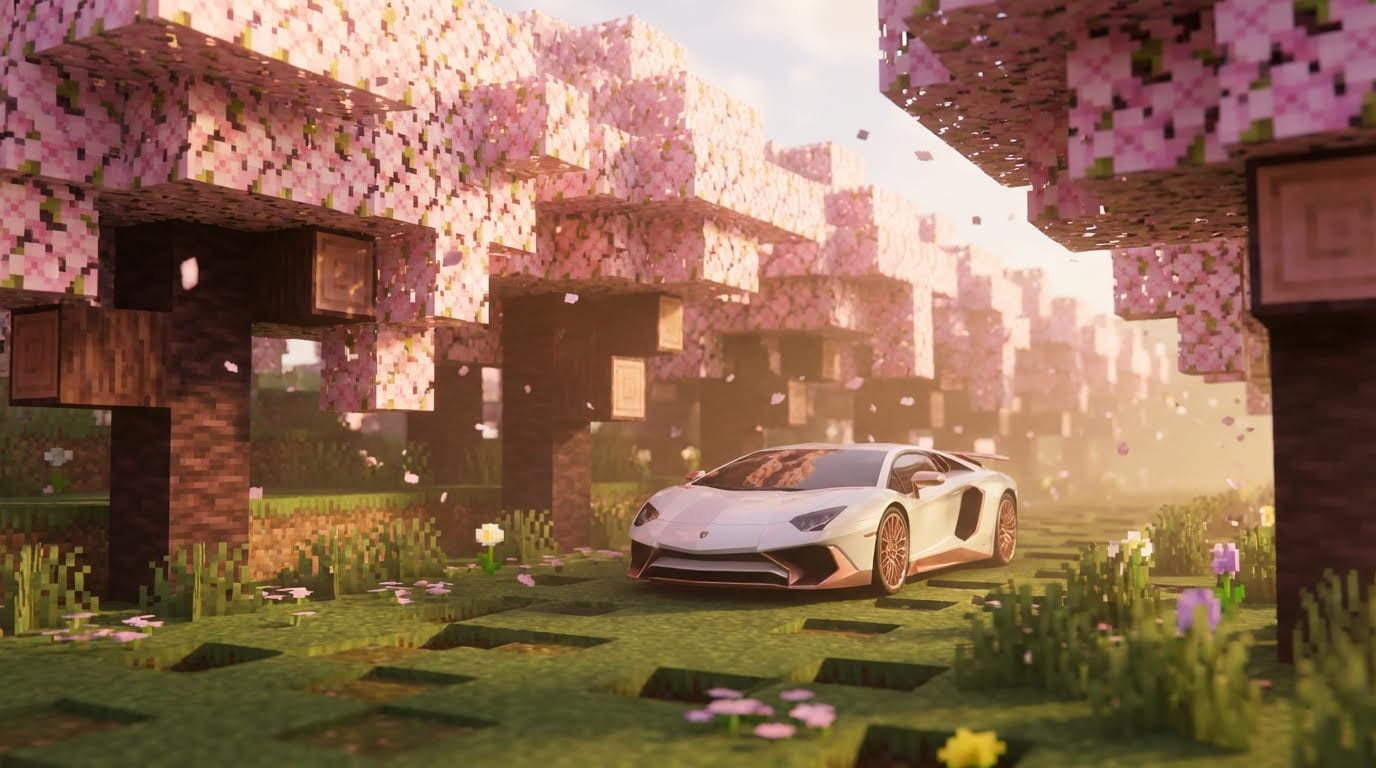
Best for: Luxury car showcases, romantic edits
The Ice Cave
Copy This Prompt:
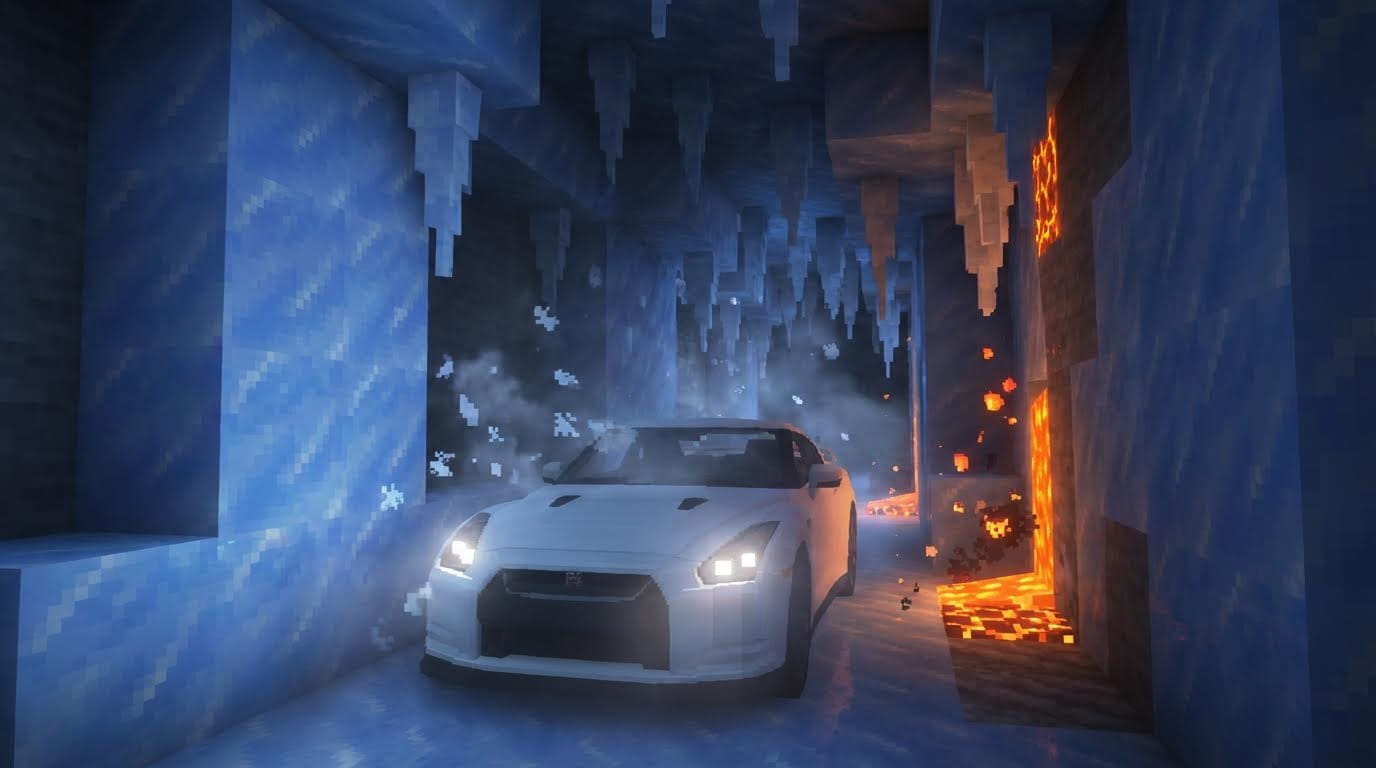
Best for: JDM car edits, dramatic lighting showcases
The Nether Portal
Copy This Prompt:
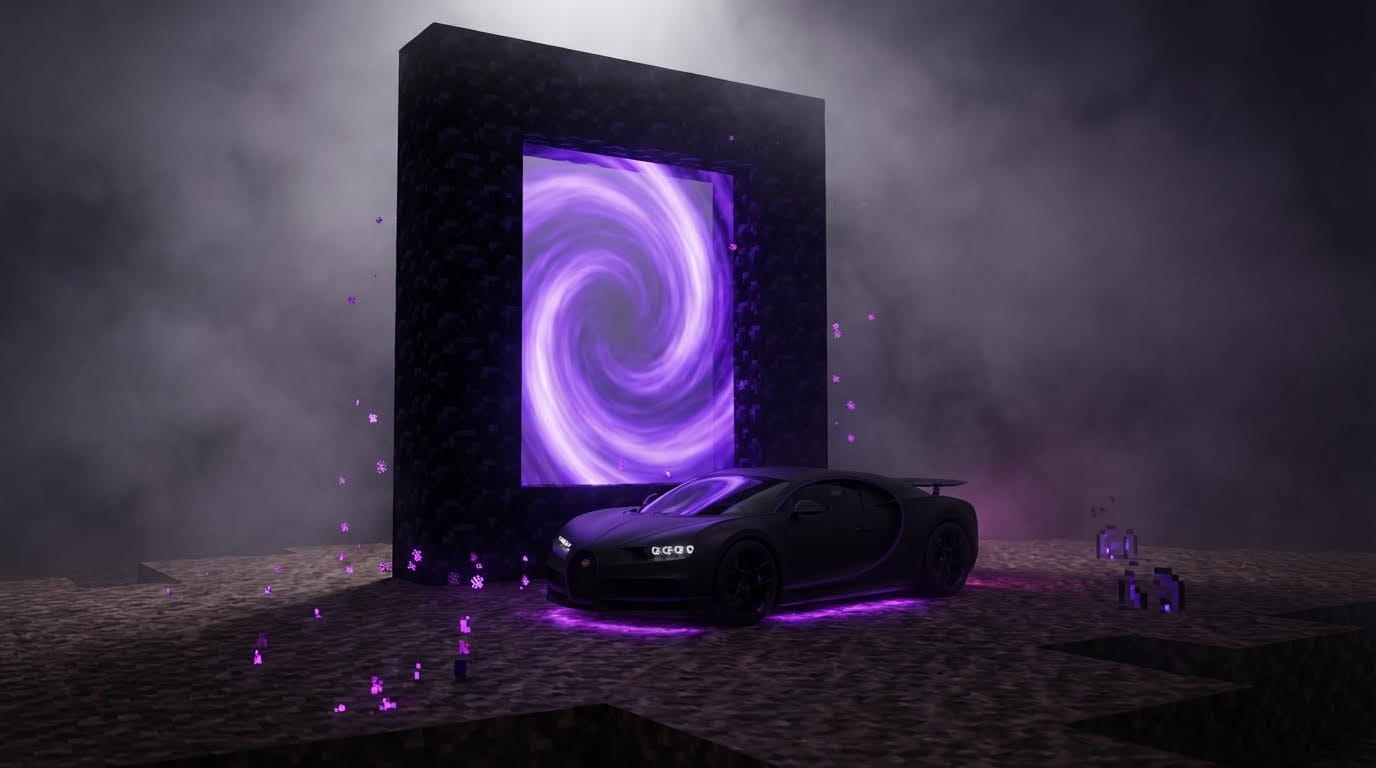
Best for: Hypercars, mysterious edits, purple aesthetics
The Desert Temple
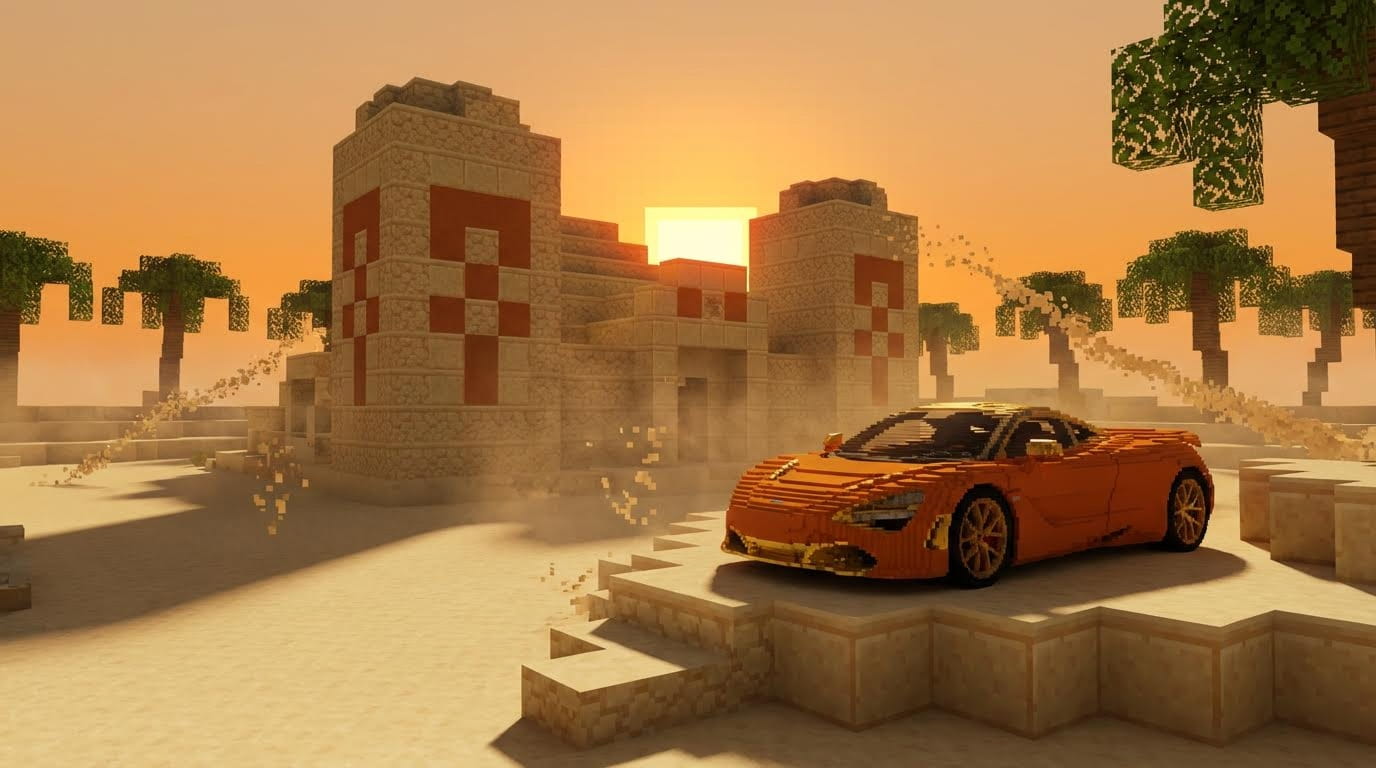
Vibe: Warm, exotic, adventure
Best for: Supercars, golden hour aesthetics
Common Mistakes to Avoid
❌ Cartoon style → ✅ Emphasize "NOT cartoon, photorealistic PBR"
❌ Flat lighting → ✅ Describe volumetric fog, contrast, shadows
❌ Centered composition → ✅ "Parked diagonally, low angle, foreground blur"
❌ Fast camera moves → ✅ "Super slow, stable, constant speed"
❌ No environment animation → ✅ Always animate lava, smoke, particles
Editing Workflow
Assemble in Atlabs Video Editor
Recommended sequence (15-20 seconds):
Cut on beat drops for maximum impact
Troubleshooting
Problem: Image looks too cartoon-like
Solution: Add to prompt: "NOT cartoon, photorealistic PBR materials, Unreal Engine RTX quality"
Problem: Car geometry is deformed
Solution: Add to negative prompt: "deformed car, extra wheels, melted geometry"
Problem: Lava doesn't move in video
Solution: Emphasize in prompt: "lava flows, moves, and pulses actively"
Problem: Camera movement is jerky
Solution: Specify: "super slow, stable, constant speed, no jitter, smooth gimbal"
Problem: Lighting is flat
Solution: Add: "dramatic high contrast lighting, volumetric fog, rim lighting, strong shadows"
Ready to Create Viral Minecraft Edits?
Bypass 3D modeling entirely and go straight to editing viral content.
No Blender. No Unreal Engine. Just Atlabs AI.
What You Get with Atlabs AI
✓ Nano Banana Pro for photorealistic Minecraft scenes
✓ Shots feature for consistent multi-angle generation
✓ Kling 01 for cinematic camera movement animation
✓ 4x upscaling for maximum quality
✓ Integrated workflow from image to final video
Start Creating Minecraft Car Edits on Atlabs AI – Free Trial
Quick Workflow Summary
Step 1: Generate base image (Nano Banana Pro + detailed prompt)
Step 2: Upscale to 4x → Generate angles with Shots feature
Step 3: Animate each angle (Kling 01 + camera movement prompts)
Step 4: Edit sequence synced to music
Total Time: 20-30 minutes
Viral Potential: Minecraft gaming community loves these








