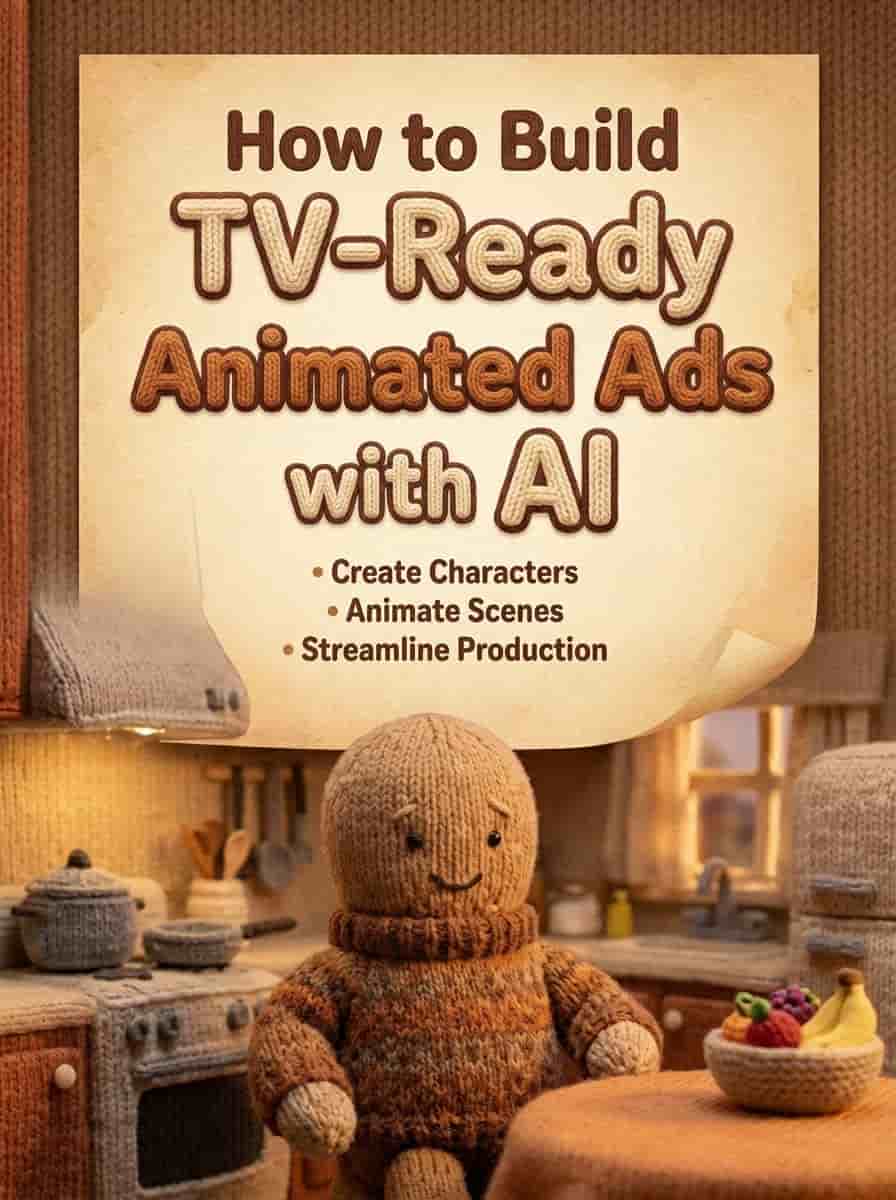
TL;DR
Turn a simple idea into a polished, client-ready TV commercial using only Atlabs AI. No animation studio needed.
The Tools: Atlabs AI + Nano Banana Pro (characters) + Kling 2.6/ Veo3 (video)
The Project: A full animated ad for a fictional brand "Coral Banking" featuring a knitted Dad Octopus
The Result: TV-ready commercial created entirely from a laptop
Start Building Your First AI Commercial on Atlabs AI
Why AI Is Now Handling Real Client Work
You're already lagging behind if you believe AI is only useful for tech demonstrations.
The truth: If you know the proper workflow, AI can be integrated into commercial animation in a way that clients will trust, approve, and pay for.
The precise production process used to produce a TV-ready commercial for a hypothetical bank "Coral Banking" is broken down in this guide. Atlabs AI serves as the central hub for each step.
What we built:
Full animated commercial
Consistent characters across multiple shots
Professional voiceover
Custom sound design
TV-ready final export
Total cost: Atlabs subscription
Total time: One day
Equipment: Laptop
The 4-Phase Production Pipeline
Phase 1: The Concept & "Voice-First" Workflow
Most creators start with visuals. That's the wrong approach for commercials.
For high-end ads, the edit is dictated by the voiceover and music. We used a Voice-First Workflow.
Step 1: Ideation
The Brief: Create a banking ad that doesn't feel cold or corporate.
The Concept: A "knitted," handcrafted visual style. A Dad Octopus gets his tentacles "tied up" by bills and subscriptions, only to be untangled by Coral Banking.
Why this works:
Memorable character (octopus + tentacles = financial "knots")
Warm, cozy aesthetic (opposite of typical bank ads)
Easy to animate (simple shapes, clear actions)
Emotionally relatable (every parent struggles with finances)
Step 2: Generate Professional Voiceover
Instead of hiring expensive voice actors, use Atlabs AI voiceover tools.
Navigate to: Atlabs AI → Audio → Voiceover
The Setup:
Voice Type: Middle-aged male
Tone: Authoritative but warm and cozy
Voice Model: "Shadow" (husky, friendly tone)
Input your script and generate.
Post-Processing:
Import generated VO into editor
Cut out awkward pauses
Tighten pacing for snappy delivery
This audio becomes the anchor for your entire video
Pro Tip: Lock your voiceover FIRST. Everything else builds around it.
Generate Professional Voiceover on Atlabs AI
Phase 2: Character Design & Consistency
One of the biggest hurdles in AI filmmaking: keeping the same character looking identical across different shots.
We solved this using Nano Banana Pro inside Atlabs AI.
The "Knitted" Aesthetic Prompting
To achieve the tactile, handcrafted look, use specific texture-focused prompts:
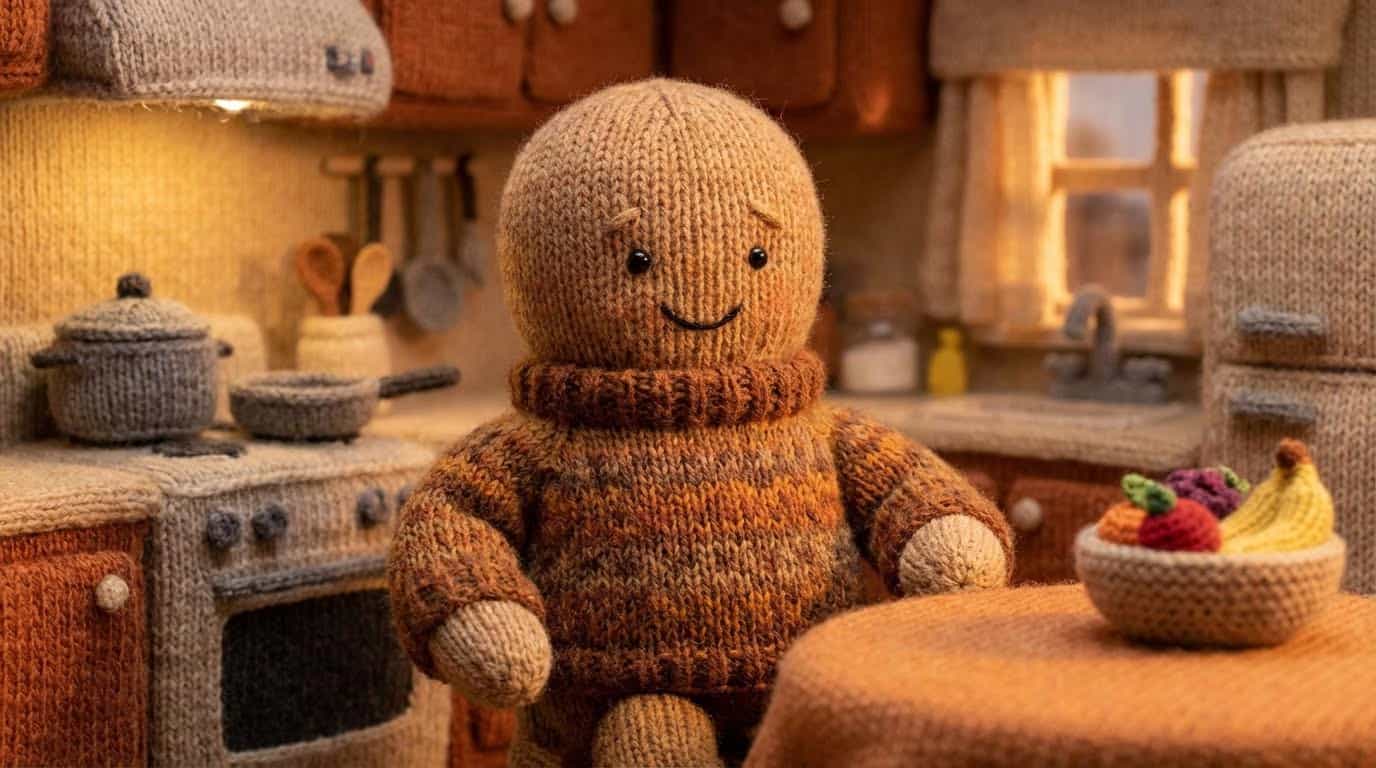
Key texture words that sell the knitted look:
"Visible knitting stitches"
"Fuzzy fibers"
"Rounded edges"
"Tactile surfaces"
"No hard lines"
The 2x2 Grid Method for Consistency
Instead of generating one image at a time, prompt Nano Banana Pro to create 2x2 storyboard grids.
Why this works:
When generating four panels in one pass, the model understands context and continuity between frames better than separate generations. The character stays consistent automatically.
The Workflow:
Step 1: Describe each panel position specifically:
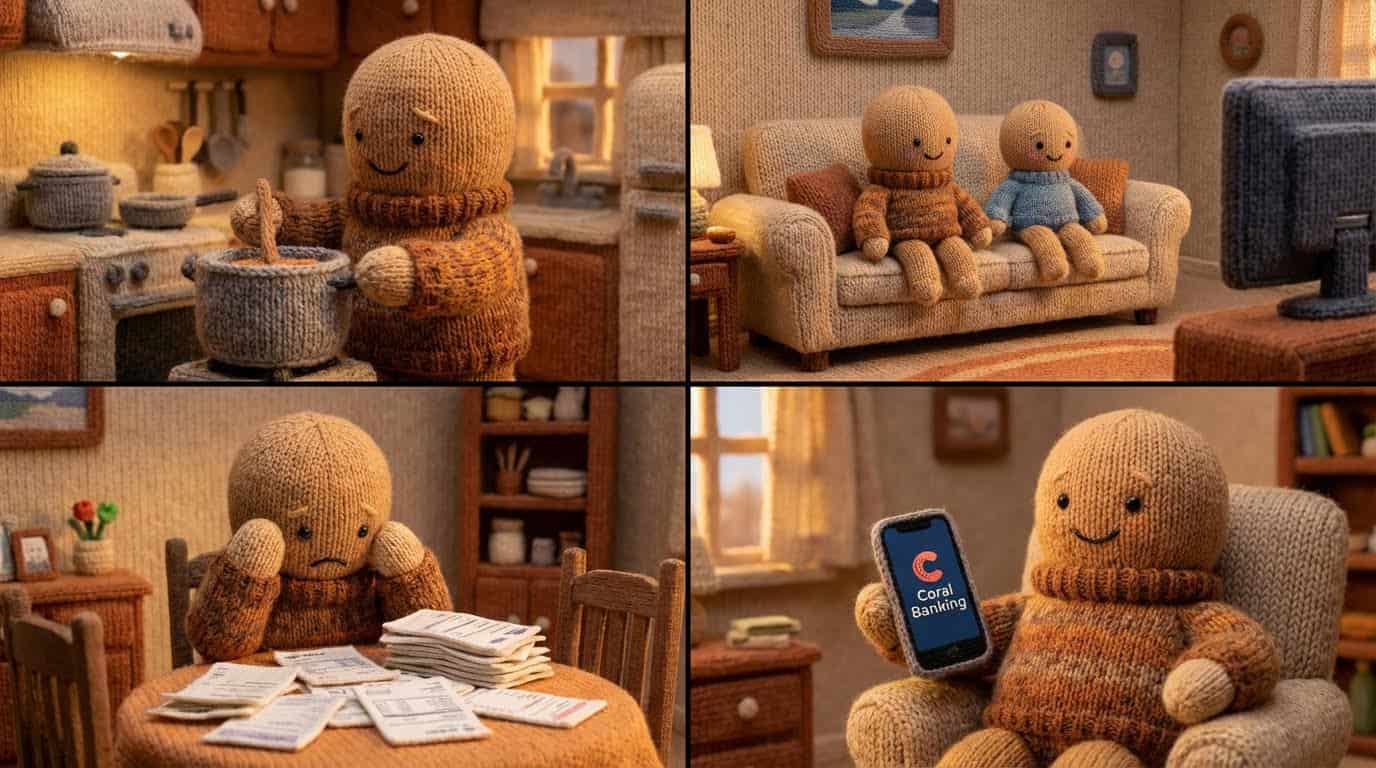
Step 2: Generate grid
Step 3: Crop into individual panels
Step 4: Upscale each panel using Atlabs AI upscaler for maximum sharpness
Problem Solving: Simplify Complex UI
Challenge: AI struggles rendering complex interfaces (phone screens, app UIs) in stylized aesthetics.
Solution: Simplify the design.
❌ Wrong: Detailed realistic phone UI in knitted style
✅ Right: Simple, minimal phone with clean logo and basic layout
Rule: In AI advertising, simpler reads faster to the audience.
Design Consistent Characters on Atlabs AI
Phase 3: Animating with Kling / Veo3
Static knitted images are now animated into video using AI Video Models.
Navigate to: Atlabs AI → Video → Create Video → Kling/ Veo3
Essential Settings
Before generating any animation:
Aspect Ratio: 16:9 (TV standard)
Audio: OFF
Negative Prompt: "Music, Dialogue" (prevents AI from animating mouth weirdly or moving to non-existent beat)
Duration: 4-6 seconds per clip
Image-to-Video Workflow
Step 1: Upload your upscaled knitted image as input
Step 2: Write a simple, specific motion prompt
Step 3: Generate
Step 4: Review and adjust if needed
Handling Common Animation Challenges
Challenge 1: The "Drifting" Character
Problem: Character keeps walking away or moving out of frame.
Solution: Lock position in prompt.
Dad Octopus standing still BEHIND the stove. Only his tentacles move while stirring. Character does not move from position.
Key phrase: "Standing still" + specific location = prevents drifting
Challenge 2: Complex Actions (Tentacle Crossing Off Post-it)
Problem: AI can't animate precise, detailed actions in one step.
Solution: Two-step composite approach.
Step 1: Use Nano Banana Pro to composite a "knitted pen" onto the image (tentacle already touching pen)
Step 2: Use Kling to animate only the simple crossing-off movement
Result: Complex action achieved through smart compositing, not brute-force prompting.
Challenge 3: Closing a Door
Problem: AI animates door opening better than closing.
Solution: Generate the door opening → Reverse the clip in post-production.
Tools for reversing: Atlabs Editor - Reverse Video Feature
Pro Tip: Always work WITH the AI's strengths. If a reverse action works better forward, just flip it in editing.
Animation Prompt Examples
Kitchen Scene:
Dad Octopus stirring a pot on the stove with one tentacle. Steam rises from pot. Other tentacles relaxed at sides. Gentle swaying movement only. Knitted wool texture maintained throughout. Warm kitchen lighting.
Stressed at Bills:
Dad Octopus sitting at table looking worried. Bills and papers flutter gently around him. Tentacles fidgeting nervously. Subtle breathing movement. Dim warm lighting. Knitted style maintained.
Happy Ending:
Dad Octopus smiling broadly, holding phone showing simple banking app screen. Gentle happy movement, slight swaying. Confetti or sparkles falling gently. Bright warm lighting. Celebratory mood.
Animate Your Commercial on Atlabs AI
Phase 4: Assembly & Sound Design
Video clips are generated. Voiceover is locked. Now assemble the final commercial.
Pacing & Cutaways
Rule: If a shot feels like it's dragging, it probably is.
Solution: Generate extra cutaway shots to fill gaps.
Cutaway ideas for Coral Banking ad:
Close-up of Dad Octopus's happy expression
Baby formula can (relatable parent detail)
Tentacle untying a financial "knot"
Kids laughing on sofa
Simple app screen with checkmark
Generate these using same 2x2 grid method for consistency.
Sound Design (The Secret Sauce)
Sound effects sell the visual style to the audience's brain. For a knitted underwater world:
Layer 1: Texture Sounds
Soft wool rustling
Fabric stretching
Knitting needle clicks
Layer 2: Environment Sounds
Underwater ambiance (muffled, atmospheric)
Kitchen sounds (soft bubbling, gentle clinks)
Layer 3: Emotional Sounds
Rope tightening (stress of financial knots)
Gentle "ting" sound (relief, resolution)
Warm whoosh (Coral Banking reveal)
Pro Tip: Many of these sounds can be generated using Atlabs AI audio tools directly—no external sound libraries needed.
The Edit Timeline
Recommended 30-second structure:
Sync every cut to voiceover pacing.
Common Mistakes to Avoid
Mistake #1: Starting with Visuals
❌ Wrong: Designing characters before script
✅ Right: Lock voiceover first, build visuals around it
Mistake #2: One Image at a Time
❌ Wrong: Generating single images, hoping for consistency
✅ Right: 2x2 Grid Method for automatic character consistency
Mistake #3: Complex AI Actions
❌ Wrong: Asking Kling to animate a 5-step action sequence
✅ Right: Break into simple actions, composite in stages
Mistake #4: No Negative Prompts
❌ Wrong: Generating video with no restrictions
✅ Right: Always add "Music, Dialogue" to negative prompt for ads
Mistake #5: Ignoring Sound Design
❌ Wrong: Generic music over animation
✅ Right: Custom layered sound design that matches visual style
FAQ
Can AI generate consistent characters for ads?
Yes. The 2x2 Grid Method in Nano Banana Pro generates multiple angles of the same character in one pass, maintaining consistency automatically.
Which tool is best for commercial voiceovers?
Atlabs AI voiceover tools with Stability set to 50% give the perfect balance of emotion and clarity for commercials.
How do I stop AI characters from morphing?
Keep prompts simple. Add "Music, Dialogue" to negative prompts. Limit character movement (e.g., "Standing still behind counter"). If action fails, try compositing first.
Is this workflow expensive?
No. The entire Coral Banking spot was created using a laptop and an Atlabs AI subscription. No animation studio, no voice actors, no expensive software.
Can I use this for real client work?
Yes. The workflow produces TV-ready output. Just ensure your client contracts cover AI-generated content usage.
Ready to Build Your First TV-Ready Ad?
Building a commercial isn't about pressing one button—it's about a workflow.
By combining:
✓ Atlabs AI for voiceover, audio, and project management
✓ Nano Banana Pro for consistent character design
✓ Kling /Veo3for cinematic animation
You deliver high-end creative work that stands up to big-budget studio spots.
What You Get with Atlabs AI
✓ Professional voiceover generation
✓ Consistent character design across all shots
✓ TV-ready animated video output
✓ Custom sound design tools
✓ Full commercial workflow in one platform
Start Your First AI Commercial on Atlabs AI – Free Trial
Quick Workflow Summary
Phase 1: Write script → Generate voiceover → Lock audio
Phase 2: Design characters using 2x2 Grid → Upscale panels
Phase 3: Animate with Kling / Veo3 → Solve challenges with compositing
Phase 4: Assemble edit → Layer sound design → Export
Total Time: 1 day
Output: TV-ready 30-second commercial








