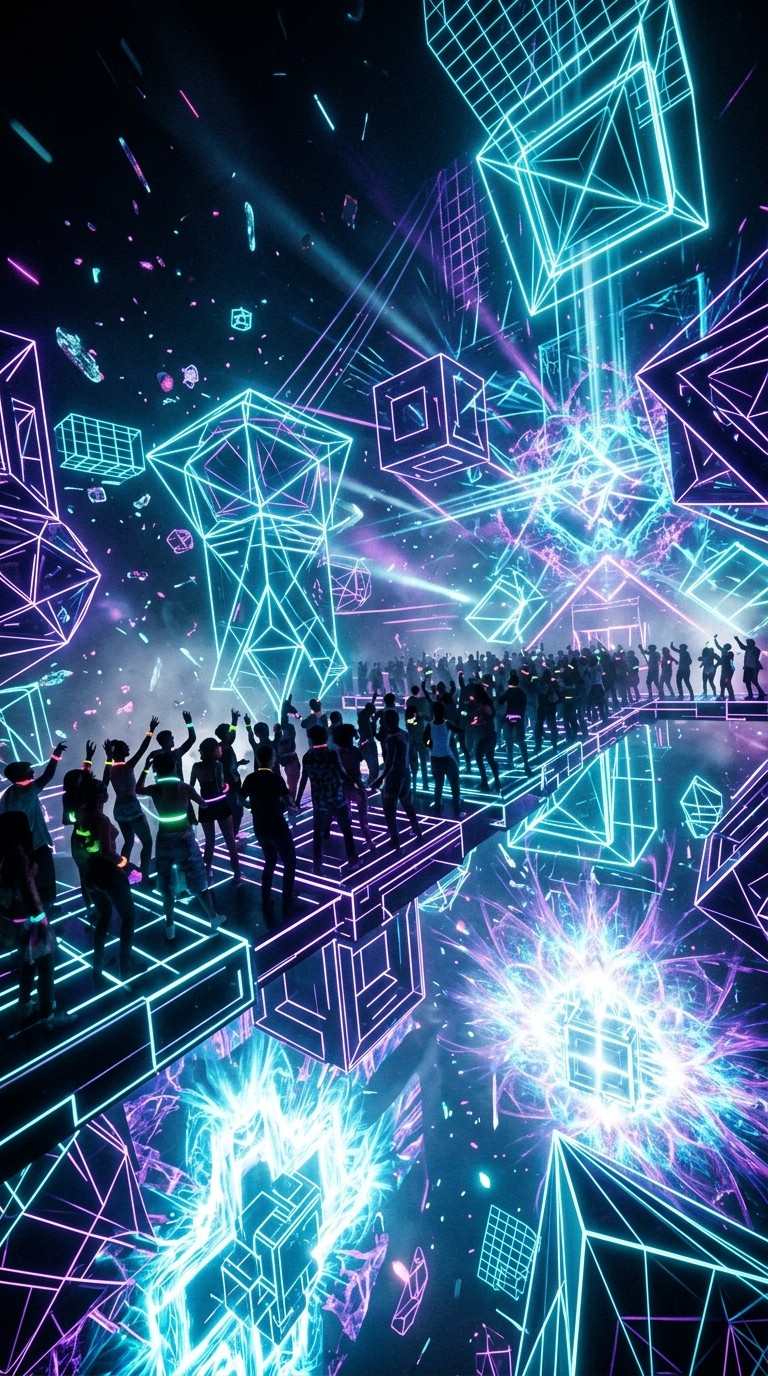
You have an EDM track concept in your head. Heavy kick, soaring synth lead, a drop that collapses into euphoric white noise. Six months ago, turning that into a professional music video meant either hiring a motion design team or spending weeks in After Effects. Today, you can go from a blank page to a fully rendered, export-ready EDM music video in under 30 minutes, using two AI tools in sequence: Suno to generate the track, and Atlabs to turn that track into a visual story that matches its energy.
This guide walks you through every step of that pipeline, from the exact style tags to type into Suno's Advanced mode to the precise Concept you should select in Atlabs to make a Cyberpunk Anime or Dream Art video that looks like it belongs at a festival main stage.
Why EDM Creators Need AI Video in 2026
An EDM release without visual content loses the platform game before it starts. YouTube requires a video. TikTok and Instagram Reels reward visual originality. The days when a static image over a waveform counted as a music video are over. But EDM has a production gap that other genres don't. A singer-songwriter can shoot a phone video in a park and it reads as authentic. An EDM artist releasing a phone-shot living room clip reads as low-effort. The genre demands a visual language: neon, motion, abstraction, or cinematic scale.
That gap used to mean a choice between spending serious money on animation or releasing nothing. AI video tools close it. The specific combination of Suno plus Atlabs works because Suno handles the audio creation side with enough genre specificity to produce a credible EDM track, and Atlabs reads your actual audio file to generate scene concepts that respond to the track's detected tempo, mood, and energy, rather than just applying a generic visual template on top.
Step 1: Generate Your EDM Track in Suno
Head to suno.com/create. Suno has two creation modes at the top of the interface: Simple and Advanced. For EDM, use Advanced, which gives you direct access to the Styles field where you control the sonic signature of your track.
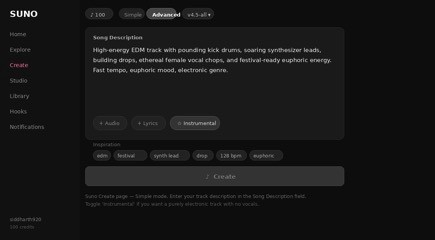
Suno Create — Simple mode. The Song Description field gives Suno a natural-language brief for your track.
Simple Mode: The Fast Path
If you want to start in Simple mode, click 'Simple' at the top. In the Song Description field, type a plain-language brief like this one:
COPY: High-energy EDM track with pounding kick drums, a soaring synthesizer lead, euphoric female vocal chops, fast tempo, and a festival-scale drop that collapses into a brief breakdown before rising again.
Toggle the Instrumental button if you want a purely electronic track with no vocal performance. Then set the model selector to v4.5-all (the current default) and click Create. Suno generates two versions.
Advanced Mode: Precise Control Over Sound
Click Advanced at the top. You now see two sections: Lyrics and Styles. Leave Lyrics blank for an instrumental track. The Styles field is where EDM production lives. This comma-separated input tells Suno exactly what sonic elements to build with. Paste this directly into the Styles field:
COPY — EDM Festival Style Tags: edm, festival drop, 128 bpm, pounding kick drum, four-on-the-floor, soaring synth lead, euphoric, rave energy, vocal chops, breakdown, build-up, fast tempo, electronic, sidechain compression, bass drop
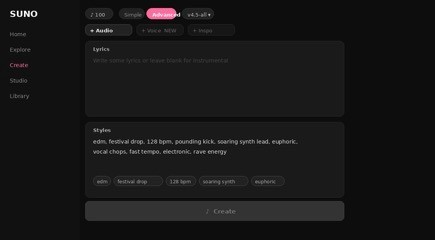
Suno Advanced mode — paste your style tags into the Styles field for precise genre control.
For a harder, more industrial EDM sound, try: industrial techno, 140 bpm, distorted kick, dark, relentless, bass-heavy, hypnotic, no melody. For house-influenced EDM: deep house, 124 bpm, four-on-the-floor, warm bass line, uplifting, piano chords, festival energy. Pick the direction that matches your visual concept, since Atlabs will read the resulting audio file and build scene concepts from its actual characteristics.
IMPORTANT: Once Suno generates your two tracks, click the three-dot menu next to the one you prefer and select Download. Choose MP3 Audio (free on all plans) or WAV Audio (Pro plan). WAV gives Atlabs a higher-quality source file. Save it somewhere you can find it.
Step 2: Upload Your Track to Atlabs
Open Atlabs and navigate to the Music Video workflow at app.atlabs.ai/new-music. You will see the four-step progress bar at the top of the page: Add Music, Set Style, Concept, Cast. You are starting at Step 1.
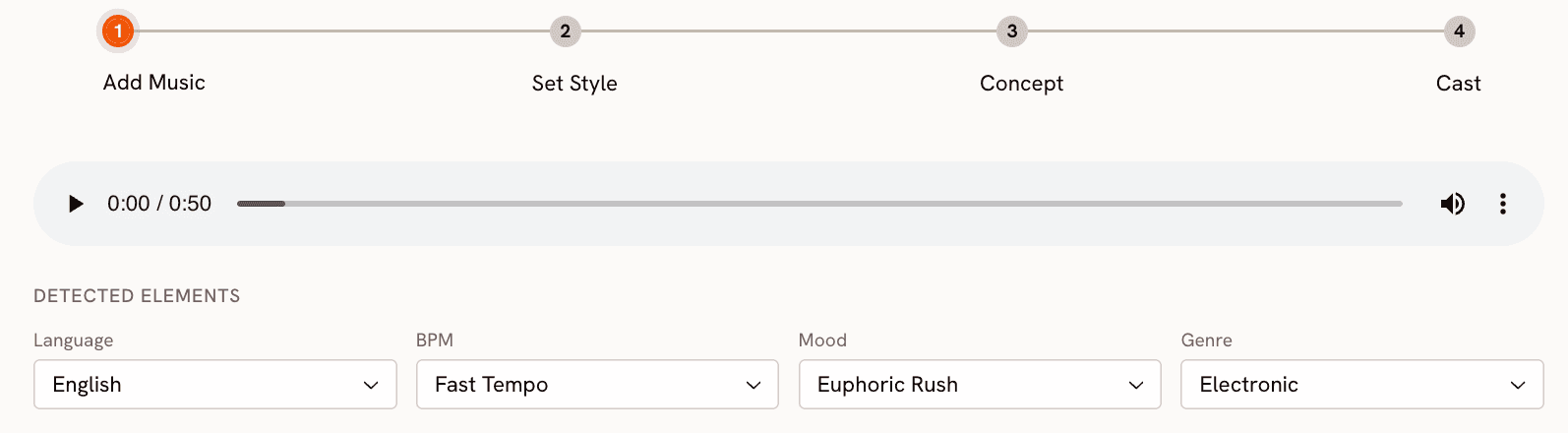
Atlabs Music Video — Step 1: Add Music. The upload zone accepts MP3 or WAV files up to 200 MB.
In the center of the screen you will see the upload zone: 'Upload Music File or drag and drop an audio file, MP3 or WAV up to 200 MB.' Drag your downloaded Suno track directly onto this zone, or click it to open a file browser. Once the upload is complete, Atlabs reads the audio and auto-detects its BPM, mood, and genre. For an EDM festival track created with the style tags above, you can expect it to detect Fast Tempo, Euphoric mood, and Electronic genre. You can adjust any of these if the detection is off, but in most cases Atlabs will read the track correctly.
→ Open Step 1: Add Music on Atlabs
Step 3: Set Your Visual Style
Click Next to reach Step 2: Set Style. This is where you choose the aesthetic language of your video. For EDM, four visual styles consistently produce strong results.
Cyberpunk Anime is the default recommendation for festival-scale EDM. It gives you neon-soaked cityscapes, synthetic characters, and high-contrast energy that mirrors the sonic density of a drop. Dream Art produces a more ethereal, kaleidoscopic result, softer color fields and flowing transitions that suit progressive house or melodic EDM subgenres. Ink works particularly well for darker, more minimal techno-adjacent tracks, sharp black outlines and aggressive mark-making that read as intentional and editorial. Animation is the most flexible option if you want character-driven narrative, clean motion and playful movement rather than abstraction.
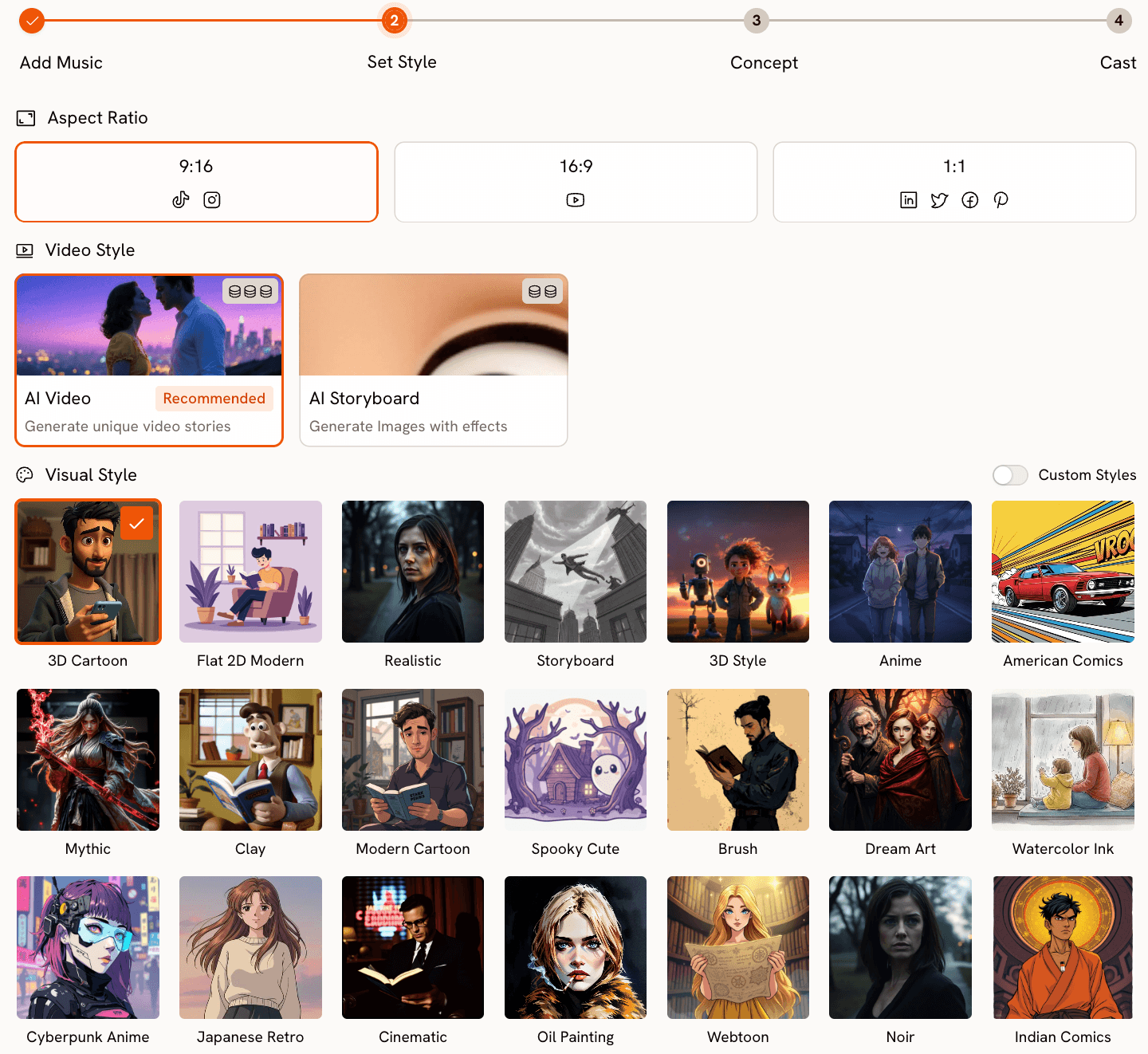
Atlabs Step 2: Set Style — select from EDM-appropriate visual styles. Cyberpunk Anime and Dream Art are highlighted as recommended for festival EDM.
For Aspect Ratio, choose 9:16 if your primary release target is TikTok or Instagram Reels, 16:9 for YouTube, or 1:1 for a platform-neutral square format. For EDM, 16:9 is the natural home, but 9:16 gets the most algorithmic push on short-form platforms if you are also releasing a short clip. The Video Style option here should stay on AI Video (Recommended) for a fully generated narrative video. AI Storyboard is an alternative that produces illustrated frames rather than continuous motion.
Step 4: Choose Your Concept
Click Next to reach Step 3: Concept. This is where Atlabs earns its place in the pipeline. Rather than asking you to describe a visual concept from scratch, Atlabs generates 6 scene concepts automatically from the track you uploaded. Each concept has a title, a short description, and mood tags that reflect what the AI detected in your audio.
For an EDM festival track, you might see concepts like 'Neon Pulse Storm' (a pulsating cityscape where each beat summons a new wave of electric color), 'Fractal Rave Void' (abstract geometric fractals expanding in synchrony with the bass drop), or 'Chrome Dance Floor' (reflective chrome surfaces and strobe-lit motion through a futuristic arena). These are not generic templates. They are generated from your specific track's tempo and mood signature, which is why uploading a well-constructed Suno track makes a meaningful difference to the quality of concepts you receive here.
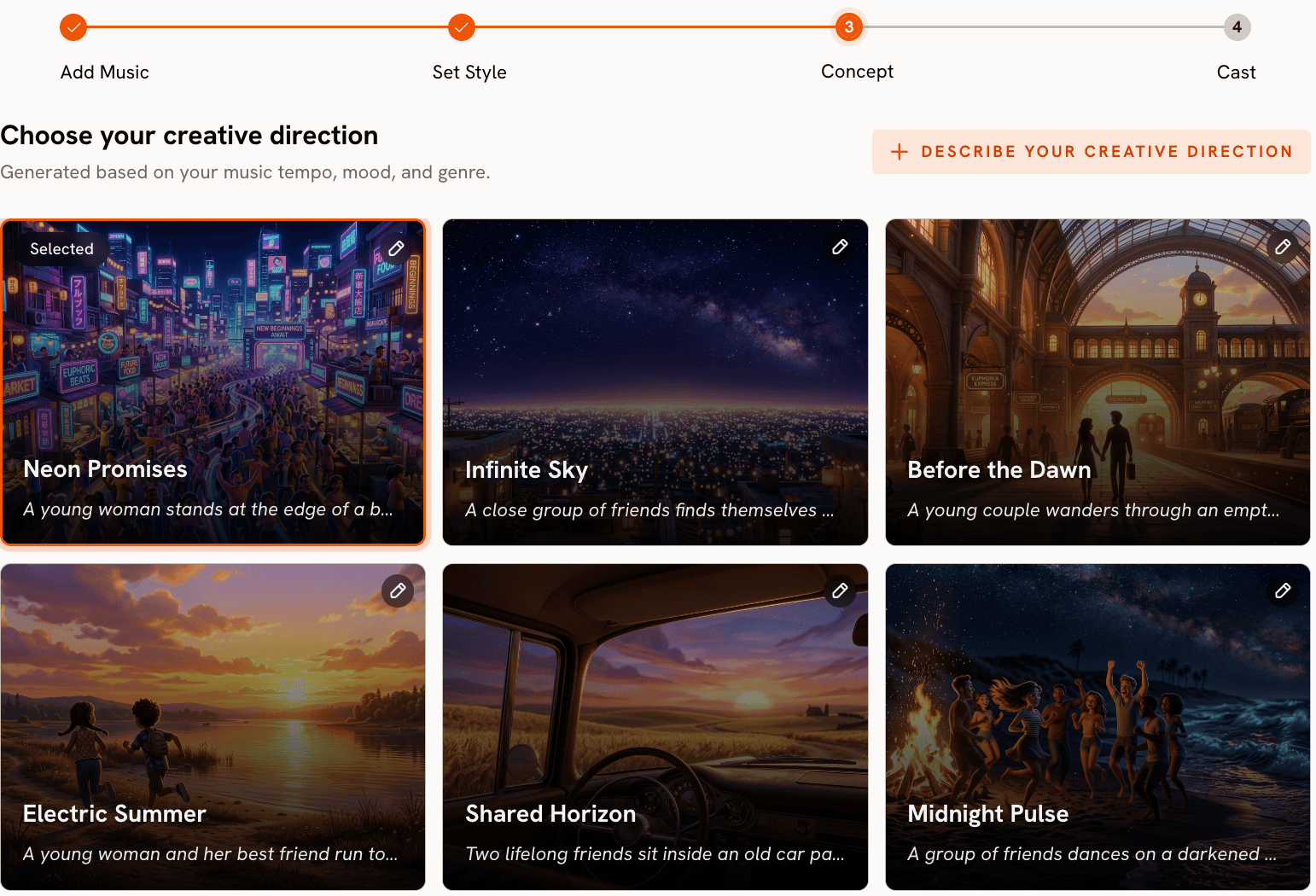
Atlabs Concept step — 6 AI-generated scene concepts built from your track's detected tempo, mood, and genre. The first card is selected.
Read all six before choosing. If none of them fit your vision precisely, click 'Describe your Creative Direction' to write a fully custom concept. This custom mode lets you set a title, description, mood tags, and toggle the Enhance option which lets Atlabs expand and refine your input before generation. For a custom EDM concept, try something like: 'Laser Cathedral Rise. An underground rave chamber built from cathedral arches and fractured laser geometry. Silhouetted figures move in perfect tempo with the kick drum. Each drop triggers a cascade of prismatic light through the stone-and-neon architecture.' Then select Cyberpunk Anime or Ink as your visual style for maximum impact.
→ Start your EDM music video on Atlabs
Step 5: Finalise Your Cast
Click Next to reach Step 4: Cast. Here you define the characters who appear in your video. For EDM music videos, you have two main approaches. The first is to create a single abstract protagonist, for example a name like 'Subject' with a description of 'a faceless electronic figure in chrome armor moving through a neon city.' The second is to leave the cast minimal or focused purely on environment-based visuals, which suits the more abstract Concept cards like Fractal Rave Void or Digital Aurora.
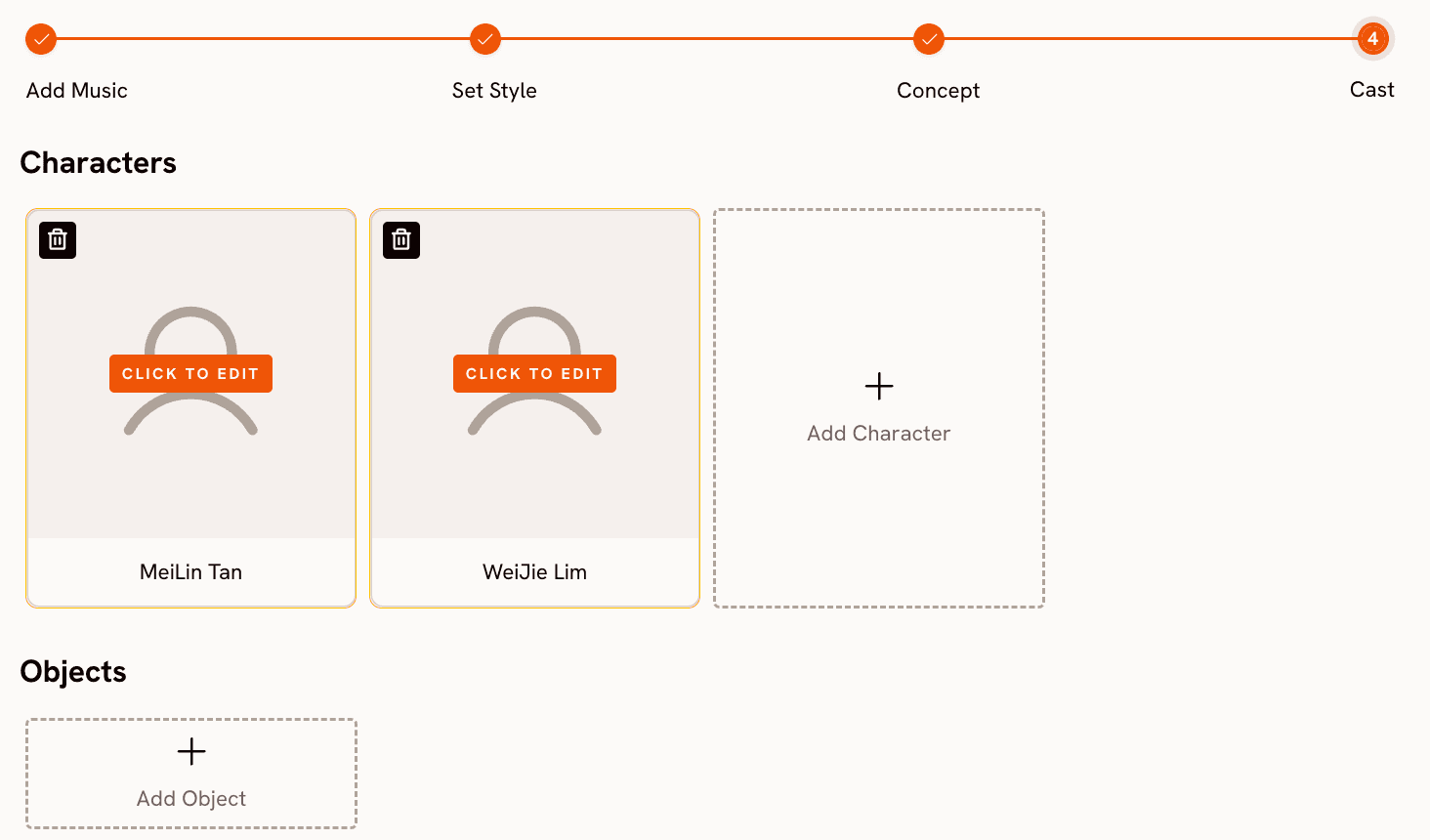
Give each character a name and as much descriptive specificity as you want. The more precise your cast descriptions, the more consistently that character will appear across the generated scenes. If you selected a Concept that is environment-heavy rather than character-driven, you can still define the 'character' as an atmospheric entity rather than a human figure. Once cast is set, click Generate and Atlabs begins rendering.
Why Atlabs Works Particularly Well for EDM
Most AI video tools treat a music file as a timing cue, syncing visuals to beats but not drawing meaning from the audio's sonic content. Atlabs reads tempo, mood, and genre as inputs to its concept generation, so the visual story it proposes for an Aggressive, Fast Tempo, Electronic track looks fundamentally different from what it proposes for a Reflective Calm, Slow Tempo, Ambient track. That responsiveness is not cosmetic. It means you are not imposing a video style onto a track after the fact. You are working with the track's identity to build something that feels like a natural extension of the sound.
The Cyberpunk Anime and Dream Art visual styles in Atlabs are specifically strong for EDM because they share the genre's core visual language: synthetic color, kinetic energy, and a relationship with digital aesthetics that reads as intentional rather than accidental. A Watercolor Ink or Storybook style applied to an EDM track would create cognitive dissonance. The style-to-sound match matters, and Atlabs's concept generation points you toward the right territory automatically.
The output format flexibility also matters for release strategy. Generating your video in 16:9 for YouTube, then using Atlabs's Reframe tool to convert the same concept to 9:16 for TikTok and Instagram, means one production run covers all platforms rather than three separate outputs.
Custom Creative Directions for Your EDM Music Video
Use these as Creative Direction inputs in Atlabs Step 3 (Concept), or adapt them to your specific track's mood and genre. Each one is copy-paste ready.
Neon Surge Cathedral. A vast underground cathedral converted into a rave venue. Laser beams in electric blue and magenta cut through smoke between gothic arches. Thousands of silhouetted figures pulse in unison with the kick drum. Each drop blows out the lighting into white before the color floods back in waves of violet and gold. Visual style: Cyberpunk Anime. Mood: Euphoric, Powerful, Sacred.
Try this prompt → Atlabs Music Video
Fractal Core Collapse. An infinite digital void populated by expanding geometric structures, tetrahedra and hexagons that bloom outward on every beat and collapse inward on every drop. The color palette is black, cyan, and electric orange. The camera moves through the fractal continuously as if falling into a collapsing star. Visual style: Dream Art. Mood: Intense, Abstract, Hypnotic.
Try this prompt → Atlabs Music Video
Chrome Arena Fighter. A futuristic arena bathed in strobe light where an armored solitary figure moves through choreographed combat sequences. The floor is a mirror-smooth liquid chrome surface. Each kick drum impact sends a shockwave ripple across the floor. The crowd is rendered as pure light, not bodies. Visual style: Ink. Mood: Aggressive, Dynamic, Cinematic.
Try this prompt → Atlabs Music Video
Wired Sky City. Looking upward from street level in a city where the skyscrapers are made of living circuit boards. Data streams flow upward along the building faces as light. The sky is deep purple with a low aurora. A lone figure walks the street below, their silhouette backlit by the city's pulse. Visual style: Cyberpunk Anime. Mood: Euphoric, Urban, Electric.
Try this prompt → Atlabs Music Video
Aurora Bass Wave. An open tundra at night where each bass hit manifests as a visible aurora wave sweeping across the sky. The color shifts from green to deep violet to white as the track builds. No human figures. Pure environment responding to sound. The camera moves slowly, almost meditatively, contrasting the track's aggression. Visual style: Dream Art. Mood: Ethereal, Vast, Powerful.
Try this prompt → Atlabs Music Video
Pixel Drop Ascent. A retro-inspired cityscape rendered in bold animation, flat color blocks and exaggerated motion. A character in a bomber jacket runs across rooftops as the city literally builds itself ahead of them in time with the music. The drop triggers a full-screen color explosion. Visual style: Animation. Mood: Energetic, Playful, Festival.
Try this prompt → Atlabs Music Video
Pro Tips for Better Results
Match your Suno BPM to a real EDM convention
Suno's style tag 128 bpm puts you in house and festival EDM territory. 140 bpm is hard techno and UK garage. 174 bpm is drum and bass. Using a specific BPM tag rather than just 'fast tempo' gives Suno's model a more precise target and produces a track with a more authentic rhythmic feel. Atlabs then inherits that precision when it detects the track, giving you stronger concept alignment.
Use Atlabs Reframe after generation to cover all platform formats
Once your 16:9 YouTube video is generated, use Atlabs's Reframe tool at app.atlabs.ai/reframe to convert it to 9:16 for TikTok and Reels. The Reframe tool uses a prompt to guide the AI-generated fill around the edges, so type something like 'extend the neon city environment, maintain the same lighting and color palette' to get a coherent result rather than a generic fill.
Regenerate the Concept step if the first six options feel generic
Atlabs generates six concepts per session, but you can click back to Step 2, toggle between Visual Styles, and click forward to Step 3 again to get a fresh set of six. Switching between Cyberpunk Anime and Dream Art before generating concepts often produces significantly different creative territory even from the same track. If the concepts feel too similar across a refresh, try adjusting the BPM or Mood detection in Step 1 before regenerating.
Frequently Asked Questions
Can I use Suno's free plan to create a track for Atlabs?
Yes. Suno's free plan gives you 50 daily credits, which covers several track generations, and MP3 download is available on all plans including free. If you want WAV quality for Atlabs upload, you will need a Suno Pro subscription, but MP3 at Suno's default quality is perfectly sufficient for Atlabs to detect tempo and mood accurately.
How long does Atlabs take to generate a full EDM music video?
Generation time varies with queue and video length, but a standard 3-4 minute track video typically renders within 5 to 15 minutes. Atlabs shows a generation progress indicator in your library after you submit. You can close the tab and come back when it is complete.
What is the best Atlabs visual style for different EDM subgenres?
For festival mainstage and trance, Cyberpunk Anime or Dream Art. For darker techno and industrial, Ink or Noir. For melodic house and progressive EDM, Dream Art or Animation. For drum and bass and jungle, American Comics or Ink work well with the track's rhythmic aggression.
Can I use an EDM track I already made in a DAW instead of Suno?
Absolutely. Atlabs accepts any MP3 or WAV file up to 200 MB in Step 1. The Suno section of this guide is for creators who need to generate the track from scratch. If you already have a finished track, skip directly to uploading it at app.atlabs.ai/new-music and begin from Step 2.
Ready to Build Your EDM Video?
The full pipeline takes under 30 minutes end to end. Generate your track in Suno using the Advanced mode style tags above, download the MP3, upload it to Atlabs at app.atlabs.ai/new-music, select Cyberpunk Anime or Dream Art in Set Style, choose the Concept that matches your track's energy, define your cast, and generate. The result is a full-length, export-ready music video with the visual scale that EDM releases demand.
Atlabs handles the complete output pipeline: 16:9 for YouTube, 9:16 for TikTok and Reels via Reframe, and 1:1 for feed posts. One track, one production run, every platform covered. For EDM artists releasing independently in 2026, this is the most direct path from idea to published visual content that currently exists.








