How to Create Animated Kids Story Videos with AI: Full Workflow (2026)
If you have ever tried to make an animated kids story video, you know exactly how painful it gets. You write the story. You find a voiceover. You hunt for visuals. And then you realize that your main character looks completely different in every single scene. Different hair, different face, different outfit. Kids notice this immediately and it breaks the magic.
That problem is now completely solved. With Atlabs AI, you can create a fully animated kids story video with consistent characters, matching visual style, professional voiceovers, and background music in a single workflow. No separate tools. No stitching things together. No character inconsistency.
This guide walks you through the complete process from blank page to finished video, step by step. Whether you are a YouTube creator, a parent who wants to bring a bedtime story to life, a teacher building classroom content, or an animation channel just getting started, this workflow will get you there.
Start creating your first animated kids story free on Atlabs https://app.atlabs.ai/app
Why most animated kids videos fail (and what actually works)
The biggest problem with AI-generated kids content is not quality. It is consistency. When your main character looks like a different person in every scene, children lose interest fast. Young viewers build emotional connections through recognition. They need to see the same Mia or the same Captain Sunny show up in every episode looking exactly the same.
The second problem is fragmentation. Most creators try to piece together five or six different tools: one for the script, one for images, one for voiceover, one for captions, one for music. The result is a workflow that takes days and still produces videos that feel mismatched.
What actually works is a single platform that handles all of this together, with character memory built in. That is exactly what Atlabs does.
Here is what makes a great animated kids story video:
A character that looks the same in every single scene
A visual style that matches throughout (cartoon, 3D, anime, illustrated)
A voiceover that fits the tone and the age group
Background music that supports the mood without being distracting
Captions that are readable and styled for kids
A tight story structure: introduce a character, create a small problem, resolve it with a lesson
All six of these are things Atlabs handles inside one workflow. Let us go through it.
Before you start: writing a story that works for kids
Before you open Atlabs, you need a story. Good animated kids content follows a simple structure that has worked for decades. You do not need anything complicated.
The three-part structure that always works
Part 1: Introduce your character and their world.
Who is your main character? What do they love? What do they want? Spend the first 20 to 30 seconds of your video making the viewer fall in love with this character. Give them a name, a personality, and one specific trait that kids can relate to.
Part 2: Give them a small, relatable problem.
Kids connect with small problems: being nervous about the first day of school, not wanting to share a toy, being scared of the dark, wanting to try something new. The problem does not need to be dramatic. It just needs to feel real.
Part 3: Resolve it with a gentle lesson.
The character figures something out, gets help from a friend, or tries again and succeeds. End on warmth. A hug, a laugh, a lesson spoken clearly but not preachy.
Pro tip: A great kids story video runs between 3 and 8 minutes. Any shorter and it feels like a clip. Any longer and you lose younger viewers. Aim for 4 to 5 minutes as your sweet spot.
Story ideas you can use right now
Zara the curious rabbit who is scared to swim learns that it is okay to try slowly
Leo the little cloud who cannot make rain discovers that every cloud has its own special power
Mia and her robot friend Beep figure out how to make new friends at the park
Captain Sunny explores an underwater cave and learns that darkness is only scary until you bring your own light
Two best friends disagree on what game to play and discover that taking turns makes everything more fun
Once you have a story idea and a rough sense of your main character, you are ready to start in Atlabs.
Step-by-step: creating your animated kids story video in Atlabs
Try this workflow free on Atlabs https://app.atlabs.ai/signup
Step 1: Go to Atlabs and start a new video
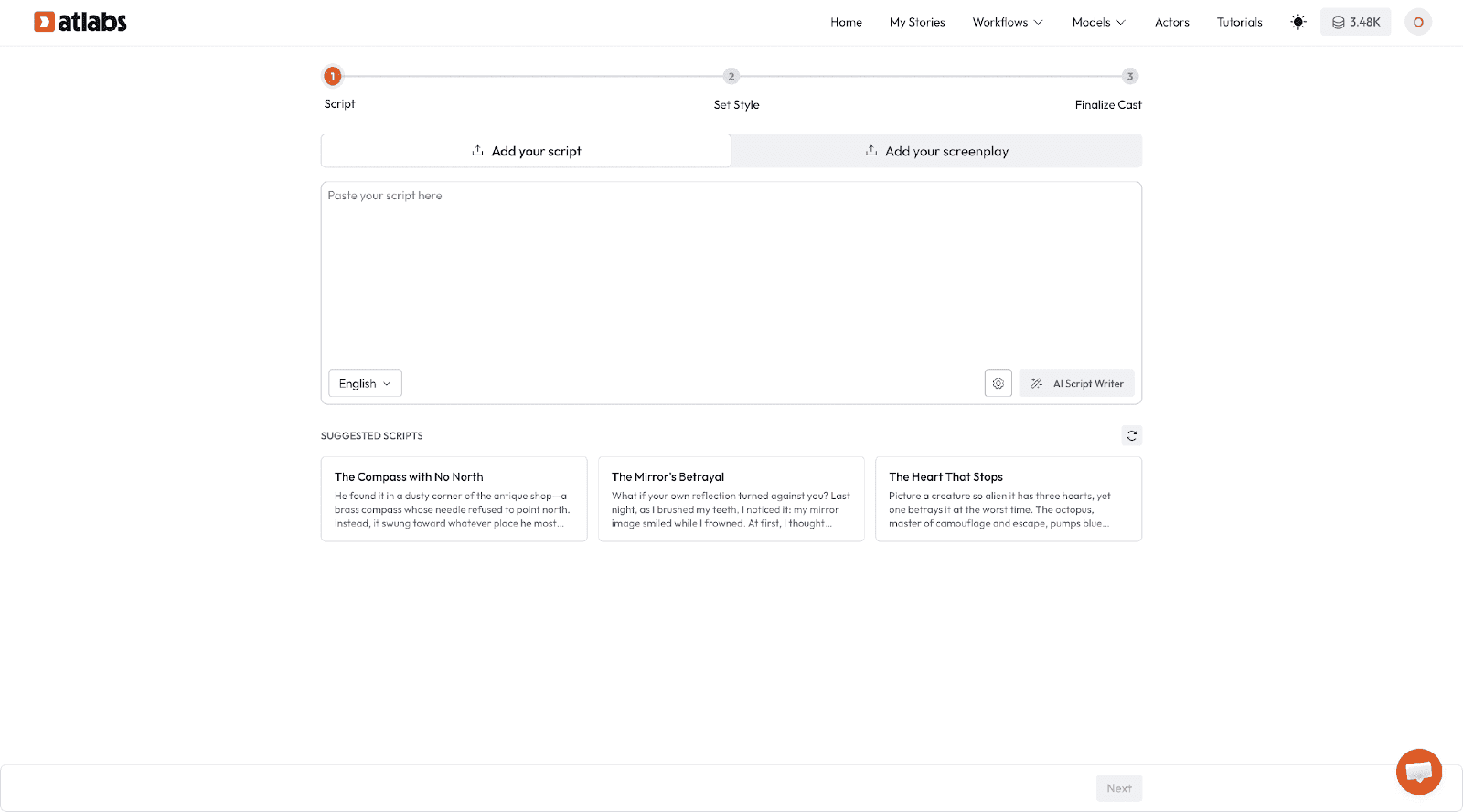
Head to app.atlabs.ai. If you are new, create a free account in about 30 seconds. Click on Create New Video and select Story to AI Video from the workflow options.
Step 2: Input your story or script
You have two options here. You can paste in a written script, or you can type a short idea and let Atlabs AI Script Writer expand it into a full narrated story.
If you already have your story written, paste it directly. Atlabs will read your script, identify your characters automatically, and prepare to generate visuals scene by scene.
If you want help with the script, type something like:
A story about a little girl named Zara who is afraid to swim. She meets a friendly turtle at the lake who teaches her that being brave does not mean you are not scared, it means you try anyway. By the end, Zara swims across the lake and celebrates with her family.
Atlabs will turn this into a full narrated script broken into scenes, complete with character descriptions and scene-by-scene visual prompts.
Step 3: Set your visual style
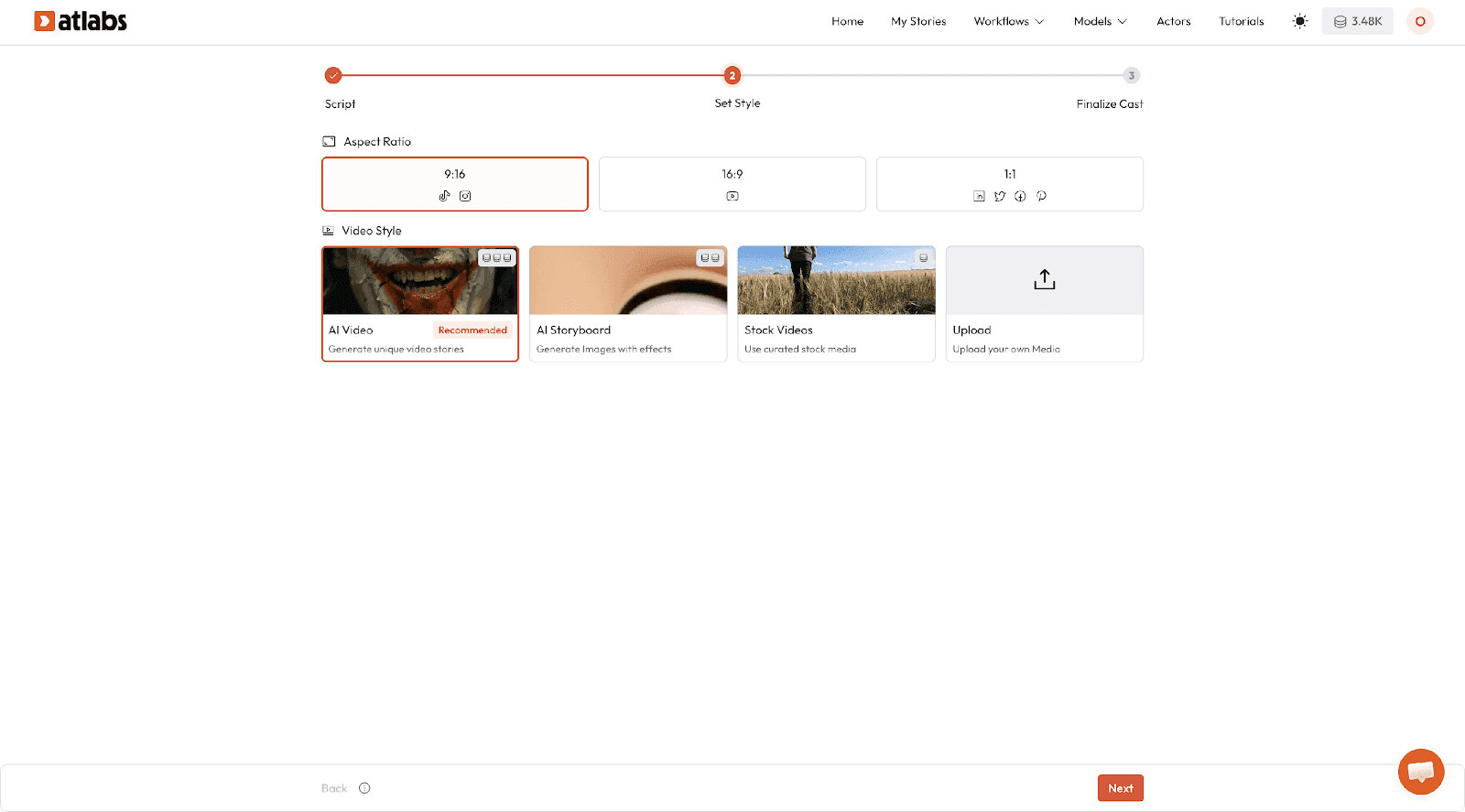
This is where your video comes to life visually. Atlabs gives you a full range of animation styles. For kids content, these are the ones that work best:
3D Cartoon: Warm, rounded, Pixar-inspired. Best for emotional stories with human characters.
2D Illustrated: Flat, colorful, storybook feel. Great for animal characters and fairytale settings.
Anime: Bold outlines, expressive faces. Works well for adventure and fantasy stories.
Webtoon: Clean, comic-style visuals. Good for older kids and chapter-style series.
Watercolor Illustrated: Soft, painterly, magical. Perfect for gentle bedtime stories.
Pick the style that matches the tone of your story. A bedtime story about a sleepy bear should feel soft and warm. An adventure about a space explorer should feel bold and bright.
Important: Whatever style you choose here will be applied consistently across every single scene. This is how Atlabs maintains visual consistency throughout your video.
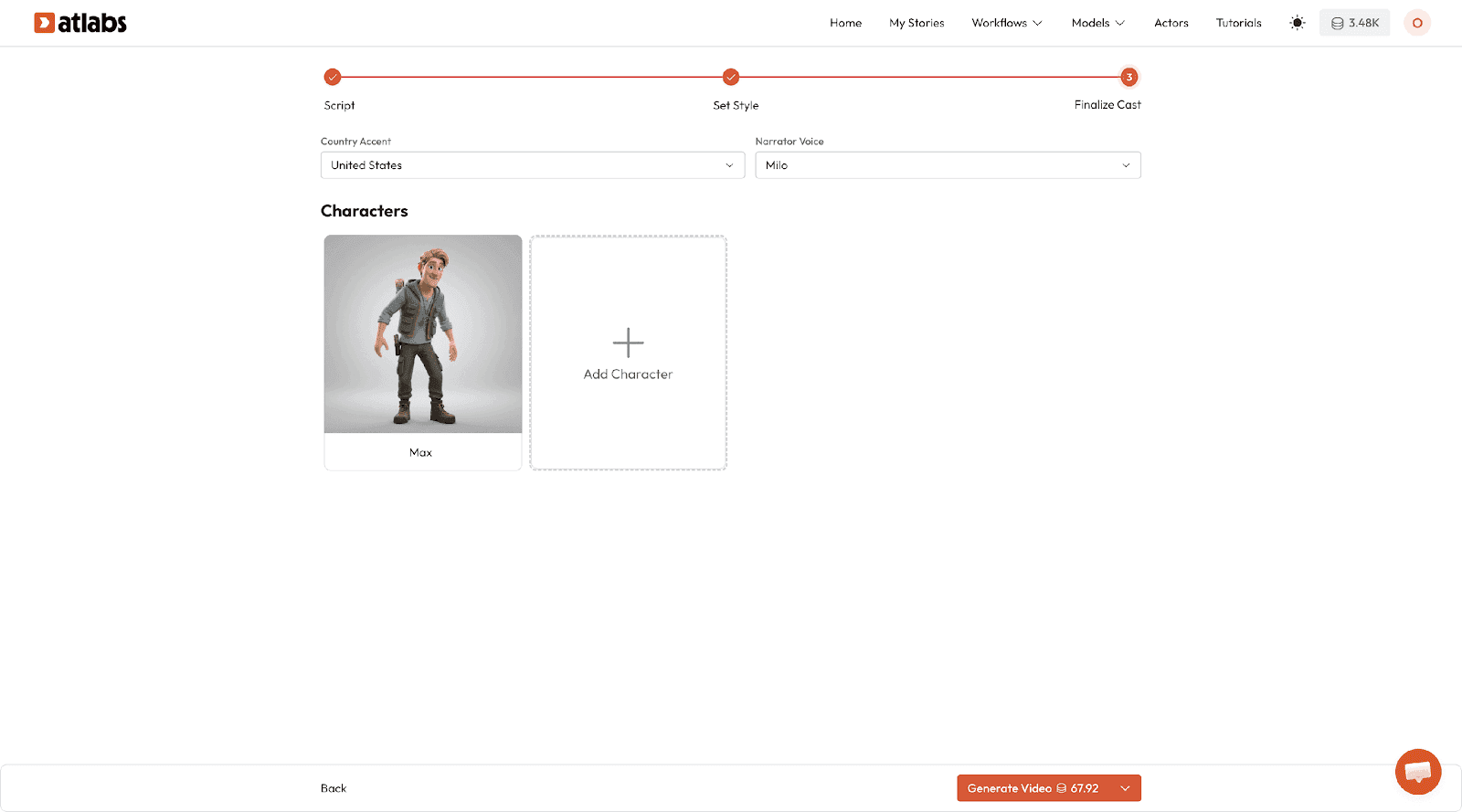
Step 4: Build your consistent characters
This is the feature that makes Atlabs genuinely different from every other tool. After reading your script, Atlabs automatically extracts your main characters. You will see them listed with auto-generated descriptions based on what was in your story.
For each character, you can:
Edit their physical description (hair color, eye color, outfit, skin tone, age)
Define their personality so the AI generates matching facial expressions
Set a reference style for how they should look in your chosen animation format
Add or remove characters from your cast
Once your characters are set up, Atlabs locks them in. The same Zara, with the same purple hair and yellow raincoat, will appear in scene one, scene four, and scene twelve. She will look like herself every single time.
Pro tip: Be specific in your character descriptions. Instead of 'a young girl with brown hair', write 'a 7-year-old girl with curly brown hair pulled into two pom-pom buns, wearing a bright yellow raincoat and red rubber boots'. The more specific you are, the more consistent the output.
Step 5: Select your voiceover
Atlabs has a built-in library of AI voiceovers. For kids content, you want a voice that is warm, clear, and slightly expressive without being overdramatic. Browse the kids-friendly voice options and listen to the previews.
You can assign different voices to different characters in your story. The narrator gets one voice. Zara gets another. The turtle gets another. This adds real depth to the storytelling without any recording equipment.
Atlabs also supports 40+ languages with male and female voiceover options in each. If you are creating content for a multilingual audience, you can export the same video in Hindi, Spanish, Arabic, or any other language with a single click after your video is done.
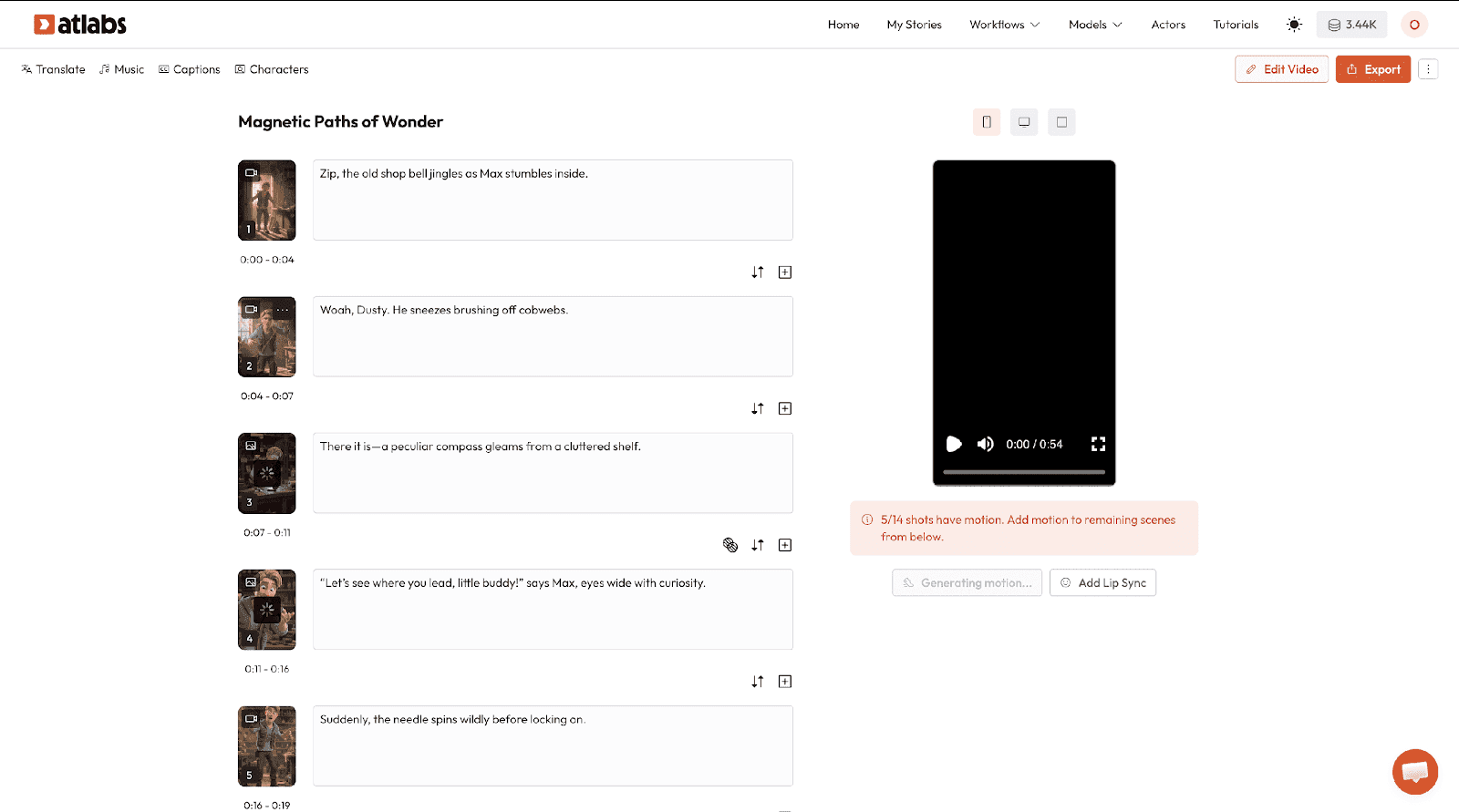
Step 6: Generate your video
Click Generate Video. Atlabs now takes everything you have set up and produces your full animated story. Each scene gets its own visual that matches your character descriptions and visual style. The voiceover is automatically synced to the narration. Background music is added to match the mood.
Your video will be ready in a few minutes depending on length. While it processes, you will see a live preview build.
Step 7: Review and refine
Once your video is generated, you can review it scene by scene inside the Atlabs editor. Here is what you can adjust:
Swap out an individual scene visual if one did not generate the way you wanted
Edit the narration text for any scene
Change the voiceover timing
Switch to a different background music track
Add or edit captions (Atlabs auto-generates these with over 95 percent accuracy)
Style your captions with different fonts, sizes, and colors suited to kids content
Adjust scene length and transitions
Note: If a character looks slightly off in one scene, use the scene regeneration option and Atlabs will produce a new version using the same character parameters. You do not need to redo the whole video.
Step 8: Export and publish
When you are happy with your video, click Export. You can download in multiple resolutions depending on your plan. For YouTube, export in 1080p landscape. For YouTube Shorts, TikTok, or Instagram Reels, use the 9:16 vertical format. Atlabs handles the aspect ratio conversion in one click.
Create your animated kids story video now on Atlabs https://app.atlabs.ai/signup
10 ready-to-use story prompts for Atlabs (copy and paste)
Use these prompts directly in the Atlabs script writer to generate your story instantly.
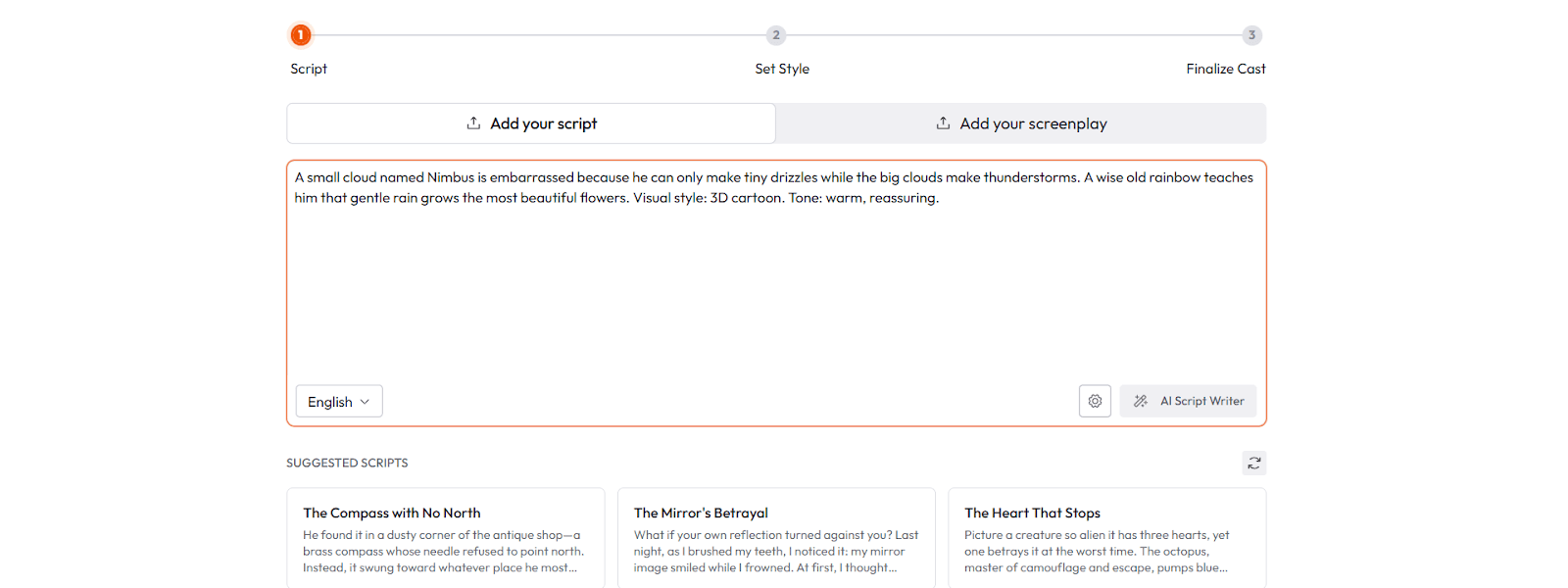
The shy cloud: A small cloud named Nimbus is embarrassed because he can only make tiny drizzles while the big clouds make thunderstorms. A wise old rainbow teaches him that gentle rain grows the most beautiful flowers. Visual style: 3D cartoon. Tone: warm, reassuring.
The robot who could not feel: A little robot named Beep was built without feelings and cannot understand why his human friend Maya is crying. By the end of the story, Beep discovers that being a good friend means showing up even when you do not fully understand. Visual style: 2D illustrated. Tone: gentle, thoughtful.
The bravest mouse: A tiny mouse named Pip lives inside the walls of a big old library and desperately wants to read the books. One night, he sneaks out and discovers that knowing how to read opens every door in the world. Visual style: watercolor illustrated. Tone: magical, inspiring.
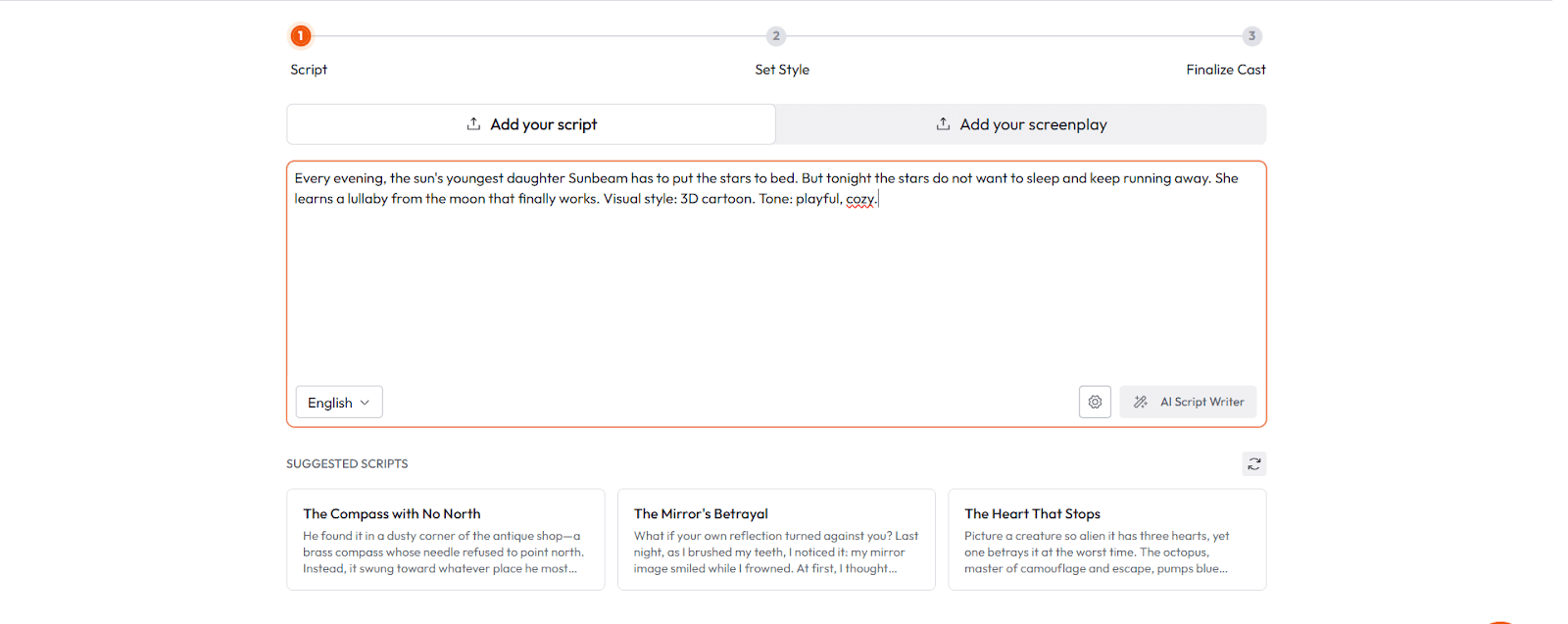
Captain Sunbeam saves the night: Every evening, the sun's youngest daughter Sunbeam has to put the stars to bed. But tonight the stars do not want to sleep and keep running away. She learns a lullaby from the moon that finally works. Visual style: 3D cartoon. Tone: playful, cozy.
The seed that did not want to grow: A little seed named Dot is scared to push through the soil because she does not know what is up there. A friendly earthworm tells her stories of sunflowers, butterflies, and warm sunshine. Dot takes a deep breath and grows. Visual style: soft 2D illustrated. Tone: nurturing, hopeful.
Two kids, one crayon box: Best friends Priya and Sam have to share a single box of crayons for the school art competition. They keep wanting the same colors at the same time. They learn that sharing does not mean losing, it means making something better together. Visual style: 3D cartoon. Tone: fun, relatable.
The ocean explorer: A young dolphin named Coral wants to explore beyond the reef but her parents say it is too dangerous. She discovers a trapped whale calf and her bravery ends up helping the whole pod. Visual style: anime. Tone: adventurous, bold.
Grandma's recipe: A young boy named Ravi wants to surprise his grandmother by cooking her favorite dish all by himself. He makes a delicious mess, gets help from a talking spice jar named Cumin, and learns that love is the most important ingredient. Visual style: warm 3D cartoon. Tone: heartwarming, funny.
The invisible superhero: A little girl named Asha discovers she has the power to become invisible. But instead of using it to avoid her chores, she uses it to secretly help her neighbors. She learns that real superpowers are about giving, not hiding. Visual style: webtoon. Tone: fun, empowering.
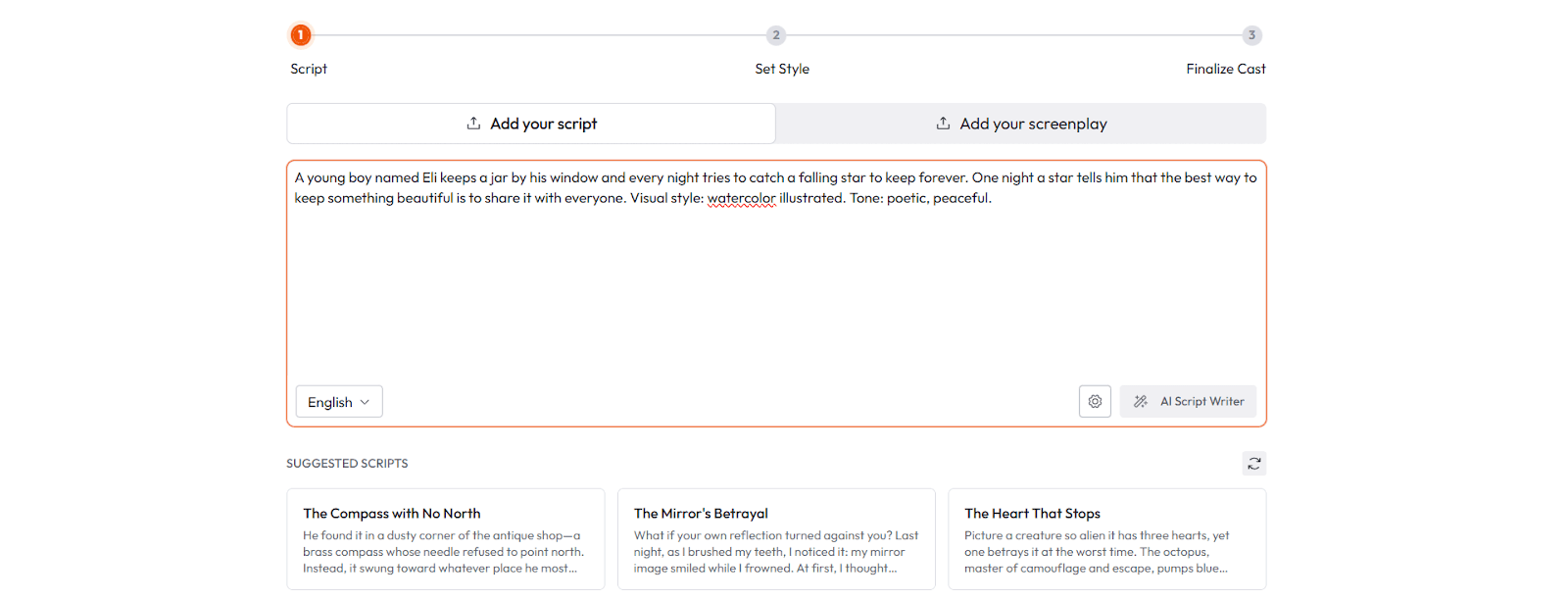
The boy who collected stars: A young boy named Eli keeps a jar by his window and every night tries to catch a falling star to keep forever. One night a star tells him that the best way to keep something beautiful is to share it with everyone. Visual style: watercolor illustrated. Tone: poetic, peaceful.
Try any of these prompts free on Atlabs right now https://app.atlabs.ai/signup
Tips for building a kids animation series on Atlabs
The real power of Atlabs for kids content is not just making one video. It is building a series. Think of how Peppa Pig, Bluey, or Chota Bheem work: the same characters, the same visual world, a new small story every episode. Atlabs is built for exactly this.
Save your characters as templates
Once you have set up your character cast in Atlabs, save their descriptions somewhere you can reuse them for every episode. Copy and paste the exact same character parameters each time you start a new video. Your character will look the same in episode one and episode forty.
Keep your visual style consistent across episodes
Always choose the same animation style setting for every episode in a series. If episode one is 3D cartoon, every episode after that should be 3D cartoon. This visual consistency is what makes kids feel safe and familiar with your content.
Build a recognizable intro
Use Atlabs to create a short 10 to 15 second intro sequence for your series. Show your characters, play a short music theme, and introduce the series name. This is what turns a single video into a brand.
Use consistent voiceover voices
Every time you create a new episode, assign the same voiceover to the same character. Atlabs saves your voice settings, making this easy to replicate.
Batch your scripts before you start producing
Write 4 to 5 story ideas before you start producing. This way you can set up your characters once and generate multiple videos in one session without having to reconfigure everything from scratch.
Where to publish your animated kids story videos
Once your video is ready, here is where to take it:
YouTube and YouTube Kids
The biggest long-form platform for kids content. Export in 1080p landscape. Optimize your titles around what parents search for: 'bedtime stories for kids', 'animated stories for 4 year olds', 'short moral stories for children'. Consistency matters here: upload at least once a week to build an audience.
YouTube Shorts
Pull a 30 to 60 second clip from your full video and export it in 9:16 format using Atlabs' reframe tool. Shorts are the fastest way to grow a new kids channel from zero.
Instagram Reels and TikTok
Short animated clips for kids perform extremely well on both platforms. Keep your Reels and TikTok clips under 90 seconds. Use bright thumbnails and hook the viewer in the first 3 seconds.
WhatsApp and Telegram for regional creators
If you are creating content in regional languages, WhatsApp sharing within parent communities is one of the fastest distribution channels. Atlabs supports 40+ languages with one-click translation, so you can create the same video in Hindi, Tamil, Telugu, Bengali, or any other language for your audience.
Final thoughts
Kids animation content is one of the most rewarding types of video to make and one of the fastest-growing categories on YouTube, TikTok, and Instagram. The demand from parents for quality kids content is enormous. The gap between a great idea and a finished animated video used to take a team of animators, voice actors, and editors weeks to close.
With Atlabs, you can close that gap in a single afternoon. Write the story, build your characters once, pick your visual style, and let Atlabs handle the rest. Then do it again next week with the same characters in a new adventure.
The creators who build kids channels in 2026 are the ones who move fast, stay consistent, and publish regularly. Atlabs is the tool that makes all three of those things possible without a studio budget.
Your story is ready. Your characters are waiting. Start creating.
Create your free animated kids story video on Atlabs https://app.atlabs.ai/app









