
Walter White stands in the doorway. Skyler is at the kitchen table. He says the line about being the one who knocks. You have seen it a hundred times.
Now picture it drawn like a Saturday morning kids show. Round eyes, thick outlines, a soft pastel kitchen, and a nine year old Walt delivering that exact threat in a squeaky voice. Skyler, also nine, calling him buddy.
That is the whole format, and it is one of the most reliable short form ideas running right now. It also takes far less work than it looks like. No animation software, no character rigging, no keyframes. One still frame from the show, one restyle prompt, one motion prompt, repeated per scene. Here is the full loop with the exact prompts.
Why Breaking Bad Is Close to the Perfect Show for This
The joke runs on tonal distance, and almost no show sits further from a kids cartoon than this one. A meth cook having a mid life crisis in the New Mexico desert redrawn as a children's programme about a boy and his chemistry set is the entire punchline before a single word is spoken. Compare that to restyling a sitcom, where the gap is small enough that the edit just looks like a filter.
The dialogue does the rest. Breaking Bad is unusually quotable, and the famous lines are short. I am the one who knocks. I am the danger. Yeah, science. Say my name. Each of those is four to eight seconds spoken, which happens to be exactly the length where AI video output stays clean. You are never generating a long continuous shot. You are generating one line at a time, checking it, and moving on. If a scene comes back wrong you lose a clip, not an afternoon.
The cast helps too. Walt, Skyler, Jesse, Hank, Gus and Saul all have instantly readable silhouettes, wardrobes and colour palettes. The pork pie hat, the yellow hazmat suit, the beige cardigan, the loud shirts. Those survive the restyle, so viewers recognise every character in cartoon form without you doing anything extra.
The Two Tools This Runs On
The whole thing lives in two apps. The first is GPT Image 2 inside Atlabs, which edits an image you upload rather than generating one from scratch. That distinction is the reason this works. You want the original composition, wardrobe and framing kept, and only the art style swapped. The second is MiniMax H3 Image to Video, which takes your restyled still and animates it.
H3 is the right pick here because it handles spoken dialogue inside the same prompt as the motion. You write what Walt does and what Walt says in one place, including the delivery, and it comes back as a clip with audio. There is no separate voiceover step and no second pass to line up the mouth. For a format that is almost entirely characters saying famous lines, that collapses the pipeline down to two clicks per scene.
Scene 1: I Am the One Who Knocks
Step 1. Grab the frame
Take a still from the moment Walt turns and steps toward Skyler. Pick a frame where his face is visible and roughly front facing, and where the kitchen is readable behind him. A profile shot or a heavily shadowed frame gives the restyle less to hold on to and gives the motion model less to animate. A normal screenshot is fine, you do not need a high resolution source.
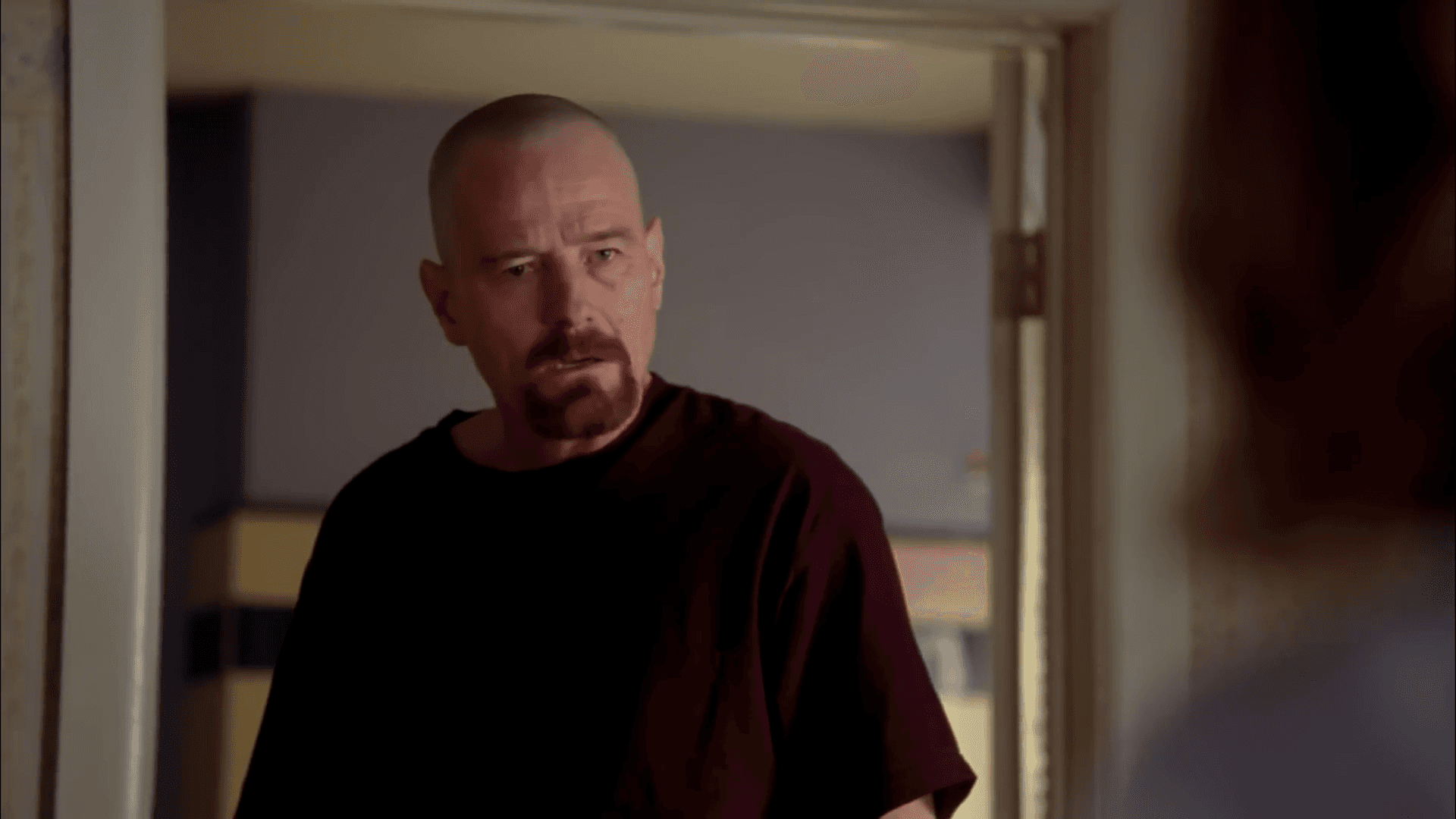
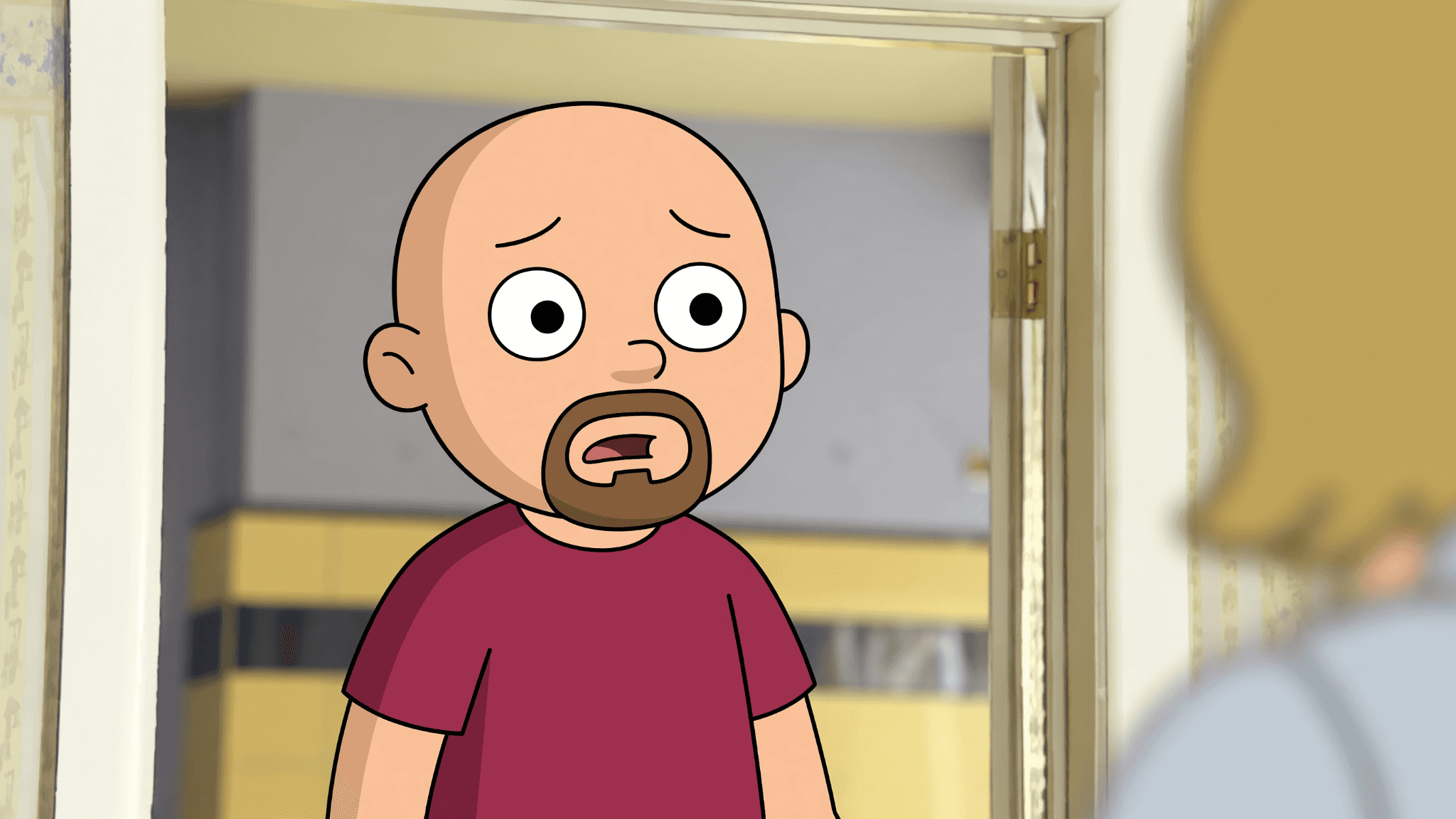
Step 2. Restyle him into a cartoon kid
Open GPT Image 2, upload the frame, and keep the prompt short. Long prompts fight the source image. This is all it takes:
make this in kids cartoon style, make him a kid
Two instructions, no styling adjectives. The image is already telling the model the composition, the glasses, the goatee and the kitchen, so the prompt only has to say what to change. Adding a paragraph about colour palettes and line weights usually pushes the output further from the original than you want. Run it once, and if the face still reads too old, add the age directly, for example make him about nine years old.
Step 3. Animate the line
Take the cartoon Walt still into MiniMax H3 Image to Video as your input image. Now the prompt covers movement, delivery and dialogue together:
man walks forward and says in anger (in kid's voice) "I am not in danger. I am the danger! A guy opens his door and gets smacked and you think that of me? No. I am the one who knocks!"
Look at the shape of that prompt. Action first, then the emotional direction, then the voice note in brackets, then the line itself in quotes. The quotation marks are what tell the model which part is dialogue and which part is stage direction. The bracketed voice note is doing most of the comedic work, because it is the thing that produces the squeaky delivery the joke depends on.
Scene 2: Walt, Buddy
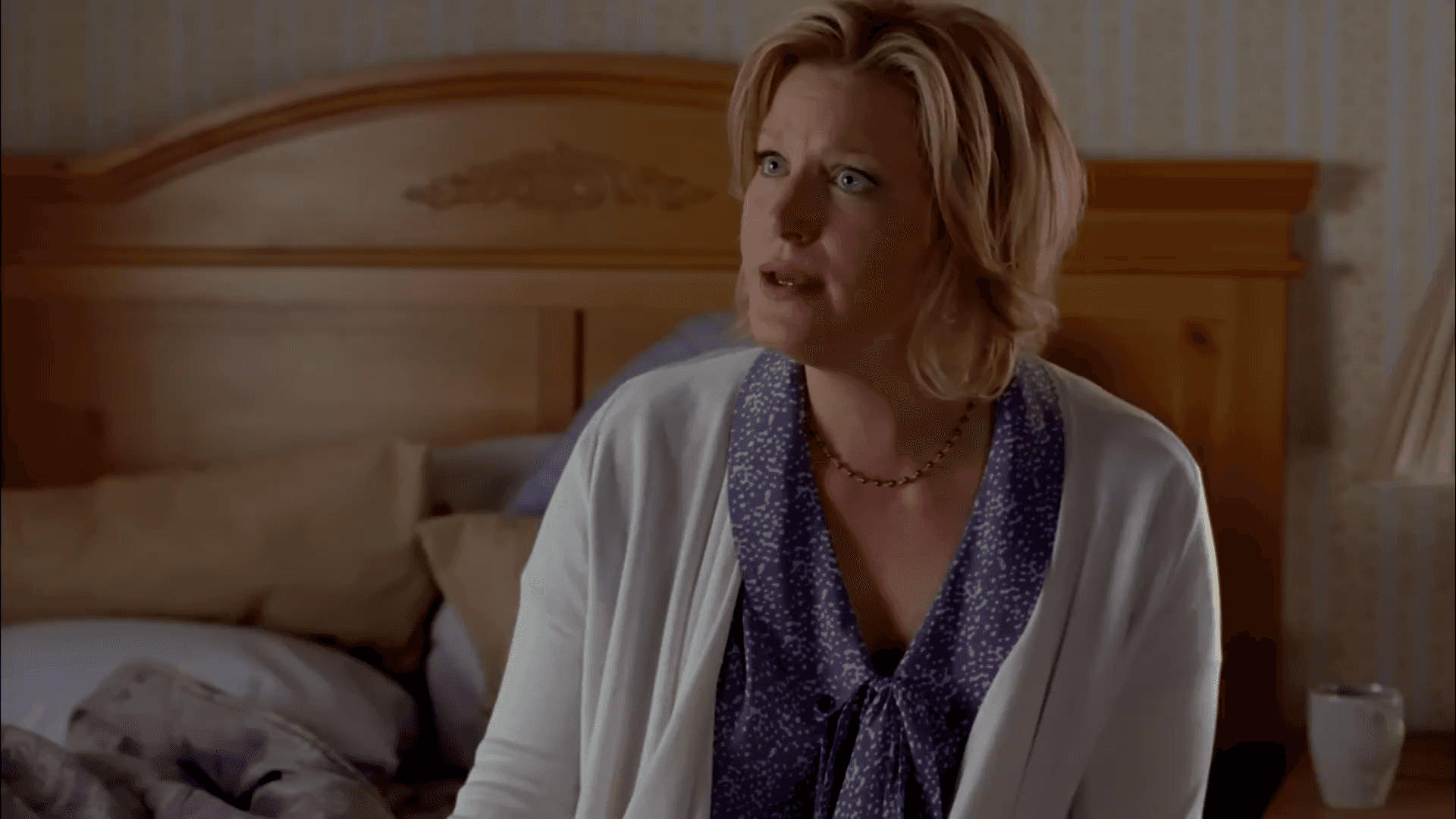
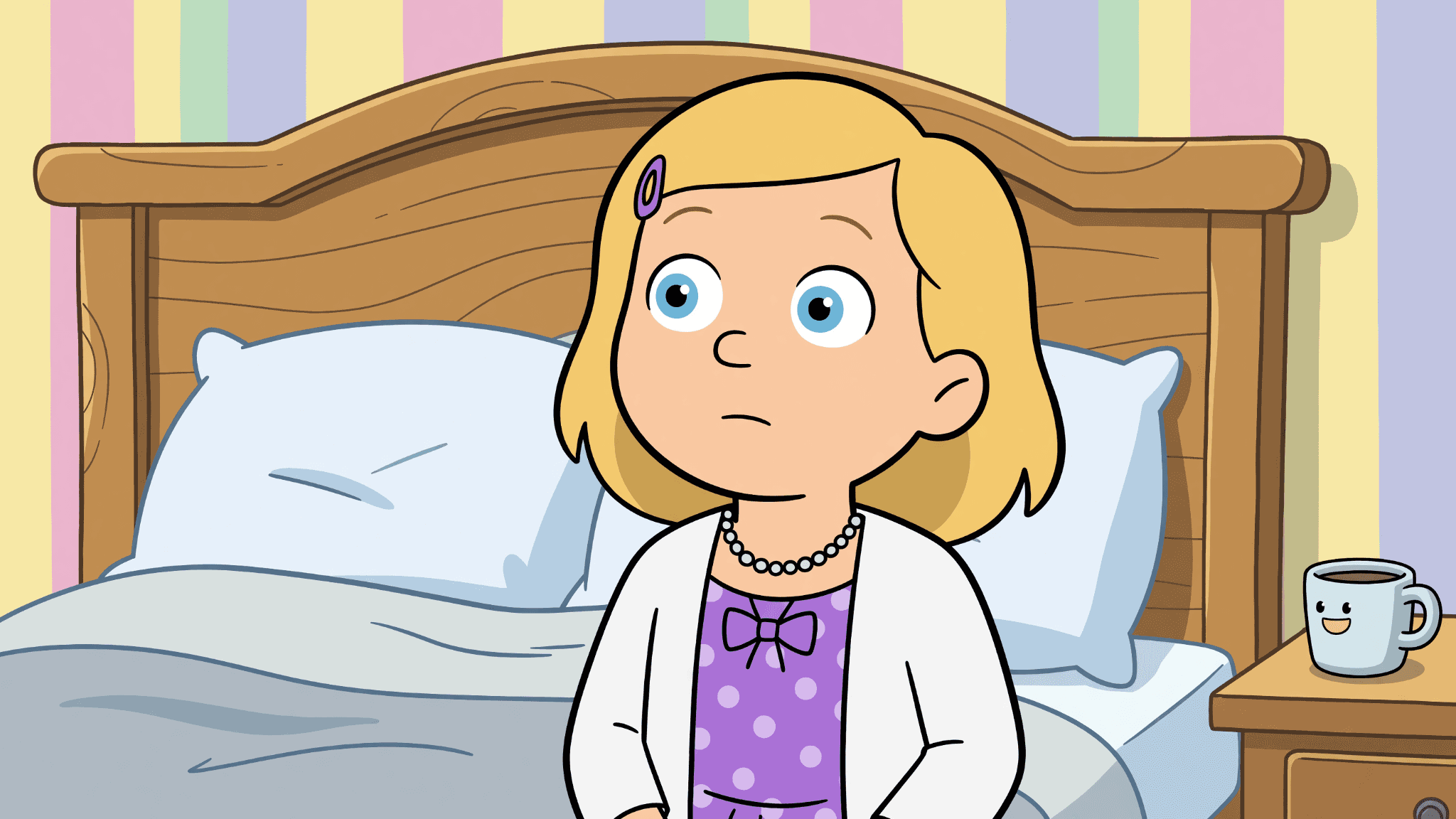
Same two steps, new frame. Take a still of Skyler at the table and restyle her with the same short instruction, changing only the pronoun. Keeping the wording otherwise identical is what holds the art style steady across the cut:
make this in kids cartoon style, make her a kid
Try this prompt in Atlabs GPT Image 2
Then animate her reply, with the tone called out before the line:
Woman is saying in a concerned voice "Walt, buddy, let's stop pretending everything is fine. You're in BIG trouble!"
Try this prompt in Atlabs MiniMax H3 Image to Video
Capitalising a word inside the line, the way BIG is capitalised there, is a simple way to push emphasis onto it in the delivery. It is not a formal control, but it comes through often enough to be worth using on the punchline word of every scene. Cut the two clips back to back with no transition. The hard cut between two cartoon kids trading threats over a kitchen table is funnier than any crossfade.
Building the Rest of the Episode
That is the loop. Frame, restyle, animate, next scene. Six to eight of these gives you a full short, and Breaking Bad has more than enough material to fill one. The RV in the desert with Jesse. Yeah, science. Hank at the barbecue. Gus straightening his tie at Los Pollos Hermanos. Saul in one of the shirts. Say my name in the scrapyard. Pick the moments first and pull all your frames in one sitting, then run the restyle pass on all of them, then the motion pass. Batching by step is faster than working scene by scene. If you want the finished cut cleaner for a wide screen upload, run it through Upscale at 1080p and 30 frames per second before you post.
Why the Characters Stay Consistent Across Scenes
The image first order is the reason this holds together. Most people attempt this by describing Walter White to a video model in words and regenerating him from scratch every single time, which is why their character drifts between shots and looks like a different person by scene four. Restyling a real frame anchors every scene to something fixed. Cartoon Walt in the kitchen and cartoon Walt in the desert were both derived from the same show, the same wardrobe and the same lighting setup, so they match without you managing a character sheet or a reference library.
Folding the dialogue into the motion prompt is the second thing that makes a full episode practical. A workflow where you generate silent video, write a script, synthesise a voice, then align the mouth is four passes per scene. Eight scenes at four passes is a project. Eight scenes at two passes is an evening.
You are also not locked to one model. If a scene calls for a different look, the same restyled still can be routed through another model on the platform without rebuilding anything. Seedance 2.0 is the stronger option for stylised character closeups where the face carries the shot, which suits the quieter Gus moments. Hailuo 2.3 handles high motion scenes with more fluidity, which suits anything with Jesse in it. You can browse the full set of workflows and apps from the Atlabs dashboard if you want to take the same cartoon cast into a longer narrative piece using the Animated Video workflow.
Pro Tips
Keep your restyle prompt identical across every scene, word for word, changing only the pronoun. The moment you start rewording the style instruction per frame, the art style drifts and the cut stops feeling like one cartoon. Write it once, paste it every time.
Write the dialogue the way you want it performed, not the way it appears in a script. Punctuation, capitals and the bracketed tone note are the only performance controls you have, so use all three. An exclamation mark and one capitalised word do more for the delivery than another sentence of description.
If a line comes back with the timing right but the mouth slightly off, do not regenerate the whole scene. Send that clip to Lip Sync with the audio you already like and fix just the mouth. Regenerating throws away a take that was otherwise working.
One practical note on posting. Parody edits of a show this well known sit in a grey area, and the safest ground is clearly comedic reinterpretation posted as fan content rather than anything sold or presented as official. If you want to build the format into something you monetise, run the same two step method on original characters instead. The workflow does not care whose face you start from.
FAQ
Do I need two separate tools, or can one model do both?
The restyle step has to be separate. Image to video models animate what you give them, they do not reliably change art style at the same time. Restyling first locks the cartoon look into the still before any motion is applied, which is also why Walt looks like the same kid in every scene.
How long should each scene be?
Match it to the line. Most of the famous Breaking Bad quotes run four to eight seconds spoken, which is also where image to video output stays cleanest. If a line runs longer, split it across two clips with a cut in the middle rather than pushing one generation to hold together.
What if the voice does not sound like a kid?
Make the voice note more specific and move it earlier in the prompt. Instead of in kid's voice, try in the voice of a small child, high pitched and squeaky. Instructions near the front of the prompt carry more weight, so a voice direction buried after a long action description often gets softened.
Can I do this with other shows?
Yes, and the steps do not change at all, only your source frames do. The format is stronger the sharper the tonal contrast is, so crime dramas, prestige television and horror all land well for the same reason Breaking Bad does. The kids cartoon treatment is furthest from the original register.
Final Verdict
Cartoon Breaking Bad spread because the idea reads instantly and the production cost is close to nothing once you know the loop. Restyle a frame, animate it with the line inside the prompt, repeat per scene. Everything else is picking good moments, and this show hands you a shot list for free. Start with the one who knocks scene rather than planning a whole episode, because one finished eight second clip will teach you more about what your prompts need than any amount of prep. When it works, run the same loop down the rest of your quote list. You can build the whole thing at atlabs.ai.









