
A young man is sitting on a couch next to a red-haired woman. Something crosses his mind. He stands, shouts "AUNT MAY!" and runs down the hallway. As he runs, he gets younger. Not with a cut, not with a flash, but continuously, stride by stride, until the person who pulls the door open at the end of the corridor is a small boy. Waiting behind that door is the woman who raised him, and she catches him.
If you grew up on Spider-Man, you already know why that lands. The character has always worked because the hero with the powers is also the kid who never stopped needing his aunt. Ten seconds, one shot, no cuts, and the entire relationship is on screen without a line of exposition.
This walkthrough covers exactly how that clip gets made. The characters here are original stylized designs rather than copies of anyone's costume or likeness, which is what keeps a homage a homage. The technique itself works for any emotional animated short where a character has to stay recognisably themselves while everything about them changes.
Why the Single Shot Transformation Is the Hard Part
Most AI video looks like AI video because of what happens between shots. Generate two clips of the same character and you get two slightly different people. The jaw is narrower, the hair parts on the other side, the jacket is a different blue. Audiences notice this instantly even when they cannot name what is wrong, and the emotional beat dies the moment the face stops being the same face.
An age regression sequence makes that problem worse, not better, because the character is supposed to change. The model has to understand which changes are the story, meaning height, proportions, facial softness, and which changes are errors, meaning identity, hair colour, clothing logic, the specific shape of the eyes. Get that boundary wrong and the audience sees a different person appear halfway down the hallway rather than the same person becoming younger.
The fix is not a better motion prompt. It is locking identity outside the video prompt entirely. You build the characters as images first, then you hand those images to the video model as named references and tell it, in the prompt, exactly which reference governs which character at which second. The model stops inventing faces and starts animating the ones you gave it.
The Two Tools This Runs On
Both steps live inside Atlabs.
GPT Image 2 builds the character references. This is where you spend most of your effort, because every frame of the final video inherits these images. You are not making concept art here. You are making a casting sheet the video model has to obey.
Seedance 2.0 Ref to Video generates the clip. Seedance 2.0 is the right model for this because it handles stylized character work and expressive facial animation better than the photoreal models, and the Ref to Video mode lets you pass multiple labelled reference images that you can call by name inside the prompt. That labelling is what makes a multi character, multi stage shot possible in a single generation.
Step by Step Walkthrough
Part 1: Build your character references in GPT Image 2
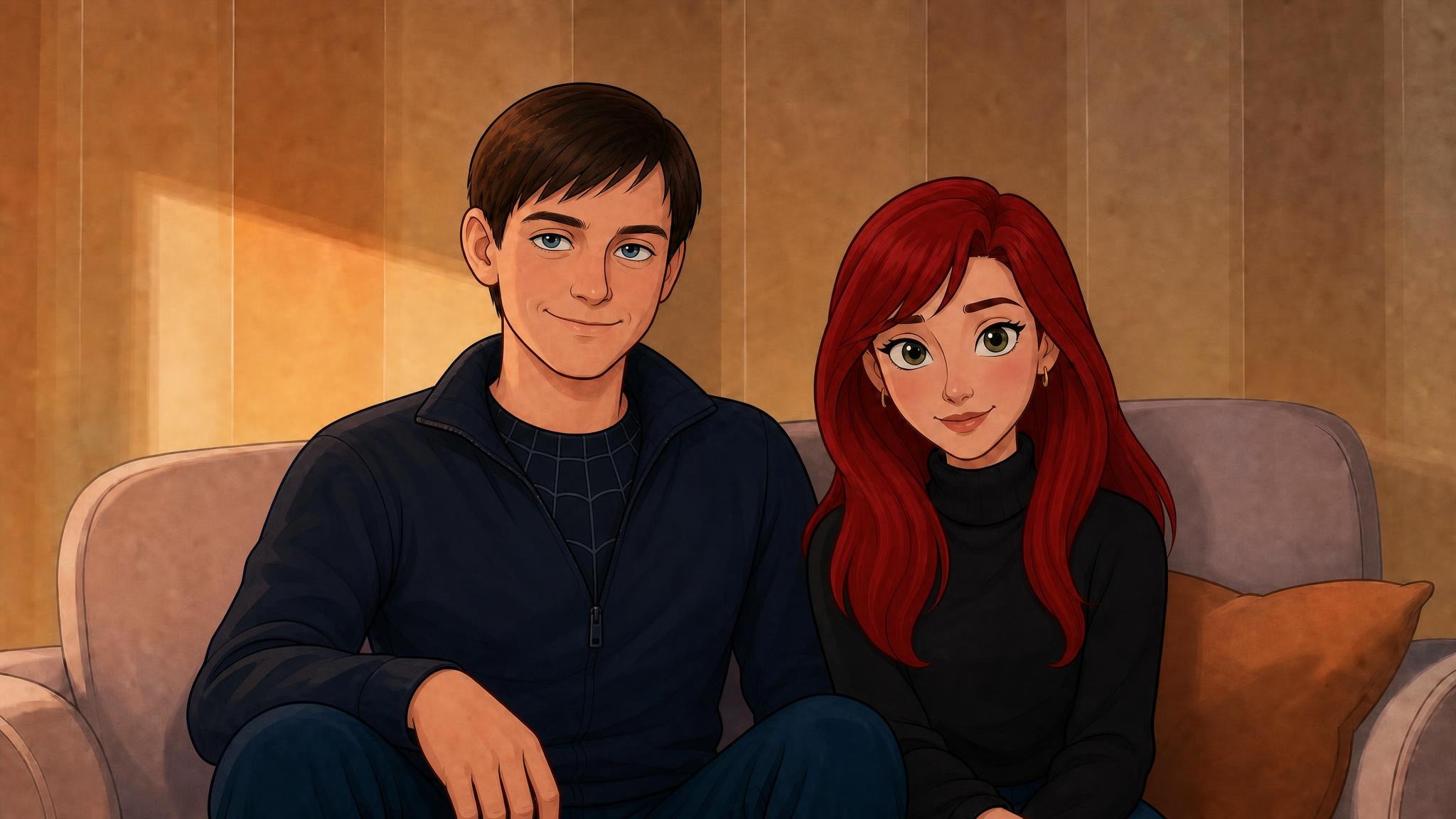
1. Open GPT Image 2 and generate your first reference. Go to GPT Image 2. This first image establishes the adult version of your character and anyone sharing the opening scene with him. Write the prompt as a casting description rather than a mood board. Skin tone, hair style and colour, eye colour, exact garments, posture, all of it stated plainly, because anything you leave vague is something the video model will decide for you later.
The opening scene reference used for this short describes a dark-haired young man and a red-haired woman on a beige sofa in warm golden interior light, front facing, waist up, in a polished 3D animated film style at 16:9. Small details carry the homage without copying anything: a subtle geometric web-like pattern at the neckline of his shirt does more work than a costume would. The full prompt is in the prompts section below.

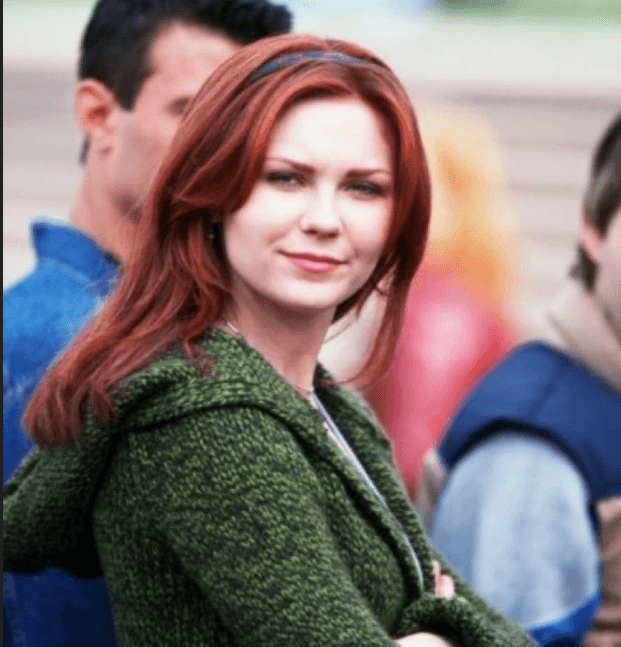
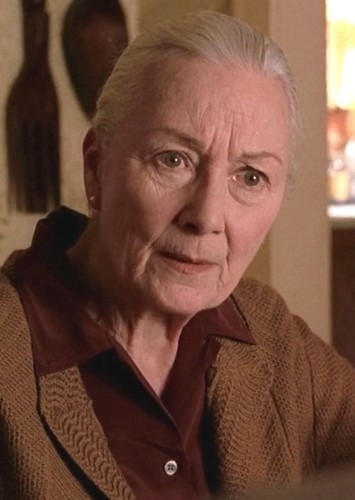
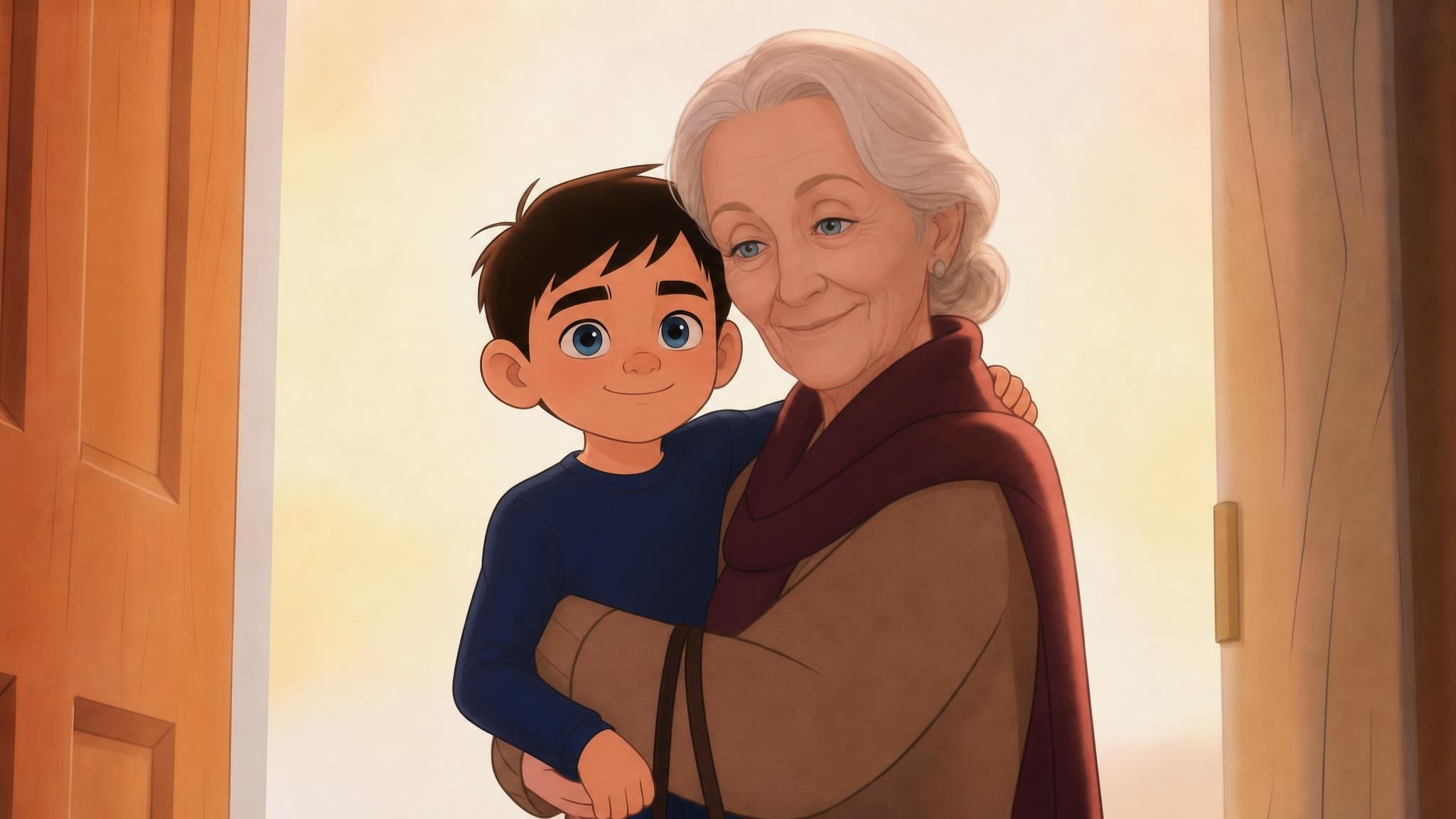
2. Generate your second reference: the younger version and the older woman. Same tool, new image. This one carries the boy the man becomes and the elderly woman waiting at the end of the hallway. The critical detail here is that the boy must read as a plausible younger version of the adult in your first image. Same hair colour, same eye colour, same face shape softened by age. If the two images do not agree on those, the transformation will look like a swap rather than a regression.
3. Check both images against each other before continuing. Put them side by side. Does the lighting language match, warm golden interior in both. Does the animation style match, same level of stylization, same eye size logic, same skin rendering. Does the identity hold across the age gap. Fix any mismatch now, because you cannot fix it later in the video stage.
Ready to build your own references? Start in GPT Image 2.
Part 2: Generate the shot in Seedance 2.0 Ref to Video
4. Open Seedance 2.0 Ref to Video and upload both references. Go to Seedance 2.0 Ref to Video. Upload your couch scene image and your reunion image. They become @img1 and @img2, and those labels are how you address each character inside the prompt.
5. Write the prompt as a timeline, not a description. This is the part that separates a clip that works from a clip that almost works. Rather than describing the scene as a whole, break the ten seconds into labelled beats and state what happens in each one:
The first two seconds are the realisation. The man stands, shouts "AUNT MAY!" and starts moving. Seconds two to six are the run and the transformation, and this is where you spell out that the ageing happens continuously while he is running, moving through adult to younger adult to teenager to young boy, with the camera never cutting away. Seconds six to eight are the door. Seconds eight to ten are the reunion and the hug.
6. Add the constraint block. Underneath the timeline, state what the model must not do. No flash, no dissolve, no teleportation, no sudden morph, no cuts during the transformation, no duplicate characters, no text or watermark. Negative constraints do a lot of work in a shot like this, because the easiest way for a model to solve a hard transformation is to hide it behind an edit, and you are explicitly taking that option away.
7. Specify camera, lighting, emotion and audio separately. Give each its own block. Camera covers the move from medium shot to tracking shot to intimate close up. Lighting covers the warm interior light growing warmer down the corridor. Emotion states the intent so the facial animation has direction. Audio covers the orchestral build, the shouted line, footsteps and room tone.
8. Generate, then review against your references. Watch it once for the transformation and once for identity. The transformation should be visible as it happens rather than resolved off screen. The boy at the door should be the boy from your second reference, and the older woman should match hers exactly. If identity drifts, tighten the reference language in the prompt rather than regenerating blindly.
Why This Approach Holds Together
Reference locking removes the guesswork. Because @img1 and @img2 are actual images rather than descriptions, the model is matching against pixels, not interpreting adjectives. Two people reading "short dark brown hair" imagine two different haircuts, and so do two generations from the same model. An image removes that ambiguity completely.
Timestamped beats give the model a structure to fill rather than a story to invent. A ten second prompt written as prose gets compressed unpredictably, and the model decides how long each moment lasts. Written as 0:00 to 0:02, 0:02 to 0:06, 0:06 to 0:08, 0:08 to 0:10, the pacing is yours. The run gets four full seconds because that is where the transformation has to be legible.
Seedance 2.0 was built for stylized character performance. The whole short depends on the face carrying the emotion, and the model handles expressive animated features and believable physical interaction better than models tuned for photorealism. Naming the right model for the job matters more than prompt length.
Audio direction inside the prompt saves a separate pass. The orchestral build, the shouted name, the footsteps and the room tone are all specified with the visuals, so the emotional peak of the music lands on the hug rather than being edited to fit afterwards.
Pro Tips
Spend your time on the reference images, not the video prompt. A weak reference cannot be rescued by a longer video prompt, and a strong reference makes a short video prompt work. If you find yourself on the eighth video generation trying to fix a face, the problem is upstream.
Write your negatives as specifically as your positives. "No cuts" is weaker than "no flash, no dissolve, no teleportation, no sudden morph, no cut during the transformation". You are closing every shortcut the model might reach for, and each one you leave open is one it might take.
Give the hardest beat the most time. The transformation gets four of the ten seconds because it needs to be legible. If you compress it into two, the model has to move too fast and it will resolve the change in a way you did not ask for. Budget screen time by difficulty, not by importance to the plot.
Keep the lighting continuous across both reference images. Warm golden interior in the first, warm golden interior in the second. When the two references disagree on light direction or colour temperature, the video model has to reconcile them mid shot and you see the seam.
FAQ
How many reference images can I use? Ref to Video is built around passing multiple labelled references and addressing each one by name in the prompt. This short uses two, one per scene, with the second reference carrying two characters. Grouping characters who appear together into one reference keeps their relative scale and lighting consistent.
Why not generate the transformation as separate clips and edit them together? You can, and it will be easier, but it will not read the same. The emotional weight of this shot comes from the audience watching the change happen without a cut to hide behind. The moment you edit, it becomes a montage rather than a transformation.
Can I build this around an existing character like Spider-Man? Build your own character design rather than reproducing an existing costume, logo or actor likeness. The emotional beat is what people respond to, and a stylized original character carries it just as well. Small suggestive details, a web-like texture at a neckline rather than a full suit, keep the homage readable without copying anything.
Can I do this with a real person instead of an animated character? The workflow is identical. Build your references first, then pass them to Ref to Video. Stylized 3D is used here because Seedance 2.0 handles expressive animated faces particularly well, but the reference locking method applies whatever the style.
What if the character's identity drifts halfway through? Tighten the reference language in the prompt before regenerating. Restating that a specific reference governs a specific character, and naming what must be preserved, usually fixes it. If it persists, the two reference images are probably not agreeing on identity in the first place.
How long can the clip be? This one is written for ten seconds, which is enough for a four beat structure with a clear emotional arc. Longer shots leave more room for drift, so building a longer piece from several tightly controlled shots tends to hold up better than asking for one long generation.
Final Verdict
The reason most AI animation feels hollow is that it looks assembled rather than performed. Faces shift between shots, transformations get hidden behind edits, and the emotional beat never lands because the audience is quietly working out whether they are watching the same person.
Locking your characters as images in GPT Image 2 and then directing them beat by beat in Seedance 2.0 Ref to Video solves both problems in one pass. You approve the cast before a single frame moves, then you write the shot like a director rather than a prompt engineer. Build your own characters rather than copying existing ones and the homage stays yours.









