Try Atlabs Free, Make Your First Avatar Video in 30 Minutes No camera. No download. No credit card. |
You have something worth saying.
And every time you think about making a video, you open the camera app, see yourself under bad lighting, and close it again.
A product to explain. A course to launch. A YouTube channel sitting in your Notes app for six months. A business that needs video content but absolutely zero interest in setting up a ring light and staring into a camera.
Here is what most guides do not tell you: you do not need to be on camera to have a face representing your brand. You do not need a studio, a lighting kit, or an actor. You need an AI talking avatar video, and you can make one today, in your browser, in under 30 minutes.
This guide will show you exactly how.
What Is a Talking Avatar Video?
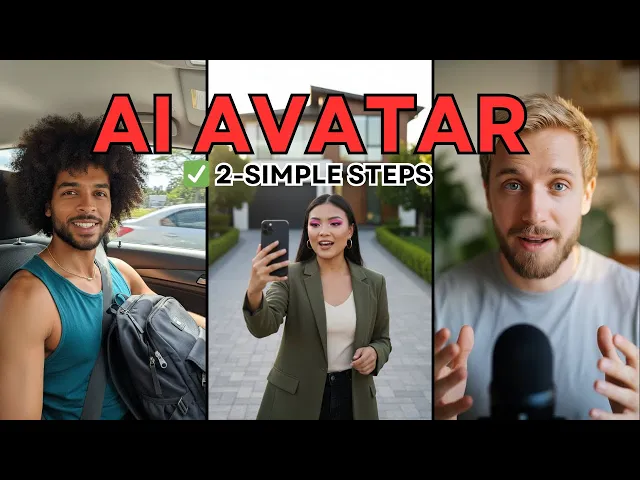
A talking avatar video is a video where a realistic, AI-generated human face delivers your script. The avatar speaks with a voice you choose, moves naturally with lip sync, and can be placed in any background, in any language, across any format from YouTube to Instagram Reels to corporate training decks.
Think of it as your always-available brand spokesperson. One that does not charge by the hour, never needs a retake because of background noise, and can speak Spanish, Hindi, French, and Portuguese by tomorrow morning.
Avatar videos are being used right now by:
Solo YouTube creators building educational channels without going on camera
Small business owners making product explainers without hiring actors
Coaches and course creators delivering curriculum in multiple languages
Marketers running UGC-style ad campaigns at scale
Corporate training teams producing onboarding videos without booking studios
Why Most People Avoid Video (And Why That Changes Today)
The number one reason people never start their YouTube channel or never launch their course is simple: they do not want to be on camera. They feel awkward. The setup is expensive. Every take feels wrong.
The number two reason is production complexity. Video editing, voiceover recording, background music, captions, aspect ratios for different platforms. It used to take a team and a budget.
AI talking avatar tools have quietly dissolved both of those barriers. You write a script, choose a face, and your video gets made. The entire stack, avatar generation, voice synthesis, lip sync, captions, background music, aspect ratio reframing, lives in one browser-based workspace with Atlabs.
Make your first avatar video in under 30 minutes |
How to Make a Talking Avatar Video: Step by Step
This is the exact workflow. No assumptions about prior experience. If you have a script and 30 minutes, you will have a finished video by the end of this guide.
Step 1: Write Your Script (or paste one you already have)
Open Atlabs and start a new project. Paste your script directly into the script editor, or use the built-in AI Script Writer to generate one from a topic or brief.
For avatar videos, scripts work best when they are conversational and broken into natural speech segments. Aim for sentences that sound the way a person actually talks, not the way a press release reads.
Target length guidelines:
30 to 60 seconds for social media and product ads
2 to 4 minutes for YouTube introductions and course previews
5 to 10 minutes for full explainer and training modules
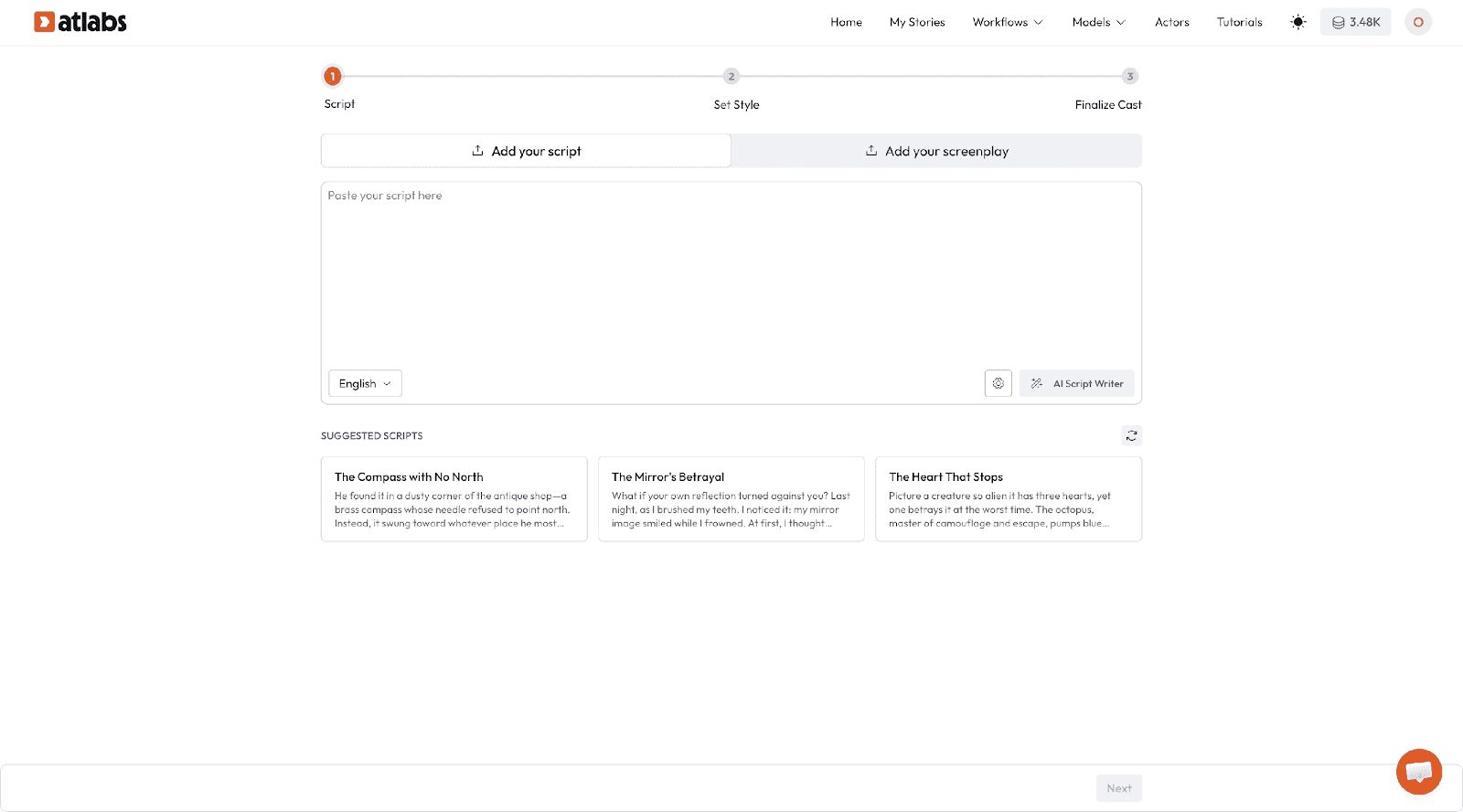
Here is a ready-to-use prompt for Atlabs AI Script Writer:
SCRIPT PROMPT: Copy and paste this directly into Atlabs AI Script Writer
|
Generate your script in seconds, free to try |
Step 2: Choose or Build Your Avatar
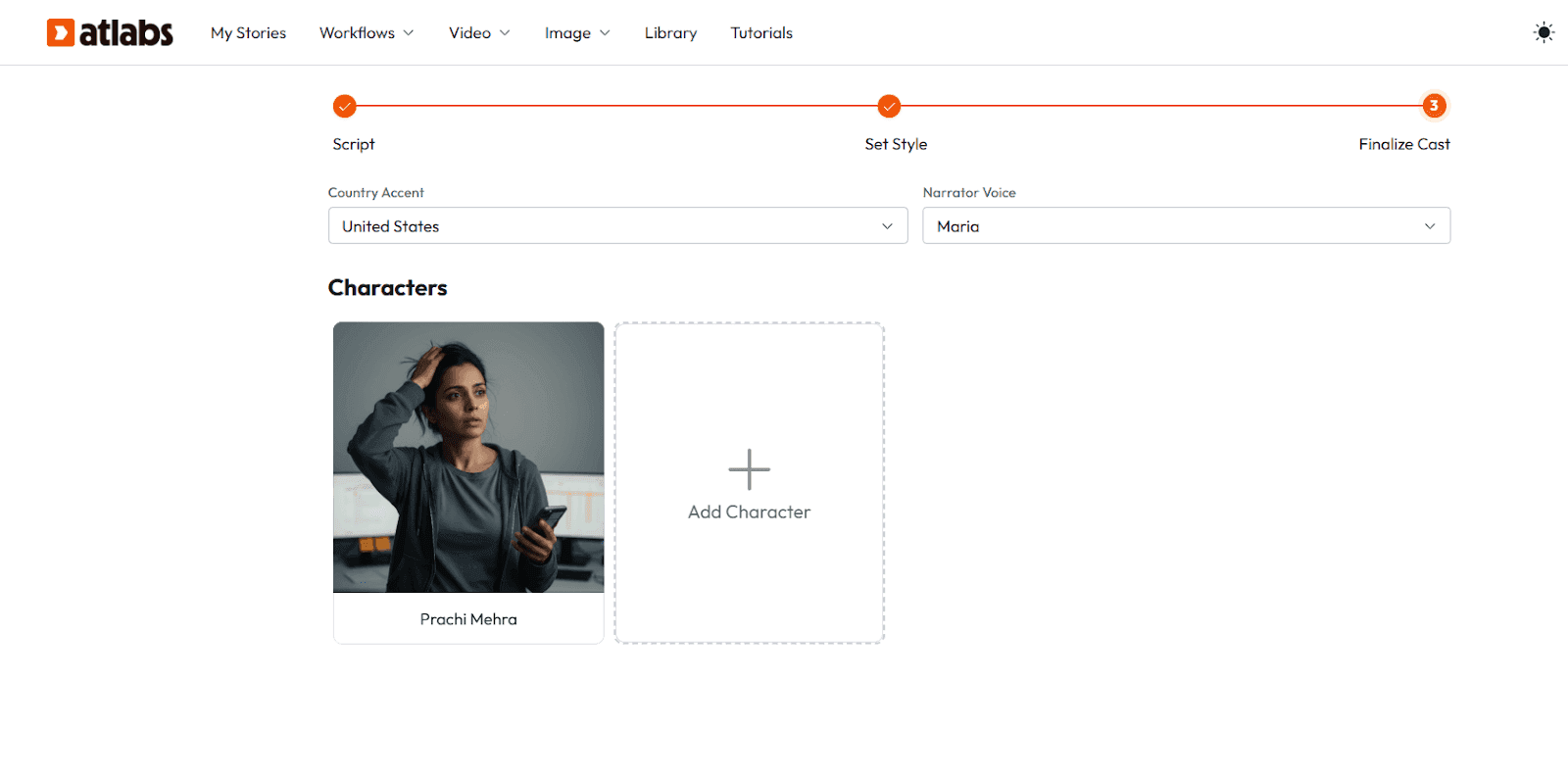
Atlabs gives you a library of pre-built AI avatars, or you can build a custom one from a reference image.
For beginners, start with a library avatar that matches your brand tone. A professional-looking presenter for corporate content. A warm, approachable face for educational content. An energetic character for product demos and social ads.
When selecting an avatar, think about:
Does this face match the audience trust level you are aiming for?
Does the style, realistic vs animated vs illustrated, match your content category?
If you are building a series, will this avatar appear across all episodes? Lock it in from day one.
Once you find the right one, save it to your project library and reuse it across every video in the series. Audience recognition builds over time. A familiar face creates trust before a single word is spoken.
Browse the Atlabs Avatar Library Pick your avatar and lock it in, free to start |
Step 3: Select a Voice and Enable Lip Sync
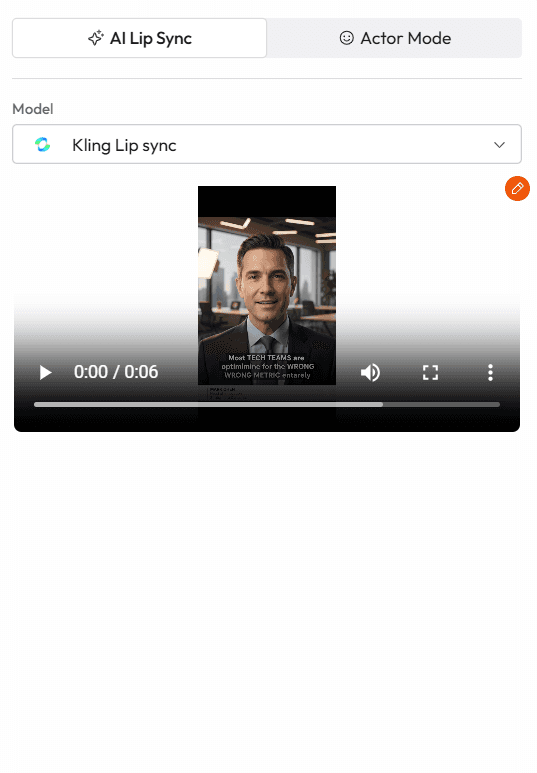
Atlabs includes ultra-realistic AI voiceovers with automatic lip sync. Your avatar's mouth moves in real time with the script delivery. No manual animation required.
Voice selection tips:
Choose a voice that matches the energy of your content. Calm and measured for tutorials. Punchy and confident for ads.
Test the voice on a short 10-second segment before committing to the full script.
If you are producing content in multiple languages, Atlabs translates the script and re-syncs the voice in 40+ languages with one click.
Pick one voice per series and lock it. Voice consistency is as important as visual consistency.
Once the voice is set, Atlabs automatically syncs it to the avatar. You will see a real-time preview before export.
Step 4: Choose a Background and Visual Style
Your avatar does not float in a void. You need a background that reinforces what the video is about.
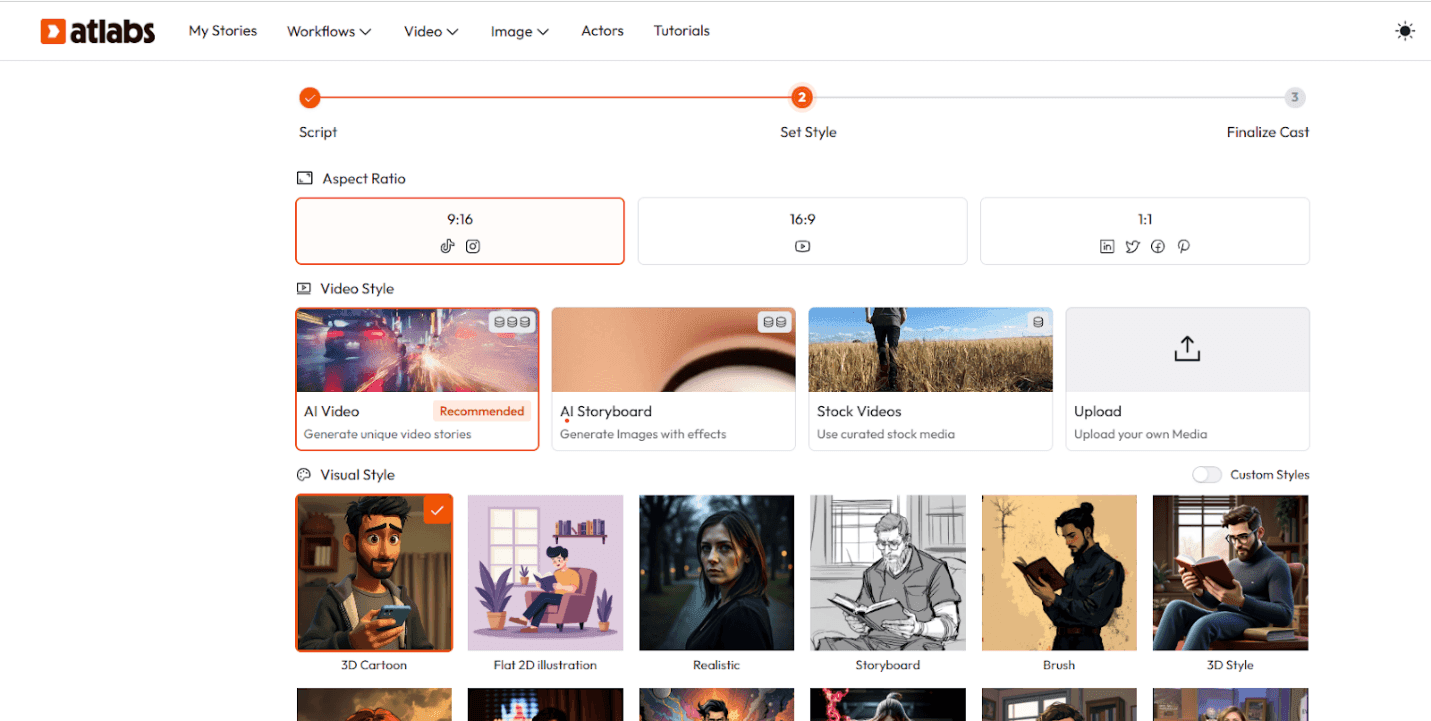
Atlabs offers more than 50 visual styles and the option to generate a custom background from a text prompt. For beginner-friendly production:
Clean studio backgrounds for professional and corporate content
Illustrated or animated environments for educational and kids content
Product-in-context backgrounds for ecommerce and UGC ads
Custom generated scenes using the AI Visuals Generator for anything unique
Here are two background prompts you can use directly inside Atlabs:
BACKGROUND PROMPT, Professional
|
BACKGROUND PROMPT, Educational / Kids
|
IMAGE PLACEHOLDER Add a before/after side-by-side image here: plain avatar with no background on the left, same avatar with a generated background on the right. This moment makes the background feature tangible. |
Step 5: Add Captions and Background Music
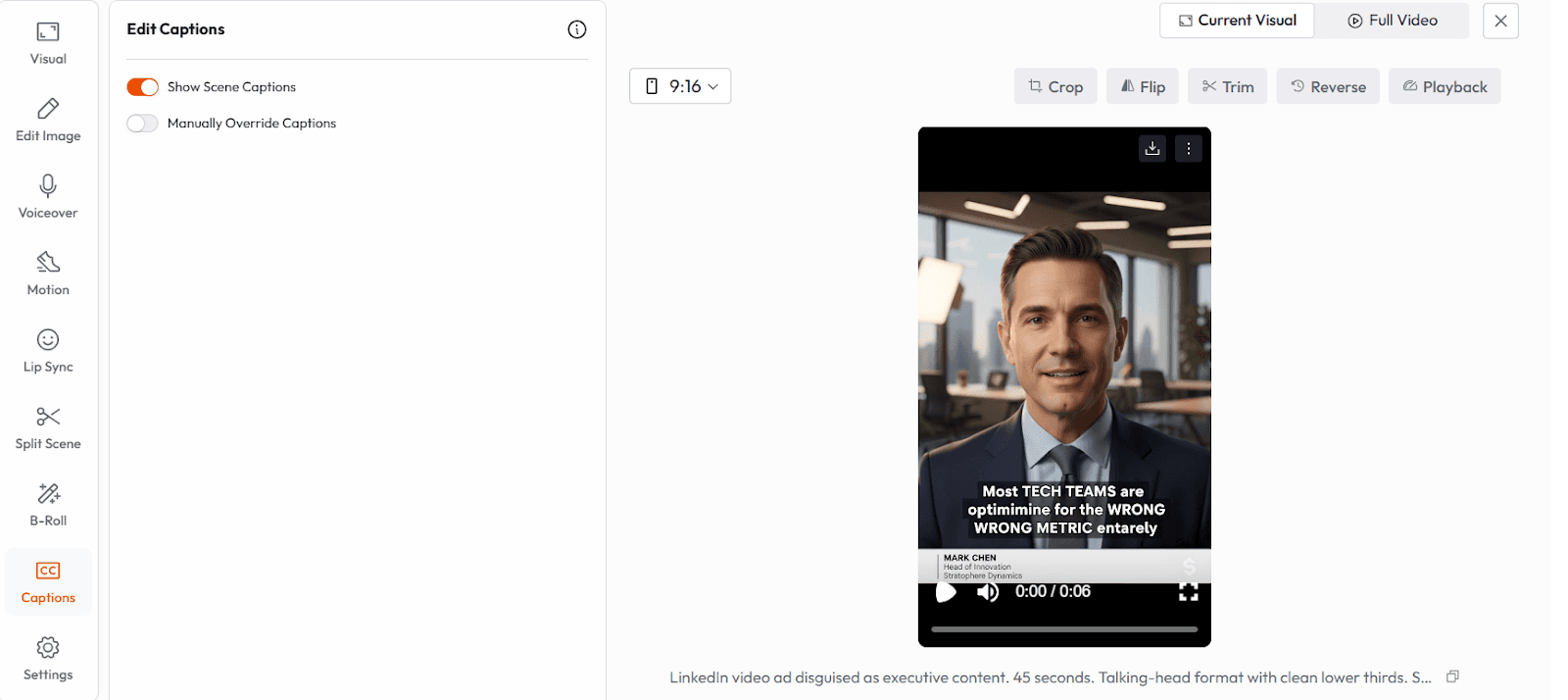
Two steps that take under two minutes and make a significant difference in watch time.
Captions: Atlabs generates auto-captions from your script with styling options. For social media content, bold animated captions increase completion rates significantly. For corporate or educational content, clean sans-serif subtitles at the bottom of frame are standard.
Background music: Choose from the royalty-free library inside Atlabs. Match the energy. Light ambient for tutorials. Upbeat for product demos. Keep music at around 15 to 20 percent volume so it supports, not competes with, the voiceover.
Important: 85 percent of social video is watched without sound on the first view. If your avatar is talking with no captions, most of your audience is watching a silent face nodding. Turn captions on for every piece of social content.
Step 6: Reframe and Export
One video, multiple platforms. Before exporting, use Atlabs Smart Reframe to create:
16:9 horizontal for YouTube
9:16 vertical for TikTok, Instagram Reels, YouTube Shorts
1:1 square for LinkedIn and Facebook feed
Export at 1080p for most platforms. 4K if you are producing for large screen or projection. Atlabs also exports to Premiere Pro if you need additional manual editing.
Your First Avatar Video Is Ready, Export It Now Open Atlabs free at app.atlabs.ai |
Copy-Paste Prompt Chains for Your First 3 Avatar Videos
The fastest way to understand what is possible is to try it. Each chain below is fully filled in and ready to paste into Atlabs. No placeholders to fill. Just copy, paste, and generate.
Prompt Chain 1: YouTube Educational Video (Faceless Creator)
Use case: explaining a concept in a 2-minute YouTube video without going on camera.
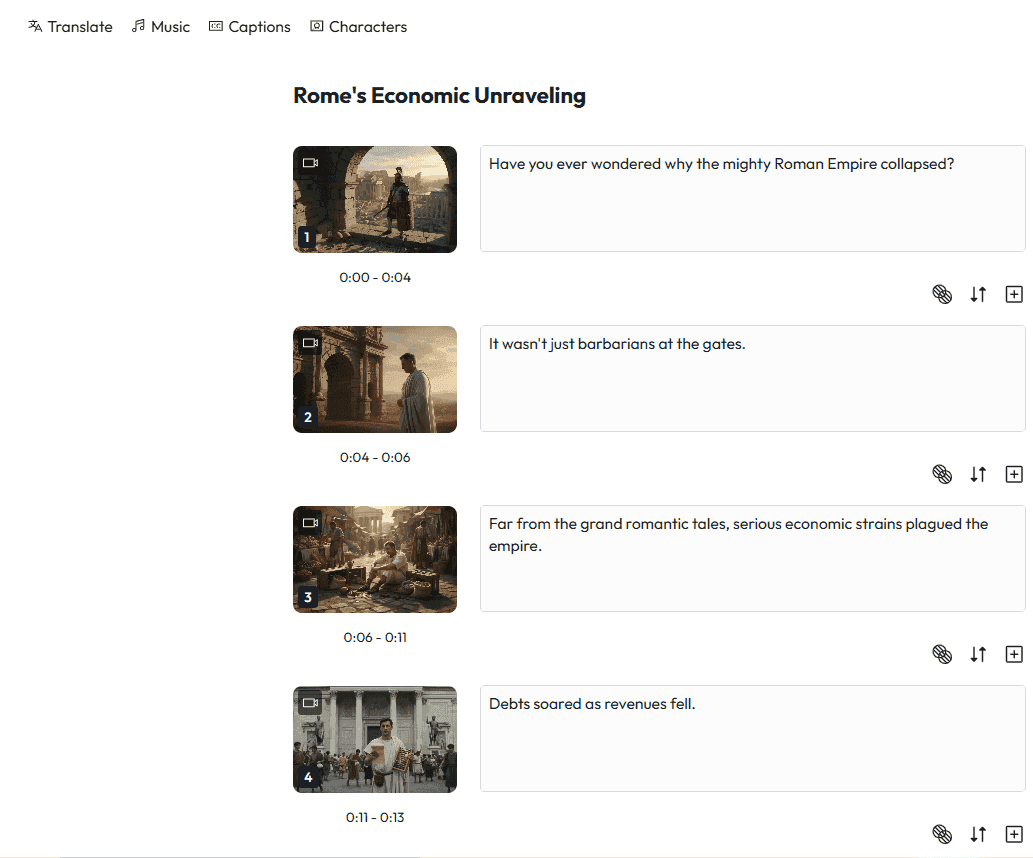
SCRIPT PROMPT
|
AVATAR PROMPT
|
BACKGROUND PROMPT
|
Try Prompt Chain 1 in Atlabs Now Build your faceless YouTube channel today, free to start |
Prompt Chain 2: Product Ad (Small Business / Ecommerce)
https://youtube.com/shorts/sYwhdX2glos?feature=share
SCRIPT PROMPT
|
AVATAR PROMPT
|
BACKGROUND PROMPT
|
Try Prompt Chain 2 in Atlabs Now Make your product ad today , no videographer needed |
Prompt Chain 3: Corporate Training or Onboarding Video
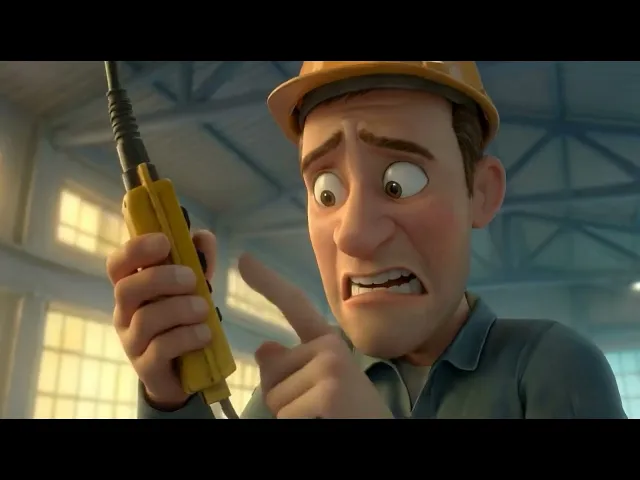
SCRIPT PROMPT
|
AVATAR PROMPT
|
BACKGROUND PROMPT
|
Try Prompt Chain 3 in Atlabs Now Build your training video library — no studio required |
Which Type of Creator Are You?
Avatar videos are not a one-size-fits-all format. Here is where each type of creator gets the most value:
You are a solo YouTube educator
You want to build a channel around a topic you know well but going on camera every week feels like too much. An avatar becomes your consistent screen presence. Same face, same voice, same energy, every upload. Your audience builds familiarity without you sacrificing privacy or battling imposter syndrome on a ring-lit set.
You are a small business owner
You need product videos, explainers, and social ads but you cannot afford a videographer every time something changes. An avatar-based production workflow means you update the script, regenerate the video, and publish. What used to take a week and a budget now takes an afternoon.
You are building a course or coaching program
Course videos need to feel like they came from the same person every lesson. A locked avatar with a consistent voice across 30 modules is more cohesive than 30 separate filming sessions where your shirt, hair, and energy vary. Atlabs keeps the character identical across the entire curriculum.
You are a marketing team or agency
You are producing UGC-style content at volume for multiple clients. Avatar videos let you produce five creative variations of the same ad in the time it used to take to produce one. Atlabs handles the voice, visual, caption, and reframe workflow in a single pipeline.
The Real Cost Comparison
Before making a video, most people think about the cost of the tool. Here is a more accurate picture:
Traditional Route | Atlabs Avatar Route |
Videographer: $300 to $1,500 | Platform: starts free, from $15/mo |
Studio / location: $150 to $400 | First video: 30 to 60 minutes |
Video editor: $100 to $500 | Script update: under 10 minutes |
Reshoots if anything changes: full cost again | Language versions: 1 click |
Timeline: 1 to 2 weeks | Timeline: same day |
The math is not complicated. But the real advantage is not cost. It is iteration speed. You can try five different scripts, five different avatar styles, and five different backgrounds in the time it would take to brief a videographer.
Start Free, No Credit Card Required Paid plans from $15/month. |
Common Mistakes Beginners Make (And How to Avoid Them)
Using a different avatar per video
The biggest mistake is treating each video as standalone rather than building a character. Pick one avatar, save it, and reuse it across your entire library. Audience recognition builds over time. A familiar face creates trust before a single word is spoken.
Choosing the wrong voice energy
A slow, measured voice on a high-energy product ad kills conversions. A fast, upbeat voice on a mindfulness tutorial creates anxiety. Match the voice speed and tone to what your viewer is in the mood for when they encounter your content.
Skipping captions
85 percent of social video is watched without sound on the first view. If your avatar is talking with no captions, most of your audience is watching a silent face nodding. Turn on captions for every piece of social content.
Not using the reframe tool
Making one video for YouTube is not a strategy. The same content, reframed for Shorts and Reels, reaches a completely different distribution channel. Atlabs Smart Reframe does this automatically. There is no reason to skip it.
Writing scripts that sound like blog posts
Avatars are giving a talk, not writing an article. Read your script aloud before you generate the video. If it sounds stiff or formal when spoken, rewrite it. Short sentences. Active verbs. Contractions. That is what makes AI voices sound natural.
What a High-Quality Talking Avatar Video Looks Like
You will know your avatar video is working when:
The avatar feels like it has a personality, not just a face
The voice energy matches the content mood without feeling forced
The background is clean enough not to distract but specific enough to anchor the context
Captions appear at the right pace and do not cover important visual elements
The video ends with one clear action the viewer can take right now
The standard to aim for is not perfection. It is purposeful. A viewer who finishes your video should know exactly what they are supposed to do next, and they should feel like a real person told them.
Once Your First Video Works: How to Scale
The single-video workflow is just the beginning. Once you have produced one successful avatar video, the same system scales to:
A 10-episode YouTube series with a locked character and visual identity
A 5-module online course delivered in English, Spanish, and Portuguese simultaneously
30 days of social content produced in a single afternoon session
A multilingual product launch campaign with localized voiceovers across six markets
Atlabs supports one-click localization in 40 plus languages. You produce once and distribute globally. The avatar speaks every language with the same face and the same visual consistency.
For teams, real-time collaboration is coming to Atlabs. Multiple people working on the same project, same character library, same export pipeline.
The Only Thing Stopping You Is Starting
You already have the idea. You already know what you want to say. The camera was never the barrier. The setup was. The cost was. The time was.
None of those are true anymore.
An AI talking avatar video, produced today, can go live on YouTube, TikTok, LinkedIn, or your course platform by tonight. It will have a consistent face, a professional voice, captions, a fitting background, and the right aspect ratio for wherever it lives.
That is not a future promise. That is what Atlabs does right now.
Your first avatar video takes under 30 minutes. No camera. No studio. No excuses. |
FAQ
Can I make an AI avatar video for free?
Yes. Atlabs offers a free plan where you can create your first avatar video without entering a credit card. Paid plans start at $19 per month for higher volume and advanced features.
Do I need to show my face to make YouTube videos with AI?
No. Atlabs avatar videos use a fully AI-generated face. You supply the script, choose the avatar, and the platform handles everything else. Your face never has to appear.
How realistic do AI talking avatars look in 2026?
Realistic enough that most viewers do not question whether they are watching a real person. The lip sync, voice, and facial movement in Atlabs are trained to closely match natural human delivery. The three YouTube videos embedded in this guide show real examples.
Can I use my own face as the AI avatar?
Yes. Atlabs allows you to upload a reference image to create a custom avatar based on your own appearance. This is particularly useful for personal brand channels where recognition matters.
What is the best free AI avatar video maker in 2026?
Atlabs is the most complete free-to-start option available, combining avatar generation, AI voiceover, lip sync, captions, background generation, and smart reframing in a single browser-based workspace. Most alternatives require you to stitch together multiple tools to achieve the same result.
Does Atlabs work without a camera or microphone?
Completely. You do not need any recording hardware. You write or paste a script, select an avatar and voice, and Atlabs generates the full video. Nothing is recorded from your device.









