
You write or generate a short story script, pick a storybook visual style, choose a narrator voice, and Atlabs animates the characters and scenes for you. The whole thing runs on the Animated Video workflow, which has exactly three steps: SCRIPT, then SET STYLE, then CAST. No drawing, no keyframes, no After Effects. A five scene bedtime story takes most first timers around ten minutes from blank page to finished video, and the second one goes faster because you already know where every button is.
What You Need to Start (Beginner Guide)
Three things, and one of them is optional. You need an Atlabs account. You need a story idea, which can be a full script you already wrote, a rough paragraph, or nothing at all if you want the AI Script Writer to draft it for you. And you need about ten to fifteen minutes of quiet time. That is it. You do not need a microphone, because the narrator voice is built in. You do not need character art, because Atlabs generates the cast from your script. If you already have a story you read to your kids or your class every week, that story is your input.
The Step-by-Step Walkthrough (3 Steps, Free to Try)
The header progress bar shows you exactly where you are: SCRIPT, then SET STYLE, then CAST. Follow it in order.
Step 1: Add Your Story Script (Step-by-Step)
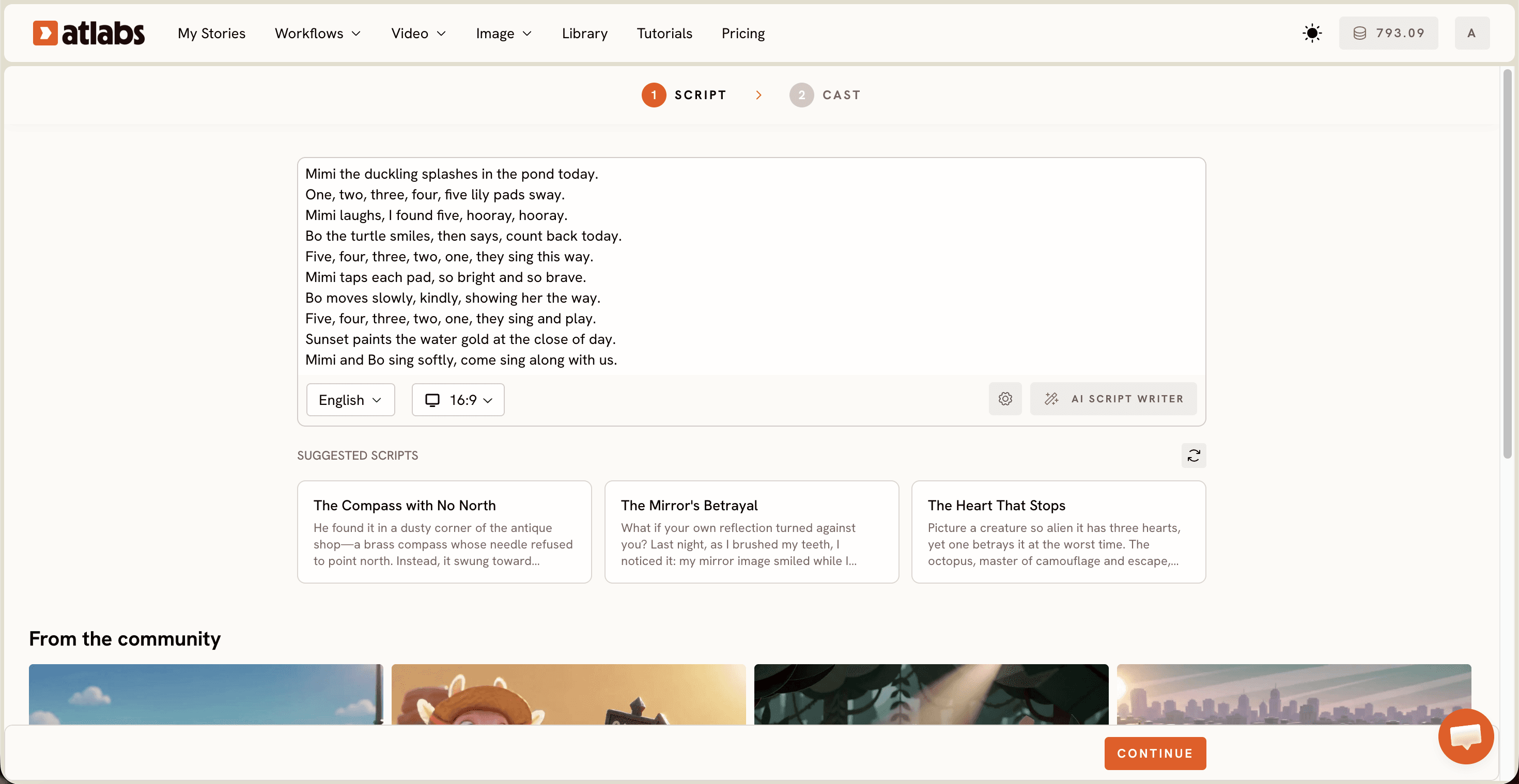
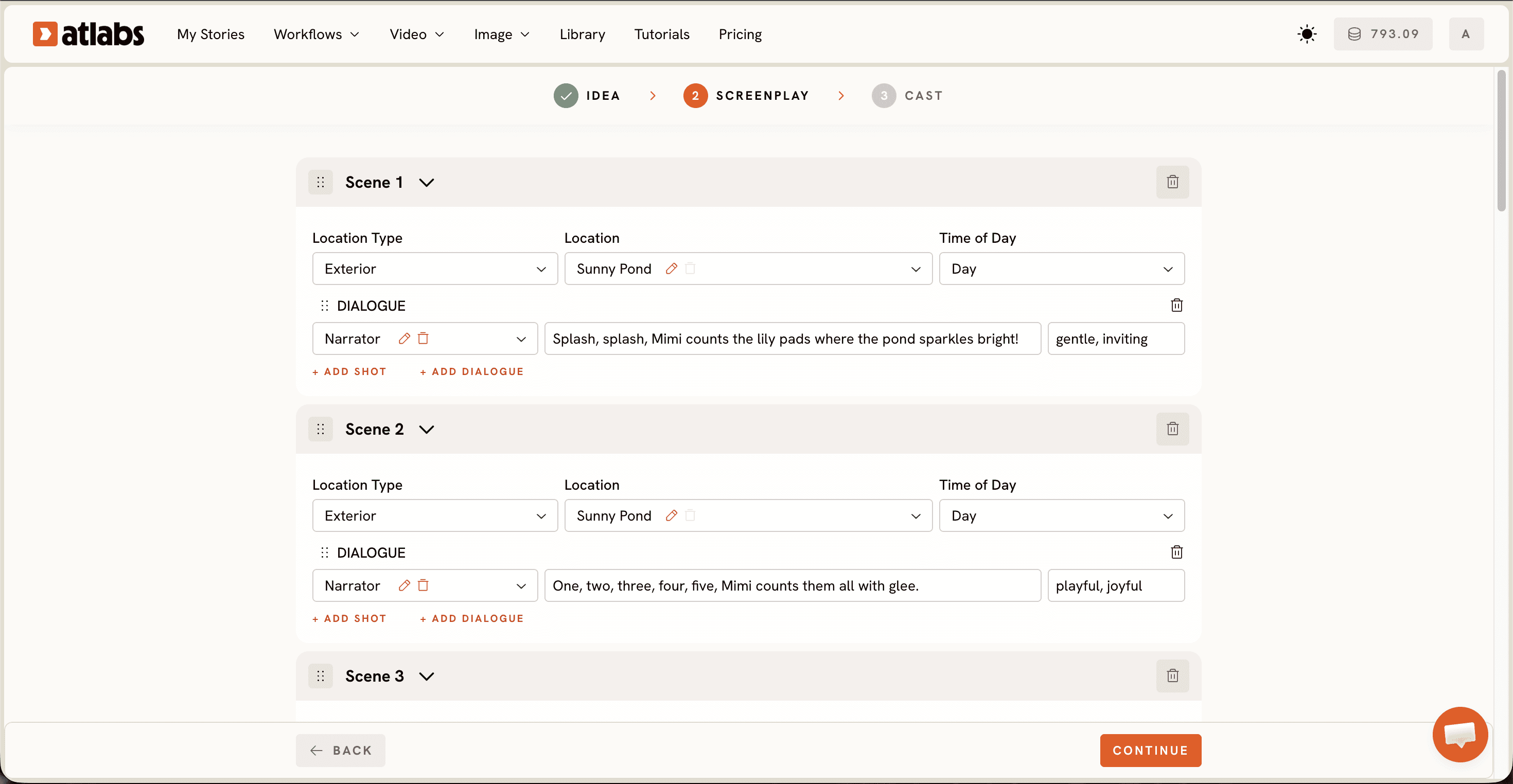
Open the Animated Video workflow and land on the Script screen. Two tabs sit at the top. Pick Add your script if you want to paste free-form story text, or Add your screenplay if you prefer structured screenplay formatting with scene headings and dialogue.
Paste your story into the editor. Keep kids stories tight: one clear character want, one small problem, one warm resolution. Somewhere between 150 and 300 words reads beautifully once a narrator slows it down.
Blank page? Click AI Script Writer at the bottom right and describe the story you want, for example a shy turtle who learns to ask for help. If you want inspiration instead, scroll to SUGGESTED SCRIPTS and open one of the three example cards like "The Compass with No North" to see how a finished script is shaped, then rewrite it in your own voice.
Set your narration language in the Language selector at the bottom left. English is the default, so switch it here if your channel publishes in Hindi, Spanish, or anything else.
Step 2: Set the Style Your Kids Audience Will Love (Free Style Library)
Now pick how the story looks. Three choices live on this screen.
Choose your Aspect Ratio first. Go 16:9 for a YouTube channel, 9:16 for TikTok and Instagram Reels and YouTube Shorts, or 1:1 if you post to Facebook and Pinterest parenting groups. Pick this before you generate so you are not reframing later.
Choose your Video Style next. AI Video is the recommended option and gives you real animated motion across scenes. AI Storyboard generates images with effects applied, which suits calmer bedtime content where soft movement beats action. Upload lets you bring your own visuals in later.
Then pick a Visual Style from the library. For kids stories, 3D Cartoon is the safest crowd pleaser and reads closest to what children already watch. Claymation and Cozy Plush feel handmade and tactile, lovely for lullaby and bedtime series. Paper Cutout and Soft Pastel 2D suit gentle folk tales and moral stories. Flat 2D Modern works well for classroom explainer style stories. Toggle Custom Styles to browse the full library. Pick one style and reuse it across every episode so your channel builds a look children recognise in the thumbnail.
Step 3: Cast the Narrator and Characters in 10 Minutes
The Cast screen is where your story gets a voice and a face.
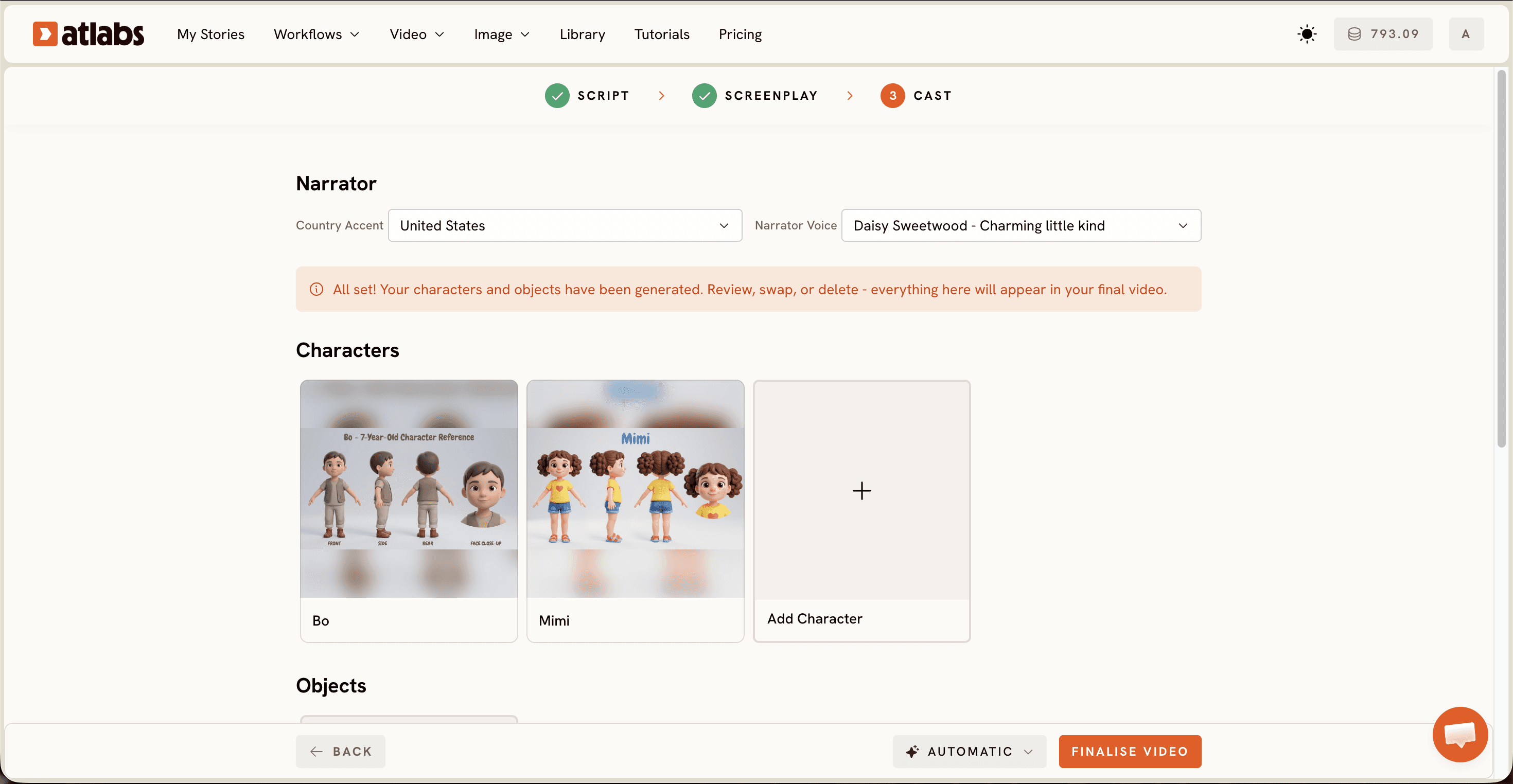
Start at the top with Narrator. Set the Country Accent dropdown, which defaults to United States, then choose a Narrator Voice from the list, such as David. For kids stories, listen for warmth and pace over drama. A voice that sounds like a parent reading slowly at bedtime holds a young child longer than a big theatrical read.
Move to Characters in the middle section. Atlabs has already generated character cards from your script, each with a name tag pulled from the story. Open any card to adjust the look, the age, or the outfit so your hero matches the picture in your head. If your story has a recurring character across episodes, lock that design now and reuse it every time.
Use the Objects section at the bottom for the props your story leans on, a lantern, a red kite, a lost mitten. Anything the plot keeps returning to belongs here so it stays consistent scene to scene.
Then generate. Your narrated animated story assembles itself while you go make tea.
Watch the Full Atlabs Tutorial (Step-by-Step Video)
Prefer to watch someone click through it before you try? Here is the complete walkthrough of the Animated Video workflow from script to finished kids story. For a faster version aimed at general cartoons rather than kids stories, see how to make an animated cartoon video from text.
Tips for Better Kids Story Videos (Without Animation Skills)
Write for the ear, not the page. Short sentences. Repeated phrases children can chant back. The narrator reads exactly what you typed, so read your script out loud before you paste it.
Name your characters in the script. Atlabs builds the cast from what it finds in the text, so "Mira the fox" gives you a far better character card than "the animal."
Match the model to the mood. Stylised character closeups and expressive dialogue moments come out strongest on Seedance 2.0. Wider establishing shots of forests, villages, and skies look best on Google Veo 3.1. Kling 3.0 handles smooth movement when your story has chasing, flying, or running in it.
Finish for the platform. Run Caption Video so early readers can follow along, use Reframe to cut a 9:16 Shorts version from your 16:9 episode, and pass the final file through Upscale before upload.
Two Story Prompts You Can Copy Free
Paste either one straight into the script editor, or into AI Script Writer if you want it expanded first.
Bedtime story, gentle:
A small hedgehog named Pip cannot sleep because the moon is too bright. He walks through the quiet meadow asking a firefly, an owl, and an old tortoise how they fall asleep. Each one gives him a different trick. Pip tries all three, curls up under a fern, and finally drifts off as the meadow hums a lullaby around him.
Moral story, playful:
Two goat friends, Bo and Nell, find a single ripe pear on the highest branch of an orchard tree. Both want it. They spend the whole afternoon trying to knock it down alone and fail. At sunset they stand on each other's shoulders, reach the pear together, and split it in half. It tastes better shared.
FAQ: Animated Kids Story Videos (Ultimate Guide)
How long does it take to make an animated kids story video?
Most first time users finish in about ten to fifteen minutes, including writing the script. Once your visual style and narrator voice are locked for a series, later episodes move faster because you are only changing the script.
Do I need animation or drawing skills?
No. The Animated Video workflow generates the characters, scenes, and motion from your script text. Your only creative jobs are the story, the style choice, and the narrator voice.
Can I use a story script I already wrote?
Yes. Paste it into the Add your script tab as free-form text, or use Add your screenplay if your file is already formatted with scene headings and dialogue. You can also let AI Script Writer draft one and then edit it.
What aspect ratio works best for a kids YouTube channel?
Use 16:9 for your main channel uploads and 9:16 for Shorts, TikTok, and Reels. Many kids channels build the 16:9 episode first, then use Reframe to pull vertical clips from the best scene as promo content.
Start Your First Story Tonight
The hardest part of a kids story channel was never the story. It was the animation, the cost, and the software. That part is now three screens and one generate button. Pick the story you already tell best, write it down in 200 words, and let the workflow handle the rest.








