Looking for a better alternative to Runway for animated video?
The best alternative to Runway for animated video in 2026 is Atlabs, a multi model AI video platform with a dedicated Animated Video workflow that takes you from script to finished animation with characters, voices, and scenes in about 10 minutes. Runway is a strong general purpose video model, but if your work is animated stories, explainers, or cartoon content, a few tools now fit that job better. Here is why creators are switching, plus 3 other options worth considering.
Why Animators Look Beyond Runway (Beginner Guide)
Runway earned its place. Its generation quality is real, and plenty of professionals keep it in their kit. So why do animated video creators go looking elsewhere?
Three reasons come up again and again. First, Runway generates clips, not stories. If you are making a 3 minute animated kids story, you are stitching short generations together yourself, scene by scene, and keeping characters consistent across all of them is on you. Second, there is no built in narrative layer. No script step, no narrator voices, no character casting. You bring all of that from other tools. Third, credits go fast when you are iterating on animation, because stylized content often takes several generations to land.
None of this makes Runway a bad tool. It makes it a general tool. Animated video is a specific job, and specific jobs reward specific workflows.
Atlabs: Animated Videos in 10 Minutes Without Animation Skills
Atlabs is a multi model AI video platform, which means you get Kling 3.0, Google Veo 3.1, Seedance 2.0, Hailuo 2.3, and more through one interface instead of juggling separate accounts. For animated content, the piece that matters most is the Animated Video workflow, a 3 step flow that reads SCRIPT, SET STYLE, CAST across the top of the screen.
Here is the full flow.
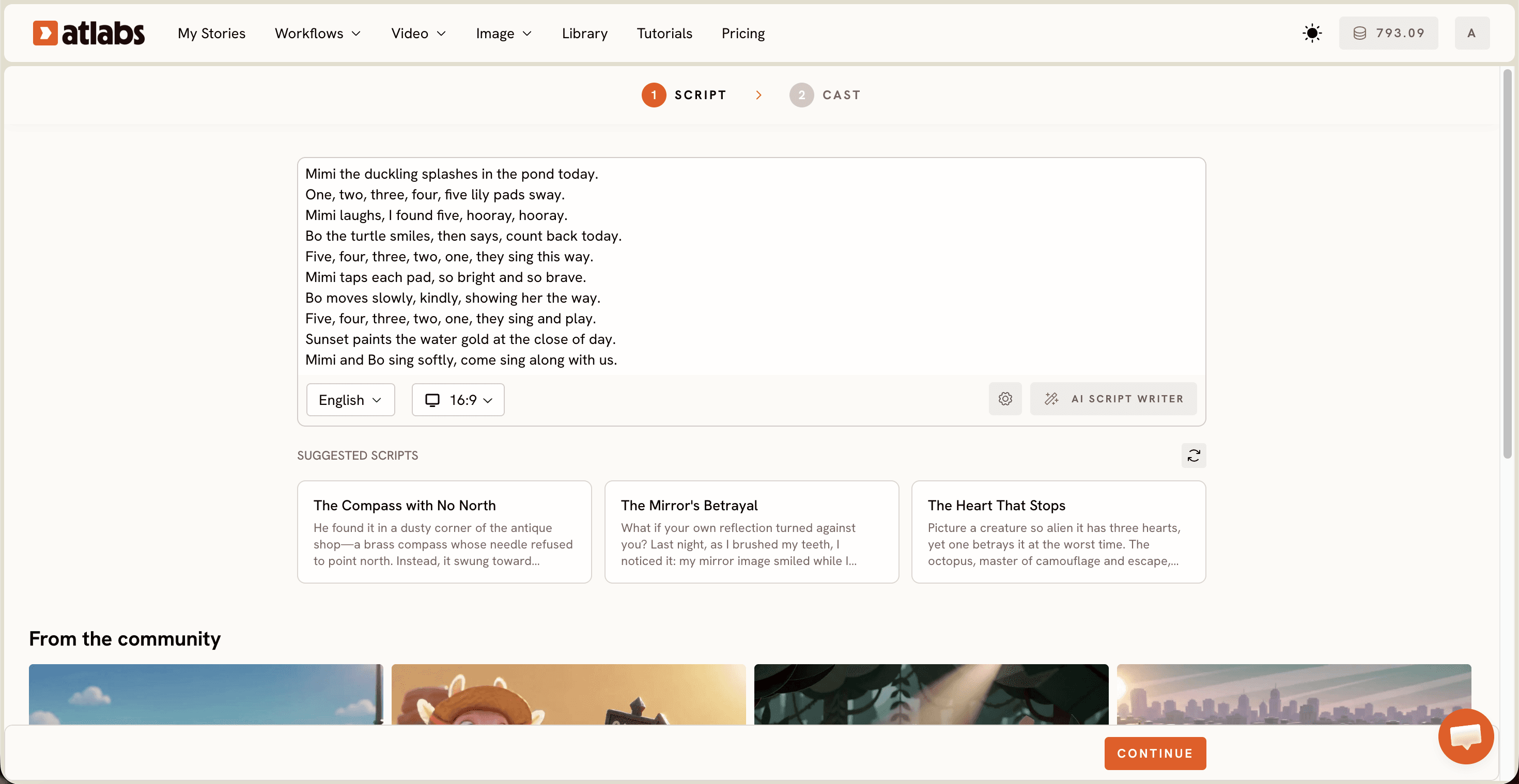
Step 1: Script. Open the Animated Video workflow and add your script in the free form "Add your script" tab, or switch to "Add your screenplay" for structured screenplay mode. No script yet? The AI Script Writer button drafts one for you, and the SUGGESTED SCRIPTS section below offers ready made story cards to start from. A Language selector sits bottom left, so your animation can speak in the language your audience does.
Step 2: Set Style. Pick your aspect ratio, 9:16 for TikTok and Shorts, 16:9 for YouTube, 1:1 for feeds. Choose AI Video as your video style, then pick a visual style from the library: 3D Cartoon, Claymation, Cozy Plush, Flat 2D Modern, Kawai Anime, Paper Cutout, Soft Pastel 2D, and more. This is where Runway users feel the difference, because the style holds across every scene instead of drifting between generations.
Step 3: Cast. Choose a Narrator, with a Country Accent dropdown and a voice picker, then review your Characters. Atlabs generates character cards from your script, and each character stays consistent from scene to scene. Add optional Objects at the bottom if your story needs a recurring prop.
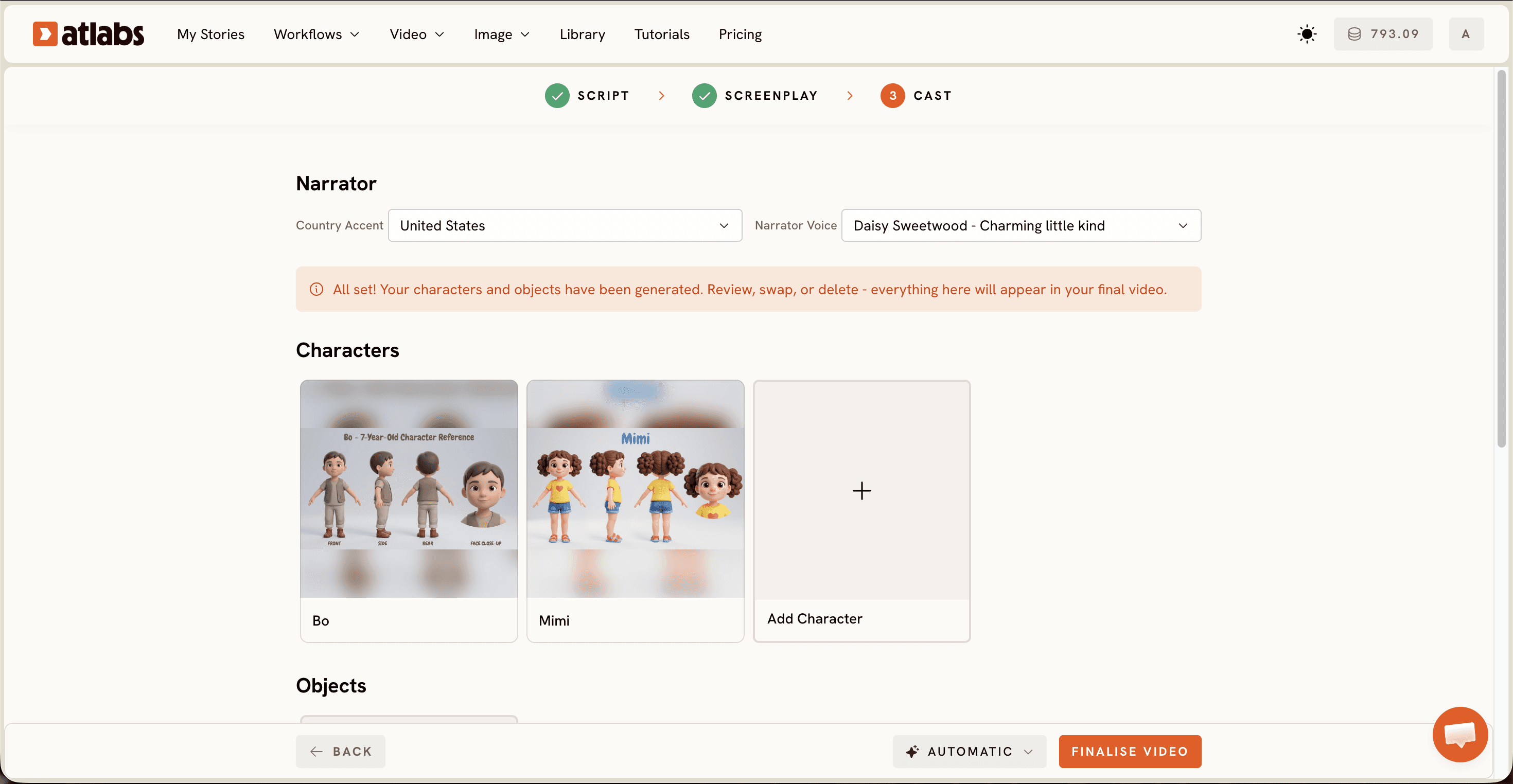
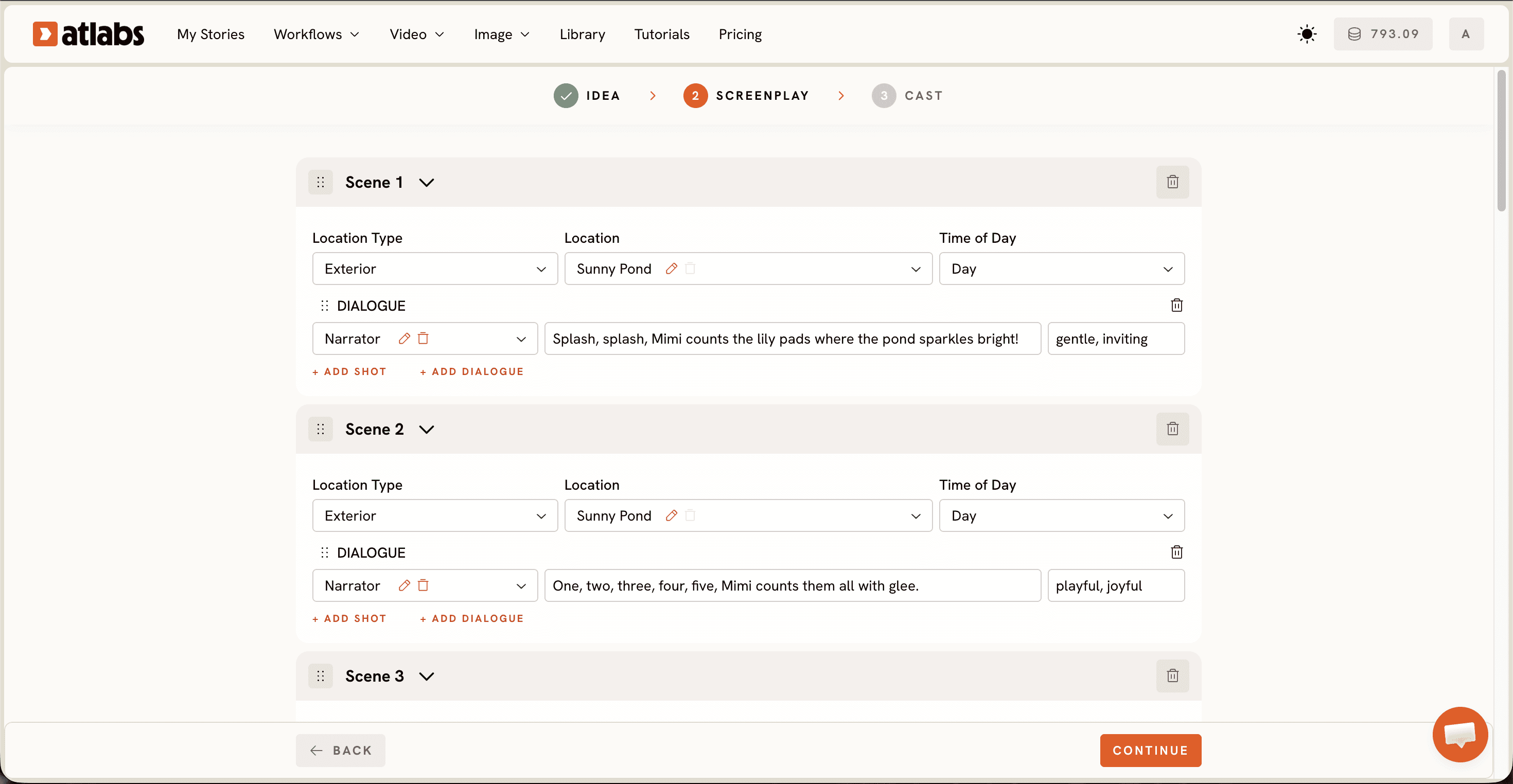
That is the whole thing. Script in, animation out, and every scene shares the same characters, style, and narrator without you managing any of it manually. For kids content specifically, see our comparison of Atlabs vs Pika for kids animation.
3 More Runway Alternatives Worth a Look (Free and Paid Options)
An ultimate guide should give you real options, so here are three more tools that genuinely compete.
Pika. Playful, fast, and well liked for short stylized clips. If your animated content is quick social snippets rather than full narrative videos, Pika is easy to pick up and fun to iterate with. Pick it when speed on short clips matters more than story structure.
Kling. Known for smooth, cinematic motion and strong realism. If your animation leans toward lifelike movement or you mix animated and live action style shots, Kling delivers. Pick it when motion quality is your top priority. Note that Kling models are also available inside Atlabs.
Sora. OpenAI's video model produces impressive, imaginative generations. It is a strong creative sandbox, though like Runway it generates clips rather than structured narrative videos with cast and voiceover. Pick it if you want to experiment at the frontier of raw generation quality.
How to Switch from Runway to Atlabs Step-by-Step
Moving over takes minutes, not days.
Open the Atlabs dashboard and select the Animated Video workflow.
Paste the script or story concept you were building clips for in Runway into the Script step.
Pick the visual style closest to the look you were chasing, then cast your narrator and characters.
Generate, then finish with Reframe if you need a second aspect ratio for another platform.
Anything you already made in Runway still has a home too. Bring a favorite still into Image to Video and animate it as part of your new pipeline.
Watch the Free Atlabs Tutorial on YouTube
Want to see the full workflow on screen before you try it? This walkthrough covers every step from script to export.
FAQ: Runway Alternatives for Beginners (Beginner Guide)
Is Atlabs better than Runway for animated video?
For animated narrative content, yes. Atlabs includes a script step, consistent characters, narrator voices, and a style library built for animation. Runway remains a strong pick for general purpose clip generation and professional VFX style work.
Do I need animation skills to use these Runway alternatives?
Not with Atlabs. The Animated Video workflow asks for a script, a style choice, and a cast selection. No keyframes, no rigging, no editing software required.
Can I make animated videos in different languages?
Yes. The Script step includes a Language selector, and the Cast step lets you pick narrator accents and voices, so one story can ship in multiple languages.
How long does an animated video take to make?
Around 10 minutes of active work for a typical short video. Write or paste a script, set the style, cast the characters, and generate.
Make Your First Animated Video in 10 Minutes
Runway opened the door for AI video, but animated storytelling deserves a workflow built for it. Write your script, pick a style, cast your characters, and watch a finished animation come back.








