
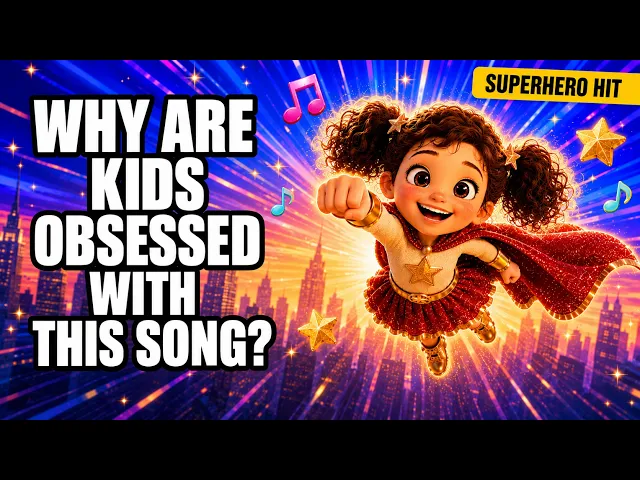
You can make an animated kids song video for YouTube by uploading your track to the Music Video workflow on Atlabs, choosing an animated Visual Style like 3D Cartoon, and letting the platform build scenes, characters, and motion that match your song. The whole process takes about 10 minutes and needs no animation software, no drawing skills, and no editing timeline. This beginner guide walks through every screen, from uploading your kids song to downloading a video that is ready for your channel.
What You Need for This Beginner Guide
Three things: an Atlabs account, your kids song as an mp3 file (up to 200MB) or a Suno music URL, and about 10 minutes of quiet time. That is the full list. You do not need After Effects, a drawing tablet, or a freelance animator on retainer. If your song currently lives inside another video, export the audio first so you have a clean mp3. Nursery rhymes, counting songs, alphabet songs, lullabies, and original kids jingles all follow the same five steps below.
Watch the Free Video Tutorial First
Prefer watching over reading? The Atlabs team recorded a walkthrough of this exact kids song workflow on YouTube. Press play, then follow along with the written steps below while you build your own animated video.
Step-by-Step Walkthrough: Turn Your Kids Song into an Animated Video
The Music Video workflow on Atlabs runs in five numbered steps. Every step happens on one screen, and your kids song drives the choices the platform makes at each stage.
Step 1: Add Music. Open the Music Video workflow. The screen header reads Create your music video. Upload your kids song as an mp3 (up to 200MB) or paste a Suno music URL, then click EXTRACT MUSIC. Atlabs auto detects the track properties, so the tempo and mood of your song carry into every later step without any manual tagging. If the song is your own composition, the original kids song video maker covers the same steps.
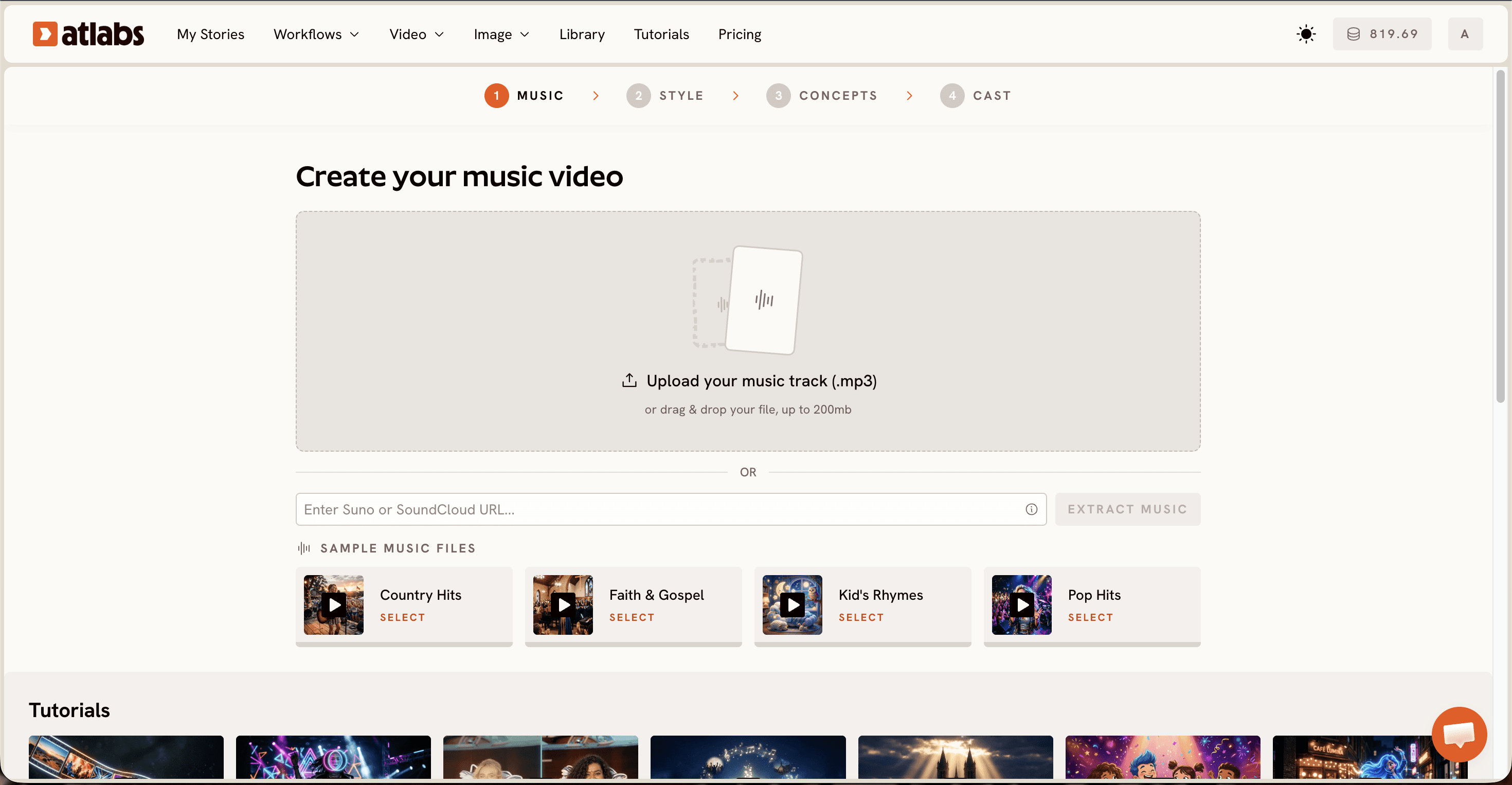
Step 2: Video Type. Pick the best part of your track in the modal that opens. Drag the green selection window across the waveform to choose the segment you want to animate, typically up to around 25 seconds. Then pick a Video Type. Choose Narrative for most kids songs, because it unfolds a story across cinematic scenes, which is exactly how young viewers follow along. Choose Performance when your song has vocals and you want a lip synced character singing on screen.
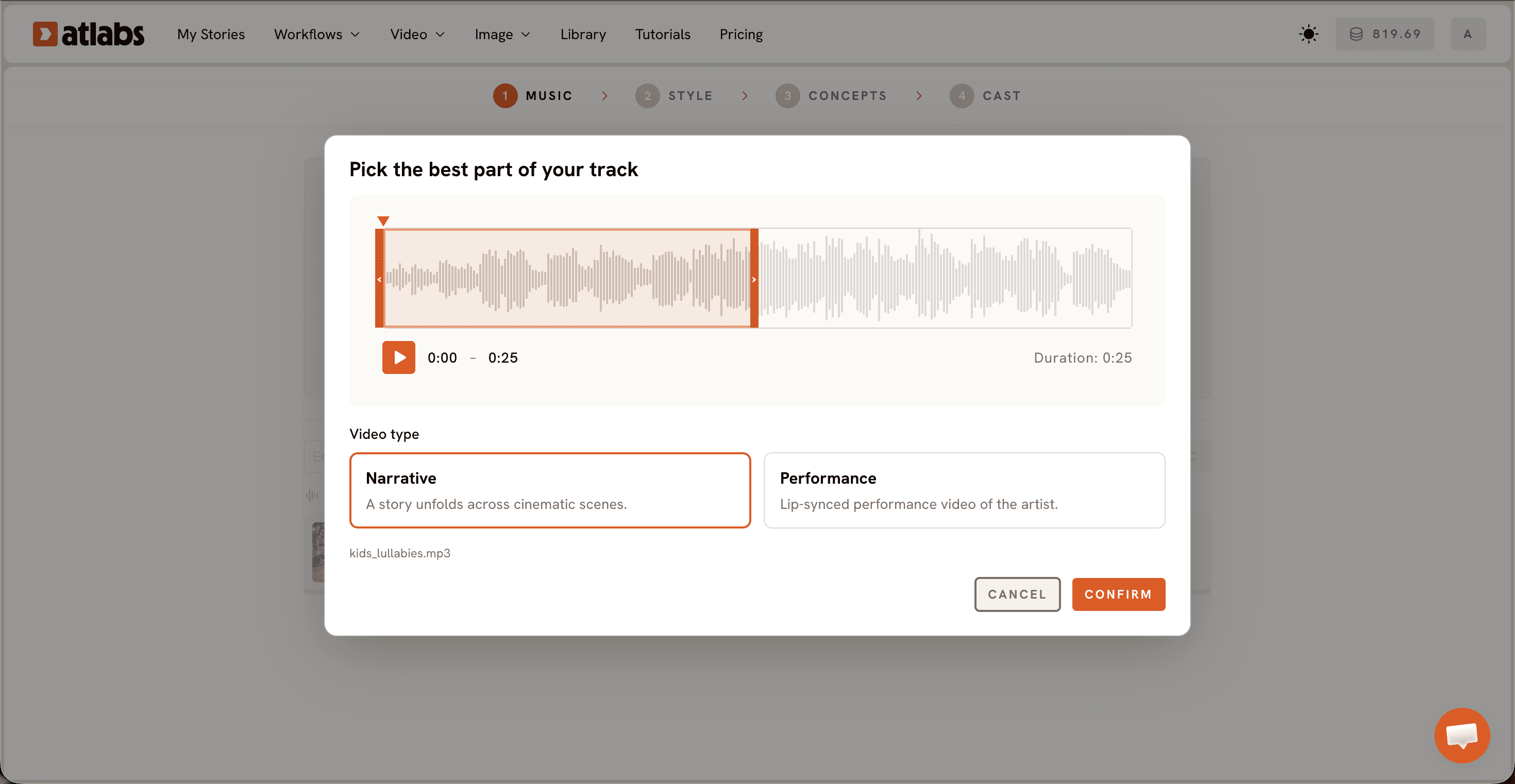
Step 3: Set Style. Set the Aspect Ratio to 16:9, the YouTube standard. Under Video Style, keep AI Video, the recommended option that generates unique video stories rather than static slides. Then pick a Visual Style from the library. For a kids channel, 3D Cartoon, Cozy Plush, Claymation, and Soft Pastel 2D are the styles young audiences respond to most. Toggle Custom Styles if you want to browse the full library.
Step 4: Concepts. Choose your concept from the 6 generated scene concept cards, built from your music tempo, mood, and genre. Each card carries a short story description and an edit pencil, and the selected card shows a green tick. If you already know the story your kids song should tell, click + DESCRIBE YOUR CONCEPT and write it yourself, for example five ducklings learning to count on a sunny farm pond.

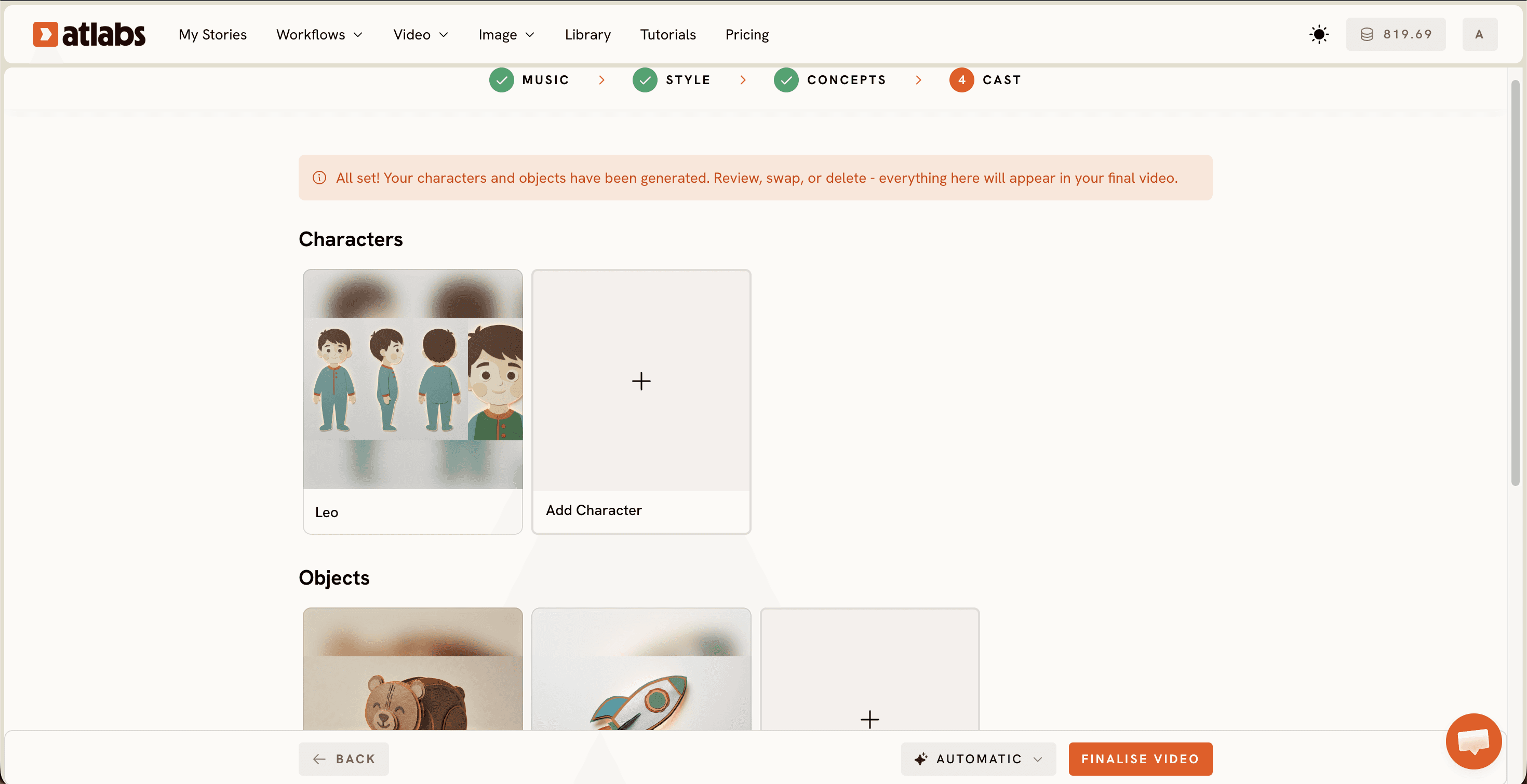
Step 5: Cast. Define your Characters and Objects. Each character card shows a generated reference sheet with multiple angles and a portrait, which keeps your hero looking identical in every scene, something kids notice immediately when it goes wrong. Click any empty slot to Add Character, and use the Click to edit overlay to open the character editor and adjust details. The optional Objects section at the bottom handles recurring props like a red balloon or a school bus. Generate the video once your cast is set, and your animated kids song renders in minutes.
Tips for Better Results Without Animation Skills
Match the style to the age group. Cozy Plush and Soft Pastel 2D feel gentle and work beautifully for lullabies and toddler content, while 3D Cartoon and Claymation carry more energy for preschool counting songs and action rhymes. Pick the chorus as your segment in Step 2, since it is the catchiest, most repeatable slice of a kids song and the part parents hear on loop. Keep one hero character across your whole series by reusing the same character in Step 5, because familiar faces are what turn a single view into a subscribed kid. And write your custom concepts with concrete nouns and one clear action, since a bouncing bunny counting carrots animates far better than a vague happy scene.
Concept Prompts You Can Copy from This Ultimate Guide
Paste either of these into + DESCRIBE YOUR CONCEPT in Step 4 and adjust the details to fit your own kids song.
Five fluffy ducklings waddle across a sunny farm pond, and one duckling joins the line on every count. Bright morning light, oversized flowers, soft bouncy movement, cheerful faces, a wise mother duck nodding along to the beat.
A sleepy teddy bear sails a paper boat over a moonlit town while golden stars drift down like snow. Deep blue night sky, glowing windows below, slow floating motion, cozy blanket clouds, everything gently swaying to the lullaby.
Beginner Guide FAQ
How long does it take to make an animated kids song video?
Setup takes about 10 minutes across the five steps, and rendering finishes shortly after you press generate. Most kids creators go from mp3 to finished animated video inside a single sitting, which makes a weekly upload schedule realistic.
Do I need animation or editing skills?
No. The Music Video workflow handles scenes, characters, and motion for you. If you can upload a file and click through five screens, you can publish an animated kids song. There is no timeline to edit and no software to install.
What file types and song sources are supported?
Upload your kids song as an mp3 file up to 200MB, or paste a Suno music URL and click EXTRACT MUSIC. Atlabs reads the tempo, mood, and genre automatically from either source.
Which visual style works best for kids songs on YouTube?
3D Cartoon is the safest all round pick for kids content, with Cozy Plush and Soft Pastel 2D suiting lullabies and Claymation adding playful texture to counting songs. All of them sit in the Visual Style library in Step 3.
Make Your First Animated Kids Song in 10 Minutes
Your next upload does not need an animation studio. It needs your song and about 10 minutes. Open the Music Video workflow, upload your kids track, pick a style your young viewers will love, and press generate. Your channel gets a new animated video today, and your production calendar finally keeps up with how fast kids want new songs.








