

The fastest way to earn from your Suno songs is to give every track a video and publish it where listeners actually pay attention. A Suno song on its own struggles on YouTube, Spotify, and short form, because each of those paying surfaces rewards video over a static cover. Atlabs takes the song you already finished and builds a cinematic music video around it inside its Music Video workflow, so one upload becomes content for monetized YouTube, Spotify Canvas, and Reels.
Where the money actually comes from
A Suno track is the creative part, but a video is the part that earns. YouTube pays out on ad revenue and Shorts views, and a watchable video holds people far longer than an audio upload with a still image. Spotify Canvas loops lift saves and repeat plays, which feed playlist reach. Short form payouts on TikTok and Reels reward completion, and a moving visual is what keeps a thumb from scrolling. The same finished video can also sit in front of sync and licensing opportunities, where brands and curators look for original music with a ready visual.
What you will need
You need three things to start: a finished Suno song as an mp3 or a public Suno share link, an Atlabs account, and about ten minutes. There is no filming, no editing suite, and no animation skill involved. If your track has vocals and you want to appear as the artist, keep one clear photo ready for the Performance video type. For instrumental, lo-fi, or moody indie tracks, a sense of the mood you want is enough, since the workflow suggests scenes from the sound itself.
Watch the full video on YouT
The full walkthrough: from Suno track to finished video
Every step below uses the Music Video workflow. Follow them in order and you finish with a video sized for the platform you plan to publish on.
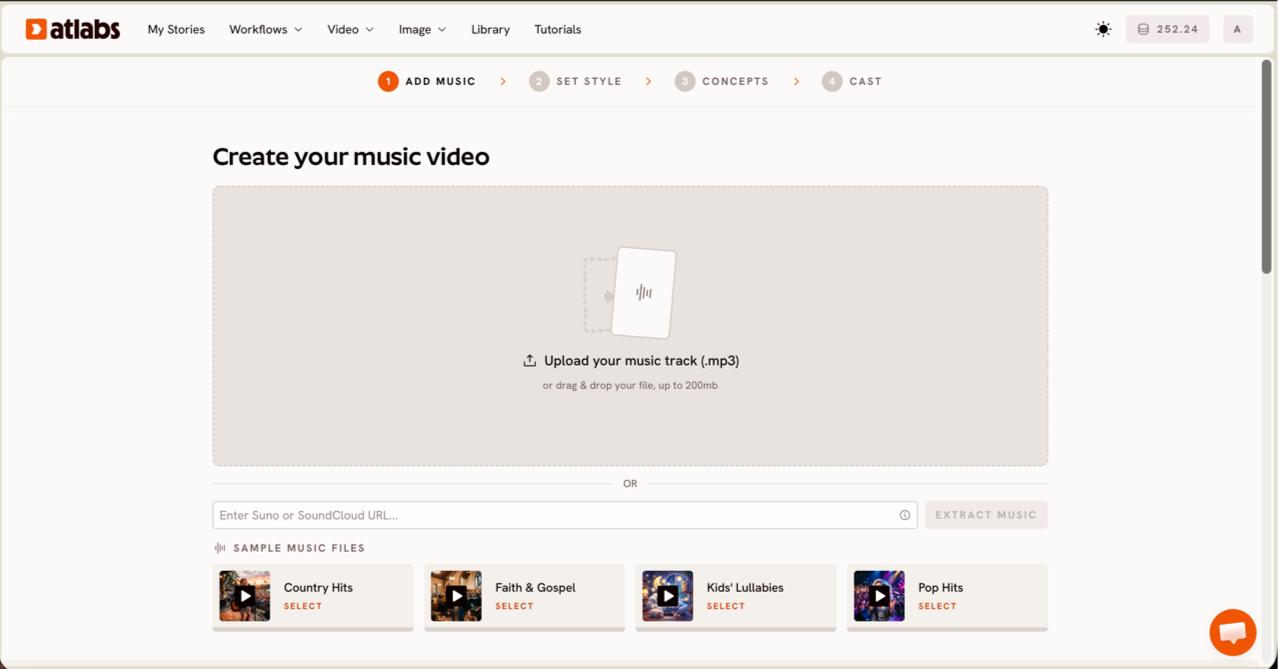
Step 1, Add Music. Open the Music Video workflow and paste your Suno song link into the music field, or upload the exported mp3 (files up to 200MB work). Click EXTRACT MUSIC. Atlabs reads the track and auto-detects its tempo, mood, and genre, which it uses later to suggest scenes that match your sound. The screen header reads Create your music video, so you know the song loaded correctly. For Suno artists, the share link is the quickest route because you skip the export step and the audio stays at full quality.
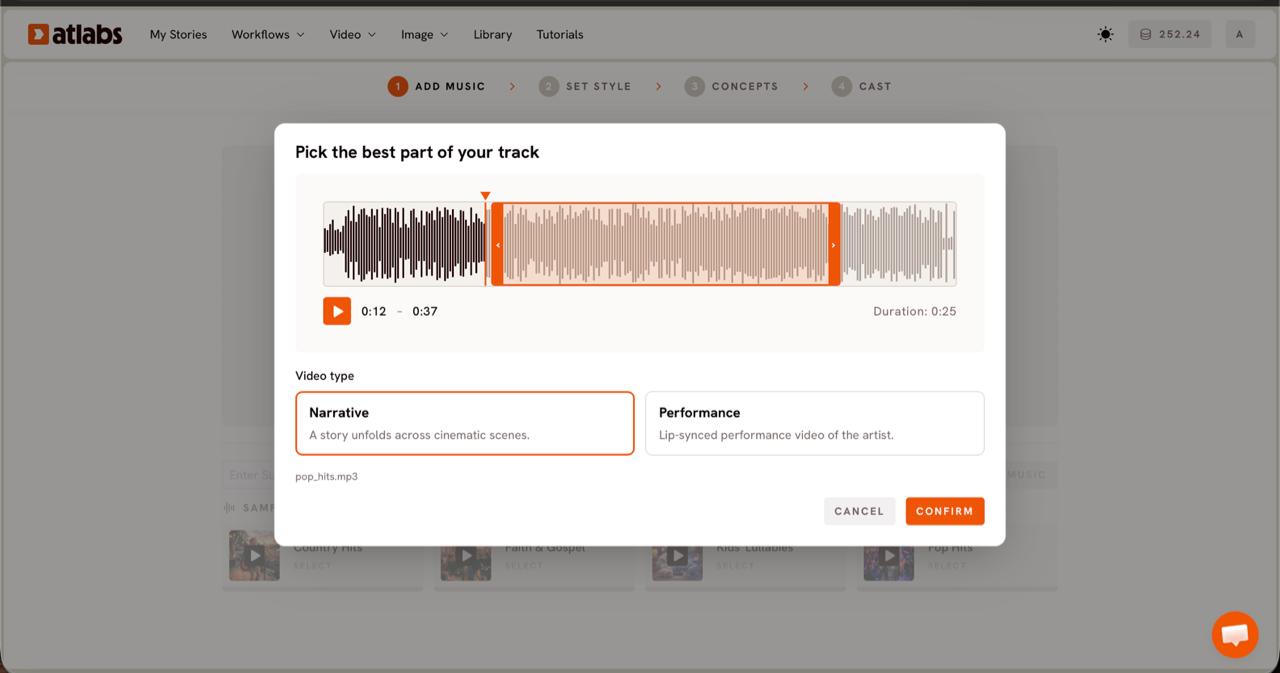
Step 2, Video Type. Pick the part of your Suno song that grabs attention first. The Pick the best part of your track modal opens with your waveform. Drag the orange selection window across the section you want to feature, usually up to around 25 seconds, then choose a Video Type. Pick Narrative when the track is atmospheric or instrumental and you want a story across cinematic scenes. Pick Performance when the song has vocals and you want a lip synced artist on screen. For most indie and lo-fi Suno tracks, Narrative reads more cinematic.
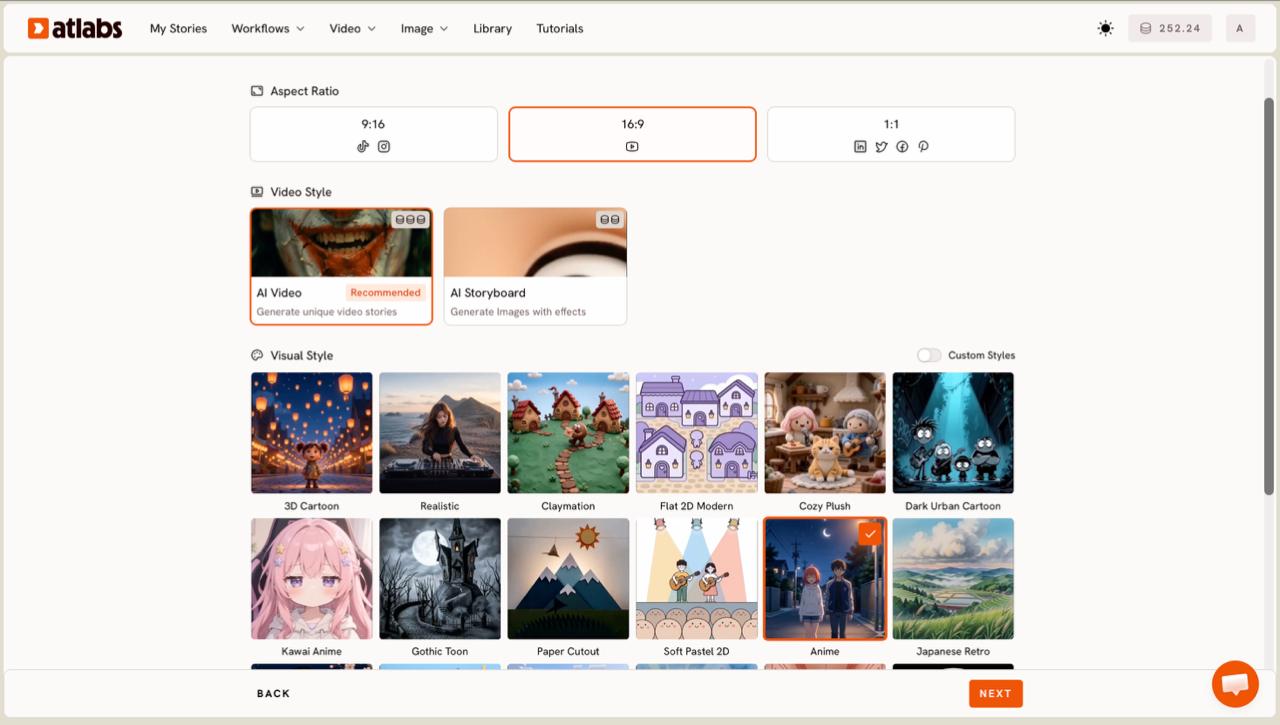
Step 3, Set Style. Set the aspect ratio and visual look that fit where you plan to publish. Choose 9:16 for TikTok and Reels, 16:9 for YouTube, or 1:1 for feed posts. Keep Video Style on AI Video, which generates a unique moving story rather than static images with effects. Then pick a Visual Style from the library. For realistic indie tracks, Realistic gives a live action feel, while Dark Urban Cartoon and Soft Pastel 2D suit moodier hip hop or lo-fi songs. Toggle Custom Styles to see the full library.
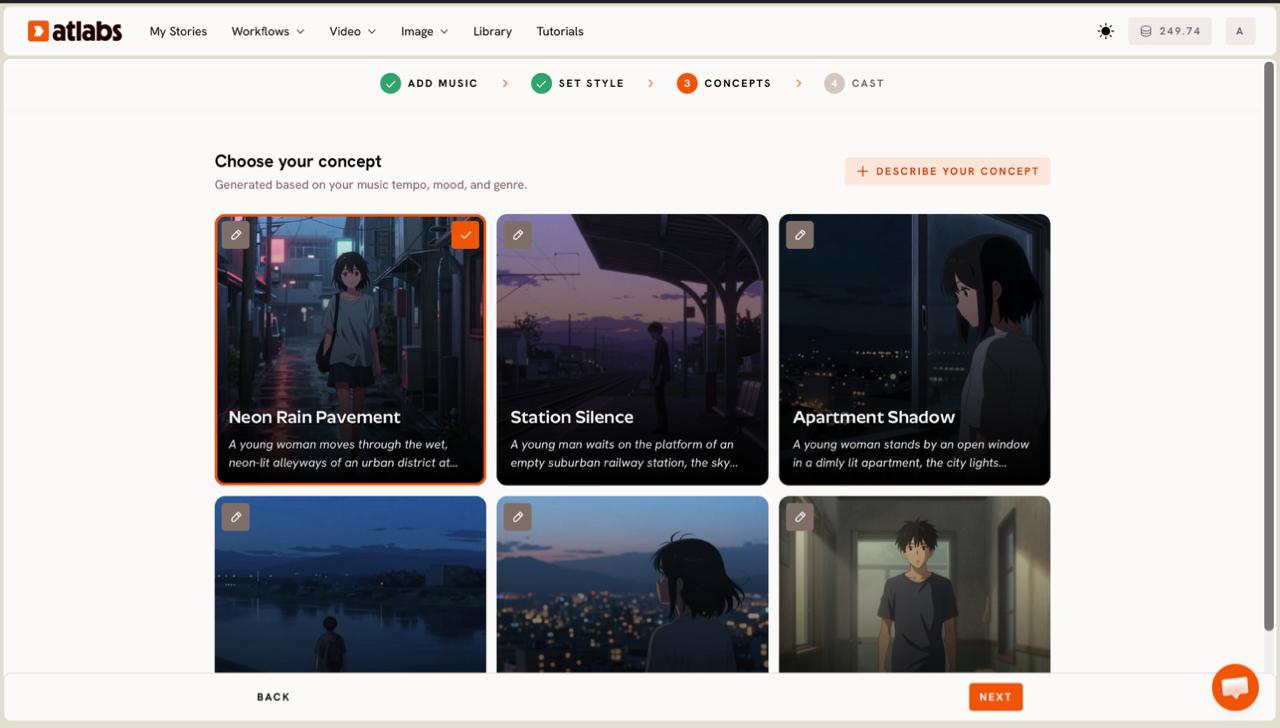
Step 4, Concepts. Choose the scene concept that matches your song. Atlabs shows six concept cards under Choose your concept, generated from your track's tempo, mood, and genre. Each card carries a short scene description and an edit pencil. Click the card that fits your song to mark it with a green tick, or click the DESCRIBE YOUR CONCEPT option to write your own direction in plain language. Picking a concept that matches your lyric or mood keeps viewers watching to the end, which is exactly what every paying platform rewards.
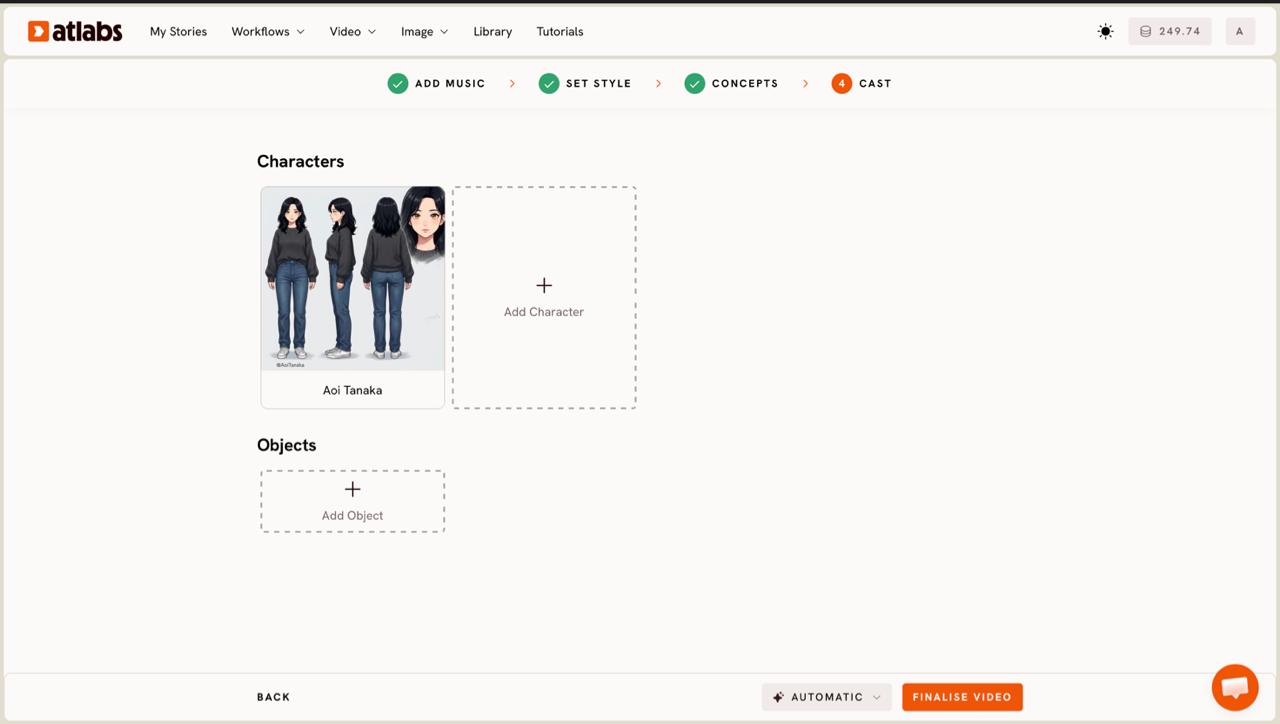
Step 5, Cast. Define the characters who carry your video. The Cast step shows character cards, each with a generated reference sheet of multiple angles and a portrait. Click any empty slot to Add Character, then use Click to edit to open the character editor and shape the look. Add props in the optional Objects section at the bottom if your concept needs them. Once the cast is set, generate the video and download it ready for upload.
Tips for videos that keep viewers and earnings up
A few choices push retention and watch time, which is what drives ad revenue and playlist reach. Match the Visual Style to your genre rather than picking the flashiest option, because a mismatched look makes listeners scroll. Render a 9:16 cut for Shorts and Reels and a 16:9 cut for your main YouTube upload, so one Suno song covers two formats from a single session. Keep the featured segment to your strongest 15 to 25 seconds for short form, where the opening hook decides whether anyone keeps watching. If your track has vocals and you want a face for your channel, the Performance type paired with the Lip Sync app keeps mouth movement tight. Caption the final cut so it holds the large share of viewers who watch on mute.
Two concept prompts to copy
Paste either of these into the DESCRIBE YOUR CONCEPT field in Step 4 and adjust the mood words to fit your Suno track.
Moody lo-fi night drive: a lone driver moves through a rain slicked city at 2am, neon reflections sliding across the windshield, slow handheld camera, warm amber streetlights, soft film grain, the mood calm and a little lonely to match a downtempo Suno track.
→ Try this in Atlabs Music Video
Indie folk golden hour: a figure walks through tall summer grass toward a low sun, dust catching the light, gentle wind, wide cinematic shots cutting to close details of hands and faces, warm and hopeful to match an acoustic Suno song.
→ Try this in Atlabs Music Video
FAQ
How long does it take to make a music video for a Suno song?
Most Suno artists go from upload to a finished video in about ten minutes. The longest part is choosing a Visual Style and a concept that fit the track. Generation runs on its own once your cast is set.
Do I need editing or animation skills?
No. The Music Video workflow handles scene generation, motion, and pacing for you. You upload the Suno song, pick a style and concept, define the cast, and download the result. No timeline editing or animation software is involved.
Can I use my Suno share link instead of exporting the file?
Yes. Paste the public Suno music URL into the music field and click EXTRACT MUSIC. You can also upload an exported mp3 up to 200MB if you prefer to keep a local copy of the track.
Can I earn money from a video made this way?
You can publish the video to monetized channels like YouTube and use it as Spotify Canvas or short form content. Confirm that you hold the rights to your Suno track under your Suno plan before monetizing, since music rights are set on Suno's side, not on Atlabs.
Get started
Your Suno song is already the hard part. Give it a video, publish it where listeners pay attention, and let one track work across every platform.
Open Atlabs








