
The fastest way to make a moral story video for kids is the Atlabs Animated Video workflow, which turns a written fable into a fully voiced animated episode with a consistent cast in three steps: script, style, and cast. You never film anything and you never draw a frame. Type the lesson you want to teach, let the built in AI Script Writer expand it into a scene ready fable, and the same workflow generates the visuals, the voices, and the movement, so a full moral story episode takes about 10 to 15 minutes from idea to export.
What You Need Before You Start
The setup for a moral story video channel is short. You need an Atlabs account, one moral lesson you want to teach such as honesty, sharing, patience, kindness, courage, or gratitude, a place to publish the finished episode such as a YouTube channel or a kids content page, and 10 to 15 minutes per episode. That is the whole kit. No camera, no microphone, no animation software, and no editing timeline, since the Animated Video workflow carries the writing, the cast, the motion, and the narration for you.
Show Image A single narrator character can carry the moral lesson while the rest of the cast reacts around them.
Pick Your Moral Lesson in 10 Minutes
Moral stories are a category, not a niche. Channels that grow pick one lesson family and stay in it for a run of episodes, since a tight lesson niche keeps your cast and your visual style consistent across every video and lets young viewers know exactly what kind of story your channel tells. Honesty, sharing, kindness, courage, patience, and gratitude are all well worn lanes that kids and parents recognize on sight. Pick the lesson family you can write the most fables for, then let your channel name and thumbnails signal it clearly.
Step by Step: Make Your First Moral Story Video in Atlabs
Follow the three steps of the Animated Video workflow: Script, Set Style, and Cast.
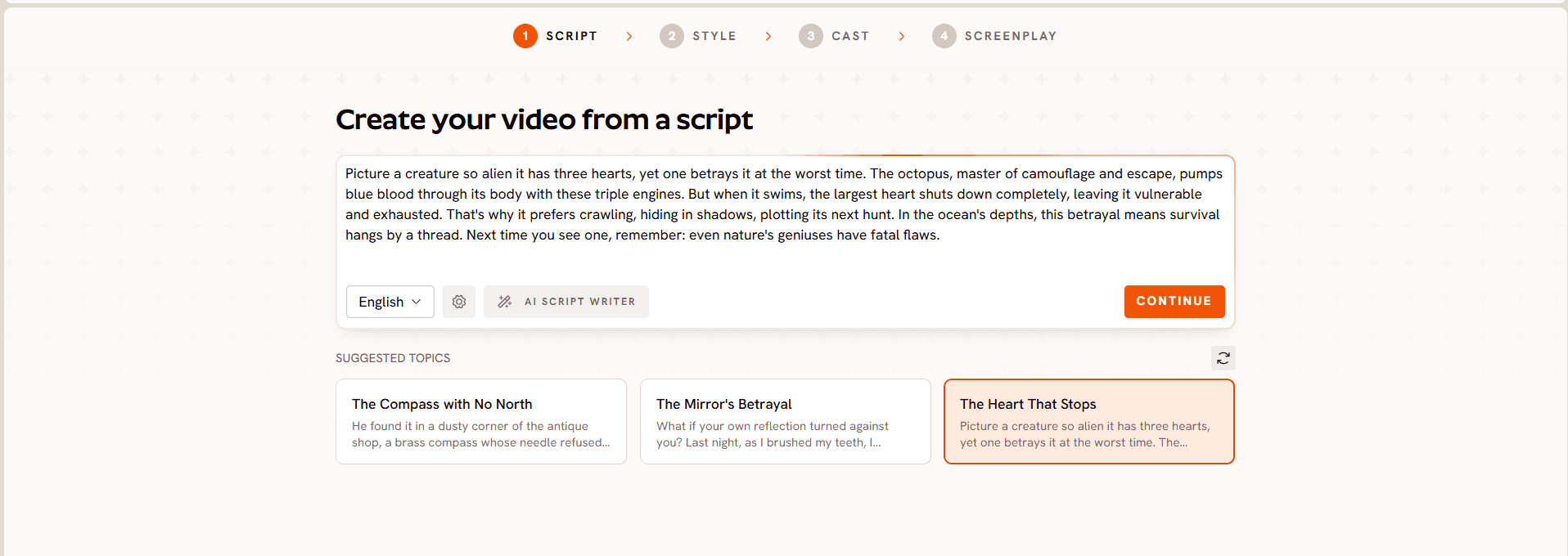
Open the Animated Video workflow and select the Add your script tab, or switch to Add your screenplay for structured scene formatting.
Type the moral lesson you want to teach into the script editor and click AI Script Writer to brainstorm and expand it into a scene ready fable, or paste in a script you already wrote.
Browse the Suggested Scripts cards if you want a starting point instead of a blank page.
Build the lesson into a choice a character makes rather than a line a narrator states at the end. A character wants something, faces a small consequence, and changes by the close of the episode, which is what makes a moral story land with a young viewer.
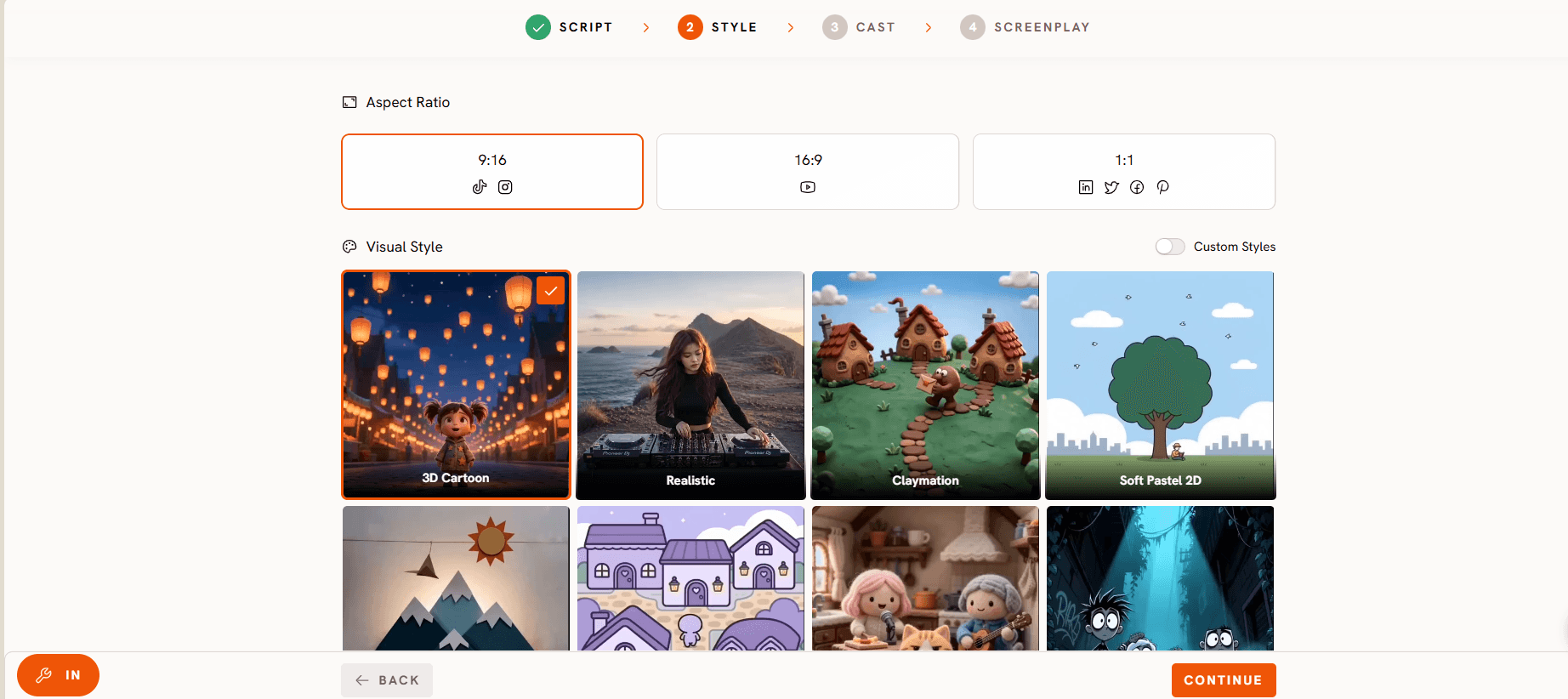
Choose your Aspect Ratio: 16:9 for a YouTube channel, 9:16 for Shorts and Reels, or 1:1 for feed posts.
Choose your Video Style, AI Video for a fully generated animated episode or AI Storyboard for still frames with effects.
Pick one option from the Visual Style library, such as 3D Cartoon, Claymation, Cozy Plush, Flat 2D Modern, or Soft Pastel 2D, and lock it in for every episode in the series.
Let the workflow's built in scene composition vary your shot types across the episode automatically, so a 2 minute moral story cuts between close ups, wide shots, and reaction shots instead of repeating the same camera angle scene after scene.
In the Narrator section, set a Country Accent and a Narrator Voice and keep both the same across every episode. This narrator becomes your teaching character, and their mouth moves only on their own lines, so the lesson lands in one consistent voice no matter how many characters share the scene.
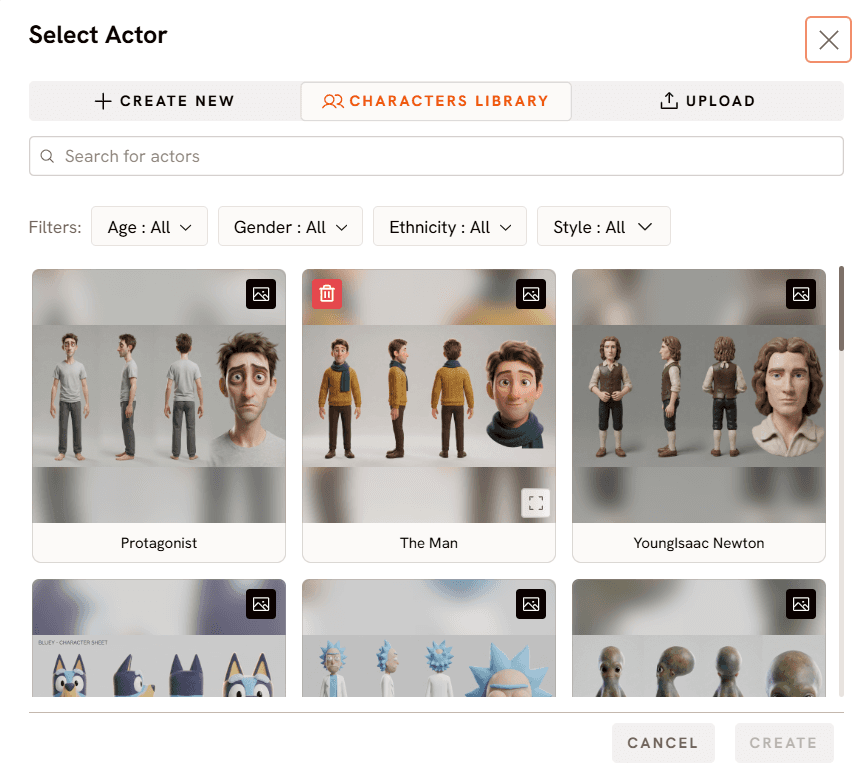
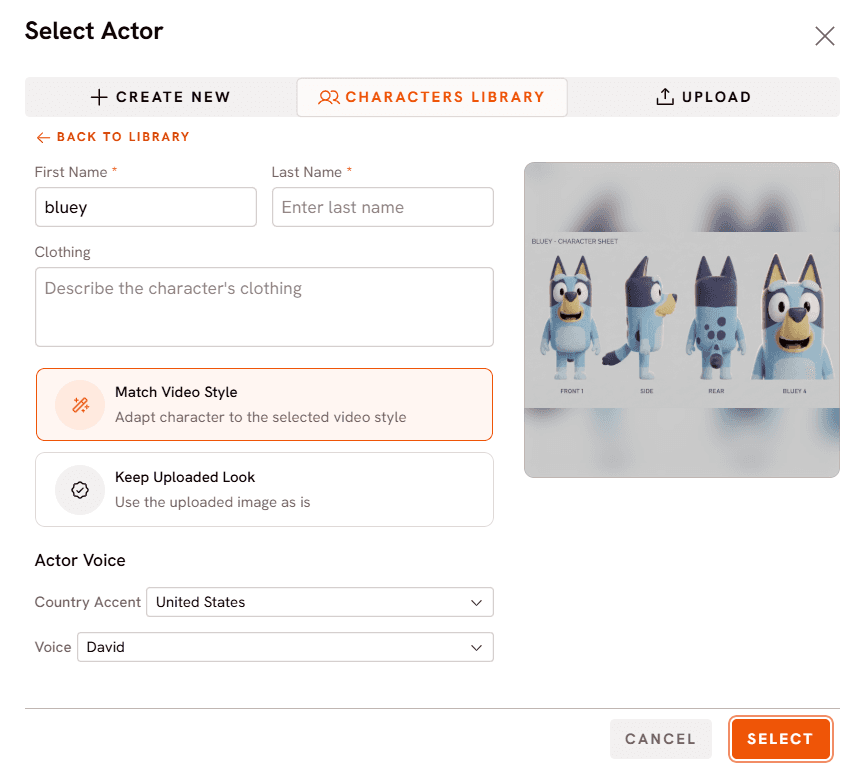
In the Characters section, design the cast who will carry your fable: a young rabbit, a wise old owl, a mischievous fox, whatever fits your story world. Atlabs generates a full reference sheet for each character with multiple angles and a portrait.
Use custom casting to upload your own reference images at this step instead of generating a character from scratch, which is useful if you have already sketched a mascot or want a character to match an existing brand.
When two characters trade dialogue in the same scene, such as the fox making an excuse and the rabbit calling it out, the workflow handles multi character lip sync automatically. Each character's mouth moves only on their own lines, so a back and forth conversation renders in one generation with no manual cutting between speakers.
Save your main cast once it is built. Loading the same Characters into every new episode is what makes a moral story series feel like a real show, whether that episode's lesson is honesty or patience.
Add any props in the optional Objects section, choose your aspect ratio one more time if needed, and export.
Tips for Better Moral Story Videos
Build the lesson into a choice your character makes at the Script step, not into a closing sentence, since kids remember what a character did more than what a narrator said. Keep the Narrator Voice and Country Accent fixed across the series, and reserve multi character lip sync for the moments a scene actually needs two voices talking back and forth, rather than every line. Keep your recurring Characters small, two or three is usually enough to carry a fable without confusing a young viewer about who to root for, and reuse the same reference sheets, or your own art through custom casting, so the cast is instantly recognizable episode to episode. Lock one option from the Visual Style library for the whole series and let the built in scene composition keep each 2 minute episode visually varied without you touching a single edit point.
FAQ
How long should a moral story video for kids be?
Most moral stories for young audiences work best under two minutes, long enough for a clear choice and consequence and short enough to hold a young viewer's attention through the lesson.
Do I need animation or editing experience to make one?
No. The Animated Video workflow handles the script expansion, the character art, the motion, and the narration, so no editing experience is required and there is no timeline to cut.
Can the same characters appear in every episode?
Yes. The Cast step generates a reference sheet for each character with multiple angles and a portrait, and custom casting lets you bring in your own reference art. Save your main cast and load the same characters into every new episode so a fox or rabbit from one lesson can headline the next.
Can two characters talk to each other in the same scene?
Yes. Multi character lip sync attributes speech to each speaker in a scene, so two or more characters can trade dialogue with their mouths moving only on their own lines, without a separate generation or manual cutting between speakers.
Get started
Pick one lesson family, write or generate one fable, and run it through the Script, Set Style, and Cast steps above. Your first moral story video can be live tonight, and the same cast, narrator voice, and visual style will carry every lesson you tell after it in the Animated Video workflow. Open the Animated Video workflow








