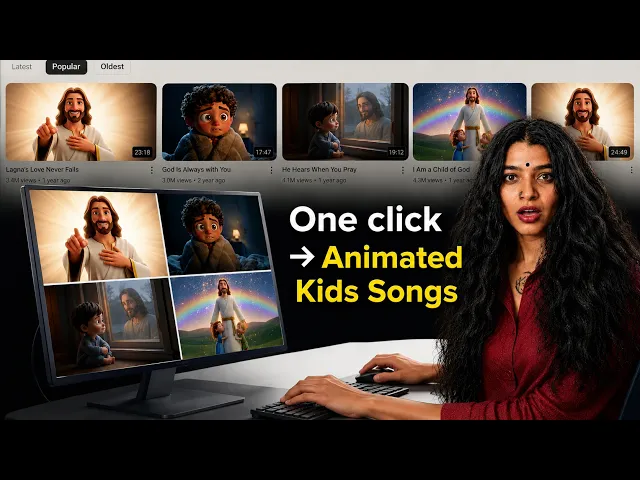
You recorded the worship track. The mix sounds right, the lyrics land, and the congregation connects with it during service. The missing piece is a visual that carries the song outside those four walls. With the Music Video workflow on Atlabs, faith music creators upload their track and produce a fully animated music video in minutes. No camera setup, no crew, no animator on retainer. This guide walks through every step, from uploading your mp3 to exporting a finished video ready for YouTube or Instagram.
What you will need
An Atlabs account (the Music Video workflow is at app.atlabs.ai/new-music). Your worship track as an mp3 file up to 200MB, or a Suno music URL if you composed the track there. Set aside 5 to 15 minutes for the full workflow, including the time to pick your concept and define your characters. A clear sense of the emotional mood you want to carry visually, whether intimate and reverent, bold and anthem-style, or story-driven and narrative, will make your choices at each step faster and more intentional.
Watch the full video on YouTube
Step 1: Add your worship track
Open the Music Video workflow on Atlabs. The screen header reads "Create your music video." Upload your worship song as an mp3 (up to 200MB) or paste a Suno music URL and click EXTRACT MUSIC. Atlabs reads the track automatically, detecting its tempo, mood, and key properties. This analysis drives the concept suggestions you will see in Step 4, so a clean mix with a clear arrangement gives the AI a stronger signal to work from. Tracks with a clear melodic or harmonic centre tend to generate the most resonant scene concepts.
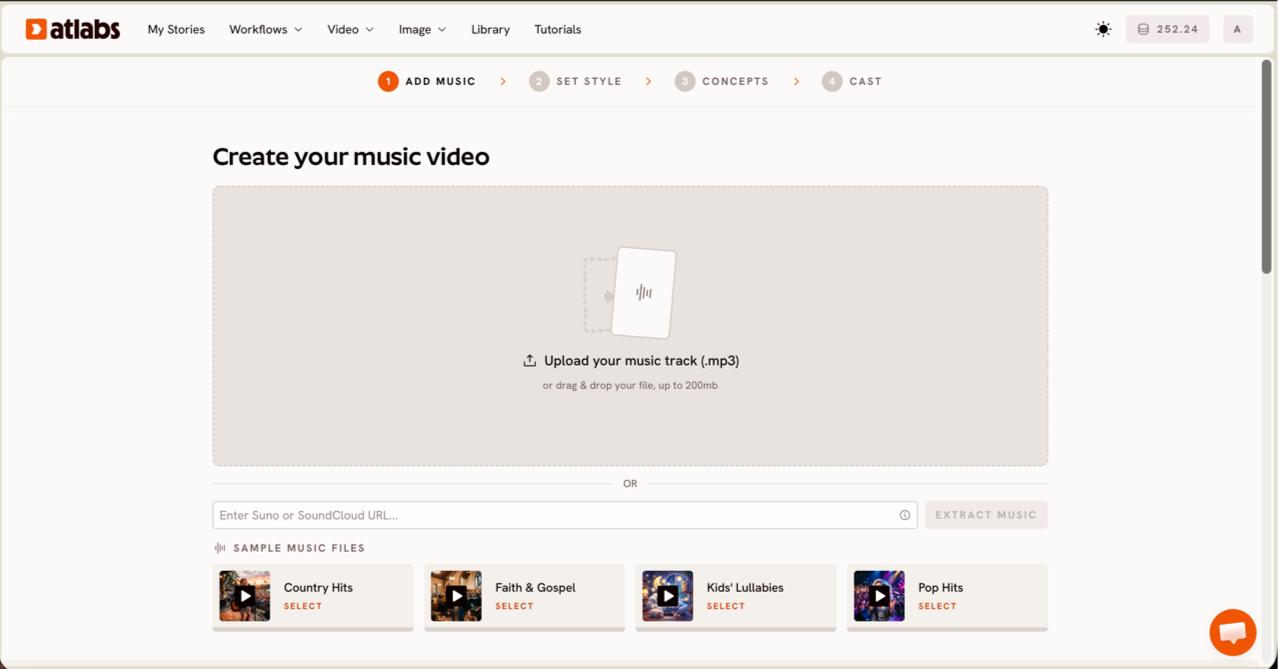
The Add Music step detects your track's tempo, mood, and arrangement to shape the concepts ahead.
Step 2: Set your video type
Once the track loads, a "Pick the best part of your track" modal opens. Drag the green selection window across the waveform to choose the segment you want to animate. For worship songs, a 20 to 25 second section that includes the chorus or a key lyric moment tends to produce the most powerful visuals. Below the waveform, choose your Video Type. Narrative works beautifully for atmospheric, instrumental, or spoken-word worship pieces where a visual story should unfold across scenes. Performance suits worship tracks with strong vocals where the artist or choir should appear on screen in a lip-synced format.
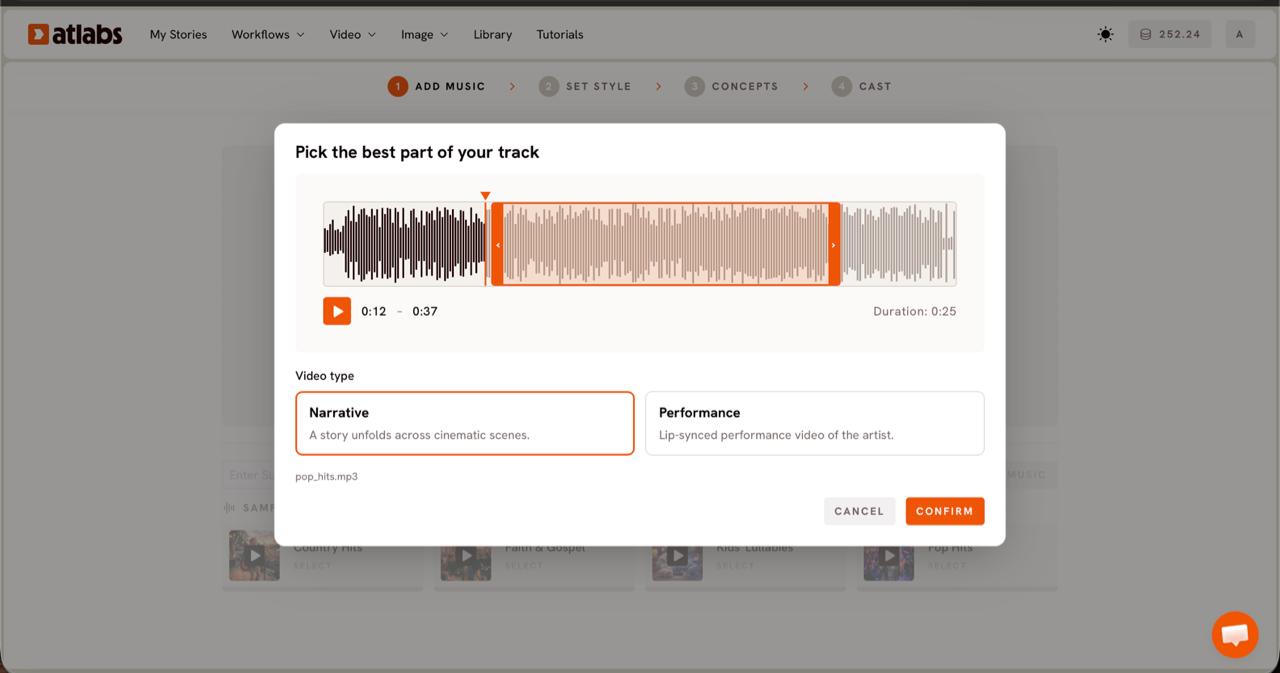
Select the segment and Video Type that fits the emotional arc of your worship song.
Step 3: Choose a visual style
Set your Aspect Ratio first. Choose 9:16 for Instagram Reels and TikTok, 16:9 for YouTube, or 1:1 for Facebook and Pinterest. Set Video Style to AI Video, the recommended setting that generates original animated scenes rather than static images. The Visual Style library is where the character of your music video takes shape. For worship music, Soft Pastel 2D produces warm, hand-painted-feeling animation that suits devotional and hymn tracks with a quiet, reverent tone. 3D Cartoon gives an uplifting warmth suited for gospel and contemporary worship tracks that carry energy and forward motion. Cozy Plush works well for gentle lullaby-style worship pieces written for younger congregants or children's ministry. Toggle Custom Styles for the full library if none of the defaults feel right for your track.
The Visual Style library lets you match the animated look to the emotional tone of your worship song.
Step 4: Pick your concept
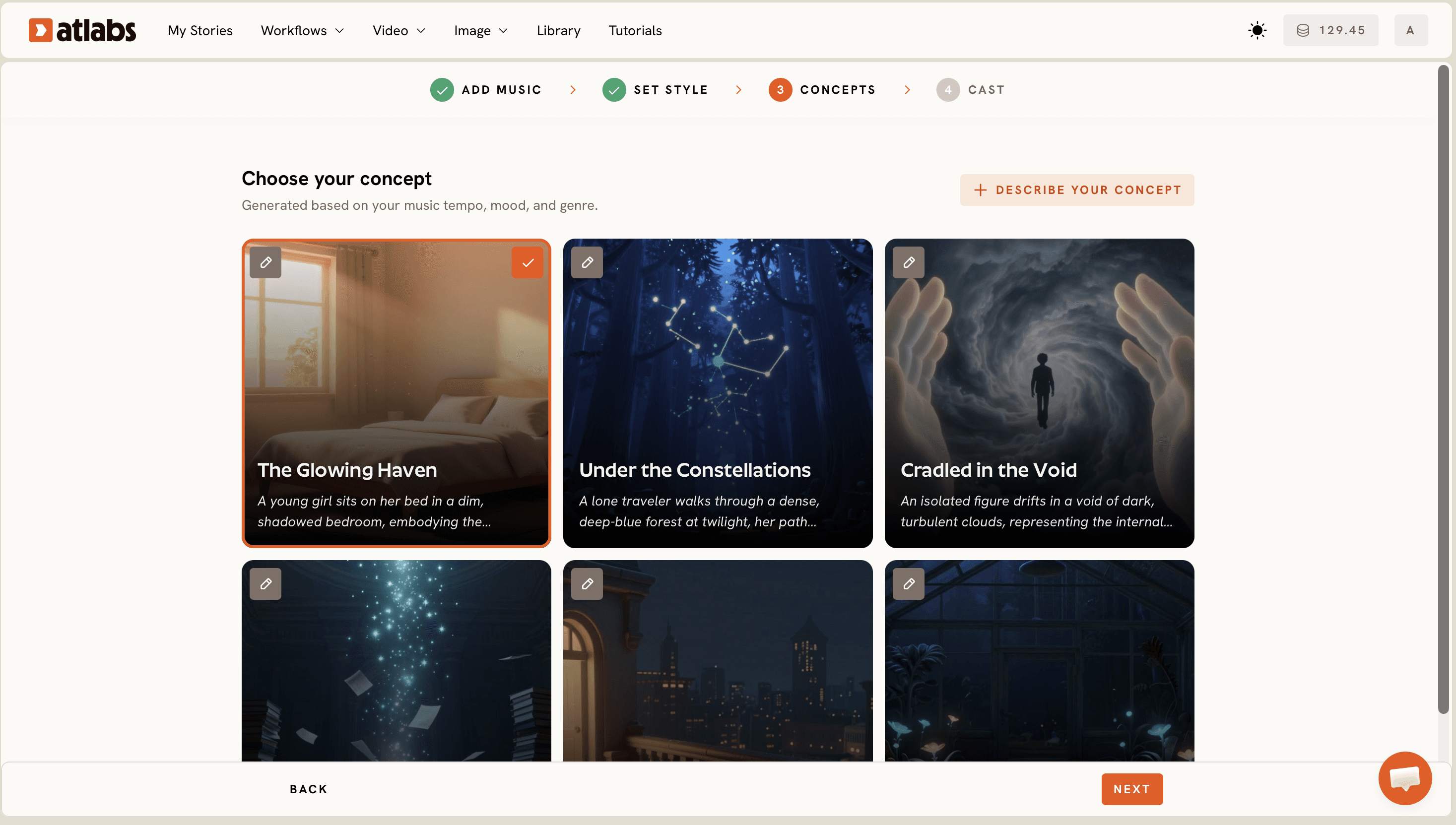
Atlabs presents 6 generated scene concepts as cards, each built from your track's detected tempo, mood, and genre. Each card has a short title and a scene description. Read through them and click the one that resonates with the message of the worship song. Every concept has an edit pencil so you can refine the description without starting over. If none of the 6 captures what you have in mind, click "+ DESCRIBE YOUR CONCEPT" and write the creative direction yourself. Faith music creators often find that adding an emotional qualifier like "golden light, open sky, a sense of hope and quiet reverence" shifts the generated scenes significantly toward the right tone.
The 6 auto-generated concepts are built from your track's mood and tempo data. Pick one or write your own.
Step 5: Define your characters
The Cast screen lets you define the characters that will appear in the animated scenes. Each character slot shows a generated reference sheet with multiple angles and a portrait. Click any slot to open the character editor and adjust the character's appearance. For worship music videos, a single central figure representing a worshipper or a small choir group typically reads more clearly than a crowded cast. The Objects section at the bottom lets you add scene elements like a cross, a candle, an open bible, or natural features such as fields, mountains, and open sky, depending on the imagery your track calls for.
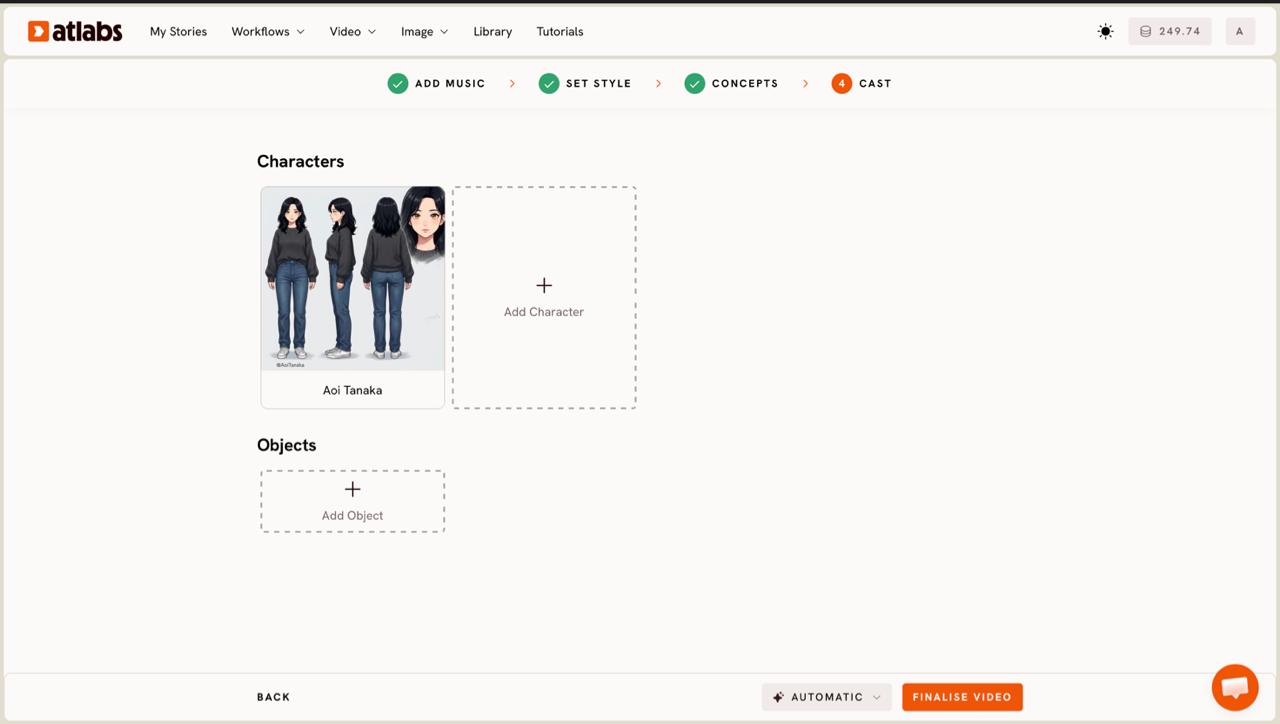
Define one or two characters clearly so the animation has a consistent visual anchor across every scene.
Tips for better results
Soft Pastel 2D and 3D Cartoon both produce strong results for worship content, but they read differently on screen. Soft Pastel 2D feels devotional and interior, as if each frame were an illustrated page from a hymnal. 3D Cartoon reads warmer and more kinetic, which suits contemporary worship or gospel tracks with energy and forward motion. Choose based on how the congregation or audience will feel watching it, not just how it looks as a still frame. For your concept description in Step 4, include the emotional tone alongside the visual scene description. A prompt like "a worshipper standing in golden light, arms raised, surrounded by soft falling petals, Soft Pastel 2D, quiet and full of wonder" gives the AI two kinds of direction at once: visual composition and emotional register. For the output aspect ratio, 9:16 is the highest-distribution format for faith content right now, given how much worship music discovery happens on Instagram Reels and YouTube Shorts.
Example concept prompts for worship tracks
These two prompts cover the range from contemplative hymn to contemporary gospel. Copy and paste either into the "+ DESCRIBE YOUR CONCEPT" field in Step 4 and adjust the visual details to fit your track.
Prompt 1 (hymn or devotional track): A solitary figure kneels in a vast open field at dawn. Golden light spreads across the horizon. The atmosphere is quiet, reverent, and still. Soft Pastel 2D style. The scene carries the feeling of an answered prayer. |
→ Try this in Atlabs Music Video
Prompt 2 (contemporary worship or gospel track): A small choir stands together on a hilltop at sunrise, arms raised. The sky is vivid amber and rose gold. The mood is joyful and full of gratitude. 3D Cartoon style. Movement is warm, uplifting, and communal. |
→ Try this in Atlabs Music Video
FAQ
Can I use my Suno worship track directly in Atlabs?
Yes. Atlabs accepts a Suno music URL directly at the Add Music step. Paste the link and click EXTRACT MUSIC. Atlabs reads the track's properties from the URL without requiring a separate file download or format conversion.
Which visual style works best for worship and devotional music videos?
Soft Pastel 2D is the most commonly used style for devotional and hymn tracks because it produces warm, illustrated-feeling animation that matches the quiet reverence of worship content. 3D Cartoon is the stronger choice for contemporary worship and gospel tracks that carry more energy and forward movement.
Do I need a full-length video, or can I make a short clip for Instagram Reels?
The Music Video workflow lets you select a specific 20 to 25 second segment of your track during Step 2. Set the aspect ratio to 9:16 in Step 3 and the output is formatted and ready for Instagram Reels, TikTok, or YouTube Shorts without any additional editing.
What audio file formats does the Music Video workflow accept?
Atlabs accepts mp3 files up to 200MB at the Add Music step. You can also paste a Suno music URL directly. Other audio formats should be converted to mp3 before uploading. Free conversion tools are widely available and the process takes under a minute for a single track.
Get started
Your worship track already carries the message. The Music Video workflow on Atlabs takes that audio and produces an animated video that lets it travel further, reaching people who discover faith music on Instagram, YouTube, and beyond. Open the Music Video workflow and upload your first track.
Open Atlabs