Everyone knows the scene. Terry Crews in the passenger seat, windows down, screaming every word of "A Thousand Miles" while the woman next to him tries to keep it together. It has been reposted for twenty years and it still lands. The version people are making now puts their own face in that car, or their friend's face, or their whole group chat, and the joke gets funnier because you recognise the person.
You do not need editing software or a green screen for this. You need two things: a still image where the faces have already been replaced, and a way to make that still move exactly the way the original clip moves. This walkthrough covers both, using the reference clip below as the source.
Reference video: WHITE CHICKS: Latrell (Terry Crews) singing A Thousand Miles
Why This Kind of Edit Works So Well Right Now
Recreated movie scenes do numbers because the audience already has the reference loaded. You are not asking anyone to learn a new joke. You are giving them a familiar one with a face they know in it, and the gap between what they expect and what they see is where the laugh comes from.
The reason most people never make one is that the traditional version of this edit is slow. Rotoscoping a face frame by frame, matching skin tone across a moving car interior, tracking head rotation while someone is throwing their head back to sing. That is a full afternoon of work for a fifteen second clip, and it looks bad if you rush it.
The two step approach removes almost all of that. You do the face replacement once, on a single frame, where you can actually see whether it looks right. Then you hand that finished frame to a motion model along with the original clip and let it carry the performance across. The head turns, the shoulder movement, the mouth shapes, the timing against the music, all of it comes from the reference video rather than from a prompt you have to describe.
The Two Tools You Need
The whole thing runs on two pages inside Atlabs.
The first is GPT Image 2, an image model that takes more than one input image and edits one using the other. That is what makes the face replacement work in a single pass. You give it the frame from the movie and a photo of the face you want in it, then describe the swap in plain language.
The second is Kling Motion Control, which copies motion from a reference video onto a character image. Kling is the strongest option here because the scene is all motion. Crews is not sitting still, he is bouncing, turning, and belting, and a weaker motion model will either smooth that out or break the face apart halfway through. Kling holds the performance.
Because both faces in the frame get replaced, you run the pipeline twice. Same steps, different subject each time.
Step by Step Walkthrough
Pass 1: Replace the woman in the driver's seat
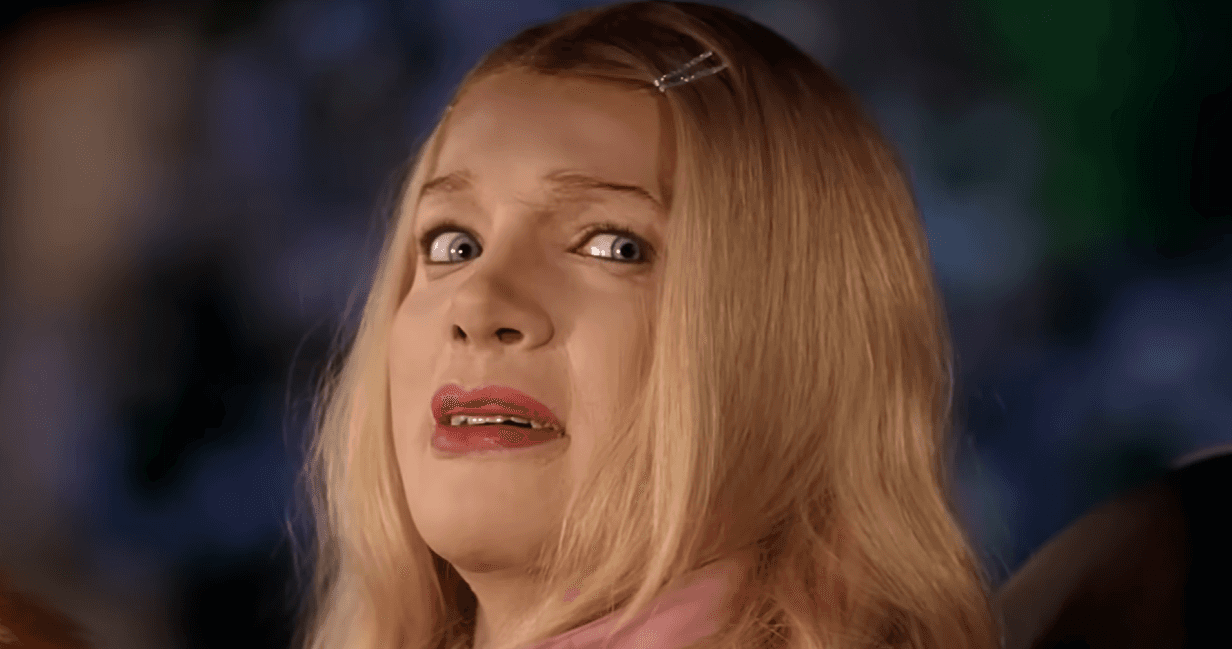
1. Pull the first frame from the reference clip. Open the reference video and grab the opening frame, the one where both characters are visible and facing roughly forward. A clean, well lit frame with both faces unobstructed gives the model the most to work with. This is your image1.
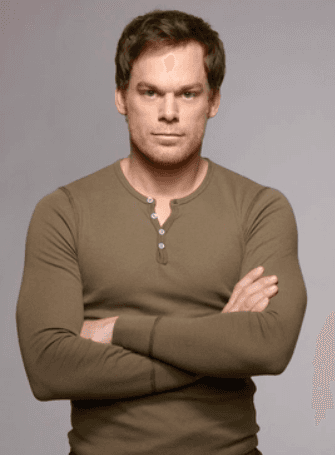
2. Open GPT Image 2 and upload both images. Go to GPT Image 2. Upload the movie frame as your first image, then upload the photo of the person you want in the driver's seat as your second image. Front facing photos with even lighting swap far better than angled or heavily shadowed ones.
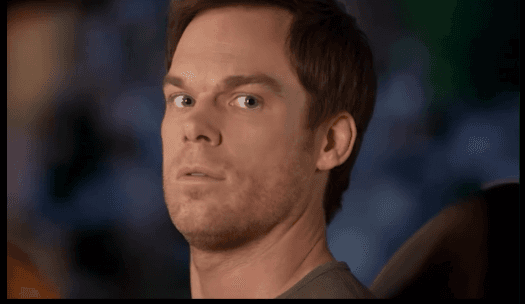
3. Write the swap prompt. Keep it literal. The model responds better to a plain instruction than to a creative description:
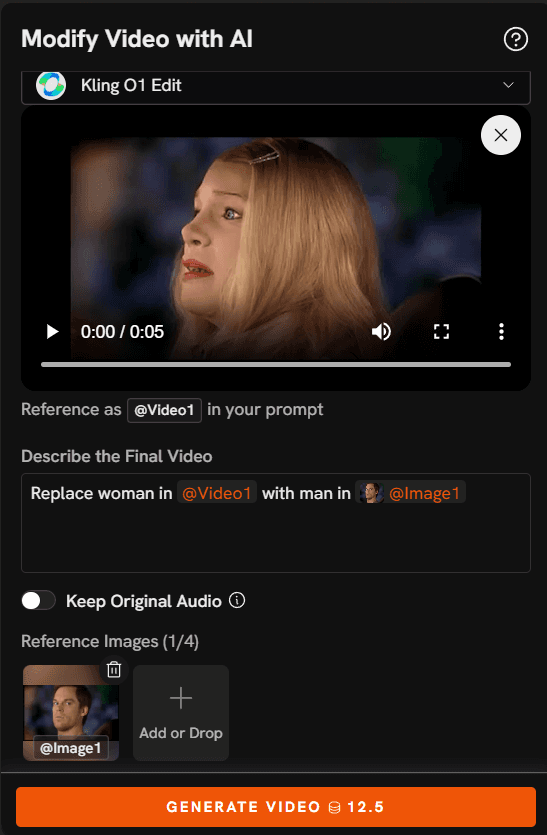
Replace blonde woman in image1 with man in image2
4. Generate and check the result. Look at three things before you move on. Does the skin tone match the lighting inside the car. Is the head at the same angle as the original. Are the eyes looking in the same direction. If any of those are off, regenerate rather than continuing, because everything downstream inherits this frame.
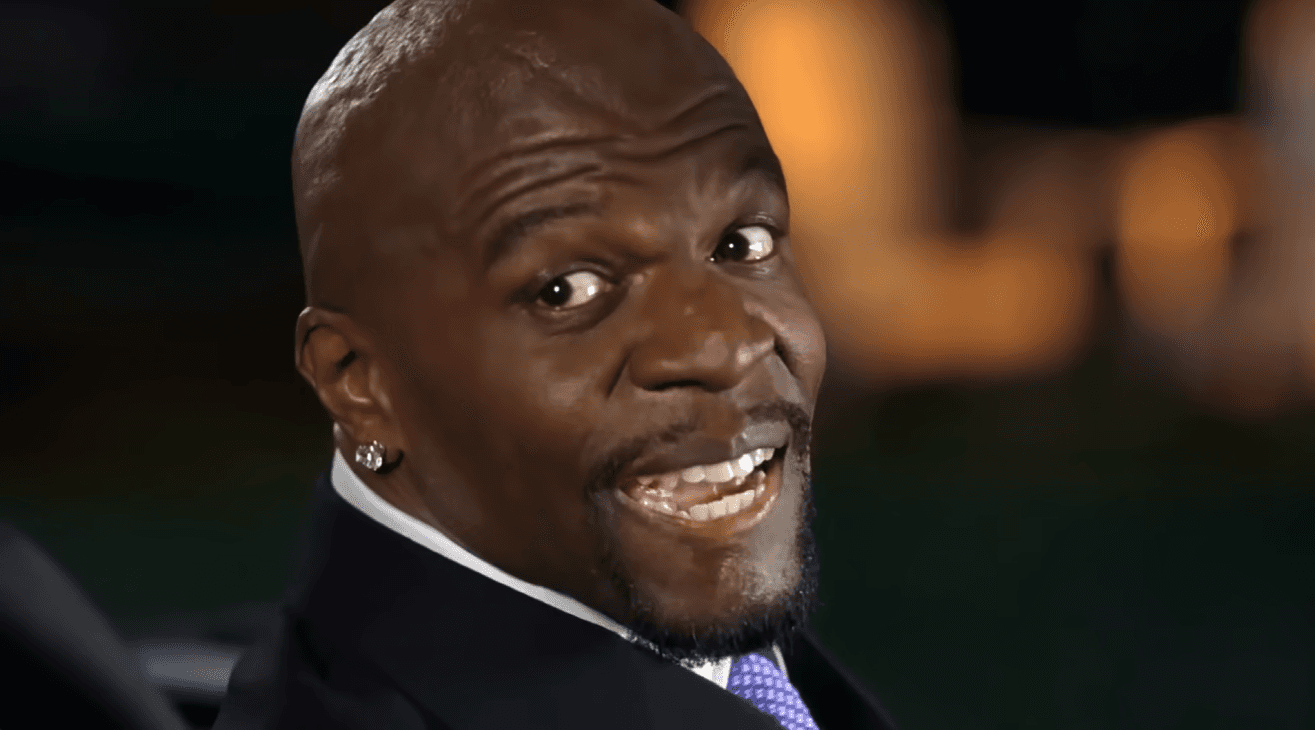
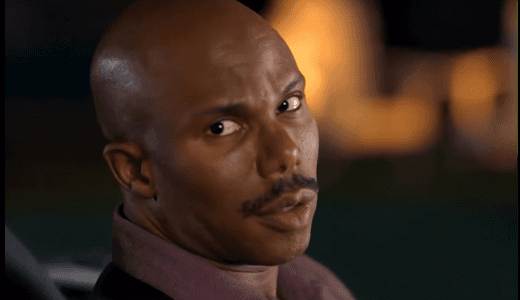
5. Take it to Kling Motion Control. Open Kling Motion Control. Upload your edited frame as the reference image and the original White Chicks clip as the motion source. Add the prompt shown on the page to describe the scene and background, then hit Generate.
6. Collect your clip. You now have a moving version of the scene with the first face replaced.
Ready to try it yourself? Start with GPT Image 2 and use your own photo as image2.
Pass 2: Replace Terry Crews
7. Run the frame through GPT Image 2 again. Same page, same setup, but now your image1 is the frame you want the second face in and image2 is the second person's photo. The prompt changes to match:
Replace man in image1 with man in image2
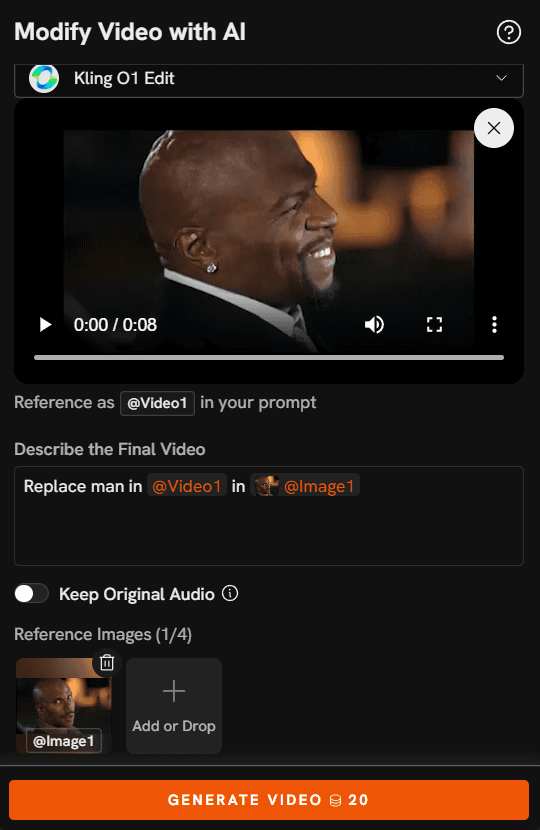
8. Generate and compare against the original. The Crews side of the frame is the harder swap because his expression is extreme. Open mouth, raised eyebrows, head tilted back. Pick a source photo with a neutral or slightly animated expression rather than a flat passport style headshot, and the model has an easier time bending it into the performance.
9. Send it back to Kling Motion Control. Upload the new frame, upload the same reference clip, use the prompt from the page, and generate. You get your second clip.
10. Put the two together. Depending on how you framed it, you either use the version with both faces replaced as your final, or you cut between the two clips so each face gets its own moment. Cutting on the beat of the song works better than cutting on the dialogue.
Why This Pipeline Holds Up
The face swap happens on a still, not on video. That is the part that matters most. When a model tries to swap faces across a moving clip directly, it has to make the same decision hundreds of times and it will not make it the same way twice, which is where flickering and warping come from. Doing the swap once on a frame means you approve exactly one result and the motion model treats it as fixed.
Motion comes from the reference video rather than from your description. You are not writing "he throws his head back and sings enthusiastically" and hoping. Kling reads the actual movement out of the clip you uploaded, so the timing against the song stays intact. That is why the recreation reads as the same scene instead of a loose imitation.
GPT Image 2 accepts multiple reference images in one pass, so the swap is a single instruction rather than a chain of masking and compositing steps. You describe what you want changed and which image the replacement comes from.
And because both tools sit inside the same platform, the output of the first is the input to the second without exporting, re-encoding, or moving files between apps. If a result is not right, you go back one step and regenerate rather than starting the whole chain again.
Prompts to Try
Face swap, single subject
Replace blonde woman in image1 with man in image2
Try this prompt in Atlabs GPT Image 2
Face swap, second subject
Replace man in image1 with man in image2
Try this prompt in Atlabs GPT Image 2
Face swap with lighting note
Replace the man on the right in image1 with the man in image2, matching the warm afternoon light coming through the car window and keeping the same head angle and open mouth expression
Try this prompt in Atlabs GPT Image 2
Face swap, both subjects in one pass
Replace both people in image1 with the two men in image2, keeping their positions, expressions and the car interior exactly as they are
Try this prompt in Atlabs GPT Image 2
Motion transfer, car interior scene
Two friends in the front seats of a car on a bright afternoon, windows down, warm sunlight across their faces, handheld camera framing from the dashboard, saturated early 2000s comedy film look
Try this prompt in Atlabs Kling Motion Control
Motion transfer, night version
Two friends in the front seats of a car at night, city street lights sweeping across their faces, neon reflections on the windscreen, handheld interior camera, cinematic contrast
Try this prompt in Atlabs Kling Motion Control
Motion transfer, clean studio version
Two performers seated side by side against a plain backdrop, soft even key light, static mid shot, clean modern music video styling
Try this prompt in Atlabs Kling Motion Control
Pro Tips
Pick your source photo the way a casting director would, not the way you pick a profile picture. The best results come from a photo shot at roughly the same head angle and under similar lighting to the frame you are swapping into. A photo lit from the left will fight a scene lit from the right, and you will see it immediately in the output.
Fix the frame before you animate. It is tempting to push a nearly right image into Kling and hope the motion hides the flaw. It does the opposite. Every imperfection in the still gets carried across every frame of the video, so five extra regenerations at the image stage save you a whole failed clip.
Keep the reference clip short. Three to fifteen seconds of the most recognisable part of the scene works better than the full sequence. Shorter clips generate faster, hold quality more consistently, and the punchline of a meme edit lands in the first few seconds anyway.
Use faces you have permission to use. Your own, your friends who are in on it, people who said yes. That is also what makes these edits funny to the people watching them.
FAQ
Do I need video editing experience for this? No. The whole process is uploading images, writing one line of instruction, and pressing Generate. The only optional editing step is joining the two clips at the end, which any basic editor handles.
Can I use this on scenes other than White Chicks? Yes. The pipeline is scene agnostic. Grab a frame from any clip, swap the faces in GPT Image 2, and pass the original clip to Kling Motion Control as the motion source. Scenes with clear framing and strong recognisable movement work best.
Why not just swap faces directly on the video? Direct video swapping asks the model to solve the same problem on every frame independently, which produces flickering and drift. Swapping once on a still and then transferring motion gives you one result to approve and a stable output.
What makes a good input photo? Front facing, well lit, high resolution, with the face unobstructed by sunglasses or heavy shadow. An expression with a little life in it beats a flat neutral shot when the target scene is animated.
How long is the finished clip? It matches the length of the reference clip you upload. For meme edits, keeping it under fifteen seconds is usually the right call.
Final Verdict
The scene recreation format is not going anywhere, and the barrier to making one has dropped to two uploads and a sentence. Replace the faces on a single frame in GPT Image 2, hand that frame plus the original clip to Kling Motion Control, and let the motion model do the part that used to take an afternoon.
Run it twice for a two person scene, cut the results together on the beat, and you have something people will actually send to each other.