
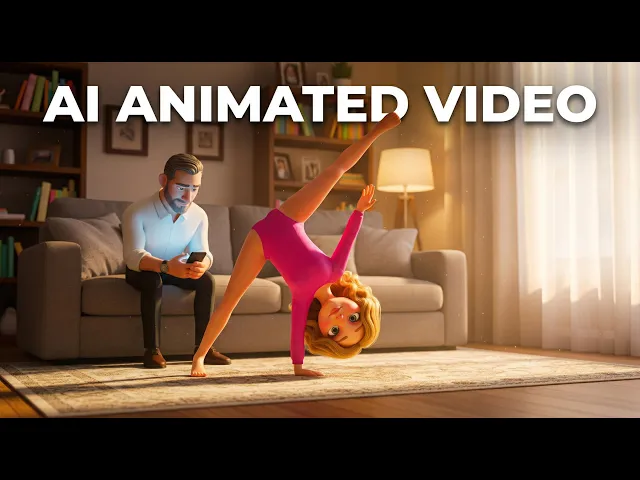
Picture the video you are trying to make. A sleepy fox pads through a moonlit forest while a warm narrator voice reads a five minute story about being brave on the first day of school. Parents queue it up at 8 pm, kids watch until their eyes close, and the channel that made it never shows a single human face. Channels built on exactly this format quietly pull in millions of views because bedtime is one of the few moments when parents actively hand a screen to a child and want the content to be slow, gentle, and predictable. The catch has always been production. Traditional animation takes weeks per episode. This guide shows you how to run the whole thing with AI, from script to finished video, without a camera or an editing timeline.
Why Bedtime Story Content Works for Faceless Creators (The Beginner Guide Context)
Bedtime content has three properties that make it unusually good for a new faceless channel. First, watch time is structurally high. A bedtime story is designed to be played start to finish, often on repeat, which is exactly the signal YouTube rewards. Second, the audience is loyal. Parents who find a narrator voice and visual style their child likes will return every night, because changing the routine is harder than pressing play on the same channel. Third, the format tolerates a slower pace than daytime kids content. You do not need frantic cuts or loud hooks. Soft movement, warm palettes, and a calm voice are the product.
The problem for a solo creator is consistency at volume. A bedtime channel needs a steady release schedule, characters that look the same in episode twelve as they did in episode one, and narration that sounds professional every time. That combination used to require a scriptwriter, a voice artist, an animator, and an editor. The workflow below replaces all four roles.
The Atlabs Workflow for This (Step by Step)
The core of this channel runs on two Atlabs Featured Workflows. Script to Video takes your written bedtime story and converts it into a narrated, scene by scene video, with a screenplay mode that breaks your story into locations, shots, and dialogue automatically. Animated Video creates animated videos from a text prompt and is the right home for kids content and character driven animation, with model routing that favors Seedance 2.0 for stylized character work. Alongside them, the Caption Video AI App adds styled captions for parents watching on mute in a dark room, and Lip Sync synchronises a character's mouth to any narration or song audio when you want an on screen storyteller character doing the talking.
You can open all of these from the Workflows section of the platform.
Step by Step: Build Your First Bedtime Episode
Step 1. Write the story in Script to Video. Open Script to Video from the Workflows menu and choose between the two input modes. "Add your script" gives you free form text entry with a language selector, an AI Script Writer button, and a Suggested Scripts panel with three AI generated starting points if you are staring at a blank page. For bedtime stories, "Add your screenplay" is the stronger option. If Atlabs detects screenplay formatting it prompts "Screenplay Detected" and opens a dedicated section where the left panel shows the AI analysed Narrator Voice, Locations, and Actors, and the right panel breaks your story into scenes with Location Type, Location, Time of Day, and individual SHOT descriptions and DIALOGUE blocks. Set every scene's Time of Day to night or evening and keep shots slow and simple. You can add or remove shots and dialogue per scene, which matters when you want to stretch a quiet moment.
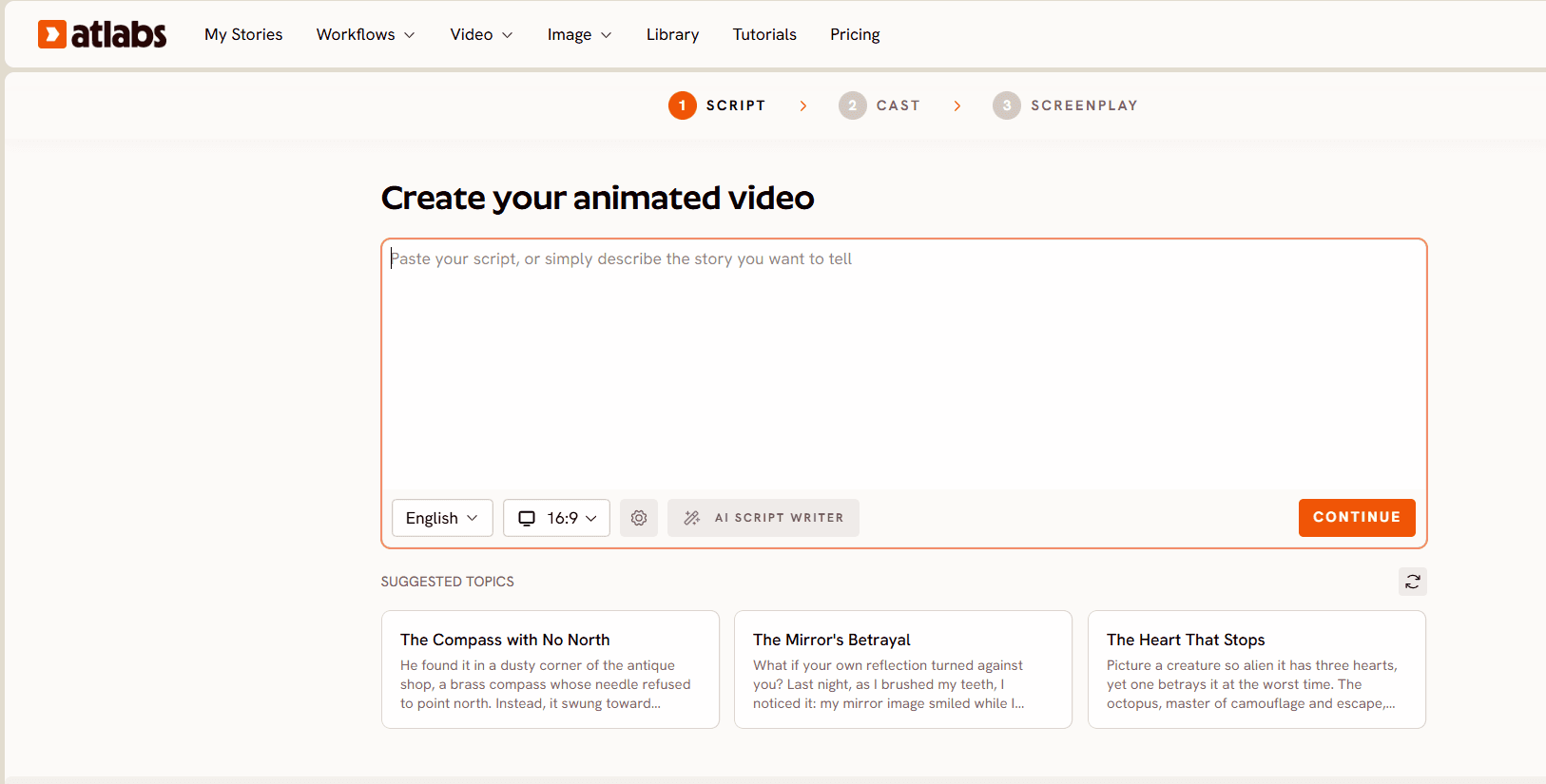
Step 2. Set Style. Pick 16:9 as your Aspect Ratio, since bedtime viewing happens on TVs and tablets far more than on phones. For Video Style, choose AI Video, the recommended option, which generates unique video stories rather than static images with effects.
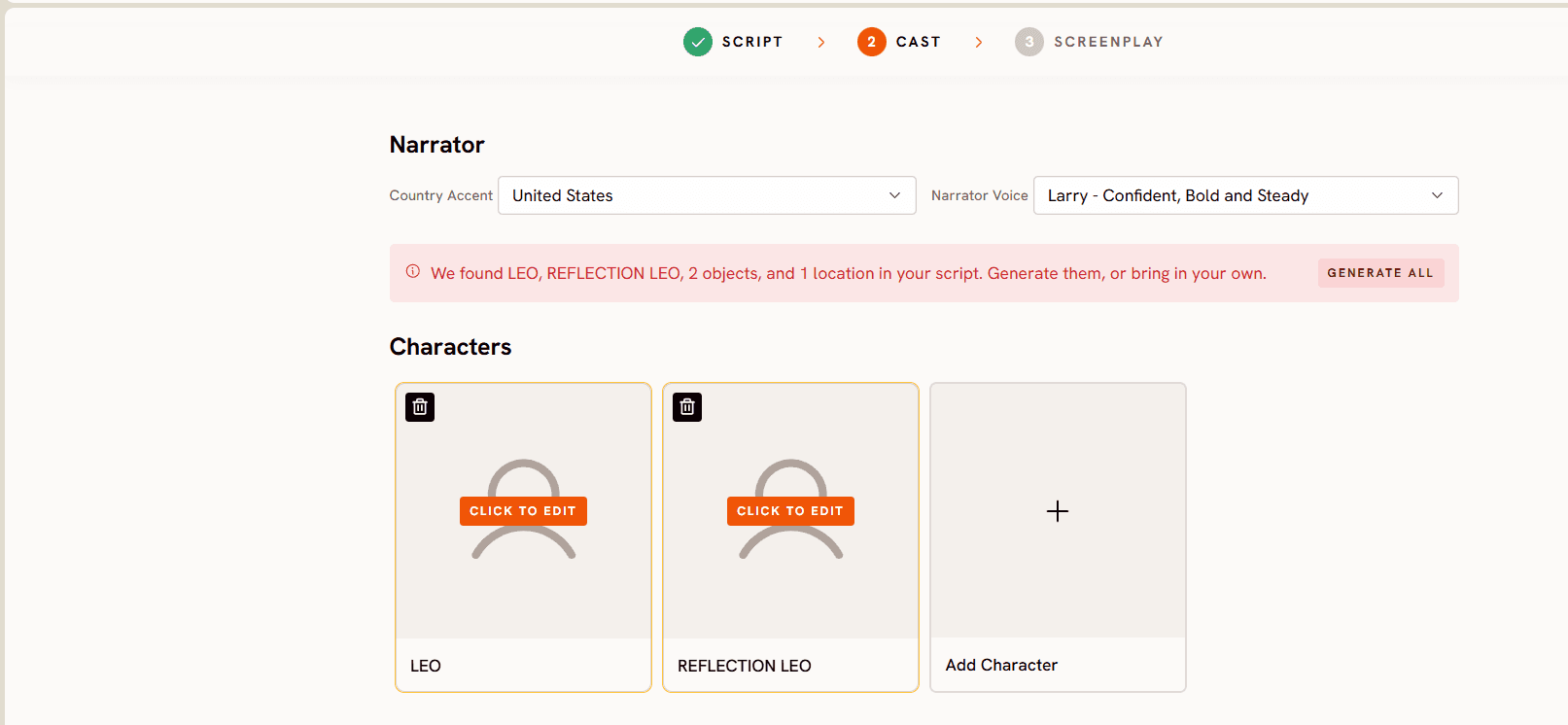
Step 3. Finalize Cast. This step decides whether your channel feels like a series or a pile of one offs. Choose a Country Accent and Narrator Voice, then keep that exact voice for every episode, because the narrator is the identity of a faceless bedtime channel. Characters extracted from your script are listed with Click to Edit, and you can use Add Character to bring in your recurring cast. Atlabs also supports uploading your own cast, so the sleepy fox from episode one keeps the same face in episode forty. If your stories feature a storyteller character, only that lead character lip syncs while other characters in frame stay quiet, which reads exactly like a bedtime storyteller addressing the room.
Step 4. Generate companion shorts in Animated Video. Once your main episode exists, use the Animated Video workflow to produce short standalone pieces from a text prompt, lullaby visuals, a character saying goodnight, a thirty second calm down clip. These feed YouTube Shorts and keep the channel active between full episodes. Seedance 2.0 handles the stylized character closeups that make these clips feel hand drawn rather than computer generated.
Step 5. Add lip synced narration where it counts. For episodes where your storyteller character appears on screen, take your rendered character image or clip into Lip Sync. Upload the image or video, add your narration audio file of 2 to 120 seconds, select a model, and generate. The character's mouth matches the reading, which turns a static bedtime host into a performer.
Step 6. Caption for silent viewing. Run finished videos through the Caption Video app with a soft, readable caption style. Plenty of parents play bedtime videos at very low volume or on mute while reading along themselves, and captions also make your content usable for hearing impaired families, which widens your audience for free.
Why Atlabs Works Well for Bedtime Channels (Without Animation Skills)
The first differentiator is the screenplay engine inside Script to Video. Bedtime stories are structured narratives with recurring locations and characters, and the scene by scene breakdown with SHOT and DIALOGUE blocks maps onto that structure directly instead of forcing you to prompt one clip at a time and stitch results together.
The second is cast persistence. Uploading your own cast of four to five characters and building episodes around them solves the single biggest failure mode of AI kids channels, which is characters that mutate between videos. A child notices instantly when the bunny looks different, and a parent stops trusting the channel when that happens.
The third is multi model routing. Atlabs is a multi model platform, so the same workflow can route to whichever model matches the aesthetic. Seedance 2.0 for stylized dialogue driven character scenes, Hailuo 2.3 when you want fluid high motion sequences like drifting clouds or swimming fish, all inside one interface with no separate API accounts.
The fourth is that nothing needs a post production pass. Atlabs cuts on beats and adds motion graphics during generation, so the video that renders is the video you upload. For a nightly or thrice weekly release schedule, removing the editing stage is the difference between sustainable and abandoned.
Example Prompts for Free Use in Your First Episodes
Each prompt below is written to produce a usable bedtime clip on the first try. Use them in the Animated Video workflow, or adapt them into screenplay scenes for Script to Video.
A small orange fox with oversized sleepy eyes walks slowly through a moonlit pine forest, fireflies drifting around him, soft blue and lavender night palette, gentle side scrolling camera that follows at walking pace, warm dim lighting from the moon, storybook watercolor feel, calm and dreamy mood. (Best routed through Seedance 2.0)
Try this prompt in the Atlabs Animated Video workflow
A cozy treehouse bedroom at night, a young bear cub in striped pajamas yawning and climbing into a leaf blanket bed, a lantern glowing amber on the windowsill, slow push in camera toward the window showing stars outside, soft rounded 3D cartoon shapes, quiet and tender mood.
An old turtle storyteller wearing tiny round glasses sits on a mossy rock under a willow tree, speaking gently to a circle of sleepy woodland animals, moonbeams filtering through the branches, static camera with a very slow zoom, muted greens and deep blues, warm hand drawn character detail on the turtle's face. (Best routed through Seedance 2.0)
A paper boat carrying a sleeping mouse drifts down a calm silver river at night, lily pads glowing faintly, stars reflected in the water, slow overhead camera drifting with the boat, dreamlike floating motion, soft pastel night colors, peaceful lullaby mood. (Best routed through Hailuo 2.3)
A lighthouse on a quiet cliff sweeps its warm beam across a starry sky while seagulls tuck into their nests, gentle waves rolling below in slow rhythm, wide establishing shot with minimal camera movement, deep navy and gold palette, hushed and reassuring mood.
A sleepy cloud shaped like a sheep floats over a sleeping village, softly raining tiny glowing stars onto rooftops, slow lateral camera drift, plush rounded textures, lavender and cream palette, whimsical drowsy mood, perfect loop friendly motion. (Best routed through Hailuo 2.3)
Open the Atlabs Animated Video workflow and generate your first clip
Watch the Full Atlabs Tutorial (Step by Step Video)
If you prefer to watch the workflow before running it, this walkthrough covers the full pipeline on screen, from script input through cast setup to the final rendered episode.
Pro Tips from Creators Running Kids Channels
Lock your audio identity before your visual one. Kids fall asleep to sound, not pictures, so choose one Narrator Voice and Country Accent in the Finalize Cast step and never change it. Test two or three voices on your first script and pick the slowest, warmest read.
Write for eight minutes, not two. Bedtime viewers want stories long enough to fall asleep to, and longer watch sessions compound your channel's watch time. In screenplay mode, stretch quiet scenes by adding extra SHOT descriptions of the environment rather than adding plot.
Batch a week of Shorts in one sitting. Six of the prompts above can become a week of companion content in a single Animated Video session, which keeps the algorithm fed while your full episodes carry the subscriber growth.
FAQ
Do I need any animation or editing experience to start? No. The Script to Video workflow handles scene breakdown, narration, and visuals from your written story, and Atlabs cuts on beats and adds motion graphics during generation, so there is no editing timeline to learn.
How do I keep characters consistent across episodes? Use the Finalize Cast step and upload your own cast. Atlabs supports building videos around a recurring set of four to five uploaded characters, so your lead characters keep the same appearance in every episode.
Is a faceless kids channel eligible for YouTube monetization? Original, narrated story content with unique visuals is treated very differently from mass produced repetitive uploads. Because every script, scene, and character set you generate here is your own, you are building original content, though YouTube's policies for kids content should always be checked directly before monetizing.
What aspect ratio should bedtime videos use? Use 16:9 for main episodes since bedtime viewing happens mostly on TVs and tablets, and generate vertical companion clips separately for Shorts.
Final Verdict: The Fastest Beginner Path to a Bedtime Story Channel
A faceless kids bedtime story channel is one of the rare YouTube niches where calm, repeatable content wins, and where the entire production stack can now run through one platform. Write the story in Script to Video, keep your cast and narrator identical across episodes, feed the algorithm with Animated Video shorts, and let captions widen your reach. The creators who win this niche in 2026 will be the ones who ship consistently, and consistency is exactly what this workflow removes the friction from.









