Introduction: Why Text Blocks Are Obsolete
In the evolving world of AI image generation, the traditional "wall of text" prompt is losing its edge. For Nano Banana Pro users, the secret to unlocking consistent, high-fidelity results lies in JSON Prompting.
Unlike standard prompts, where adjectives often bleed into one another (causing "concept bleeding"), a JSON structure forces the AI to categorise information. This guide explains how to utilise the Nano Banana Pro JSON structure to isolate variables like lighting, composition, and subject details for unparalleled control.
What is JSON Prompting in Nano Banana Pro?
JSON (JavaScript Object Notation) prompting is a method of formatting your input so the AI model understands distinct categories. Instead of writing "a girl in a room with flash photography," you separate these concepts into specific Key-Value pairs.
Key Benefits:
Separation of Concerns: Prevents the color of the background from accidentally bleeding onto the subject's clothes.
Weighted Focus: The model pays specific attention to details defined in specific keys (e.g., Camera vs Subject).
Reproducibility: It allows you to swap out a single element (like the Background) without breaking the consistency of the Subject.
The Anatomy of a Perfect JSON Prompt
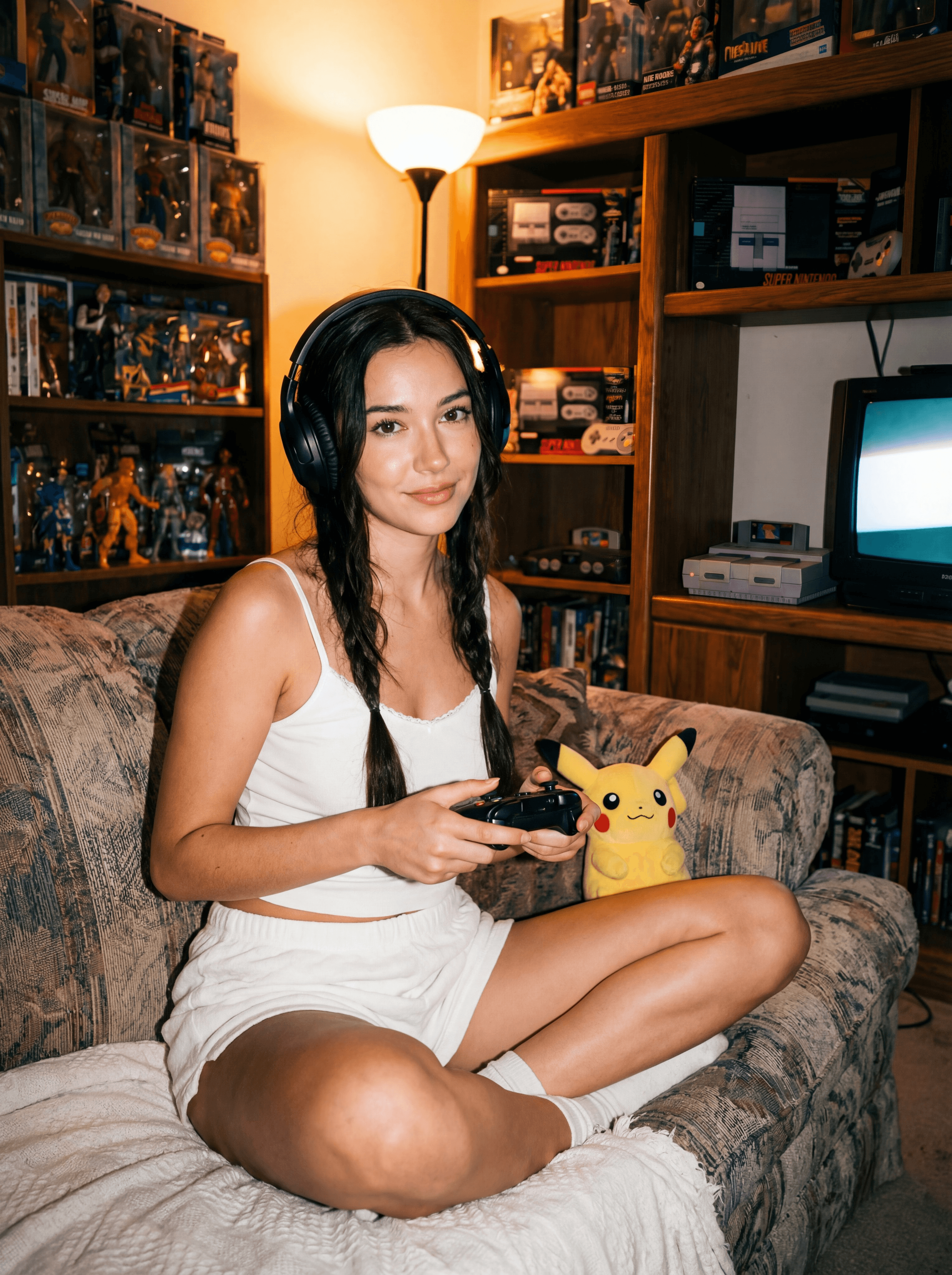
To get the desired outcome, you must understand what each "Key" does. Below is a breakdown of the standard Nano Banana Pro structure based on the "Direct Flash Gamer Girl" template.
1. Core Identifiers
label: A short internal name for your prompt. (e.g., "direct-flash-gamer-girl").
tags: High-level keywords. These act as anchors for the overall aesthetic.
Usage: Use this for broad concepts like "film-aesthetic" or "retro."
2. The Subject Block
This is where you define the main character.
Subject: A list describing physical traits (age, skin, hair, expression).
Tip: Break this into specific lines rather than one long sentence.
MadeOutOf: Specifically defines materials and textures.
Why it matters: This stops plastic-looking skin or fabric. specifying "cotton camisole" vs "spandex" changes the light reflection.
Arrangement: The pose and physical placement.
Usage: "Subject sits centered... cross-legged."
3. The Environment
Background: The general setting (e.g., "dimly lit retro gamer room").
RoomObjects: Specific items that populate the scene.
Tip: Listing "vintage CRT monitor" here ensures it appears in the background, not in the subject's hands.
Accessories: Small details that bridge the subject and the background (e.g., "plush Pikachu," "headphones").
4. Technical Control (The "Pro" Section)
This is where Nano Banana Pro shines.
Lighting: Describes the light source, direction, and quality (e.g., "hard direct flash," "tungsten lamp").
ColorRestriction: Crucial for cohesion. This limits the color palette to prevent rainbow vomit.
Example: "Overall palette grounded in warm tungsten tones."
Camera: A nested object defining the "virtual gear."
lens: Focal length (e.g., "35mm" for environmental portraits).
aperture: Depth of field (e.g., "f/2.0" for blurry backgrounds).
iso / grain: Controls texture.
Example: Deconstructing the "Gamer Girl" Prompt
Here is how a structured JSON prompt looks. Copy this structure to achieve the "Direct Flash" aesthetic.
How to Edit for Your Desired Outcome
To change the result, do not rewrite the whole prompt. Only modify the specific Key responsible for that element.
Scenario A: Change the Location
If you want the same girl but in a Cyberpunk City:
Keep Subject, Camera, and Lighting exactly the same.
Change Background to: "Neon-lit rain-slicked street, futuristic stalls."
Change ColorRestriction to: "Cyberpunk palette, cyan and magenta neons, deep blacks."
Scenario B: Change the Vibe to "Soft Cinematic"
Keep Subject and Background.
Change Lighting to: "Soft diffused window light, golden hour, no flash."
Change Camera > flash to: "Off".
Change Camera > aperture to: "f/1.4" (for more bokeh).
FAQ: Nano Banana Pro Prompting
Q: Do I need to be a coder to use JSON prompts?
A: No. You are strictly using the format to organize text. You do not need to know programming logic; just respect the brackets { } and quotes " ".
Q: Why does the JSON format improve image quality?
A: It reduces "token confusion." By explicitly telling the AI that "red" belongs to RoomObjects and not Subject, you get a cleaner image with better color separation.
Q: Can I use this structure for non-photorealistic styles?
A: Yes. Simply change the OutputStyle key to "Oil Painting," "3D Render," or "Anime," and adjust the Subject description to match that art style.
Conclusion
Mastering the Nano Banana Pro JSON structure is the quickest way to move from random generations to professional, curated AI art. By treating your prompt as a structured dataset, you gain full control over the composition, lighting, and mood of your final image.








