You just spent 40 minutes generating reference frames in Midjourney. Now you need to animate them. Now you need a character to look the same in shot 3 as she did in shot 1. Now you need a product frame that goes directly into your ad. By the time you have wrestled three separate tools into something usable, the creative momentum is gone. This comparison exists because that workflow is broken, and creators deserve a better answer.
Every serious AI video creator eventually hits the same wall: great images, terrible handoff. The tool that generates your stills does not talk to the tool that animates them. The character you locked in Midjourney shifts face in frame 7. The product ad you built in InVideo looks like every other template on the internet.
This guide tests four tools on the only question that matters for video production: which one actually gets your stills into a finished, publishable video without losing quality, consistency, or your mind in the process.
Quick Comparison: AI Image Generators for Video Production Stills
Tool | Image Quality | Character Consistency | Video Workflow | Best For | Price |
Atlabs AI (Nano Banana) | Photorealistic + editable | Excellent (Ingredients to Video) | Full end-to-end platform | Video creators, brands, marketers | Free + paid plans |
Midjourney | Highly stylized, artistic | Weak without workarounds | No video, Discord only | Illustration, concept art | $10/mo+ |
InVideo AI | Template-driven, basic | Limited | Template video automation | Social media marketers | $20/mo+ |
Why AI Image Quality Matters So Much for Video Production
The still frame is the atomic unit of AI video. Everything you produce downstream, whether that is a Kling 3.0 animation, a product ad, or a short film, begins with a reference image. If that reference is inconsistent, flat, or mismatched to your scene, the video inherits every flaw and amplifies it.
The three things that kill AI video productions at the still stage:
Character drift: your lead looks different between shots because your image tool has no memory of the previous frame
Style mismatch: you generate in one tool, animate in another, and the aesthetic never quite reconciles
Dead-end workflow: the image file is the endpoint of the tool, and you have to rebuild your project from scratch in a different platform to go further
The best AI image generator for video production is not necessarily the one with the highest image quality in isolation. It is the one whose outputs survive the full journey from concept to published video.
1. Atlabs AI and Nano Banana: Best Overall for Video Production Stills
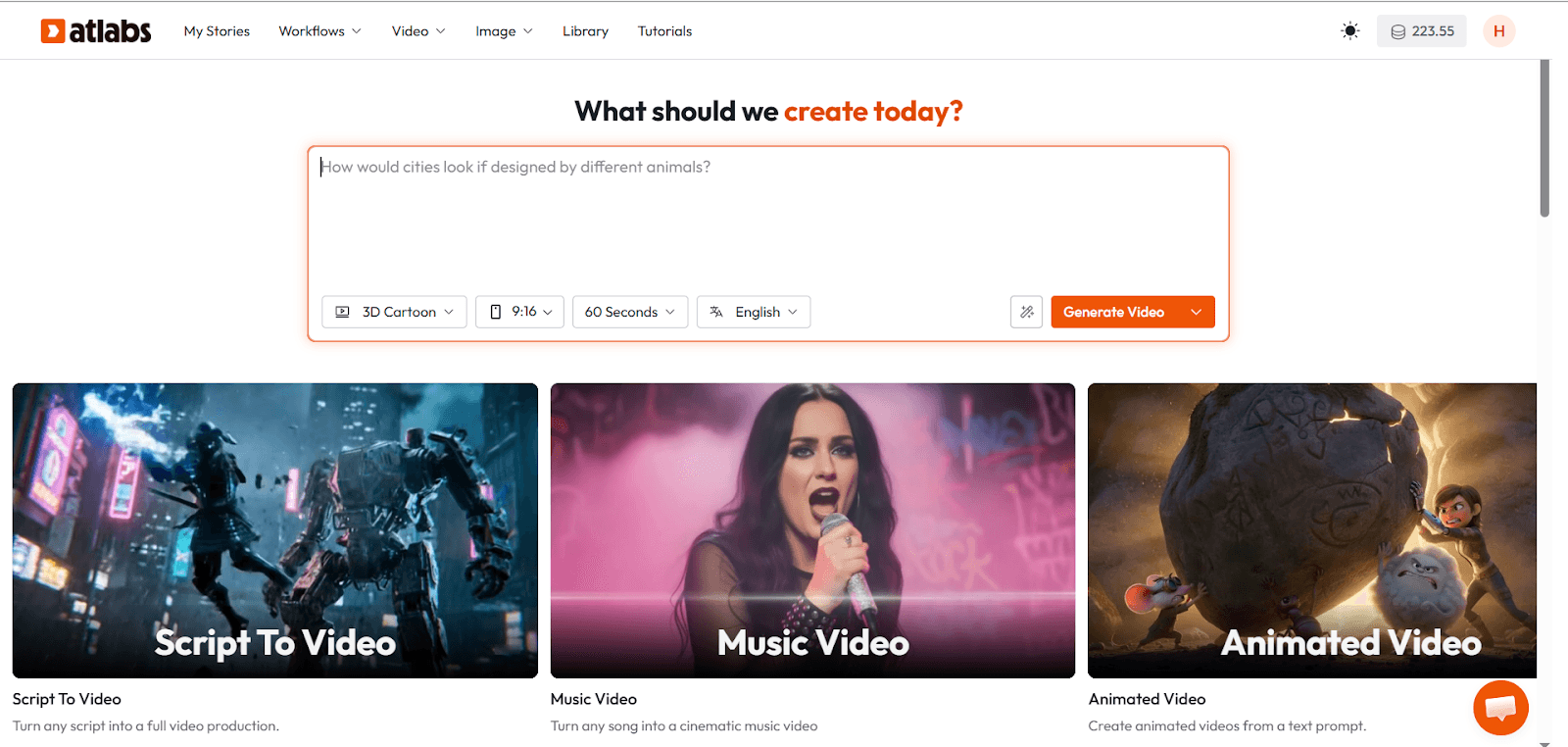
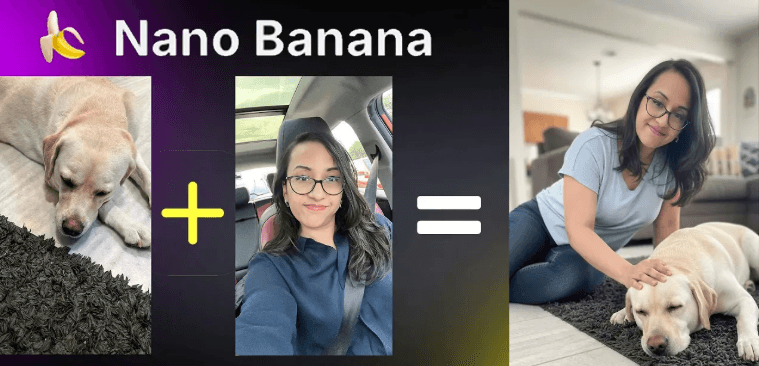
Nano Banana is Google's Gemini 2.5 Flash Image model, and it is available inside Atlabs alongside every other top-tier AI model on the market. But what makes this combination the strongest choice for video production is not image quality alone. It is what happens after the image is generated.
Ingredients to Video: The Feature That Changes Everything
This is the use case that separates Atlabs from every other tool in this comparison. Ingredients to Video lets you upload reference images for your character, your environment, and your visual style, and the platform locks those elements across every scene it generates.
In practice: generate your lead character in Nano Banana, upload that image as a scene ingredient, and every subsequent shot maintains her face, her outfit, and her physical proportions. This is character consistency at the level that professional video production requires, and it is built directly into the workflow rather than being hacked together through prompt engineering.
For educational video creators: imagine building a teacher avatar that looks identical in every lesson, every explainer, and every course thumbnail without a single reshooting session. Ingredients to Video makes that possible in minutes.
Photorealistic Output with Real Editing Control
Nano Banana generates images that read as photographic rather than illustrated by default, which is the right starting point for most commercial video work. But the more important point is that every image generated in Atlabs is editable within the same workspace.
You are not exporting a flat file and starting over in a video editor. You are adjusting the visual, refining the prompt, swapping a model, and moving directly to animation, all without leaving the platform. That is a fundamentally different creative experience than what Midjourney or InVideo offer.
All Top AI Models in One Place
Atlabs gives you access to Nano Banana alongside Kling 3.0, Veo 3.1, Runway, and other leading models from a single interface. This matters for video production because different scenes demand different tools. A photorealistic product closeup might call for Nano Banana. A cinematic wide shot with complex camera movement might call for Kling. You should not have to leave your project to switch between them.
No other tool in this comparison offers this. Midjourney locks you into its own model. InVideo locks you into its template system. Atlabs gives you the full landscape.
Copy-Paste Prompts That Work Right Now
Try these Nano Banana prompts inside Atlabs for video production stills:
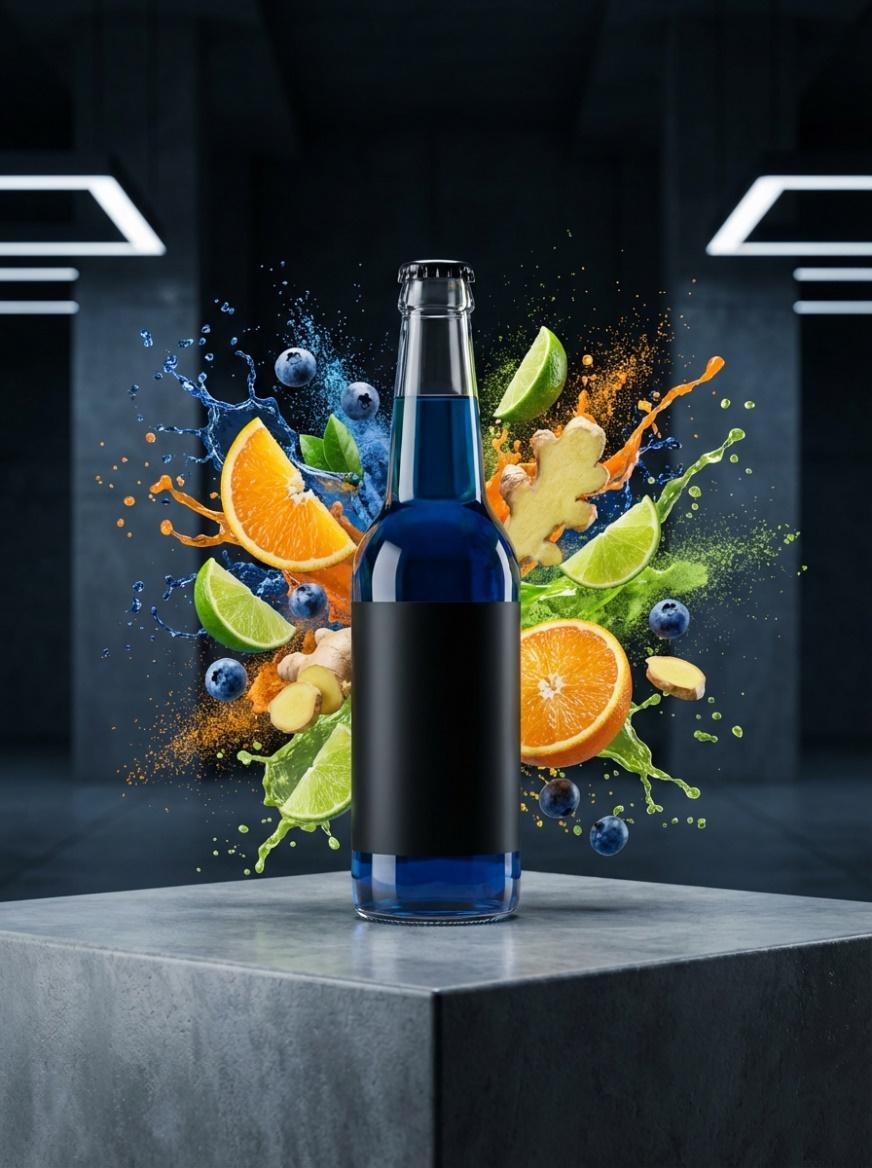
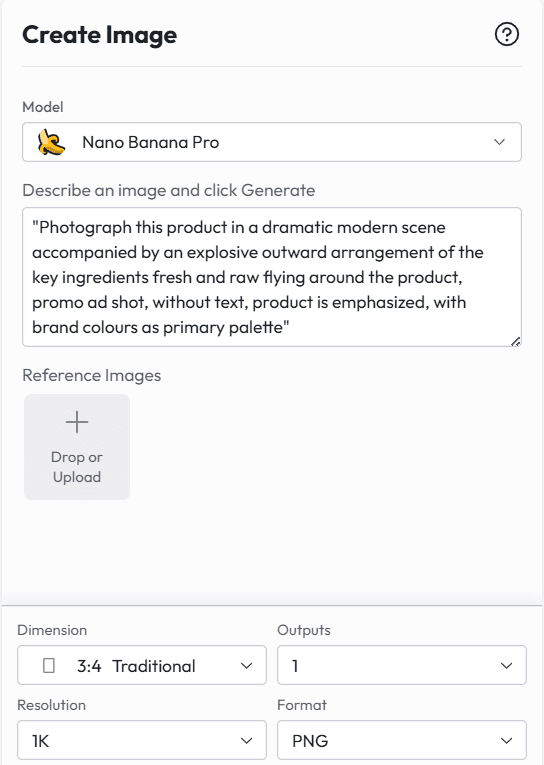
Product hero shot: "Photograph this product in a dramatic modern scene accompanied by an explosive outward arrangement of the key ingredients fresh and raw flying around the product, promo ad shot, without text, product is emphasized, with brand colors as primary palette"
Character reference frame: "Full-body portrait, neutral pose, soft studio lighting, 85mm lens, shallow depth of field, face sharp, identity preserved. Use as reference for subsequent animation scenes."
Scene establishing shot: "Wide establishing shot of [environment], golden hour lighting, cinematic 2.39:1 ratio, no people, set design visible, photorealistic, 4K texture"
Explainer visual for educational video: "A clear, friendly isometric classroom illustration with annotated labels, thick pencil hand-drawn style, colorful but not saturated, English text, white background, suitable for academic presentation"
Try Nano Banana and all top AI models free on Atlabs. Start creating at atlabs.ai
2. Midjourney: Best for Stylized Concept Art, Not for Video Pipelines
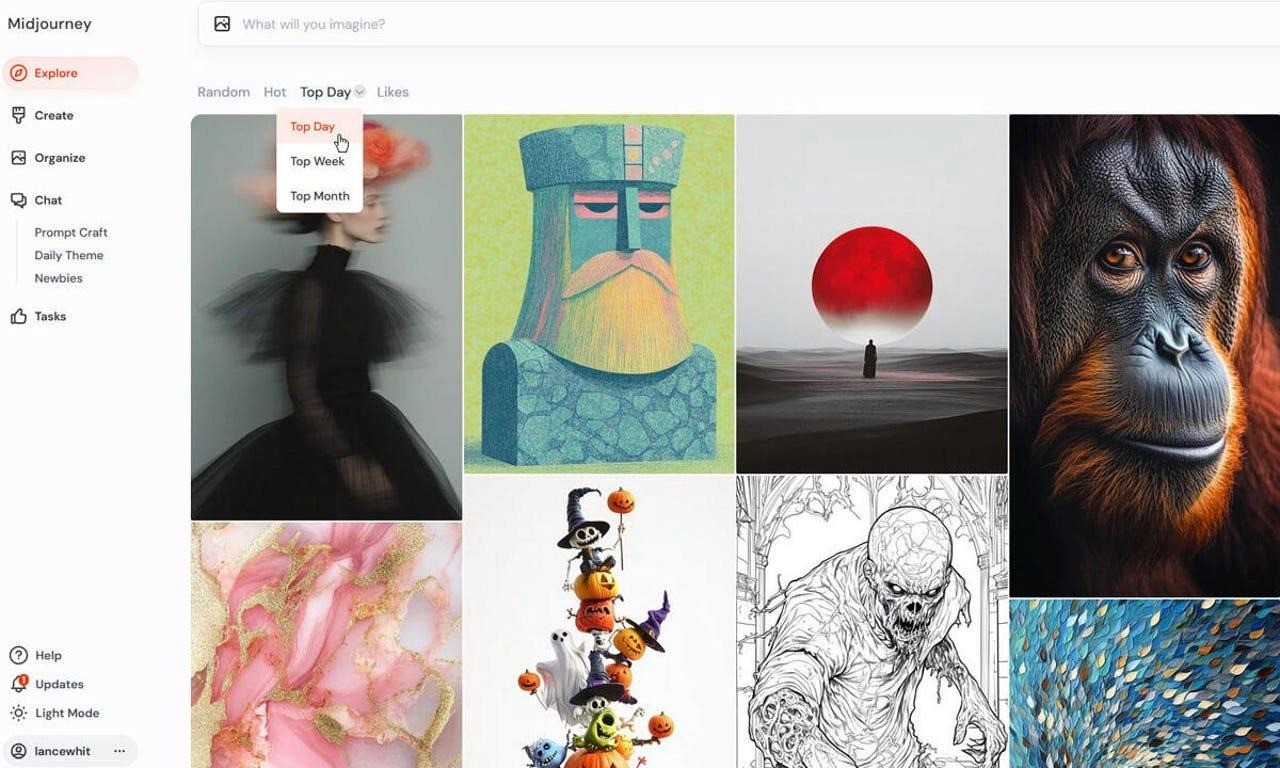
Midjourney remains the gold standard for artistic, illustration-quality image generation. If your video has a strongly stylized visual language, say an anime series, a graphic novel adaptation, or an abstract brand world, Midjourney's aesthetic control is still unmatched. But for video production work, it has three problems that add up quickly:
The Character Consistency Problem
Midjourney has no native memory. Every generation is independent. If you generate your lead character in prompt A and then try to reproduce her in prompt B with different lighting, she will look like a cousin, not the same person. Workarounds exist, such as using image references via the --cref flag, but they require prompt discipline, repeated regeneration, and still produce inconsistent results across complex scenes.
For a single hero shot or a mood board, this is manageable. For a 10-scene short film or a 20-lesson educational series, it becomes a production crisis.
No Video Workflow
Midjourney generates images. It does not animate them, does not connect to a video pipeline natively, and still primarily operates through a Discord interface that breaks creative momentum for production teams. Every frame you generate has to be exported and imported into a separate tool before your video work can begin.
The handoff loss is real. Color values shift between export and import. Aspect ratios need manual adjustment. The workflow adds friction that slows down the fastest part of AI video creation.
When Midjourney Makes Sense
Midjourney earns its place when the aesthetic outcome matters more than the production workflow. Music video concepts, brand identity visual systems, illustrated children's content, and fantasy world-building are all use cases where Midjourney's image quality justifies its workflow limitations.
If you are building video production work at any kind of volume or commercial pace, Midjourney should be a mood-boarding tool that feeds into a proper production platform, not the center of your stack.
Bottom line: Midjourney is a brilliant image tool with no video pipeline. For production stills that need to become actual video, it is a starting point, not a solution.
3. InVideo AI: Best for Template-Driven Social Content, Not for Cinematic Production
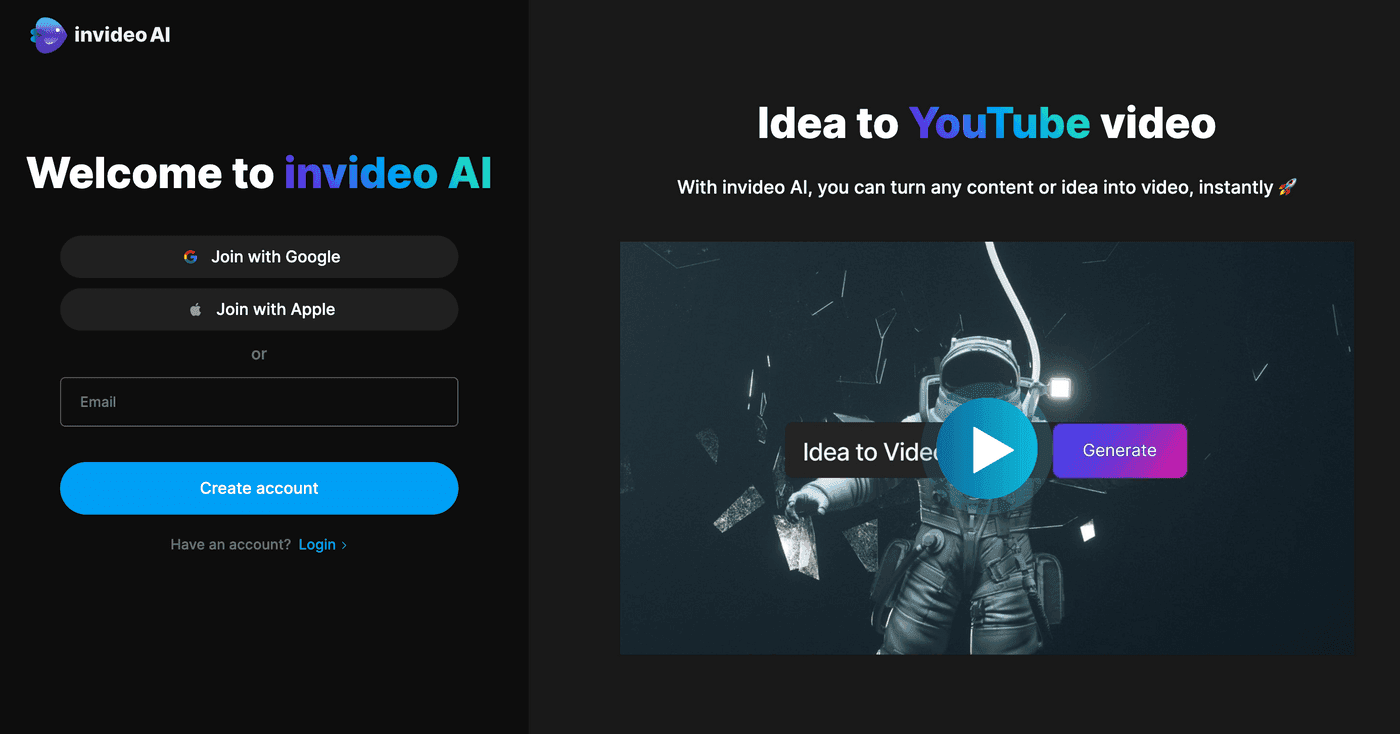
InVideo AI has built a strong reputation among social media marketers and content teams who need to produce video content quickly from existing text or templates. The platform is genuinely fast, and for teams who need to turn blog posts into short-form social videos at scale, it does that job well.
But InVideo AI is a template platform, not an image generation platform. Understanding this distinction is important before comparing it to tools like Atlabs or Midjourney.
How InVideo Handles Images
InVideo does not generate original AI images from prompts in the way that Nano Banana or Midjourney do. It selects stock footage or stock images based on your script and assembles them into a video using its template library. The visual quality of the output is therefore bounded by the quality of the stock library, not by a generative model.
For a brand that needs consistent, recognizable visual identity, stock imagery creates an inherent inconsistency problem. The person in frame 2 will not match the person in frame 5 because they are different stock models. The environment in your product shot will match whatever the library returns for that search term.
Where InVideo Genuinely Helps
InVideo's strength is speed on text-heavy content. If you are producing news summaries, explainer videos from blog posts, or social media compilations where the footage is secondary to the narration, InVideo's automation pipeline is legitimately useful.
The AI voiceover is solid. The caption tools are reliable. The export speed is fast. For content operations teams running at volume on informational content, this is a real productivity tool.
Why It Loses for Video Production Stills
InVideo does not give you original AI-generated stills. It does not give you character consistency. It does not give you a generative image model you can prompt and iterate. For any creator who needs to produce original visual content rather than assembled stock content, InVideo is not the right tool for the image generation stage.
Bottom line: InVideo is a content automation tool. If you need to generate original, promtable, consistent AI production stills for a cinematic or commercial video workflow, InVideo is not in this race.
Head to Head: Tested Across Five Real Video Production Scenarios
Scenario 1: Product Ad for a DTC Brand
The task: generate a hero still of a skincare product with ingredients flying around it, ready to drop directly into a 15-second ad.
Atlabs AI (Nano Banana): Generated a photorealistic product shot with dynamic ingredient explosion in one prompt. Editable in the same workspace. Video pipeline accessible without leaving the platform. Result: ad-ready in under 10 minutes.
Midjourney: Strong aesthetic but required multiple regenerations to get the product label readable. Image exported to a separate tool for video work. Style shifted slightly in export. Result: usable after 25 minutes of iteration.
InVideo AI: No original image generation. Stock imagery pulled for product category did not match the specific product. Template output looked generic. Result: not suitable for this use case.
Scenario 2: Consistent AI Character Across a 5-Scene Short Film
The task: maintain a single female lead across five scenes with different lighting, environments, and camera angles.
Atlabs AI (Nano Banana): Ingredients to Video locked the character reference across all five scenes. Face, outfit, and proportions remained consistent. Camera and environment changed as scripted. Result: production-ready with no character drift.
Midjourney: Used --cref flag with character reference image. Scenes 1, 2, and 4 were consistent. Scenes 3 and 5 showed visible drift in facial structure when the lighting changed dramatically. Required multiple regenerations for each. Result: workable but fragile.
InVideo AI: Not applicable. No generative character control.
Scenario 3: Educational Video with AI Teacher Avatar
The task: create a teacher avatar that appears identically across 12 lesson thumbnails and intro frames, with different backgrounds per lesson.
Atlabs AI (Nano Banana): Generated base avatar, used as ingredient reference for all 12 scenes. Background changed per lesson. Avatar remained locked. Also generated avatar UGC video directly from the image. Result: complete lesson thumbnail set plus animated presenter clips, all from one platform.
Midjourney: Avatar generation was high quality but drifted noticeably across 12 regenerations with different backgrounds. No direct path to animation. Result: strong individual frames, broken series consistency.
InVideo AI: AI presenter feature available but uses a generic avatar, not a custom-generated character. Suitable for generic explainer content but not for original branded avatar creation.
Scenario 4: Social Media Visual Series for a Fashion Brand
The task: generate 8 styled product and lifestyle stills for Instagram, maintaining a consistent model and color palette across all frames.
Atlabs AI (Nano Banana): Multi-reference image generation locked model appearance and color palette. OOTD-style prompts produced consistent lifestyle imagery across all 8 frames. Direct export to required aspect ratios. Result: campaign-ready in under 20 minutes.
Midjourney: Excellent aesthetic for fashion content but model consistency required significant prompt engineering. Color palette held reasonably well with style reference. Result: high-quality individual frames, inconsistent series.
InVideo AI: Template-based fashion content available but visually generic. No original image generation capability. Result: not suitable for original campaign production.
Scenario 5: Cinematic Short Film Storyboard
The task: generate a 12-frame storyboard for a film noir short film, maintaining two consistent characters and a consistent visual style across all frames.
Atlabs AI (Nano Banana): Movie storyboard prompt generated a complete 12-part black and white film noir sequence from character references. Both characters remained visually consistent throughout. Frames exportable as a storyboard document or directly into the video timeline. Result: full storyboard plus an animated preview, both generated inside Atlabs.
Midjourney: Stunning individual frames with strong cinematic atmosphere. Character consistency held for about 8 of the 12 frames before drifting. No storyboard export format. Result: beautiful mood reference, not a production storyboard.
InVideo AI: No storyboard capability. No cinematic image generation. Not applicable for this use case.
Which Tool Wins by Use Case
Use Case | Best Tool | Why |
Character consistency across scenes | Atlabs AI (Nano Banana) | Ingredients to Video locks face, outfit, and style across every shot |
Product ad stills | Atlabs AI (Nano Banana) | Photorealistic editable outputs plus direct video pipeline |
Stylized concept art | Midjourney | Unmatched aesthetic control for illustration-style work |
Fast social video from templates | InVideo AI | Template-driven speed, no prompt skill needed |
Full cinematic short film | Atlabs AI | Multi-model access, editable scenes, voiceover, and export all in one workspace |
The Verdict: Why Atlabs Wins for Video Production Stills
Midjourney is a great image tool. It is not a video production tool. Its character consistency is fragile, its workflow ends at the image file, and getting from a Midjourney still to a finished publishable video requires rebuilding your project from scratch in a different platform.
InVideo AI is a content automation tool. It does not generate original AI images from prompts, and it does not give you the creative control that video production work requires. It belongs in a different category from this comparison entirely.
Atlabs AI with Nano Banana wins this comparison because it is the only tool that treats the still frame as the beginning of a video project, not the end of an image project.
Character consistency through Ingredients to Video. Photorealistic generation with full prompt control. All top AI models accessible without leaving the platform. Every scene editable. Product ads, short films, educational content, and social series all supported inside the same workspace.
For anyone building real video production work at any kind of pace, that is the only setup that makes sense in 2026.
Generate your first video production still for free. Try Nano Banana and the full Atlabs creative suite at atlabs.ai









