
The Prompt That Produces a Postcard Instead of a Scene
You write: a traveler crosses a desert ridge at sunset, cinematic, beautiful lighting. What comes back is technically correct and completely inert. He is on the ridge. The light is warm. Nothing happens for twelve seconds, and whatever sound arrives was chosen by the model rather than by you.
The prompt was not wrong. It was a caption for a photograph handed to a system that generates time. MiniMax H3, also written Hailuo 3 or simply H3, produces clips of up to 15 seconds with native stereo audio, and every one of those seconds is something you either direct or surrender. H3 is now available on Atlabs, which means the fix is available in the same place as the model.
Why Timed Direction Matters More Than Description
The habit most creators bring to H3 was formed on image models, where a prompt is a list of qualities and the output is one frozen moment. Adding adjectives to an image prompt genuinely improves it. Adding adjectives to a video prompt mostly produces a more beautiful version of nothing happening.
Video needs three things description cannot supply. It needs change over time, which means naming what is different at second twelve from second two. It needs camera behavior, because a frame that does not move reads as a locked security camera unless you say otherwise, and a frame that moves without instruction moves however the model felt like. And it needs sound, because H3 generates native stereo audio in the same pass whether or not you asked for any, so an unspecified soundtrack is not silence, it is a soundtrack somebody else picked.
Reference handling follows the same logic. H3 accepts multiple images, commonly up to around nine, plus limited video and audio references depending on the interface. The number matters far less than the assignment. A reference with no stated job still influences the output, it just influences whatever the model decides it should, which is where most identity drift complaints actually begin. Say that image one locks face and wardrobe, image two sets lighting only, and the drift stops being mysterious.
The Atlabs Workflow for This
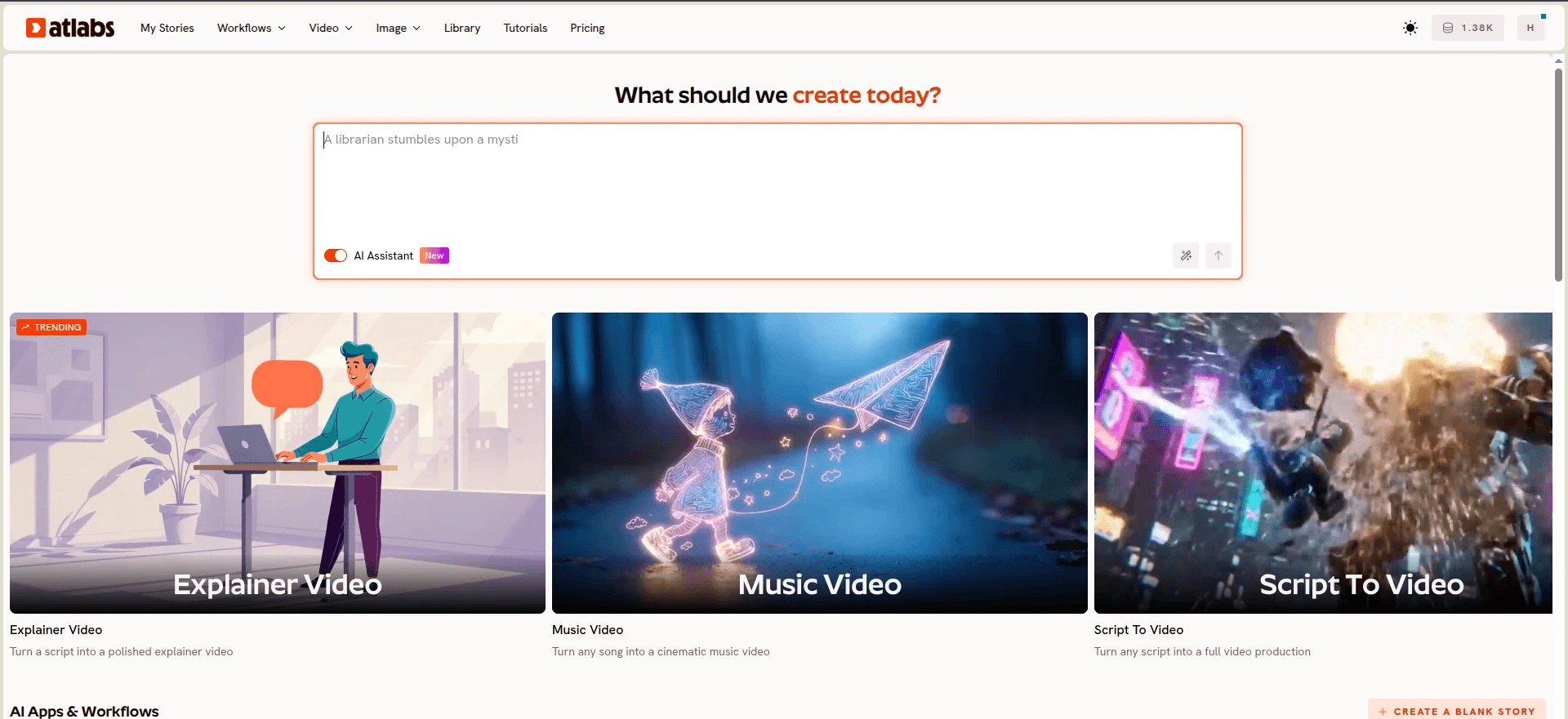
The workflow that matches H3 prompting most closely is Script to Video, because it converts the discipline into fields you fill in rather than a paragraph you have to remember to structure correctly.
Script to Video runs in three steps. Step 1 gives you two input modes, "Add your script" for narration led pieces and "Add your screenplay" for structured work. Paste anything with screenplay formatting and Atlabs surfaces Screenplay Detected, opening a dedicated view where the left panel shows the AI analysed Narrator Voice, Locations, and Actors, and the right panel breaks the piece into scenes with Location Type, Location, and Time of Day. Inside each scene sit individual SHOT descriptions and DIALOGUE blocks carrying a character name, the spoken line, and a delivery tone.
That shot list is the interface version of timed beats. The cast panel is the interface version of a reference role lock. You are writing the same brief, with the structure enforced rather than remembered.
Step by Step Walkthrough
1. Write the beats before you open anything. Decide what changes at each stage. For a 15 second clip that is usually three blocks: 0s to 5s, 5s to 10s, 10s to 15s. One action per block, one camera move per block. If a block holds two unrelated events, split it or cut one. H3 clips are short, and one strong beat consistently outperforms three rushed ones.
2. Choose your input mode in Step 1. Use "Add your script" when the piece is narration led and you want the language selector and AI Script Writer button to carry the load. Use "Add your screenplay" when you already know your shots. The Suggested Scripts panel offers three generated starting points if editing beats a blank field for you.
3. Build the scene breakdown. Set Location Type as Exterior or Interior, then Location and Time of Day. Add SHOT descriptions in running order, one per beat, writing each as movement rather than composition. "Slow lateral tracking at waist height, holding profile" gives the model something to execute. "Beautiful cinematic shot" gives it nothing. Add DIALOGUE blocks where characters speak, filling the character name, the line, and the delivery tone.
4. Set your style in Step 2. Aspect Ratio offers 9:16 for TikTok and Instagram, 16:9 for YouTube, and 1:1 for LinkedIn, Twitter, Facebook, and Pinterest. Video Style offers AI Video (Recommended), AI Storyboard, and Upload for your own media. Choose the ratio before you finalise framing, because a slow arc that reads well at 16:9 crops into something else entirely at 9:16.
5. Finalize the cast in Step 3. Characters pulled from your script appear with Click to Edit, alongside an Add Character option and dropdowns for Country Accent and Narrator Voice. Defining a character here does the same work as putting your identity image first in a reference stack. The model gets one fixed answer to who this person is instead of improvising a new one each shot.
6. Generate, then repair instead of restarting. When one stretch fails, take the clip into Modify Video, upload it, reference it as @Video1 in the prompt, describe the final video you want, and attach up to four reference images for style guidance. Keep Original Audio has an on and off toggle, so fixing the picture does not cost you sound you were happy with.
Why Atlabs Works Well for This
The first reason is model routing. Prompt discipline carries between models, aesthetic does not, and the model that handles a stylized character closeup well is rarely the one that handles a wide coastal exterior well. Atlabs runs MiniMax H3 alongside Kling 3.0 and Kling 2.6 for cinematic motion and smooth movement, Google Veo 3.1 for photorealism and establishing shots, Seedance 2.0 for stylized content, anime, and character closeups, Hailuo 2.3 for high motion and anime adjacent visuals, and Wan 2.6 for open source cinematic output. You write the scene once and choose the engine, rather than rebuilding the same brief in six separate accounts.
The second is that motion and identity stay separable. Motion Control accepts a reference video between 3 and 30 seconds, applies its motion to a character image you upload, and keeps motion entirely under the reference clip's control rather than the prompt's, with an optional prompt field for background and scene detail. That is the same instruction as telling H3 that video one controls motion only, except the tool enforces it rather than trusting the phrasing.
The third is that the structure survives contact with a deadline. A shot list built from SHOT and DIALOGUE blocks cannot quietly collapse into one run on paragraph at eleven at night, which is the failure mode that produces most disappointing long prompts. For music led work the same logic sits in Music Video, where the Creative Direction step generates six scene concepts from your track's detected tempo, mood, and genre, each with a title, description, and mood tags, so the beats arrive already matched to the track.
Example Prompts
1. The cinematic single take. A lone traveler in a weathered coat crosses a windswept desert ridge at sunset, leaning into the wind, coat and scarf streaming behind him, fine sand curling around his boots with each step. Camera holds a slow lateral tracking shot at waist height, maintaining profile, one continuous take. Warm backlight, long shadows, restrained teal and orange grade, subtle film grain. Ends as he stops and looks toward a distant city. Audio is wind roar, fabric flap, soft sand crunch, distant low drone, no dialogue. No subtitles, no watermarks, no additional figures. Try this prompt in Atlabs Script to Video
2. The hero product film. A translucent orange perfume bottle stands on wet black stone at blue hour, condensation travelling down the glass. The camera makes a slow, small clockwise arc while a narrow beam of warm light moves across the label, then settles into a clean front facing hero composition. Soft city night ambience, subtle condensation drip, a restrained low string note swelling slightly on the final settle. Exact bottle design and label preserved, no text overlays, no extra props. Try this prompt in Atlabs UGC Product Ads
3. The timed two hander. A cozy artisan bakery in morning light. 0s to 5s: wide establishing shot, flour dust suspended in window light, trays cooling on racks. 5s to 10s: medium two shot, an apprentice shaping dough while the mentor watches, hands entering frame to correct her grip. 10s to 15s: close on the finished loaf as it is turned toward camera. Warm practical lighting, shallow depth of field. Audio is oven hum, dough slap, quiet room tone, one line of dialogue delivered softly. No identity drift, no subtitles, no extra staff in frame. Try this prompt in Atlabs Script to Video
4. The beat matched performance. A singer in a red satin jacket performs on a rain slick rooftop at blue hour, neon signage smearing behind her, city haze catching the light. Camera orbits slowly through the verse then cuts harder on the chorus with each cut landing on the beat. Shallow depth of field, cool highlights against warm skin tones, cinematic grade. Audio is the track plus light rooftop wind, no added ambience competing with the vocal. (Best routed through Kling 3.0) Try this prompt in Atlabs Music Video
5. The kinetic chase. Exactly two racers on two motorcycles along a wet coastal road at dusk, liveries in matte black and signal yellow, no other vehicles in frame. Continuous forward velocity throughout: rear tracking, then side parallel, then a low angle finish as the leading bike drifts through the final bend. Water spray, sparks off the footpeg, real weight in the lean. Audio is engine load, tyre hiss on wet tarmac, wind buffet, no music. No slow motion interruptions, no subtitles, no additional riders. (Best routed through Hailuo 2.3) Try this prompt in Atlabs Script to Video
6. The motion transfer. A dancer in a loose linen shirt performs in an empty concrete gallery, tall windows casting hard rectangles of afternoon light across the floor, dust visible in the beams. Motion comes entirely from the reference clip, background and lighting from the prompt. Wide static frame, no camera movement, natural room reverb, no music. Preserve the character's face, hair, and clothing exactly. Try this prompt in Atlabs Motion Control
Pro Tips
Give every reference one job and say what it is not for. Image one locks face and wardrobe. Image two sets lighting and mood only. Video one controls motion and timing only. The exclusion is doing as much work as the instruction, because an unqualified lighting reference will happily lend its wardrobe to your character as well.
Write the sound in the same pass you write the picture. Name the ambience, name any action effects, tag the language of spoken lines, and describe non diegetic music by instrumentation and how it moves across the clip. If you want nothing underneath the scene, say production sound only rather than leaving the field empty, because empty is not a request the model can honor.
Spend your negatives where drift actually happens. No identity drift, no on screen text, no camera shake, no extra limbs, no watermarks. Listing preservation rules exhaustively at the end of a prompt costs you thirty seconds and saves a regeneration, and it works better than adding another sentence of description at the top.
FAQ
Is MiniMax H3 available on Atlabs? Yes. It runs inside the same workflows as the rest of the lineup, so you can build a scene in Script to Video or Music Video and route the generation to H3 without setting up a separate account.
How long can a MiniMax H3 clip be? Typically 4 to 15 seconds with native stereo audio included in the generation. Plan your beats against that ceiling rather than trying to compress a minute of story into it.
How many references can I use? Multiple images, commonly up to around nine, plus limited video and audio references depending on the interface. Assign a role to each one in the prompt, since unassigned references still influence the result in ways you did not choose.
What is the best starting point for a beginner? Text to video with one clear action, one explicit camera move, and a basic sound description. Get that reliable first, then add timed beats, then add references. Adding all three at once makes it impossible to tell which change helped.
Can I fix part of a clip without regenerating it? Yes. Modify Video takes an existing clip between 3 and 10 seconds, referenced as @Video1 in your prompt, along with a description of the final video and up to four reference images for style. Keep Original Audio can stay on so a picture fix does not cost you the sound.
Final Verdict
H3 rewards a production brief over a description. Decide what changes and when, name the camera move rather than the mood, direct the audio instead of accepting whatever arrives, and tell every reference exactly what it controls. Those four habits carry to whatever model ships next, which makes them worth building now.
What does not carry as easily is everything surrounding the prompt: the shot list, the cast, the aspect ratio, the model choice, and the repair pass when one stretch comes back wrong. Script to Video gives you the structure, Music Video gives you the track led version of it, UGC Product Ads handles the hero object work, and Motion Control keeps motion under the reference's control instead of the prompt's.








