
Four Changes, One Direction
Most AI video output has a tell, and it is not resolution. It is that everything happens to one person, in one place, in one kind of shot. A music video becomes a singer against a backdrop for ninety seconds. A lesson becomes narration over pictures. A scene with two people in it becomes two separate generations you cut together and hope nobody looks too closely at.
The four changes that landed recently all push against that same wall. Music Performance now composes mixed scene types by default, including instruments and stage performance rather than repeated singing shots. It also takes your own input at the start and casts both singing and non singing characters from images you supply. Kids Performance can build a lesson around a teaching character with lip sync. And lip sync now handles multiple characters in the same video.
Read individually they look like four separate improvements. Read together they describe one shift: the parts of a video that used to require you to assemble them now happen inside the generation.
See what's new on Atlabs
Music Performance: Scenes That Are More Than One Singer

The change here is in composition and framing. Music Performance now produces a wider range of scene types within a single video, including instrument scenes and stage performance, rather than variations on one person singing to camera.
To understand why that matters, think about how a real music video is cut. Almost none of the runtime is a static shot of a vocalist. You get the vocalist, then hands moving on a fretboard, then a drummer half lit at the back of a room, then a wide of the stage with the crowd silhouetted, then back to the vocalist from a different angle at a different distance. The rhythm of those cuts is a large part of what makes the video feel like a music video rather than a recording of someone singing. A model that only produces the first shot type leaves you with footage that is technically fine and structurally flat, and the fix used to be generating each additional shot type separately and cutting them yourself.
Producing those shot types inside one flow means that cutting rhythm becomes available without a separate edit pass. The video arrives already varied, which is a different starting point from a video that arrives uniform and needs varying.
The detail worth noting is that this applies in default mode. Improvements that only surface once you configure advanced settings are improvements most people never encounter, because most people generate once with the defaults and judge the tool on what comes back. Better output on an unconfigured first run is the version of this improvement that actually reaches users.
Practically, this widens who the flow serves. An independent artist releasing a single gets something closer to a performance video rather than a lyric visual. A cover artist gets instrument coverage without owning a camera. Anyone producing regional language music content, where the budget for a shoot rarely exists but the audience expectation for a proper video does, gets the shot variety that expectation is built on.
Cast Your Own Music Video
The second change is a redesign of how Music Performance starts. You can add your input at the beginning of the flow, and the casting accepts both singer and non singer images.
That second part carries more weight than it first appears. Until now the people in a generated music video were people the model invented, which caps what the output can be used for. A video featuring a stranger is a mood piece. A video featuring the artist is a release asset. Adding your own singer means the person performing on screen is the person performing on the track, and that single change moves the output from something you show friends to something you put on a release.
The non singer slot opens a category that was previously closed entirely. Plenty of songs are not about the act of singing, they are about a person, and that person needs to be on screen without ever delivering a line. Romantic material is the clearest case. A love song is a two hander. The artist performs and a second lead carries the emotional half of the story, appearing in the scenes the lyrics are describing rather than mouthing them. Casting a partner, a friend, or an actor as a non singer character gives you that second lead directly.
The same structure covers a lot more than romance once you look for it. A narrative treatment where the artist performs and other characters act out the story. A tribute where the subject appears throughout without singing. A family or community piece where real people are present as themselves. A brand collaboration where a spokesperson appears alongside the performing artist. All of these are the same shape: one voice, several faces.
Combined with lip sync on your chosen song, the flow becomes a casting tool rather than a generator whose output you accept. That is a meaningful change in posture. You are deciding who is in the video before generation rather than evaluating who turned up in it afterwards.
Choosing good source images helps here in the same way it helps any identity driven generation. Front facing, evenly lit, unobstructed faces give the model the least to guess about. Heavy shadow across half a face, sunglasses, motion blur, and extreme angles all reduce how consistently that person holds across scenes, which is worth a minute of image selection before you spend a generation finding out.
Cast your own music video
Kids Performance: A Teacher Who Actually Speaks
Kids Performance can now build educational content around a teaching character whose mouth moves on their own lines and only their own lines.
Children's educational video has one requirement that general video generation tends to miss. Young viewers follow faces. Attention holds when a character looks at them and speaks, and it drops when a voice narrates over illustrations that do not respond to it. This is close to how attention works at that age, and it is why almost every successful children's format on any platform is built around a presenter, a puppet, or a character who addresses the audience directly.
The part that used to break was what happened when a second character shared the frame. Every mouth in the scene moved on every line, so a teacher and a student both mouthed the teacher's sentence, and the video stopped reading as a lesson and started reading as an error. Now the speech is attributed. The teacher delivers the line, the student stays still and listens, and the viewer can tell who is talking, which is the entire basis of a two character lesson.
That attribution is what makes the formats work rather than the lip sync alone. Concept explanation works because a character can say "watch what happens when I do this" and then do it. Phonics and letter sounds work because the mouth shape is part of the teaching rather than incidental to it. Counting and number sequences work because pacing comes from a person speaking rather than a caption timer. Step by step science works because a presenter can carry a viewer through a sequence in a way narration over stills cannot. Question and answer formats work now in a way they simply could not before, because the student can ask and the teacher can answer without both of them appearing to say the same thing.
For a kids channel operator, this changes the production question from how to make narrated slideshows faster to how to make lessons with a cast. For a teacher or an edtech team, it means classroom material can feature a consistent presenter, and a second character to ask the questions a class would ask, without filming anyone.
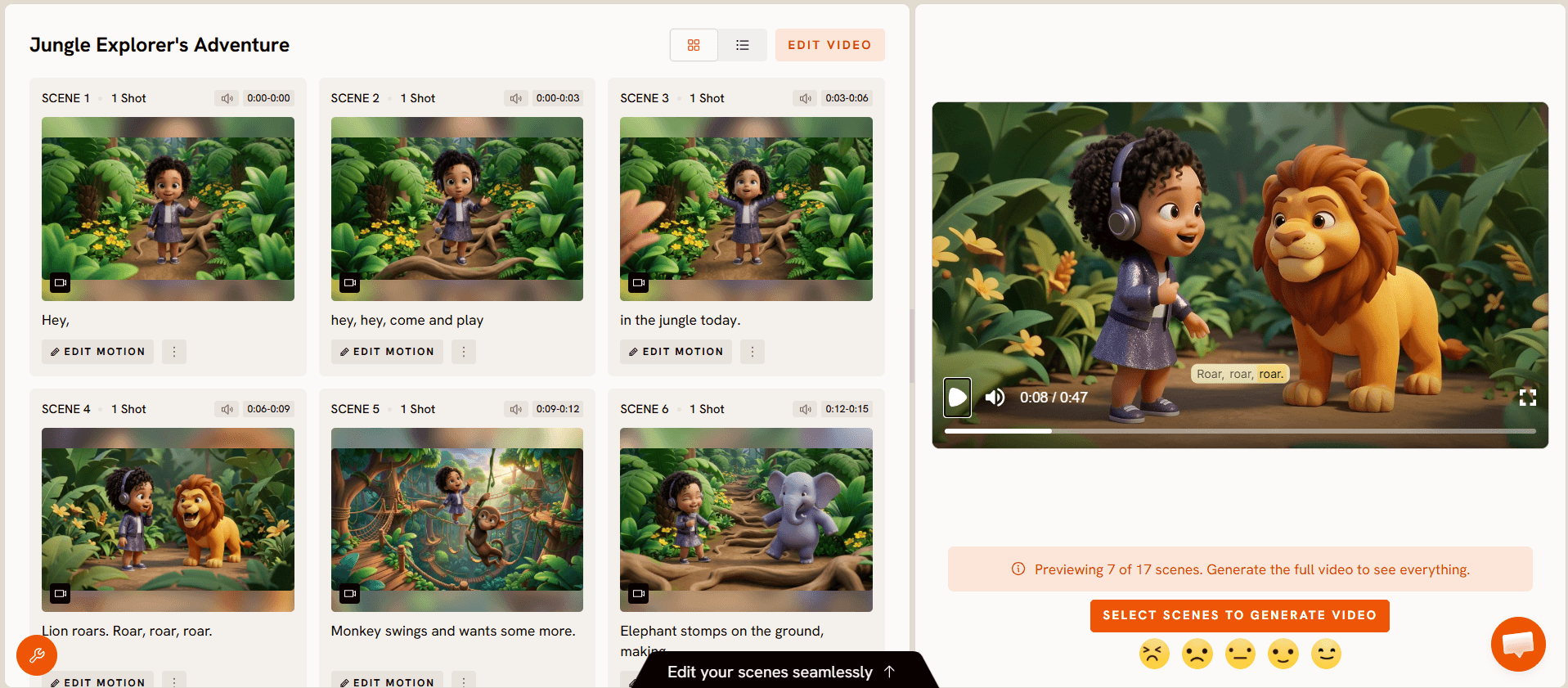
Scripting for this audience rewards restraint. One idea per beat, short sentences, and deliberate repetition of the key phrase. A lip synced character reading dense adult sentences produces a video that technically works and teaches nothing, because the delivery outruns the listener.
Multi-Character Lip Sync
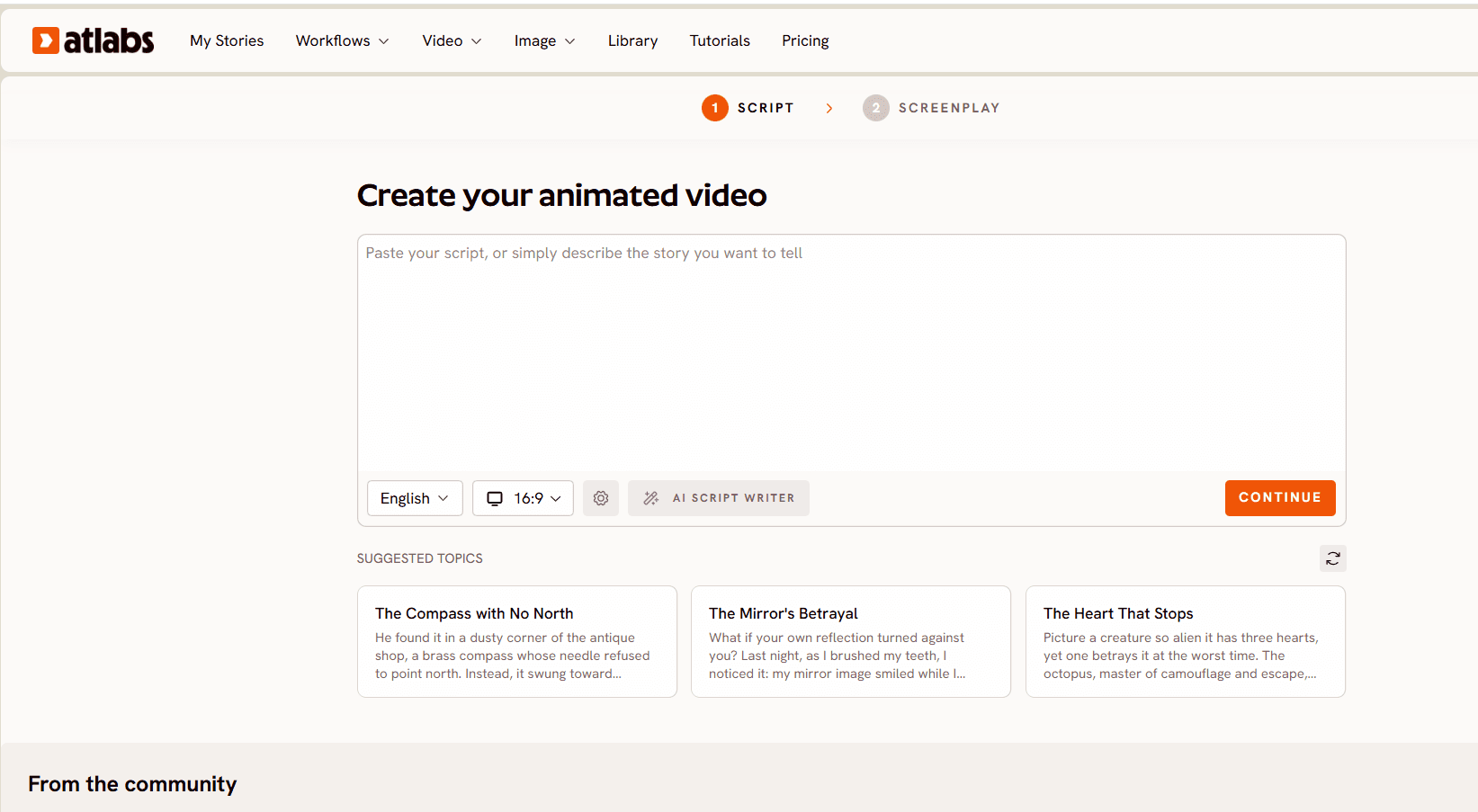
Lip sync now works across multiple characters rather than one.
Single character lip sync covers the talking head, and the talking head covers a surprisingly narrow band of what people want to make. Everything conversational sits outside it. Two characters trading lines. A teacher and a student. An interview. A customer and a support agent in a product explainer. A parent and a child in a story. A call and response section in a chorus. In every one of those, the reply matters as much as the line.
Producing them with single character lip sync meant generating each speaker on their own and cutting between them. That is slow, and more importantly it looks like what it is. The two halves never quite share a room, the eyelines do not agree, the lighting drifts, and the timing of the exchange has to be manufactured in the edit rather than performed. Anyone who has tried to fake a two person conversation this way knows the result reads as two monologues sitting next to each other.
Handling more than one speaker inside the same generation makes dialogue a native output. The exchange happens in one space, with one lighting setup, and with timing that belongs to the scene rather than to your timeline.
This is also the capability sitting underneath most of the other three. A cast music video with a non singing second lead stops being convincing the moment that character needs to say something. A lesson with a teaching character gets substantially better when a second character can ask the question the lesson answers. Multi-character lip sync is what makes those formats hold together.
How to Get the Most Out of These Changes
1. Decide your cast before you write anything. Who sings, who appears, and who speaks are three different questions now, and answering them upfront changes what you write. A song with a second lead needs scenes that lead can be in.
2. Gather source images properly. Front facing, evenly lit, one clear face per image. Spend the extra minute here rather than diagnosing identity drift later.
3. Generate in default mode first. The scene composition improvements apply there, so your first run is a fair test of the flow rather than a configuration exercise. Change things after you have seen a baseline.
4. Write dialogue as exchange, not as two speeches. Now that more than one character can speak, short alternating lines outperform long blocks. Let the second character interrupt, ask, or react.
5. For kids content, script to the beat, not to the page. One idea per beat, repeat the key phrase, and leave room for the character to be looked at rather than only listened to.
Example Prompts
1. Full band performance. An indie four piece performing in a converted warehouse at dusk, string lights overhead, dust in the air. Cut between the vocalist at the mic, hands moving on a bass fretboard, the drummer half lit at the back, and a wide of the room with the small crowd silhouetted. Warm practical lighting, shallow depth of field, handheld feel on the wide shots. Try this in Atlabs Music Performance
2. Romantic two lead treatment. A rooftop at blue hour, city haze catching the last light. The artist performs against the skyline while a second character, who never sings, moves through the scenes the lyrics describe, sitting on the ledge, walking the stairwell, watching from the doorway. Soft cool grade, warm skin tones, slow camera moves throughout. Try this in Atlabs Music Performance
3. Solo instrument focus. A single performer at an upright piano in an empty rehearsal room, morning light through high windows. Alternate between a wide of the room, a close on the hands, a profile at eye level, and a slow push toward the face on the final phrase. Muted palette, natural light only. Try this in Atlabs Music Performance
4. Teaching character explainer. A friendly animated teacher in a bright classroom explains why ice floats, addressing the camera directly. She holds up a glass of water, drops an ice cube in, and points as it rises. Short sentences, one idea at a time, the key phrase repeated at the end. Warm colours, simple background, nothing competing with her face. Try this in Atlabs Kids Performance
5. Two character lesson. A teaching character and a curious student in a garden setting. The student asks why leaves change colour, the teacher answers in three short steps, and the student repeats the answer back. Both characters speak on camera with matched lighting and eyelines. Bright, soft, storybook palette. Try this in Atlabs Kids Performance
Run these in Atlabs
FAQ
Can I use my own face in a music video now? Yes. Music Performance accepts your own images at the start of the flow, for both singing and non singing characters.
What is a non singer cast member for? Any character who appears without performing the vocal. A romantic lead, a story character, a tribute subject, or anyone whose presence matters to the concept rather than the performance.
Does the improved scene composition need special settings? No. The wider range of composition, framing, and scene types applies in default mode, so a first unconfigured generation reflects it.
What kinds of shots does Music Performance produce now? Beyond singing to camera, it composes mixed scene types including instrument scenes and stage performance within the same video.
What is multi-character lip sync useful for? Any video where more than one person speaks. Conversations, teacher and student exchanges, interviews, and call and response sequences all become possible in a single generation.
What can I make with a lip synced teaching character? Concept explanations, phonics and letter sounds, counting sequences, step by step science, language learning, and story based lessons. Anything that works better delivered by a presenter than by narration.
Do these changes work together? Yes, and that is where most of the value sits. Casting plus multi-character lip sync is what makes a two lead music video or a two character lesson hold together as one scene.
What This Adds Up To
The common thread across all four changes is that work which used to happen after generation now happens during it. Shot variety was an edit problem. A second character was a second generation. Dialogue was two clips cut together. Casting was not really available at all.
For music creators that means a video that looks cut rather than generated, featuring the actual artist and the actual people the song is about. For education creators it means a lesson with a presenter rather than a narrated slideshow. For both it means fewer separate generations to reconcile, and fewer places where the seams show.








