
The best AI tool for making nursery rhyme videos in 2026 is Atlabs. While template-based tools require manual assembly of every scene, Atlabs offers a Music Video workflow that takes a nursery rhyme audio file, generates six animated scene concepts matched to the track's mood and tempo, and produces a finished animated video in under fifteen minutes. We tested five platforms on music sync capability, animation quality for young audiences, style variety, and total time from upload to publishable output.
Top 5 Tools Ranked:
Atlabs – Best for music-synced animated nursery rhyme videos
InVideo AI – Best for lyrics-first creators with built-in voiceover
Animaker – Best for custom 2D character animation
Pika – Best for short animated clip generation
Canva – Best for template-based kids channel videos
Why This List Matters in 2026
Kids content on YouTube is one of the fastest-growing upload categories, and nursery rhyme channels need a steady output of fresh animated videos to retain subscribers and grow. In 2026, AI has split animation tools into two camps: generative platforms, where the AI creates animated scenes directly from your audio or idea, and manual platforms, where you assemble templates frame by frame. This list covers the leaders in both categories, ranked on what matters most for a nursery rhyme channel: how well the tool handles music, how appropriate the animation style is for young viewers, and how fast a creator can go from idea to publishable video.
Start Creating Nursery Rhyme Videos on Atlabs – Free Trial
Comparison Table
Feature | Atlabs | InVideo AI | Animaker | Pika | Canva |
|---|---|---|---|---|---|
Best For | Music-synced animated rhyme videos | Lyrics-first, voiceover-driven rhymes | Custom 2D character control | Short animated clip generation | Template-based kids videos |
Creation Method | Generative AI (audio-driven) | AI + Templates (text-driven) | Manual drag-and-drop | Generative AI (prompt-driven) | Template drag-and-drop |
Music Sync | Yes, native waveform sync | No, text timing only | No | No, clips need manual assembly | No, audio overlay only |
Kids Animation Styles | 3D Cartoon, Cozy Plush, Soft Pastel 2D, Kawai Anime | Illustrated templates | 2D cartoon characters | 3D animated, anime, illustrated | Graphic design + element library |
Character Consistency | High (Cast feature, multi-angle ref) | Low (stock characters) | High (character builder) | Low (per-clip only) | Low (stock elements) |
Time to Finished Video | 5 to 15 minutes | 10 to 20 minutes | 30 to 60+ minutes | Clips only, editing needed | 15 to 30 minutes |
Learning Curve | Very Low | Low | Medium | Low | Very Low |
Pricing Tier | Free trial available | Free tier available | Paid only (~$19/month) | Free tier available | Free tier available |
1. Atlabs – The Future of Nursery Rhyme Animation
Best For: Kids content creators, nursery rhyme YouTube channels, and parents who want high-quality animated videos without learning complex software or hiring an animator.
Key Features
Music Video Workflow (Audio-Driven)
Upload your nursery rhyme as an mp3 (up to 200MB) or paste a Suno music URL and click EXTRACT MUSIC. Atlabs reads the track's tempo and mood automatically. Every scene generated downstream is anchored to those properties, so the animated output stays matched to the rhythm and feeling of the rhyme rather than generic templates.
Visual Style Library for Kids Content
Step 3 of the Music Video workflow offers a full Visual Style library. For nursery rhyme channels, 3D Cartoon delivers the warm, expressive character style young audiences recognise instantly. Cozy Plush produces a softer toy-box aesthetic suited to lullabies. Soft Pastel 2D works for illustrated storybook rhymes. Kawai Anime suits channels with bright, big-eyed character styles. One selection applies that style consistently across every generated scene.
Character Consistency Across Every Scene
Step 5, Cast, is where Atlabs separates itself from every other tool on this list. Define each character once and Atlabs generates a multi-angle reference sheet used in every scene. A bunny character in scene one looks identical in scene five. For a nursery rhyme channel with recurring characters, this is the feature that matters most for brand consistency.
Director Controls
The six concept cards in Step 4 are all editable. Click the pencil icon on any card to adjust the scene direction, or click DESCRIBE YOUR CONCEPT to write fully custom creative direction. The AI generates to your specification, not a generic template.
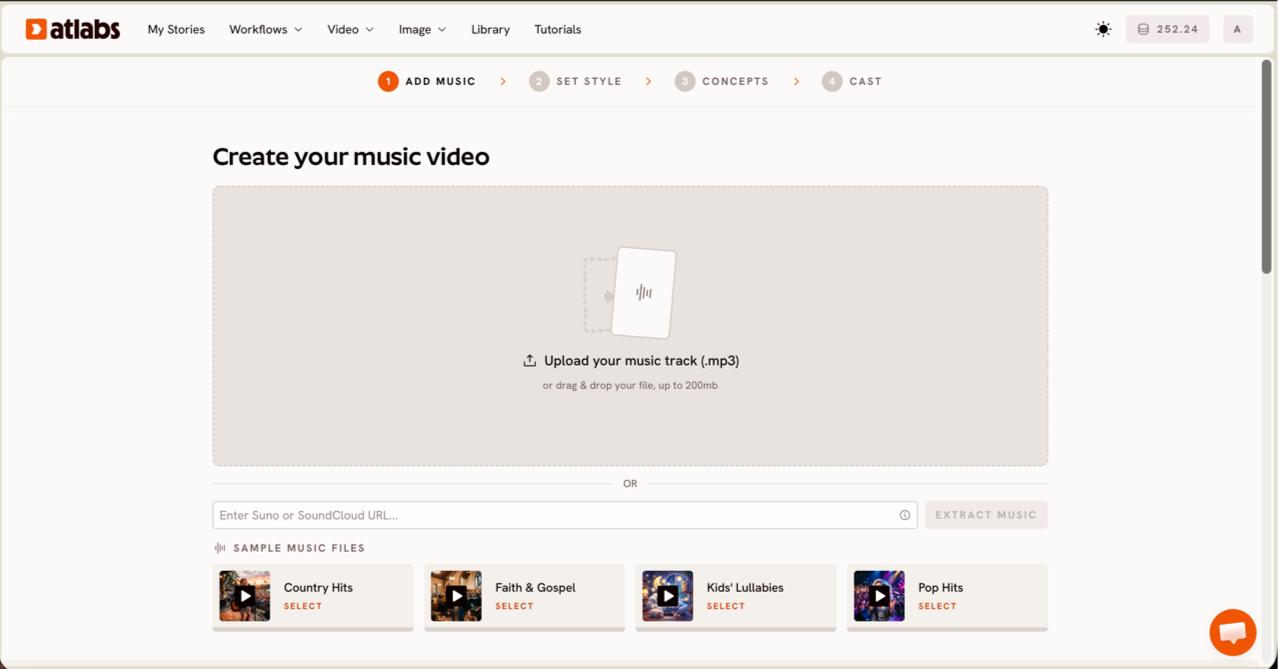
Step 1: Upload your nursery rhyme audio or paste a Suno URL to begin.
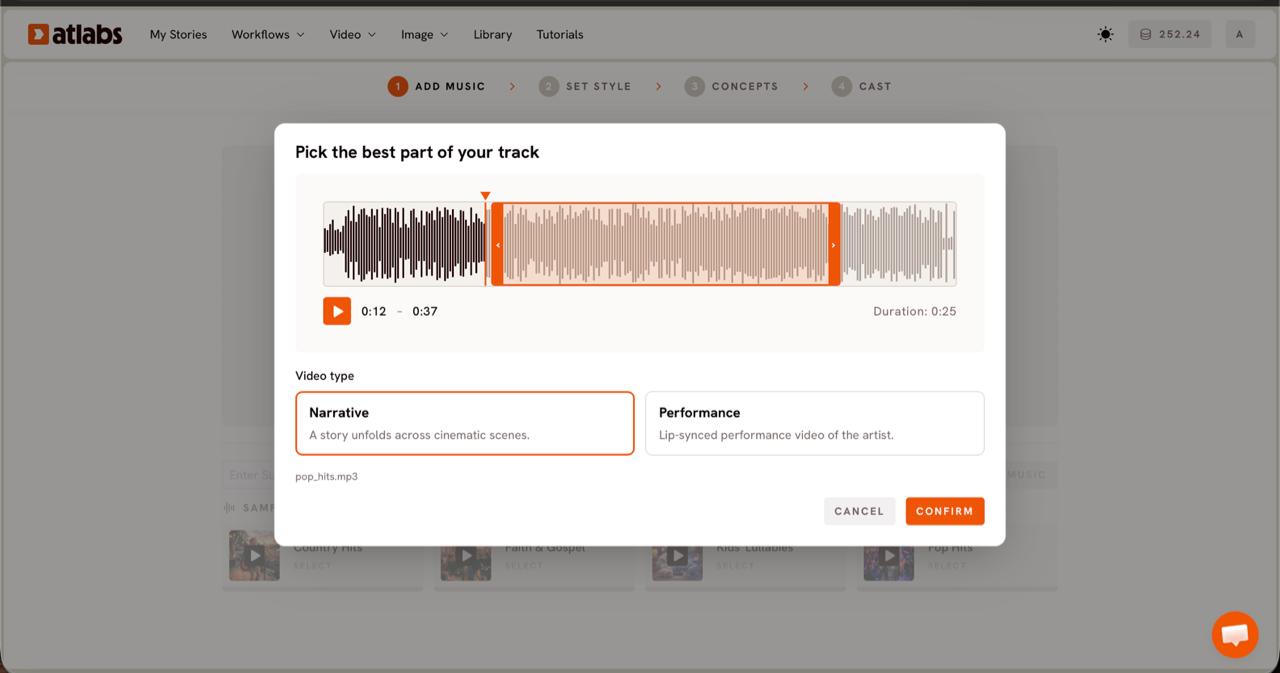
Step 2: Select your track segment and choose Narrative as the Video Type.
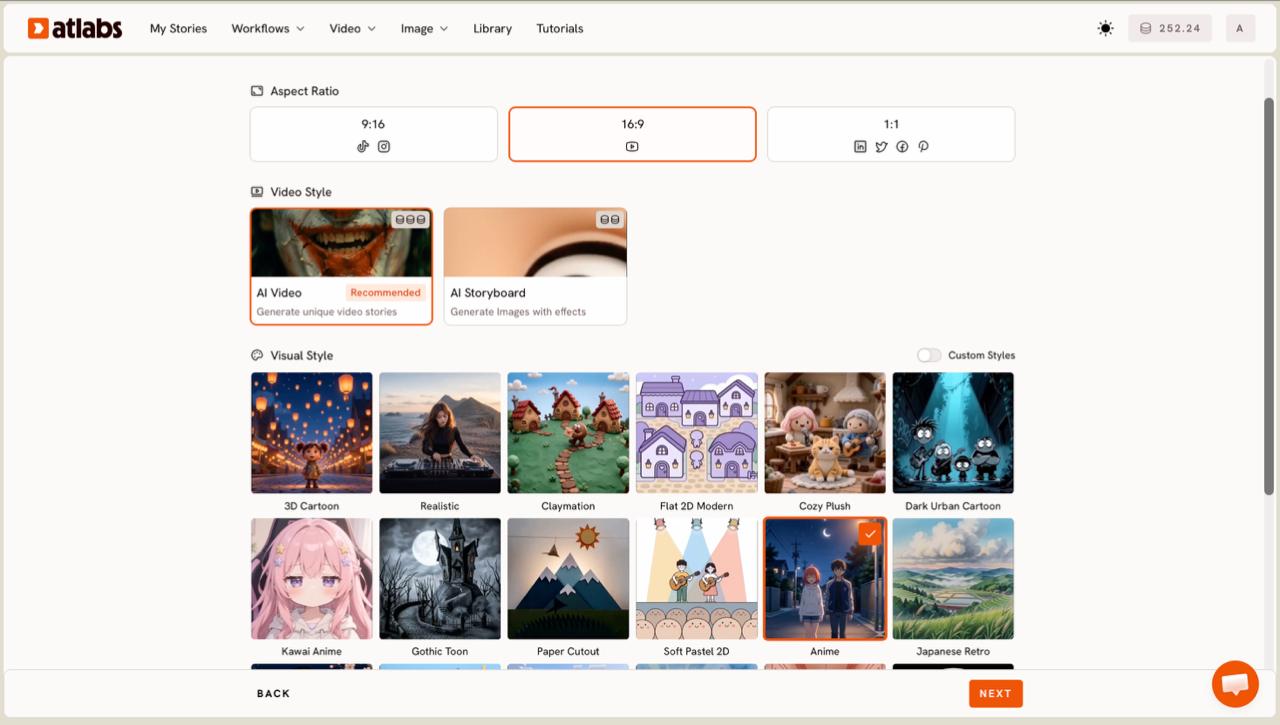
Step 3: Set Style shows the Visual Style library. 3D Cartoon and Cozy Plush are top picks for nursery rhyme channels.

Step 4: Concepts shows 6 AI-generated scene ideas matched to your track's mood and tempo.
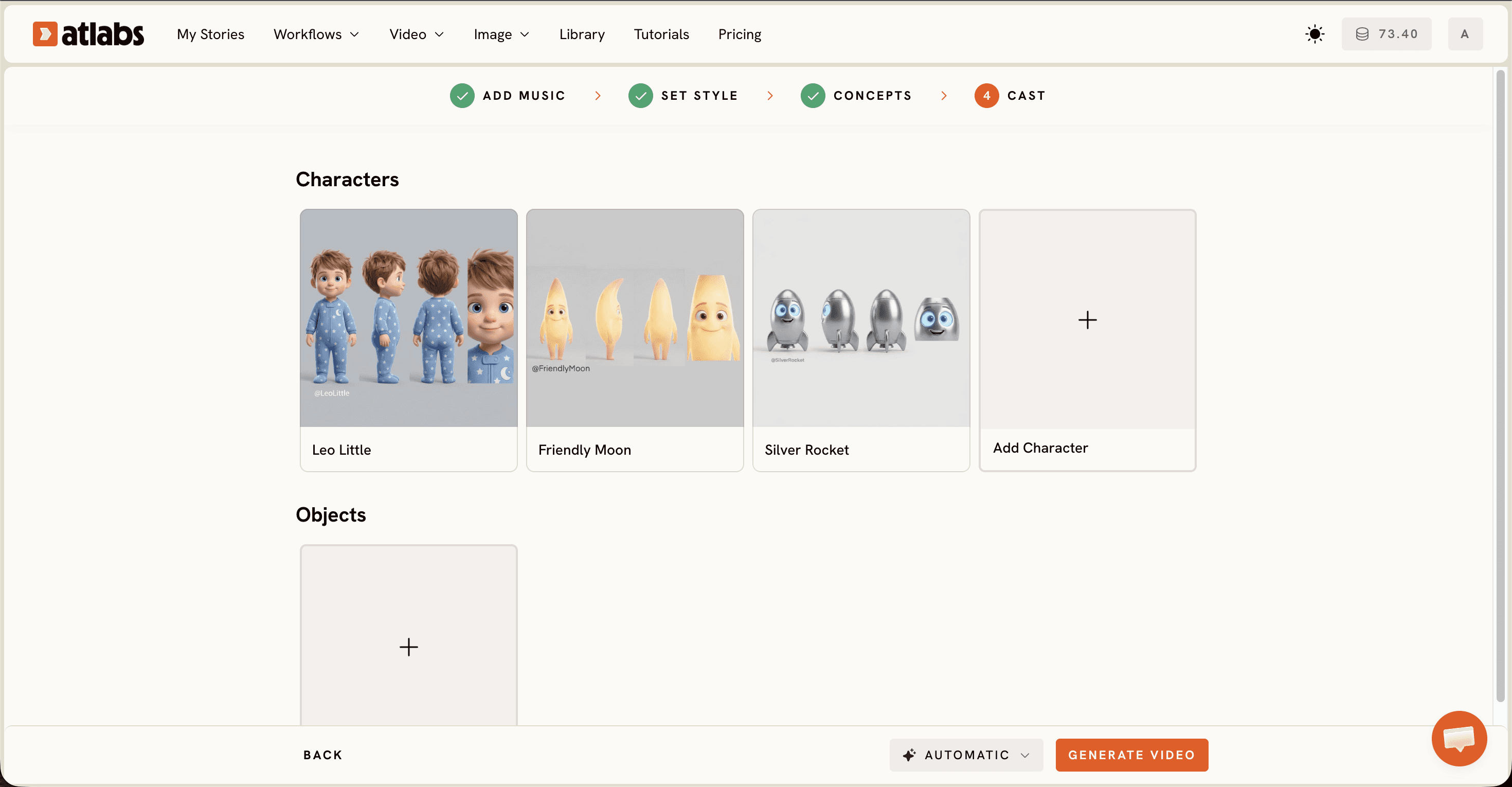
Step 5: Cast lets you define animated characters. Each card generates a multi-angle reference sheet used in every scene.
Visual Style: 3D Cartoon. Video Type: Narrative. Concept: A curious bunny counts colorful flowers in a sunny meadow, each scene revealing a new number as petals float gently in the breeze. Characters: Bunny (small, white, round eyes, cheerful expression).
Try this in Atlabs Music Video
Pricing
• Free Trial: Available
• Pro Plan: ~$19/month (billed annually)
Verdict: For nursery rhyme channels that need consistent characters, music-synced scenes, and a visual style that fits kids content, Atlabs is the clear choice. No other tool on this list combines audio-driven generation, a kids-appropriate style library, and character consistency in a single workflow.
2. InVideo AI – Best for Lyrics-First Creators
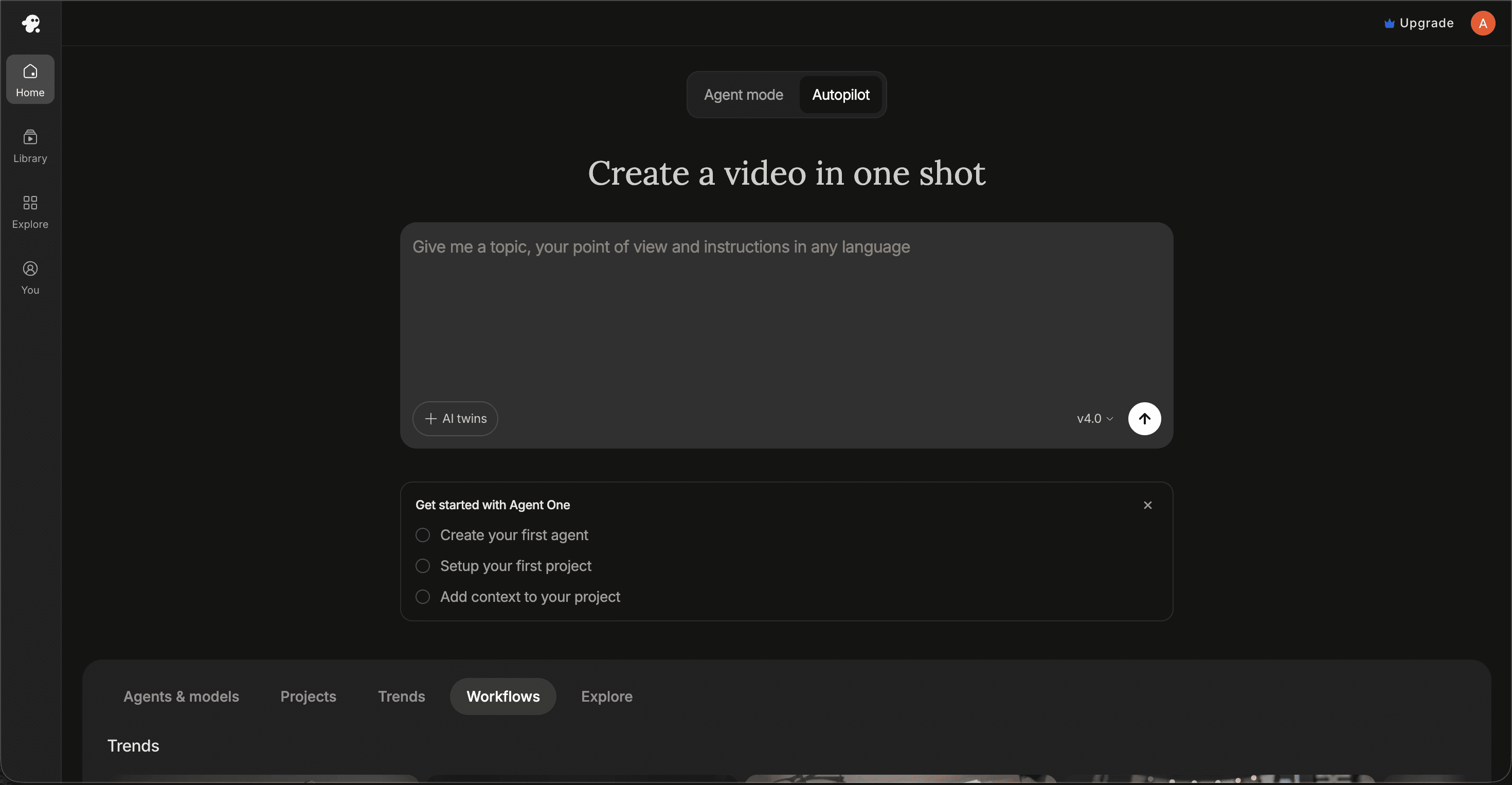
Best For: Nursery rhyme creators who write the rhyme first and want an AI tool to generate video from the text.
Key Features
Script-to-Video Generation
Type or paste your nursery rhyme lyrics and InVideo AI generates a video with illustrated backgrounds and animated text overlays. The tool selects visuals from its library based on keywords in the script. For a rhyme about a farm, it pulls barn imagery; for a counting song, it adds numbered visuals automatically.
AI Voiceover
InVideo has built-in text-to-speech with child-friendly voice options. Channels that want to produce the song and the video in one session, without a separate recording step, will find this useful. The voiceover reads the lyrics and syncs them to the clip timing.
Template Library
Thousands of pre-built templates for children's content. Faster than building from scratch, though the visual output is template-dependent and less distinctive than AI-generated scenes from audio.
Pricing
• Free: Available with watermark
• Business: ~$25/month
• Unlimited: ~$60/month
Verdict: Good for creators who start with text rather than audio. The scene timing is text-driven rather than music-synced, which is a noticeable limitation for rhymes where the musical rhythm needs to carry the visual pace.
3. Animaker – Best for Frame-Level Character Control
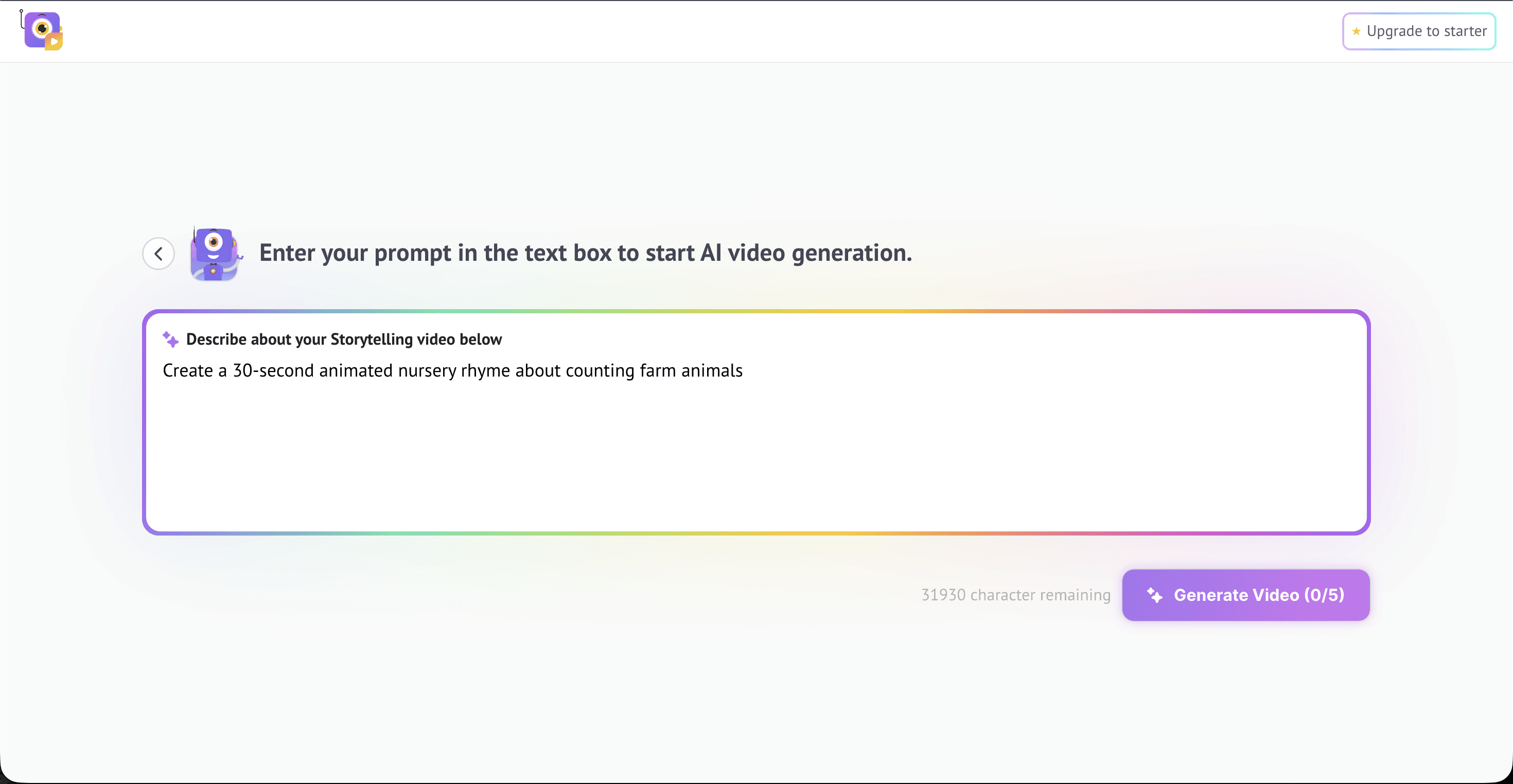
Best For: Creators who want to design a custom recurring character for their nursery rhyme channel and animate that character manually across scenes with precise control.
Key Features
Character Builder
Create a unique character for your nursery rhyme channel by combining hair styles, facial expressions, clothing, and accessories from Animaker's library. The resulting character can be saved and reused across multiple videos, which is valuable for channels with a recognisable mascot or recurring cast.
Auto Lip-Sync
Upload a voiceover or use the built-in text-to-speech, and Animaker's lip-sync feature automatically matches mouth movement to the audio. For nursery rhyme creators who want singing characters, this is one of the better implementations at the mid-market price point.
Action+
Stitch different animation sequences together so a character walks, stops, then waves in a smooth, uninterrupted flow. Useful for storytelling scenes across a longer rhyme video where character movement needs to follow a narrative arc.
Pricing
• Basic: ~$19/month
• Pro: ~$49/month
Verdict: Strong for creators who want manual control over a custom character and are willing to spend more time on each scene. Not an AI-native generator. There is no audio-driven scene creation. Every scene is built by hand, which means time per video is significantly higher than with Atlabs.
4. Pika – Best for Short Animated Clip Generation
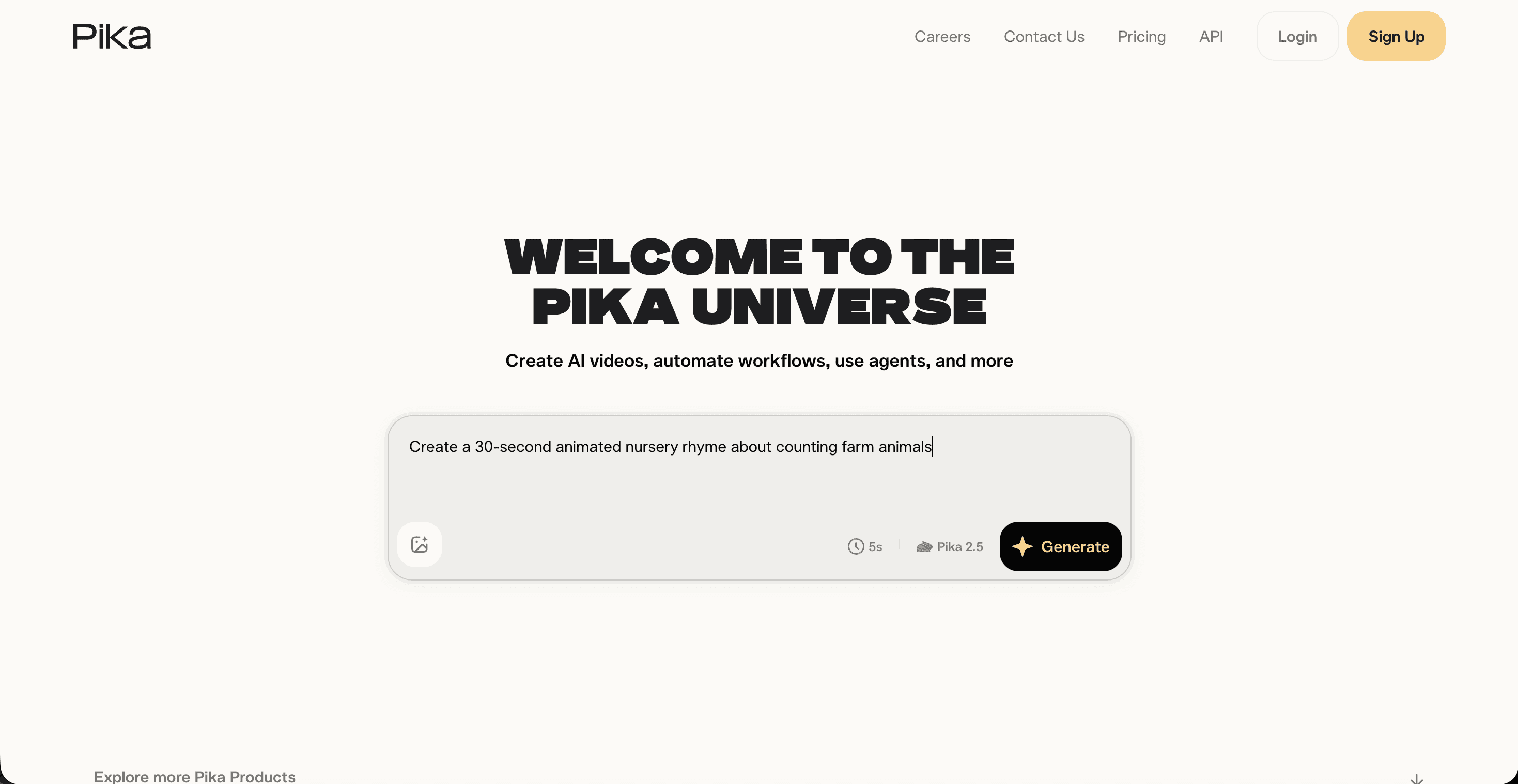
Best For: Creators who want AI-generated animated clips as ingredients and are comfortable assembling a longer nursery rhyme video in a separate video editor.
Key Features
Prompt-to-Clip Generation
Describe a scene from your rhyme and Pika generates a three to five second animated clip in the style you specify. 3D animated, anime, and illustrated styles are all available. Quality on short clips is consistent and generation speed is fast.
Image-to-Video
Upload a character illustration or background image and Pika animates it. For creators who design characters externally and want to add motion, this is a practical workflow. Combine with a character designed in Canva or Midjourney for a more controlled result.
Style Range
Covers 3D animated, anime, and illustrated styles, all of which are visually appropriate for nursery rhyme content. The per-clip output quality is reliable across these style categories.
Pricing
• Free: Available with limits
• Standard: ~$8/month
• Pro: ~$23/month
Verdict: Pika works well as a clip generator within a broader editing workflow, but it does not replace a dedicated nursery rhyme video tool. There is no music sync, no character consistency across clips, and no single flow from audio to finished video. Best used as a component alongside a video editor.
5. Canva – Honorable Mention for Channel Creators Already on the Platform
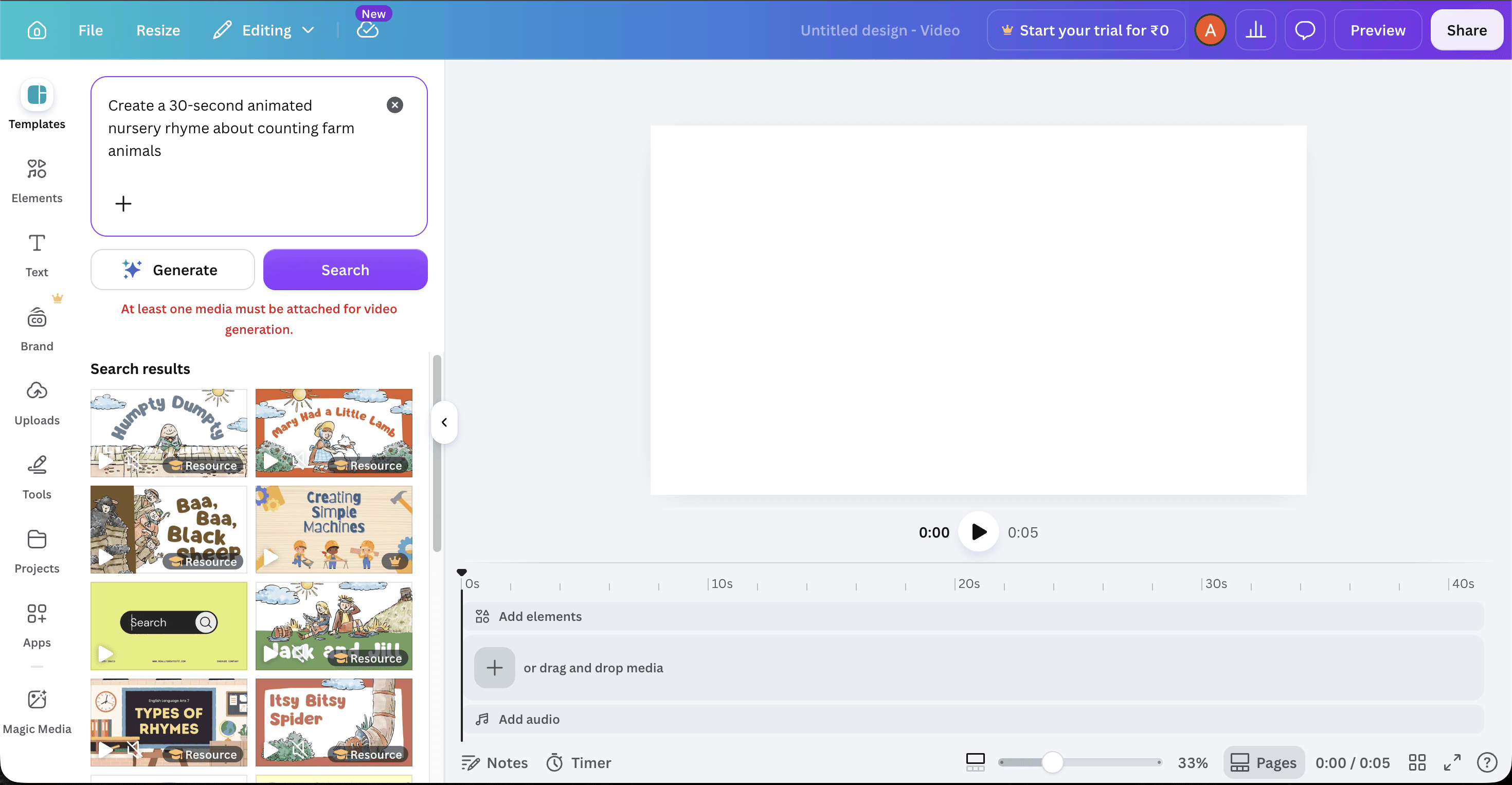
Best For: Nursery rhyme creators who already use Canva for thumbnails and channel art and want a low-friction starting point for simple illustrated video content.
Key Features
Video Templates for Kids Content
Canva's template library includes illustrated children's content templates for TikTok, Reels, and YouTube Shorts. Add text, overlay the audio track, apply motion to elements, and export. No building from scratch.
Magic Animate
Apply complex motion paths to static text and images with one click. Useful for turning a series of illustrated slides into a moving video without frame-by-frame animation work.
Brand Kit Integration
Channel colors, fonts, and logos saved in the Brand Kit apply automatically across every template, giving consistent visual branding across video content and static channel assets.
Pricing
• Free: Robust free tier available
• Pro: ~$15/month
Verdict: Canva is a design tool with video export, not an AI animated video generator. It does not take a nursery rhyme audio file and generate scenes from it. For a polished, music-synced animated video with consistent characters it falls short of Atlabs. For quick illustrated slideshows with channel branding it gets the job done.
Final Verdict
For most nursery rhyme creators, the problem is the same: the audio exists and the animated video does not. Tools like Animaker and Canva are useful for specific manual tasks, but neither takes an audio file as input and produces animated scenes from it. InVideo AI and Pika get closer, but neither natively syncs scenes to the music's timing and mood. Atlabs is the only tool on this list that starts with the audio, generates scene concepts from the track's properties, applies a kids-appropriate visual style consistently across all scenes, and maintains character consistency throughout. For a nursery rhyme channel that ships content weekly, it removes the largest production bottleneck without requiring editing experience or animation skills.
Start Creating with Atlabs – Free Trial
Frequently Asked Questions
What is the best free AI tool for nursery rhyme videos?
Atlabs, InVideo AI, Pika, and Canva all have free tiers available. Atlabs offers a free trial that includes access to the full Music Video workflow, making it the most capable free-entry option on this list for audio-driven animated nursery rhyme videos.
Can I keep the same character across all my nursery rhyme videos?
Only Atlabs offers a dedicated character consistency system through its Cast feature. Define a character once and Atlabs generates a multi-angle reference sheet used consistently in every scene. Animaker also supports recurring characters through its character builder, though that requires manual scene assembly for every video.
Which tool works best for a nursery rhyme channel on YouTube?
Atlabs is the strongest option for a nursery rhyme YouTube channel. It supports 16:9 output for standard uploads and 9:16 for YouTube Shorts, generates animated scenes matched to the rhyme audio, and applies visual styles such as 3D Cartoon and Cozy Plush that are designed for young audiences.
Do I need video editing experience to make a nursery rhyme video with AI?
No. The Atlabs Music Video workflow does not require timeline editing or prior animation experience. The five-step process covers audio upload, segment selection, style choice, concept selection, and character definition. The AI handles scene generation at every step.
Which AI tool creates the most age-appropriate animation for kids?
Atlabs offers the widest range of kids-appropriate visual styles in one platform: 3D Cartoon for Pixar-style warmth, Cozy Plush for a soft toy-box feel, Soft Pastel 2D for storybook aesthetics, and Kawai Anime for bright big-eyed character styles. All styles apply consistently across every generated scene.
References & Data Sources
All pricing and feature data verified as of June 2026:
Atlabs
Verified via Atlabs official pricing page and platform walkthrough. Confirmed Music Video workflow, 5-step flow, Visual Style library, and Cast feature for character consistency. Pro plan ~$19/month billed annually. Pricing as of June 2026.
InVideo AI
Verified via InVideo AI website and G2 reviews. Confirmed script-to-video workflow, AI voiceover capability, and template library. Business plan ~$25/month. Pricing as of June 2026.
Animaker
Verified via Animaker website and Capterra reviews. Confirmed character builder, Auto Lip-Sync, and Action+ features. Paid-only platform with plans starting ~$19/month. Pricing as of June 2026.
Pika
Verified via Pika website. Confirmed prompt-to-clip and image-to-video generation, style range, and per-clip output model. Standard plan ~$8/month. Pricing as of June 2026.
Canva
Verified via Canva website. Confirmed Magic Animate, Brand Kit, and video template library for children's content. Pro plan ~$15/month. Pricing as of June 2026.
Pricing is accurate as of June 2026 and subject to change. Always verify current pricing on each tool's official website before purchasing.








