
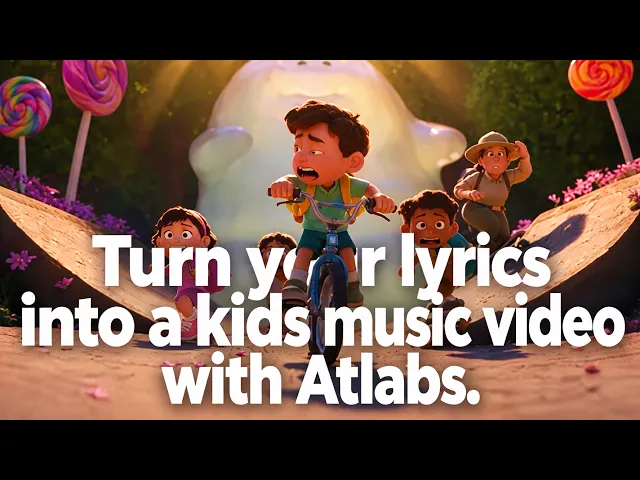
For kids music creators in 2026, Atlabs is the top pick. It is the only platform in this list with a flow built specifically for children's music, taking an uploaded song and returning a full animated video with consistent characters, storybook styles, and sing-along subtitles. We evaluated the five highest ranking AI video platforms for kids song channels and compared them on features, pricing, and kids song fit, so you can pick your tool in the next five minutes.
The 5 Best AI Tools for Kids Song Videos at a Glance
What matters for kids songs | Atlabs | Kling AI | Pika | Runway | Higgsfield |
|---|---|---|---|---|---|
Built for kids music videos | Yes, dedicated Kids Edutainment Music videos | No, general video model | No, short clip effects | No, general video suite | No, cinematic clip platform |
Upload a song, get a full video | Yes (mp3, Suno, SoundCloud) | No, one prompt per clip | No, one prompt per clip | No, one prompt per clip | No, one prompt per clip |
Characters stay consistent across a whole song | Yes, cast characters and reuse them | Good within a clip | Limited | Partial, reference based | Partial, reference based |
Video length | Up to 5 min on Pro, 15 min on Max | Clips up to about 2 min | Short clips, stitch manually | Short clips, stitch manually | Short clips, stitch manually |
Kid friendly visual styles | 30+ built in (3D Cartoon, Claymation, Cozy Plush) | Prompt dependent | Prompt dependent | Prompt dependent | Prompt dependent |
Auto animated subtitles | Yes | Not built in | Not built in | Not built in | Not built in |
Free plan | Yes | Yes, daily free credits | Yes | Yes, 125 one time credits | Yes |
Starting paid price | $19/mo ($15/mo annual) | Around $10/mo | $10/mo ($8/mo annual) | $15/mo ($12/mo annual) | $15/mo annual |
1. Atlabs: Best Overall for Kids Song Videos
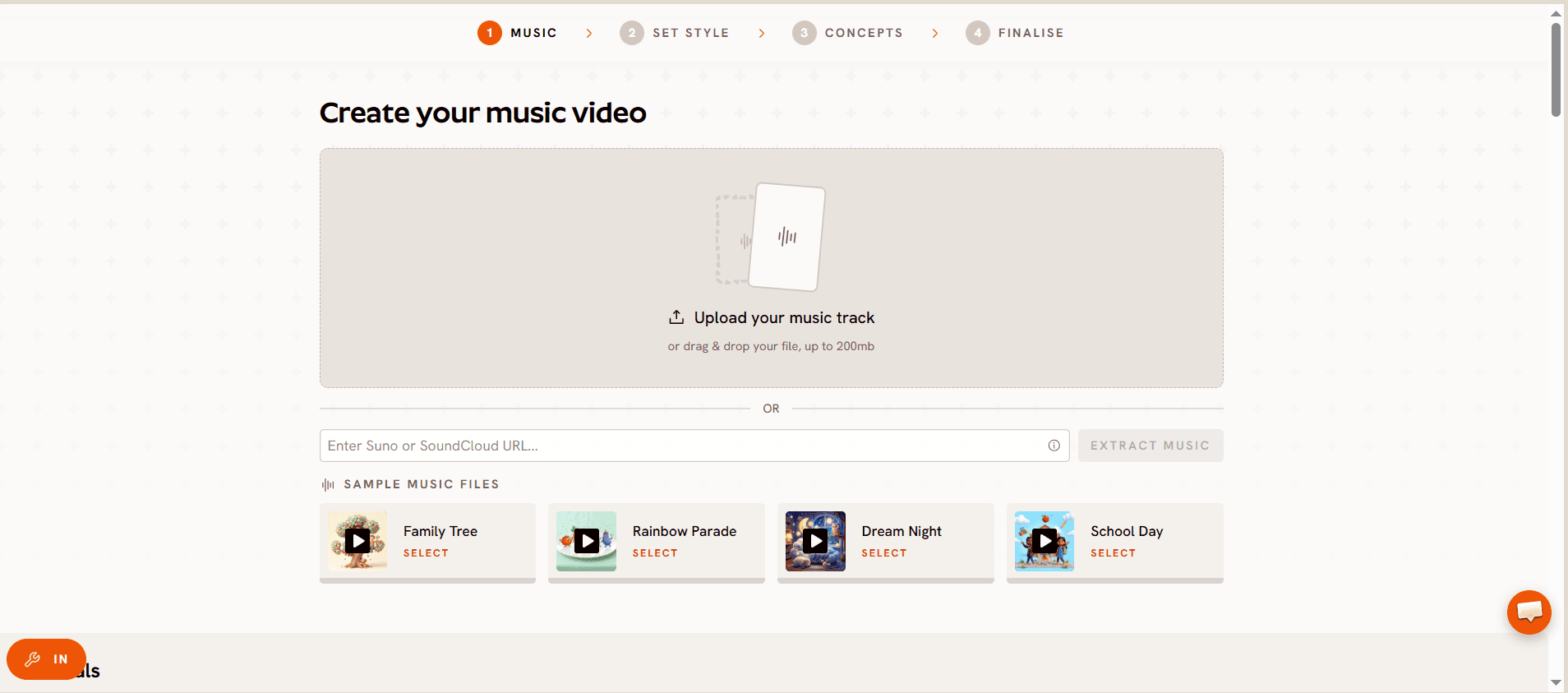
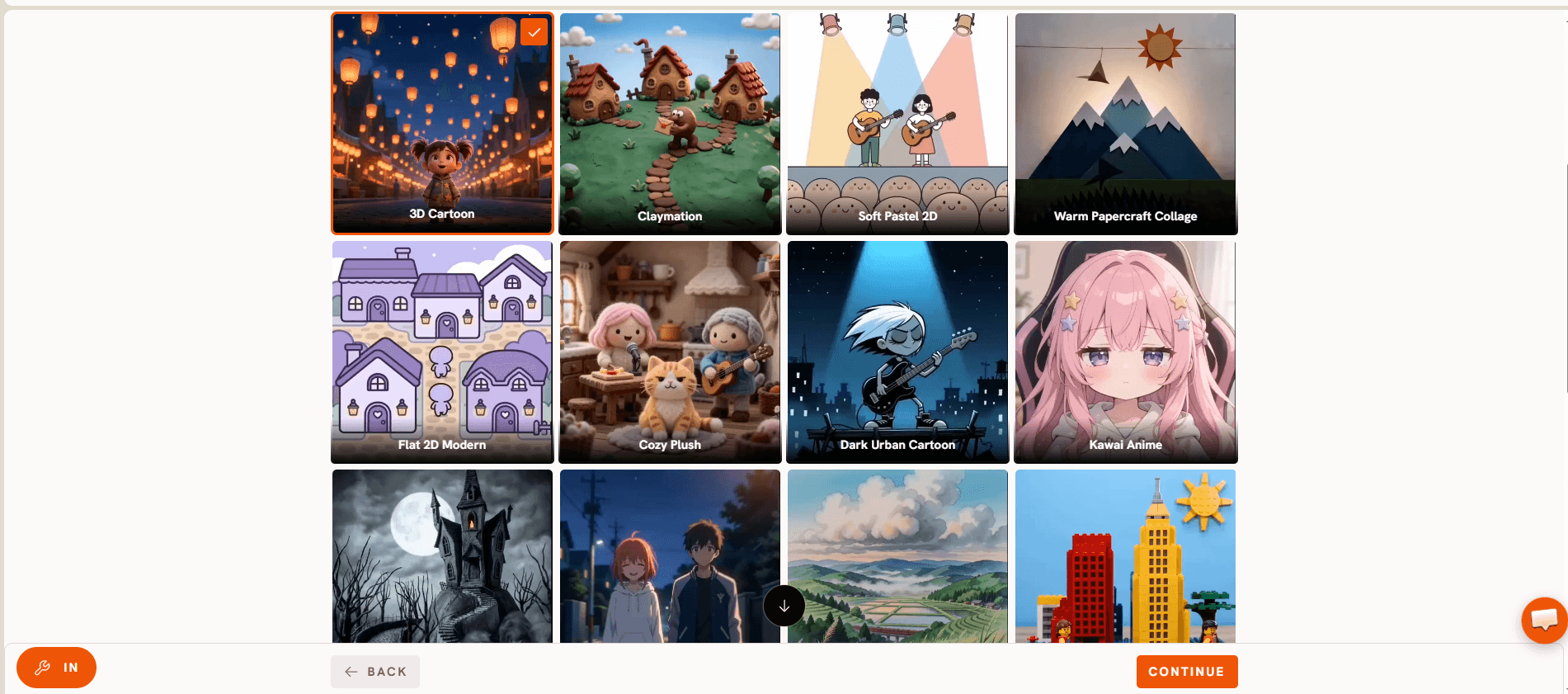
Key points. Atlabs is the only platform here that treats a kids song as the starting point rather than an afterthought. You upload an mp3 or paste a Suno or SoundCloud link, and the platform produces a complete animated music video around your track. The Pro plan includes Kids Edutainment Music videos as a named feature, along with audio to AI video and Music Analysis Pro, which reads your song's tempo and mood before generating scenes. Characters can be cast once and stay consistent across every scene, which matters when your channel's mascot needs to look the same in episode 1 and episode 40. The visual style library covers 30+ options built for young audiences, including 3D Cartoon, Claymation, Cozy Plush, and Soft Pastel 2D, and every video can carry auto animated subtitles so kids can sing along. Under the hood, Atlabs gives you access to 100+ AI models including Veo 3.1, Kling 3, and Seedance 2.0, and it can create videos in 40+ languages for rhyme channels with a global audience.
Pricing. Free plan to start, no card needed. Lite is $19/mo ($15/mo billed annually). Pro, the plan with Kids Edutainment Music videos, is $39/mo ($29/mo annually) and covers 36 to 48 one minute videos a year. Plus is $79/mo ($59/mo annually) and Max is $249/mo ($189/mo annually) for studios.
Pros:
The only tool with a dedicated kids music video flow
Song in, video out, with no clip stitching or timeline editing
Characters and objects stay consistent across the full song
Sing-along ready auto animated subtitles
Videos in 40+ languages for international rhyme channels
Cons:
Generation runs on credits, so heavy weekly output may need a higher plan
Lite exports at 720p, with 1080p starting on Pro
Verdict. If your goal is a finished, full length kids song video from a track you already have, Atlabs is the clear pick and the reason it tops the scoreboard.
2. Kling AI: Best Motion Quality for Individual Clips
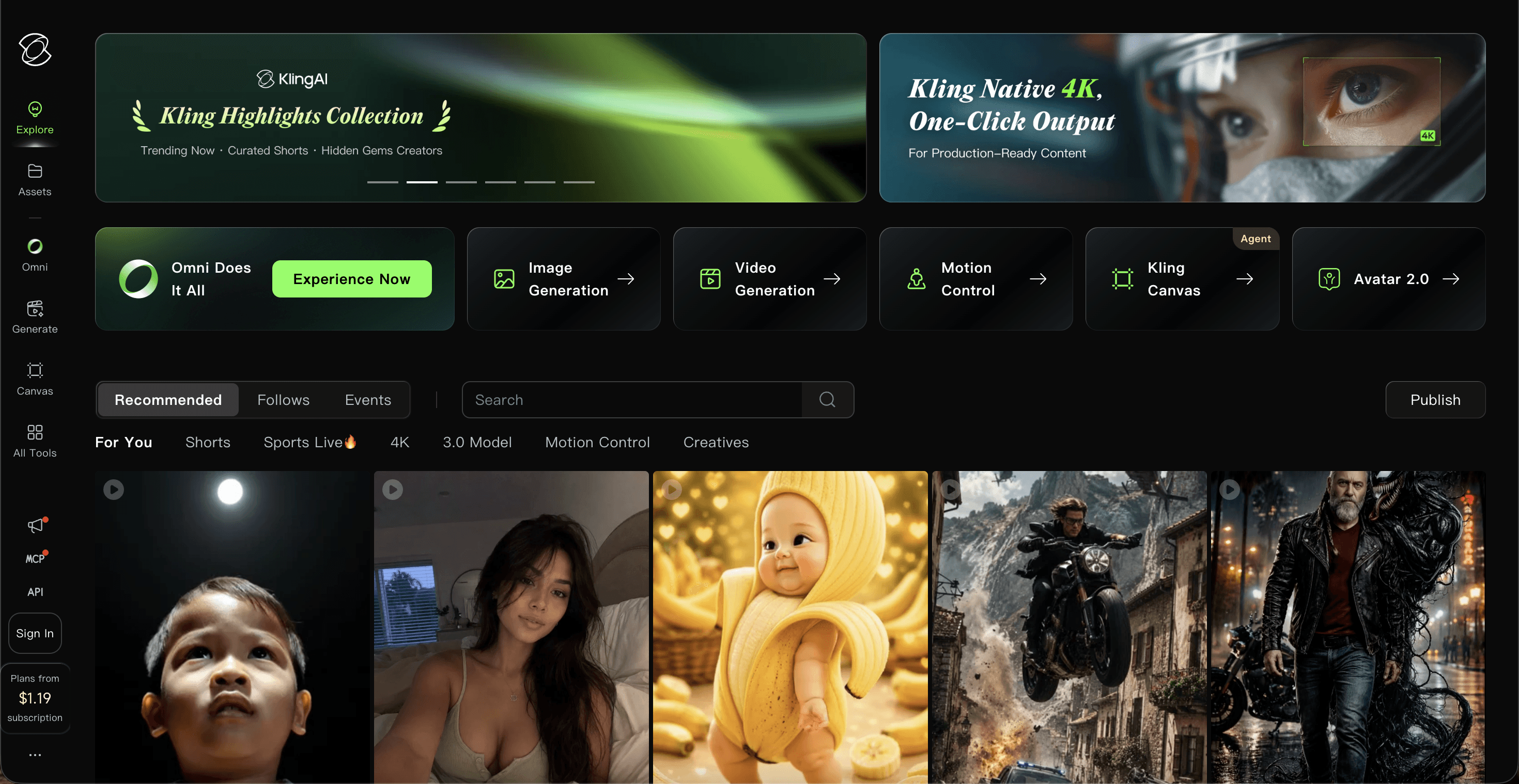
Key points. Kling AI, built by Kuaishou, is one of the strongest raw video models available in 2026. It holds character consistency across clips up to about two minutes, added native 4K in April 2026, and its 2.6 release brought audio generation into the same pipeline. The catch for kids song creators: Kling is a clip generator, not a song to video platform. You write a prompt per scene, generate each clip, then edit everything together with your track in a separate editor.
Pricing. Free daily credits for testing. Paid plans start around $10/mo for Standard and around $37/mo for Pro, rising to roughly $180/mo at the top tier. Prices shift with promos and region, so check the Kling pricing page before subscribing.
Pros:
Excellent motion realism and physics
Longer single clips than most rivals
Cheap entry price for casual testing
Cons:
No song upload flow, so every scene is a separate prompt
Audio enabled generations double the credit burn
You still assemble the final video yourself
Verdict. A strong pick if you enjoy hands-on editing and want top tier clips, but it leaves the kids song assembly work on your desk.
3. Pika: Best Budget Pick for Playful Short Clips
Key points. Pika is the budget favourite of 2026 tier lists, and its personality suits kids content. Features like Pikaffects (melt, explode, squish physics), Pikadditions, and Pikaframes make short, silly, shareable clips that children love. The limitation is length: kids songs usually run two to three minutes, and Pika generates short clips, so a full nursery rhyme video means many generations plus manual stitching.
Pricing. Free plan with daily community generations. Standard is $8/mo billed annually (about $10 monthly), Pro is $28/mo annually with commercial rights, and Fancy is $76/mo annually for heavy users.
Pros:
Lowest paid entry price in this list
Fun, kid pleasing effects out of the box
Simple, friendly interface
Cons:
Short clips only, so full songs need heavy stitching
Weaker character consistency across scenes
Commercial use starts at the Pro tier
Verdict. Great for quick Shorts and clip experiments on a small budget, less practical for complete kids song videos.
4. Runway: Best Pro Grade Suite for Advanced Editors
Key points. Runway is the professional's toolkit. Gen-4.5 tops quality benchmarks, and paid plans bundle third party models plus a full video editor, performance capture with Act-Two, and Aleph for AI edits. For a kids song channel, that power comes with a learning curve and credit math: 1 second of Gen-4.5 costs 25 credits, so a full length song video gets expensive fast.
Pricing. Free plan with 125 one time credits. Standard is $12/mo billed annually (about $15 monthly), Pro is $28/mo annually (about $35 monthly), and Max is $76/mo annually.
Pros:
Benchmark leading video quality
Full editing suite in the browser
Access to multiple third party models on paid plans
Cons:
Credit costs climb quickly on flagship models
Clip based, with no kids music workflow
Steeper learning curve for non-editors
Verdict. The right choice for production teams that already edit professionally, and more tool than most kids song creators need.
5. Higgsfield: Honorable Mention for Cinematic Presets
Key points. Higgsfield aggregates 15+ models, including Sora 2, Veo 3.1, and Kling 3.0, behind one subscription, with cinematic camera presets that look impressive in trailers and teasers. For kids songs it remains a clip platform, and credit costs vary widely by model, so budgeting takes planning.
Pricing. Free tier to test. Starter is $15/mo billed annually, Plus is $39/mo annually, and Ultra is $99/mo annually, with credit top-ups at about $5 per 100 credits.
Pros:
Many top models under one roof
Striking camera motion presets
Cons:
Credit consumption differs per model, which makes costs hard to predict
No song based workflow or subtitle support
Verdict. Worth a look for cinematic intros and channel trailers, not for end to end kids song production.
Scoreboard: How the 5 Tools Stack Up
Rank | Tool | Kids Song Fit | Ease of Use | Character Consistency | Full Song Length | Value for Money | Total (out of 50) |
|---|---|---|---|---|---|---|---|
1 | Atlabs | 10 | 9 | 9 | 9 | 9 | 46 |
2 | Kling AI | 7 | 7 | 8 | 7 | 7 | 36 |
3 | Pika | 7 | 8 | 6 | 5 | 9 | 35 |
4 | Runway | 6 | 7 | 7 | 6 | 7 | 33 |
5 | Higgsfield | 6 | 7 | 7 | 6 | 6 | 32 |
How We Picked
We scored each platform on five criteria that decide whether a kids song video actually ships: kids song fit (can the tool take a song and return a watchable video), character consistency across scenes, support for full song length, ease of use for creators with no animation background, and value for money at current prices. Our team verified every price on the official pricing pages in July 2026. Prices change often in this space, so treat the numbers here as a snapshot and confirm at checkout.
Watch: Atlabs Kids Song Video Tutorial
Want to see a kids song video come together before you commit? Watch the step by step video guide here. You can also browse every walkthrough on youtube.
FAQ
What is the best AI tool for kids song videos in 2026?
Atlabs is the best AI tool for kids song videos in 2026. It is the only major platform with a dedicated Kids Edutainment Music videos feature, and it turns an uploaded song into a complete animated video with consistent characters and sing-along subtitles.
Can I turn an existing kids song mp3 into an animated video?
Yes. On Atlabs you upload the mp3 (or paste a Suno or SoundCloud link) and the platform analyses the track's tempo and mood, then generates animated scenes to match. Clip generators like Kling, Pika, Runway, and Higgsfield need you to create scenes one prompt at a time and edit them to your audio manually.
How much does an AI kids song video maker cost?
Every tool in this list has a free plan or free credits. Paid plans start at $8/mo for Pika (annual), around $10/mo for Kling AI, $12/mo for Runway (annual), $15/mo for Higgsfield (annual), and $15/mo for Atlabs Lite (annual), with the kids music focused Atlabs Pro plan at $29/mo on annual billing.
Do I need animation skills to make kids song videos with AI?
No. On Atlabs the whole process runs inside one guided flow, so there is no timeline editing or animation software involved. Clip based tools require basic video editing skills to stitch scenes to your song.
Final Verdict
Every tool here can produce charming footage, but only one of them was built for the job in this title. Kling wins on raw motion, Pika wins on price, Runway wins on pro editing, and Higgsfield wins on cinematic presets. Atlabs wins on the thing a kids music channel actually needs: a finished, full length, character consistent song video from the track you already have. Upload your song and see the first scenes for yourself. For songs built around colours and shapes, see the best AI tools for colour and pattern recognition videos.








