
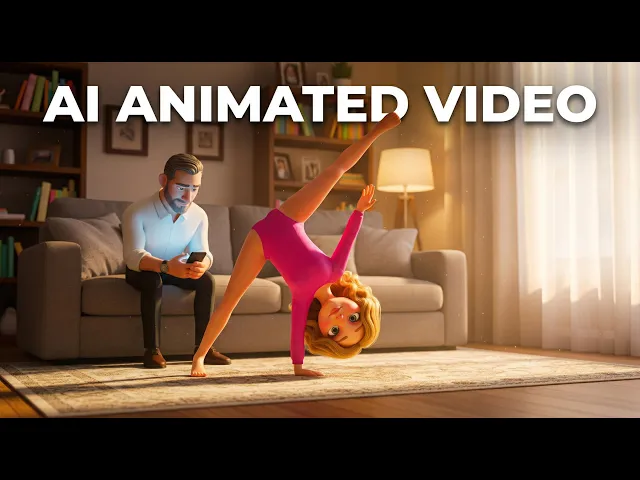
To create smooth character animation with AI, open the Animated Video workflow on Atlabs, paste or write a script, pick a visual style, and cast your characters and narrator. The platform generates the scenes for you using motion-focused models like Kling 3.0, Hailuo 2.3, and Seedance 2.0, so the movement looks fluid instead of stiff or jittery. No keyframes, no rigging, no After Effects. A complete animated short takes one script and three steps.
What You Need Before You Start
You need three things: an Atlabs account, a script or story idea, and about ten minutes. That is the whole kit. You do not need drawing skills, rigging knowledge, or editing software. If you run a kids channel or a story channel and your script lives in a Google Doc right now, you are already halfway done. If you have no script at all, the workflow includes an AI Script Writer and a set of suggested scripts, so a blank page is never a blocker.
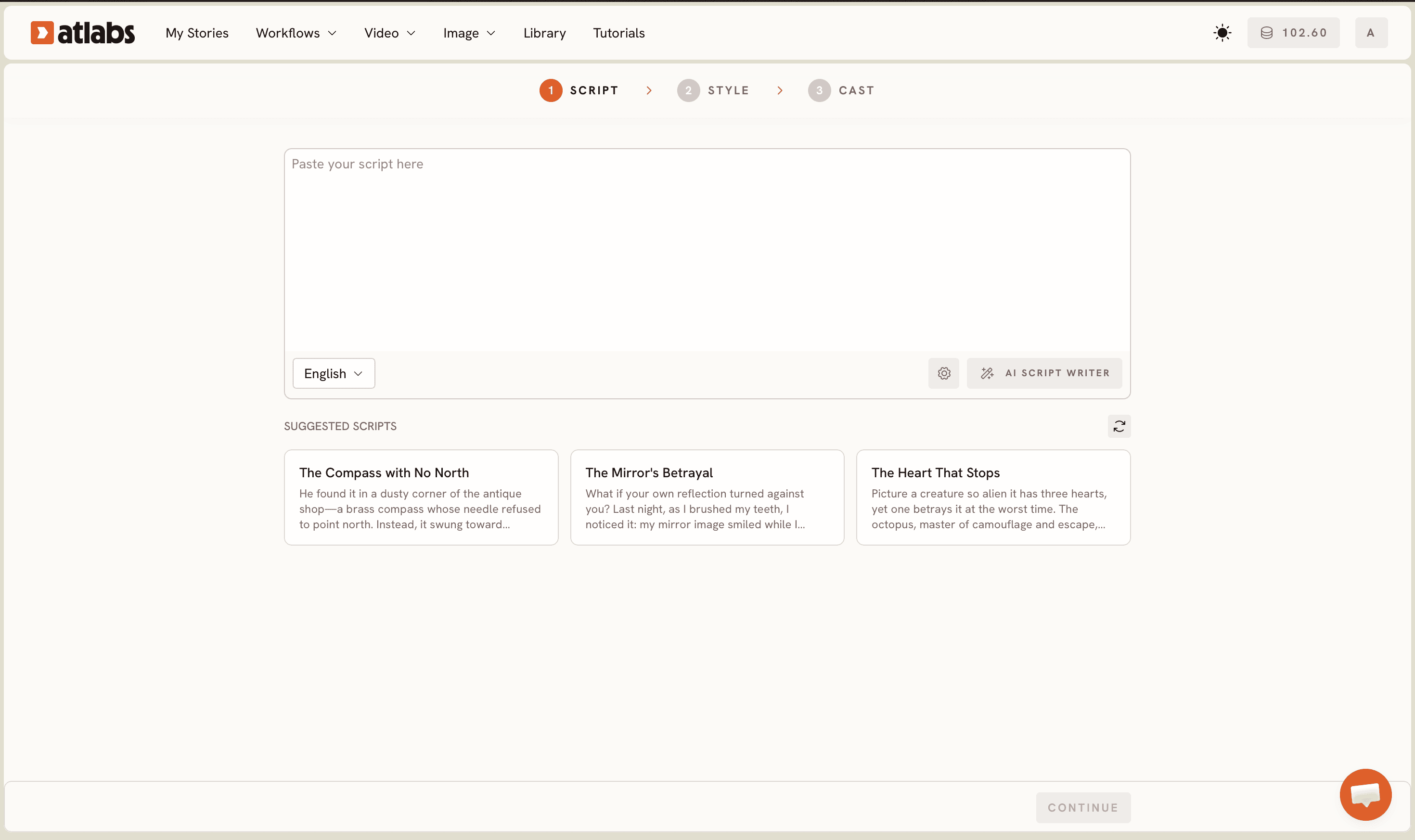
Step 1: Add Your Script
Open the Animated Video workflow from the Atlabs dashboard. The progress bar at the top reads SCRIPT, SET STYLE, CAST, so you always know where you are. Two tabs sit at the top of the first screen: Add your script for free-form text and Add your screenplay for structured screenplay formatting. Paste your story into the editor. For kids content, shorter sentences read better because each sentence tends to map to a cleaner scene. The same workflow powers the Pixar-like look in how to make a Pixar style AI video.
Pick your language from the Language selector at the bottom left (English is the default). If you are starting from nothing, click the AI Script Writer button at the bottom right, or grab one of the SUGGESTED SCRIPTS cards below the editor, then edit it into your own voice.
Step 2: Set Your Style
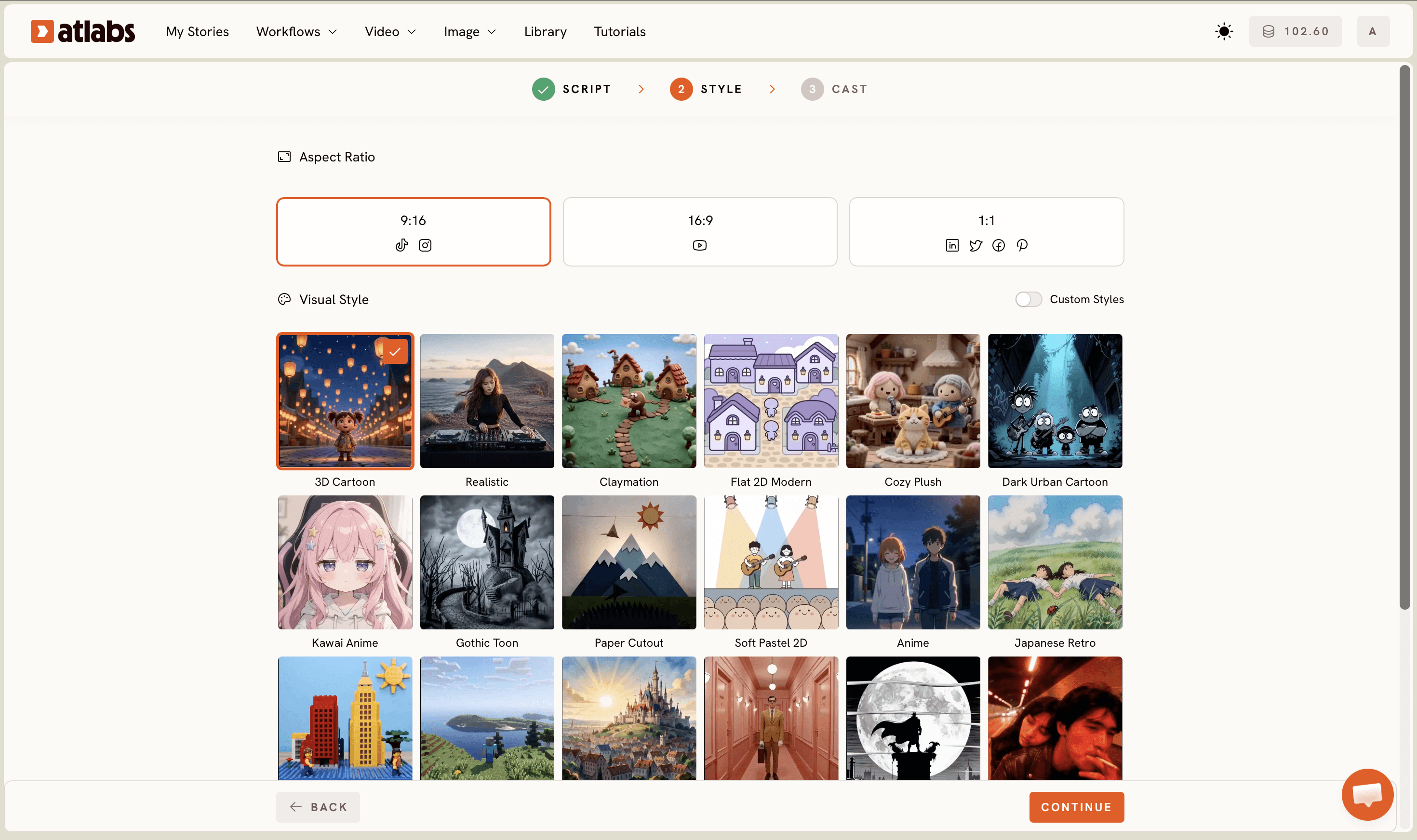
Choose an Aspect Ratio first: 9:16 for TikTok and Instagram, 16:9 for YouTube, or 1:1 for feeds like LinkedIn and Facebook. For a kids channel or story channel, 16:9 is the usual pick since YouTube is home base.
Select AI Video as the Video Style. It is the recommended option and the one that generates full moving scenes, which is what smooth character animation actually requires. AI Storyboard generates images with effects instead, which is useful for previews but not for fluid motion.
Pick a Visual Style from the library: 3D Cartoon, Claymation, Cozy Plush, Flat 2D Modern, Soft Pastel 2D, Paper Cutout, Kawai Anime, Anime, and more, with a Custom Styles toggle for the full library. Style choice affects perceived smoothness. 3D Cartoon and Cozy Plush hide small motion artifacts well, which makes them safe picks for a first project.
Step 3: Cast Your Characters and Narrator
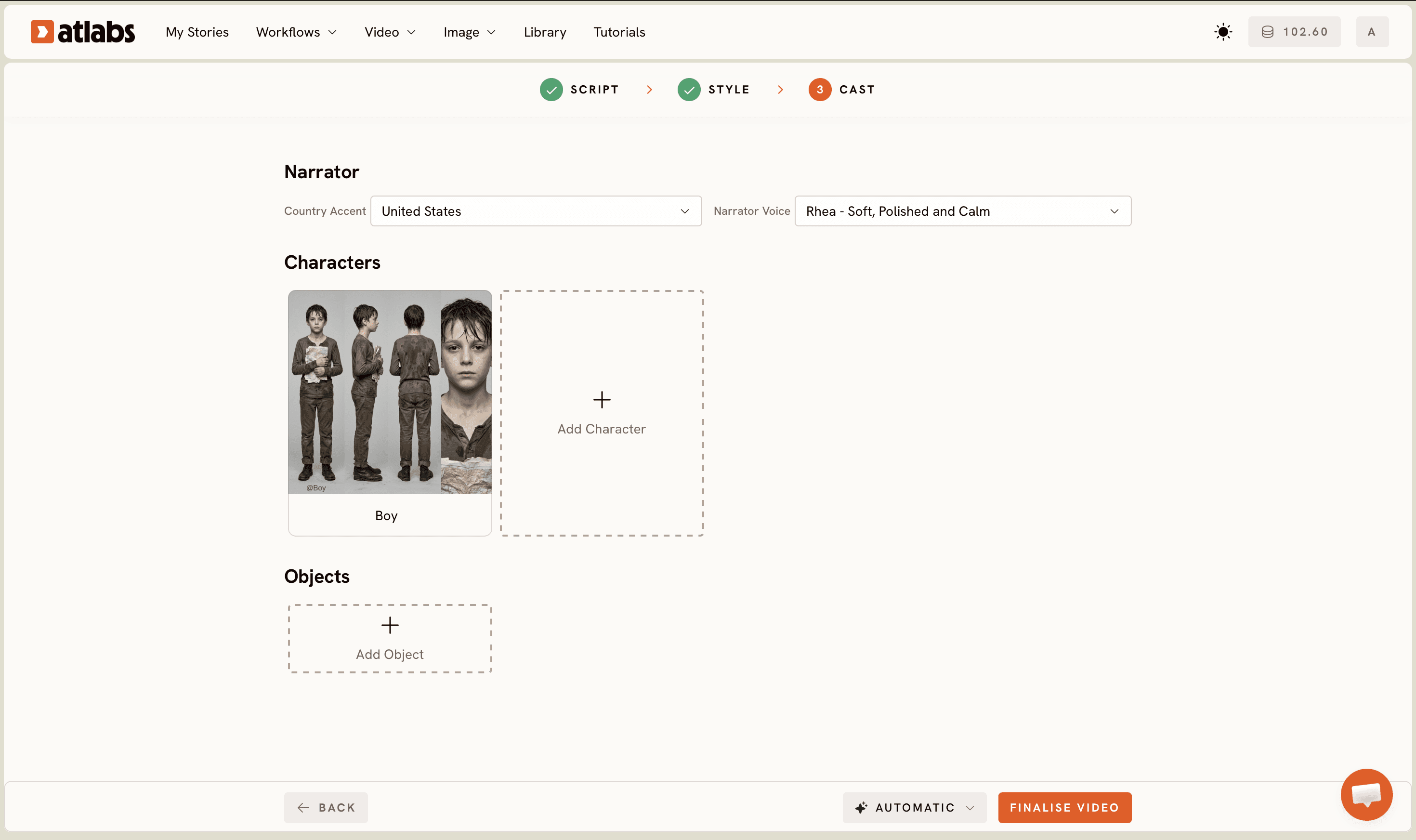
Set the Narrator first. The top section has a Country Accent dropdown (United States by default) and a Narrator Voice dropdown with options like David. Match the voice to your audience; a warm, slower narrator suits bedtime stories, a brighter one suits adventure content.
Review the Characters section next. Atlabs generates character cards from your script, each with a name tag. Consistent characters are a huge part of why the final animation feels smooth, because the same face and outfit carry across every scene instead of morphing shot to shot. Add props in the optional Objects section at the bottom, then generate. Your animated video renders scene by scene, ready to review and export.
Tips for Smoother Motion
Smoothness comes from four choices. First, the model. Atlabs runs multiple video models in one place, and each has a motion personality: Kling 3.0 is strong for realistic, fluid movement, Hailuo 2.3 handles high-motion scenes with anime-adjacent fluidity, and Seedance 2.0 shines on stylized character closeups and dialogue scenes. Second, the writing. One clear action per sentence gives the model a clean motion target; three actions crammed into one line invites jitter. Third, the style. Stylized looks like Claymation and 3D Cartoon forgive tiny imperfections that photoreal styles expose. Fourth, the polish pass. If a character speaks on camera, run the clip through Lip Sync so mouth movement locks to the audio, and finish with Upscale for a crisper final render.
Example Scripts You Can Copy
Paste either of these into the Script step and adjust the names. Both are written with one action per sentence, which is the single best habit for smooth output.
Milo the fox wakes up in a sunlit forest. He stretches slowly and yawns. A blue butterfly lands on his nose. Milo crosses his eyes to look at it. The butterfly flies toward a glowing cave. Milo follows it with careful, quiet steps.
Captain Zia stands on the deck of a paper boat. She raises her telescope to the horizon. A friendly whale rises from the water beside her. The whale sprays a gentle fountain into the air. Zia laughs and holds her hat. The boat glides forward on the whale's wave.
Watch the Full Video Tutorial
Prefer to watch the whole thing done on screen? The Atlabs YouTube tutorial walks through every step above in real time, from pasting the script to exporting the finished animation.
FAQ
How long does it take to create smooth character animation with AI?
About ten minutes of hands-on work for a short video. You write or paste the script, set the style, and cast the characters, then Atlabs generates the scenes. Rendering time depends on video length, but there is no manual animation work at any point.
Do I need animation or editing skills to use Atlabs?
No. The Animated Video workflow replaces keyframing, rigging, and timeline editing with three guided steps. If you can write a short story, you can produce an animated video. Beginners on kids channels and story channels are exactly who the workflow is built for.
Which AI model creates the smoothest animation?
It depends on the scene. Kling 3.0 is strong for realistic fluid movement, Hailuo 2.3 excels at high-motion and anime-adjacent scenes, and Seedance 2.0 is best for stylized character closeups. Atlabs gives you all of them in one platform, so you can match the model to the shot.
Can I use AI character animation for a kids YouTube channel?
Yes, this is one of the most common uses. Pick 16:9 as the aspect ratio, choose a friendly style like 3D Cartoon or Cozy Plush, and keep sentences short so each scene reads clearly. Consistent character cards keep your cast recognizable across every episode.
Get started
You now have the full recipe: one script, three steps, and a model lineup that handles the motion for you. Open the Animated Video workflow, paste one of the example scripts above, and watch your first smooth animated scene render in minutes.








